Home » The PARIS Forums » PARIS: Main » OT for dog lovers (warning, pix):
| OT for dog lovers (warning, pix): [message #101356] |
Mon, 01 December 2008 09:22  |
 Kerry Galloway

Messages: 56
Registered: December 2008
|
Member |
|
|
/>
Open the software and create a session on each computer.
On the PARIS computer I called it PARIS rtpMIDI.
On the Cubase computer I called it Cubase rtpMIDI.
As long as the computers can PING each, rtpMIDI should now show the other computer in the Directory box.
Cubase rtpMIDI on the PARIS machine.
PARIS rtpMIDI on the Cubase machine.
Open PARIS and in the project open the MIDI Devices windows.
Set PARIS rtpMIDI to send MTC signals clicking the box on the right.
In Cubase, I'm using Version 5, open the Project Synchronisation Setup found in the Transport menu.
In the MIDI Timecode Source box select Cubase rtpMIDI as the MTC input.
Make sure that Use External Sync is selected. It is also in the Transport Menu.
As long as I haven't forgotten anything, Cubase should be synced to PARIS.
Not sure if anyone has tried using Ethernet to sync PARIS yet couldn't find anything about it in my searches here.
DeanWow -
So real time Virtual Instruments via external connection is possible yes?
(I know very little about MIDI)
Thanks for posting!
TedHi Ted,
I'm using Cubase to run Superior Drummer mostly. I haven't had time to check latencies yet with the setup.
I'm running a Creative X-FI card for sound on the Cubase machine. Coming out of the SPDIF then into the MEC.
Using this setup I can sync the transport of each together and record the MIDI into Cubase and also record the output of Superior Drummer, or any another VSTi, into PARIS via the SPDIF.
If I need I can then edit the MIDI track or change the drum sounds. Press record on PARIS and Cubase will replay the drums through SPDIF into PARIS.
There are other ways to sync PARIS to another DAW which can run VSTi yet I don't have any ADAT which seems the most common way of doing it. Thought I would try connecting using MIDI over Ethernet since I already had a crossover cable not being used. So far I haven't noticed any latency, yet I only got it all synced up this morning. Will do some proper checking in a few days when I'm back home.
Thanks for the post!Interested in how the latency issue fleshes out as well as the consistency of the MTC vs. other options. My current setup doesn't allow for ADAT sync.
JHPlease could anybody send me a Paris Mec manual ?
I need an info about how to properly remove an expansion card out.
Regards...You'll find lots of manuals in the Paris Reference Library. Your invite code can be found here. Good luck!Hi Guys (are there any women amongst us?),
I just had a thought thanks to Micha. Under Windows 7 x64, PARIS.exe must to be called PARIS.exe. The reason is that the new PSCL is designed to do double buffering when the legacy PARIS app is in use and not do double buffering if the upcoming ASIO driver is used. How does it check if it needs to do double buffering? It checks to see if the calling executable is called "PARIS.exe". Without double buffering, on a system with more than 4 GB of memory, you'll get random digital hash out of your speakers if the memory allocated for the sound buffer happens to be above 4GB.
So, if you for some reason have a paris executable with some other name, it must be renamed to work.
I hope this helps!
Mike
Hi All, and Mike A., I hope you can help me out.
I am having an new issue that happens intermittently but frequently.
Upon trying to start Paris 3.0 lately, the project window gets partially drawn then I get the error: Unhandled exception coooooo5 at 0048c425
I have windows xp, on an amd athlon single core
2 eds cards, 2 c-16, 2 8in
I have Mike's latest driver, which corrected a blue screen error I was getting before I installed it, but the project window also comes up slower since then; but it had been working until I had to reload paris because it wouldn't start because of a missing vst plugin file and the unhandled exception problems seemed to start after that. Does paris not tolerate the native vst plugs well? I had never used them before.
After that, I tried an uninstaller to completely get rid of Paris before reloading it but the problem still occurs.
I noticed the error listed in the wiki, but it didn't give any possible solutions.
I would appreciate any suggestions.
Thanks!
JohnHi
Just to say that paris 2.0 + win8 + virtuavia (atx) + rme raydat (in the computer) + 2 eds cards (virtuavia) + 1 scsi card (virtuavia), and 2 mecs works fine here (32 ains and 2 adats).
Can record 32 traks with no problem.
Had to play with the pci slots on the asus motherboard and the virtuavia chassis (irq troubles between scsi, rme, eds, and wifi) but once you have it, it's solid.
only wish : paris 3 !!! it's weird to downgrade to 2.0 (started with 3.0). Any english 2.0 manual anywhere ?By the way (and it took me hours to figure this out) if you have Paris 3.0 but are using a control 16 (not the pro version which is blue, make sure that you don't have the C16 set-up boxes check for the pro. Otherwise, you can't get this automation to work.here
HP Z400( http://www.findlaptopdriver.com/hewlett-packard-z400-worksta tion-specs/)
GeForce 9800GT
SSD OCZ 240 GB
24 GB DDR
W-7 32-bit
Paris 3.0
2xEDS1000
work fine
to be continuedHi Jon,
I'm pretty sure that coooooo5 is an access violation.
Does this happen with new projects or just old ones?
I'd start by deleting any default project from the PARIS PRO folder to see if that clears things up.
Also, try disabling DX and pointing your VST path to an empty folder.
Keep me posted.
MikeHi Guys,
I've been poking around with Windows alternatives just to see where the Microsoft alternatives are at, and it's been a pretty disappointing experience. I'm wondering if my experience is typical.
I gave PC-BSD a try first, and it didn't detect my two Windows installations, leaving me stuck in BSD. The only documentation I could find was out of date, and there wasn't much of it. I had to boot from my Windows 7 install CD to fix my MBR. Only one of my three monitors was detected. I think the lack of Google search results is what got me to delete it. There's almost no information to help solve problems, which makes me think almost no one is using it as a desktop OS. That's fine for those who are experts already and love it, but not for the rest of us.
Next I tried Ubuntu. The install went better, but there were still problems. I could only get one of my three monitors to work using the default, GPL ATI driver. By switching to the proprietary drivers, I got two of the three working. There seemed to be no way to get all three going.
Then I tried adding a printer. The searching for printers app crashed, leaving the dialog stuck in the middle of the screen for a few hours. I restarted, and the process worked the second time.
I opened up Calc (libre office's excel) to see if making a table out of a large data set worked any better than it does on Windows. It basically locked up (same as on Windows). But, on Ubuntu, it locked up the entire Ubuntu UI with it. On Windows, only Calc got stuck. The Windows UI was unaffected, which is how it should be.
I take no joy in these observations. I was really hoping that Linux or FreeBSD might be a new development front to get rid of Microsoft. But, I've never been so happy to get back into Windows 7, where everything just works.
Is Microsoft really as far ahead as it seems to me? Ubuntu was especially disappointing. It felt like the UI was less multi threaded than Windows XP. It actually reminded me of NT 4.
Maybe my ATI HD 5450 video cards are a bad fit with Ubuntu, but I got them because they have no fans, which is important in a studio PC.
Anybody have any different experiences?
All the best,
Mike
I'm betting a lot of you guys are like me - hooked on great sounds and always trying to get better ones (when time allows).
I recently had a real breakthrough with micing an acoustic guitar. I've tried a zillion different mics and placements, but never really been completely happy until now. It's actually been a fanatical mission that I've been on for about 20 years, now that I think of it...
I used the standard one foot out, one foot up, pointed down at where the neck meets the body approach, but with a twist that I hadn't read about anywhere.
I used two AKG 451e mics in an X/Y configuration, but panned them to mono instead of stereo. In stereo, it was like my ear couldn't quite grab onto the sound. In mono, the two mics summed to a fuller sound of the guitar than I had even been able to get before. It blew the doors of all of the usual tracks that I use for comparison, which was a first for me.
I hope this saves the next guy 20 years. 
I wonder if the same approach would work for any wide musical instrument. Maybe instead of putting one mic on the left and one on the right of a piano, two sets of x/y mics, each group summed to mono and then panned left and right would sound better.
Does any anyone else have any unusual, or at least less written about, mic techniques that just make a world of difference?
Cheers!
Mike
My SCSI cables are 12 feet long and work fine. I had them custom made about a decade ago. I can't remember where, but they are very high quality. I only bought two at about $50 each and wish I had ordered more.
I seem to remember at the time that some people were using slightly longer cables, but 12 feet met my needs, and I figured it gave me a safety margin.
All the best,
MikeHey Mike,
Thanks for taking the time to give suggestions.
I'm not sure what you mean by new or old projects because it occurs right when launching paris, before I have selected a project, and often but not every time. So I'll try getting rid of the default project folder if its there, disable dx and set the vst path as you suggest.
Your help is much appreciated.
Thanks!
Hi John,
It's my pleasure! I can say for sure that I'm not having any crashes at all, so there has to be a way to get things working.
I've even added 46 tracks to my default project so that every time I use PARIS, I'm running it hard to test it as best as I can. It just works.
Keep me posted. The default project is in the PARIS Pro folder along with PARIS.exe, and it should be called "Default Project.ppj"
I find it odd that the Project Window comes up slower. I did a lot of optimizing, and for me, PARIS loads as fast as it did under Windows 98. Maybe there is a vst or DX plugin that is failing and causing a timeout. Maybe that timeout is revealing a race condition in the app.
Keep me posted!
MikeHey Mike, Thad Brown "TCB" is a big Ubuntu guy, and I think BSD user. You should try to contact him, he will know what is going on with Ubuntu and point you in the right direction. He was on the paris NG for years and knows Paris well. I was on Ubuntu for quite a while, running both a desktop in my living room and a server in the back office. I still have the server, and it's pretty much bullet-proof, but the desktop became too much of a PITA for the same reasons you detail. There's nothing wrong with the concept at all, just got to be too much dealing with petty to major irritants like graphics issues etc. I keep an eye on it though - philosophically I'd love to go back and would certainly accept a certain amount of inconvenience to do so.HI Folks -
I have a few extra MECS and Cards here that I'm planning to hook up, BUT I want to take things slowly and make sure everything is working at each step before I proceed to the next one.
Seems I'm stuck fairly early on in the game.
Right now I have 2 EDS cards and 2 MECs, each card attached to its own MEC.
MEC A has 8 IN -> Slot 1; 8 OUT -> Slot 3; ADAT -> Slot 5
MEC B has 8 IN -> Slot 2; 8 OUT -> Slot 4
All modules, objects, MECS etc are recognized in the Patch Bay and PARIS loads up and plays fine. However, I cannot seem to get any audio to pass out of MEC B.
I have swapped 8 OUT cards back and forth between the MECs. I have tried routing from the Master section on MEC B; I have tried sending through Auxes, Inserts (with returns connected) and Mixer B L & R.
Any ideas? My next step is to swap the EDS cards connected and see if the problem follows a card, then I'd replace the MEC with another one here.
Thought I'd check to see if I'm missing something obvious first...
Thanks
TedHi Ted,
My first draft of this read:
'I'd first make sure that the patch bay is set up to send the outputs from mixer B to the MEC.'
I guess I need to read better. I'd check that the MEC is getting word clock. Also make sure that you have a default project set to word clock if you are clocking externally.
Let me know how it goes and if I can be more help.
All the best!
Mike
PS - I'm finally getting into the modern, portable music player on the phone thing. I'm ripping all my Elvis CDs to FLAC, most of which I bought in the late eighties and early 90s. I Remember seeing TCB's name on the forums all the time. Has he been around here? It would be great to pick his brain. I have a friend who works for Canonical, but I don't want to bug him with tech support problems.
I have a greater appreciation for how much work the Microsoft programmers have done on Windows after spending some time with Linux. I'm betting they spend zillions of man hours chasing down the endlessly long tail of hardware configurations to make sure they all work. I don't think I appreciated that as much before.
Maybe whoever replaces Ballmer wont be a giant ass-hat, and we can stick with Windows, as great as BSD would be. I think just boycotting Windows 8.x for the time being maybe the best approach given the zillion dollar investment that BSD needs in terms of drivers and documentation.
I don't mean to diminish the work of the BSD team. It's absolutely incredible. But maybe not as a mass market OS at this time. And, I don't have the resources to try to change that.
If I spend a whole bunch of time porting the drivers to BSD or Linux, I may end up inadvertently committing to a whole bunch more time doing support for that long tail of devices. And, I don't think that would be the best use of my very limited free time.
But, if BSD was as well supported as Windows, that would be the perfect OS world from my perspective.
I guess we'll see what happens. At least Ballmer got fired. There's some hope.
I think I needed to work this out for myself before I got back to working on the ASIO driver and moving parts of the PSCL into the scherzo. I needed to commit one way or the other.
All the best,
Mike
Yup -
Wordclock was the issue. I am using an external clock, and had selected Wordclock in the Project window, but was connecting directly from the clock to each MEC, rather than from MEC A -> MEC B.
Interesting. Brings up a bunch of questions about the value of using an external clock, since Lavry argues that running through devices (daisy chaining) with a good clock is not as good as using internal even if the internal clock specs themselves are not as good.
Hmmmm
Thanks a lot Mike!
TOk, I'll try those things. Its awesome that you have it running so well. I may have other issues with my system. I am not an expert at tweaking the pc. I am implementing more of the tweaks that have been suggested for XP on the wiki etc. Can IRQ conflicts cause this kind of thing?
Another issue that popped up for me since I am doing a fresh install of both windows and paris: The pace drivers. Is the "ilok license support manager and installer" from ilok.com what I need? I don't see any other driver there. It looks new and i am wondering if it works. Is there a way I could get the old pace drivers from a paris 3.0 demo I have?
Thanks and have a great rest of the weekend!
JOhnJust an update. For some reason, some "environmental effects" or reverb for system sounds got switched on in my sound card settings. I have no idea how because I didn't change them. Anyway that explains my singer's voice falling into a hole! Switching them off took care of the issue.
JohnGood news
TMike, I don't know if Thad is a Paris Forum user or not. Somebody around here might know how to track him down though, maybe Kerry? hy
i use fedora linux it s very good whith audio ardour ,a driver paris linux ? or new asio for windows
laurentA cursory search shows Thad's posts - at least under "TCB" - date from 2008 and earlier; I'm not sure he's logged in since. He didn't have a working email address attached to his account (that's common with memberships transferred in from the NG since you didn't have to have one to be part of it). If anyone knows him outside the NG or forums please let him know he's welcome to drop by any time!Hi John,
I'm not sure if that is the right PACE installer or not. They've changed their website since the last time I downloaded the driver. If it isn't the right one, I'll dig out an older copy that I'm sure I have somewhere.
An IRQ conflict shouldn't cause a problem, but anything is possible. If one of the drivers that an EDS card is sharing an IRQ with isn't written well, it can cause a problem. But that is pretty rare these days.
A more likely scenario is bad ram. If PARIS reads a pointer address, and the value returned is off by one bit being flipped, you'll likely get an access violation. I used to do IT work, and I would always specify Kingston RAM for new builds. Bad ram can cause intermittent, weird errors that can take a long time to troubleshoot.
You can also try installing a copy of PARIS 2.1 just to see if the problems happen on that install, too. If they don't, then you know the issue is specific to the 3.0 config.
I hope this helps!
MikeHi Ted,
You actually had it set right the first time. It sounds like your word clock generator has gone dark on one of its outputs.
Are you sure that you have a default project with word clock selected? This is actually very important. I get all kinds of clicks and pops when I don't have the default project saved with the work clock option set. I was really surprised, but just changing the project to word clock after PARIS has opened doesn't work properly, at least when some cards don't have an interface connected (my situation).
Keep me posted!
MikeHmmm
OK I'll check into this and let you know.
Ted
Hi All!
I've seen a lot of people have two C-16.
I also have two C-16. Is it possible to connect two C-16 to control 32 channels (2 mixer.) I also have two 2xEDS1000 cards.
Many thanks!Hi Guys,
I just got a question about what PC to get for PARIS, so I thought I'd get a proper list of the parts in my PC that are working out well and post them. Some of them are no doubt not made new anymore, but they are probably available on ebay, and they are probably cheap. They can also be a starting point for comparing with new parts. I'm completely happy with this build and even though it's getting older, I don't see myself replacing it for many years. In fact, I'm kind of attached to it.
Expansion Chassis:
http://www.virtuavia.eu/shop/pcie-4-x-pci-expansion-atx-kit. html
Power supply for expansion chassis:
Cooler Master Silent Pro Gold 450W 80Plus Gold Certified Power Supply (RS450-80GAJ3-US)
Case for expansion chassis:
I don't know the exact model, but it is a cooler master mid tower.
PC motherboard:
Gigabyte GA-MA790GP-DS4H
CPU: rare, Japanese and OEM only 95 watt version of the Phenom II 1055t (bought on ebay);
CPU Fan - I'm not sure, but it is huge and makes no noise at all. I think it is a cooler master.
Case Fans:
Nexus 120mm 1000RPM Real Silent Case Fan Basic Series D12SL-12
I modified the power cable so that it gets 5 volts instead of 12. That made it silent, and there is still lots of airflow. They were too noisy stock.
Video Cards:
ASUS (EAH5450 SILENT/DI/1GD3(LP)) Radeon HD 5450 1GB DDR3 | 650 MHz Clock, 900 MHz Memory | PCI Express 2.1, D-Sub, DVI, HDMI
I have two of these cards in the System driving three monitors, and the cards are both fanless. Do not buy these if you play video games! I had to disable the video acceleration in both IE and Photoshop because the programs would bog down. But, the video cards are completely silent and word fine as a 2d display adapter.
PC Case:
Cooler Master CM 690 II Advanced (USB3.0) Black Mid-ATX (RC-692A-KKN5)
This thing is wonderful. Most of the skin is a mesh, so the PC stays cool without the need for loud fans. Just don't spill your coffee on the PC because it will go right through the top of the case. I keep my coffee on the other side of the desk.
It also is long enough for EDS cards.
Hard drive:
Seagate Barracuda (ST2000DM001) SATA3 6.0Gb/s 2TB 64MB Cache (OEM)
These get a bit of a bad rap because they don't have as long a warranty as the Western Digital drives, but it is dead quiet. No problems to report so far.
PC Power supply:
Antec EA-650 Green EarthWatts 650W Continuous Power Supply
It's great. It makes no noise that I can hear, and I'm sitting right beside it.
RAM
Kingston 4GB DDR2 1066MHz Desktop Memory (KHX8500D2K2/4G)
-This is a kit that comes with two sticks. I have 4 sticks (8GB) installed.
Getting good RAM is very important. Bad RAM causes all sorts of crashes that can be almost impossible to pin down. I have never seen Kingston RAM cause any sort of problem, and I did IT work in Toronto for 10 years. They are not paying me to say this. Every time I or someone else tried to save a few dollars by getting something else, it was a pain in the ass.
OS:
When Microsoft released Windows 8 and it was clear they want to move towards a closed platform, touch based system, I bought a full retail copy of Windows 7 Professional. I can use it on any new PC I build for the rest of my life, and I may just do that. The OEM versions are tied to the motherboard they are sold with, which given the current Microsoft direction, isn't a very good deal. The full retail version comes with a 32 bit disk and a 64 bit disk. I'm using the 64 bit version.
I think that covers the important stuff.
I hope this helps someone out there. Maybe others could post their specs, and we can build up a sort of database of known compatible parts.
All the best!
Mike
hy mister audet ingeson
the only rule is the ears when does it work and we are happy that there is no limit on the large kitchen is a chef you are the creator of the new menu
two microphones xy should give in mono phase reversals but sometimes it is a good result
j suis pas bon en anglais
laurentHey Mike,
-Alright. I'll try this ilok license manager and driver app and see if it works. If it doesn't work, can I email you for the old pace driver? I still have your address.
-I ran memtest86+ for about 7 or 8 passes overnight recently and didn't get any errors. Could I still have ram issues?
-Question related to your paris installer: other than the drivers which you have obviously done a lot of work on, have you modified other parts of the paris program? The reason I ask is, I have a cd with paris 3.0 demo, that has the old pace drivers in it? So if I loaded that and then your drivers, would that work?
Thanks again!
John
Hi John,
Absolutely send me an email. I'll help any way I can.
I added a couple of visual c++ dlls to the PARIS PRO folder because I had to compile the PSCL in a newer version of Visual Studio to make it work under Windows 7. So, recommend using my installer, if possible.
I made no changes whatsoever for the PACE stuff in PARIS exe because Edmund didn't have time to answer my question when I asked him if I could. He did have time to tell me to be patient and stop asking him. I'm still waiting. The PACE driver that came with PARIS 3.0 should still work.
Talk to you soon,
MikeOk Mike,
So in your installer that includes 3.0, there are still pace drivers that should work with a 32 bit system, just not with 64 bit systems? Again I am on XP, SP3. Do I have that right?
Should the pace drivers go in the system32 folder like other drivers?
Thanks!
John
Hi John,
There are no PACE drivers at all in my installer. Maybe I should have included them in the 32 bit version. That might have been a better call. I'm just so opposed to the whole thing, and I was pretty bitter that Edmund had promised a PACE free version and then not followed through.
I'd install the PACE ilock driver first, install PARIS 3 and PARIS 2. If PARIS 3 loads up, you're of to the races. If only PARIS 2 will run, you know that we need to find the old interlock driver.
I hope this helps.
Mike
Ok got it.
I'll post an update after I try the ilok drivers. Hopefully that new ilok program works.
Thanks
JohnHey Mike! Here is a way to contact Thad Brown. Make sure you fill him in on what you have done with Paris, I'm sure he would be really interested in hearing about Paris development.
http://www.thadbrown.com/contact/Thanks so much! I just sent him a message.
I'm thinking FreeBSD if anything, and only after the Windows stuff is done. We have until 2020 or something before Microsoft drops support for Windows 7. I'll definitely want an alternative in place for PARIS by then if Microsoft has closed the platform.
All the best!
Mike
Mike, Thad was a Ubuntu advocate and years ago was speaking about audio/DAW development for Ubuntu. I think they might have had Cubase working with it??? He is a coder and knows a bit about FreeBSD too.Hello Mike,
-Ok so over the last few weeks, I reinstalled windows xp sp3 and paris, pace drivers, burned out a cdrom drive in the process. Thanks for helping me with all that.
-I downloaded your amp plug too,very cool, gonna use it as a vocal effect.
However,unfortunately, I am still getting the error I originally posted on this thread.
I looked for a default project.ppj in the paris pro folder and there wasn't one. I hadn't created one (you're not talking about the ppj template in the projects folder, correct?). I also created an empty folder for the VST path and that did not prevent the unhandled exception either. Recall that I ran 6-7 passes of a memory test with no errors.
1) When I boot paris it loads "untitled project" (are there any settings associated with "untitled project" that can be changed?.
2) Often when I launch paris, if I don't get the unhandled exception, I hear a loud chirping noise out of my speakers or headphones plugged into the MEC jack until I either close "untitled project", or open a saved project. But not every time. It occurred to me that creating a default project might prevent the chirping since it occurs right on launch and goes away when "untitled" project is closed or another is opened.
A project with about 25 tracks takes about 10 seconds to load.
Any other thoughts on these 2 issues? I'll take any ideas as I really don't know where to go from here.
Thanks again!
John
I know some of you guys use Sonar, sorry.
http://www.sonicstate.com/news/2013/09/23/cakewalk-to-be-sol d-to-gibson/
http://createdigitalmusic.com/2013/09/breaking-gibson-acquir e-cakewalk-creating-rd-division-tascam-pro-audio-software/
http://www.soundonsound.com/news?NewsID=16582Here's a link to my current PC setup, which runs Mike's WIN 7 drivers quite well...
http://kerrygalloway.com/ParisForums/index.php?t=msg&got o=106309&#msg_106309Hi John,
I have a couple of thoughts.
If you create a default project.ppj, that will become your new "untitled project." You can change any settings there that you want.
I was using PARIS this morning, and I think I was able to reproduce the error you first reported. It happened when I was running Windows XP in a virtual machine under Windows 7 64. I had 2GB of RAM allocated to the virtual machine. As soon as I shut down the virtual machine, the problem stopped.
I think this is happening because you are out of RAM.
On my system, I have 8GB, but the PARIS hardware can only see the first 4 GB. It seems that Windows 7 fills the RAM from bottom to top, meaning that if I have too much running, there will be no more RAM under the 4GB boundary to create the sound buffers.
Under Windows XP, there is a maximum of 4GB addressable, but you loose a whole bunch to mapping in video card memory, BIOS, etc, etc. You're usually left with less than 3GB, even if 4 GB is present in the machine. I've seen as little as 2GB left over on systems with a powerful video card.
The latest drivers do double buffering to allow PARIS to run under a 64 bit operating system. This means that PARIS now needs twice the memory for sound buffers that it used to need. There is just no way around this on a 64 bit Windows without getting access to the PARIS application source code. I never saw this error on my system or on any other system in testing, so I didn't think it was a problem to do the double buffering under xp. The double buffering offers that added advantage of better system stability in the event that PARIS.exe crashes. That may be a luxury that XP can't afford.
But because you are on a 32 bit Windows and don't need double buffering, there is a way around this. Try changing the name of PARIS.exe to PARIS_XP.exe, or anything you want other than PARIS.exe. The driver will no longer try to do double buffering.
Let me know if any of this helps.
If it does, I'll try to update the PSCL to detect the 32 bit OS and skip the double buffering. Or, I could add an option in the PARIS Control Panel.
Another way of fixing this might be to give windows 7 64 a try. It's absolutely fantastic and PARIS runs like a dream. And, I think the full retail version is still available, if Microsoft hasn't pulled it already to try to force Windows 8 down our throats.
I hope this helps, and I'm very sorry if my missing something has caused you a bunch of grief.
All the best,
MikeMike, No problem, I appreciate all your help. I would be SOL without it, I'm afraid.
I only have 1GB of RAM. Should I add some? (Would I need more under windows 7 anyway?).
That being said, I don't think I ever got this particular unhandled exception until I reinstalled paris about 4-6 weeks ago, and I had been using your install and drivers for a month or 2 before that.
I will try renaming the paris.exe and see what happens.
Regarding Windows 7, I don't want to do it right at the moment, as I am right in the middle of trying to mix some projects for my band, but it isn't urgent. It's just disruptive to the creative process when stuff keeps breaking,limited time, blah, blah.... I'm sure you know what I mean. I used the system last night for a few hours a it was running pretty well once it launched without the unhandled exception and a project loaded. Again it took about 10-15 seconds to load 25 or so tracks with edits, some effects, etc 1 native plugin. The only error I got was when I was using the c16 wheel in jog mode going backwards and it didn't actually crash the program.
-Will Windows 7 run on My AMD AThlon XP 2600 and Nvidia Motherboard? Would I need more RAM (at least 4 GB ?) and or andy other upgrades?
-Would you recommend home premium, professional or ultimate version pf retail Win 7?
-The other thing is I use wavelab 4.01b to do some mastering on the same system. Would that run under Win 7?
-Would any other hardware conflicts, etc be likely to pop up? If it isn't likely to be too much of a pain, I may do it!!! I would love to have paris running in bit more stable manner if possible.
Thanks again for sharing your time and talents!
I'll let you know what happens with the name change.
John
Hi John,
One GB of RAM is pretty thin. I would add more. Probably no more than one addition GB if you are going to stick with Windows XP because it won't get used anyway.
I wonder if the errors started with a change in work flow, or possibly after a Windows update.
One of the problems with Windows is that it is designed as a file server, not a multimedia platform. Windows will use almost all available RAM to cache files, and send applications into the swap file to do it.
Check this out:
http://www.uwe-sieber.de/ntcacheset_e.html
According to this site, Windows will use almost a GB of RAM for caching files - and that's your whole system. I've found this to be true. I'd be working in PARIS under XP mixing various songs all day, and the system would get slower and slower and slower. Windows was keeping a copy of every sound file I had opened in RAM, and swapping PARIS.exe out to the hard disk to do it.
I haven't had any problem like this under Windows 7 with PARIS, but I did run into it again ripping CDs. I ripped about 50 CDs over several days, and Windows started getting slower, and slower, and slower. Every damn CD was still in RAM.
I've just started running a utility called SetSystemFileCacheSize. Here's a direct link to it.
http://www.uwe-sieber.de/files/setsystemfilecachesize.zip
But, it only works with Windows Server 2003 and up (Which includes Windows 7).
I'm not sure how Windows 7 will run on the XP2600 based system. I know that it was re-written to use lots of threads, which works better on a multi-core CPU, but worse on a single core CPU. I wouldn't attempt it with less than 8 GB, which probably rules out the XP2600 based system.
I like Windows Pro because it can be a remote desktop server, but the Home edition would work just as well for PARIS.
My suggestion for now is to maybe try this tool (which I haven't tried)
http://www.uwe-sieber.de/files/ntcacheset.zip
to see if it helps reign in the XP disk cache.
I'd add one more GB of RAM.
If NT cache set doesn't work out, I'd restart the machine more often to flush the cache.
Change the name of PARIS.exe and reduce the caching in the settings/configuration.
But, just adding another GB may fix this completely.
Maybe someone else can chime in regarding Wavelab on Windows 7. I'm using Adobe Audition 3.0, and love it. Adobe shut down the activation servers for it a few years ago, so if you create an adobe account, it's available via download to those who own a copy of either version one, two, or three. If you've misplaced your old serial number, they don't ask for it.
I hope this helps!
Mike
Hey Mike,
I've done some experimenting and think you may be right.
I have some done some windows updates so that may be part of the issue. I don't remember the exact timeline.
I tried renaming the exe and that didn't prevent the exception.
Then just to see what would happen, I created a default project.
doing so prevented the chirping noise I get when an untitled project loads but I got an error saying I don't have enough physical memory to load it, and then I got the same unhandled exception as before! It tried it again and it gave the not enough memory error but then it loaded "untitled project".
I tried opening a project and it loaded and played back but no audio!
So I deleted the default project. I may add it back after I add some RAM, because it appears to prevent the chirping thing.(which is super loud and annoying if the monitors are turned up a bit-yeah I don't turn the monitors on til after paris boots now, like I probably should have anyway)
Also, you mention the cache settings in paris config, and I looked at those earlier and they appear to be set higher than I had them before, I will try reducing them.
I am going to try to get this machine working for now cause I don't need anything more powerful in terms of track count, etc, and I am not up to building a new machine for Win 7 at this point.(may be I'll change my mind after I forget about all this fun I'm having.  ) )
Is it possible for paris converters to work with a native DAW program?
I'll work on this some more and report back. I think you've honed in on the issue. Thanks for taking the time.
Thank goodness paris has someone as knowledgeable as you working to keep it alive.
John
I'm really sorry for my role in the difficulties you've had, John. My entire mindset with the driver was about making PARIS work on new hardware. It never even crossed my mind to print out a message if there wasn't enough RAM to make sound buffers. This is a big lesson for me in assumptions.
I think with two GB, you'll be fine.
As for using the PARIS hardware with other software, that's what my uber-ambitious ASIO driver is all about. I've already got the 24 bit problem solved, and I'm well on my way to having a patch bay done. I really want to figure out how to load the EDS effects so I can write a new mixer app. I've been sidelined by a house sale/move and all the work I didn't get done during that time. But, I'm almost caught up, and I'm very eager to get back to it.
I also started working on a little plug-in that I've wanted for a long time. It's got one knob called "width," and it just pans the reverb returns into the center. I've always thought reverbs sound much more natural when they aren't panned hard left and right as the PARIS mixer forces us to do.
Keep me posted on your setup.
All the best,
MikeNo need to apologize, what you've accomplished in your "spare" time is amazing. Keeping the system running on newer hardware and OS's is an understandable priority. If you get the converters working with another DAW, I would definitely consider getting a new machine for the paris converters. (As I have been toying with the idea of switching set ups entirely, but wonder how much I will have to spend on converters to not take a big step back in sound quality, and track counts for tracking- I would be happy with 12 tracks, so I can mic up a drum kit the way I want-like I can now).
Regarding the reverb, I've always wondered about a way to change the reverb return pan locations. I don't like not having control over that and how it sounds either.
It is so cool that you are working on this stuff. Keep it up and good luck. I will update you on how the system is running.
John
Thanks so much for being so understanding, John. I've absolutely done the very best I could at each step. It was easier to find time before I got married, had a daughter, and bought a house. But, this is important to me, and I love working on it.
The PARIS converters really do sound wonderful. So do its effects, though as I get better at recording sound, I use them less.
The only thing to come out in the last ten years that has looked interesting to me is Apollo. But, it's $3000, and my recordings wouldn't actually sound any better. Plus, in 5 years, an Apollo interface will be worth $500, and I'll probably be stuck on an old OS because the software got discontinued.
I'd rather spend that $2500 loss due to depreciation on mics - or the mortgage!
I'll keep working on keeping PARIS going for a long, long time to come. The corporate upgrade machine can stick it.
Cheers!
Mike Absolutely. Hook one up to each EDS and (very important) assign each to a separate submix. Thanks!
But i can't assign each EDS to a separate submix.
You can help me?Sure - I'm not in front of PARIS at the moment but from memory: your C16s will become tracks 1-16 and 17-32 respectively. On the C16 you want to control 17-32, hold down the "submix" button. Notice how Track 1 has a light over it? That's indicating it's assigned to Submix 1. I seem to recall you just press "2" on your numerical keypad and it will switch to Submix 2, and you're done.Thank you, Kerry!
I'll try and then let you know.Two controller's work fine!
Many thanks! Windows 98SE
I am using XP. I had no problem two days ago rcording into Paris but tried to open it tonight and got the error message. I have tried re-setting the cache in the computer to both "programs" and cache setting to no avail. Any advice would be greatly appreciated. Thans!I believe the error is referring to a missing line in your paris.cfg file but it's been a while.Hello All,
Has anyone encountered the aux leak bug? I believe I have. 
If so, did you find a solution?
Here is what I am experiencing:
This may not be noticed if you don't mute all your channels, but I did and noticed:
On channel 4 of my card A mix, I have aux 3 inserted with compression on a kick drum. Even with the channel muted, output of the aux is audible. If i disable the aux on the channel it mutes.
It doesn't occur on other channels even using aux 3.
My workaround is to use another aux bus and use 3 for effects on a different channel, but would still like to know if anyone has a solution.
Thanks in advance!
John
Hi Mike,
-I installed 3 gigs of kingston valueram in my computer and I am not getting the unhandled exception so far.
Projects still still seem to load pretty slow and not sure why that is. Also I got a blue screen error a couple times (not the driver error I was getting before but a new one) since putting the new ram in. I guess I'll run a memory test to see if its working right.
-On an unrelated note, have you ever encounter the aux leak bug. I think I did today. I posted a separate topic here if you want to take a look. Let me know if you are aware of a solution for it.
Thanks for all your help.
John
Hi John,
I'm glad that the access violation is gone. Blue screens are not good, though. The last time I saw a blue screen in PARIS it was caused by the UAD-1 64 bit driver. I contacted their support, and they gave me a couple dozen things to try, but none of it looked to me like it was going to help. I never got around to trying their suggestions; I never found their stuff did anything for my mixes anyway. I know you are on a 32 bit platform, but the code base could be the same.
Was the name of the faulting module listed at the bottom of the screen? If it was the PARIS driver, it would say "scherzo.sys."
I'd scan the new RAM. I'd also make sure that all the cooling fans are working on the motherboard. With an older PC, the can fail and cause crashes. You could also check that the power supply is putting out enough juice by looking at the voltages in the BIOS.
Let me know how it goes!
Mike
Hi Mike,
Well,
The Memory checked out ok with 4 or more passes over night.
The voltage for the ram is set correctly.
I'm not using any UAD stuff.
I have a cpu fan and 3 other case fans that all appear to be operating. Cpu temp is 104F.
-I'm not sure what I'm looking for with regards to looking at voltages from the power supply in the bios- could you clue me in on what I should be seeing?. There is an item for Cpu that is set to H/W (hardware determined?)
-There is a heading that says "v-core" and a bunch of different voltages.
I got the BSOD while paris wasn't running so I don't think it is anything with the driver. It was:
stop: 0x0000007f (0x00000001, 0x00000000, 0x00000000, 0x00000000)
update from today:
BSOD:
Page_fault_in_nonpaged area
STOP: 0x000000050 (0xfffffffff, oxooooooo1, 0x805669fd, ox00000000).
I looked up this code and read that it can be related to installing "faulty hardware". The ram test didn't show any errors but I am going to try taking one stick out at a time to trouble shoot the ram (and sockets)Starting with removing the ram in dimm 2 (since that's how it was configure before and I didn't get these error). Did you say I wouldn't get any extra benefit from more than 2GB total?
update 7pm: I'm getting this one over and over while testing different ram sticks and locations:
STOP: 0x0000008e (0xc000001D, oxBF804159, oxB12D48E, 0x00000000
Win32K.sys address BF8o4159 base at Bf800000 date stamp 5202f409
update 8 pm: got this one:
Driver_IRQL_not_less_or_equal
STOP: 0x000000D1, etc
I wasn't having these issues before replacing the ram, So are there any issues that could be caused by the new ram, other than it being faulty (hardware conflicts etc)? I know that the 2 old 512 sticks were in dimm slots 1 and 3,
I put in 3 1G sticks.(it was fairly cheap so just went ahead and got 2 two-gig kits and put 3 in)
I know this isn't an issue with your driver, but any ideas off the top of your head would be great, besides trouble shooting the ram itself, as I plan to do. If I can just get the new parts to play nice with the old, maybe I can focus on the music for a little while, and actually finish a mix! But I am running out of channels. Maybe I need Win 7 machine with 3 cards/mecs!
Your help is greatly appreciated and thanks again for all the work on the drivers!
John
might want to check your aux setting: pre/postI thought the mute was still after the aux in that case but, I'll check it out. Thanks for the heads up!John,
Not Mike here but fyi a lot of older hardware is REALLY finicky about RAM being put in in pairs. Often the pairings were just like your original RAM was installed (1&3 and 2&4). Put in all four and run for a while. You'll only see about 3.5 but that is better for stability.
Also ensure that you have the latest version of the BIOS for your motherboard from the manufacturer...especially if the RAM is of a faster speed than the board was originally designed for. The speed of the RAM may persist in being an issue if it not backward compatible with a motherboard designed for a lower speed.
Hope this helps.
JHHi Jeff,
Thanks for chiming in. )I am not a computer expert, but I am fairly methodical, so just trying to troubleshoot as best I can with the help of the nice people on this forum, given my limited knowledge of a computer's inner workings)
I have a K7N2 mobo with nvidia nforce 2 chipset.
It only has 3 spots for RAM.
2 slots are purple and one is green. According to the manual the green one supports 128 bit dual channel operation, when ram is inserted in it and one of the other channels. I was running it like that with my old ram and it seemed to work.
What your saying makes sense though, because I am getting all kinds of BSOD when using paris, but also occurred when not using paris, that I never did before AND the ram passed several passes of a memory test, so I figure some sort of hardware conflict? Either that or all sticks are bad (seems unlikely given the memory test).
When the problem started I had the new RAM in all 3 sockets.
So I've been trying 2 of the 3 sticks of RAM that I started with in different slots to see if I can get it to work. (I have one more stick but why introduce another variable, was my thought). I've tried every possible combination using the 3rd slot and have gotten errors every time. I started with that because it used to work.
I'm now testing 2 sticks in the first 2 slots and not using the one with dual channel support (this is the last possible combination), and it hasn't crashed yet, but I just restarted and the problem takes a while to occur.
So, I'm going to see if this works, and if so, just stick with the 2 GB. Mike thought more than 2 GB wouldn't benefit me much anyhow. (going to 1 stick seems pointless since that is what I started with- 2 512 sticks and I was getting not enough physical memory errors.) If the first 2 slots don't work, any other suggestions? Different brand of RAM?
Thanks again so much for your input.
JohnHi John,
I think Jeff's advice about using the RAM only in pairs is a good one. You may have solved it at this point.
The only other thing I can suggest is checking the power supply voltages. I've uploaded a screen shot of mine from the PC health screen in my BIOS. You can see that I have my DDR2 over powered (as per the instructions for my RAM), my 3.3 volt lead is running a little low, and my 12 volt lead is running a little high. It's possible that the power supply was at its limit, and the extra memory pushed into intermittent brown outs on one or more leads.
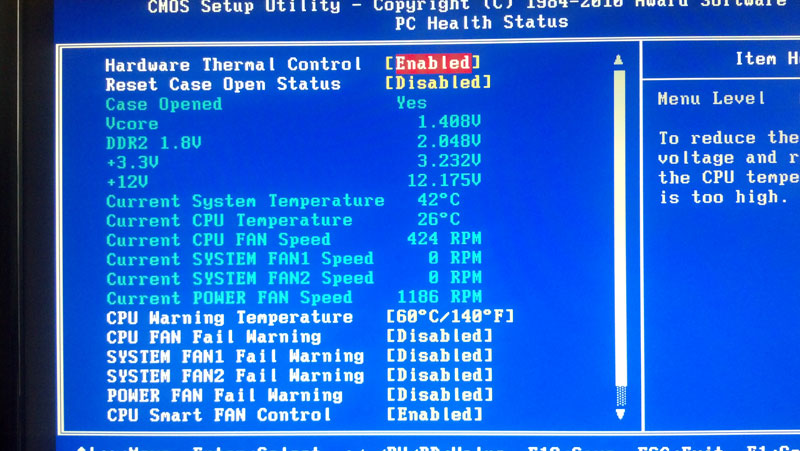
I hope you've already got this solved.
All the best!
Mike
Thanks Mike and sorry for all the posts. It helped me leave a trail of evidence, though.
Thanks for the pic on the bios. I see what you mean, my voltages appear to be hovering around their intended values like yours with 2 ram modules in place. I didn't get any instructions with my ram, I'll see if I can find out if they should be run at a higher voltage. With 3 modules in place, if the ram were not getting enough power, could that have caused these issues or is it more likely a conflict with the ram and motherboard,etc as I mention below?
OK, so I've been testing 2 sticks of ram in slots one and two and leaving the third open. So far it's gone the longest without crashing. Though I believe I got the unhandled exception once, the one that I was trying to get rid of in the first place. But I've opened paris several times without it since. Paris seems to be running well once a project is loaded. Used wavelab for a while with no blue screen as well.
My motherboard manual said I could use all three slots. So it sounds like you guys are saying it doesn't necessarily always work? Is it because the 3rd slot is meant for the dual channel 128 bit operation and the ram isn't compatible? Because even with only 2 sticks of ram, if one was in that slot, I got the BSOD. I had one of my old sticks in that slot and never had these problems.
Thanks again all your help. I'll work on a mix and Hopefully 1 GB in each of the first 2 slots is the answer.
John
Here I am at 10:20pm.
No BSOD all day after putting the ram in slot 1 and 2 only. But the same unhandled exception is back intermittently upon launch of paris!
It didn't occur on launch of paris when I had 3 sticks in, but of course I would get the BSOD within 10-60 minutes or so, which we can't have.
But it does occur with 2 sticks of ram (which is all I can get to work without the BSOD), but still 1 GB more than I had before!! When Paris does load, again it does seem to function pretty well.
I am at a loss.
A few WAG's:
1)Could I have a bad eds card? I get that chirping noise upon launch. It goes away when I mute submix 2, which is running off card B. I suppose I could try switching the cards around? I hate to do it because every time I try something, something else breaks. What do you think about switching the eds cards around?
2)It seems strange to me though, that this unhandled exception would be a hardware issue, since it started after I reloaded the paris program few months ago, without doing anything with the hardware. But then I've reloaded windows and all my applications and yet it persists.
3) I could uninstall sp3, but I don't remember exactly when I installed it or if that would be a cause.
4)I have not loaded paris 2 yet to see if that has any issues. Is there any downside to doing that?
5) I could install 3.0 of the disc I have instead of your installer, and install just your driver, if that would matter?
I better go to bed.
Thanks again, have a great week.
10/14/13: I did several sessions of mixing and paris started without the exception, even though I haven't changed anything???
John
I'm looking for drivers for PARIS Scherzo 1.0.3. The. Exe 1.0.5 is an upgrade. Can anyone help me, Thanks. It's All OK now. Thank you for your attentionI installed the 3.0 drivers, the control panel of windows everything is ok, but Paris does not start. my operating system is Windows XP service pack 3. The message does it mean? thanks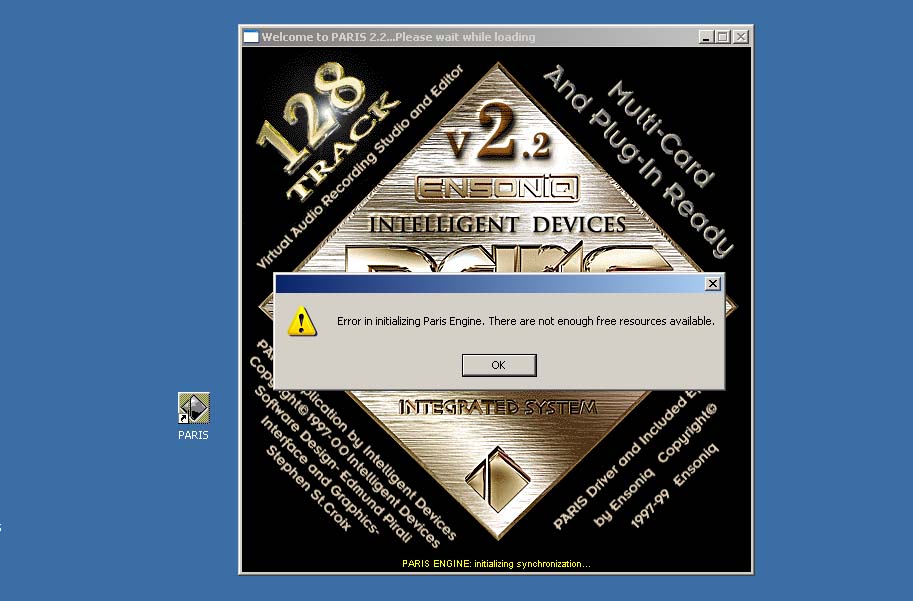 No one knows this problem. Could someone tell me what it is. Very tanks.I am not an expert but... No one knows this problem. Could someone tell me what it is. Very tanks.I am not an expert but...
What do you mean 3.0 drivers? Mikes new drivers?
Do you have enough RAM?
Any IRQ conflicts? If so you could disable any devices that you are not using.
I am running windows xp on an AMD single core machine and paris 3.0, 2 eds cards, with mike's new drivers.
Occasionally I get an unhandled exception upon launching paris, not sure why. But when it launches properly, it is running pretty well. I've done several sessions over the weekend with no errors or crashes.
I was getting errors that I didn't have enough physical memory before I added some RAM. I went from 1 GB to 2 GB of RAM.
Good Luck!
JohnI believe this has to do with the configuration settings in the Project page. Too much allocated to track count punch in time etc.
Also you're running 2.2 here whereas Mike's new drivers are for 3.0
Ted I just fired up the PARIS rig after a long time of inactivity, mixed a couple of tunes, did the stereo bounces...
Which reminded me to ask you guys about an issue I've always had.
I set my submix, set the master fader at just a hair under max, and bounce. I've got plenty of signal on the master bus.
But when I pull the stereo mixdown into something like iTunes to listen, it's always wayyyyyyy lower than everything else. I'm not talking about a clean mix vs. a "loudness wars" mastering overcrunch. I'm talking about playback levels being far lower than what I would expect based on the output meters on the master fader.
Am I doing something wrong?
Thanks!PARIS' intentional "gaming" of the meters and the gain staging is a huge part of its "mojo" and its sense of enormous headroom. Mixing hot in PARIS isn't just OK, it's recommended.Thanks, Kerry.
I understand that pushing PARIS into the red isn't a showstopper. But I'm pushing the master meters almost to the top (like within a segment or two) and the final mixes are coming out seriously quiet compared to other songs, even ones mixed and mastered with minimal squishing.
It's had me stumped for years. There must be something I'm missing.Somewhere in our archives is a fascinating piece of info which I can't locate this moment: at some point early in the internal gain staging PARIS intentionally drops the gain on each signal by a remarkable amount - IIRC it might have been 18dB - but, and here's the kicker, keeps displaying it on the meters as if it were still the original. This just happened to be exactly the approach some of the top ears in the industry (Dan Lavry for one) would recommend a decade later as best practice for digital. So this is actually expected behaviour, and in fact an insight into how PARIS works its mojo.I haven't seen this one myself, but I'd try renaming the file Paris Backup.cfg to paris.cfg in the Paris Pro folder.
Let us know how it goes.
MikeWhich version of my drivers are you using? PARIS 2.x will give this error if the PARIS midi driver is missing.
I can send you the driver if you need it.
All the best,
MikeIs this what you're looking for? It's the oldest that I have.
All the best,
MikeHi Ron,
I'm running PARIS on Windows 7 x64. The PARIS app can only access 4 GB, but the PC can access more.
The only issue with 64 bit Windows is that ID hasn't released a PACE free version of PARIS 3.0. So, if you're in a jurisdiction where breaking digital locks is illegal, you have to use PARIS 2.x.
This is why I am chomping at the bit to get back to working on a full featured ASIO driver. Work and looking after my little girl just haven't left any breathing room. But, that will change. I'm too stoked about this not to do it.
All the best,
MikeThanks Mike, by the way I am running 3.0 but at 32 bit. There are some glitches especially on recognizing pace plugins but I have devised a way around that by answering no to everything and it will go ahead and load the pace programs. I didn't have that problem till I had to introduce the ilok 2. I updated the driver but still minor glitch. I don't know if it just me but PARIS seems to be allot more defined and cleaner running on windows 7I think this might be related to a display bug in the PARIS app. When bounce to disk is selected, the meters reflect the monitor levels, not the actual levels going to the disk. If you have the volume up because the monitor levels are turned up, it will appear as though the levels are hot going to disk when they are not.
Let me know if this explains it.
All the best,
MikeHi Everyone,
I had to upgrade the php version in my hosting package, and it completely broke the old web store. I've been chipping away at fixing it, but I'm ridiculously over-committed so it's taking some time.
I dropped the prices on a bunch of things because what seemed reasonable after having just spent a zillion hours working on the code didn't seem reasonable now. It was actually quite a walk down memory lane. I can't believe how long I've been working on this stuff.
If anyone needs something from the store right away, just send me an email.
I'm going to try to rework the site in the following ways:
- more prominent link to this forum.
- open downloads of older PARIS software, manuals, chucks plugs, Chris's driver, etc.
- a better look.
If you have any suggestions, I could use the help getting ideas together.
Cheers!
Mike
Hey Mike, one thing that might be helpful, would be to have links to some of the third party software that can be used with paris. A paris third party software resource page would be great. A lot of the links that were on the Parisfaqs site are broken and a lot of Paris info has gone missing. Just a thought.You can always give the 3rd Party Software page on the Wiki a try - it's also user editable and help keeping it up-to-date is always gratefully received. I have been running Paris 3.0 on Win98. I tried installing driver to run on XP (I have both OS on my computer) was never successful.
Can I run 3.0 on a computer with Win 7.0? Someone wrote the driver for that?
My current computer is 12 years old and parts are starting to go on me. I was going to upgrade the computer and then try running Win98 virtually. I was thinking that might be an improvement (I sometimes get resource constrained with my current system. Even though I have at least 2GB of RAM, I think 98 can only see/use part of this.
Also, when my computer guy cloned my hard drive and tried to see if he can run Paris the challenge code was different than what I had the response code so, how do a get the response to this new challenge?
Thanks for any responses.
StephenHi Stephen - ID still releases the codes, so drop them an email and they'll sort you out.I like running Paris on win 7 pro 64. That way I can use Reaper 64 with new plugins, VSTI and sequencing.
I haven't used Paris 3.0 but so I don't know what I'm missing.How did you get Paris to run on Windows 7? Didn't you need drivers for that? If so, are they available? Then I can completely avoid this whole tactic of trying to get a virtual version of Win98 to run on a new pimped out machine.
Also, ID = Intelligent Devices? to get the new response code that I apparently need? Is this who I need to contact:
Intelligent Devices
300 Redland Court #204
Owings Mills MD,
21117
USA
proaudio@intdevices.com
Phone: 410 902 0091
Hi Sassonsb,
I spent the better part of 3 year working part time to make PARIS run under Windows 7 64. Initially, Intelligent Devices was supportive. They gave me permission to write a new installer for PARIS (the original is 16 bit and won't run under 64 bit windows), Edmund Pirali did his best to answer questions, and then things changed. He stopped responding to my emails and didn't deliver the promised PACE free version of PARIS 3.0. I'm not sure why this happened.
I released my installer anyway, even though PARIS 3.0 will not run under Windows 7 64 because of the PACE code that is embedded in PARIS.exe. I'm still hopeful that ID will release a PACE free version of PARIS 3.0 eventually, and people can just swap the PARIS.exe file when that happens. PARIS 2.x works fine under Windows 7 64, with the exception of 32 bit MTC, which has been broken for years without anyone noticing.
I'm upgrading the store software, so I'm not actually sure if this works yet, but you can read about the driver and the installer here:
http://ensoniq.ca/catalog/product_info.php?cPath=27&prod ucts_id=44
With my driver, you can use PARIS 3.0 or 2.x under the 32 bit version of Windows 7, and you can use PARIS 2.x under the 64 bit version of Windows 7 64. If you want to use PARIS 3.0 under Windows 7 64, I encourage you to contact ID and politely ask them to provide you a PACE free copy of PARIS 3.0. Maybe if enough people ask, they will deliver it.
All the best,
Mike
The better bet would be support@intdevices.com which is the contact address for the legacy products...First of all, I want to thank you for the time and effort you put into creating the drivers so that Paris will work with more advanced operating systems. I love Paris and don't want to switch to another program. I keep hoping that someday someone will buy the rights and bring back to the market. I, for one, would be willing to invest.
Anyway, I have all the 2.x versions and the 3.0 version. Since I'm only starting to design my replacement computer, I could go with 32 bit although I would prefer 64. Question though -- If I created projects in Paris 3.0, will I have problems opening them in 2.2 if I go with a 64 bit machine.
I will also add to the effort to encourage ID to provide more support. Obviously, there has to be something in it for them to do it so maybe we can probe to see what that might be.
StephenHey Kerry, thanks!My pleasure! And if you notice a broken link and wind up tracking an item down at a new location, you'd be doing the community a solid by going back to that page after and editing the link...Hi Stephen,
You will have problems opening 3.0 files under PARIS 2.x.
As for getting help from ID, I don't know what that will take. When the PARIS hardware was discontinued, ID kept working on PARIS. I don't know if it morphed into part of their law enforcement software, or if it is just a more advanced, software only audio platform. But, they are not going to give up the code with out some big dollars as compensation.
Maybe we could pay them for a PACE FREE PARIS 3.0, but Edmund wouldn't even answer my question when I asked if I could just have permission to remove the PACE myself. I suspect there is some kind of crisis over there at ID, and we're not going to see any movement from them until they get through it.
My plan is:
1) move the hardware initialization and communication code from the PSCL into the scherzo (partly groundwork the next step).
2) figure out how the effects get loaded into the eds cards, and write a framework to manage that to replace the Ensoniq code that went missing when they closed.
3) write a GUI in Qt to replace all the functionality in PARIS 3.0 that relates to the hardware (effects/mixing/patching/etc).
4) combine all this with a low latency ASIO driver so that none of us need ID or PACE again.
5) port the ASIO/Scherzo bundle to other platforms (FreeBSD/OSX) so we aren't screwed if Microsoft really starts to marginalize the Desktop.
This is going to take time, but I assume that we're all in this for the long haul at this point.
All the best,
Mike
I feel like I just got out of the locker room with the coach! I'm in it with you for the long haul it just keeps getting better. Thanks again for everything you have done to keep this alive an kickin'.
After reading these replies (thank you), I think that I'll build a new computer with 32 bit which will allow me to install Paris 3.0 I may have some questions about how to install the driver to run this in Window 7. I have the Paris 3.0 disk and a challenge/response code that worked when I upgraded from 2.2 about 5 years ago. It sounds like I may need to contact ID for a new challenge/response code now that I'm moving it to another machine. Hopefully they will cooperate/support otherwise I've wasted my money on a new computer. I'm also assuming that a new computer (including Windows 7) will offer some advantage over my 12 year old computer which has decaying parts.
Any other advice as far as do's/don'ts regarding the new computer would be much appreciated. Obviously I'll need two PSI slots for my two Paris cards. I was going to install a solid state hard drive for software and then a separate hard drive for music files. I've been using a dual monitor so I was going to put in a graphics card that would allow me to continue to do that.
Thanks for any additional advice.
StephenID will give you a new code. I think they give new codes out on Thursdays so if you get in touch with them you should have it by the end of the week. They are very nice and will take care of you. I am running on 3.0, 32bit windows 7 and am very happy at this point but would be very happy at 64 but am way ahead of windows 98. Thanks to Mike it just keeps getting better.Thanks so much for the kind words, guys. I actually got a couple of hours to work on the driver last night, and I hope to do more this week. I feel confined when I can't work on it.
On a side note, I sent emails to three or four of the original PARIS guys from Ensoniq today to see if they would do some email interviews. I hoping they'll be okay with sharing some of the history with us. I'll let you know if I hear back from them.
All the best!
MikeMike,
I can live with what I have now (3.0 on Win98) for a while longer if you think 64 bit will have noticeable advantage over 32. I know you can't commit to a timeframe but, what's you best guess?
Thanks. Stephen
Do you know/remember Chris Ludwig (East Coast Music Mall with Morgan)? He got me started with hardware/software and I made recent contact with him. I may ask him to help me put this together since I'm lacking in technical skills.
I really don't dare guess at timelines. It's going to be a while. I'll work as fast as I can, but there is a lot to do and I, unfortunately, can't work on this full time.
I'd contact ID to see about a PACE free PARIS 3.0. Maybe if enough people bug them, they'll just do it so people will leave them alone.
I really, really like PARIS under Windows 7 64.
I hope this helps.
MikeMike,
I sent ID some email yesterday. I agree, I suggest more of us email ID to hopefully resolve this once and for all.
Thanks
RonMike,
From your perspective, what is the main advantage of running Paris with Windows 7 vs. XP?
Here is a response I got from the person who built the computer for me and installed Paris 12 years ago:
"If you are getting a new system built it will be "newish" hardware.
Current Intel chipsets no longer have native PCI support. The PCI bus is no longer connected to directly to the chipset. This leads to performance and compatibility issues with new PCI interfaces as well as old ones.
The most recent Intel chipset that that had some decent PCI support was the P55 and x58 chipset. Both of which are around 4 years old. You can still find the CPU's and motherboards though.
You will have to use Windows XP SP2 32 bit or higher and will need to disable Hyper-threading on the CPU. I would not get more than Quad core. Ideally I would try and find a Dual core.
I think the current AMD COU/chipsets still have native PCI support so that might be an option also. But same goes for them. No more than a Quad Core, XP SP@ or higher.
You might find one of these boards still that have 3 PCIs. But in many cases all 3 will not be usable for EDS cards."
What are your thoughts about the concerns mentioned above?
Thank you.
StephenHi Stephen,
I'm using one of these:
http://www.virtuavia.eu/shop/pcie-4-x-pci-expansion-atx-kit. html
No PCI bus necessary.
I'm also using an AMD setup:
http://kerrygalloway.com/ParisForums/index.php?t=msg&th= 15446&start=0&
As for XP vs. Windows 7, XP support ends in April, so it won't be safe to put it on the Internet after that. Also, it lacks trim support for SSD disks, so they wear out faster.
More than anything, though, I find 8GB of RAM wonderful for overall system performance.
I hope this helps.
MikeMike,
I have a proposal for you. Can you email me? sassonsb@comcast.net?
StephenHi Everyone,
We've had a setback today. The Virtuavia chassis has been discontinued and is sold out. This leaves the more expensive Magma P7NE board set with the pehifx1 PCIe host card that is also discontinued, but can be purchased on ebay from time to time.
I tried to order the ExpresCard adapter for the VirtuaVia chassis this morning. My thinking had been that I could use it with a thunderbolt to ExpressCard adapter to make an affordable OSX option for PARIS via ASIO.
VirtuaVia actually didn't get back to me, but Stephen was told today that the boards are out of stock and discontinued.
Does anyone know of an alternative supplier for keeping PARIS going in a Thunderbolt/PCIe world?
To be honest, the latest bunch of AMD motherboards with PCI slots are damn fast. If many of us are stuck at this motherboard generation, it really isn't so bad. I'd hoped to keep things moving forward, though.
Let me know what you guys think.
All the best,
Mike
The only other suggestion would be to have two bundles with all the plugins for sale in addition to the individual plugins. One bundle with your drivers and one without, just a thought.
Thanks for all your years of work mike!Thanks so much, Excelav! I'll do it.
The site works again, and I've added a bunch of older downloads to the main page.
I haven't migrated the accounts yet, but it works, and I think it looks a lot better, too.
All the best,
MikeI ordered one of these yesterday:
http://www.ebay.com/itm/271262056943?ssPageName=STRK:MEWNX:I T&_trksid=p3984.m1439.l2649
It looks like each adapter will supply enough power for one EDS card. I'll post my findings once I try it.
For what it's worth I looked into the compatibility issues of current chipsets which used bridged PCI vs slightly older systems that have genuine "native" PCI.
As a result I went for a Gigabyte P55-UD3 which has 3 native PCI slots as well as support.
You can put an intel i7 870 or 860 on that board, and the have a very upto date fast system, with the best of both worlds; you have floppy and IDE support but also SATA and even USB3 if you get the UD3R.
However Mike's use of the Virtua via proves that even "bridged" PCI will work with Paris - I just decided to play it safe at the time I was putting my system together.
Anyway, I hope the above may be useful to you. I bought my board and processor 2nd hand on ebay BTWOkey doke. I should have some time to get back to mixing this weekend - I'll try hammering the mix bus based on my ears and see if I can get closer to what I think it should be without any ugly.Hello everyone,
In my quest to become a better recordist and mixer I am trying to learn more about gain levels during tracking and mixing and what is optimal. A recent topic reminded to run it by anyone here that wants to share their knowledge on the subject.
Most information I have come across has stated digital recording levels should be around -18 dbfs on average, and that this results in a better sounding stereo mix that will respond better to dynamics processing during mastering, preserving the transients and "air" in a mix. And if recording too hot, the stereo mix ends up sounding "small" and "thin".
This goes counter to the "pushing" paris into the red train of thought. (I'm aware that paris is supposed to be different).
What have people found to be true regarding this, in your experience with Paris, or other converters and systems for that matter? Is the sound of a modern recording that sounds "in your face" where everything is very present a result of compressing everything heavily?
Thanks in advance for sharing any thoughts!
JohnHello All
Looking for some insight on the Paris compressors vs. others as I haven't used many other digital compressors.
1) In paris, when I put the stock compressor on a track, It seems to automatically "color" the sound a lot, even if the ratio is at 1:1 and no gain reduction is occurring.
Why does it do this and is it normal? It seems to me that it shouldn't be changing the sound that much before it is even "compressing" anything?
Do other digital compressors do this? Does it have to do with whether they are modeled after different types of hardware compressors such as VCA vs optocompressors, etc?
2) Related question: when I send several tracks to the same aux buss with a compressor selected, does the loudest signal control the amount of compression that occurs? This would imply that you shouldn't send more than one track to a single compressor unless you want them grouped together?
Thanks for any discussion, explanation, insights.
John
No it is not unusual for a plugin to "color the sound". My UAD Pultec EQ and LA3A do this, which in some circumstances is all that is needed
And yes the loudest instrument and / or the one with the fastest transients will trigger the comp, so it is something you should be aware of
HI Paul -
One other thing to consider perhaps, is the level of the MEC outputs you are monitoring from. If you are monitoring at +4, then loading the bounced file into another playback system that's not at +4 it will be lower in volume compared to the Paris-monitored-version. This does not affect the comparative loudness of Paris bounced tracks to other tracks, nor does it address the Metering issue Kerry pointed out.
However, even if Paris is actually lower in "real world" levels when playing back from iTunes etc I know that going from +4 to -10 output exaggerates the difference.
TedThanks Don.
So is it compressing the sound before it actually shows on the meters or does it just impart that sound kind of like a tube circuit or what not, just by turning it on?
I'm just comparing to the eq's in paris which don't seem to do anything to the sound much (or at all) until you boost or cut (which you'd want, I would think, with an eq).
Do you like/use the stock paris compressors? What sound do they impart, compared to other compressors?
Thanks again Don for the insight.
I'd be interested in hearing other's thoughts on the Paris compressors (like/don't like), how they compare to other digital compressors, etc.
JohnFor the record I haven't used Paris for about three years but I do remember not using the Paris plugs most of the time, with the exception of the Big EQ. The Paris Compressor(s) are considered one of its best features.
The Brian Tankersley videos deal with them nicely. Pretty sure someone uploaded them to the Web.
The verbs that Mike Audet ported over are also really nice, and have a classic '70s sound to them...
TedI used to track and mix pretty hot, then low.
now i'm in beetween.
Between most the light clips turned on, all vue meter in red, ( on tracks and submixes), and, on the other side, -10 dbfs peak on submixes.
Fader more or less around 0.
and...
after all....
i realized it does'nt matter, that much.
at least for me.
It can sound good or not, at whatever operating level : depend on what is recorded.
sorry ...it's not what you expected i guess. But it looks like this system is pretty forgiving with hot levels. I don't think clipping your level make it sounds better thought. Just an opinion.
Still, it's a ridiculous good plateform, especially at todays pricepoint.
Hey Mike, did you get a chance to test that adapter?
Thanks!
James Hi James,
I'm still waiting for it to arrive. I've found that things shipped from Hong Kong can take a month to arrive.
I asked the seller, and he said that with a SATA power plug connected, it will deliver 100 watts to the two slots. I'm a little suspicious that he is mistaken, but even if he is, I bet it will work with an old Magma PCI chassis. And, those old 7 slot Magma PCI chassis are cheap.
I'll let you know when I get a chance to try it out.
All the best,
Mike
Interesting adapter...I don't think I have enough room in my tower to fit any more EDS 1000 cards even though I have an open PCI-e...Is it possible to connect a ribbon cable from an internal EDS1000 to an external EDS1000?
Here's my MoBo: Asus AM3 E5888_M4A88TD-V-EVO-USB3_V2...It has 3 PCI slots.
Thanks for your thoughts Damien.
Interesting that it doesn't seem to make much difference in the sound of your mix down/ masters.
Anyone else agree or have a different experience?
If so, would like to hear it.
JohnThanks for the comments, guys.
I appreciate your sharing your opinions, experiences.
Anyone else care to comment on the compressors in Paris?
Its great to be able to communicate with people that use this system.
Thanks again.
JohnI dunno....I just normalize the thing then worry about the overall level when I use a mastering program....Hi John,
I'm pretty sure that you are hearing the compressor working despite the meters not showing yet. If I remember right, the meters are based on a volume check every 3000 samples or so. That leaves lots of time for peaks to get through unnoticed by the meters.
The original stock PARIS compressor was "crunched" to allow 16 of them to run on a PARIS card at once. A side effect of this optimization is that it dulls the highs when short attack times are dialed in. I'm not sure if this was intended or a happy accident, but it can sound really good on bright sources.
All the best!
MikeI Imagine that you couldn't use a ribbon cable long enough to fit some cards in the case and some outside of it.
I think this would be useful for putting a couple of cards inside a case, either below or above a micro atx board or in a 5 1/4 drive bay.
Or, it might be useful with something like this:
http://www.ebay.com/itm/AVID-PCI-EXTENDER-/120509443356?pt=L H_DefaultDomain_0&hash=item1c0eec2d1c
I'm not sure that listing includes the host card and cable, but these units are cheap even when complete. If a motherboard has no PCI slots, this could keep us going on new PCs.
All the best,
MikeHi Mike,
For me this PCI-e to PCI adapter could be used to power my PCI sound/midi sound card. That would open a one of the 3 PCI slots so I can add another EDS-1000.
Hey Mike, thanks! I spoke to tech support about that FoxConn MOBO, they told me that their MOBO is to PCI standards, so I'm going to give this MOBO a try. This could be an affordable answer for some Paris users. I need to upgrade my systems now, however I am in a bit of a financial crisis right now so this may take me some time to do.
If this MOBO works, it could be the answer for a lot of people for now. It has 6 PCI slots and will take up to an i7 slot 1155 SandyBridge or IvyBridge processor and up to 16 GB of RAM. One person did report that he had an Irq issue running more than three things with PCI cards, being a Mac guy, I don't know if this is going to be a real problem or not. Your thoughts on all of this would really be appreciated. By the way, the cost of the MOBO is about $65.00 US., at that price, Paris users might want to stock up if it works. I ordered mine today and will start looking for a deal on a processor, memory etc.
I also wanted to ask, do you think it makes sense to have Paris and UAD-1 cards on the same system?
Anyways, here is the MOBO info:
Foxconn H61AP LGA 1155 Intel H61 ATX Intel Motherboard
The tech support number I have is 714-626-6909, or 714-626-6900
http://www.foxconnsupport.com/
I hope this helps.
JamesMike, by the way, when you were talking about an OSX option for Paris via ASIO, did you mean using Paris hardware with a Mac running another software like Logic or Reaper? Or are you talking about a Mac OSX version of Paris?
As I have mentioned in the past, when I was a Paris dealer Edmond did demonstrate an OSX version of the Paris software on a lap top at Sweetwater sound, and it played a QuickTime video in the Paris window. I tried to get Edmond to release it, he wasn't interested in doing that at the time.
We should talk sometime, I might be able to give you some insight as to why things are, and are not. I think it might be helpful in the future.
JamesHi James,
I just sent you a PM.
I like the Foxconn board for the PCI slots, but the max memory speed is 1333 vs. 1600 on most motherboards. That probably doesn't mean much in terms of real performance, but it's something. It's also been discontinued.
I'd like to have options that allow us to use PARIS on any computer.
As for the Mac, I was thinking of porting the ASIO driver after I get it finished on the Windows side.
All the best,
Mike
I initially followed the mind set of recording and mixing in the digital domain, i.e. leave loads of head room.
Then I tried the "run it in the red" philosophy of Paris.
Bottom line: both mixes sounded great but the hot ones seemed to have a little extra mojo happening.
Of course that might have been wishful thinking on my part hoping Paris was adding it's sonic magic to the mixes but I never looked backThanks Mike!
Interesting insight that I will consider when using the compressors.Thanks for the thoughts Dnafe.
A follow up question:
If I have a channel or submix in Paris that is getting some red clip lights to turn on occasionally (I mean once or twice the whole song, for example), is that gonna have any negative effects when I bounce a submix and master the song? I read some mastering engineers articles/books and they make a huge deal out of clipping. If I can't hear clicks or distortion and otherwise like what I am hearing, is it ok?
Thanks again for your opinions, its very helpful to hear them!
Johnhi all
the new paris asio driver !!!yes yes
thanks mr mike
laurent
as long it doesn't crap your channel's sound, should be OK.
In doubt, use the trim pot on EQ section. It's the first processing of your channel, it helps a lot to keep headroom for native plugin.
Mastering ingeeniers don't like clipped mixes, because their job is to raise the levels without clipping. Ask them the margin they are confortable with for the top DBFS level in your mix.
Hi All,
I just did a little test, comparing the original UAD 1176LN "All Buttons" mode to the PARIS compressor.
I opened the mix-downs up and normalized them in Adobe Audition and saved them as FLACs. The PARIS compressor doesn't flatten the waves as much, so it ends up sounding quieter. What astounds me is the similarity in the tone. It's not exactly the same, but I'm not sure which one I prefer.
The UAD plugin is set to the shortest attack and release possible, all buttons mode.
The PARIS compressor is set to attack: 0, release: 0005, lookahead: 0001, ratio 100:1.
The recording is a Les Paul 1991 Studio Lite into a Grace Design m101 into the 24 bit 8 in card. There are no effects other than the compressors.
I've also been listening to YouTube Videos of the new UAD 1176 collection, and I find the reviewer will rave about the sound when the plugin is enabled and the compressor bypassed, but I can barely hear a difference - if I can hear one at all.
What do you guys think?
All the best!
Mike
What do you guys think?
After levelling, I find the Paris comp to be a little thinner but very close. In a mix, that would probably be a non issue.
Thanks Mike
BTW - In Paris, what is the sonic effect of adjusting the lookahead? I seem to remember that it does not behave the same way other software lookahead functions do.
TedHi Ted,
I think I remember the look ahead in PARIS shifts the entire envelope applied to the audio by the time selected. So, the attack and release are shifted by the selected amount.
The interesting thing for me about the strong similarity between the PARIS compressor and the UAD 1176 is that the UAD product is supposed to be a magical modeling of a storied analog gem. Yet, by knowing what the 1176 does, I was able to get very close in the PARIS stock compressor.
I've bought a lot of plugins from UAD over the years, and I think it was all a waste of money. If I had just known what that old gear did, I could dial in the settings in PARIS.
Another example is the UAD Neve 1073. I never found it did much of anything. So, I ran some tests through it. It adds no harmonic distortion at all. The EQ sounds the same as the stock PARIS EQ. The only difference is that it adds a gentle downward slope to the audio frequencies. If you set all four bands of a PARIS EQ to high shelf, say at 500Hz, 1Khz, 5khz, and 10khz, and then put a .5 dB cut on each of them, you get the entire effect of the UAD Neve 1073 plugin. For that I paid $300.
The only plug in that I really like from them is the DBX 160 VU, but with all the money I spent on the cards and effects, I could have bought a real one, maybe two.
I suppose this is top of mind because they are shutting down the activation servers for the UAD1 cards. I won't be upgrading.
Just my 2 cents.
Mike
I just got the cheap two slot PCIe to PCI expansion unit today. I haven't tried to run PARIS from it, but the voltage regulator on the board is only rated for 5 amps, so it won't handle two EDS cards. One card should work fine, though. I'll post my results as soon as I get a chance to try it out.
All the best,
Mike
As always we await your commentsI hear you.
I liked what the UAD Neve plugs did, but I'm not sure they sounded like the real thing.
The plate verb EMT140 is something everyone raves about, yet I don't think it comes close to the VNXT Plate for Nebula. I ran the same file though the UAD EMT140, the VNXT and the Wendy Carlos Plate for Altiverb for a producer friend (Juno winning, Grammy nominated) who has his own plate (not EMT); has access to a real EMT Plate and also uses the Altiverb plug and he was amazed by the Nebula version...
Not to sidetrack things.
I will try the EQ thingy with the Paris EQ.
Cheers
TThanks for the tip about the VNXT Nebula plugin. I'll check it out!
The way I tested the UAD Neve 1073 was put a 1khz test tone through looking for harmonic distortion, and there was nothing.
But, I noticed that the acoustic guitar I put through sounded a bit darker, so I put some white noise through the plugin. That's when I noticed the very gradual and slight high end drop, as if the entire frequency range was tilted down to the right a bit. When I tried to mimic the effect with the stock PARIS compressors, I was able to match it very, very closely.
Cheers!
Mike
If your thinking about up grading from Windows XP to Windows 7, now would be a good time.
http://www.zdnet.com/microsoft-windows-7-support-and-sales-c utoff-dates-worth-knowing-7000024028/?s_cid=e539&ttag=e5 39Hey Mike, just wondering, what do you like using the DBX 160 VU on?
JamesHi James,
I like it on bass. I'm going to try to match it up with the PARIS compressor as soon as I can get a free minute.
Cheers!
MikeHi Guys,
I'm not sure how many of you use Cakewalk Pro Audio 9 for your MIDI needs, but I found that every Cakewalk update after Pro Audio 9 only addressed audio tracks and virtual instruments, neither of which I care about. So, I've kept using version 9.
There is one problem that Pro Audio 9 has: it was written before a command was introduced that switches Windows into a low-latency mode. The tricky part about this fix was that it isn't enough to just switch Windows into the low latency mode; only applications that specifically call for a low latency mode are affected by the change. All other apps get the same 16ms clock intervals.
I got about half of this fix done a while ago, but I wasn't really happy with it. The old fix required changing the registry, and every app that loaded would load cakewalkfix.dll, and if it was Cakewalk calling, timeBeginPeriod(1) would be called. This new way doesn't require a registry change, and nor other applications are affected.
This approach uses a small application that:
1) Loads cakewalk, but suspends the main thread.
2) Injects the cakewalkFix.dll into the cakewalk process.
3) Cakewalk fix calls timeBeginPeriod(1), setting the timers to 1 ms resolution for cakewalk
4) The main thread in cakewalk is released, and cakewalk loads as usual.
All you have to do to install this fix is copy the two attached files to the cakewalk folder (the one that has cwpa.exe in it) and change your cakewalk shortcut to point to startCakewalk.exe instead of cwpa.exe. You'll see a dos box open for a second, but otherwise, Cakewalk will open as usual.
I hope this helps someone else get better MIDI timing. When synching Cakewalk to PARIS via MTC, I get 1 ms variance in MIDI timing vs. 16 ms without this fix.
I put the same fix into the PARIS application via a change to the PSCL in the last release of the driver.
Cheers!
Mike
Yikes! I'm glad I bought a retail copy of Windows 7.
For those that don't know, and OEM version of Windows 7 is cheaper, but it can only be used on the first motherboard it is installed on. So, if you upgrade your computer, you need to buy a new OS - and Windows 7 won't be an option anymore.
A Full Retail version of Windows 7 can be used by you on any system (one at a time) until the end of time. And, that's pretty much what I plan to do unless Windows 9 removes the touch screen crap.
All the best,
Mike
Hey Mike, thanks for the info, it's good to know!
JamesHi Everyone,
I tried to install the cheap 2 channel PCIe to PCI adapter, but the SATA power plug blocks the PCI slots. I'm going to have to try to find some kind of low profile SATA power adapter. If I can't find one, I'll try plugging in my old Avid branded Magma chassis to see if the host card for that is short enough to fit.
All the best,
Mike
Hi John.
Try changing the name of PARIS.exe to PARIS1.exe. That will turn off the double buffering. It may be that the PC is too memory starved and slow to pull of the double buffering. (not that I'm trying to insult it).
I've been working with PARIS for the last couple of days while my daughter is in preschool, and I haven't had any of those issues. PARIS crashes once upon closing, but I traced that one back to PARIS.exe.
I hope this helps.
Mike
EDIT:
Also, turn down the disk cache size in PARIS. I was working with PARIS yesterday, and I noticed that I have over 600MB allocated to PARIS.exe. That's great on an 8GB system, but way too much on an older PC.
Isn't this the same "VirtuaVia Chassis" you are talking about? It doesn't appear to be discontinued...or is this the wrong item??
http://www.virtuavia.eu/shop/pcie-4-x-pci-expansion-atx-kit. html?sl=EN
DonHi Don,
It's the right item, but Stephen tried to order one, and they told him it was out of stock and they wouldn't be getting any more.
I've called them and emailed them repeatedly, and they haven't replied to me at all.
They also have netsor products listed on their main page, but if you click on them, there are no netsor products in the store. It's been that way for months, too. I'm not sure what is going on over there.
All the best,
Mike
I guess there are only three of us that still use Cakewalk Pro Audio 9! That's fine.
I started the DAW journey with a Digidesign Session 8. I bought it for close to $5000 back in 1996. I was using Cakewalk 5, if I remember right. The midi timing was very tight until I started running on Windows 95. Then, the midi sync with Cakewalk sucked.
I upgraded from Cakewalk 5 to 6 to 7 to 8 to 9, and the smpte synch didn't get any better.
When I switched to PARIS, on version 1.8 and before 32 bit MTC, the timing was even worse. People were using SMTE tracks and external boxes to sync a MIDI sequencer to PARIS (including me). When 32 bit MTC and then PARIS 3.0 came out, the synch with Cakewalk was much better, but still only as good as the Session 8 was under Windows 95 when syncing to Cakewalk - which wasn't what it should have been.
Now, all these years later, the sync is rock solid.
That makes me happy.
Mike
Hi All,
I recently put on Traveling Wilburys vol 3, after listening to vol 1, and the sound jumped out immediately as being horrifically bad. I was listening to the reissued box set edition, and the audio was just squished to hell.
I ordered the original CD, and just got it. The audio is so much better for being older and not so destroyed by the loudness wars.
I just thought I'd share in case there are any other Wilburys fans out there. The box set is great for the video, but is no replacement for the original CDs.
It's no wonder so many people hate CDs. It's not digital that sucks. It's the way limiters have been abused.
All the best!
Mike
 I agree. Kids believe that the louder you get them a master the more competitive it will be. I agree. Kids believe that the louder you get them a master the more competitive it will be.
WayneBravo Mike! The things you have done with Paris are amazing! Thanks for keeping Paris alive!
Cheers!
JamesI have been looking at using senderella to send audio in/out of Paris to/from Reaper.
For me the "%" instead of "DB" is much more useful for being able to get unity gain (i.e. 100% on the original senderella).
So having the option would be helpful. It is also very difficult to dial in precise db values with just a slider.
In my initial tests from one channel to another within reaper, the original senderella does indeed exhibit buffer noise if there isn't a gap before audio starts when starting stopping etc
However there's also a short noise using the Paris senderella, and in both cases I am wondering if some of the clicks/pops I've heard during playback occasionally are from the plugin.
For my usage, being 100% sure there's no jitter or other imperfections being introduced is critical. I'm not sure how that can be tested, but would be interested to know if this is a realistic expectation.
In any case, this is a fantastic project that opens up a lot of possibilities.
By the way, I am also going to give VSTforx with the "remote sneder" a try (not free, but very cheap and there's a demo version). I may well use some of the other features of that plug anyway. Will report back on my experiences with all the above.
and a Happy New Year to all!
JamesMerry Christmas to you and yours, James, and all the best for a happy and contented 2014!Merry Christmas one and all and thank you Kerry for keeping this place alive and kickin'Merry Christmas all. Hope the new year brings blessing to you and yours.Hiya everybody!
Just sticking my head in to say Happy New Year! 2013 was a good year for us here, and I'm expecting that 2014 will continue the positive trend. Hopefully it will be great for all of you as well!
Regards,
Doug
I used to work with FreeBSD a lot, at least up through version 4. Loved it. Really happy when Apple adopted it for use in OS X. However, now I would only use FreeBSD for server stuff, not for the desktop. Indeed, at the same time, I'd only use OS X for the desktop. Of course, I don't like Apple any more (I despise the fact that they haven't come up with anything new since Jobs died, they don't seem to care about OS X except as the development platform for iOS, and they seem to be using litigation as their main tool to stay in front of competition), so I'm steadily getting rid of my Macs. I'm actually using a Raspberry Pi in place of one of them...LOL...can't beat the price!
I don't have any experience with Ubuntu. My Linux experience is mainly RedHat Enterprise, CentOS and some Fedora. I use RHEL every day at work. Highly recommended. My number one linux suggestion: use an Nvidia graphics card.
FWIW, Windows really is the main choice for Engineering apps. Even our spectrum analyzers and scopes all run Windows these days...
Regards,
DougBest wishes to all of you in the New YearMerry Christmas, and Happy New Year!
I have to agree about Apple, they seem to only care about consumer products like iPads etc. There move to kill off the Mac Pro tower with PCI slots was not the greatest idea. They need to have a slow migration over 4 or 5 years with PCI towers. There hardware prices are still ridiculously expensive. Killing off support for older computers is seriously not cool. It's like you buy a product and they change the locks on the doors and lock you out, and then tell you to buy again. Them forcing us to move to cloud computing is not cool or right. To sync things between systems you have to pay them for iCloud and go through their cloud, this is controlling and greedy, not to mention the possible security issues. They are taking things right out of the old MS play book. Being greedy, controlling and tricking people is never cool! This is why I do not like Adobe, MS or Apple anymore. I predict that if Apple stays on the corse they are on now, they will be in trouble in ten years. The true visionary has left the building. I'm sure they were working on cool things under Jobs that we haven't seen yet, but I still think Tim Cook has no idea what he is doing. I guess we'll see. One thing I know is, he is pissing off loyal Mac users that have supported the company for years.
JamesYeah, if I wanted to do the cloud thing, I'd rather do it with Amazon or (gasp!) Google. Check my sanity, but those Chromebooks look pretty sweet...Hey lads - I'm curious (and forgive me if I've missed something)... has there been any progress on opening PPJs with Reaper? The last post I see here is from nearly 4 years ago.
Just curious. I recently moved again and haven't had the opportunity to set up PARIS in the new place yet. It would be nice to be able to do some quick work on old projects before getting the whole studio back up and running.
Oh, and did Xenakios ever release the 64-bit PAF shim for OSX? Is that integrated into the current version of the library available?Hey lads - posted this in the PAF sticky, but no one seems to have noticed, so I'm creating a new topic for it.
I was wondering what the latest is with PAF support in Reaper. Did the 64-bit OSX library ever get released? Neither the thread here nor on the cuckos forums have been updated if so.
Also, has there been any progress on the PARIS project file front? Any chance we'll see PPJs opening in Reaper at any point?
Thanks all, hope you're having a grand new year.All,
I finally got a hold of someone at ID. I think he said his name was Adrian. He said he talked to Mike about 6 months ago. He said he took Mike's request to the president of ID but there is no plan for a PACE free version of 3.0. They are totally out of the Pro Audio software developing business and are on to Defense contracting. He sounded very frustrated with "the industry" when it comes to certain software companies that he named. Adrian said, "The developer that single handedly coded Paris is not coding anything to do with Audio Software anymore because of the his frustrations".
I asked what the next step would be for the Paris forum when it came to updating software etc . His comment was, "we can't just give you our code for Paris but we will not legally pursue anyone that tries to strip the PACE software". I know Mike wanted to get it in writing but they don't want to have anything to do with that either. So now what? Thoughts? Maybe I can call Adrian back and get the "Paris coder's" email.
Thank you
Ron
heya Matt - I have no idea about a 64-bit shim. does the extension not work in 64 bit? Those tasks that remain to be done on that extension are relatively trivial:
1) - write and submit a patch to libsndfile using the documentation we now have on PAF files (I can give directions, but I don't code) to clear up a longstanding "PARIS On Mac OS" bug with 24-bit PAFs, and
2) - write the part of the extension which permits PAF file writing in Reaper (currently it just reads .PAF files).
PPJ is another kettle of fish. Once again, my technical understanding is limited, but I believe they're binaries - they're not encoded, but they are compiled into a non-human-readable form, and we don't have that file documentation. They can be figured out via trial and error, but we haven't invested the considerable time that would be required.| Oui_Oui wrote on Fri, 10 January 2014 12:31 | Adrian said, "The developer that single handedly coded Paris is not coding anything to do with Audio Software anymore because of the his frustrations".
|
That would be Edmund.
| Quote: | So now what? Thoughts? Maybe I can call Adrian back and get the "Paris coder's" email.
|
I'm not sure what that will accomplish. Maybe you could ask Adrian instead what the price would be to purchase the source code...?
I've already talked to Edumnd (via email) about getting access to PARIS source. He told me that he couldn't provide it because he had continued to develop into something he uses every day. I'm not sure if that is a law enforcement app or a super audio app that he's keeping to himself.
I have another idea, though.
What if we offer to pay for the time it would take for someone at ID go trough their archives and deliver a PACE free version of PARIS 3.0?
If they refuse, I think it would show ill will on their part. We could send out press release to the music press about how they are abusing the DMCA and their former customers. It might also help when applying for an exemption from the DMCA. If we can't come up with the $500 - $1000 it would take in legitimate expenses for ID, then we really can't complain either.
What do you think?
Mike
I'm in for $50 - $100I'm in for the same. I'm in for whatever it takes.
PARIS workflow is driving me insane.There's already a PACE-free version out there for Winders. Or at least there used to be. I was a Mac guy, so I didn't grab a copy of it, but doesn't somebody else here have it? To be perfectly clear, I'm not advocating that we share hacked software; my thought is that whoever has it could submit it to Adrian and have him publish it on the IntDev web site. Wouldn't cost them anything really...
Also, for whatever it's worth, I'll throw two grand into the pot towards the source code. If Edmund uses some kind of revision control (I certainly hope so!) then he could provide a snapshot of the code before it became whatever he uses today...Hi Doug,
I made that offer to both Edmund and Adrian, and it was refused without any reason given.
It may be that the optics would be too sever. Imagine: a software company involved in law enforcement has to turn to a hacker utility to save their code from copy protection gone wrong. That could go viral.
I did get the feeling that the company would like very much to do something for us, but Edmund was just refusing to help.
Edmund did give me a copy of PARIS.exe that was supposed to be PACE free, but it relied on a newer build of the graphics dll, and it wouldn't run. He stopped responding to me shortly after that. I suspect that there is no revision control system.
That's all I know.
Mike
So if this is the case, can we just transfer the bounty to you, Mike, and thou can attempt a hardware integration with Reper?
An independent DAW is a bit high reaching, when we have so many beautiful options available.My plan is to replace everything good about the PARIS app with an ASIO driver. I'm trying to crack how the EDS effects are instantiated so I can make a mixer app that works just like the PARIS mixer, only with an asio back end.
That's what I'm shooting for.
All the best,
MikeI can dig it!
Let us know if you need anything.I have no idea what Mike just wrote but I know it's good | mikeaudet wrote on Mon, 13 January 2014 08:46 | My plan is to replace everything good about the PARIS app with an ASIO driver. I'm trying to crack how the EDS effects are instantiated so I can make a mixer app that works just like the PARIS mixer, only with an asio back end.
|
That's the *real* reason I want to see the PARIS source code. Personally, I don't care how they loaded and saved files and did cross-fades inside a channel, I just want to see how the EDS card was really controlled.
I'm not really familiar with ASIO, but I thought it was just for audio...? Does it have functions to connect to the control stream for the EDS card and the C-16? When I was working on the OS X stuff, I was planning to put all the EDS (and MEC, 442, etc) control stuff into an AU plugin that could talk to the control stream. I think making it into an AU (or VST) would be ideal, as you could then use track automation to change level, pan, etc.
I suppose this is really getting off topic; should we move further discussion to the projects area?Do you know what is happening with it ?
Can't reach website , can't get in contact with Mike neither here nor FB ?
Any hints ?
Thanks
I just went to http://www.ensoniq.ca/ and was able to put the driver in the shopping cart.
I like using http://www.downforeveryoneorjustme.com/ if I can't get to a particular web site...Bought it !!!
Thank you sir !There are a lot of cool things being shown at the NAMM Show this year. One of the things I noticed was the Behringer X-Touch control surface for $600.00. The interesting thing is the top model has MIDI, USB and Ethernet ports. If we could only get the Paris source code, something like this might work with Paris. Now if they would just build a 32 fader model...
http://www.sonicstate.com/news/2014/01/23/namm-2014-behringe r-announces-new-touch-universal-controllers/
http://www.soundonsound.com/news?NewsID=16922
Yeah, Behringer always seems to come up with super cheap solutions that really steal the market from other manufacturers. God bless capitalism! LOL
Behringer's Digital Mixer X32 also looks great, at least on the surface. Maybe I'll have to work on an EDS-to-AES50 connection...Hi,
I'm currently using Reaper on a laptop (with an RME UCX interface). I've had (and still have) a 2 card PARIS rig since 1999 (last running 3.0 on WinMe I think, or was it XP?) and would like to find a way to access old projects PPJ access essential (not just PAF).
I'm a bit out of the loop on where things are with Paris (and hardware generally) these days. I think my old desktop PC hardware which used to run PARIS - is largely past it, and very slow (Athlon 1.4Ghz, from memory, Matrox dual head graphics). I'm guessing my options are:
(1) Find a way of using the Paris hardware with a laptop. This seems to require a Magma-type chasis. It seems you need a laptop which has a PCI express card slot to use this
http://www.virtuavia.eu/shop/pcie-4-x-pci-expansion-atx-kit. html or (preferably, if it works...?) this http://www.virtuavia.eu/shop/expresscard-34-to-pci-expansion -box-p29858.html as it's smaller and ready to go. Both are 230 euros. I have an old laptop with an ExpressCard expansion slot, but that doesn't seem suitable.
A Thunderbolt port, however, seems much more future proof (I'm in the market for a new laptop and happy to buy one with a Thunderbolt port). But the Magma Expressbox 3T is £831.55 (!). https://www.google.co.uk/search?q=ExpressBox+3T&safe=off &espvd=210&es_sm=122&source=univ&tbm=shop&am p;tbo=u&sa=X&ei=8UjmUrGrK9OBhAem44C4Aw&ved=0CJkB ELMY&biw=1280&bih=652
Are there other options that I might be missing? USB 3? Thunderbold to something to ...?
(2) Buy a desktop PC (which might be cheaper than the above). If this is required, I'd rather not have to spend any (well, too much) time messing with it, but I'm guessing no off the shelf machines these days will accept the Paris cards. I might be interested in a working PARIS PC system if there are any going at a reasonable cost to the UK.
(3) I assume there's still no way of opening Paris projects without the hardware (e.g. in Reaper or using an ASIO driver)?
(4) Try to resuscitate my old PC hardware. I suspect this means a clean install OS drive install. What's the current thinking on the best Windows OS, bearing in mind this is going to be a pretty creaky machine?
On a slightly related tip:
(5) If there's any way of using my Paris hardware (MEC with 8 ins, 8 outs and an Adat card) to expand the front end of my Reaper/RME system (e.g. extra ins), that'd be great.
(6) Can the Control 16 be repurposed, e.g. to control Reaper. Even if only for the transport and scrub wheels. I think Mike Audet had some success with this?
Any advice greatly appreciated! Many thanks in advance.
Best,
DanFor years I've tried to tell some of the top people at some of the manufactures that a full featured control surface at a reasonable price is needed. They don't think their is a big enough market for it, they are too busy making bedroom boxes, ie, cheap stuff for musicians. That is where the money is at for them, another iPad interface or something. Look at what a couple of them did, the Tascam US-2400, a great product with a lot of potential, killed off. It could have been improved, and it was, but it was too late for Tascam's liking. The Alesis MasterControl, they shipped for about four months and they killed it! I've tried years ago to talk Rick at Presonus into expanding the FaderPort into a multi fader control surface and adding a jog/shuttel wheel, he couldn't see it. Look at the Frontier Designs Alphatrack, it could be expanded too, nothing! There are a dozen other companies that could do something like this, but they don't. Frankly, Mackie could lower their prices, but they won't. So, Behringer listened to their customers and are putting out a better control surface than their BCF 2000 at a reasonable price, I say great, it's what everybody wants and needs! An expansion fader pack to go along with this and drivers for Paris would be great.
Capitalism is not what it use to be, but I'll take the freedom of Capitalism over Communism. Well, I think if you want to use a lap top you are on the right track. If you are thinking ThunderBolt on a PC Asus has MOBO with ThunderBolt I believe. If you want a Thunderbolt expansion chassis, there's OWC, Magma, and Sonnet. MacWorld is the end of March, companies will be showing new Thunderbolt expansion chassises. You will need PCIe to PCI adapters. I think your best to go with what is proven.
I am about to build a system with this MOBO, Foxxconn H6IAP, it has 6 PCI slots and will take a third generation i7 quad core, slot 1155. We'll soon see if it works. Outside of the north american market there is a Foxxconn H6IAP-S that also has USB-3.
http://www.sonnettech.com/
http://www.macsales.com/
http://www.taiwantrade.com.tw/EP/serial/products-detail/en_U S/678427/Thunderbolt_to_1_slot_PCIe_Expansion_Adapter/
I hope this helps!
JamesDamn iPad ruined everything!
| excelav wrote on Mon, 27 January 2014 09:20 | Capitalism is not what it use to be, but I'll take the freedom of Capitalism over Communism.
|
That freedom is pretty much just an illusion, but then again, it appears to be "Existentialist Monday" in my world... LOL!
P.S. I always thought the Euphonix control and mix would catch on...The Euphonix control is/was kind of expensive at $1500.00. A lot of people said it felt cheap and wasn't built well. It's too bad about the Alesis Master Control, that would have been it. They said at the NAMM show it would street for $700.00, it ended up being more like $900.00. Yeah, I just looked at that again, the eight fader version is going for ~$1260 and that does seem excessive. Buy hey, it's Avid, right? The only competition PARIS ever had... 
FWIW, I know that you can buy those exact Alps motorized faders used in the Euphonix for less than $15 each. (Probably less than ten bucks each in the quantity they buy in.) Crazy, but they go for about thirty bucks on ebay! Alps also makes a much nicer fader than that, but it's twice the price. Of course, for me as a small builder, I don't mind spending the extra money. If I had to save money across hundreds or thousands of units, it would be cost-prohibitive. The other thing about the better quality faders is the size. It's significantly taller, so that's why you pretty much only see them in full mixing desks, not in tabletop devices...
Of course, the big company in the motor fader business is Penny and Giles. All the biggest mixing desk manufacturers seem to use the P&G products. I tried to get a sample of one of their faders once, but they wouldn't even send me one to test. (Alps on the other hand, has been very good about that!)The other manufacture of moving faders was Panasonic. I don't know if they are still making them. I would think that a lot are being made in China, of course. You might be able to source them from there directly.
JamesMany thanks James - most helpful.
All the suitable Thunderbolt expansion chassis seem to be at a price point where it may well be cheaper just to build a desktop (unless something inexpensive is released at MacWorld - thanks for the heads up). Plus there are limited Thunderbolt laptops available, and most of the laptops I'm looking at don't have expansion slots for Magma, etc. I assume you can get PCIe to PCI converters that work with PARIS and these Thunderbolt extension chassis?
Portability for the Paris rig isn't really an issue, so I may end up with a desktop. Though finding a desktop that can handle the Paris PCI cards is a bit of a challenge in itself these days, and the time required to source and build it may be an issue! Either that, or I'd need to pick up the Virtua Via; buy a machine off a Paris user; or see if I can breathe some life back into my rather ancient existing hardware. Food for thought ... I'll probably start looking into it in a few months time.
In my ignorance - slightly loathe though I am to go mac - might it be easier to pick up a s/h Mac that can handle the Paris cards?
If there's any word on using the C16 as a midi controller, ASIO drivers, etc, that'd be great. I can't seem to find a working link to the current driver that works with Win7.
All the best,
Dan
You don't want to go the Mac route these days with Paris. There are no current Macs that will run OS 9 etc. Of course, you could get a Mac, run Windows on it and an expansion chassis and use the PCIe to PCI adapters, but I think you'd be better to just go PC at this point. And, Apple has just discontinued all Macs with PCI slots, so you'd have to buy fast to even get a new Mac Pro tower with PCIe slots. The only option will be Thunderbolt in the future for Mac users.
Mike Audit is continuing development for Paris, he has written a multi core 32bit driver for Windows, and he has created and rewritten some of the Paris native plugins for the PC. Mike has even created a 64bit driver, but it is incompatible with Paris 3.0 because of the Pace code. (We all need to write ID about this!) Someday he might write drivers for the Mac side, but right now a PC and Windows is where it is at for Paris. As far as the PCIe to PCI adapters go, I have never tried them, so I don't know which ones will work. Again, your best bet is your lap top with a PCI expansion chassis, or build or buy a new system that has PCI slots. The advantage of building a new system is, you could build a very powerful custom system to meet your needs.
I mentioned MacWorld because for the most part, ThunderBolt is kind of a Mac thing at this time even though Intel created it. So there will be new thunderbolt stuff at Macworld. I think the PC side will catch up soon. Asus and one other MOBO manufacturer are currently putting out MOBOs with Thunderbolt.
Here is a link to Mike Audit's web site where you can buy Mike's plugins and drivers.
http://www.ensoniq.ca/catalog/
Good Luck!
James| excelav wrote on Tue, 28 January 2014 18:20 | You don't want to go the Mac route these days with Paris.
|
Yeah, eff Apple, tell them to take a hike! 
Hmm, wonder if I could hack a PCI bus onto a Raspberry Pi...  Hello All, Hello All,
I am trying to improve my mixing skills in Paris; I track and mix in Paris and master in wavelab.
I read a passing comment in this forum that mixes in Paris tend to have a "build up" of frequencies somewhere in the mid and or upper bass frequencies (not sure where, 300-800 hz?)
Do any of you that are quite experienced and produce high quality mixes in paris have any comment on this?
1) first of all, is this true?
2) If it is, do you compensate for it in any particular way in the mix?
3) ARe all instruments affected or mostly those with a fundamental frequency in the mid to upper bass range?
Trying to figure out if this is something I need to pay particular attention to with Paris or if I should just work at training my ears and it will work itself out (kind of like getting used to the sound of your room, etc).
Thanks for any comments or suggestions!
JohnI'm sure more skilled mixers will chime in with specific insights (I'm just a composer/producer/arranger type) but I can confirm that's what more than one experienced mixer has said.It's been a while since I've done a mix in Paris and I know my skill set has improved but I would tend to agree that Paris mixes are a tad thicker / warmer / less crisp
I'll be moving back into my hybrid Paris /Reaper system soon and will be able to make a more informed call on thatThanks Kerry and Don for chiming in. I love how you guys are passionate enough to share your insights.
Don, when you try another mix in paris, let me know what you think about the upper bass issue. I'm sure after working in another system for a while and then going back, you'll have a fresh perspective on the differences.
Also speaking of reaper, I am thinking about switching to that in the future, if my XP machine breaks down again. Last summer and fall I had some issues that involved replacing parts that broke etc and it took months to get it back to a semi stable state!
The expense of new converters is what is preventing me from trying this sooner. Any suggestions on a A/D converter that could do 8-12 channels and sound decent at around 1000 to 2000 us dollars? IT could be converters only or pre amp converter combo (prefer just converters as I have a mixing board and some preamps I can use in front of it). What type of interface would work best in newer computers, firewire? USB, something else?
Also how are you liking reaper?
Thanks again guys!
I'll definitely report back on how mixes go.
I think you can use the Paris Hardware with Reaper on top using Mikes ASIO drivers...at least I'll be finding out soon.
We were using a RADAR V for our converters and all I can say is killer...used they run in the $3K-3.5K range for 24 channels of converters. You'd have to get some DB25 cables to input and output your audio and run light pipe to and from your computer but for the extra bucks it would be well worth the price....and these things were built to last.Yeah what Don and Kerry said.
I would say not so much up to 800hz, more 90 - 250, but there also seems to be a softening on the high end, above 8K.
I notice three things with Paris when I switch back and forth between it and Mixbus, or Reaper, or Studio One (creating similar, simple mixes of the same material in Paris and one of the others).
1. The lower mid buildup and the high end roll off
2. Softer transients
3. More "headroom" and 3 dimensionality
I run both Paris and the other DAWs through small consoles and the differences, of course, are less noticeable.
For some material Paris may not be the best option. But everything seems more "open" in it.
FWIW
TedHey Doug and James (excelav) -
May I say it's great to see you guys hanging around here again!
Ted
Yeah, that about nails it, Ted.
I have never had a DAW flatter my bass guitar the way PARIS does, incidentally.Thanks again Ted and Kerry for the additional comments.
The insights are helpful.
I will likely set up a new computer in the next 1-2 years with reaper, maybe, and a new interface. It will be interesting to hear the differences.
Would reaper be a good choice given my workflow and features I want:
1)I record drum kits, electric bass,electric and acoustic guitars (via mic and occasionally DI), vocals, occasional synth/keyboard (rock, pop, alternative mostly).
2) I would like a program that allows me more creativity in the mixing realm, signal routing, creatively using effects, easily copying tracks while maintaining sync etc.(lots of effects if needed (I assume the more CPU and RAM power the better).
3) I would like to stick with PC.
Thanks!
John Hey John
Regarding interfaces, I have used or still use RME UFX, UAD Apollo, Metric Halo ULN-8 & Presonus Firestudio. By far, the best value - bang for the buck - is the Presonus stuff.
I liked the UFX and and it had more ins and outs in one box, but was also 3 times the price. The Metric Halo is superb and comes with really good dedicated channel strip in software, but it's 6 times the price. The UAD Apollo is a little out of the price range quoted, and is best used by those who are committed to the UA plugin world.
The Presonus Firestudio project is fantastic for its preamps; conversion and routing at a fraction of the cost. You can buy 2 of them (16 analog I/O) for less than $1000 and they come with the light version of Studio One, which is their DAW, designed new from the ground up by the original designers of CuBase/Nuendo.
I can't recommend it enough.
Having said that, speaking of DAWs, Reaper by itself is cheaper than Studio One Pro (though Studio One Pro has an integrated Mastering suite that's very efficient), and has some tweaks that make it run well with Paris, if you still want to do that...
Ted
Hey Ted, thanks! I've been around, but I've been more of a lurker. I'm about to build a new system and get back into Paris after years.
JamesSo Ted...have you got any other DAW interfacing directly with Paris via ASIO i.e. Reaper fronting Paris Hardware?
I'm with Doug on this one:
In terms of functionality and work flow, being able to access the Paris FX as a vst plugin right from within the host would be the best if it were possible.
Then being able to sum through the Paris card either through creating buss' or again via a plugin that could be controlled in a similar way to other console emu's where the instances can communicate with each other (i.e. where there are some global controls where appropriate).
I know that this is probably more work and harder to achieve than what you were suggesting Mike - however I think in the long run the benefits might be worth it?
I look forward to hearing your thoughts.
Either way it will be an amazing step forward obviously...and grateful that you are even considering taking on such a challenge.
Disclaimer - I have not tracked much in ProTools. My observations are based on tracks provided to me via clients PT sessions. Tracks I've received were from 2 to 16 channel 3rd party interfaces. So PT is playback only, but Paris is both 8-in MEC and s/pdif out. Playback outboard system is the same, s/pdif out of each Paris and M-Audio interfaces to Benchmark DAC-1 to Adams A7s.
My take. I find a huge difference between Paris (in the box) and ProTools 9 (in the box). Each system is using just the included software with no plugins.
The difference I find is Paris has a richness, warmth and openness that seems to surrounds the mix but is muddy from 90-250hz. Things just float around in this area. I find it hard to get a distinctive punchiness or separation in this area. I do love the highs. I can push most anything above 10-14K and it never gets harsh.
PT has a sterile, dry, lifeless and one dimensional feel but has clarity in the lows and low mids. Pushing the highs just make them harsher. Using PT with all of its proprietary outboard gear probably changes PTs sound. PT is more user friendly.
Just my observations.
Wayne
Audio-Audition Digital Studios - Las Vegas, NV
www.audio-audition.com
Hiya Ted,
Yeah, my daughter caused no end of troubles for the last five years, so that took me out of pretty much every non-essential thing in my life. She's now living on the other side of the state, and she claims to be sticking with a twelve step program, so we're still holding out hope.
My son got a scholarship this year, so he's away at school now too. I'm trying to get caught up on my own life now, and PARIS is one part of it...
| dnafe wrote on Sun, 02 February 2014 17:28 | So Ted...have you got any other DAW interfacing directly with Paris via ASIO i.e. Reaper fronting Paris Hardware?
|
Years ago on Mac I used the Main outs with Logic, and Waveburner via ASIO.
I have not done anything like that since setting up Paris on PC.
T| Wayne wrote on Sun, 02 February 2014 18:58 |
PT has a sterile, dry, lifeless and one dimensional feel but has clarity in the lows and low mids. Pushing the highs just make them harsher. Using PT with all of its proprietary outboard gear probably changes PTs sound. PT is more user friendly.
Just my observations.
Wayne
Audio-Audition Digital Studios - Las Vegas, NV
www.audio-audition.com
|
Yes - nowadays Paris is no where as easy to use from an editing/arranging standpoint as most other current DAWs. I try to do all the editing and arranging, including drum replacement and mic aligning; quantizing and region gain adjustments outside of Paris before exporting the tracks, converting them to .pafs and importing into Paris for mixing only.
T
| Ted Gerber wrote on Sun, 02 February 2014 20:42 | nowadays Paris is no where as easy to use from an editing/arranging standpoint as most other current DAWs.
|
I guess I've been living under a rock (nah, just dealing with a teenager for the last years, sigh), so I'm curious about what makes other DAWs easier to use. Is it purely a newer user interface or is there more to it?Doug, I feel that it is the improved capabilities.
For me it's midi and a built in click track. I've never had any luck with Paris midi. Period. So PT is my sequencing software by choice. Dragging and dropping drum loops (EZdrummer in my case) to snap to the bars and beats anywhere on the playing field is easy in most sequence software. And then very editable in the midi editor. Paris just frustrates me and I will not try it in front of a client. I spent to many hours attempting it on my own and with the help from users in this forum. Still no-go.
Audio Click tracks in Paris is doable but not very user friendly. ie, I set the meter and time in the project window. Use bars and beats in the editor, snap to grid on. Drop in a pre-recorded single hit closed hi-hat audio at time zero. Copy and paste multiple (usually 200-400) and were good. Client and I do a trial run thru. Nope, not quite right. So it's undo paste, change time in the project window, back to the editor and multiple paste again. OK now the client is happy. Oh-oh, client not so happy, he/she wants the time a little slower. Ctrl-Z, change time, Ctrl-L. Let's record it again. Doesn't feel professional to me.
The click in PT moves with the time change. If any audio is recorded is shifts too using "elastic" audio format. Now there are artifacts but most our initial recordings are rough/dump files. We're just writing a structure. Very easy in PT. Prior to PT, I used Cakewalk and work with clients using Ableton and Sonar and PT.
When I record band audio, I love Paris. Very forgiving and predictable. I like the mixer, especially the trim, graphic EQ (v3.0), the aux layout and the global mixer. All the different gain stages or insert capabilities are wonderful in post mixdown. But primarily because clients love the warm sound right out of the box. For some genres it may not be quite as necessary.
Also lacking in Paris is auto-latency compensation. Fortunately, I only use Paris efx's on the aux's during record so not a problem. Zero to a couple of samples only. However, once I had no-Limit on the global insert and forgot about it and the client said there was an echo during an overdub. I bypassed it, problem gone.
Occasionally, I'll get a client who has a keyboard sequence with drums. He/she will tell me their meter/time and I'll preset the time in Paris. Then I'll create 8 intro clicks as explained above for him/her to start their keyboard and then record it in Paris. If he/she is off from the start, (I line up to snare hits) a little nudge to or fro to the bars and beats and wha-la, I can cut and paste and snap to the grid to my hearts desire.
So for me, Paris for straight up audio recording and PT for most any sequencing.
Wayne
Audio-Audition Digital Studios - Las Vegas, NV
www.audio-audition.com
Wayne, Thanks for your observations.
I have to say that my limited experience with the sound of pro tools in the box corroborates what you describe, but it was 6-8 years ago.
Before I started recording my own stuff, I had an engineer record our band by tracking directly into protools, with (probably some lower end A/D converters and preamps, and of course mics, the room, mixing skill, etc all come into play), so I realize it is not an apples to apples comparison but......
The resulting mixes had very good separation, strong stereo placement, and clarity of each instrument but also very sterile and dry sounding. And "Flat" sounding, not in the pitch sense but just lacking depth and full frequency range is what it sounded like to me.
Thanks again for your take!
John| Wayne wrote on Mon, 03 February 2014 21:37 |
Audio Click tracks in Paris is doable but not very user friendly.
Also lacking in Paris is auto-latency compensation.
|
Hi Wayne -
The click track issue in Paris was solved a few years back with Mike Audet's inexpensive Paris effect "Heartbeat". Just load it up onto an aux and set it to whatever tempo you want. It can play along with the aux "live" or you can route it to a track and record it so the click waveform stays with the project. No need to cut and paste anything.
check out ensoniq.ca
Latency compensation is also much easier using Vertex Faderworks. It's not automatic, but once you measure and enter the values for various plugins, it's one mouse click on the channel for each plugin that produces latency, and the rest of the channels are delayed correctly.
Neither of these are quite as slick as current DAWs, but they are both far more useable than the scenario you've described.
I use Heartbeat with clients recording, and together with Paris' zero-latency tracking, it goes very smoothly.
Best
Ted| Wayne wrote on Mon, 03 February 2014 19:37 | For me it's midi and a built in click track.
|
Ah, gotcha. Yep, MIDI in PARIS sucks. Period.
I used to do most of my work in Logic or Digital Performer. DP was especially good for film scoring. I've got a lot of sample libraries and virtual instruments, so for that kind of work, I didn't touch my PARIS rig at all. In the last couple years I've been on an anti-Apple kick, so I was spending most of my time with Sibelius and Sonar, but once AVID got rid of the Sibelius team, I just couldn't use it any more, and once Gibson announced that it was buying Cakewalk, that really took the wind out of the sails. Sigh...
I really haven't been doing any scoring lately, and my attention has switched back to the modular stuff, so I'm back into straight ahead recording where PARIS rules.
| Quote: | When I record band audio, I love Paris.
|
Yes, same here. I've always treated PARIS as a tape recorder. It started out as a replacement for my VS-1880 and VSR recorders (I had three of them in my Roland VM-7200 rig) and took over as a replacement for large format tape. I've done a lot of live recording with my PARIS rig, and I think it really shines for that and mixing.So, this brings me back to the same old questions about Paris. Are the Paris A to D converters a big part of the Paris sound or not? In the Past DJ and others used modern Word Clock generators to tighten up the bass and to give it more shimmer on top with good results. The Apogee Big Ben being a solid choice out of many. So is it fair to compare 1997 Paris clocking to today's hardware with better clocking? Obviously a better clock will improve the Paris converters, but how much? Can Paris with a better clock stand toe to toe with today's hardware? It would be nice to see and hear Paris up against modern hardware and use the same clock for both and compare them. For most stuff I think Paris would sound better. Your thoughts? The big question again, are the A to D converters a part of the Paris sound?
In the past Chuck Duffy stated that saturation is going on at different stages in the ESP2 chip. Do you think the Paris sound is a result of the ESP2 chips? Do you guys think that you can bypass the Paris A to D converters and still get the same Paris sound? For the guys that are using Paris just for summing and mix down, do you think you are getting the same or better results by importing tracks into Paris as opposed to recording with the Paris A to D converters?
From Steve The Art Guy's archives of Chuck's post.
Chuck - the Paris Magic Sound
http://www.svn.net/artguy/paris.notes/3-10-03
Your thoughts?
James| excelav wrote on Tue, 04 February 2014 12:35 | So, this brings me back to the same old questions about Paris. Are the Paris A to D converters a big part of the Paris sound or not?
In the past Chuck Duffy stated that saturation is going on at different stages in the ESP2 chip. Do you think the Paris sound is a result of the ESP2 chips? Do you guys think that you can bypass the Paris A to D converters and still get the same Paris sound? For the guys that are using Paris just for summing and mix down, do you think you are getting the same or better results by importing tracks into Paris as opposed to recording with the Paris A to D converters?
James
|
My subjective experience is that the Paris sound has more to do with the processing on the EDS-1000 card than with the converters.
Tracks recorded in Paris and loaded into another DAW sound a bit more like tracks recorded in the other DAW. Tracks recorded in the other DAW and loaded into Paris take on "that Paris sound"... and this conclusion is valid, for me, after playing both back in a 3rd party playback app.
T
Thought I'd start a new thread so I don't hijack the mixing and upper bass thread.
So, this brings me back to the same old questions about Paris. Are the Paris A to D converters a big part of the Paris sound or not? In the Past DJ and others used modern Word Clock generators to tighten up the bass and to give it more shimmer on top with good results. The Apogee Big Ben being a solid choice out of many. So is it fair to compare 1997 Paris clocking to today's hardware with better clocking? Obviously a better clock will improve the Paris converters, but how much? Can Paris with a better clock stand toe to toe with today's hardware? It would be nice to see and hear Paris up against modern hardware and use the same clock for both and compare them. For most stuff I think Paris would sound better. Your thoughts? The big question again, are the A to D converters a part of the Paris sound?
In the past Chuck Duffy stated that saturation is going on at different stages in the ESP2 chip. Do you think the Paris sound is a result of the ESP2 chips? Do you guys think that you can bypass the Paris A to D converters and still get the same Paris sound? For the guys that are using Paris just for summing and mix down, do you think you are getting the same or better results by importing tracks into Paris as opposed to recording with the Paris A to D converters?
From Steve The Art Guy's archives of Chuck's post.
Chuck - the Paris Magic Sound
http://www.svn.net/artguy/paris.notes/3-10-03
Your thoughts?
JamesSorry about the hijack, I have created a new thread.
Thanks T.
JamesI'm with Ted on this. I think it's the EDS card.
CLOCK:
I'm a long term Lucid GENx6 user, mainly because I have so many digital devices that I need to have some kind of clock to keep them all in sync. Without the sync, I get nasty digital popping. Without analyzing the analogy too much, I think it's like the fuel you put in your car. If you don't have the octane, the car rattles and underperforms, but once you have enough octane that your car runs properly, a higher octane than that is not necessary and is just a waste of money. So, for example, I deal with cesium and rubidium clocks at the day job. We need them for coherency, but a super accurate 10MHz clock is *WAY* overkill for an audio setup. At some point, your clock is accurate enough...
CONVERTERS:
As for the converters themselves, well, I think the PARIS converters are alright, but not stellar. I'm really hoping to find a dead 8in card to disassemble so that I can reverse engineer the design. My plan is to create another 8in with newer amplifiers and more modern AD converters. Then we'll have a real comparison.
As for the output side, I've known a couple people who use the ADAT outputs into high end DA (Benchmark, etc) boxes and everything sounds great, again making me believe that the PARIS converters are decent enough, but that there is room for improvement. Again, it reinforces to me that the PARIS sound comes from the EDS card itself.
SOFTWARE:
And just to be orthogonal, I think the only time the PARIS software is really involved in the sound is during crossfades. Other than that, it's just a big remote control that hands streams of audio to the EDS card(s)...Thanks Ted !
I have Mike's heartbeat. I'll definitely give this a go. I don't know why I didn't try this sooner.
WayneJames,
I believe that the Paris sound is in the EDS too, but I have no technical knowledge to prove it. Just my ears.
By taking Cakewalk, Ableton, Sonar and PT "wave" files and drop'ping them directly in the editor and putting some Paris mojo on them, they sound much richer to me.
So, in my case, "no" (A-D) MEC 8-in module is used and "no" (D-A) is used since I pull my listening from the MEC digital out s/pdif. That about isolates it, I think.
Paris playback is MEC s/pdif out to Benchmark DAC-1 to Adams A7. Paris uses the Apogee Big Ben clock always.
ProTools playback is almost the same. USB M-audio FastTrackPro s/pdif out to DAC to A7. The BB clock is not used.
So playback and mixdown are almost identical and this is how I based my observations.
BB Clock and Benchmark DAC-1
I used Paris w/MEC 8-in for several years and became accustomed to the sound. When I upgraded my Paris playback with Adams A7 I heard more detail. I had been using Yamaha NS-10s. Then I added a clock and DAC. Each by themselves helped in clarity and distinction and tightness by approximately the same amount and it is noticeable. Each component showed improvement over Paris alone. However, all combined together, they did not have a cumulative effect that I thought it would. Great listening but not leaps above the Paris sound. Just better and better and quite enjoyable.
One last note. When I put Izotope's Ozone 4 (all in one mastering suite) on stereo stems in both PT and Paris, PT will pump but Paris transports me . . . !
WayneI think it's the EDS card too, I also think it is the way the software utilizes the the ESP2 chips.
Hey Doug, you might want to check with thesoniq to see if he has any dead parts. I'd give him a call, he might be a good source of info too.
http://www.thesoniq.com/
JamesYeah, tried before several times over the years, absolutely no luck with getting any info from Thesoniq.
I suppose it won't hurt to try again. (Shrug) What do I have to lose...?HELLO,
IS IT POSSIBLE TO ROUTE VERB TO THE HEADPHONES??
IF SO HOW IS IT DONE?? THANKS ALLSorry to take so long seeing/replying to this. Not many folks on this forum these days, I guess. The simple answer is no. I send the people in the studio the main mix, same as I hear in the control room. When I need two separate cue mixes I use a Mackie 1402 to mix the outs of the 2 MECs and route them to the cue amp. I have a reverb patched into the Mackie to keep the send form being too dry. Not elegant, but functional.
Gantt
| coslac12 wrote on Fri, 21 February 2014 18:22 | HELLO,
IS IT POSSIBLE TO ROUTE VERB TO THE HEADPHONES??
IF SO HOW IS IT DONE?? THANKS ALL
|
I'm not sure how you have things configured, but would this work for you?
| Quote: | Supplying Aux FX (ie reverb) to Individual Headphone Mixes using Auxes
Just a brief note until a detailed step-by-step can be created - this one's done entirely from memory, it's been a long time
take the outputs from one of your Auxes (eg Aux 8)
patch them back into one or two mixer channels (depending on stereo or mono)
the wet signal from the Aux can now be routed to headphones like any other signal.
Caution, don't route it to *itself* (ie if you're using the output from Aux 8 to feed a strip, never turn up Aux 8 on that strip) as this will cause it to feed back potentially causing serious speaker damage.
|
Thanks for the reply.
I tried this and still no luck unless im routing it wrong.
maybe if I could look at a diagram it might help.
Thanks for all you do the website is great.
Thanks AlYeah, I can't make that work either. The reason for using an external hardware mixer is also that you can't make two sub mixes talk to each other - i.e. If you have tracks on submit 2 there's no way to get them or the aux sends to submit 1, which feeds the main outputs. My way involves setting up aux sends that send via MEC outputs, into my mixer, which feeds the cue system (Coleman Audio TB4, which allows me to mix talkback in).
gantt
| coslac12 wrote on Sat, 22 February 2014 16:10 | Thanks for the reply.
I tried this and still no luck unless im routing it wrong.
maybe if I could look at a diagram it might help.
Thanks for all you do the website is great.
Thanks Al
|
I would like to move up to V3.0 from V2.2.
How can I get the update or software and anything else needed to make this happen?
Thanks
Gregory A. McNeer
NashvilleSorry, did that one hazily from memory - I'll have to revisit it when time permitsHey Kerry!
It looked good on paper. If it can be made to work the only downside I see is the loss of two channels.
Gantt
| kerryg wrote on Fri, 28 February 2014 00:32 | Sorry, did that one hazily from memory - I'll have to revisit it when time permits
|
There may be no direct Thunderbolt-to-old-style-PCI chassis yet, but as the ExpressCard version of Magma chassis is plummeting in value this will be an interesting option to investigate:
http://eshop.macsales.com/item/Sonnet%20Technologies/ECHOPRO E34/
Basically it gives any Thunderbolt-equipped Mac an old style ExpressCard/34 slot for $170.So is the Virtuavia expansion thing officially dead in the water?What happened to the Paris 2.2 and 3.0 down loads from ID's site? How long have they been gone?
I did a quick search, doesn't seem like much of anything is available any more, not even from that lame parisfaqs.com website.
I think I know what I need to do...You know Doug, I think you should get the domain names ensoniqparis.com and emuparis.com and post the stuff there! Lol! ... Or you could update the links on the parisfaq site and link everything to each other: )
I still like the parisfaq site, it just needs a little updating. I just down loaded 2.2 from your site. Thanks for keeping the site up all these years!
James
I must have missed this - sorry Matt! The wrapper is still in the same place it was a couple of years back - works perfectly in Windows, but has a bug on Mac OSX at 24 bits. We don't have the file docs for PPJ so we can't easily build a translator, but if they turn up it would quickly rise on the priority list.I was trying to find the article about running Paris with a digital mixer, I thought it was Eric Montgomery that wrote it. I can't seem to find it, does anyone have it backed up or a link?
I thought I would post these, maybe Kerry or someone could post them to the Wiki.
Applying EQ with PARIS
By Craig Anderton
http://fanera-minus.narod.ru/paris/tutorials/applyingeq.html
Emphasizing/De-Emphasizing Instruments in a Mix
By Craig Anderton
http://fanera-minus.narod.ru/paris/tutorials/applyingeq2.htm l
Project Mastering with PARIS
By Craig Anderton
http://fanera-minus.narod.ru/paris/tutorials/projectmaster.h tml
Using Analog Effects with PARIS
By Craig Anderton
http://fanera-minus.narod.ru/paris/tutorials/analogeffects.h tml
http://fanera-minus.narod.ru/paris/tutorials/analogeffects2. html
Backing Up PARIS with ADAT
By Craig Anderton
http://fanera-minus.narod.ru/paris/tutorials/backingup.html
Creating Drum Loops
By Craig Anderton
http://fanera-minus.narod.ru/paris/tutorials/drumloops.html
Creating "Composite" Vocals (and Other Solos)
By Craig Anderton
http://fanera-minus.narod.ru/paris/tutorials/vocals.html
Getting Optimal Performance from PARIS Using the Mac OS
By Eric Montgomery
http://fanera-minus.narod.ru/paris/tutorials/optimal_tip.htm l
My Time in PARIS
By Eric Montgomery
http://fanera-minus.narod.ru/paris/tutorials/mytime_tut.html
Wowsers, it's an interesting day when you find out the Russians are doing a better job of archiving articles than you are...
LOLHELP!
I need to know how to set up the patchbay for recording 2 inputs from a 8 in card ...I've completely forgotten how to set this up and so far every attempt has come up wrong...and to make matters worse I can't access my saved configurations...oh and yes I have the 8 in and 8 outs as my modules in the MEC A config window.
A screen shot would be awesome for just channel 1 & 2 and routing from the MEC A to the mixer (???) to the MEC Master
dnafe@rogers.com or PM me
ThanksOkay Rod got me through this step.
Thanks!
Now I need to know how to patch two ADAT cards in two MECs into paris.
Obviously they will be on mixer A and B and for the moment I have audio passing through MEC A / ADAT A into mixer B but I can't figure out how to get ADAT B in MEC B into mixer B
Anyone?
Lastly does anyone have any idea what a 442 weighs?Yeah, it makes me wonder what else they have been doing. You can plainly see what they are up to right now.International politics, what an interesting combination of the games of chess and chicken...
"...men are so simple, and so subject to present necessities, that he who seeks to deceive will always find someone who will allow himself to be deceived."
-Machiavelli The PrinceWhat do you mean, "archiving", tovarisch? Is state of art! My EDS B card needed to be re-seated...all is good.
Now if I can get both ADAT cards working in MEC A I'll have just saved myself a grand and a whack of space
Ideas anyone?| dnafe wrote on Tue, 11 March 2014 17:24 | Okay Rod got me through this step.
Thanks!
Now I need to know how to patch two ADAT cards in two MECs into paris.
Obviously they will be on mixer A and B and for the moment I have audio passing through MEC A / ADAT A into mixer B but I can't figure out how to get ADAT B in MEC B into mixer B
Anyone?
Lastly does anyone have any idea what a 442 weighs?
|
An unusual assortment of questions... : )
I have separate ADAT cards in separate MECS, so I'm no help with the 2 in 1 Question.
Ted
Hey Kerry
This has been an exercise to determine if I need to dump PARIS and move to a single computer set up housing just Reaper.
The first step was determining if all my PARIS gear works as advertized...it does. So in the event I want to bail on PARIS I know all my components can be sold in working condition.
The second step is to determine if I can still be bothered with the workflow hassles of using PARIS as my "sound card" for my Reaper rig because Mike's ASIO drivers aren't quite ready for prime time (and my workflow) and that question will be answered when I move the second ADAT card into my primary MEC (A)
If that's a go then it's just a matter of working on a project or two and seeing if I still hear and like that PARIS Mojo. Remember I've been using RADAR for the last four years and it is quite amazing sounding.
If the answer is yes I'll keep PARIS...if it's no I'll sell off my PARIs gear and but a Lynx two B PCI card or an RME AD-2 box and go from there
Make sense now?Success!
Both ADATs (slots 1 & 2 ) are doing what they're supposed to do as are 8 in / out (slots 3&4)
Initially I put ADAT 2 into Slot 4 in MEC A -all appeared to be okay by the lights on the MEC and ADAT cards but the second ADAT card didn't get picked up by the EDS card so I moved it to slot 2 and viola - Bob's your Uncle! all was well in Paris
So for now Paris has a reprieve until such time as it dies and hopefully by then IZ will have a 2 in / 2 out converter for sale
Is ID still sending responses to PAris 3.0 challenge strings? Sent a request, but no response yet. Maybe I'm just being impatient. Is there a hack for 3.0 somewhere? Since I paid for it so many moons ago, I'm not afraid to find a workaround for PACE. Also - can 3.0 run in 64 bit on Windows 7?
Thanks!
GanttHey Gantt! Yes it will run on Windows 7 64bit, but the pace code stands in the way. I have emailed ID and asked them to up date the PACE code which is easy to do or strip it out and post a PACE free version of Paris 3.0, they have done nothing so far. They really need to get a lot of emails from all Paris users.
JamesHi there !
I like to repair a damaged CS16. The Power LED of CS16 isn't blinking, so I wonder myself, if it gets no power. Someone knows wich pins of the Cat5 Cable brings the power CS16 ? And in wich way can I meter that by Voltagemeter ?
The Paris Software 3.0 start without problems, the MEC works fine too. The ParisHardware is the blue one. In Menu Settings is the checkbox active for Paris Pro CS16.
Did someone Ideas to Help me.
THX....DanOk. First mistake, the EDS have a damage socket, so i change the EDS and the CS16 don't work. I have change the CD16 with another one=> CS16 works. So i believe something is damaged inside the CS16.
I have soldered some switches into the damaged CS16. is it possible to sold it in a wrong way onto board ?I believe he has installed the scherzo 3.0 beta and got a multicore System.
I got a Pentium 4 System an tried to install Mikes driver. It will not run, cause i get an 1/1 Error, shown at Pariswiki. The driver runs only at my multicoresystem.
Best Regards
DanHi Dan,
The latest drivers do work on single core systems, but they have the additional overhead and memory usage for double buffering the audio streams. This double buffering is a requirement for them to work on 64 bit systems with more than 4 GB of RAM.
Error 1/1 means that the scherzo drivers aren't installed. If you need any help with an install, though it sounds like you are using a newer PC now, I'll be happy to help.
All the best!
MikeHi Gregory,
You could try contacting Intelligent Devices, but I don't think they sell 3.0 anymore. I would try, though.
The other way is to keep an eye out for a used copy on ebay. One might come up with a used system.
I hope this helps.
Mike
Hi Guys,
I just finished the back end work to get the DP Pro small reverb running in PARIS. All that is left to do is some interface cleanup.
This thing sounds really good. I put on an Amy Mann song, turned down the bandwidth a bit, and soloed the effect return. It sounded like I was backstage at a club while she was playing live.
The reason I decided to do this is that I wasn't able to get a small room sound that I was happy with out of the stock room algo. There always seemed to be too much flutter. I'm very happy with this. The sense of space is there without the reverb tail.
I'm going to copy all the small room based presets out of my DP4 as closely as possible.
I've also been going through source code and reading some documents that James M. helped unearth (thank you so much!), and I have plan. I was planning to do all kinds of re-writing of the PSCL and scherzo, but I think that's just going to take too long. I was looking at some header files that Edmund sent me before...well...before...and they have all the code that the PARIS app calls to open up the EDS effects engine. I could probably work that into the ASIO driver with minimal fuss. I could also probably use it to spoof the original dll and inject a new VST subsystem into the PARIS app. I'm not sure if there is much appetite for that anymore, though.
I may still embark on a major rewrite of the PSCL and scherzo after the ASIO is done, but I think I should get something finished sooner than later.
Of course, I have a young family, and time is incredibly tight. I'm doing my best, though. I'll have the reverb done by the weekend at the latest.
All the best!
MikeDoes anyone have an curcuit plan for the CS16 ?
Need Help please !The Small Room is available now at http://ensoniq.ca/catalog/product_info.php?cPath=22&prod ucts_id=45&osCsid=4np8qi23l3sm2dcvtet5hterb3
It comes with a bunch of presets that I adapted from my dp4: Medium Room, Dark Room, Dark Drum Room, 70s Drum Booth, Tiled Room, and Backstage. The default setting is based on the "Small Room" preset in the DP/4.
I mostly try to record acoustic guitar, and the tail I get from other reverbs can be intrusive. This one gives the sense of space without the tail. I've been listening to Ian North's "Theory of My Life" album a lot recently, and you can hear this style of reverb all over it.
While I'm on the subject, it's damn near a crime that more people haven't heard that album.
I hope this is useful to you guys. I'm going to use it a lot.
All the best!
Mike
Hey Mike, that's awesome! Thanks for all your work!
I can't wait to see what is next!!!
JamesOk.
I haven't fix this problem these days. Cause I built a new Studio, with my good old Paris.
After renew my Vintagestudio i will try it again !hy
i buy it
it s very good ,fast and easy ,,very good to replace a little room for instrument
super tone !! not psssy psssyyyyy
thank s mister mike
laurentI have an interface MEC cable, but it's too short.
Shall this longer one be compatible between EDS and MEC ???
http://www.ebay.com/itm/146776-004-Compaq-12-foot-SCSI-2-min i-50pin-to-mini-50-pin-External-Cable-for-/231100934668?pt=U S_Drive_Cables_dapters&hash=item35ceb06a0c Years ago I purchased a 14' SCSI cable from another Paris user that was used with his Paris set up. I've never tried the cable myself, but I believe it will work. If you buy them please let us know if they work.
Good luck!
JamesHi everyone!!
First of all I wanted to say hi, as I am a new member on the forums. I am located in Europe and have been following the activity over here for a while and now that I am finally building my PARIS system I decided to register. Nice to be here with you lot!
Regarding my first post, it's a question I have been asking myself for some time. Does the S/PDIF input of a 442 Interface allow for a 24bit stream to be recorded? I am aware the Interface "converters" work at 20-bit but it specs indicate it has a 24bit audio signal, so I am leaning towards this being possible, although it might be just hopeful thinking  I plan on using an external converter with the 442 until I can get my hands on a MEC chassis. I plan on using an external converter with the 442 until I can get my hands on a MEC chassis.
See you around!
MusicWorksWelcome to the forums! I juat checked the manual - P.13 states
| Quote: | Digital Audio Input and Output on the Interface 442 and Interface MEC
The digital input and output connectors--the digital I/O--on the Interface 442 and Interface MEC Master are a pair of RCA phono jacks, the standard connector used for S/PDIF (Sony/Philips Digital InterFace) connections. Each supports two channels of audio.
The Interface 442 receives digital audio data with word lengths of up to 20 bits--the Interface MEC can receive data at up to 24 bits. PARIS digital I/O can be used for the reception and/or transmission of digital data from any external digital device such as a DAT machine, an external analog-to-digital converter or an external signal processor equipped with digital inputs and outputs. The digital inputs and outputs appear in the Patch Bay window in the PARIS application.
|
Getting a MEC won't be a problem; since PARIS can never use more MECs than one has EDS cards, and since one can always use more EDS cards than one has MECs - well, coupled with their physical size there's always someone getting rid of one who'll be asking not much more than shipping to take it off their hands rather than see it go to the landfill. Thanks for posting the info and for your warm welcome to the forums!
That is a quite useful appreciation on EDS cards and MEC enclosures and their use and availability!! It got me thinking...with quite interesting results, I ended up reaching an agreement for the MEC and got a good offer on the lot.
So, thank you kerryg!
Have so much PARIS reading to do I can believe it Although I purchased Paris in 1998, and used a 2 mec 2 eds1000 card win98 sysem to run a commercial studio until 2003, I have only sporadically run my system since that time.
Recently, I was asked to do some work for what was supposed to be a piano trio, and for not completely understood reasons I took on the project.
I found this newsgroup last evening while trying to remember how to patch in the output from my B mec, as with parts and guests, I now have 24 tracks running.
Although I figured out my problem while waiting for my new password to join this esteemed group, I am wondering if Mike Audet is still vending updated drivers for Win 7 or 8, and what is currently the best host hardware configuration?
Any clarification or help would be gratefully appreciated!
I also have to say that I am in awe of you all for continuing to support this system, pretty much 15 years after it became orphaned. You guys are amazing, and I am very glad to have found this door and knocked on it.
Thanks!
BenOk, I found my answers in replies from Sept and Oct 13.
Anybody using win 8 successfully?
Thanks!Hello Guys,
I did not see anywhere for my answer but then again I'm not that good at using this form either.
What I was hopping to do with Paris is send my recorded channels back to the MEC output cards, then mix through my main mixer to sum and mix the music.
Can someone explain how to do this the proper way?
I know you can use them for effect sends and returns but I have not had any luck doing that either.
So I have 4 loaded MEC's with cards, they all have the cards and 16 channels of input and output cards installed. I have 24 tracks of A-Dat I/0 as well.
Thanks,
JeffWelcome back Ben, I remember you from the old PARIS newsgroup, I went by Will Wilson back then.
As far as I know the current drivers only work on Win 7, and they work better than ever, Mike has really kept PARIS alive.Look around the forum, I believe there are some people that are using Windows 8 and Paris with Mike's drivers.
JamesThanks guys! I haven't tried Windows 8 because I'm boycotting it, but I hear the drivers work fine.
Cheers,
MikeHi Jeff,
This should be possible. Try patching in the "external" effect in the eds inserts at the top of each channel. If I remember right, each insert has to have an output and an input. Of course, you don't care about the inputs - just choose anything. Check in the patch bay for the "Mixer-A inserts" and patch in your I/O modules.
I hope this helps.
MikeHi Everyone,
I just got word that ID will not provide new PACE response codes after this year, and they will not be releasing a PACE free version, either. If you guys felt like letting them know how you feel about this, here is their contact information:
Intelligent Devices, Inc.
300 Redland Court, Suite 204
Owings Mills, MD 21117
Phone: 410-902-0091
Fax: 410-902-0488
E-Mail: sales@intdevices.com
This is what I wrote:
Thanks again for your quick reply.
I understand that you're in a difficult position, not really being the one to make the call.
But, there are a lot of people who bought a perpetual license for PARIS 3.0 in good faith. People still appreciate and use the code in both professional and personal settings. Lots of people will need access to old sessions for years to come.
Not taking care of these people only fuels the argument against copy protection. It makes people think twice about not only buying from ID, but any company that uses digital locks. This outcome is bad for everyone.
I still hold out hope that the right ending will come to pass.
All the best,
Mike I've contacted Virtua Via a bunch of time by email and phone, and they have not replied. I think they're out of business. It's too bad because my chassis is working great.
The express card option is a good one. Thanks for checking into that, Kerry!
I stand corrected - I contacted Virtua Via one last time, and they responded. The Virtua Via expansion chassis is still available!
Here's what they wrote:
>>Hello,
>>
>>Yes it is please order on our website www.virtuavia.eu
>>
>>Best regards,
I'm not sure what the dead air was about, but they seem to be responding again.
I hope this helps.
Mike
I got an email from Gildas JALABERT, Sales Manager at Virtua Via yesterday telling me that the expansion chassis is still available.
I have no idea why they didn't respond to my phone calls and emails before, but I got two replies yesterday (one from an email I sent, and one from a contact through their web form).
Here is Gildas contact information:
Gildas JALABERT
Sales Manager
mailto:sales@virtuavia.com
mailto:sales@rayled.com
Phone: + 33 4 58 00 15 74
Fax: + 33 9 55 70 03 53
I've been using their expansion kit for a long time now, and it's been perfect.
It can be ordered with a ExpressCard host connection, too, which should work to bridge it with a ExpressCard Thunderbolt adapter.
PARIS Lives!
Mike thanks for the heads upHello, Mike.
What is the situation today with progress regarding asio driver ?I'm actually working on it right now. I've had a bit more time to work on it lately, and I'm optimistic that will continue.
It's had a major re-write. I'm still debugging the changes. The next step will be more UI work for the control panel.
All the best,
Mike
I ordered the ExpressCard for the chassis yesterday. I'll let you guys know how the purchase goes.
All the best,
MikeI'm not sure if this kind of update is helpful, but I fixed a bug yesterday that has been in the driver from the start. If I read the code right, the ASIO driver could never record more than one mono source at a time. Either that, or all of the sound buffers would have been grouped under the same voice schedule and worked despite the bug.
The reason the bug persisted (it actually manifested itself differently - it crashed my rewrite) is because there is virtually no documentation for how the code in the Paris Studio Control Library works. So, I've read the original ASIO driver and the code in the PSCL to try to understand the API. Bugs in the code are really tough because I then have to guess at how it is supposed to work.
It's fixed.
I'm getting an access violation when the buffer switch occurs, but that's my bug, and it's now making it pretty far into the process now.
I realized that I have to make some changes to my approach, too. The EDS1000 cards can only manage 24 streams of audio at once. In the PARIS app, that's okay because a track is either playing back or recording, never both at once. In an ASIO driver, the inputs and outputs exist separately. So, I'm going to have to put an option in the control panel for how to divide up the ins and outs, ie. 12 ins and 12 outs (which is what the original driver did) or 22 ins and 2 outs, or whatever.
That's where I'm at.
All the best,
Mike
Mike,
This is great news, if you can finish this soon I'll be back in PARIS full time. I'm doing everything I can right now not to buy one of the newer interfaces like the ID22 or Crimson.
If you need testing let me know. I use Live 9, Studio One V2.6 for production and Reaper 4 for Nebula.
The problem with accessing the DSP in the EDS1000 chips from a VST plugin is that it doesn't really match with how the audio actually flows.
The usual flow of audio is hard disk - > VST plugins - > audio interface.
The EDS1000 cards can handle up to 24 streams of audio at once. 2 streams would be taken up sending the audio in and out, and there would be a bunch of latency doing that. The audio flow would look like this:
hard disk - > VST plugins - > hardware for processing - > back to host - > VST plugins - > hardware.
And, that is only if one EDS effect is on the channel.
I think it would be a lot better to get the ASIO driver working with the existing PARIS mixer layout, and then port whatever effects are most valued to VST so they can be run naively.
All the best,
Mike
Thanks for the response Mike.
Yes, I was thinking about this from a user standpoint rather than a technical one; and can understand the challenge that would present.
I guess it would mean using the FX that way would only be useful in mixing and would require latency compensation. For tracking you'd have to use them via the Paris Mixer (as per your approach).
I guess your original concept is 1st base - the idea of potentially porting some of the effects to native VST is fabulous - however it would be great to have the option when mixing.
Anyway, it's very exciting that we're even having this conversation...and very much looking forward to seeing how this develops.
All the best to you meanwhile.Hey Mike, on that I/O thing could you create an option templet so the user could select either 12 ins and 12 outs or 22 ins and 2 outs? Or is it written in the code one way or the other? I could see both being useful.
JamesI've actually been thinking more about this. I'm pretty sure I saw a "hints" option in one of the ASIO specs. I'll have to re-read it (one of the problems of having to stop and start on this so often). If the app will tell the driver that a channel is starting to record, I can switch which stream is active.
If I can't do this, there will be an option in the control panel to divide up the streams however you want.
All the best,
Mike
That would be very cool Mike, thanks!
JamesHi everyone!
Ok, so I am deciding which version of Paris I should start out on. I will be spending the summer near the coast and have decided I should take my PARIS system and start working. Trying to decide whether I should go for version 2.1 or version 3.0...
I did do a quick search trying to find specific differences between both versions, but only found the main differences.
- Aside from version 2.1 being a workflow nightmare, lack of extended import/export OMF capabilities and the VST plugin architecture, would you say they are both equally responsive? (I have noticed version 2.1 has a considerable smaller footprint, at least in Mac).
- If I had installed version 3.0 in my main workstation, would it making sense installing 2.1 in the computer I will be taking with me during the summer? Or should I go for the same version on both computers?
Was thinking maybe version 2.1 is a good start point, to get to know PARIS and then upgrade to 3.0 when I am back here in the studio...Also, installing 2.1 would be easier, no authorization required.
Anyone around here actually prefer v2?? There are several problems with version 2.x.
1) There is no graphical EQ.
2) There is no fader grouping
3) The effects list windows have no scroll bar, so if you add a bunch of eds effects, you can't select some of them.
4) The MIDI Sync is basically broken pre 3.0.
The problems with version 3.0 are:
1) As far as I know it is not for sale as a new item anymore.
2) New activations won't be possible after this year.
3) The PACE code doesn't work under Windows 7 64.
I hope this helps with your decision.
All the best,
Mike
Thanks so much for the input Mike!
I think I will go straight to v3 as it really does seem to be the one version to be working/learning on. The golden logo is *much* cooler than the black Emu redesign...but I will have to live with it!
Regards,Correction:
As Mike says below, the PCI expansion chassis with the wall wart will not work. You would need to get the current Virtua Via chassis.
JamesHi James,
Those expansion chassis use a wall wart to power the PCI cards. The EDS cards draw about 20 watts from the 5 volt lead each, which is too much for a wall wart. You might get one card to work in these, but definitely not two.
The Virtua Via chassis is so unique because it uses an ATX power supply, just like the Magma options, but for a fraction of the price.
All the best!
Mike
Hey Mike thanks for the info.
JamesI have my Windows machine running, now I'm working on figuring out what I need to do to use my Waves and UAD plugins. Does a Windows Paris system need a VST Wrapper to run these plugins? I have no idea where to find or how to install the stuff, having been a Mac guy for the last 20 years or so. Help!!
Thanks,
GanttFor those with deep pockets... Who knows if it would work with Paris with an expansion chassis??? One thing is for sure, it would be one expensive system!
http://www.sonnettech.com/product/xmacproserver.html
Hi Gantt,
There is a "double wrapper" procedure needed to use the UAD plugins. I'm not sure about the waves stuff.
This is what I do:
1) Turn off direct x in the PARIS config menu. Restart PARIS.
2) decompress the utility in the attached zip file (vdx33b2.zip). Run it and add your UAD VST plugin folder to the list in the interface and click OK. This will wrap your VST UAD plugins as DX plugins.
3) Download FFX4 here: http://www.kvraudio.com/product/ffx-4-by-vb-audio
4) FFX 4 takes DX plugins and presents them to a VST host as VST plugins. Point the PARIS VST path at the FFX 4 VST file, but not the UAD VST files.
5) Restart PARIS, and open FFX4 from the native inserts menu. Your UAD plugins will be there and they will work.
I hope this helps!
Mike Hey Mike,
Thanks! How about Waves plugins? Same deal?
GanttHi Gantt,
I'm not sure about the waves plgins. I don't have any. If they are VST, you might be able to put them in the same folder as the FFX4 VST plugin and just use them. If that doesn't work, I'd try the double wrapping.
Hope this helps!
Mike
Thanks!I know how to set up vst effects in Paris on my Mac system, but the Wondows version is baffling me. Mike audet coached me on the wrapper thing for UAD plugins, which I haven't tried yet, but how do I get my Waves plugins running? Need a VST folder to put the waveshell into. Do I just create that in the Paris folder?
Thanks!
GanttI know how to set up VST effects in Paris on my Mac system, but the Windows version is baffling me. Mike Audet coached me on the wrapper thing for UAD plugins, which I haven't tried yet, but how do I get my Waves plugins running? Need a VST folder to put the waveshell into. Do I just create that in the Paris folder?
Thanks!
GanttDon't waves have DX versions anymore?
My old Platinum setup had them...of course that was like 4 versions agoHi Gantt,
VST plugins on the PC are very simple.
A VST plugin exists in a .dll file. PARIS has a setting to select what folder it will look in for VST dll files. Any VST dll file in the PARIS VST folder will be available in PARIS. Anything you have on the system that you don't want PARIS to load, you juts put in another folder.
DX plugins are COM objects. The PARIS app (or the FFX4 vst plugin) finds them by searching for specific attributes in the Windows registry. Once a DX plugin is installed in the system, all DX hosts should find it no matter what folder the actual dll file is in.
I hope this helps!
MikeI'm, right now, listening to Ian North's "Beautiful City" using the PARIS Hardware, Reaper, and the re-written ASIO driver.
It's passing 24 bit audio.
There's lots of work to do, but the new core finally works.
Cheers!
Mike
Woot! Got her down under 256?Yes!!!I had it working at 180. I turned it up because with the debug messages I'm printing for testing, I needed a bit more leeway. But, it worked.The best part of this is that the new version has the hardware initialization completely separated from the ASIO part. So, the MEC initializes once when reaper start up, rather than the hardware closing and re-initializing every time a setting changes. Just accessing the preferences panel in Reaper used to take a full minute. Then, it would be a full minute after it closed while the MEC cards were detected and initialized. Now, it's instantaneous.
It's going to be a million times easier to fix bugs add features now, too. It's just so tidy.
I'm totally exited about this!
yes yes yes !!!!Great news !!!
It has been some ggod time not working with Paris but I would be very excited working Cubase with Paris hardware...
Thanks for still working with Paris !
Regards,
DimitriosAw yes....Pro tools on a MEC, now that would be a trip and a half, St.Croix would be proud, or pissed, not sure.Both, but in the end he would just be proud to see his baby still allowing people to pursue their creative passion in 2014.
Now me, I look forward to the day I can use PARIS hardware in PT and all the other DAWs....
"DAW Wars II - PARIS Strikes Back"
I just found some new (to me) thread priority functions that were introduced in VISTA.
Even my debug build is now doing 180 samples. Even doing a control-alt-delete and starting the task manager just made a couple of small clicks and then the stream recovered.
Too cool!
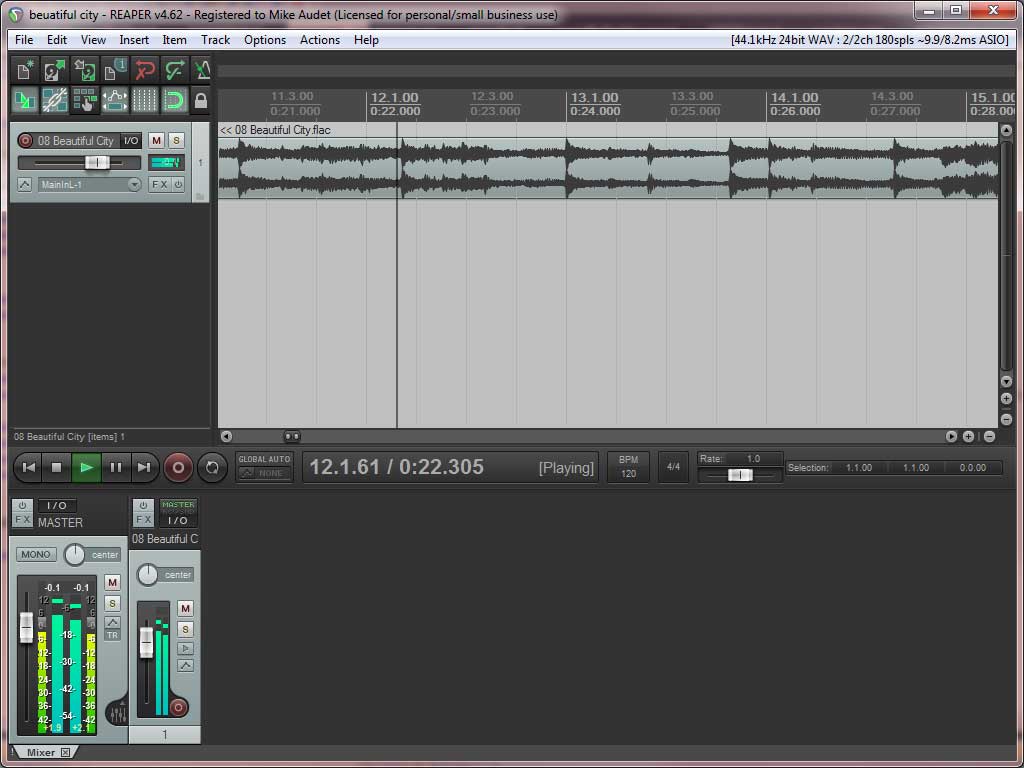 anyone know how to circumvent the paris 3 response code? it has always angered me, that i paid $300.00 for the paris 3 software, and i'm not allowed to install or reinstall it at will, on any machine i like, without having to go through the response code stuff ( i want to use stronger language than that, but i won't). and now, with id not responding anymore to requests for response codes, after this year, it angers me even more--- does anyone know how to get around this? i've heard of something called anti-pace, but know nothing about it, nor how to implement it. if anyone can enlighten me on how to circumvent the response code (if there is any such ability), i'd very much appreciate any help and information about it. i'm wanting to run paris on both xp 32 bit and 98se thanks so much. harry I have finally got my new computer up and running and Paris 3.0 is up and running ROCK solid on windows 8.1 32 bit! This is the history of this journey. I had to call ID and talked to Adrian and requested a new response. He was a little busy, but he kept in contact with me via email, he needed some extra info. Windows version and a couple of other things. He got me a new working response within a few days. He did inform me that after January we Paris users are up the creek for any help. He recommended Ghost backing up of your hard drive. If you are patient and phone courteous Adrian will help you. As far as cutting us loose, that is another story. Is there a lawyer out there using Paris? You have to go to Id and get the current license support. Install the license support, install the drivers and 3.0 from Mikes' kit, launch paris, put in your new response, launch paris after reboot, Paris up and running on my windows 8 32 bit rig. That being said, I wish ID would do the right thing and let us have the pace free version after they totally drop the program. I understand they are into another field so why not let my paris go. As for Mike, HOLY COW where would we be without someone who understands Martian language. Kudos also have to be given to Chuck who threw Paris the first Life Jacket. I feel we ALL owe these guys all the support and any help they might need. I also got rid of all the aftermarket effects and I am going to load up on mikes effects. I seem not to any problems using Paris effects and can handle whatever I am trying to accomplish using the REAL thing effects. Mike gave me a good tip about loading effects. Sometimes when you get that sucky effects maxed out window, take out the effects and reload them in a different order and it seems to take them. I have no idea why, all I know it works and that is all I care about or understand. Thanks to Mike for all the work. One astatic Paris user, Rich Very Nice!! anyone know how to circumvent the paris 3 response code? it has always angered me, that i paid $300.00 for the paris 3 software, and i'm not allowed to install or reinstall it at will, on any machine i like, without having to go through the response code stuff ( i want to use stronger language than that, but i won't). and now, with id not responding anymore to requests for response codes, after this year, it angers me even more--- does anyone know how to get around this? i've heard of something called anti-pace, but know nothing about it, nor how to implement it. if anyone can enlighten me on how to circumvent the response code (if there is any such ability), i'd very much appreciate any help and information about it. i'm wanting to run paris on both xp 32 bit and 98se thanks so much. harry I have finally got my new computer up and running and Paris 3.0 is up and running ROCK solid on windows 8.1 32 bit! This is the history of this journey. I had to call ID and talked to Adrian and requested a new response. He was a little busy, but he kept in contact with me via email, he needed some extra info. Windows version and a couple of other things. He got me a new working response within a few days. He did inform me that after January we Paris users are up the creek for any help. He recommended Ghost backing up of your hard drive. If you are patient and phone courteous Adrian will help you. As far as cutting us loose, that is another story. Is there a lawyer out there using Paris? You have to go to Id and get the current license support. Install the license support, install the drivers and 3.0 from Mikes' kit, launch paris, put in your new response, launch paris after reboot, Paris up and running on my windows 8 32 bit rig. That being said, I wish ID would do the right thing and let us have the pace free version after they totally drop the program. I understand they are into another field so why not let my paris go. As for Mike, HOLY COW where would we be without someone who understands Martian language. Kudos also have to be given to Chuck who threw Paris the first Life Jacket. I feel we ALL owe these guys all the support and any help they might need. I also got rid of all the aftermarket effects and I am going to load up on mikes effects. I seem not to any problems using Paris effects and can handle whatever I am trying to accomplish using the REAL thing effects. Mike gave me a good tip about loading effects. Sometimes when you get that sucky effects maxed out window, take out the effects and reload them in a different order and it seems to take them. I have no idea why, all I know it works and that is all I care about or understand. Thanks to Mike for all the work. One astatic Paris user, Rich Very Nice!!
As ID is no longer going to support Paris in any way shape or form in the very near future I feel it's time to let everyone know that there is a pace free version out there that I know works perfectly...PM me if you would like to know more about it.One more thought/question:
If you are thinking of re-creating the Paris mixer within this Asio driver, do you also intend that to be able to host native VST/DirectX plugins or would it only host Paris plugins ?
Again just thinking from a work flow point of view, it would be great to have that option.
I was thinking the VST effects could be applied in the ASIO host before being sent to the driver.
All the best,
Mike
hi Mike,
Thanks for getting back again.
If the Paris plugins have to be accessed within the Asio driver, there may be signal flow as well as work flow considerations:
i.e. you may not be able to recreate how you would have mixed in Paris signal flow-wise.
Imagine you want certain plugins on your mix bus for example...presuming that Paris is handling the summing - then you'd have to be able to host the plugins at least for the mix bus ?
PS I'm sure that this kind of thing implies more work - so I apologize in advance, but I think now is the time to point out design issues that could seriously compromise the usefulness of all that work.
Actually, leaving the vst plugins in the host app would exactly re-create the situation we have with the PARIS app.
VST effects are applied before the audio gets to the EDS1000 card. Once the audio is in there, it's all ESP based effects, no VST at all.
It may be possible to patch an audio stream on the master insert, but it will add a bunch of latency, and I'm not sure if that patch point can accept a stream, or just links to outputs. There's a lot of discovering to do.
All the best!
Mike
To load latest Waves plugins in Paris you need to run
waveshell.dll into waves shell2vst utility.
And then it shall create .dll for every plugin.OK - so the work flow and the signal flow of the Paris app are different.
Would be great to have the option to "mimic" that work flow.
As you say a lot to discover still.
This also makes me wonder if it would be worth simply exploring a kind of bi-directional asio driver between Paris and the host app (Reaper most likely in our case).
Actually I suppose it could just work in one direction.
I have been exploring VST's with routing capabilities to achieve this, but Paris VST implementation doesn't seem to work well enough.
Anyway - just a thought.
I'm leaning towards doing a simple, no mixer access ASIO driver first and then working on adding the PARIS mixer capability. I think there are going to be a lot of people who just want to work with the Reaper mixer, or whatever the host is. But, there will also be people, like me, who want to use the EDS effects and near zero latency monitoring and don't care about the workflow implications.
Doing the more simple driver first has the advantage of getting something out that people can use sooner, too.
I've been doing a bit more refactoring over the last few days and getting ready to start working on the control panel.
All the best,
Mike
Yes it does make a lot of sense to break it down into stages like that.
Do you think my suggestion of a driver that can actually talk direct to the Paris application is technically possible ?
I presume that would need a modified driver for Paris too - but potentially more gain for less work ?
PS the other good thing about doing it in stages like that, is it gives you more time to think about the design etc - so "modular" approach seems to win hands down!
OK - I'll stop bothering you and let you get some work done
Thanks for taking the time to respond etc.
May the force be with you
I don't think it would be possible to change the driver such that one could send audio into the PARIS app. I suppose it could be done, but not without breaking something else. And a boatload of code would need to be moved from the PSCL into kernel mode.
I'd like to do that rewrite, but time constraints make it impossible right now. Maybe after the ASIO driver is done, I'll start on the PSCL again and just chip away at it for a few years.
All the best,
Mike
Yes this worked for me fine under XP, but I haven't tried it with Paris Win 7...
TedAhh I see - so a lot more work that way.
And I guess it's arguably more useful to put that time into expanding the Asio driver to include the Paris mixer functionality as per your original plan A
Well, like you say, one step at a time.
You deserve to have a small army of helpers !
Thanks so much for entertaining all my questions etc
Very much appreciated, as always.sweet
any idea of when you'll have a usable version ?
will we be able to use the expansion cards too ? adat 8in 8out...
am thinking of either waiting for your final driver, or purchase a computer only to re use the 32 bits version and paris 3.0.
would love to have all the hardware on 1 pc only.
thanks !I'd love to know as well. I've seldom been so unimpressed with a company as I have been with ID. Their current plan is basically unethical.
I have forgotten: is it possible to use the Paris converters with other setups? I have an RME Babyface/Logic setup, with Paris as my legacy/library/backup. My Paris rig is extensive, but I don't have an ADAT card, just the SPDIF. I'd be willing to purchase an ADAT if it would help.
I hope everybody's doing well. I dropped out for a few years to go to tech school and get a degree in computer programming. I'm now working as a C#/.NET/JavaScript intern/junior developer here in the Atlanta area, and I've never been happier.
JimmyI just got audio passing through my 8 out card from the ASIO driver for the first time. Too cool!
As for timelines, I have no idea. I get closer every time I work on it, but time is tight. I'll do my best to get it out as soon as possible.
All the best!
Mikethere are options...PM meHi Jimmy,
It's good to see you back! I'm half way through a CS degree myself. having kids has put it on hold, but I'm looking forward to getting back to it in a few years.
Right now, you can get an ADAT card and route the analog inputs back out the ADAT card. But, I'm working on an ASIO driver that will work best. I'm just finishing up the core of it, and then I'll be working on the control panel. The EDS1000 cards can only handle 24 streams, and with 48 possible I/O points per MEC, I'm having to rework some things.
All the best,
MikeOk, I think I get it: right now you have to have Paris up and running, then you can internally route incoming analog signals back out the ADAT to your other setup, right?
But you'll have an ASIO driver that allows straight connection between MEC and Babyface? Wow. That would be staggeringly cool. I'd pay real money for that. Good converters are ~$1,000.00 for decent ones, and I have several MEC's laying around.
Yeah, I worked full time, went to school an hour away full time (some online classes), and helped raise my 2-year-old for the last 2 years. Man. I actually got really sick last fall. I averaged ~ 5 hours sleep/night for over 2 years. It was rough. But now I'm sitting here in my "office" (spare bedroom) and helping companies replace their kludgy old Java EE or .NET enterprise software suites with SAS, remote-server Web CRM portals that make their lives better and easier. And I get paid to do it! Wow!
Hi Jimmy,
The MEC would still need to be connected to an EDS1000 card with the ASIO driver, but you could ditch the RME stuff all together if you wanted to.
Otherwise, you could just use the PARIS app to patch the inputs out through the ADAT card to the RME setup.
I'm glad the the education worked out so well for you. We're living the same dream!
All the best,
Mike
Cool. Don't tell anybody I'm in the market for an ADAT card. I don't want to drive the price up.
I was going to school to become a network engineer. But everybody doing anything in the CS department has to take an "Intro to Programming" class pretty early on, and I just sailed through it like a day at the beach. Loved it. It just fell into my lap. I had no idea I'd be able to do it, and 2.5 years after writing my first "Hello World" in C++, I'm fully employed as a programmer.
It's been a blur. But man do I love it. I eat it up. I just had no idea. Better late than never....
Also, Can't we use the SPDIF as well? I have used it with external Kurzweil FX boxes, so I don't see why not....Yep. All the I/O will be available, just only 24 streams at once. So, that could be 12 ins and 12 outs, or whatever mix you need.
All the best!
MikeThanks, Mike!Oh: what language are the drivers written in?The Scherzo is written in C, and the rest is in C++. But, almost all of the original code was written in C++, but is really C. The rewritten ASIO driver is object oriented.I got the Express Card connection from Virtua Via a few days ago.
I haven't had a chance to try it yet, but I'll post when I do.
All the best,
Mike
C++, my first love. I had a short internship with a Ruby/Rails shop, and I handled it gracefully. But I hated it. I am so glad to be back in the C family again.
I love curly braces. So sue me. Just a couple of pictures taken with my junkie little camera. The actual screens looks much better.Hi Folks -
This must be old news that I - for some reason - have not heard, but when testing some routing options through external gear from Paris, I found some phase issues. This led to a check of inverting the same signal on two adjacent channels with all parameters identical. The signal does not come close to cancelling, either when running to outside processing, (thot it might be a problem with cabling or the external box) or within Paris. The same tracks do cancel in other DAWs.
is this a known issue? Anyone with more experience than me in this?
Thanks
tedsolved -
thot I'd checked everything, but i hadn't !!!!
EQ Trim was different on the left track. the EQ module was hidden, which must offer a good explanation for my befuddled state : }
thanks for readingThanks so much for posting these, Richard!
It's exciting to see.
All the best,
Mike
They're optical/lightpipe, correct? Anybody care to recommend a supplier?Mike,
Please give us an update...have you had a chance to try everything?
How's it working?
thanks!
DonHi Don,
I haven't had a chance to try the ExpressCard adapter yet. It turns out my laptop is so old that it has a cardbus slot. I need to find a time when I am free and I can borrow my wife's laptop.
I'm very confident that it will work just fine.
All the best,
MikeHowdy.
Sorry if this is old hat. I just bought an ADAT card, and it's not showing up in the patchbay. I seem to dimly remember something about this, but I wasn't paying attention at the time.
I'm running XP. ADAT card is in slot 4.
The lights on the ADAT read:
Active: solid
Optical Lock: blinking
Sync: nothing
I don't have it connected to my RME yet, the cables won't be here till Monday.
JimmyI'm running Paris 2.0 on a Mac G4 so it is possible that my set up looks different . Of you click on the mec module master it will allow you to drag the adat to 1-8 or 9-16 then you can connect them in the patch bay from the mec module to the mixer. Im not in front of my set up right now, so I'm probably using the wrong names for these items. I will double check when I get to work in tje morning and update this as needed. Hooe this helps at all. John HoustonAWESOME!I have a Paris rig that has started freezing. It boots and works for a while, but eventually freezes when I hit PLAY. The entire computer locks up - no mouse, no keyboard. PARIS looks like it's still alive because all the lights are still flashing on the Control 16 units and all of the windows are open, but the meters on the mixer window are frozen.
The only fix is a hard reboot.
The only change to the system is the addition of a second 8in card. Before this the system did not behave this way. The system is:
Computer
AMD Athlon XP 2600+
2.07 GHz
512 MB
ASUS A7V8X (I think)
Operating System
XP service pack 2
PARIS
4 EDS cards
3 control 16s
1 MEC w 2 8-in, 1 8-out
Any thoughts?
Thanks,
RichHi Rich,
I just took a look at the code in the PSCL that handles changing the transport state.
It writes to a couple of memory locations on the EDS1000 card and updates a variable that holds the current time. It doesn't communicate with the Mec at all unless there is SMPTE sync operating.
Does the problem go away if you remove the new 8 in card?
The only thing I can think of is that there are physical lines (I2S lines) that go from the EDS1000 card and get linked into the expansion cards for transferring audio data back and forth between the MEC and the EDS100 cards. These lines are among the 50 pins on the SCSI connector.
Check to see if you have a bent pin on the SCSI cable. Look at the female end on the EDS1000 card to see if there is any broken plastic between the holes where the pins from the SCSI cable go in.
It might be possible that there isn't enough power being supplied to the EDS1000 card to drive all the lines at once. Can you see if the BIOS if the 5 volt line is sagging below 5 volts?
It's also possible that it's simply a coincidence that the problem began at the same time the card was added. Do you have another PC you could install your EDS cards into? There could be something failing on the motherboard.
My MEC has 2 8 in cards, 2 ADAT cards, a SMPTE card, and an 8 out card, and I'm not having freezes. I know this can work.
I hope these suggestions help. Keep us posted!
Mike
Hi Mike,
Thanks for the quick response and all of the detail. There was no SMPTE (external sync to midi, right?) running when this happened. It was all internal PARIS clock. I put an after market 400W supply in the computer, though perhaps there's a voltage sag issue.
Last night I pulled up a task manager window and watched the CPU and memory usage as I worked. I noticed whenever I resized an editor window the CPU usage would spike. I made sure to not hit PLAY until the usage went back to normal (almost 0 most of the time). I ran all night without a crash.
I know in the past updating a bunch of open editor windows could cause problems, especially if they were focused on a very small section. Perhaps that was what was going on?
I'll check the cables and keep monitoring the CPU usage.
Thanks for your help.Just curious -
Are you saying that now it is running OK as long as you don't hit "play" during a CPU spike?
Ted
I don't think I'm ready to say it's running OK just yet. I have one night of crash free work. I never determined a series of actions that would definitely cause a crash, so I can't say that I didn't just get lucky.
I'll keep y'all updated. Thanks for the help. Mike has been going through this with me, hoping his drivers would help, and we did finally get my ADAT card appearing in the patchbay, but only after some serious difficulties.
I don't know why the ADAT card didn't appear before, but it does now, after a clean reinstall of XP and Paris 3.0.
This computer has only 1 gig of RAM on an old MB, and I was absolutely unable to run Win7 on it. We were hoping Win7 would fix my issue, but 1 gig of RAM for Win7 and Paris is simply not enough, and I got the BSOD every time I tried to start Paris.
I have a RAM upgrade arriving this week, so it'll have a total of 2 (new RAM stick gigs: that's the max this old MB can take. I'll install Win7 again (this time on separate partition) after the RAM is in place, to see if Paris will run properly with that setup.
All of which is to say that the ADAT card definitely did NOT show itself before my multi-day old-PC adventure, but it's there now, so...I don't know what it could have been other than older XP drivers, maybe? Or maybe just a really old XP install on a really old computer?
Thanks,
JmmyJust a quick heads up to anyone still interested
It has been confirmed that the Pace free version works with Windows 7 - 32 & 64 bitHi @ all,
did rebuild my studio and it is ready now .
Still works the asio driver now ?
Where can i buy it ?
I like to run Paris Hardware under Cubase 4 & 5 on one system.
It is very interisting, cause a college use Cubase and a good old Paris too.
Best regards
DanOk.
I turned inside CS16 the ribbon, it works fine.I use 2 Paris MEC with 71' SCSI Wires. And works without any problems.
Hope this message helps.
Dan i use 1,80 m SCSI-Wires at my Paris system. Don't know the feet  71' sounds not quite right since that's over 20 meters Hi Dan, 71' sounds not quite right since that's over 20 meters Hi Dan,
I've been working really hard on this.
I just tracked down a bug that must have existed in the original version. It involves the deleting of sound buffers before the EDS cards are done with them. I'm going to have to do some re-factoring to fix it. I've been banging my head against the wall for most off the last week trying to track it down.
This is where I am with the project:
What's done:
I've refactored the driver so that one can assign I/O channels to up to 24 audio streams per card(that's all an EDS1000 card supports). The streams can be either inputs or outputs. The selections are currently loaded from the registry.
I've got the driver able to select any MEC expansion card for each of the two in and out banks per MEC. The selections are loaded from the registry. Just to be clear, 8 in cards, 8 out cards, and ADAT cards are all supported.
The driver loads the buffer size and sample depth from the registry.
The driver plays back and records 24 bits.
The driver can be closed and opened by the host app without resetting the hardware (resetting just took too long).
What's left to do:
Fix the buffer bug I just found.
Finish the control panel so that the settings that are currently loaded from the registry can also be accessed from via a user interface.
Deal with a few more items relating to the C16. I haven't assigned some of the knobs to MIDI notes yet.
We're getting closer. I'll get it done as fast I can while still making sure it's done well.
All the best!
Mike
An update:
I've had more crashes even while allowing some time for the editor windows to catch up, but I might have found the problem.
I loaded 3.0 this weekend for the first time. It would not run a large project at all, crashing with the same error as my 2.1 set-up. It crashed ever time. However it would run a small project. I looked at the paris.cfg file and the cachesize was set to 10 MB. I couldn't remember the optimal settings, but I thought that was too low. I increased it to 50 MB and then everything seemed to run fine. Tried to make it crash by hitting PLAY repeatedly and no problems.
I think it might have been the same problem in my 2.1 set-up and had nothing to do with the added 8in card. The cachesize in the .cfg file in my 2.1 set-up was set to 64 MB. I increased it to 128 MB and tried to make the crashes happen. Again tried to make it crash and so far so good. I have only been running small projects for the last few years, or not using PARIS at all. I'm starting to think the correlation with the 8in card was a coincidence since I am running a large and growing project now.
Are there recommendations for the cachesize and the other various parameters in paris.cfg?Hey Mike!
I just want to make sure I understand what you said above. Can you access more than 2 I/O cards in a MEC at a time? With the ASIO driver would you be able to have 24 input via 3 of the 8 input cards at 24bit with one EDS card and one MEC? Or 24 input via 3 adat cards with one EDS 1000 card and one MEC? If not now, would it be possible in a multi MEC/EDS system in the future?
Thanks
JamesHi James,
unfortunately, there are a fixed number of physical lines (I2S) that connect the IO modules to the EDS card. You can have two input banks and two output banks plus the I/O built into the MEC.
Sorry!
MikeHey Mike,
That's okay, that's the way it has always been. I was just wondering if the ASIO driver could change that.
Thanks
JamesStill interested.
What do you guys use for PCI slots on more modern computers? Newer computers don't have many (or any) of the older format PCI slots that EDS cards use, correct?Oh Sorry, i found a table which contains meter and inch . I use 1,8m long SCSI-cable. I read anywhere, 6m is max for SCSI 1 and 3m for SCSI 2. SCSI 2 works with Paris.
I'm considering buying a number of Mike Audet's effects. I have a number of Chuck Duffy's effects already on my 2.1 system. How do Chuck's and Mike's effects, especially ones with the same name like No Limit, interact on the same system? I have mixes that use Chuck's effects (specifically no limit and maybe a couple of the reverbs).
I assume the effects that came with Paris will just still be there.
Since I'm here, will Mike's effects come with instructions on how to install them? It's been so long that I put Chuck's effects in that I can't remember how I did it.
Thanks.Hi Richard,
The updated effects will replace Chuck's version because the file name is the same. But, I don't think I did anything to the effects that would make the old version preferable. I added meters and added in support so that they do the right math at 44.1, among other things.
The way the PARIS effects work is that they look in a special folder (C:\Windows\SysWOW64\Ensoniq\PlugIns) for dll and ini file pairs. As long as each pair has a different name, the effects driver will attempt to load them.
All the best!
Mike
Hi Richard,
I'm using the virtua via expansion chassis.
http://www.virtuavia.eu/shop/pcie-4-x-pci-expansion-atx-kit. html
It's been serving me very well and will become even more important when PCI slots on motherboards are a thing of the past.
Magma as makes a similar product, but it is more expensive.
All the best,
Mike Hooray!
I've been using it for years, due to the fact that I change hardware frequently.
If anyone from ID is lurking, I paid for my upgrade when it first came out. However, I know a bit about PC's, and frequently upgrade my hardware and O/S. Are there recommendations for the cachesize and the other various parameters in paris.cfg? I'm running an older AMD Athlon in an Asus A7V8X-X Mobo on XP.Heya Rich - I tried to collect as much solid info on the paris.cfg as possible in the wiki here. It's not as complete as I'd like but it's got some good info.Kerry, thanks so much. That's exactly what I was looking for. Over the years I've tried to archive info from Chuck's group and the old "great idea" group, but some of it's been lost.
For the way I work Paris still totally rocks. If it doesn't sound good it's not because of the recording system. That's all I can ask. You guys keeping Paris alive all of these years has saved me tons of time and money. Thanks a ton.Howdy.
I finally got my ADAT card installed and I am trying to route audio directly through the analog inputs to the ADAT outs and into my RME Babyface -> Logic. I'm not sure I have the Paris patchbay set up correctly.
I think I properly configured the patchbay as it should be, I saw a screenshot here that shows how to do it, but I'm getting no signal from Paris into the Babyface, and the Paris ADAT card does not lock. Is there some secret configuration I don't know about? How should Paris be set, to lock to digital? I tried locking the Babyface to Paris but the signal sin't good enough, it keeps fluctuating.
Thankful for any pointers,
JimmyI'm sorry to be so dense and so persistent, but I'm still trying to figure out how to make my Waves plugins work in Paris on my new Windows 7 machine. I've been using old Waves - v.3.2 - on my vintage G4 running OS 9.2.2 and I have ongoing projects using the waves Gold Bundle fx - mostly the Rennaisance compressor and 4 band EQ, occasionally the MondoMod chorus or a de-esser. The EQ and comp are the most important, since I have many mixes running them. I've been told to use "shell2vst.exe", which I have, have tried, but I don't see that it's doing anything. It wants me to drag "shell.DLL" onto it's icon and says it'll then turn all the plugins into DX. Or VST. Or something useful. But nothing good has happened yet. I tried with Waves v7, which I have been told can work with Paris (NOT by the Waves guys - they say that 3.2 was the last to sorta work...) to no avail.
Any suggestions are welcome!!!
Thanks,
GanttI'm getting a _itptQueProject:Error in queuing project:Error Code: 1879048233/70000029 on a project in 3.0. I don't get this error in 2.11. I've tried to do everything the Wiki suggests on this error, but the only thing that seems to fix it is to not have any virtual submixes. Submix 1 seems to be the biggest source of the problem, but I'm not sure it's the only source. Nothing I've done in submix 1 with changing cross fades fixes the problem. There is nothing obvious to me that is a problem with any track.
No virtual submixes are going to be a problem for me - to the point that if this is a 3.0 issue I think I'd rather use 2.11, even though I can't see half of my effects.
Is there any solution to this problem, or any way I can troubleshoot the problem area. I've already wasted hours chasing this down. I'm using the original XP driver. Would using Mike's new driver (which I own) help?Did you have some aktive loops in the projekt ? So you have to break the loop.No loops that I intentionally set-up. I'll go look to make sure nothing weird happened and one got in there.
Thanks for the response.Good news. I was able to finally find the error. There were some tracks (fortunately scratch tracks) in one submix that were the root cause of the problem. I was missing it because of the order that I was doing the virtual submixes, but in the end the virtual submixes weren't the problem. Since I removed the tracks from the project it's had no problems.
A special thanks to Mike Audet who offered to help me out with this. In this case I was able to figure it out.
Thanks to all for the suggestions.Glad to hear -
Do you mind specifying what about those tracks was a problem? Edits? Sample rates? Imported from another program? I can't think of what in an audio track itself would not not work.
Thanks
Ted
An excellent question and one I tried to answer yesterday. It took me several hours just to figure out that there was a specific submix were causing the problem. I then needed to figure out which tracks in that submix were the issue. I had to spent a lot time isolating tracks to find the problem ones. There was nothing obvious in the identified tracks that should have been an issue. After hours of this detective work I ultimately gave up. I just ran out of time and patience and I had gotten the project to run again. I wanted to get back to making music.
What I can tell you:
- The tracks were recorded at 44.1/24 bit in Paris 2.11.
- There appeared to be eight tracks that were the root of the problem. Five were on tracks 1-5 and the other three were on tracks 14-16. They were all originally recorded on a different track in the same submix and moved to those locations.
- Most of the tracks had a lot of edits, though it appeared there were two tracks with no edits that were also causing problems. There were a lot of tracks with lots of edits in other submixes and I had no problem with those.
- When I moved the tracks to empty submix (#8), that submix generated all of the same errors as the tracks in the original submix.
- Paris 2.11 had no issue (that I'm aware of) with these tracks. I was however getting a weird error where Paris would completely lock up, but that error could have been due to my disk cache in paris.cfg being set too low or to a possible IRQ conflict with and EDS card and a Matrox video card.
- Increasing disk cache even to 21000 did not affect the problem.
- Since I've removed the offending tracks (and set paris.cfg per the instructions in the Wiki, and moved EDS and Matrox cards so the Matrox and EDS don't share any IRQs) Paris 3.0 has been solid. That's like four hours of work with no lock-ups last night. So not a huge sample size, but longer than I've gone without an issue in months.
Thanks for the reply.
Curious...Hi Guys.
Ive got a buddy who dropped off an old paris session so i could consolidate the files to the same length, export them, and convert them to SD2.
I tried to get the Paris machine up and running, but i crashed and has left the machine unable to boot. I currently trying to sort that problem, but im wondering if anyone could do the conversion for me?
Thanks in advance
Dave
dave@blackbirdstudio.com.auHi Guys,
I just set up an Asus Z97-A motherboard with a Core i7-4790 and 16 GB or RAM. I haven't done any stress testing yet, but PARIS is running smooth as silk under Windows 7 64 so far.
I have two EDS cards in the motherboard PCI slots. I'm looking forward to seeing how much lower (if any) the latency will be in the ASIO driver.
We just had a baby and everyone is well, but there hasn't been much time or sleep. I'll do more testing and report back when I can.
My old AMD system started crashing randomly. Memory scans came up clean, but I was getting random blue screens every few days. I'm pretty sure one of the cores went bad. This new system is much, much faster. I hate to leave AMD behind, but they haven't really kept up.
The heart of the ASIO driver looks like it's done. I just have to write the control panel.
I'll post more when I can.
MikeHi Mike. Sounds really cool. So help me understand what exactly is the ASIO driver? What does it replace in the current Paris 2.x/3.0 set-up?Hey Mike
Didn't you use the "Just had a baby" excuse last time things got help up with PARIS?
Congrats! Hope Mom and child are doing wellYeah C'mon Mike -
You gotta get a new scriptwriter! Congrats!
@ Rich - the ASIO driver will enable PARIS hardware (MEC 8I/O) to be used by other DAW software.Like Reaper?I've had it working in Reaper, Studio One, and Adobe Audition so far.
All the best,
MikeHi There !
Have someone a working Paris with Ex1095 Card and Expansionchassis EX1031.
Since i have installed this configuration, to use a 4 Card system, i get only Blue Screens. Paris don't starts. In systemconfiguration i can see, that is every card ready.
I am using win premium with 32bit.
Ok. 2 Cards still running. How many Watt needs one EDS card ?Each EDS draws between 20 and 25 watts.
I hope this helps.
MikeHi Mike !
Thx that helps and fast answear !
I have wondered myself, if the Powersuply of Expansion had have enough power. The system don`t run with 3 Cards. My PC is frozen after start Paris , with 3 EDS Cards. The PC runs with 2 Cards.
This issue i can put off my List :
-> Expansions Chassis Power Supply 220W -> Blue Screen
-> Change the Port of the Connectioncard -> Blue Screen
-> Take off all VGA/ UAD2 cards -> Blue Screen
Hello All,
I know this has been covered before, but I lost my last system and had to build another.
I stayed with a older computer a Pentium 4 3gig, 4gigs ram,
1 Teri bite hard drive to record to.
So I set up the XP (I don't have any service packs installed yet)
I installed the Paris Pro card and then the software. After it found the hardware I installed the XP Driver.
I try to click on the Paris to start the program and nothing happens.
Seems like I remember something about: if the card is not in pci slot 1 then Paris will not launch. I tried the one next to the video card slot and then at the other end of the pci card slots.
Still nothing happens.
What am I missing here? Is it because I don't have service pack 1-3 installed yet. Or need to be in a different pci slot.
It does see the card, but no launch of the program.
Thanks for the help guys,
JeffNot totally positive if my memory serves me correctly, when I built a new rig I had basically the same problem and Mike audit told me it sounded like the driver wasn't loading. What he had me do was to uninstall paris, and load the driver first and I had to get the update the pace security manager, and then install the software. I hope this helps.I will give that a try! I took 3.0 off and installed 2.0 and it did open the window just to give me a error. I think your right about the pac security manager. But Paris never gave me a challenge yet? Seems like I remember before it would give you that challenge right away to get the response code form intelligent Devices. I will give your idea a go here tomorrow.
Thanks, JeffHi Jeff,
My latest driver requires Service Pack 3. Also, you'll have to install the PACE driver to get PARIS 3.0 to work.
I hope this helps! Let me know if I can help more.
All the best,
MikeJust forgot to mention is that I have Mikes driver installed on my new rig and I am running paris on windows 8.1 bummer 32 bit but I have not had a problem since I got it all set up correctly. That pace thing is a pain in the neck. So you might want to think also about using mikes' driver. When in doubt I would always defer to our GURU mike.I wish I would have gone with windows 7 because I think that works on a 64 bit system. RichHi Rich,
I'm using a XP Beta driver (I think mike built this one too).
Yea, I wish I knew Mike had built a driver for 7 and up. Darn!
I would of got a faster computer.
I put 2.0 on my computer and it works. One time and then is looking for the pace thing. How do I put that on this?
What is the web site now? Or is it still Intelligent devices.
Sorry I have been out of the loop for a while on Paris. I do own enough for a 64 track system. I use only 2 Mec's right now.
I also wish Paris handled the UA UAD-1 and 2 cards better. I don't like the wrapper deal you have to use. I really don't have time to figure out how much delay it needs to be set at for the different plug-ins.
Will the new Anso driver support this better? What is the Anso driver support going to help. Will we be able to use a different software with Paris? Like MAGIX Samplitude, I wish.wee oh you got deeper than I know, but the intelligent thing is on the intelligent website. I think Mike camn give you the link for that site, I think he gave the link to me. As far as the rest, I am still chuckling,.... you are going to have to ask Mike, the answers are way above my head. Right now all I can tell you is that all I use are the paris effects, and I have Mikes new ones, and for a personal studio, I have been able to handle basically everything I need. You can just cruise the intelligent devices website [ Huh tell me that isn't a contradiction in terms]and find that pace manager or whatever they call it. Once again when in doubt ask the very busy Mike, he will get you squared away in between feeding and changing his little one. RichHello Busy Mike,
I own your XP Beta driver. Will that one work on 7 and up?
It wants to run on 2.0 but not 3.0 and I'm getting a error message about my XP being a good copy. It is or was last time I used it.
So I can't get service packs to install. Need to buy another XP or 7.
Will a P4-3gig computer support windows 7 Mike?
Here is the other message I get.....
Error Message: Error Signature
App name PARS.exe App ver: 0.0.0.0
Mod Ver: 0.0.0.0 offset: 00000000
This error report includes: information regarding the condition of PARIS.exe
Where the problem occurred: the operating system version and the computer hardware in use: your digital product Id. which could be used to identify your license: and the internet protocol (IP)
and address of your computer.
Will the new ANSO driver support the U/A UAD-1, and 2 better?
Can we use a different software with the new driver (other then Paris software) What is your plan for it. Just got me thinking
here is all.
JeffVery Busy Mike just released Baby 2.0 a few days ago but I can field that one - ASIO drivers allow PARIS hardware to be available to *any* audio application (paradoxically, except for the PARIS app itself which uses it's own proprietary drivers).
There have been two previously released versions of the ASIO drivers - one that was officially released near the end of PARIS' product life cycle and another developed and released by the PARIS community a couple of years after. Neither ever overcame some of the difficulties inside the PARIS hardware that Mike's new drivers are working at overcoming. When finished, you should be able to boot up, say, Cubase, select any of your MEC cards and route audio to and from it/them at low latency. But he's aiming for cooler things than that with it too.Ha, ha Baby 2.0. Congratulations on the new baby!! Boy or girl?
JeffHi Jeff,
I'm not really sure what version of the driver you have. The Multicore driver came out a long time ago. The 32/64 driver requires service pack 3 on Windows XP.
This sounds like either a service pack issue or the PACE driver is missing.
I've never tried the old XP multicore driver in 32 bit windows 7, so I'm not sure if it works or not.
Here a link to the latest PACE driver:
http://installers.ilok.com/iloklicensemanager/LicenseSupport InstallerWin32.zip
The ASIO driver is incredibly exciting. I haven't been able to work on it much since William was born, but I'm in negotiations with Erin to get a bunch of time next week. Isabelle starts kindergarten in September, and then my time will really open up in a way that it hasn't for the last four years.
In terms of latency, it seems to depend on how many channels are being used. If I use just two chanels, I've had it as low at 120 samples. As one adds more channels, the latency has to go up. I've found that 300 samples is the sweet spot where I get no clicks no matter what. But, that's with 28 streams of audio going. Less is very doable.
If there is interest in this, I'll start integrating the mixer as the next step. There will be a lot of work to do to make that happen, but it would be really cool.
I've attached a picture of the new liitle one.
Cheers!
Mike

Magical, proof that beauty still exists.
FWIW, he has a wonderfully strong name, lol.Hey Mike,
Nice looking baby boy you have there!!
I took off my older XP and Put on a different one. Also install service pack 2 & 3 on the system. It open one time is all and then
is looking for Pace. I don't have any Pace driver on it as of yet.
2.0 open one time, 3.0 would not open at all (nothing).
I do have a strong interest in powered plug-in's myself.
So a mixer would be great for my work.
I will try a Pace link when I get back home tonight.
PS. nice baby picture
JeffQuestion for Mike, when you talk about the mixer, does that mean it is an improvement on the existing Paris mixer, meaning will the c16s work the on screen mixer like it does now, only chef Mike will make it a better omelet? or... will the c16s have to go the way of the dinosaurs? For me, Paris software and mixers handle my situation pretty well as far as the edit window functions etc. OK enough of this stuff, Mike GREAT looking little guy!!!! I wish you and the little guy all the best, they are a lot of work but the rewards are un measureable and they can't make a hard drive big enough to hold all the memories. Ok I think I hear someone saying, time to change my draws, Pa. Oh maybe it is a smile, oops looks like gas! See ya, RichHi Mike,
I'm using Paris XP driver (Beta 3) 3.0.3.0
4/3/2003 183kb file
I tried to load the Pace License support driver and I get this message when installing it:
Error: The driver package is not signed. occurred in.\
copyzuf. cpp at line number! 414 other
Error:- 2146762496 Internal operation:200
So as you see I'm getting know where fast here.
Any help would be great! Thanks much....JeffHi Jeff,
I'm pretty sure that is Chris Thoman's XP driver.
I've attached an old version of the PACE driver. Let me know if it works.
All the best,
MikeIntelligent Devices use to make you do a challenge and they would send you a response via e-mail. How come I'm not seeing this now on Paris? Don't you still need it or was that replaced by the Pace Driver?Sometimes it loads the software and some times the same Error message. Strange this Paris Software. Any other thing I should try?
Thanks - JeffMy bet is that the PACE driver I sent is too old. You need something in between what I sent and what is on the PACE website.
I would try installing the latest PACE driver that is in another post on your new XP install.
If that doesn't work, you could contact PACE:
https://www.paceap.com/home.html
I'm pretty sure all they publish is a sales contact.
Or, you could contact Intelligent Devices:
http://intelligentdevices.com/
to see if one of them can provide a newer but not too much newer version of the PACE driver. The one I posted is from 2002.
All the best,
Mike
What I'm using is XP Home edition with SP2,Sp3 installed too.
This is one a P-4 running a 3.0 gig processor. 2 gigs of ram.
I just got done recording tracks and it is working very solid. So it's just a hit or mess on loading the drivers.
I tried using the new pace driver you sent me. The old one is working best with 2.0, Neither will work with the Paris 3.0 software installed.
Thanks - JeffJust to throw this out there, my rig on which paris is on, runs on windows 8, my other rig is on 8.1 sorry for the misinformation. I had to get the Ilock license manager on my computer, then I installed mikes newest driver, then installed the 3.0 from the driver package, then opened paris and it asked for my response I had to go through ID to get a response that would work, once I got the second new response bang!!! up and running and still going Rock! Before I did all these steps I would try to launch paris and it would come up asking me if I wanted to let this program run, click yes, there she goes! I hate to say it but it sounds like that pace thing, ID is the hastle. There are a lot of previous postings about ID or Pace and the hastle. RichHey Rich,
Seems like last time I used my Paris in the old computer, the IT came up right away on the loaded software and gave me a Challenge for IT and then I would email them with the challenge and they gave me a response to the Paris challenge that the software came up with. That is what I seem to remember, maybe I'm wrong. It just did not come up anymore on my software. I don't even read about in the Paris manual.
My computer worked for years then the main hard drive died. So I built the same P-4 computer. I did not even know there was a new driver for 7, 8 & 8.1 Microsoft operating system now.
May have to build a faster one in the future. I will wait until Mike builds the ANSO Drivers and then do the upgrade.
Will 8.1 even work with a P-4 3 gig system. I think It maybe so slow for 7 and up. I know a P-4 is a slug on the internet. LOL
"Dame it Jim", I'm a Studio engineer not a computer programer!
I'm the one that's suppose to be twisting the knobs not my computer twisting mine. 
Well thanks Rich,
JeffI agree I am not going to mess with my rig until Mike finishes his thing. The motor runs.........I know being able to go 64 bit on windows 8 would be cool but when you think about it when paris say 3 first came out it, how much rham was in a COMPUTER THEN , MEGA BYTE OR SOMETHING, NOW THEY are what giga byte so I already have so much more rham then this thing ever knew about when these versions were born, so I ain't messin with this little motor until it be broken or taken to  the next step. RichHi Gantt, the next step. RichHi Gantt,
I just got the ren-comp working using the FFX4 wrapper.
http://www.kvraudio.com/product/ffx-4-by-vb-audio
I just installed the DX version of the plugin and pointed the VST path to the ffx4 folder.
I hope this helps.
MikeHi Jimmy,
in the manual/description i can't read anything about adat sync. The same problem offers me, as i like to sync a RME 9632 with Paris. There was missing the Adat "Sub 9" Plug and this is importent to have "sync" between RME products and Paris. Most RME products will shown with "Adat sync" Logo, tehn it is possible to sync over Adat.
Hope i can help you. (SOrry for bad englisch )
Best regards
Dan !Hi,
i look for an SPDIF interface wich can convert SPDIF in Optical ADAT.
Someone knows something like in link below,but much more cheaper ?
http://www.thomann.de/de/friendchip_digimax_1212_digital_pat chbay.htm
or
http://www.tcelectronic.com/digital-konnekt-x32/
ThX
DanHi Mike,
I installed the ffx4, can't figure out what to do to get Paris to see it or the Waves plugs. And I have Waves v.9 installed, but also tried - possibly unsuccessfully - to install v.7 too. I'm out all day, hopefully I can find a time when you're available to talk.
Thanks!
Gantt
| mikeaudet wrote on Fri, 15 August 2014 13:54 | Hi Gantt,
I just got the ren-comp working using the FFX4 wrapper.
http://www.kvraudio.com/product/ffx-4-by-vb-audio
I just installed the DX version of the plugin and pointed the VST path to the ffx4 folder.
I hope this helps.
Mike
|
did you guys noticied how FREAKIN GOOD this comp is ?
too bad i did not try this before.
on the stereo buss.
low ratio (less than 2)
fast attack just shaping transiants without squashing (between 8 and 11 oclock usualy)
fast release, to make it gently pumping (between 11 and 3 oclock)
no lookahead
adjust trheshold, GR less than 6 DB
then adjust mix to taste (way less than 50% for me)
doesn't work on everything of course. It's not transparent, it's like ... a compressed mix, with attitude and feel.
In my opinion, internal paris effect are really good, still in 2014.
Well my friends, if someone needs more S/PDIF Inputs like me, look at this great one :
http://www.friend-chip.de/dmx16dia.htm
you can upgrade this onelike good old Paris
Best Regards
DanHi !
Finde a hint in Manual.
10 Feet or 3m...
Read Manual at Picture below :
 I just wanna go on record as saying that Mike is an awesome guy, an awesomely SMART guy and an awesomely HELPFUL guy. I just wanna go on record as saying that Mike is an awesome guy, an awesomely SMART guy and an awesomely HELPFUL guy.
But you guys already knew that, didn't you.
Thanks, Mike!Yup . . . I wouldn't be on PARIS if Mike hadn't done what he has done. Thank you so much. PARIS warms and brings my sterile ProTool's songs to life.
I write in PT because of so much midi stuff. Then I bounce every track to wav, pop it in my PARIS XP rig and immediately start to smile.
For band recordings . . . direct to PARIS!
Thanks Gantt for starting this thread.
WayneYes Mike is a fantastic guy and I also would not be still using PARIS, again, if it were not for him. I appreciate his work every time I run PARIS on Win 7 (maybe one day Linux), and his tireless passion in keeping our great DAW alive is deserving of it's own thread.
Maybe August 29 should be known as Mike Audet day!Hello Mike and fellow paris users. Thanks Mike for all your previous help and the work you continue to do for paris.
I am building a new machine and plan to give reaper a try, and so I am trying to make some decisions on what role my paris system will play and what is possible. Comments and suggestions on any one or all of the following are welcome based on your areas of expertise/interest:
My current system:
Windows XP, AMD athlon,2 gigs ram(tried to add 4 but no go) 2 eds, 2 mec, 2 8 in, 2 control 16.
My new build, on which I plan to run reaper:
Windows 8.1 (sorry Mike)
AMD 8 core fx 8350, at least 16 gb ram, maybe 32 gb.
7200 rpm hdd os drive, ssd data drive (don't have the exact specs in front of me).
Possibly MOTU 828x and 8 pre interfaces over USB.
the MOBO has following expansion slots:
PCI Express 2.0 x16
2 (x16, x4)
PCI Express x1
2
PCI Slots
2
I was considering selling off the paris gear eventually as I would like a simple streamlined set up, but with the new ASIO drivers possibly coming I am re-thinking a bit.
1)Will the ASIO drivers Mike is working on allow me to record 12-16 tracks at a time (from the 2 8 ins on the mecs) to reaper in Win 8.1?
2) To do the above using the paris converters would I need my entire current paris set up (cpu with eds cards in addition to the 8 in's) (basically keeping my entire old system to use as an interface for the reaper machine)? If this is possible could both 8 ins be in the same mec to save space(I have 1 8-in in each mec right now).
3) How does one go about transferring a project from Paris to reaper for mixing? I have a few song projects in progress and would like to use them to get to know mixing in reaper?
4) Can anyone give an estimate how may tracks of playback I can mix in realtime in reaper with the new system I am building (assume 24 bit, 48k SR, 4 bands or so eq on each channel, compression on most channels, some time based effects, etc). (Is it a common and legitimate alternative to route groups of channels to one effect to conserve effects processing power, for example, group several background vocals to one reverb to process together to save resources?).
Thanks for any comments and I look forward to your responses!
John
I too just finished a build of a smoking new machine which will house Reaper and all my VST Plugs and I decided to interface it with my old Paris rig for its AD/DA rather than sell off Paris and buy new converters
Basically I'll be flying audio via light pipe from my new machine via a Frontier Designs Dakota into the ADAT inputs on my Paris rig and will be using Paris now as my Dangerous 2 Buss (sort of) but with the added bonus of having all the bells and whistles of Paris at my disposal
and so far everything is working as it should.
At some point I'm going to try running Reaper directly off my Paris rig once Mike's got the ASIO drivers finalized.
As I haven't loaded a full project into my new rig yet I can only speculate on track count in Reaper but I expect to get at least double the count I have now which would allow for around 70 tracks at mix down and as I'm going to be using UAD plugs instead of Waves I expect that number to be even higher...closer to 100 plus.
You can load PAF files directly into Reaper but not the PPJ project files so if you have any critical editing or snippets of audio throughout your project you might wan to render (bounce) your audio down to single tracks.
Hope that helpsThanks for the feedback dnafe. I hope your new system works well for you. Sounds cool.
Sounds like I should have plenty of tracks of playback for my purposes and plan to use mainly stock effects, and maybe just a few vst's or plugins at this point and will try to avoid CPU hogs.Maybe I'll add waves or uad at some point.
Forgive my ignorance, I'm not a computer expert, and I haven't used lots of DAW's, mainly just paris on pc, so don't have experience with a lot of different configurations: One of my main objectives is figure out how to use paris hardware as an interface for reaper and what is possible with that (instead of buying new interfaces)
and moving partially finished projects to reaper to finish tracking and mix (if this is too much hassle, I will just finish the projects with the current rig, then retire/sell it, if it comes to that)
1) So with the new drivers mike is working on, would I still want/need to render tracks with a lot of edits, snippets before importing into reaper,if I moved existing tracks from paris to reaper. When you load PAF's into reaper currently, do the tracks remain synced properly with each other, and does reaper need any special drivers or anything to handle this?
2) Given that I don't have ADAT, what are the possibilities:
With the new ASIO drivers, is there any other way I could use paris hardware/converters to record into reaper, other than having a separate machine with ADAT cards added (don't have these and don't really want to go down that road).
Would it be adviseable to try putting the eds cards in my new machine (it does have 2 pci slots)? How about using a virtua via expansion chassis? What would this allow me to do in terms of tracking using paris converters to reaper?
Thanks again for any insights and feedback that you may have and sorry if some of these questions are ignorant.
John#1 re: rendering - I don't think Reaper can read a PAF's position along the timeline so you'll need to render each track...although I could be wrong on this (it's been a while)
#2 re: recording - that is a question best answered by Mike as my experience running Reaper off of Paris hardware was limited to playback only and was at least 5 years ago using Mike's first ASIO driver build...it worked but certainly wasn't ready for prime time.
Hi John,
Thanks for the kind words!
From what I've read, Windows 8 has major under the hood improvements that can affect ASIO latency. I'm not sure how much of an impact it can have, but Windows 8.1 is no means a bad choice. Microsoft was trying to deprecate the traditional Windows desktop so they could get a 30% cut of every piece of software sold on the windows platform, as well as controlling what could be sold at all. Balmer lost his job over the blow-back, and I'm considering upgrading to Windows 9 if it looks good when it comes out.
As for the new driver, it's almost done. I just have GUI work to do, which I will have a bunch more time to work on once my daughter starts kindergarten in a week.
Each EDS1000 card can handle 24 streams of audio to OR from the card. The new ASIO driver allows any combination of inputs and outputs up to 24 channels per card. You could have a one card system with two 8 in cards and one 8 out card and record 16 24 bit inputs and still have 8 24 bit outputs all at once. There is no requirement to use the built in MEC inputs or outputs. It's 100% configurable.
As for how many tacks you can mix in Reaper, my guess is it will be basically unlimited. PCs have progressed so far that audio is child's play to them.
I'm having really good luck with a new Intel z97 based board. I used to get 35 frames per second on my 6 core AMD Phenom II, and I'm getting 380 frames per second on my quad core Haswell refresh based system. If you already have the AMD board, I'm sure it will work just fine.
All the best!
Mike
Thanks for the kind words, guys! I've often felt guilty for not being able to do more, so this is really nice to hear.
I think PARIS and this community are what rocks, though. I'm just one guy. What would anything I've done mean if no one used it?
Kerry certainly rocks for providing us this place!
I'll keep doing my best.
Cheers!
Mike
Hello Mike!
I am very curious ! Do you have any news to share?
Best Regards
LasseHey Mike,
I think I read you had another addition to your family.
If so congrats!
OK so I'm trying to look at what is possible as far as a configuration for using the paris hardware as an interface for reaper on the new machine:
To clarify, If I wanted to use the one eds and 2 8 ins as you mention, would you suggest putting the eds card in my new machine (concerns with compatibility etc), or leave it in the old case and use ADAT to connect to the new machine.(I don't have an ADAT out card).
Also is the 8 out card needed for any of this, cause I don't have an 8 out either? (I tend to stick with in the box mixing once I've tracked, can't afford a hardware effects addiction )
Thanks for taking the time to respond despite your busy life!
JohnHi Lasse,
I have the GUI to finish, which I will be able to work on next week when my daughter starts kindergarten. There is a bug on a beta tester's system to track down that I haven't personally been able to reproduce yet. It's almost done.
All the best,
Mike Hi John,
I've only every seen a compatibility problem with an EDS1000 card once in all these years. I'd put the EDS1000 card in the new PC. That way, you can use both Reaper and the PARIS app as you see fit.
There's no need for an 8 out card. It's just an example. You could have 22 inputs and 2 outputs if that's what you'd prefer. The only caveat is that only two input expansion cards and two output expansion cards can be active at once. So, you could have 16 inputs from two 8 in cards, and the rest of the inputs would have to be SPDIF/Main inputs/Aux inputs.
All the best,
MikeOk,Mike,that sounds good. 16 inputs at the 2 8-ins should be enough for me. A few more quick questions:
1) If I wanted more inputs, could I use the paris hardware and a MOTU USB interface at the same time?
2)Would you foresee any problem with 2 cards in the new machine?
3) In the case of 2 cards in the machine requiring the 2 mecs, for the purposes of using the paris hardware to track to reaper, does it matter if the 2 8-ins are in the same MEC vs. 1 8-in in each MEC?
4) Have you gotten around to finishing that one knob reverb panner (you mentioned this in post a while back).
Thanks again for your help, and I may be back after building this machine to see if the new ASIO driver is ready for purchase!
Take care,
JohnPerhaps this has been answered before...will the new ASIO driver work with the 442 and a single card system? I have only seen the MEC mentioned in most posts. Thanks.Thanks Mike!
Looking forward to the releaseparty!
Best Regards
LasseI've never seen an ASIO host that will open more than one ASIO driver at once. So, no, you can't use the usb audio interface to add inputs, unfortunately.
I would foresee no problems with two cards. Just make sure they are cooled by a fan on the side of the case.
It makes no difference which MEC the 8 in cards are in until you have three of them.
I have not finished the reverb panner, but I need it! It's been on my mind.
All the best!
MikeVery much looking forward to this Many thanks Mike .Hi Mike, All I have to say is you have an unbelievable amount of patients to deal with all of us knucklehead Paris users, and dealing with raising little bambinos,[I think its' plural] Upon reading the postings on the site, like me, there are users from all different levels of studio people. I do get confused myself with some of the questions and answers on the site. I am a personal type of studio where most of the software and hardware does pretty much everything I want, or know how to do. I have been using my new rig now for quite a few months now, and lately I have been doing 12 to 16 hours a day working in my studio and KNOCK on wood, I have not had one Paris issue with the new driver on windows 8 32 bit, the only problems were $^%&&*& user mistakes thank God I still have my 3.0 manual. Waiting to see what comes next. As far as I am concerned I say take your time, and make sure to save time to see the little ones growing up, times you can never get back, Paris will be here, I thank you for your work, because I personally would not have such a great rig as I do if it wasn't for the work that the skunks and all the earlier paris dogs, and especially for the leader of the pack,[ va- room va-room] Mike A Thanks, Rich K.Hey all,
I have been following the adventures of you fellow Parisians for a few years now, but wasn't in a place where I could commit to build a system and keep it running.
Well that has changed and I would like to start assembling a rock solid system from the ground up.
Please let me know if you are selling any pieces or have any advice.
Cheers
MikeMy best advise is to be patient and understand completely that PARIS is old but sounds fantastic. I personally have been using PARIS since 1998 and have over 1 million soundscan from my PARIS work. I went PTHD but came back to PARIS for the sound. Currently I match it with Reaper & Nebula for great sounding music.
Tips
-PARIS EDS PCI cards will only fit 2 per motherboard unless you either; use an extension chassis or use one of the Jetway motherboards.
-Watch the only PARIS instructional DVD, I actually re-watch it every year, just to stay fresh.
-Enjoy the on-board efx, they are not plugins like you think now, they are efx from Ensoniq DSP chips from their ASR & DP Pro gear.
-PARIS is not that pretty but it still is the fastest DAW for recording around.
-Enjoy & welcome to the family!| Will The Weirdo wrote on Thu, 11 September 2014 08:14 | My best advise is to be patient and understand completely that PARIS is old but sounds fantastic. I personally have been using PARIS since 1998 and have over 1 million soundscan from my PARIS work. I went PTHD but came back to PARIS for the sound. Currently I match it with Reaper & Nebula for great sounding music.
Tips
-PARIS EDS PCI cards will only fit 2 per motherboard unless you either; use an extension chassis or use one of the Jetway motherboards.
-Watch the only PARIS instructional DVD, I actually re-watch it every year, just to stay fresh.
-Enjoy the on-board efx, they are not plugins like you think now, they are efx from Ensoniq DSP chips from their ASR & DP Pro gear.
-PARIS is not that pretty but it still is the fastest DAW for recording around.
-Enjoy & welcome to the family!
|
Hey Will,
Thanks for the helpful response.
I am in contact with Ron from this group and will be discussing what he has and where to go with that.
A few questions I have though -
Comparison between 2.0 and 3.0? I see there are issues with copy protection.
Mac vs PC? I can do either, but prefer Mac if possible, I have plenty of G4s around.
Thanks again for the guidance.
Cheers,
Mike Hi Mike,
You can use a MAC, but only with OS 9, not OS X.
Also, all the development I have done is on the PC. Since ID would not release the source code to the PARIS app and Apple changed the underlying architecture of the platform, there is no way to get the PARIS app to work under OS X.
If you get an Intel MAC, you can always boot to Windows to use PARIS.
There are a few important differences between Version 2 and 3. Version 3 has fader and pan grouping, while version 2 does not. Version 2 has a bug that it will not show all the effects in the master list if they exceed a certain number. Version 3 has a graphical EQ, while version 2 does not. On the PC, version 3 has much better MTC sync capability. There are other differences, but these are the main ones for me.
I hope this helps!
Mike| mikeaudet wrote on Thu, 11 September 2014 15:12 | Hi Mike,
You can use a MAC, but only with OS 9, not OS X.
Also, all the development I have done is on the PC. Since ID would not release the source code to the PARIS app and Apple changed the underlying architecture of the platform, there is no way to get the PARIS app to work under OS X.
If you get an Intel MAC, you can always boot to Windows to use PARIS.
There are a few important differences between Version 2 and 3. Version 3 has fader and pan grouping, while version 2 does not. Version 2 has a bug that it will not show all the effects in the master list if they exceed a certain number. Version 3 has a graphical EQ, while version 2 does not. On the PC, version 3 has much better MTC sync capability. There are other differences, but these are the main ones for me.
I hope this helps!
Mike
|
Thanks for the tips Mike
It sounds like going the PC route would make more sense at this point. And that is fine, I can go either way, and it's going to get bounced out for mixing anyway, or do any of you cowboys mix IN PARIS?
How or where does one find a copy of 3.0 then?
Cheers
Mike
| chucklesmcfarland wrote on Fri, 12 September 2014 06:34 | | mikeaudet wrote on Thu, 11 September 2014 15:12 | Hi Mike,
You can use a MAC, but only with OS 9, not OS X.
Also, all the development I have done is on the PC. Since ID would not release the source code to the PARIS app and Apple changed the underlying architecture of the platform, there is no way to get the PARIS app to work under OS X.
If you get an Intel MAC, you can always boot to Windows to use PARIS.
There are a few important differences between Version 2 and 3. Version 3 has fader and pan grouping, while version 2 does not. Version 2 has a bug that it will not show all the effects in the master list if they exceed a certain number. Version 3 has a graphical EQ, while version 2 does not. On the PC, version 3 has much better MTC sync capability. There are other differences, but these are the main ones for me.
I hope this helps!
Mike
|
Thanks for the tips Mike
It sounds like going the PC route would make more sense at this point. And that is fine, I can go either way, and it's going to get bounced out for mixing anyway, or do any of you cowboys mix IN PARIS?
How or where does one find a copy of 3.0 then?
Cheers
Mike
Whoops, wait, so you can have version 3 on OS 9? Then I would probably go that route, not PC.
|
Hi Mike,
You can buy a used copy or maybe Intelligent Devices will sell you one outright. Their contact information is here:
http://intdevices.com/contact_us.shtml
Be advised that they have stated they will stop providing copy protection response codes for PARIS 3.0 after the end of this year.
All the best,
MikeHi all,
hoping someone can help me locate both the original PARIS Instructional Video and the Brian Tankersley Tutorial.
Found an old post bout the BT DVD but the dropbox link is no longer working.It would help me too !Dan,
Argh, I wish you would have told me, I would have just thrown a copy in the box for you. I have very limited net where I'm at but I will attempt to upload a copy if I can.Hi Will !
Sorry, don't know that you have this one  ... ...
I have a cd of Brians' video, actually I just watched it a day ago. I know on the video he talks about paying for it but since it is not available any more and I do not believe there is any way to reimburse the boys I think it would be alright to get a fellow Paris user the great information that is on the video. How to get one to you I am not sure how to do that. Too bad I couldn't just upload it somewhere, but I don't have a clue how to do that. Let me know. RichAfter 17 years of using PARIS, I think I have everything there is for it, lol.Hi Richard,
Easiest way I know of to upload files is using a website ge.tt
Is free for files up to 2Gig and is fairly simple to make an account then drag and drop file to be shared.
I am happy to pay Brian if anyone knows how to get in touch.
Will, as much as I am a relative new comer here on the news group, you might be surprised by how much Paris stuff I have. I inherited it all from my brother Kim who used to run the news group years ago on a computer I gave him. I actually set up the hiddensounds mail server. Unfortunately that computer has been lost and with it all the old news group posts. I have some of the old posts which Kim saved on the Paris machine but there isn't much.
Can't find the original video or the BT video which I know he used to have but a lot of stuff, not just Paris related, was lost during some troubled years.
Tried uploading files, video is wayyyyyyyyyyyy bigger than free account allows. Any other ideas how to get copy. I would be willing to make a copy and mail it to you if you want to send me a prepaid postage cd envelope.How big are the files?I dragged two files of the dvd, they would be the different chapters on the dvd. After two of them it said to upload any more files you must upgrade to premium, ala they want money.The total dvd is 4.33GB. just looked at the properties of the dvd.I have 250 GB Space onto my Internet Space, if someone upload it, we can share it there for a short time. I have to make an account for only one week.
Is this a way for you ?
Account and Data only per PN please !
Hi Richard,
Thanks for the fast attempt. Didn't realize it was going to be that big.
Could you try using https://mega.co.nz/
They have a 50G free cloud.
If that doesn't work can either send you some money to mail a copy or could try taking up Daniels offer.
Such an amazing helpful group of ppl here
Does anyone know how to get in touch with BT these days? Would like to find out if he wants any money for the video.
Dean
I thought it was cleared to give the video away in the past, but someone should double check with Aaron and BT. I think the best thing would be if someone could convert the mpeg2 video to mpeg4, H.264 and post it on youtube. What ever you do don't convert it to Flash video, Adobe has decided to leave older computers in the dust. Flash would mean some of you guys with older computers would not be able to watch it on youtube. I just love how companies with software that is considered a "ubiquitous standard" get to decide when my computer is to be obsolete. Someone knows the contactdata from Aron or BT,i like to ask for share there Video with my sever. I would lay it down there for all Paris user. If it possible, we can use the Paris wiki to set an hyperlink to the space, where the big file is located.
Greetings !!!
DanHI Folks-
I have copies of the Brian Tankersley video. We received approval in a variety of forms
(years ago) to re-distribute the DVD to this who wanted it. I copied and mailed out dozens a few years back.
This past summer, I had a personal request for another one from a user in Europe, which I complied with. If you want one, let me know and I'll send it out to you.
Best
Tedread this pdf.
http://www.buchty.net/~buchty/ensoniq/transoniq_hacker/PDF/1 50.pdfHi, all.
Mediafire.com allow 10gb for free.
I'd be interested in a copy of the dvd as well.
Cheers,
Kim.Hi Ted,
im wich way i can rich one of your copies ?Try to find a SAM adat converter, conerts spdif to adat (1,2/3,4....7/8) and vice versa and has even level and pan control to mix 8 adat tracks to stereo spdif.
Hope this helps.
Regards,
DimitriosHi Dimitrios !
Thx for replay !
Is it possible, to connect more the one S/PDIF connection into this SAM Coverter ?
Because i have 4 S/PDIF Synths and only 3 Mecs, to go digital into Paris.
PM me with your address, and I'll send one to you : )
Thanks for digging this up! There was so much excitement around PARIS at that time.
I still feel that way.
All the best!
Mike
I'm with ya Mike. For me to sill be loving PARIS, 16 years after I bought it is amazing. It still has ballz and with Reaper and Nebula my PARIS mixes sound fantastic and on par with all my SSL console mixes!Ditto. I've been with Paris since '97 version 1.81.
I send all my PT tracks to Paris and use it's mojo to warm it up. I also master clients mixes with Izotope 4 in Paris and they don't know why it sounds so rich. It's like an analog sweetening to any sterile sounding mix.
WayneI layed down another PDF in Paris Wiki with Advertising and a Company List, wich repairs Paris. It is from 1997, since i have my first paris.
Try this link too :
http://www.kerrygalloway.com/WikiPARIS/wikka.php?wakka=Paris ReferenceLibraryMike,
any new update or news to share on how everything is going with the ASIO Driver???
Can't wait!!Hi Studio 11,
A lot has been happening, but never as much as I wish was happening.
I've been working with a couple of beta testers who have been very generous with their time in helping me track down bugs. Together, we have found and fixed a bunch of them.
I also had a breakthrough last week and re-wrote a major section of how the driver works. The original ASIO driver would schedule what's called a voice event at every buffer switch. This scheduling takes time and had a bad habit of falling behind. I found a way to schedule three voice events at the start of playback, and two of them just point to each other in a loop. This has improved the performance and reliability of the driver immensely.
So far, we've got the ASIO driver working in Reaper, Adobe Audition 3, the ASIO plugin for Windows Media Player, Sony Sound Forge and Sony ACID Pro 7.
I bought a copy of Harrison Mixbus last week trying to figure out why it doesn't work in that app yet. I'm still working on a fix.
I've also ordered a copy of Pro Tools 10/11 because I have reports that the driver doesn't currently work in Pro Tools 10. It hurts a little playing Avid and Pace money again, but it's for the greater good. The driver will not initially work with 64 bit hosts, so Pro Tools 11 will be a future target, after I re-write the PSCL and integrate it into kernel mode. That's a few years away. But, I'm planning to fix whatever is keeping the driver from working with Pro Tools 10.
I've done some work on the control panel, but most of the effort has been directed to fixing bugs and improving performance/compatibility.
I have a couple of other PARIS things that I'm planning on that I'm not ready to talk about yet in case they don't work out. Rest assured, though, that things are happening.
Thanks so much for being patient. It really is harder getting things done with a growing family. I'm also taking a linear algebra course right now hoping to get my math skills up to better understand the effects algorithms. It's been much more time consuming than I expected, but I'm learning a lot.
There's a lot going on!
All the best,
Mike
thanks so much for the detailed update!!
Looking forward to many more years of using Paris
DonMe, too!hallo super mike
don t forget to sleep
laurentHi Laurent,
I did, actually, stay up last night working on the driver. The coffee is extra good this morning!
Currently, the PARIS ASIO driver works with Pro Tool 10.3 in 16 bit mode, but not 24 bit mode. I have an idea of how to change things that might make it work in 24 bit mode, too. It all depends on how the firmware in the EDS cards works, and I have no control over that, unfortunately.
I'll post in a few days after I can make changes as to whether it worked.
All the best,
Mikeyes super mike coffee driver
you are the paris driver
you are in all eds 1000 cards
thank s
laurentThe Links in Pariswiki are not up to date:
http://www.kerrygalloway.com/WikiPARIS/wikka.php?wakka=SwThi rdParty
I am interested in "PARIS MIDI Automation" by analogx, someone have this plugs and can send it to me ?! Sentthank you so much ! i had recieve the file !
best regards !
danAfter moving my PARIS 3.0 installation to a new machine, I've been waiting for a month now for Intelligent Devices to respond to my e-mail requests for a PACE authorization. I've read Mike Audet's May 6 post about ID ending authorizations at the end of the year, but I'm wondering if they've already stopped. Has anyone here had any recent success with a similar request or any contact at all with ID?
If ID won't authorize my legitimate and purchased copy, the license for which is registered with them in my name, I'm going to have to start looking for a version from which PACE has been removed. Could someone here give me some hints on how to go about finding such a thing? I want to avoid warez sites.
Many thanks to all,
Allen
Hi All,
I just played and recorded 24 bit audio in Pro Tools 10.39 through my MEC.
I had to redesign/rewrite the way buffers are handled in the driver to do it, but its working here. Hopefully, there will be no weird system dependent bugs to track down.
I can hardly believe it.
All the best!
Mike
Now this is VERY good news!!!Nice work, Mike.
This sounds very promising, even though I'd be happy with just 16 bit.
I still love the Paris software, but it is very picky with some plugins, which can crash Paris. I am using WIN7 64bit, but these issues existed with XP 32bit as well.
Looking forward to trying the ASIO driver with my next favourite DAW, Samplitude. (Native inserts on submixes would be joyous!!)
I'd stick with the Paris software if I could even do something as simple as strapping an external compressor, or even better a native plugin, on one EDS submix, (not just the global mix..)but alas this is a hard wired limitation.
Keep us posted.
Kim
Hi Kim,
I'm working really, really hard on this driver. Pro Tools is giving me the gears. I have it working, but there are stability issues when changing buffer sizes. It's driving me crazy trying to track the cause down. It works perfectly everywhere else, except for Harris Mixbus, which is a whole other adventure to be had.
But, I'll get it. I won't give up until this bug is dead.
All the best!
MikeNeed you help build Paris around a laptop !!
Please note that my laptop does not have PCMCIA or cardbus...
Only usb 3.0 and usb 2.0... and if anyone has ever searched this taking out the dvd recorder there can be a SATA controller there !So maybe attach there a card converter whatever to connect a Virtuavia maybe pci extender ? Any help appreciated !
As a second solution I have a spare laptop although not I7 , that has a pcmcia cardbus and NOT expresscard ! Any suggestions would be greatly appreciated. My Paris system is a 3 card system. Thanks
DimitriosHi All,
I just wanted to give an update. Getting the PARIS hardware to work with Pro Tools 10 reliably has been really challenging, and I'm still working on it.
I had to re-write the buffering engine to work at all because even though the ASIO spec has a mechanism for asking the driver what it's buffer sizes are, Pro Tools only allows 64/128/256/512 etc. The PARIS hardware requires buffer sizes that are a multiple of 10 for 24 bit transfers. So, I had to change things quite a bit to get it working.
The next two hurdles were because of bugs I created. Those bugs are my fault, but Pro Tools closes as soon as it detects a debugger attaching to its process. This is probably done to make it harder to crack the PACE copy protection. In my case, it just makes it harder for me to fix things.
I had a bug that didn't manifest in other hosts because they always initialized the buffers in the order the driver presented them to the app. Pro Tools changes the order, and that reveled a mistake I had made. It lead to not being able to record audio in Pro Tools. It's fixed.
The second bug I've been trying to track down is a crash that sometimes happens when the buffer size is changed. It seems to happen more when the buffers are at 128 samples, but I've seen it at higher buffer sizes, too. Because I can't use a debugger and the problem hasn't manifested in other apps, this has been really, really hard to track down. I've literally spent days and days coming up with new theories and trying to prove or disprove them. I think I've finally found the problem, and I hope to have it fixed in about a week.
As long as the buffer sizes are not changed, Pro Tools works perfectly right now. So, we're not too far away.
I'll post when I finally have this resolved.
I just wanted to let you guys know what is happening, and that I'm still working really hard on this.
I have to give an extra special thanks to the beta testers who have helped us get to this point. You guys rock!
All the best!
Mike
Thanks for the update Mike , greatly appreciated . Can't wait Hi Dimitrios,
From what I understand, you'll need an expresscard slot. I did a lot of digging looking for ways to get an EDS card to work with a mac mini, and I didn't find anything that was USB3.
I've gotten PARIS up and running on a Dell 1525 with the virtua via chassis, and it appeared to work. I didn't play or record any audio, but the app stared and closed fine. I could test it some more if that would help. If I can ever stop spending every free minute on the ASIO driver, I might even do some recording with it.
You might be able to find one used for around $100 US. I think we may have the same shipping cost problem, though, not being in the US.
I hope this helps.
MikeHi All,
Do any American friends here have the time to do a writeup of why we should be able to remove PACE from PARIS.exe?
The deadline for submitting a DMCA exemption is November 3rd.
Here's an article about it.
http://arstechnica.com/tech-policy/2014/10/drm-blocking-your -new-project-ask-the-copyright-office-for-an-exemption/
I'm Canadian, so I can just write my MP, who will promptly ignore me.
All the best,
Mike
If any of our American members feels like taking on actually making the submission, I can help you with the text. I think we have a very strong and clear case, but I'm also Canadian so can't submit our argument.Done.
James
Hi folks - Sorry for the interruption, I managed to mess up the forum database doing what I thought was a routine maintenance task and just got it restored . Unfortunately the forum also did its daily backup just after the forum got hosed so we had to go back to the weekly, which was made on oct 30, so we lost the most recent posts - if you posted since the 30th go ahead and repost. Apologies once again!
- KerryStarTech.com PCI Express to PCI Adapter Card (PEX1PCI1) I don't know if anyone has tried these, I did some quick reading, if you have open pcie slots you can mount your card in the same tower. Just some info., I found while surfing! Rich I'm just happy that things are getting back to normal! How can I get oneHow do I get a Pace free versionI have no idea myself, but since whatever the ethical and practical considerations are it's not legal in some jurisdictions, I'd prefer if discussion of this went on by private message. I don't want wake up and find our forum shut down.Hey Joe
For what ever reason I am unable to send you a pm...seems you're not recognized as a member of the group
???
Please email me at dnafe@rogers.comHi Folks!
It's MY here, I'm new to the forum but an OLD Paris owner from Canada (would even say I was one fo the first to get Paris when it came out and Paris Users here in Canada).
Really happy I've found this forum and thanks to Kerry for creating it. I've been reading great stuff on the net especially that PARIS has been brought up to gearslutz and people talking about it's sound and so forth.
Well, all that being said, very happy to have registered and looking forward to chat with you folks and great thanks in advance to @MikeAudet for his amazing work.
Finally, I'd love to put my hands on the Paris video as well, any link already shared??
Thanks in advance folks
BestSorry Joe...didn't work...email me directly at dnafe@rogers.comcheck this out also:
http://www.aliexpress.com/store/product/PCIe-To-PCI-Dual-Slo t-Adapter-Card-PCI-Express/909573_558769291.html
Hi,
The following question can probably best be answered by Mike Audet...but looking for any suggestions...thanks!
I have been using Paris since it first came out. I actually purchased my system from an employee of the company. I also later became a beta tester for Paris when they were working on the Paris 3 version of the software. At that time we were working for EMU.
To my understanding the "Paris sound" mainly comes from the EDS chip on the EDS board. There is apparently some "soft clipping" built into the chip...not 100% for sure, but that's the story I was told back in the day, and we had many discussions regarding this.
So my question is: Now that Paris will soon have a working ASIO driver, what would be "some of the best" ways (I said "some of the best", since this is subjective) to use Paris with other systems to reap the benefits of the "Paris sound" and also able to use the latest and greatest converters, hardware, software etc.
Being able to run Pro Tools is so cool considering it so much of a standard...maybe not the best, but probably the standard in professional studios.
So if I am running Pro Tools with the Paris ASIO driver, which features will be shared (can be used) by Paris and Pro Tools. I am asking this because I am thinking that I would like to be able to use Pro Tools with the EDS card but also have the option to use some newer converters instead of the Paris converters.
I need to better understand the functionality of the Paris ASIO driver.
Thanks!
DonHi Guys,
Another update:
The good:
I've replaced the timer code and I'm getting 64 sample buffer sizes in Reaper with 12 inputs and 10 outputs working reliably. I am so excited bout that!
Also,I found out why I couldn't get as small buffer sizes in Pro Tools, and I've fixed it. I'm now getting 128 samples buffer size reliably in Pro Tools 10. 64 seems to be too small for that app. I still have to do a bit of testing to see if MIDI timing in Pro Tools is affected by what I've done, but I think it will be fine.
To do:
For some reason at the newer smaller buffer sizes I can now get, playback is garbled for the first playback. If I reset the driver, it's perfect from then on. I'm not sure if the sample position that is reported by the hardware is inaccurate when the MEC is still finishing its initialization, or if something in the PSCL is creating a race condition, or something else I haven't thought of. I'm working on it.
All the best!
Mike
Mike, don't stress too much with PT buffer lower than 128, even my PTHD hardware would not get below 128 without issues.
Sounds like you are making great progress, can't wait to try it out.Does this go inside the tower? I would love to resurrect my beloved PARIS system with a new WIN 7 64 computer. I need two more EDS cards and the least expensive way to mount 3 EDS cards total in the computer. I know this subject has been broached many times, but perhaps this product would provide a much less expensive avenue. I am not a computer-build person, so any additional info re the utilization of this PCI adapter would be greatly appreciated. I plan to use DP 8 (already purchased) as my sequencer, and on a separate computer (already own it)I have an extensive VI library accessed through Mach 5-3. Thanks for any and all help!Thanks, Will!
I think I found the bug I've been chasing. I discovered last night that the top 8 bits of project time are filled in by a helper thread in the PSCL, while the other 24 bits are read directly off the card. I think what has been happening is that I schedule the buffers before this thread is running, so I'm setting some things based on 24 good bits and 8 bits of garbage. If I stop the ASIO driver, the PSCL keeps running, so the helper thread is already running on the second attempt, and this second try always works.
I'm going to have to rewrite a bunch of stuff in the PSCL, but I should have this fixed by the weekend.
The Pro Tools problem was caused by something called dynamic priority boost in Windows. It boosts a thread's priority if it was waiting on an I/O operation or is involved in mouse input to the main window. This was causing mundane threads to preempt my timing loop and causing under-runs. I turned it off, and things worked so much better. I'm pretty sure reaper turns this off itself, which is why everything worked so well under reaper before.
All the best!
Mike
Mike,
Things just keep getting better and better because of all your hard work!
DonI am not the best computer builder, but if you are going to use multiple eds cards I would recommend getting A viruta adapter card set up, and mount your cards in a separate tower. I have mine in a rack mountable tower case. It is nice because it will give the cards their own power supply, there will be basically not heat so the only fan necessary is the fan in your power supply. The adapter is listed on previous postings, I know Mike has posted info. on the adapter. If you are interested get back and I will dig up where to get the adapter came from if you can't find it on the site. You should check out the forum, there is a lot of good info., and Mike Audet and Kerry are really good guys. Let me know, RichThis is Epic new Mike. I have a rack full of dormant Paris hardware siting in my rack as I have switch to PT10 with Focusrite hardware. EDS / MEC hardware with PT would be so cool.
Keep up the awesome work and keep us posted on your progress.
RobI've been using the PAF extension on windows and it's been incredibly useful to be able to play back and work with PAF files - especially on a laptop without having to be hooked up to Paris hardware.
It would be great if the extension was finished so that we could record PAF too.
But it's already an amazingly useful tool - and another reason I am so glad I moved to Reaper from Cubase.Has this been tested with FL Studio? How good is the implementation in Reaper?
Does this also work for output cards / external effects processing from within PARIS?
Any chance for a beta / preview? Interested even if I have to pay up... Don't know about FLStudio; the implementation of the ASIO driver should be excellent in Reaper since that was a big testing platform.
The completely separate Reaper PAF import functionality mentioned above, written for us by a Reaper contributor, is pretty much flawless within its limitations - because it depends on libsndfile, our main library for PAF's compatibility with the outside world, it's hampered by a lingering bug in libsndfile that makes gibberish out of 24-bit files generated by the Mac version of PARIS only, but all PC-PARIS generated PAFS should import as easily as you'd import a wav.
Strongly doubt there will be any ability to access PARIS effects, but it may be possible one day! Fully accessing I/O cards though, I would imagine yes, since that's always been a core goal.
As far as paying up - this is all entirely new work by Mike, and even if every existing PARIS user chucked in a far bigger chunk than what I suspect he'll ask it would pay him pennies per hour for this labour of love, so I will be first in line with my cash in hand asking why I can't pay more!
Well, I'm even more excited
I use the Reaper PAF extension all the time these days, as PARIS is my core A/D source. Recording nearly daily. I just love the functionality and sound. ASIO drivers bring amazing news to the table for people like myself.Hi Guys,
I'm so excited about this, too!
I've been working as hard as I can on this. I was hoping to avoid making too many changes to the PSCL because it then has to be tested to make sure it didn't break the PARIS app, but I'm going to have to make a bunch of changes. The kind of locking the PSCL uses to guard shared resources are too slow for the kind of buffer sizes I'm targeting. So, they have to be replaced. I'm also working on a new way to read project time and start and stop playback.
A big thing I'm working on now is getting the voice events that point at themselves to be reliable. The problem is that there is no way to tell them when to start playing/recording. They start the instant the EDS card is told about them. I may have to go back to scheduling voice events on the fly, but that 's a bit messy now that Pro Tools has required a circular buffer that doesn't line up with the buffer switches. It also adds more overhead to the buffer switches, which could affect how low we can get the buffer sizes.
We're getting there. It's just been harder than I thought it would be.
All the best,
MikeMike, If it was easy ID would have done it 13 years ago, lol.Hi Will,
I actually don't want to criticize ID over this. There is a lot of good stuff in their work that I'm learning from. I don't think Ensoniq really had the money they needed to get this done right. We can certainly criticize ID over how they have handled the PACE thing, though.
I think just had a breakthrough - maybe there is a way to get these immediate buffers time aligned. I just loaded up a pro tools session at 128 samples, and it played back properly the first time, twice in a row. I'll have to do a bunch more tests to make sure all is well, but it's worked twice, and those are the only times it's ever worked.
I still have to fix the locking, and I have to make changes to the helper thread in the PSCL. It runs every 256 samples and does a bunch of housekeeping. But it touches resources my timer thread needs, and there is no time for contention at 64 sample buffer sizes. I'll need to make changes so that a special version runs when the ASIO thread attaches,
This is going to be so cool!
All the best!
Mike
Just an update: there is lots of testing yet to do, but after the last change, I've got Pro Tools running at 64 samples, 27 tracks playing, and no under-runs.
Sweeeet!
MikeWho would have thought this would be possible in 2014, so many years after Paris had been discontinued. This is going to be fun!
Unbelievable work by Mike.
Thank you Mike!!
DonWhoa Mike, 64 samples rocks! You sound like you are in a zone up there!Now the not so good news: Now that we can test at 64 sample buffers, there is a bug in the firmware on the EDS cards where they misreport the project time every so often.
There is code to detect this kind of thing in the PSCL. I was hoping it was a leftover from an earlier firmware or simply covering for other mistakes in the PSCL. Keep in mind, the PSCL is huge, and the whole thing is built around the assumption that the time is checked every 256 samples. This was the first time I tried to bypass the code there to check the project time directly.
This issue was easier to deal with in the PARIS app, when the sample event fired every 256 samples (an IRQ fires every 256 samples), and the buffers were 3000 samples long. If the project time reported by the EDS card looked crazy, just report 256 samples more than the last time. It will be close enough. That isn't good enough at 64 sample buffer sizes.
I'm going to have to do a bunch of profiling to see exactly how this goes wrong and for how long. Then, I can interpolate by using the windows high resolution timer.
What a mess.
Just keeping everyone in the loop.
All the best,
Mike
Mike, you are the man! Seriously, who else would even be attempting this, lol. Thanks for the update.reflashe the firmware eds cards ???
eds transfert = --,-- ??
le pere noel est bientot la
super mike
laurentBrilliant work Mike.
That firmware issue seems a really annoying one to have to deal with...hope you manage to find an elegant solution.
Anyway, like everyone else reading this thread - very excited about the new developments - way to go!Just an update: I have a new build, and I've been running Pro Tools for an hour with no issues. I'm reading the first 24 bits of project time off the cards and interpolating the top 8 bits.
So far so good.
I'll keep you guys posted.
Mike
So does that mean you've found a work around for the Firmware issue?
Also, small question re your planned implementation of Control 16 in the Asio driver:
Will it likely work with more than one C16 for those with multiple EDS cards or is it more likely that it will only work with one at a time?
Reason I ask is that I may sell off one.
Hi justcosmic1,
I sure hope so I've got it solved. I don't have access to the microcode on the card, so I have to do a lot of guessing. It's possible that it was something else causing the glitches. I really hope I didn't malign whoever wrote that code or mislead you guys. But, the glitches seem to have aligned with when the top 8 bits changed, and there is all kinds of stuff in the PSCL that seems to imply others thought this was happening. I hope I got it right and its fixed. I've been running my 27 track Pro Tools session for the better part of tonight at 64 samples, and it's been solid. I'm not doing anything to interpolate the first 24 bits yet. I'm just reading them. I'm adding one to a counter that acts as the top 8 bits every time the first 24 bits end up significantly smaller than the last check, which means they have wrapped. That happens every 5 or 6 minutes. This works because it is very unlikely we will have no buffer switch for 6 minutes. So far, so good.
As for the c16s, that's a great question! I don't think I had been planning to support more than one, but I just took a look, and the PSCL does send the card number with the callback. So, I'll try to use that to support more than one. I have a few around here to test with, too. I just only use one to save desk space.
All the best!
Mike
Oh that sounds really encouraging news!
Yes let's hope - it could be a great Christmas for Paris users !
Yes like you I nearly never get more than 1 C16 out for the exact same reason - so maybe I'll let one go anyway, we'll see - but good to know that there's potential for 32 faders anyway!
Thanks again for all the hard work.
Amen brother! I second that question.Hi Mike.
Please excuse my ignorance.
Are you suggesting that your asio driver would somehow incorporate c-16 functionality into a completely different DAW app?
If so, how? Would the Paris app have to be open in the background?
I'm excited about the prospect of using the c-16 (preferably two) with Magix Samplitude, which is my other DAW of choice.
Am I dreaming??
Regardless, I will be first on the purchase list of the driver when it hits "prime time".
One last question
Am I correct in assuming that the ADAT transfers only 20 bit info and if so how does it deal with 24 bit waves files being transferred via ADAT.
Would it be better just to record 16 bit and transfer at that bit depthDon, It will just drop the last 4 bits from 24 bit audio. It's still best to record at 24 bits so you get the 20 bit transfer.Hi Kim,
The new driver takes the C16 input and converts it to MIDI sent out any port you select. There's no need to have the PARIS app open in the background. I've used it to control Reaper, but I haven;t tried it yet with anything else. Getting the core of the driver right while working with Pro Tools at 24 bit has been a struggle. I think I've got it working. Right now, I'm working on dealing with what happens when the 32 bit value that is the basis for project time rolls over to 0 again. It takes around 16 hours, but it happens, and the audio stops. I'm trying to fix it.
All the best,
MikeMike, so very cool.
I'm adding a new topic on Virtual Via and I'd like to get your take on it.
WayneHi Mike and other Parisians,
Here my situation. I could use some advice
I run 2 Paris systems. A 2 card system inside home studio with BigBen and DAC-1 and a 1 card system in my converted garage video studio. Both machines are XP and getting kind of old and all cards are installed internally. Both are tuned for the PARIS audio app. Both used MECs. I record bands in the garage. I grab all the files and dump them into my inside studio, re-assign the ins/outs, int to ext clock and point to the new audio folder. Works pretty easily. Then I tune vocals and mix and master and convert to wav for my clients.
What I'd like to do is put all 3 cards in a VirtuaVia PCIx4 ATX Kit (I have ATX power supplies) and move the expansion between computers as needed (I only run one comp at a time) and maybe, hopefully, I'll only need to point to the audio folders and change from internal to external clock from then on. Catch: The kit comes with a PCI-e card which is not in either of my XP machines. So I was thinking of ordering a PCI card as well, if they make it for this PCIx4 ATX Kit. Anyone know?
An additional thought I must contend with.
I also have a Win7 64 bit machine with ProTools 11 (64bit) (sequencing and song writing) and VegasPro 13 (64bit) for video and this machine is solely PCI-E. So when I move Paris to this machine in the future then I'll need the supplied adaptor that comes with the original kit. If Paris stays at 32bit so be it. I'll still master my PT mixes in Paris and use Mike's drivers.
I haven't purchased Mike's latest Win7 driver because of this dilemma. But plan to real soon.
Lastly, the ASIO stuff Mike is working on is so cool. And to possibly have the ability to use EDS and 2 C16s in PT is totally awesome but this may be only at 32bit. If I understand correctly, I think we're still in the 32bit arena so it may not work in PT11 64bit. Of not, I'll run Paris independently.
A lot to consider.
Thanks gang for chiming on my situation. All ideas are welcome. I've used PARIS since '97 and really want to continue for the years ahead. Paris is so good at warming up my mixes, mastering and great for detailed audio dissecting of unwanted, non musical clangs and clips and overall editing.
Best,
WayneHi Wayne.
Can't really comment on the VirtualVia, but I can confirm that your .exe file will work with Windows 7 64 bit, once you get Mike's driver package. He hasn't altered the original .exe file in any way.
Cheers,
KimThat's wonderful news for 32 bit Paris. Thanks Kim.Hi Wayne,
Let me know if I miss answering anything. It's been a crazy day.
Moving the Virtua Via chassis sounds like a great idea. But, there is no PCI host card as far as I know. There are PCIe and ExpressCard. I've got both. Being able to use PARIS on a laptop is mind blowing, not that I've had much time to do it.
Pro Tools 11 is 64 bit only, but it comes with Pro Tools 10, which is 32 bit. That's what I've been working with on Windows 7 64 for the ASIO driver. It has been a complete pain in the ass, but it's made the driver a lot better to have to support it.
I hope this helps!
Mike
Hi Mike,
I'm still moving to PT11 on my main Win7 64 PC because I mostly sequence and write songs with it and I'll be running EZDrummmer2 in 64bit and I run VegasPro13 in 64bit so you see where I'm going with with this computer setup. I need the extra ram allocation due to so many audio plugins and video efx's and renders.
I will continue to support you with purchases though.
I'll contact VirtuaVia and see if I can find out something on the PCI host card even though I do want both. I've got 3 XP PCs (one as backup) so you can see why I posed the question. Maybe as my newer Win7 PCs age I may then consider a new comp purchase to run 64bit apps and turn this one as a PT10 32bit PARIS comp. When I bought PT11 I was also given PT10 authorization.
Thanks for getting back.
Hope you have a wonderful holiday. I may be in touch in the early Spring for a purchase. We all get busy this time of year and then need a break.
Thanks again,
WayneI have the quad Apollo and Paris is still a hotter and warmer sound!PARIS still rocks, sound wise it is still fantastic, even after 16 years. It saddens me to think of all the people that never really got to experience the magic of PARIS.I agree 100%!! Pro Tools, blah, blah , blah!!hi
any chance to sse a wdm 64 bits version ?
would be great to use with asio4all then
i dream of having both my raydat and paris in the same daw.Completely agree! i have the Apollo Quad and Cubase 8, Studio One and NONE comes anywhere close to the sound of Paris. Each Instrument is vivid inside Paris and I don't struggle to discern where the sound is emanating from in the stereo field. When i pan an instrument to 1 o'clock, i actually hear it move off center. None of these other DAWs does that. SawStudio is perhaps the one that comes close but not quite. How can Ensoniq get IT so many years ago and these other companies still not figure it out? It is because PARIS is half software and half hardware DSP, with priority ESP chips that gave all Ensoniq gear their special sound. It was ahead of its time back in 97, and still competes today because of its uniqueness and sound quality.
It's actually funny that it took every other DAW 15 years longer than PARIS to have good sounding digital saturation, lol.
Every modern DAW needs to be babied and can't really be pushed, you have to carefully watch your gain staging or your audio will be degraded. PARIS just wants to be pushed, gain staging is an afterthought.Hi All,
I hope that everyone is having a wonderful holiday season with those they love.
As for my PARIS efforts, I started working on something new to deal with the PACE issue. Edmund sent me a PACE free version of PARIS about a year ago (or, he asked me to check if it was PACE free - I think it is), but it required a newer version of a file called AbLibWin.dll, and I didn't have the newer version. That newer build of PARIS.exe was the last thing I received from him.
I started digging into the AbLibWin.dll that came with PARIS 3.0 to see how it was different that the version expected with the new PARIS.exe. The newer one had 4 new functions added. I've managed to spoof AbLibWin.dll to stub in the 4 functions that are missing, but I haven't been able to get the PARIS.exe I was sent to load. It looks like the parsing of the PARIS config file was added, and I've been working on re-creating the missing functions. I haven't made it work yet, despite trying a an old copy of Code Warrior running in a virtual machine to see if that would get it to work. I'm going to keep at it.
I'm also very excited to get the ASIO driver out ASAP.
Have a great holidays everyone!
All the best,
Mike
Thanks so much for all your hard work! I'm still using a Mac G4 with the 2.0 version of Paris. I would love to move to the 3.0 version and try a PC out. I jear and see great things. Still So impressed with my setup. Been running it since 1998. Most other recording setups that old, except Radar maybe, cant compare. Thanks for keeping us moving onward and upwardI'm speechless. Edmund came through! "Four new functions". Could this be the much anticipated Paris V3.1??
Merry Christmas, Mike and everyone on this forum!Hi Kim,
He sort of came through. He did send an updated PARIS 3.0, but it won't load without an updated AbLibWin.dll, which he hasn't provided.
The four functions aren't four new features for PARIS, but four small bits of functionality that were added to abLibWin.dll. One of them is for opening a text file. It's called to open Paris.cfg, but whatever I pass pack to the application isn't right because the app crashes. This could be a compiler compatibility issue. I have Code Warrior 5. Maybe they used version 3 or 6 or something else all together. Or, I may have implemented it wrong. I'm making guesses and hoping to get lucky. I don't have the specification for how it is supposed to work, just the names of the functions and a debugger.
I suspect, and it is just a guess, that the PC version of Ablib was never updated. My guess is that this new build of PARIS was tested on OS 9, but the PC version was never finished and this is why Edmund didn't send a new ablib to me; it doesn't yet exist. But, that is just a guess.
All the best,
Mike
Happy new year and much fun with Paris !!!!!!
Best
DanA belated Happy Holidays to you all! Hope you have a great 2015 - looks like exciting times are happening again!Was this Expansion Card released EDS-D2 AES/EBU MEC anytime ???
Did find it in this article :
https://www.rapmag.com/index.php/archives/1990s/341-98/nov98 /1750-test-drive-ensoniq-paris-professional-audio-recording- integrated-system
You can read that in last paragraph of the Link :
Some of the items on the options menu include the ADI ADAT Optical Digital Interface with ADAT Sync ($499) which features full ADAT compatibility and includes two ADAT multi-channel fiber optic connectors, (8 channels IN and 8 channels OUT), plus a single 9-pin D-type synchronization connector. The EDS-ADI allows sample-synchronous digital transfers of up to 8 channels of audio data to and from a chain of up to 16 ADATs. The EDS-D2 AES/EBU MEC Module (target release, December 1998) offers 2 XLR connectors capable of sending or receiving up to four channels of AES/EBU digital audio to or from PARIS. Patching and signal routing to and from the EDS-D2 is accomplished from the Patch Bay Window. An optional sample rate converter is available allowing two of the four channels to apply sample rate conversion to the digital audio.
Anotherone you will find here :
http://web.archive.org/web/19970717151823/http://www.paris.e nsoniq.com/html/specs.htm
MEC expansion modules
EDS D2 2-channel AES/EBU (XLR) and S/PDIF (RCA) Digital I/O
EDS A8i 8 analog inputs with quarter inch TRS connectors
EDS A4i 4 analog inputs with combination XLR and 1/4" TRS connectors
EDS A4o 4 analog outputs with XLR and 1/4" TRS connectors
EDS STC SMPTE time code synchronization
EDS ADI Eight channel ADAT optical digital interface
EDS TDI Eight channel Tascam TDIF digital interface
Like many things that were planned for Paris, I do not believe it really made it to the market. There may be some floating around out there, I have seen odd things show up on ebay. Many years ago Doug Joyce did have an AES/EBU box made and was going to sell them, but his source dried up. Doug Wellington may still be considering building hardware for Paris, but I'm not sure about an AES/EBU box.
JamesHi James,
thx for fast replay !
Thats really interistning. I wonder myself ,has god Dough old circuitplans from MEC, to build own Hardware ?
Greatings
DanI don't know, you could try contacting both Dougs to see what they have, but I don't believe it is going to go any where. Everybody gets excited about new hardware for Paris when the subject comes up, but it never happens. The numbers for such a project are just not there. As for Doug Joyce, he sold off his Paris systems years ago. You would have to contact him to see if he still has schematics for the AES box, who knows.
JamesWill the new ASIO driver allow my Samplitude ProX talk directly to Paris eliminating the need for another audio card? I've had to replace my mother board and am now running Win7-32 (hoping to get an unlock code from ID). I used an old Prodif Plus card to get digital audio in and out of Paris/Samplitude under WinXP. I cannot get that card to work under Win7 and would rather not spend the money for a new card (perhaps a RME.)
RobI hope everyone had a great holiday. I have a question. I saw somewhere in the forum that licenses for 3.0 were ending. I this true? I have windows 7 32bit running 3.0 on one machine but I need to get another up and running for editing. Also I have been thinking of adding a Magma. Does anyone know the model I should look for and the host card as there are many for sale on ebay but very little info. Thanks again Mike for all your endeavors and Kerry for your support! May the new year bring prosper to all.I sent in for an unlock code today. I'll post here if I get/don't get one. If I don't get one, does anyone have a Pace free copy of 3? Then I could move up to Win7 64 bit.Hi Rob.
I tried to PM you, but you have private messages disabled.For a Pace Free Paris please PM me
I have some info that may helpHello, Paris family
I need your help finding a Magma chassis which will work with my two EDS-1000 cards.
Am I right in thinking none of the current Magma products support 5v slots?
Having already bought a 6 slot Magma chassis, I am wondering where to go next. I've e-mailed Magma to find out if any of their current range support 5v.
There appear to be some backplanes on view on eBay which would fit, but they mostly don't come with iPass cards, PSU etc. It's the Digidesign/ProTools models which look like they could work but I'm not sure about this.
Could we perhaps get a list of models which do work?
Thanks for your help,
Nuobu
Just a little bump
Seems there are a growing number of Parisites who are now Pace free.
For more info on a Pace Free Paris pm me with your email addy.
Hello to all of you PARISians! Brian Tankersley here.
It's been a very long time since I've visited, but it's really nice to see PARIS still being appreciated for it's merits. I'm sure a goodly number of you were members of the old Chuck Duffy forum. The best internet forum of all time. Dang it, I miss that guy! Loved those days of interacting with an amazing group of humans.
Props to you, Kerry, for stepping up to the Plate(mono) and carrying on. And to Mike Audet for being a coding beast! Most impressive!
Seems I'm a little late on this subject, and maybe everybody is already taken care of, and maybe I already said this publicly some years ago (memory gap), but please feel free to distribute the DVD content anyway you wish and to anyone you please, for my part. Come to think of it, I wish I had one myself. Seriously, I do not to my knowledge have a copy. Ironic, yes?
Well, carry (Kerry?) on. And best to all here!Nice to hear from you Brian
Good to know you're still in the land of the living
Hiya everybody!
So, I'm lying around the house for the next few weeks, got a TKA (total knee arthroplasty) done a few days back. (Some people will do anything to get a few days off of work, eh?)
I don't actually have schematics for any of the PARIS hardware, but I've managed to collect quite a bit of information over the years. Given enough time, I'm sure we could make up an AES/EBU module.
Regards,
DougHey Brian,
It's pretty awesome to hear from you after all these years!! I use to love reading all your posts in the Paris forum and on Gearslutz.
Hopefully you stick around and give some pointers again
All the best!
DonBrian, so very nice to see you here, welcome back! Yeah, I had the same word from AA - it's really kind of you guys to volunteer that, I really learned a lot from the vids and I know many others did. Cool stuff is happening - Mike Audet's been doing a hero's work on software development and is really working hard to get the new ASIO drivers/control panel/MIDI from the C16 package out the door. Drop in any time, you'll find familiar faces still here!Hi Doug,
can you share some of the information with us ?
So i try to get more know how about the Pins into Mec.
So i like to figure out a S/Pdif Board too.
Because i like to connect and manage the S/PDIF by Paris Hardware.
Do you mean that is possible to release ?
Best regards !
DanI'll be happy to share what I have. The hardest part for me is finding everything. Most of my work was done on my old MAC G3 tower, but I haven't booted it in a long time. I'll have to find all the pieces and get it going again. Some of my work was with a Macbook, but the battery expanded and bent the entire chassis of that poor thing.
I've also been told that there are a lot of bad links on my web site, so it seems I've got a bunch of stuff to do. Stay tuned...
Regards,
Doug
So who's going to be a hero and post it online? I am glad to read that !
Hope everything will work fine fast, without a lot of wasting hours.
In Germany we would say ( Ruhrarea ),
das wird schon werden
( it will be )....
Best regards ( Beste Grüße ... )
Dan
Let's say you were 21, built a i7 PC, already had a decent stereo interface like a RME Babyface. Would you personally go the ITB route or would you get started with Paris?
I know I have a copy somewhere in my studio. I will locate it and maybe put it up on YouTube if that is okay.| ronj_91602 wrote on Thu, 05 February 2015 18:57 | I know I have a copy somewhere in my studio. I will locate it and maybe put it up on YouTube if that is okay.
|
*Golf clap*With the info you provided, today..... ITB with Live 9, Studio One and reaper.I'd run my laptop with all the modern stuff like Ableton and Logic Pro X and use PARIS on a separate computer for those occasions where I'm recording any multitrack audio and/or acoustic sessions. Most of the time PARIS would just be acting as the studio mainframe, a mixer with realtime effects, without using its recording functionality. Best of both worlds. I used to leave PARIS running for months at a time like that. | Will The Weirdo wrote on Fri, 06 February 2015 00:20 | With the info you provided, today..... ITB with Live 9, Studio One and reaper.
|
why?| kerryg wrote on Fri, 06 February 2015 02:02 | I'd run my laptop with all the modern stuff like Ableton and Logic Pro X and use PARIS on a separate computer for those occasions where I'm recording any multitrack audio and/or acoustic sessions. Most of the time PARIS would just be acting as the studio mainframe, a mixer with realtime effects, without using its recording functionality. Best of both worlds. I used to leave PARIS running for months at a time like that.
|
Wouldn't that be the same as keeping Paris open in the background on the same machine? Assuming the pc is powerful enough. My laptop's a MacBook Pro so it's not an option for me but yes, it'd be about the same thing. PARIS is very resource lean too, pretty much all of its DSP is handled by the EDS cards, it was designed to run happily on the resources of 1997 vintage computers.Kerry
You only use Paris for multi tracking, not mixing?
So If you rarely recorded more than two tracks and only anticipated recording solo instruments and synths you wouldn't leave the mac book?
That's what I'm getting from your response.
I'm not a great example right now because I haven't recorded or produced an album for a couple of years and the next album I do will be of my own work; I'm back getting my degree in composition, and my current work is in electronic music compositions using specialized software (Supercollider, Metasynth, Max4Live, PaulStretch) that's already set up on my laptop for live use.
I can't imagine using PARIS as my sole mixing/editing platform for that - that would rob me of access to the fifteen years of amazing technological advances since its creation, advances which have had a deep impact on our musical language. IMO PARIS is best for what it still does better than any pure software solution - a fat, warm, effectively-zero-latency studio mainframe which offers far more flexibility than a mixer, and importantly can be had for pennies.
But when I last recorded a jazz trio a couple of years back it was absolutely perfect all by itself - far better than it would have been with my Babyface and external converters - and will be next time too.
Nice. I intend on getting kyma, continuun, puredata/max running on my iMac eventually for that type of sound work.
This rig would have to be successfully integrated into the main system where I sequence and track using VSTi's and a few hardware synths on reaper/ableton.
Once the sequence is done, I would render, pre-mix/edit then mix on Paris using only the fx.
My interface is RME Babyface, which I can connect via ADAT to the MEC. The Mec would be used to record the synths.
That's what I'm considering right now.
Either that or getting a RME Fireface UC to track synths and stay in reaper the whole time.
I want to avoid glitches and workarounds so if I do get Paris I want to run it in the most stable way possible.
I see guys getting out of it in old threads and I assume hardware this old is probably not all there.
Paying $5,000 back in 1997 dollars probably has a lot to do with why some still use it.
The hardware was seriously "over-engineered" - it's built like a tank and rarely fails, and on the rare occasions it does it's usually to die completely, so even at this age dodgy hardware is a rare and minor issue. What PARIS provides is a depth and dimensionality that can be duplicated in other DAWs but is much harder work. What you're talking about is a great and popular compromise, to stream separate ADAT channels into PARIS so it serves as a summing bus, picking up the dimensionality ITB mixes often struggle to achieve.I agree with Kerry about using PARIS as a mainframe.
If I was working with Live, Sonar and some softsynths (which I have been known to do), I would do everything in the box. On the other hand, if I'm tracking vocals and "real" instruments, it's PARIS all the way for me...
If I could reverse engineer the PARIS mix bus and put that into my digital board, I think I would have found the holy grail!
Regards,
DougMixing in Paris not worth the effort Doug? OK, I finally got off my butt, converted it all to MP4 and started uploading it to Vimeo. Section 1 is up but it's just the splash screen - sections 2-6 are going up as we speak and the rest of the 22 segments will follow. I'll try to give them meaningful tags ASAP but for now look for "Paris Video" and see if you can weed out the ones that are about France or the midnight exploits of a certain member of the Hilton clan.
(Vimeo says it's got to do some sort of conversion now it's uploaded, so probably the first time the whole thing will be viewable is tomorrow).
(Ah, I hit the "freemium" limit - 10 vids a day. First ten are up and processing and I'll up the last 12 over the next two days).FWIW, with Mike's new drivers, the system is rock solid under WIN7 64 bit. You must edit the config file to disable the (useless) midi implementation, though.
The only instability during mixing comes when using some VST plugins that don't play nice with Paris. (Speakerphone is one of these, but if you use a DX wrapper, it does work.) Still pays to save often.
Absolutely no issues if using only EDS effects.
Cheers,
Kim.
I found it by searching for "Ensoniq Paris" myself. The first video is at: http://vimeo.com/118877191
Kerry, until you customize your account and assign a username, all of your videos should be available at: http://vimeo.com/user13773609
Regards,
Doug| n0samples wrote on Fri, 06 February 2015 21:33 | Mixing in Paris not worth the effort Doug?
|
Well, to be honest, when I'm doing the Live/Softsynth thing, it's usually going to end up as an MP3 in those moronic Beats headphones, so no, absolutely not worth the effort. Crank out the tracks without wasting any time on something that nobody will notice...
Now, if I'm working on an orchestral thing or doing some film scoring, or, as I said, vocals or real instruments, or when I need backing tracks for performance, then PARIS is *definitely* my go-to tool.
Regards,
Doug| Kim W. wrote on Sat, 07 February 2015 03:10 | FWIW, with Mike's new drivers, the system is rock solid under WIN7 64 bit. You must edit the config file to disable the (useless) midi implementation, though.
The only instability during mixing comes when using some VST plugins that don't play nice with Paris. (Speakerphone is one of these, but if you use a DX wrapper, it does work.) Still pays to save often.
Absolutely no issues if using only EDS effects.
Cheers,
Kim.
|
The only VST I could see myself using is a reverb, maybe nebula (or a convolution vst) and ARC Room correction on the master bus.
What are the odds I could get away with those two?
Nebula and ARC in PARIS, nope.
Think of PARIS as a digital tape machine with efx and eq.
I produce in Live or Studio One, dump to PARIS & record all the vocals and live instruments, dump to Reaper, Nebula in Reaper, dump back to PARIS to mix. The best sound possible in the digital world.
That is my workflow using the best sounding/low latency PARIS with the best sounding VST Nebula. With these two together I do not miss an analogue console.Ah. You've hit upon one of the biggest limitations of the whole Paris architecture right there.
Paris started life as a discrete 16 track system, with its own DSP based effects. It was expandable to 32, 48, 64 etc by adding additional EDS cards. (Thereby adding "submixes"). VST/DX support came along later, but only on the channel inserts. (Stereo instances could be strapped across two adjacent tracks within each 16 track "submix"). Unfortunately, it is not possible to have a native reverb as a send effect on each submix, let alone across the master bus. Only the EDS DSP reverbs are possible within each 16 track submix, but not across submixes.
A hardware reverb could be used, as the send busses could be routed to an external device, and back in, provided you have additional outputs in your MEC(S).
In practice I have found the available EDS effects to be more than adequate for my purposes. (In particular Mike's Hall and Plate reverbs... they sound gorgeous..)
I have produced some great sounding albums using PARIS alone, but these have consisted of real bands, with real instruments.
I'm not sure that PARIS is for you, however. By the sound of it, you may become frustrated by the workarounds necessary.
I'm sure there will be others that chime in about their experiences, good and bad.
Cheers,
Kim.
Oh yeah. As Will said, as a near zero latency recorder, with its own live effects, Paris is hard to beat. Kim,
Thank you for your response. Can you elaborate on some of these workarounds and why they wouldn't work for my situation?| Will The Weirdo wrote on Sat, 07 February 2015 11:14 | Nebula and ARC in PARIS, nope.
Think of PARIS as a digital tape machine with efx and eq.
I produce in Live or Studio One, dump to PARIS & record all the vocals and live instruments, dump to Reaper, Nebula in Reaper, dump back to PARIS to mix. The best sound possible in the digital world.
That is my workflow using the best sounding/low latency PARIS with the best sounding VST Nebula. With these two together I do not miss an analogue console.
|
I see myself with a similar workflow. Treating each stage separately. Does it take you longer to use Nebula than algo VSTs?So what's the going rate for a....
EDS Card
8 In
8 Out
ADAT Card
Mec
C16
442
Just curious as I've been told less than $75 for the cards and less than $50 for the MEC and C 16
I assume you're referring to someone else? I don't recall quoting any prices.As far as I know all the cards run around $150, the MEC is a $100 and the C-16 is $50
If that's wrong then someone educate me
Yes and no, lol.
Yes in the time I spend per track. Let me explain... I take each track and chain together many Nebula instances in Reaper to achieve the sound I'm looking for for each stereo track. I will then print the Nebula chain. This takes more time but the results are fantastic, and no algo plugs made today come close IMHO. I love the "make a decision" workflow as this forces me to use my ears, trust my decision and move on.
No in the time it takes to get algo plugs to sound good. I also do not go back and forth in attempting to change the what I already did, as I did not commit to what I did, or questioning what decision I made.
I've bought and sold....
EDS 1000 $100-$125
I/O & ADAT cards $100 - $125
MEC $75
442 $50
IF2 $30
I've seen higher on Ebay but they don't sell.Sorry, just asked what "ITB" was, googled it and found the answer. Tried to delete comment, but i see no way of doing that.If I could I would use both. I would Compose, track, edit and use plugins with a modern DAW and then mix down in Paris. Why not use the best of both worlds? If my budget was limited I would go Paris for what I do.
The term ITB is somewhat ambiguous and confusing. I under stand the way n0sample was using the term ITB to differentiate between Paris and other DAWs. I'll just say in general terms my understanding of ITB would be the final summing and mixing in a computer as opposed to summing and mixing down with a mixer which would be OTB, Outside The Box.
James Has anyone used the waves tape emulators in Paris either on channels or inserted on the main out? I see they have VST versions but I don't know if they work in Paris. I was thinking of using tape on the main outs in my final mix down while staying in the digital scene all the way through CD finalizing. I am using windows 8.1 64 bit on my computer. It has 16 gb of rham and all kinds of solid state hard drives. I built it myself over a year ago and I have to admit it has kicked butt with Mikes' stuff which I know how to use but do not understand all the ya ya stuff about the software. I give all those kudos to Mike and Kerry and all the previous Skunks, even Brian T. has helped me out, and by the way Brian, if you want a copy of your CD I will be glad to send you my original Cd because I have it dumped on my computer since I still refer to it once in a while . Any opinions on these matters would be greatly appreciated. Paris still rocks ! Thanks, Rich Included is a picture of my Malamute, Samson. He is the only one enjoying all this stupid snow. Ugggggggg!!!!! I am using Cubase now. But i'm still looking from time to time to reaper. But i have many problems with reaper. In wich way can i install this extension in reaper ?Download the extension from this link, simple instructions for install are included inside (I think you just drag it into a specific folder and reboot Reaper). I am using Cubase now. But i'm still looking from time to time to reaper. But i have many problems with reaper. In wich way can i install this extension in reaper ?Download the extension from this link, simple instructions for install are included inside (I think you just drag it into a specific folder and reboot Reaper).
Thanks to Brian, and Kerry, and whomever else was involved in the upload of the Paris DVD. Part 10 appears to be missing, but no biggie!
For me it was more of a nostalgia trip, and an opportunity to meet Brian "face-to-face". (And Aaron, albeit for a second).
Brian was always so helpful with answering questions on the old newsgroup, and personally helped me through a couple of sticky situations.
(As did Edmund himself..)
Would have loved to have had this back in the day, when I needed it most.
Still using and enjoying Paris! (Warts and all..)
Best to all,
KimWhoops! I saw that Part 10 was dodgy, just forgot to fix it - will get to that ASAP, sorry!THX Kerry !
It works !
Best regards !
DANHey Kerry,
Have you thought about setting up a custom URL to make it easier to find these videos?
Login to Vimeo and then go to My Settings/Profile and set the "Vimeo URL" to something appropriate for your account...
Regards,
DougYay! We just have two small hurdles left on that extension -
1) add .paf writing ability to the extension
2) clean up a bug that affects 24 bit PAF created on the Mac version of PARIS (PC works flawlessly at both 16 and 24).Done! Video URL is now https://vimeo.com/parisforums - thanks!I popped into the forums tonight and was amazed to see that since last time I was here development of keeping PARIS viable has been ongoing and making solid progress. Kudos to M.Audet!
The big question...
has anyone used paris as a digital mixer for live applications with the new 64 bit drivers? Back in the day I used it for some live performances with the added benefit of being able to record everything onstage.
how rock solid is the current implementation?
any issues with crashes when not using 3rd party plugins?
would YOU rely on it?
Reason I ask is, the way I see it, with current prices of paris gear I could easily set up a rolling rack with everything needed and achieve all the functionality I am looking for in a modern digital mixer... with that fabulous paris sound... for about 1/3 of the next best options out there.
would also be able to implement the rig as studio hub/mixer when not out and about.
That is pretty damned tempting...
Scott h
It's sounding rock solid on 64 - Mike's drivers have fixed some old bugs and identified and compensated for others. I'd rely on it myself - as long as you took standard precautions like making sure the rolling rack was shock-proofed (whenever you're taking a computer out you want to make sure cards don't rattle loose etc, cables are nicely strain-relieved etc). Mechanically, PARIS has always been a Sherman tank. And I used to leave it on for literally weeks at a time as my studio mainframe. My two cents.
The current implementation is indeed rock solid, if you aren't using vst/dx plugins. (You wouldn't be using them anyway in a live scenario).
The only caveat is that midi must be disabled in the config file, if you are recording.
If it is not disabled, the dreaded "int que error" rears its ugly head occasionaly.
Record away!
Some more modern native plugins don't play nice with Paris, and can crash a mixdown session without notice. (It pays to save often if using large numbers of plugins).
FWIW, older Waves DX plugins have always been rock solid.
DX seems to be the way to go.
Some newer VST plugins cause problems, unless they are "wrapped".
You need to experiment.
Here are some invaluable plugin managers, that can make virtually ANY plugin work within Paris:
http://vb-audio.pagesperso-orange.fr/us/products/dxrack/dxra ck.htm
Scroll down the page, and get the freeware FFX-4 plugin rack.
It's a Direct-x rack, which can be invoked within any one of the four native fx locations within Paris. Works great, and combinations of DX effects can be saved and recalled within a Paris project. It also expands the insert capability up to 16 plugin instances, (4x4) if four isn't enough.
http://vb-audio.pagesperso-orange.fr/us/mm/plugman/vb_plugma n.htm
This is a great utility for disabling any DX plugin that you don't use, or are causing problems within Paris. (Waves packs install upward of a hundred plugins, and selecting a desired plugin within the Paris native plugin list, can be a pain!
The beauty of this manager, as distinct from the old Analog-X DX manager, is that you can disable/enable at will.
Finally, the FXpansion VST-DX adaptor. (VSTconfig V3.3).
This is an old version, which works well with Paris.
I believe that FXpansion has made it freeware.
It is hard to find, so I have uploaded it here:
http://www.mediafire.com/download/tw5ug39m2pncym5/vdx33b2.zi p
It is not an install, just unzip the exe and dll to anywhere on your drive, and use it from there.
With these tools, you can get most plugins to play nice with Good ol' Paris.
Cheers,
Kim
| kerryg wrote on Thu, 19 February 2015 03:46 | I'd rely on it myself - as long as you took standard precautions like making sure the rolling rack was shock-proofed
|
oh, absolutely. I was thinking of using the laptop I use with my DJ rig, a Via/Magma chassis and an external HD for recording purposes should work nicely. Leave dedicated power supplies and cabling in the box. Arrive at gig, open case, pull lappy and drive out of bag, plug in 4 cables and it's rolling.
I kept a basic setup (card,442,c16)
The way i see it, a couple of used digimax pre's, a second card, a MEC, a couple ADAT cards, an 8 out ... and I have a 24in/12 out mixer. (and can expanded to more later)
I am thinking I can do it for less than $900 with the case. . . A grand to throw in some quick connect miltipin cabling to a 50 foot snake I have laying around and set up becomes stupid fast.
With PARIS internal router flexibility, I should be able to set up custom templates to fit the various scenarios I would use it for(radio remote broadcast, mobile recording, FOH, Video, etc.).
The more I think about it, the more desirable this becomes. Hell, ad a router and VNC and I can have tablet control around a room...
FWIW, I've been running PARIS since 98, and it's never been more stable than it is today on Win 7 x64, thanks to Mike's hard work. His new ASIO driver will be keeping a lot of PARIS hardware out of landfills. Jump back in and enjoy the ride.Hi, Guys,
For the past few weeks I have been trying to get a better understanding of my newly built computer and Mikes new drive. I have used Paris on and off every since "99" and Man!!! this thing is fast.
3 Mecs synced together without external devices.
A 3 Mec 4 card setup running Paris 3.0 on Win7 Pro. 64bit, Virtua Via PCIx4 ATX and mikes new drive. For last five days I have tried different task to cause Paris to crash while recording with all three Mecs synced, but it did not. While recording 8 tracks on mec 3, 6 tracks on mec 2, and 4 tracks on mec 1; I opened, closed, and resized different windows in Paris not one crash. I recorded for one hour each day, restarted the computer and launched Paris over 50 times without a problem. It only has to be done once unless you add or change a card. I have also tried this with 3 cards and it works as well.
Right now I ONLY have Paris installed. I am not sure if this would effect other software installed. If anyone is interested what else should I test?
Terry ThomasReal world stress test it, run 8 full submixes, 3 bounced, one native and the other 4 running cards. The 4 running cards should have every track full while running full efx. Run it again while recording as many channels of audio possible on all 3 MEC's. Let us know how it goes.Correct me if I'm wrong, but I always assumed that only two mecs could be sync'd together without an external word clock generator.
Are you sure the audio recorded with your third mec is perfectly in sync, without clicks?
Just curious,
KimSorry I had a busy weekend and I was not able to post. Yes!!! The 3rd mec recorded perfectly. I always thought 3 Mecs would not sync as well. Right now my system is in a small spare bedroom until I am able to finish remodeling my studio. At this point I can only record 24 tracks out of a possible 76 at one time, but I am able to playback 128 tracks without a glitch. I have done mixdowns at 64, 96, 112, and 128 tracks. (took sometime to get the vst and plug-ins right)
Played back 128 tracks 5hr straight
Will suggested different tests I should try. So for the only problem I have is saving a 128 track project with 30 windows open, all 8 audio bins open (a big no no) vst and plug-ins everywhere. It kicked out two submixers on playback. Some Of these different things i have tried I would not ordinarily do in Paris. In window 98 the most tracks I could play without a problem was 44 and 36 in XP. I am out of my expertise when it comes to this number of tracks. I will try saving 128 again normal and see what happens. Will post more later.I've never seen this be possible before - the only possible explanation seems to be that Mike has managed to beat this limitation at the driver level, is that right?I think so Kerry. All I did was trial and error. Mike never cease to amaze me even when he's not trying. Just one more step with housesync is it. Today I had a good scare. The way I closed the last session for 128 tracks with the audio bins, vst, plug-ins, and multiple windows open, I had problems with cards 3 & 4 recording and playing back. I did managed to get everything working again. Right now I am happy with 3 Mecs synced and 4 cards. That is more than enough tracks for me, I can't risk any permanent damage to my system. I was going to post a picture but I can't figure out how to shrink it. If someone wants to take this on here is what I did.
I must stress this again I ONLY have Paris installed. I am not sure if this would effect other software installed. Reaper is on my list.
Step 1
The Master 1000 card to Mec 1. BNC out mec 1
2nd card to Mec 2. BNC in. mec 2. BNC out of 2
3rd card Leave as is
Fourth card Mec 3. BNC in mec 3
Step 2
Launch Paris. You will get the Paris Error code 1/1 close and open the Paris pro folder and change the Paris CFG Housesync=1 close and save. Then restart the computer.
Step3
Launch Paris. It will start and then this message: "Error in initializing Paris Engine. No interface was connected to the master card. Please make sure the cable is firmly connected and re-launch Paris". Click OK.
Step 4
Open the Paris pro folder and change back the Paris CFG Housesync=0 close and save. Then restart the computer.
Step 5
Launch Paris. Wait 30 seconds before opening new project. That's it!!! Your 3 Mecs should be sync together. If not launch Paris again.
Terry Thomas
128 tracks playback on three mec syncedHi all.
I had some spare time a while ago, and got hold of the "leaked" multitracks of Stevie Wonder's "Superstition".
This was one of my favourite songs back in the day, so I decided to import them into Paris and do a remix, in order to hear it the way I would have liked to have heard it back then.
Probably not "PC" to mess with it, but I kept it pretty honest, and added some depth and detail.
https://soundcloud.com/the-cheese-factory/superstition-maste r-2
Hi all,
I've sent an email a couple months back and never got a reply as to whether they would offer for purchase or build a PCI host card. So I'm thinking I might just purchase the ATX expansion kit with the PCIe and use it in my Win7-64 comp.
Questions:
1. Does it matter which PCIe slot the host card goes in (ref: EDS used to prefer slot 1, then 2, etc for IRQ reasons)? My comp has 3 PCIe x1 with two available.
2. Since I didn't get an email response at all, I begin to question the sincerity or quality of the company. It appears as though Parisian's have been adequately satisfied with their purchases. Should I be worried?
3. It cost $281 US. Any rough idea on shipping costs to the USA and approx. ship time? Two weeks, a month? (Update - $58 for shipping, no estimated time). How long have any of you waited for parts from VirtuaVia?
Lastly, I'll purchase what I'll need from Mike once I have the hardware on hand.
PARIS lives "on" !
WayneUpdate: FYI
The PCI x4 expansion ATX Kit with PCIe is "Out of stock".
I attempted to order today and my order was cancelled due to "out of stock".
WayneHi Wayne,
That's really too bad. To address your question about the company, they aren't dishonest in the slightest, but they have also never even heard of customer service.
I think this time might be for good. They've removed the product from the site. They've never done that before.
I noticed they still have a kit that gives two PCI slots and two PCIe slots. Depending on how many slots you need, this might do the trick.
There are also used Magma chassis on ebay.
Or, there are still motherboards like mine that have two PCI slots, which may be enough.
I hope this helps.
Mike
Hi Wayne.
I did a bit of digging around, and it seems the Virtua Via kit consists of two components. A host card (with dvi cable) and the actual PCI expansion card. (Jump to the bottom of this convoluted post for info on a complete 4 pci box for around US$300 plus shipping).
I found another source for what appears to be the exact same components. Not cheap mind you, (they come from Germany as well), but it may be an alternative if you can't score a Magma.
The four pci slot board appears identical to the VirtuaVia one.
It is here:
http://www.ebay.com.au/itm/EXSYS-EX-1035-Expansion-Board-mit -4x-PCI-Slots-fur-ATX-Gehaus-/151432894350?pt=DE_Computer_So nstige&hash=item23421a978e
The host adaptor card and cable is below. It is PCI.
http://www.ebay.com.au/itm/Exsys-EX-1094-PCI-zu-PCI-Adapter- fur-EX-1031-1032-1035-/161448414408?pt=LH_DefaultDomain_77&a mp;a mp;a mp;a mp;a mp;a mp;a mp;a mp;a mp;a mp;a mp;a mp;a mp;a mp;a mp;hash=item2597134cc8
I guess my point is that these things are made in the same factory, probably in China, and available under different names. Curiously, there is also an expresscard host for the 2x PCI/2x PCI-E box, but I think that expansion board doesn't have a ATX connector for power, only an external 12 volt wall wart input. (Thus probably precluding it from EDS duties, as does the case... it's too small to house the EDS's). Whether hard wiring a beefier 12V supply would help??????
Anyway, just thought I'd post in case anyone wants to look into it further.
Kim
UPDATE: OK, I have found the PCI-E host card here:
http://www.ebay.com.au/itm/Exsys-EX-1095-PCI-Express-Adapter -Karte-fur-EX-1010-31-32-41-42-/151140655891?pt=DE_Computer_ Sonstige&hash=item2330af6313
...And the Expresscard host is available by itself here:
http://www.ebay.com.au/itm/Exsys-EX-1096-Notebook-ExpressCar d-Adapter-Karte-fur-EX-1031-32-35-41-42-45-/151438414279
Apparently all this stuff and more is available direct from distributor (and cheaper) here:
http://swd.de/oxid/Products-oxid/Hardware/Multiport-Solution s/passive-Multiport-Cards/EXS-EX-1035.html
This looks neat! An all in one box big enough to house 4 EDS'S. (Have to get host card separately...about $US35, the Expresscard host is about the same). It has an inbuilt 220 watt P/S and fan.
http://swd.de/oxid/Manufacturer/Exsys-GmbH/Expansion-Box/EXS -EX-1031.html?listtype=search&searchparam=ex%201096
PCI host card here:
http://swd.de/oxid/Products-oxid/Hardware/Multiport-Solution s/passive-Multiport-Cards/EXS-EX-1094.html?listtype=search&a mp;searchparam=ex%201094
PCI-E Host card here:
http://swd.de/oxid/Products-oxid/Hardware/Multiport-Solution s/passive-Multiport-Cards/EXS-EX-1095.html?listtype=search&a mp;searchparam=ex-1095
Expresscard host here (with DVI style cable):
http://swd.de/oxid/Products-oxid/Hardware/Multiport-Solution s/passive-Multiport-Cards/EXS-EX-1096.html?listtype=search&a mp;searchparam=ex%201096
and apparently another Expresscard host, but with a 2 metre HDMI cable to connect to expansion chassis here:
http://swd.de/oxid/Products-oxid/Hardware/Multiport-Solution s/passive-Multiport-Cards/EXS-EX-1097.html?listtype=search&a mp;searchparam=ex-1097
Kim, you are amazing!!!Kim & Mike,
This is great news. Not only did you find the identical components . . . you also found the PCI host card that works with it and answers my original post questions. Very cool.
Now I'll have the best of both worlds. I can continue with XP and the PCI host card on my 3 PCs (2 studios and a backup) and migrate to my Win7 with the PCIe and Mike's latest as time permits and my XP's grow older.
This might costs me a bit more now, but will keep me in PARIS for years to come. I'm completely happy.
Wayne
Hi again.
Excellent! I hope they still have stocks.
I assume the Virtua Via stuff works 100% with Paris??
Whilst I am happy with running my 4 EDS's on one of the last 4 PCI slot boards I could find, (running a quad core AMD Phenom),
I'm interested in future proofing whilst I can.
The EX-1031 4 PCI chassis with 220 watt supply, seems like an elegant and compact solution (and a bargain, compared with the oversized/overpriced Magma solutions).
Can other Virtua Via users confirm that these things do work well?
Cheers,
Kim
Hi Kim,
That's a great question. Can anyone else confirm that they are using the Virtua Via with Windows XP?
Some time way long ago, I had some trouble getting more than 24 tracks to play using Windows XP and the Virtua Via chassis.
It may just have been the chipset I had. My UAD cards gave me trouble, too, and lots of people have had success with that pairing.
I just switched to my Magma chassis at that point, and I'm not sure exactly when I revisited the Virtua Via.
I know that I had to replace the power supply in the Virtua Via at some point. That may have been the problem.
The Virtua Via works 100% perfectly (as far as I can tell) on my current computer under Windows x64. Unfortunately, the new motherboard doesn't even run Windows XP, so I can't test it.
I hope this helps and doesn't just muddy the waters.
I wouldn't want Wayne to spend all this money if it wasn't going to work for him.
MikeHi Mike.
Was the Chassis the same unit as the EX-1031 I described in my post, or was it the base 4 PCI card mounted in your own case and P/S?
Yeah, it would suck if Wayne spent money on something that may not work. However, I think he was still willing to spend some bucks on getting his WIN7 rig up and running. In which case if he purchased a PCI host card for his XP box, and it proved to be a dud, then all is not lost.
It could be that the archaic PCI bridge driver provided with XP wasn't up to the task, but the driver in newer O/S's are much improved.
Damn, if I were more cashed up right now, I'd buy the EX-1031 and one of each of the host adapters (pci, pci-e,and expresscard), and be the guinea pig!
Hopefully more users can chime in with their experiences.
KimJust for reference,
I was getting a similar error recently when using my new build.
I remembered that adding this line manually into the config file solved the problem in my old system.
MIDIPlayDisabled=1
The midi implementation is useless anyway, so this line should be added to everyones V3 config file.Hi Kim,
Mine is the 4 PCI slot backplate with the PCIe host adapter in an ATX case.
The Ex-1301 looks really cool!
It could very well be the driver. But Wayne is looking at using a PCI host card, which would probably use a completely different bridge chip than the PCIe version.
I read on a Linux driver forum that the bridge chip in the PCIe adapter advertises that it can do some burst mode that it can't. The driver needs to be aware of this to make it work properly. It may be the newer driver in Windows 7 takes this into account.
The closest I have is a laptop running 32 bit Vista with the cardbus adapter. I could get this set up and test the throughput. I've only got two cards in my chassis right now, but it could provide an idea. I've set it up and streamed a few tracks, and it worked fine.
All the best,
Mike
Hi guys,
I'll be the guinney. I will purchase one PCI and one PCIe host card and the EX-1035 (board alone) and not EX-1031 chassis from SWD although I really like the 1031. I have an ATX box and 500w PS to use. I have 4 good EDS to test. I'll start with 1, then 2, then 3 and if solid try the 4th. All this will be tested on the XPs. I'll start on one system at a time and see how far I get. I'll post in depth the comp specs of each as I proceed.
I assume this will take about a month from order to receipt to testing and my gigging and studio schedule.
Note: On a post from Daniel (post is EXsys (closed)) approx. 20 posts earlier on this main forum said he had a problem with the 1031 with more than 2 cards BSOD. This chassis does look nice and might work with a beefed up PS. Everything inside seems the same except it adds a fan.
Thanks for adding your insights.
Wayne| Will The Weirdo wrote on Sat, 07 February 2015 11:14 | Nebula and ARC in PARIS, nope.
|
I had Nebula running in Paris in XP with no problem. Pretty sure I had in Win7 64 too.
I was hoping I could get Slate Virtual Mix Rack running in Paris too, but I couldn't. Seemed odd, since both Virtual Console Collection and Virtual Tape work.
VMR would say it was loading when Paris boots, but the plug was never visible - either wrapped in FFX-4 or "straight".
Ted
How stable was nebula inside Paris? Any crashes freezes? I assume plenty from what I'm seeing in this thread. Hi All.
Nebula is a VST plugin.
FFX-4 is a Direct-x "rack".
First, wrap the Nebula plugin with VST Config:
http://www.mediafire.com/download/tw5ug39m2pncym5/vdx33b2.zi p
It is a VST to DX wrapper.
Once wrapped it should show up in Paris.
Sometimes even wrapped VST plugs don't play nice with Paris, so I use the FFX-4 with the wrapped plugin. Using it this way can improve stability.
Hope this helps.
KimHmm. The plot thickens...
There is an interesting discussion about the Virtua via and Exsys 4-pci backplanes here:
https://www.gearslutz.com/board/music-computers/346311-virtu avia-pci-expansions-good-alternative-overpriced-magma.html
A couple of posts are hinting that the onboard 3.3v and 5v voltage regulators are underpowered, thereby limiting the number of pci cards that can be used. (Particularly if they are high power devices such as DSP cards.)
Some people have had hit-and-miss success by using premium 700watt supplies, but the evidence is inconclusive.
I rather suspect that a modification may indeed be required to the backplane board, to get 4 EDS cards working.
The biggest clue comes from this post:
"Hi all,
Sorry that I have been in and out of this discussion.
My guess as to why so many people have had issues with the Virtua Via chassis,kit,power supplies, ATX, etc is that simply connecting a larger power supply to the Virtua circuit board will not give reliable results.... This is why....
The Virtua Via backplane circuit board is fitted with two low power voltage regulator IC's ....
1) +3.3 VDC regulator (1084)
and
1) +5 VDC regulator (2596)
In order to supply enough current to the PCI cards(Protools HD, UAD-1, etc) these IC's need to be bypassed out of the circuit path!!
DON'T TRY THIS UNLESS YOU KNOW WHAT YOU ARE DOING... and please don't get mad at me if the smoke comes out!
This is what I followed from the UAD forum(you will have to join to be able to download the guide files with pictures)
Thanks to the Aussie fellow Markus for his tenacity and knowledge.
UAD Forums • View topic - How to get the VirtuaVia box working with multiple UAD cards
(DEAD LINK HERE:) http://www.studionu.com/uadforums/viewtopic.php?f=16&t=9 404
With computer as we all know there are many variables, but in my personal experience the PCI spec is pretty universal within revisions...
Good luck!
AL
p.s. I have used my rig for quite a few paying sessions... though I am more a professional musician and writer than one booking studio time to make my ends meet...
My feelings regarding The Magma offerrings.... I have payed the Magma price in the days of MixPlus... and it worked and was expensive(it was a 2 slot that actually had a third slot with a warning sticker over it that I blew -off and had a 3-slot portable for the mere price of $1250.00 which was still a heck of a lot of money after evertything else was bought...
I would still love to get hold of one of those boards. It shouldn't be too difficult to upgrade the offending regulators...
Kim Hi Kim,
I just took a look at my Virtua Via chassis, and the 1084 chip is definitely there. My eyesight isn't good enough to read the numbers on the other chip by the power connector.
If I read the data sheet right, the LM2596 will only output 3 amps, which at 5 volts wouldn't even power a single EDS card.
I suspect that these regulators are there to protect the bridge chips on the backplane and are not even connected to the PCI slots at all.
I've had 4 EDS 100 cards working in my Virtua Via backplate, and the only issue I ran into was clocking related. I really believe that PARIS requires an interface on every card when using an external clock, and I only had three interfaces connected. I've been meaning to try picking up a 442 ever since. There were no power related problems.
The issue this guy had with his Pro Tools cards could have been a million things. Over the years, the 5 volt lead on power supplies has been providing less and less current because new hardware doesn't use it. 700 watts may seem like a lot, but if the power supply can only put out 80 watts on the 5 volt lead, that may not be enough for the cards he was trying. This is just a guess, of course.
Digidesign also has a history of cards that only work in certain computers.
I hope this helps.
Mike
Thanks, Mike.
Yeah, that makes sense.
In retrospect, I think the guy with the modification was talking about the version of the chassis that uses an external 12v 3A supply.
I found a working link to his modifications here:
http://uadforum.com/uad-pci-pcie-cards/5259-how-get-virtuavi a-box-working-multiple-uad-cards.html
I have signed up to the UAD forum, just so I can download his zip files with instructions. Still waiting confirmation.Thank you for digging all this up!
The 3 amp power supply fits nicely with the three amp regulator.
My eyesight is not the greatest, but I couldn't see a chip that looks like the LM2596 on my backplane. Can anyone else confirm that it's there? I wonder if it was only on the original, non atx powered version.
All the best,
Mike For another ref:
Most of my lock ups are due to too many edits on a track or multiple ie, stereo tracks (two channels).
May or may not be a reason for this error, but I've found that when I have even just one track with numerous edits I highlight the entire track and use the crossfade tool and put linear crossfade on the start and end.
A quick check to find problem crossfades in a submix is:
1. select all (all tracks highlighted in red
2. open the crossfade tool
3. if a red crossfade is visible, you have a bad crossfade
4. either select a crossfade on all the tracks or find the offending edit
During editing, I end up selecting all on all my submixes (one submix at a time) and selecting the 1st linear crossfade on both sides. This does not always fix a track for bouncing but many times it does. When it does not fix the track on a bounce then I just hard pan the track left, mute all others, route the L main mix out in the patch bay to an open channel and playback and record the edited track to a new track with no EQ/efx/raw. I check it to the original and if good, blow away the heavy edited track, move the new track to the original location and PARIS plays nice.
WayneMike,
Great info.
I'm confused on your note while using 4 EDS:
" I really believe that PARIS requires an interface on every card when using an external clock, and I only had three interfaces connected."
On my in house studio XP comp, I use 2 EDS cards with 1 MEC. The MEC has the BigBen clock using "word clock" and it plays nice.
I think I'm misunderstanding.
WayneHi Wayne,
I was remembering this post here (and remembering it wrong)
http://kerrygalloway.com/ParisForums/index.php?t=msg&got o=107686&S=52600cc2df8c13f58681a1b5771c4486&srch=wor d+clock#msg_107686
It's been a while since I did my testing. From what I remember, you need to have no more than one EDS card without an interface connected between each eds card that is connected to an interface when using external clock.
So, with 4 cards and two interfaces, it would work like this:
1) MEC/442
2) no interface
3) MEC/442
4) no interface
Sorry about that. My four year old has an ear infection, and I haven't really slept much since Thursday.
All the best,
MikeUnderstood.
Take care and get some rest.
WayneOn my XP machines and future Win7 comps:
I've been meaning to ask this every time I use it. I use Melodyne Uno (a stand alone pitch editor which uses only 24 bit mono wave files) to tune vocals. Yes it's tedious and a bit old school but works well for me.
I use the XP Paf/Wav converter (stand alone) outside of PARIS when I want to convert a mono 24bit paf to mono 24bit wave so I can tune a vocal and then back to mono 24bit paf and add it back into my project thru the audio window. This process has worked great for me as I tune a lot of vocals.
Does the Paf/Wav converter XP version work in Win7-64 or is there a new one that I'm not aware of? I realize it's 32 bit and I'm OK with that if it works.
Wayne
Yep, as suspected, the modifications were intended for another backplane.
Just for the hell of it, I have uploaded a zip file containing the mods, for the sake of "conceptual continuity", even if it is not useful for our purposes.
Kim.
Thanks so much, Kim!
Just to add a little more to my comment about a 4 card setup needing 4 interfaces:
The way I described works (alternating cards with interfaces), but it's akin to having word clock cables of varying lengths. The cards with interfaces have shorter cables than the cards without because the clock from the interface gets routed through the ribbon cables connecting the cards. This delays the clock of the cards without interfaces and puts the cards slightly out of synch.
I'm not sure if this ever becomes a problem. But, I suspect it's pushing the design a bit.
I know after working with it for a while, I decided that I would be on the lookout for another two 442s to fill out the clocking without the rack space bulk and fan noise of two more MECs (which I already have).
I hope this helps explain what I was thinking.
Mike
WaveLab from Steinberg works well to ! You can drag and drop your paf/mixdown etc. into the wavelab window and it converts paf into wav automatically. WaveLab 8 64bit newest Version. I used it a lot of times !Reaper, with the Xenakios extension, will do the job - at least one way, importing PAF and letting you edit and work on it in Melodyne plugins - so it's a good addition to the toolbox. Only minor hassle is that currently it won't write PAF so you'd have to render your edited vocal as a WAV and re-import it into PARIS but aside from that it's all win. It's got the tools to strip out on export the problematic headers that used to require StripWav (just deselect the BWF checkbox in the render dialog). Hi guys,
Thanks for the ideas.
I can't believe I didn't check this out myself before I bothered you guys.
Anyway, Stripwave and PafWavCon-XP work just fine on Win7-64.
Stripwave in my Win7-64 comp works the same and the file size was exactly the same on my XP comp.
PafWavConverter-XP - I ran each function going both ways on both my XP and Win7-64 comp and each file was identical in file size and played fine.
Pro - a nice thing about Windows is that it is in many cases backward compatible with earlier programs.
Con - I believe it makes it a clunkier operating system.
Thanks again,
Wayne
Has anyone tried the Paris driver in Ableton live? Does it work?
What kind of latency and stability should one expect?Are you referring to the PARIS ASIO inside Live 9?
Precisely Mike's ASIO works very well in Live and every other DAW. I've run it successfully at 180 and 256, but he's rewriting it to go even lower. Hopefully he'll be finished later this year.hi
where do you have mike 's paris asio ??
laurentWill,
What CPU/ram are you running on?
Thinking of using Ableton for production and using Nebula for coloring/thickening kinda like hardware on the way in then bouncing to Paris for the mix.
I'm still running an AMD 1100T with 8GB of RAM.
I'm looking at upgrading this summer, going with an i7 5820K and 16GB of RAM. I have a personal rule that a computer upgrade must last 4-5 years. My 1100T has served me well for 4.5 years, I just need more CPU for Nebula.
I produce in Studio One and Live 9, Nebula in Reaper then into PARIS for mixing. I have a PUSH and Maschine and love it. Best of all the worlds for me.cool
Every set up combination I'm interested in is already being done apparently some where online.
Push is another thing I'm thinking of getting. Only concern is ability to control 3rd party vsts and getting stuck in loop based recording, looks like it might prevent variety.
Live has two modes - clip view and arrange view. I used Ableton exclusively in arrange view for years. Arrange view is the same as all the other DAWs - linear left to right and non-loop dependent. In fact for the composition degree I'm pursuing I've been really digging deep into clip view for the first time and I'm blown away with its power vs the traditional linear view - it's actually incredibly liberating to not be constrained to conceiving musical ideas in a fixed linear form.Push, from what I understand, is all clip view though. Can't be used with arrange view from scratch.
as far as composition, linear > circular.
our tools,laziness and zeitgeist are all colluding to encourage robotic repetition. I'd prefer human variation. http://youtu.be/sMCA9nYnLWo
Plus ça change...
Of course...
but you DO know what I mean, no?
I have an Intel Pentium 4 2.80 GHz with 2 GB of Ram. I am running a magma PCI expansion chassis (7 slot). I'm using 3 EDS 1000 pci cards in the magma as well as a professional audio card. Running 3 MECS, 2 blue, 1 black and 3 blue c16's. The MECs are synced with a lucid time clock in word clock mode 44.1. Previously we ran the clock outputs to each MEC instead of chaining the MECs. We ran Paris 3.0 on Windows 98 for 7 years and the system ran stable. I have now upgraded the system to windows xp professional and the CPU seems to be running stable. I bought the driver package for xp from ensoniq.ca. I loaded the system with all 3 EDS cards in place and the system worked except I could not record audio to card 2. When I pulled audio into card 2 it would not play back. I uninstalled Paris from the CPU and started with a fresh install of Paris with 1 card then 2 cards then 3 cards. That fixed the card 2 problem however now on track 1 of card 3 I'm experiencing a beep or burp sound during playback. This problem is only on track 1 of card 3. I am also having sync problems between my MECs. I disconnected MEC 2 and 3 from the time clock and chained them through MEC 1. So now the sequence goes as follows: time clock to MEC 1, MEC 1 to MEC 2, MEC 2 to MEC 3. This did not fix the problem. I have also reset the config file and checked to make sure there are no IRQ conflicts but nothing seems to work. I have tried about everything I can think of to trouble shoot this problem. I would not mind doing a clean install of Paris and starting the process over. If someone could please walk me through a working install step by step any help would be appreciated. Thank you.You might try backing up your paris.cfg file and use the one I attached. It comes from my rig with a 7 slot magma. Yes, each MEC should be hooked to the Lucid directly. If you made any changes inside the Magma, be sure the ribbon cables are hooked up according to spec. I am sure someone can chime in. I don't have the doc with the wiring map handy.Jeff,
Thank you for the file and advice I will give it a try. Thank you again for responding.Hello to everyone,
I have been fighting to get back onto The Paris Forums.
Could not post anything, nor log on for the most part.
Looks like it was Chrome browser that was doing it all along.
I knew something was up when I tried to make a new account and it would not work either.
Then I tried to buy the newest driver from Mike and it would not let me add or buy the driver. Again I knew something was up, maybe my computer, but what?
I ask Kerry and he thought it might be my browser, so I changed to Firefox and boom I'm back in (OS 7 windows). Now I can start to post my problems with my Paris rig. I need to get it back running again. LOL
A thanks goes out to Kerry and Mike for all the help!! Oh man, that's a relief, was hoping it wasn't on our end! So what's up with the rig?I'm glad to hear that you're up an running again.
I see you got the driver. Let me know if you need any help at all.
Kerry: I haven't forgotten about libsound. I've misplaced the power adapter for my hackintosh, and it's been insane around here with Erin going back to work. I'll try to find the adapter this weekend. If not, I'll order a new one.
Hi gang,
Updating. I've been in processing/shipping mode for about 2 weeks now. I ordered the backplate and a PCI and PCIe host for an XP and Win7 system almost 3 weeks ago from SWD. I'm expecting I'll receive it in about another week maybe two. Then I'll test several configs and report in.
Have a wonderful holiday. Best to all.
WayneHey Guys,
First off: I would like to thank Kerry for getting me back on line here. Thank You!! you rock.
Second: Thanks goes to Mike Audit for has driver. Man that thing
rocks (with 2.0) works perfect!
Now on 3.0 my computer crashed and I get a black screen and a reboot.
The other thing is ID does not support Paris anymore. So don't think I will be able to get 3.0 working again unless they give Mike the right to take off their protection code.
Yes, I have still record with my trusty old 2" tape machine.
The sound is like Heaven but the tape price is like Hell.  I like the old school sound, still own Sound-crafts series 111 their first recording console (only 11 made) before the 3b come out. Mine is point to point hardwired. Full of transformers, and discreet chips. Yes, it's been hopped up. LOL I like the old school sound, still own Sound-crafts series 111 their first recording console (only 11 made) before the 3b come out. Mine is point to point hardwired. Full of transformers, and discreet chips. Yes, it's been hopped up. LOL
If I had known Mike had this driver for windows 7 I would of used my i7 that has 8 cores. The P-4 is fine and it supports SATA drives as well so I have mass storage now.
Thanks guys! It works again!! hi
i'm trying to install the eds1000 card onto my xp pro sp3 laptop. the card is in a 3 slot magma chassis, which connects to the computer via the pcmcia card buss slot. i keep getting an error message saying the class installer is denying my attempts to install or upgrade the card. the card is showing up in device manager simply as a "multimedia audio controller", not as a "scherzo" device, as it should. the magma drivers are properly installed, and magma is operating properly. have tried the card in all available slots inside the magma, with the same results. i've tried other types of pci cards inside the magma, and they all work perfectly- so it's definitely not the magma--- for some reason, the class installer won't let me install the scherzo driver for the eds card--- never had this problem before, installing to a win98se os laptop. anyone know what's going on, and can help me out?
thanks so much---
harryAre you using mikes drivers? If not to go from 98 to xp I would recommend getting Mikes drivers, and you can bump up to version 3.0 for fifty bucks. Very solid and dependable. I have no issues on my system with mikes drivers. Not to say I have not had any problems but they came from me messing around. When you get the drivers you can always just reload the program. This is just my opinion and believe me I am not a C++ type of guy I can only speak from my experience. Good luck, still hard to beat the Paris sound !Rich I don't thin you should get crashing with PARIS 3.0. It should get you to the PACE page.
Try reinstalling PARIS 3.0 from my installer.
Let me know if that works.
As for PACE, if you live in Canada or the US, to my knowledge, it is illegal to remove the PACE code. If you live in a jurisdiction in which it is legal to remove digital locks if they interfere with fair use, you may find someone else around here who can help. I'm in Canada, and my involvement could be considered commercial, so I can't do anything.
As for asking for permission from ID, I've probably asked 10 times. They won't budge. Edmund did send me what was supposed to be a PACE free PARIS.exe, but it didn't work. I've been trying to hack together a fix, but I haven't been able to get it to work yet. I haven't given up, though.
All the best,
Mike
Hey Mike,
All the same I can get bye with 2.1 for now.
I know "with time" you will have a new driver that will support any recording software. When that day comes then I can move on.
I thank you for all your help.
Bye the way what other plugins (of yours) are a must have! I have been eying them all.
Thanks again Mike! It's great to have a machine what works well!
I plan on recording music this weekend!!
JeffFound this in my Paris folder and was wondering what it was...the file in the folder is the same Paris x64 installer.exe
dated 2013
anyone?
took a chance and opened it
it's 3.0Hello All,
I'm looking to try and install Paris Pro.
I took every thing off the computer inducing Paris 2.1
My computer is running Windows XP with service pack 3 installed.
What is the proper way to install 3.0, mikes driver update.
I'm getting a black screen and a reboot form the computer.
So I know I need to take the 1000 card back out of the system and install the software first.
Mike A. was talking about using his installer to do this.
Where can I find this at or is this his XP & up drivers?
Help - Thanks - JeffNever mind, I got it all working!!
Thanks Guys! 3.0 Rocking out! Gee, That's a long wait.
I hope you get the goodies soon.
Hope they work for you as well.
Cheers,
KimLets say I have a mic pre connected to the MEC.
Let's also say I have a compressor whose I/O is also connected to the mec.
If I'm recording a vocal and want to send it to the hardware compressor, is the MEC rerouting the mic output signal straight to the compressor , or converting it digitally then converting it again to send it to the input and then converting the output to the computer?
If you use the inserts, then of course the signal is converted to analog, and then back to digital. Paris will not record the compressed signal, only the direct output of the preamp. (Unless of course you route the compressed signal into a new channel via another mec input, which defeats the purpose).
If you want to track WITH compression, then feed the preamp signal into compressor, then into a MEC input.
Cheers,
KimHi gang,
Well after nearly a month from ordering and 3 weeks in shipping I received the package from SWD with two PCI host cards, one PCIe host card and the EX-1035 4 card expansion kit.
Package had severe damage but the contents seemed in relatively OK shape except the PCIe card box had opened and parts shifted around a bit. Attached are some pics taken as received in case I need to file a damage report.
I'm giggin thru Sun so won't be able to build and test until next week, I hope. I've got 2 XP Paris rigs and a soon to be Win7 rig. I will begin testing with the XP rig with 1 EDS, then 2 then 3 and 4.
I'll update the forum with details shortly thereafter.
WayneNice work they did! Maybe you can make them a song for it, like "United Breaks Guitars" Hi all. What a great place to visit after a long day of recording. Still running a Mac. Feel bad I can't check out Mikes cool stuff. Thinking about the jump to PC. Also looking at Radar. A small version of it. Southern Utah can't afford the rate that I would have to charge to justify a full blown version. Really interested in a Benchmark DAC after reading Wayne's remarks. Anyone traveling to Zion National Park PM me and stop by for a visit. Just 25 minutes away from the park. Love to chat with any of you Paris users in person. Still using it every day, and my Studio is ALWAYS booked a few weeks in advance. What a blessing. Still going strong in a Pro Tools world. Love it.Hi all,
Hope all of you are doing well and making cool music!
I have an idea I'd like to pursue and I can't seem to find a download link for Senderella anywhere.
Can anyone hook a brutha up?
Thanks!Hey Brian, I have version 1.1 through 1.6. let me know if you need a different version. Here's v1.6.
I hope this helps!
James Thanks a ton, James! I'll let you know how it works out.
Your welcome! Check your PM, I'm not sure if my replies went through.
JamesHi all.
So far it's been pretty smooth sailing with Paris 3 running under win7 64 bit.
I started a mix session tonight, using a favourite string of older native plugins on inserts, and I had a random crash on exit. (Fortunately I saved prior to exiting, as these plugs caused issues in the past when I was running XP, and I know I have to save often).
But this time was different. Upon relaunching Paris after a reboot, Paris refused to load, with an error message something like: "Missing Cache File".
I checked the Paris.cfg file in the folder where Paris is installed, and it was completely blank!
No biggie, as I had a backup of the file named Paris.cfg.backup,(which I had made whilst installing Paris on my new box), and renamed it Paris.cfg. All is well again.
I then made another backup in case this happens again.
No Biggie, just thought I'd share this in case this happens to you guys. Always have a backup, especially if you have tweaked your cfg file to perfection.
Cheers,
Kim
I tried to install a new version of the waves J 37 tape plug in and had the same thing happen. I had to reload Paris, which was actually pretty easy but I had to delete the plugin first. I am not sure if was it was Mike but he said you have to use some kind of wrapper or something first and then the vst plugin. I am not sure because I would love to use the tape plugin in Paris, Right now I use it in Sound Forge to master and it works GREAT ! I wish I could use it in Paris. Besides that, everything has been very cool. Definitely have learned to save often. It is a good habit! Keep on Rocken !, Rich Hi Rich.
Try using this:
http://www.mediafire.com/download/tw5ug39m2pncym5/vdx33b2.zi p
It is a vst-dx wrapper. I find the wrapped versions much more stable.
You'll have to move the j37 dll to a folder that Paris doesn't use. (or install it elsewhere).
Once wrapped, Paris will see the direct-x version, and you should be good to go.
Let me know how you get on.
Kim Heya folks - anyone got an old disk of CodeWarrior Pro 7 (as in "2002-ish") kicking around? Know someone who might? It might help solve a Paris mystery and enable Really Cool Things.
[EDITED TO ADD: We've just had an excellent success with CodeWarrior 8 - enough to verify that this is very likely the issue we're facing, and that the right version of CW is likely the cure - but we still aren't there yet. Anyone got any of these?
06/18/99: CodeWarrior Pro 5
09/09/00: CodeWarrior Pro 6
2001: CodeWarrior Pro 7]
Hit me up, and thanks in advance!
- K
The ol' question.
PC or Mac?PC version.I don't know if this helps, but I did a search and the warrior is available on CNET.com free download. I don't know anything about the site, it it says free download. Just trying to help. RichHmm, I couldn't find anything like that. Can you PM me a link?
CodeWarrior Professional - CNET
download.cnet.com
› ...
› Components & Libraries
Find CodeWarrior Professional and other free web applications at CNET Download.com. update for CodeWarrior for Java Mac OS and Windows 95/98/NT, Professional Edition ... If this doesn't help let me know and I will try to get you more info. I am not very swift with the email stuff. Hmmmmmmmmmm figures ! Let me know, Rich
Hm, weird, I can find no trace of it after repeated searches. If you find a link and can post it here that'd be great, thanks!
I just figured out how to copy link. Sure glad I learned how to use Paris. Well here we go. http://download.cnet.com/CodeWarrior-Professional/3000-2070_ 4-10515.html Once again let me know. I still have a few question about the plugin wrapper. Rich Just noted that this page is an update. They might have the version on the site, I haven't looked around the site that much.Hi everyone,
Another lurker here, dating back to the days of Chuck Duffy's forums.
Reading about the current state of all things PARIS here, I'm inspired to get busy reviving my rig...
The workflow that has been mentioned by a few different members of producing/composing in something like Live, then tracking in PARIS, then "Nebulafying" in Reaper (committing to sound choices), and then mixing in PARIS again sounds very appealing to me.
Anyway to get to the point, it appears that the main thing I need to get right is a new PC. "Windows 7 64bit on an i7" sounds like the current practice. Is there specific chipsets/brands to recommend or avoid?
I'm in Australia, and hoping to buy a pre-built system (to simplify dealing with any warranty issues). Would this be a compatible PARIS config?
http://www.msy.com.au/SYSTEMS/INTEL-X99Gaming.pdf
Much appreciate any input.
Thanks,
PeteAs far as I can tell, there are no legacy PCI slots.
Where would you put your EDS cards?
Unless you have a magma with a PCI-e host card, I'd say you would need to rethink your choice of mobo.
Gaming performance on your PC won't improve your PARIS experience.
Hope this helps.
KimDoh. Yeah, was just about to reply to my own post. The PCI slots... of course. Thanks Kim.
So is there any motherboards with legacy PCI slots on the market today that will support a recent CPU and SSD etc.?Hi again, Pete.
Have a look here:
http://www.ensoniq.ca/catalog/
Lots of info and links relevant to your situation.
KimHi again, Pete.
How many EDS cards do you have?Thanks Kim.
That did take me straight back to the forums here to a post dated September 2013.
A bit confused because that post refers to the Expansion Chassis, but then mentions that the PC Case is long enough for the EDS-1000 cards?
Am I correct to assume that as long as I have a PCIe to PCI adapter for my EDS-1000 card, then any new system that runs Windows 7 64 bit will work?
Thanks again,
Pete| Kim W. wrote on Sat, 02 May 2015 04:27 | Hi again, Pete.
How many EDS cards do you have?
|
I have 2 cards. But I plan to use 2 PC's with 1 card each.
PC 1 will be my existing old Win XP PC and used in the tracking room. It will have the C16 and MEC attached,
PC 2 will be in my mixing room, with a 442 for monitoring. PC 2 will also run Reaper and Nebula.
You should have no trouble finding a current mobo with two PCI slots.
I have PM'd you.
Cheers,
KimThis one has three:
(available at MSY)
http://www.asus.com/au/Motherboards/H97PRO/Looks impressive, thanks KimDoes this sound like a good/compatible config? (quote attached)Hi Pete.
Yeah that looks like a rockin' system. Probably even overkill as far as processor and ram go. Depends if you will be using it for purposes other than Paris.
Compatibility should be ok, however one never knows until one tries.
I read somewhere that with that mobo, if using a SSD drive as the system drive, it MUST be connected to SATA port 1.
Another thing to keep in mind. Many tower cases just aren't big enough to house full length pci cards.
By the looks of it, you should be ok, but worth making sure before you purchase.
Cheers,
Kim.Thanks again Kim
Yes, I intend to use this system with Reaper & Nebula, alongside Paris. And from what I can tell this is the highest CPU compatible with this motherboard. I hope it will last me many years.
I will take a EDS-1000 to the shop to make sure it fits.Actually, won't any new board have 3.3v PCI slots? And EDS-1000 needs 5v PCI slots??Although I couldn't find anything about PCI voltages in the specs, I can see by the photos of the mobo that they are 5v slots.
3.3 volt slots have the notch key closer to the front of the slot.
http://en.wikipedia.org/wiki/Conventional_PCI#/media/File:PC I_Keying.svg
I've built many PC's over the years for my Paris setup, most recent last year, and never came across a motherboard that doesn't support the EDS 5V PCI card.
I think the only place you would find 3.3v slots are old server boards.
Perhaps someone could chime in here.Hi,
I've got access to CodeWarrior Development Tools v8 for Mac OS and Windows.
Let me know if that is of any use?
Regards,
Pete
Heya Pete! I don't know if that's the same thing - what year does it say on the disk? The one I'm looking for dates to about 2001-2002.Does anybody know what the PARIS round trip latency is in MS and samples?Heya Will - you'll find it here...Well now, even after all these years it is still so low. Not many current interfaces are that low, and most of them are CPU dependent, and we all know a Pentium 233 will get PARIS's numbers.
I had been thinking of upgrading.... I think I'll spend the cash another way, lol.
Thanks Kerry, again I'm reminded of just how good PARIS is, even 18 years after it was created.I think we may have a winner....
http://ec1.images-amazon.com/media/i3d/01/A/man-migrate/MANU AL000037079.pdf
Copyright 2002....Photo of disc attached...So close! Unfortunately we tried 8 and it might be too new, so we're looking specifically for 5, 6 and 7 to test our hypothesis. Thanks for looking, and fingers crossed for all of us!Wich Version of driver is the 64bit one. I have Mikes Multicore Vesion 1.02, but forget on wich date i have buy this one.
I cannot install under win 7 64bit ultima any Paris Version (V3.0.,v2.2.,v2.1 etc). Isn't it possible to install Paris Software under Win 7 Ultimate ?
Thx for replays !
DanShoot a message to Mike, he's still working very hard on the community's behalf. Still some excitement left in the old gal!
- KerryHi Kerry,
thx for replay. Mike told me it is an older driver Version 1.02 and i have to purchase his newer one. So i will purchase it next time, to support Mike and Paris.
Do you know something about this new driver ?
Support this 64bit driver asio ?
Best regards !
DanMike's new driver works very well with 64 bit windows 7 here. (And 8, I think, although I don't use it).
The ASIO driver is a separate project.
It hasn't been released yet, but Mike is working hard on it, and reports that in its current state, works with Protools and other DAWS. It is multi-mec capable,and is capable of (I think..) 24 simultaneous audio streams. He still has some more work to do before he releases it.
If you search through other topics in the forum, you'll find more info.
I think you'd be very happy with the 64 bit driver.
It's also very easy to install.
Hope this helps.
Kim
Hi Kim !
Thx for fast replay, yes i helps too. My English isn't the best, so i don't understand everthing well, in that way it was not easy to understand the conversation about asio in Forum for me.
So thank you for your replay again !
Best regads
DanHi Kim,
Thanks for jumping in for me.
The ASIO driver is separate. I'm still working on it. It's taking longer partly because Pro Tools was such a pain to work with and partly because I have so little time.
I'm also spending time trying to get PARIS 3.2 to work.
I guess most people don't know - Edmund gave me a PARIS.exe that he asked me to check to see if it was PACE free. It didn't work. With Kim and Kerry's help, we've managed to get it to the point that it's about to switch from the plash screen to the main window before it crashes.
Here's a screen shot.
I have no idea if we're going to get this to work, but we sure are trying.
That's the latest...
MikeI remember posting those numbers to the old Chuck Duffy forum but didn't know they had been memorialized to the ParisWiki. I am honored....ha.
Man, was I into it or what? I remember PT guys bypassing their Master Fader and avoiding plugins when tracking to try and get down into the 2+ ms range at that time. Meanwhile, Paris was beating that with both EQ and Compression inserted and running through the Master.
Paris had the lowest monitoring latency for digital recording with EQ and Compression of anything made for over a decade and is still at the forefront even now. I always believed that the low latency was an important advantage, assuming the players were great. And at that time I was tracking the top players in Nashville regularly on Paris.
Anyway, just wandering around the site and came across this little trip down memory lane...............BT, you'll find a lot of your very useful lore there (I've made an effort to credit you wherever I can too)! There's still a fair number of PARIS users out there - nothing like the glory days of course, but many still using it daily for production work fifteen years after discontinuation. I can't think of a single other hardware/software system you could say the same for.
There's some styles of music that still suit the PARIS workflow perfectly and for which it's never been significantly beaten (and certainly not at a price point many mere mortals can justify in today's economic climate). Mike Audet has been a true hero, giving us bug fixes and future-proofing the platform with rock-solid drivers. It's nice to see you here - you were one of the biggest parts of building the information infrastructure that helped it continue this long!
As far as the specifics of latency - just look how well that puppy holds its own even to this day against RADAR, one of the "gold standards" of digital audio. Man, that's solid design.Thanks for the props, but there were a lot of people working together to make that community so unique. I never met Chuck Duffy in person, a fact I still regret. I especially loved it when he would drop a huge "Devils Advocate" bomb in the middle of some overblown discussion. Makes me smile even now.
Speaking of overblown.....I went back and watched the Paris DVD video you kindly posted online. Wow, I was so stinkin' cocky! Kind of embarrassing, actually. I'm afraid I might have been buying into my own PR a bit much in that era.
By the way, I did that whole video on about 3 hours of sleep with zero script, being super swamped with production deadlines as it were. But you could probably tell that, couldn't you? HA!Hah! I've videotaped myself lots over the years (most recently for a recital in composition) and I will *never* enjoy watching myself on playback! . To the rest of us though, that video was a revelation - lots of killer tips and tricks - and we were grateful and fortunate to have it.And just look at me now.......back as a Junior Member!Brian, all you need now is a few EDS cards, lol.
Always great to see you around these parts.Hi Brian,
I've read every PARIS manual front to back and still use your tips from the DVD to optimize and make my workflow faster. Much appreciated to you, Aaron and Chuck back then and now to Mike.
Welcome back junior member !
Wayne
Ok, so I got the new PC, installed Windows Home Premium OEM 64 bit.
Bought the driver from Mike's site. Installed all.
When I launch Paris, I get the dreaded:
"Error in initializing Paris Engine. Error code 1/1".
I've tried moving the EDS-1000X to another PCI slot. Same result.
I've tried re-installing the driver and restarting. Same result.
I've tried with and without the MEC/C16 connected. Same result.
Any ideas?
Thanks,
Pete"Run As Administrator" gets me passed the error, and I can load a project successfully.
However when I try to playback, it's a garbled digital mess.
Any ideas?
Cheers,
PeteHi all,
Just a teaser here. Host and mobo purchased from SWD. Using one ExSys EX-1035 mobo in an ATX case with 550 PS, some fans and 4 EDS. Using 2 EX-1094's (PCI host card) each installed in separate XP PARIS rigs.
Had a major problem at 1st. 1035 would not turn on. Problem was the mounting screws. I used the mobo mounting screws from the ATX box I stripped down. The heads of the screws were ever so slightly larger and shorted the 1035. Didn't damage it. Whew!
Replaced the screws with smaller heads and bingo! Could be an American "inches" vice rest of the world "metric" issue. I just wanted to warn all users about this.
Played back 60 tracks while recording 2 more. Moved the 1035 to 2nd XP comp and ditto.
Purchased Mike Audet's Win7 driver/app from his website. Installed an EX-1095 (PCIe) in my Win7 PC, installed Mike's package. Connected the 1035 w/4 EDS and it launched and recognized all 4 cards. Didn't have a project installed yet, but I think it's gonna be fine.
As a note, my largest project only had 30 tracks, 16 and 14 on submix A and B. So I copied submix A to C, and submix B to D. Copied A and B mixer to C and D. Everything played fine except the noticeable phasing of copied tracks and the submix A to B to C to D sample latency times.
One other note. I did turn off HyperTreading in the bios. Originally I had it enabled when running 2 EDS in the XP comp but adding the new PCI host card bridge and 2 additional EDS was not as stable with all the IRQ sharing. Seems pretty stable with HT off.
Just letting you all know that the PCI host card EX-1094 works fine on an XP machine, but I'm in the initial testing.
One thing I noticed was when I stopped a project the music plays an additional second. It's like it takes a second or so to stop everything. Wasn't like that when 2 EDS was inside the XP comp.
That's it for now.
WayneResolved. It's all working now.
The problem appears to have been that my Paris.exe was not named correctly (I had renamed the .exe). Go figure.
Thanks for the input guys.Very happy right now. 15 years later and I'm up and running like new
one weird thing I just noticed: my cursor does not scroll in the Editor window during playback. I may have selected an option to turn that off?I think this is a bug with 3.
If you have the editor expanded vertically so it shows a blank area below the two unplayable tracks (17 & 18), and you click in that area, the now line stops moving.
Just close the editor window and reopen it.
I always size my editors so that this blank area doesn't show.Woot! Congratulations, and welcome back!The very first thing I'd say is "it's 2015 so don't think of Paris as a DAW any more". For example Reaper kicks it to the curb for drum editing, it won't run VSTi's, the timeline is inflexible etc etc - there's just no point in comparing them, we've come to expect much, much more from modern DAWs.
But thought of as a drop-in replacement for 2" tape (or a RADAR if you like) and a high-quality (and noiseless) analog console - that right there is worth the price of admission. Add in practically zero latency and hardware-like response. Near-limitless headroom. Fat, warm sound. Great stereo imaging - even great sounding built-in effects - and it's within reach to get an actual "big studio sound" from your desktop, so enjoy the heck out of using it for what it still does best in 2015, in tandem with the great added benefits DAWs like Reaper give - the combination is excellent!Hi Kerry, that's exactly how I see it.
I'll be mainly using it to track bands live in the studio.
I'll definitely be checking out Nebula and Reaper, but I think Paris will handle most of my needs. It's all real instruments I'm working with.
Love the Freeform mode for vocal comps.
If anything, I'm tempted to shop around for some additional "old tech". What's the consensus here on the TC Powercore cards?
(I have a VirtualVia now to use as well as a spare legacy PCI slot)
Thanks,
PeteHello All,
I got Paris working real well now and I was wondering, do you guys use the Paris pro re-verb plug-ins or something else. I don't think they sound all that good. I own lots of nice outboard gear and was wondering if there is any way to use it on the busies.
I was hoping there is a way. I know you can do inserts but I would like to keep them in stereo if possible.
Also I don't know if this is the best place to place a clip of my work so far so you can hear the verb.
If there is a better place let me know, but here is a link to YouTube.
https://www.youtube.com/watch?v=4Vlxa_hc7fY
Thanks! JeffHere's some routing stuff to get you started: http://www.kerrygalloway.com/WikiPARIS/wikka.php?wakka=Windo wPatchBayMike's newer reverbs are monsters - some are ported from the DP/4 and DP/Pro and others are old code he discovered as he explored the old Paris files. Well worth checking out!I recommend getting the new verbs. I find cutting down on the diffuser stuff and the definition really mellows out the verbs. I do not like the detuner stuff on vocals, it works fine on instruments kind of gives chorus effect. Mikes stuff really works well. Like most plugins it takes a little tweaking to make the effects do what you want, but give them some work and they will get it for you. YOu need to get the Big Room, and small room, and the DP verbs, between them I think you can make things to work. YOu cannot beat the prices and it sort of helps to compensate Mike for all his work. I would be up the creek recording wise if it wasn't for Kerrys' and Mikes' efforts.Hey guys,
So I picked up a Virtua Via 4 PCI in a rackmount case yesterday.
I have 2 EDS cards, and they are working well direct on the new motherboard (it has 3 PCI slots) but I would like to get them working in the Virtua Via where they'll sit vertically without being stressed.
Does this require any specific driver installs?
The scherzo device is no longer showing up in my Device Manager.
Cheers,
Pete
Thanks I will give it a read tonight!!Ignore last post.
It's working after swapping the PCIe card to another slot
Both EDS cards in the Virtua Via now show up in Device Manager and PARIS is running fine so far.Mikes Reverbs are great.
The drum plate is gold, IMO. It's a "must have" for drums.
Works great on vocals too, although I suspect that the vocal plate would be better for this. (I haven't purchased it yet).
The "Class A amp", is great for simulating an amp/cab if you are stuck with recording a DI signal only. Being an EDS effect, it can be used DURING recording. Great results can be had with a bit of tweaking.
Personally, I use Pseudo a fair bit on vocals. If used subtly, It can really bring the vocal to the fore. (This is part of Chuck Duffy's plugin pack which is now free and downloadable on Mike's site, ensoniq.ca)
Kim.If anybody wants to contribute presets for any of these, by the way, I'll be happy to act as librarian and get them packaged up into a distributable file. Good presets are gold for these. I am not sure if this has presets. If this is wrong let me know what has the presets. My names for the presets might be a little nuts, but they make sense to me. I am not sure the file uploaded, let me know. I am not swift in the mornings, I am definitely a night owl !Say what!? PARIS 3.2 ?
What does it have that 3 doesn't? I wish I knew...
I'll keep trying to find out!Hey Mike, Paris 3.2 may be a stand alone version, independent of the Paris hardware for laptops or different hardware etc.
JamesWoah.... PARIS 3.2! Holy salmon filets batman!!!!
As for the ASIO driver, I believe It's about sorted out, I have more testing before I report to Mike my new findings, but I believe Mike's newest build is about ready for prime time.Question on the ASIO driver. Will us lowly Just Paris users also use the new driver ? I do everything that I need to do except the final mastering because I can't use my Waves VST plugins with my Paris. 64 bit running on windows 8.1. Kerry suggested to use a wrapper,[Yo Yo] before I install my VSTs but like someone else I got this config. nucleur explosion and had to reload Paris and the rest of the garbage,... effects etc. So I bounce a stereo file and bring it to my other computer and use sound forge studio one to use my Puej Compressor [or however you spell it]. and my Kramer tape plugin. They both help add the final glue to the mix without obliterating that Paris sound. I have almost a years work of solid work on material that I am totally paranoid about messing up. However it would be so much easier and maybe even better if I could just do everything in Paris. Import a stereo file into a new project and use the plugins on them, do gain changes etc. Does anyone actually have new waves vst plugins working in their Paris setups? I don't know how to run the wrapper or really where to install it, or do you just unzip it and let it do its' thing? Do you still point Paris to the vst file location? Sorry I am so out to lunch on some of this stuff. I am one of those who is all about the sound and not the C++ stuff. If anyone is interested in a really Sweet soundcard that does not break the bank, I just got an ASUS essence STX 2 in my mixdown computer and it works and sounds GREAT ! Not just for gamers! As usual any knowledge tossed this way is always GREATLY appreciated. I tried to put my effects library on here for different presets and I don't know if I did the correct thing. I am sorry my presets names might be a little weird, but I make the preset for a certain song so usually there will be one word from the title in my preset name. It makes sense to me, but I understand my madness. I have spent A LOT OF TIME WITH THE VERBS AND PARIS COMPRESSOR, I think I have some nice verbs, If you are just surfing just try one and see what you think. If I did not upload the correct file let know and I will try AGAIN, and let me know where I messed up. Enough for know, fingers are getting soar ! Richard, the ASIO driver is for using the PARIS hardware within different software.
So you will be able to bounce the PARIS mix, import it into say Wavelab for mastering or record into PARIS then bounce the wav's into Reaper and use modern plugs, then import back into PARIS for mixing, all using the MEC playing the audio into your speakers.
My current workflow has me producing in Studio One V3 or Live 9, record in PARIS, premix in Reaper with Nebula, then mix in PARIS or Studo One, and master in Wavelab ..... all using the PARIS MEC!
Mike is a mad genius, we are lucky to have him!Hi Richard,
I think the way to share your presets is to load them all into a project, and share the .ppj file here.
i.e.
1. start a new empty project
2. open an effect (either on aux or a channel)
3. use the arrow button to transfer/copy presets for that effect from your library to the project, repeat for each preset
4. repeat steps 2 and 3 for any effects that you have created presets for that you wish to share
5. save the empty project
6. share the project file.
Anyone that then wants to try your presets, does the reverse. We open your empty project, open the effect, press the arrow button to transfer/copy each preset from the project to the library.
We can then open your presets in our projects (by loading from the library)
Hope that helps... I'd love to have some presets for Mike's DP4/Pro reverbs.Ok I am giving it the Old college try ! If the presets are there, the names usually have a word from the song title. Stand by, would be for Stand By me Etc. If you want to try them feel free. I hope someone finds something useful in my madness. If I didn't do the right thing let me know, I will try again. Uggggg 12 straight hours of working in Paris, NO crashes but I have had enough for one day! Thanks Richard. I found some DP/Pro Reverb presets in the "preset stuff.ppj" file. Not sure if there was anything else I missed?Ok we will try again ! I couldn't locate any presets in those 2 projects?Hmmmmmmmmmmmmm there should have 4 or 5 in the big room and maybe 2 in the compressor. I did it the same way I did the dp verb. If you give me the directions again I will try again. : I have not yet begun to fight ! : John Paul Jones. Let me know. See yas !I just opened paris using the3 big verb ppj. and the presets were there. I put the verb on aux 1. When I clicked on the aux the presets were there under the hammer.Ok, I don't think I have an effect called "Big Reverb".
I do have Mike's DP4 Plates (Drum and Vocal) and the DP Pro Hall.Any updates on this?Mike has been fine tuning the driver and I'm confident he'll be releasing it soon.I'm curious Mike - are we looking at a cut down release to start with just basically allowing access to the i/o control 16 etc, or are we looking at access to the FX and mixing functionality in the first release ?
I seem to remember a while back you were talking about doing it in stages as it's a HUUUUGE undertaking
Either way, very much looking forward to continuing on with all that makes Paris great...also quite curious about Paris 3.2...
All in all, exciting times ahead in Paris world I don't want to speak for Mike but, I/O access to start is what I believe he has in mind. The version I'm working on is about I/O options, low buffer sizes, and 24 bit. What happens next depends on whether I can get PARIS 3.2 to work.
All the best,
MikeThanks for the clarification Mike.Great news Mike !!! I trying to build a modern PC with windows 7 so I am looking forward to all asio and driver.
You said ( wrote) something about Paris 3.2 ?????? What is that supposed to be ?
I am still using Paris on XP so if you need any beta tester let me know.
Thanks again my friend for all your efforts!Thanks Mike !
Did not see the answer !
Hi Parisites,
I'm trying to order some gear from Amazon (namely a headphone mix distribution system), however I can't proceed without a US address (I'm in Australia).
Would anyone here that lives in the US to be able assist me. i.e. I would have the goods send to your address and then pay you the send them to me in Australia.
Or if you can recommend any other solutions, please let me know.
Thanks,
Peteignore, I found an online service Picked up an Audient asp880. Expected a little more out of it but it is nice. Still prefere the sound of my presonus mp20/apogee rosetta chain. Also grabbed a TC Finalizer Express. I am in love with this thing! My wife was even impressed with it when we did a little a/b test with it. Ebay. Very addicting!I second or may I say third that !
I finally built my computer, bought the Paris hardware and just downloaded the driver yesterday, but windows doesn't recognize the driver. I read the forum again and realized that the guys talking about using paris with other DAWs are beta testers not regular users.
I thought the "driver" listed on the site as the driver we're all talking about.
I just sent a PM to n0samplers. We'll get this sorted out via a beta ASIO, tech support, or a refund.do we have the best tech support Paris users have had in a decade or what? That's really cool - I loved that Presonus MP20. Really good sounding preamp.
Interesting about the TC Finalyzer. What specs does it have?
TedIts just the Express version. Kind of a pre-set/tweek sort of deal. Unlike the ilder "Wizard series" this one is 24 bits on ALL digital ins/outs. I use the s/pdif. I'm REALLY digging the multi band compression. I was SO impressed at how quikly it glued my tracks together. PLUS, I got it on ebay for under $250! Very happy! It also has adat i/o and the d/a conversion sounds good. Got it all clocked up to the old Rosetta, although it doesnt have word clock, but it will clock to s/pdif OR adat. It also offers 20&16 bit dither. Anyhow. Very happy. Especially for the price tag.So I'm loosing my mind with some of the sloppy drumming that comes through here. I grid up, and manually straighten out the bad spots. Looking at Reaper for reasons of quantizing. What sort of work flow is common among the rest of you "Parisites"? Hey Mike. Ever consider a beat detective sort of upgrade? Anyway. You guys are awesome. Still paranoid about ditching the Mac and getting a PC so i can enjoy Mikes upgrades. If I had a PC that was rock solid like the old G4 I wouldn't think twice. I just don't know anything about the PC world. Other than my wife's PC is "fiddly". Anyhow. Any suggestions on "quantize" work flow. Thanks allMy eight year old Paris PC is still rockin and my brand new Reaper machine is just stupidly fast and solid as a rock
Here's how you can do it in Reaper - http://m.youtube.com/watch?v=N47FLgTkZyY
With the free PAF extension installed in Reaper you don't even have to convert the PARIS-generated PAFs, you can import them directly into Reaper. We hope some day to get the extension updated so it can export Paris-friendly PAFs that can be re-imported directly, but Reaper can also export Paris-friendly headerless WAV files so it's no problem (being able to export PAF will mean not having to duplicate files needlessly).
All of these developments are PC only, unfortunately - nobody except a handful of retro hobbyists has written software for OS9 for a decade and I doubt anyone will again, so I reluctantly bit the bullet years ago and moved on myself. Thanks you guys for your input! What a great place to get help. Any brand or type of PC that's better than another? I suppose any name brand unit will doHey John, Reaper will work fine on just about any modern PC. If you are planning to run Paris on your PC you will need a motherboard with the (old) standard PCI slots. They are some times called PCI 1 slots. You can find modern MOBOs with 1, 2 or 3 standard PCI slots if you look around. If you need more slots than that, you might be able to run a PCIe to PCI expansion chassis on a MOBO with a PCIe slot. Mike Audit has posted some info on PCI expansion chassises.
I am running a $60.00 Foxconn H6IAP MOBO with 6 PCI slots and a 3rd generation Intel i7 3.5 GHz quad core processor. I have not really tested PARIS on it yet, so I can't recommend it yet.
I'll also mention that GIGABYTE and Asus make MOBOs with Thunderbolt 2 ports if your thinking about doing a modern MacHack for dual boot. If your interested in that kind of thing, you should research it first to see if the MOBO can be MacHacked before you buy it. You'd still have to run Paris on the Win PC side even with a Hackintosh.
You might want to check out these online retailers for info on MOBOs.
http://www.microcenter.com/
http://www.tigerdirect.com
http://www.newegg.comMan, we should do a "buying a sub-$XXX PARIS computer" thread! If we can provide detailed specs for someone to source at Newegg etc that'd be a real confidence booster for folks wanting to take the plunge from Mac OS9.If you need 4 PCI slots that can run a i7 4790 or 4790S, look at the Jetway MB.
http://www.newegg.com/Product/Product.aspx?Item=N82E16813153 289&cm_re=jetway-_-13-153-289-_-ProductHere here! I second that!!Thanks again you guys for all your input! This an AWESOME spot!The Error 18/12 comes very often this days at my 3 Mec System.
Someone knows how to debug it ?
What is my Problem ?
Window appears with this message :
Error in initializing Paris Engine. Error code 18/12
Cannot find something in ParisWiki. I have open up a ParisWiki column with error 18/12.I thought some of you guys might be interested in this free download.
http://tascam.com/product/hi-res_editor/
http://tascam.com/product/hi-res_editor/downloads/
James
Yeah, Mike's great.
Did in fact get a response and beta files.
I decided to redo my production rig for 2015 to be more hands on so I decided to:
Get a hands on production environment (Ableton with Push) and Paris for a hands on Mixing environment.
I now have my new computer with Ableton and Paris installed but I'm struggling to integrate the Paris MEC I/O into the production workflow.
I want to be able to:
1. Run ableton with my RME Babyface.
2. Use Paris as a live mixer for all my hardware
3. Be able to send ableton audio to the hardware connected to the mec, be able to send audio to ableton.
4. Be able to hear things from the same monitors.
I'm both learning to use these new softwares and getting things to talk to each other, so I don't know what's possible with paris. I just want things hands on, flexible and stable.
What are my best options?
Here's what I have:
Interface:
RME Babyface Stereo Interface
Paris Mec, 1 card, ADAT
Submixer:
Soundcraft Notepad 102
Inputs:
2 Stereo synths
1 mono synth
2 stereo effects
3 mics
Outputs
1 Guitar amp
1 mono effect
3 stereo effects
Monitors
-Adams (main)
-NS-10 (ref)
-mono mixcube (same amp as ns-10)
-VRM BOX with HD 600 (spdf)
- HD-280 headphones for tracking only
(Eventually will add KYMA on a separate computer and hopefully integrate that via ADAT, any foreseeable problems already?)
Well, looks like you have 8 channels of analog and the ADAT card so if you got an extra 8i card you could put the 8 analog ins through that and up to 8 channels of Ableton through the ADAT card.
Ch 1/2/3 - mic
Ch 4 - mono synth
Ch 5/6 - stereo synth
Ch 7/8 - stereo synth
Ch 9-16 - inputs for Ableton (discrete tracks, or submixed stems)
Then you can use this trick detailed in the Patchbay section of the Wiki to keep everything live and available. You can also bring the stereo outs of the Babyface into the MEC inputs and sacrifice mixer channel 15/16 (last two channels of the Ableton ADAT sends) to have those flowing live into PARIS but you may not need that since you can assign the first two channels of ADAT (9/10) as your outs from Ableton. Kyma on a second computer will require its own sound card; you can buy one with SP/DIF and go straight in to PARIS from that; should you eventually need to send more channels from Kyma you can splurge on another EDS card + another ADAT card. The most of you are in Holidays ?
First thing i tried to check the Powersupply unit.
PSU is OK, same Error.
I have check and reseted all cables and EDS cards, but nothing happend.
Someone know another what i can do ?As a long time PARIS user I'm a pro at troubleshooting PARIS. These are the steps I would take.
1. Reload PARIS software.
2. Remove all your EDS cards, use an eraser and clean the card connectors.
3. Start with one card only and get PARIS back running, adding one card back at time if it runs. If the one card does not run, switch cards, you could have a bad EDS. The key is to simplify your setup here, just get PARIS running again, then slowly rebuild your setup until the problem resurfaces, leading you to the issue.
4. After this, if PARIS will not run 1 card, I start looking at the computer...... pray you get it working before this step.I have checked the EDS Cards now. They are still alive in one card system. I believe its a damaged ribbon, that cause the problem ?
Any eraser or a special eraser ?
The EDS Contacts are not golden ?
@Will
Thx for fast replay !Thanks for your response.
To add a second EDS card, can it be any EDS1000 card or does it need to be the EDS1000x with the link? How important is the cooling mechanism some cards seem to have?
Also, is syncing paris to ableton possible and stable?
Can I use my wave editor inside paris?
I'll probably avoid those things if they reduce any stability and stick to the digital mixer concept.
Any eraser should work - old fashioned light-grey or white typewriter erasers are particularly good because they have a mild abrasive grit embedded in them - just clean gently and be careful not to leave crumbs of eraser on the card. Also electrical contact cleaner like CAIG Deoxit can be handy for this sort of cleaning. An EDS1000X is just an EDS1000 with the ribbon connector kit, just make sure whatever you get you get cables with it. No idea about the cooling mechanism except to say PARIS doesn't like much heat. Syncing Ableton should be just fine - if I recall, Mike has made big advances on the driver that make this a pretty solid process nowadays. Here's a thought.
Check for correct orientation of all connectors.
I remember when installing my four cards, on some of the ribbon connectors on the actual EDS cards, the bottom row of pins sit very close to the actual pc board. It was very easy to plug the ribbon connectors on the top row only, leaving one row completely unconnected. Happened to me a number of times, but didn't do any damage.
Something to check.
So I'm worried that my asp880 isn't working properly. No warranty (bummer) but maybe i'm just paranoid. Anyone else have on of these? Have to really CRANK the pres to get usable levels. The Sound on Sound review mentioned using the pad while tracking a snare with an SM57. I went and checked mine (i use it for drums mostly) and NO PAD, and the pre was cranked to 50% of its turning ability. Right at 12 noon. So I miced up my Yamaha Grand piano, with a pair of Shure KSM32s and had to crank the pres to 3/4 of their usable range. Pointing straight right, 3o'clock. I tracked the same riff with the same mics and cables into my beloved Presonus MP 20, and had to set the pres at around 10 o'clock. Less than half of their usable range. Freeking out a little. I've got a message into Audient for some help/advice. It's almost like ALL the pads are engaged. Or if it had a -10,+4 switch set incorrectly. Even tried a difgerent adat interface just to make sure PARIS wasn't doing something weird to it. The results were the same. Tried different cables, light pipes. Still no change. Anyhow, if anyone has any experience with these any help or advice would be amazing! Thanks guys.Thank you all. I will try it tomorrow !
Another question :
Why are the EDS cards in a three card system very hot ?
They are so hot, that i can cooking eggs on it, i believe...Had to troubleshoot one of these yesterday - show-stopping clocking issues. Faulty from the factory, being sent back now. Not impressed so far.They run hot, and in hot weather can't efficiently shed that heat into the surrounding air. The good news is that a ton of these have been operated in hot locations and very few seem to have failed, so they seem to be pretty robust - it's just that performance issues (crashes etc) will show up when they can't shed that heat.
Three basic parts to proper cooling:
1) the chips themselves can be cooled by putting heatsinks on them (cheap at your local computer supply place) with proper thermal paste (thanks for that idea, Dimitrios!)
2) then that heat from the chips needs to be guided out of the computer and replaced by cooler air - make sure your air intakes aren't blocked by anything and that the fans are working well, consider adding an additional fan (also dirt cheap at the same supply place)
3) then that heat that's been removed from the computer itself needs to be guided away and replaced by cooler air - make sure your computer is in a well-ventilated area (I use the computer's own power supply and a couple of longer cables to power a couple of fans outside the case that ventilate the "machine room"; they go on when the computer does, and they're virtually silent). I also have a small bathroom fan above the computer to extract the hot air from the top of the machine room; the intake fans draw their air from a cool shady spot at ground level.Thanks Kerry. I did receive a response from Audient. They assure me that they use non linear pots, and that what I am seeing is normal. Bummed that it doesn't sound better. I had my kid play a/b with a recording i did yesterday. I naturally assume that my 53 year old ears aren't hearing all the detail. It was a blind test. He also chose the sound of my mp20. More air, more bite. The asp880 sounds veiled to me. Shoulda grabbed to or three used mp20s. There ebaying for about 250 at the moment. I would have been happier. A good friend of mine worked for the BBC in England. He said that Audient was what they used and he loved them. These are made in China however. I suppose quality control might be more relaxed.Thank you all, but i didn't get it o work now.
I have to buy new ribbons, perhaps a ribbon is damaged.When you installed eds cables, did you make sure that all the pins line up with the cable end. If one of those pesky pins doesn't make it in the cable connector it will whack everything out. I know this because I have done it once or twice, it is very easy for a pin to get bent and not go into the connector but just slide by. Very hard to see because as you know they are pretty tiny ! Just something to think about, Good Luck! Paris still rocks Mike and Kerry have made it better ! Hi Kerry,
I have a question about the reaper paf file extension.
I built a reaper system and want to move a couple projects to reaper to finishing tracking and then mixing them. They're not mixed or edited yet so I don't care about any mix data, just the original audio files/tracks.
1)Will this extension allow that?
2)Would I have to manually transfer each track into reaper?
Once I did that, could I save it a as a project or song in reaper and add new tracks in reaper?
3)Will the tracks be time aligned or would I have to manually align them?
4)Can I edit the .paf tracks at all?
5)If not, could I at least apply effects or eq to them in reaper?
As always, thanks for sharing your expertise.
JohnHi John - are they generated by PARIS on the Mac or PC? PC is solid - Mac PAFs have a bug at 24-bit.
1) Yes, that's what this does - lets you import PAF files into Reaper
2) You can bring them all in at once just as if they were WAV files and once in Reaper you can edit/add tracks etc.
3) They will not be time-aligned unless you exported them all from zero. However AATranslator can do that perfectly via the mechanism of OMF.
4) Yes. Reaper can't export PAF yet though - you'll have to render the edited tracks out as WAV files and re-import them into PARIS. We're working on getting PAF export ability to make this seamless, but AATranslator is a great alternative in the mean time.Kerry,
They were created on pc, so I should be good to go.
They aren't huge projects so I'll try it without the translator first to save the $200, and resort to the translator if needed.
Thanks for the quick reply!
John
Sorry - just seen this was replied to already...
However for paf/wav translation (& a host of other formats Awave Studio is a lot cheaper and a gr8 tool IMO)
I can't answer all your questions - but some of them.
As far as time placement is concerned the files won't contain any positioning data - they'll just be like raw wav files when you import.
So you'll have to prepare the files and then you can probably batch import although I think I ended up just doing them one at a time.
I'm pretty sure you should be able to treat them like any other file in reaper.
Any overdubs you record won't be PAF though as the extension doesn't allow for that as yet (would be great).
So if you want to then mix in Paris after editing you'd need to convert any overdubs to PAF using something like Awave Studio.
Hope that helps get you pointed in the right direction.You can just export them as WAV files from Reaper, PARIS imports those fine - just remember to turn of "BWF Header" in the export dialogue, that performs basically the same thing as Paris StripWav used to do to make modern WAV files Paris compatible. Kerry - can both versions of Paris reliably import 24bit wav?
(i.e. 2.x and v3 )
Great! Render them out from zero from PARIS and you're golden, they'll import into Reaper as if they were WAV files. And then drum editing and beat detective-ing is a breeze. I believe soI have checked all SCSI Cables EDS Cards and Mecs as a one Card System. They all are working right. But if i try to use a two card system, Paris says no MEC is connected. But there is one connected and it shows the 48kHz LED for example at both at startup/booting. I have changed the ribbon too.
What can i do ?
Should i sell the most and buy UAD Apollo or something ?Dan,
A couple of thoughts:
-Are you using a word clock? More than 2 mecs it should definitely be used and each MEc shoudl be directly connected to the word clock, with a terminator on the mec as well.
-Have you tried using one mec connected to the first card and no no other interface connected to a second EDS? Go ahead and boot Paris and see if the issue comes up?
-Can you upload a pic of your cable config on the eds cards?
I have a UAD apollo running Pro Tools. It is a great setup but still prefer Paris for analog recording. The "rules" in Pro Tools drive me nuts(i.e. avoid yellow AND red).I have mimimized my system to 2 eds cards. Now Paris Erro Window shows mesage : "Error initializing Paris Engine.No Interface was connected to the master card. Please make sure the cable is firmly connected an re-launsch Paris" 
I have connect the ribbons on card shown on uploaded foto.
16pin to 16pin (C) stripe left and two
20 pin to 20 pin (A & B)
C--C (Clock)
A--B (IO)
B--A (IO)
It works for a long time. But now there is nothing. I have checked SCSI with mecs as 1one card System. Runs evereyone . But in 2 or 3 Card system i get a lot of Error 1/1 7/7 18/12 and it says the one i write here on the top now.
Reviewing you pic.
The small clock ribbon cable might be the problem. Red stripe should be on the left just like the data cables. Also, I believe the cards should be in adjacent PCI slots but I could be wrong. Lastly, I always connect the EDS cable to PCI/EDS number one (submix A on PCI slot 1) and make all my changes to subsequent submixes (submix B, C, etc) via the global submixer.
WayneDan,
I'd use one MEC temporarily, shut down and connect to one card then boot and see what errors appear. Then I'd shut down and repeat with the mec connected to the other card.
If you are not using an external word clock, make sure UseHouseSync is set to 0 in you paris.cfgHi JeffH,
Housesync, that was it !
@all
Thank you so much for troubleshooting.
@ Wayne,
the ribbons was not the problem.One EDS is damaged in 3 Card system. 2 Cards run but 3 Cards d'ont run. if i use 3 Card system Error 2/2 appears.
I have checked the mec on the other card, everyone seems allright. I have checked the MB PCI Ports with damaged card too. On each the Error 2/2 appears too. if i use one health card, the Ports are working fine with EDS Card.  Daniel, Daniel,
How are your external word clock connections on the mecs wired?I have a T-Cross at Mec A (Wordclock out) and exatly the same length of BNC Cable to MEC B ( Wordclock in) and MEC C ( Wordclock in ).
I believed at first it makes a difference to take 50 Ohm or 75 Ohm for BNC cable, but that wasn't it.
The seconed one i try,was to connect the same MEC on same PCI Port with the differnet EDS Cards. One card works the other one not.
In my logic is this a EDS card, that have the issue in its circuits.
DanNever connected three devices without a word clock. I would also try mec a to mec b. Mec B to mec C. 75ohm terminators on mec a and Mec C. Terminators make a difference.Tomorrow i will get a EDS card from a friend to check out if my card is damaged. I will let you know if what is going on.| Quote: | Terminators make a difference.
|
Just ask John Connor...| kerryg wrote on Tue, 28 July 2015 16:56 | | Quote: | Terminators make a difference.
|
Just ask John Connor...
|
BAD!
Hi !
Ok, i have changed the damaged card and now Paris starts without problems. I have problems with hearing of 48 channels song now.Excellent! If you can't salvage the card, might I recommend sending it to Doug Wellington, who's doing interesting things reverse engineering them? It might lead to cool things down the road.I know this is a little old, but I just got PARIS working with the virtua via express card in a Lenovo T530. I haven't stress tested it yet, but it plays audio fine. The T530 is fantastic!
I had to disable a power option in the bios that turns off power to PCIe channels to conserve power. I had almost given up when I found that.
Next stop is testing with Windows 10...
Hi Everyone!
I just got PARIS 3 running on Windows 10 on a Lenovo 530 using the Virtua Via chassis (Expresscard option).
I didn't have to make any changes to the Windows 7 x64 drivers. Once I figured out that I had to disable the bios option to save power by turning off PCIe lanes, it just worked (once the pace issue was addressed).
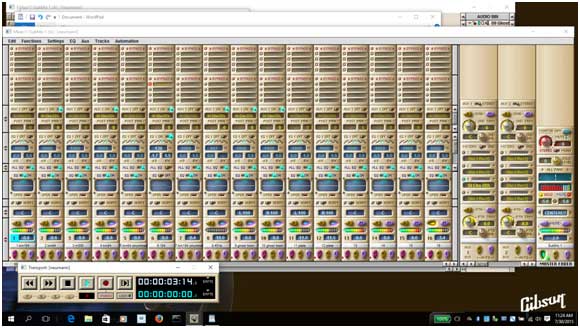
I haven't spent much time with it yet, but it looks like everything is fine.
Let me know if anyone experiences any issues.
All the best!
MikeWow!!!!For some reason my patchbay does not recognize the ADAT card.
Paris is set to 48 khz and the connecting device (rme babyface) as well but the sync button does not light up.
Sometimes the second light in the ADAT blinks, other times it stays dark.
Is it common for the MEC to not see the ADAT on the patchbay?
What am I missing?Do you have switched a "MEC Modules-*" into Patchbay workspace and klick on it ?
Because that wass reason at me why i don't see an Input card.The Reason for not working synchronization, the bnc cable wasn't connected from MEC OUT to nect MEC IN. It was connected from T-Cross Mec a to Mec B and C. MEC is Master.
@Kerry,
i am using my old EDS as an spare part EDS. sryDaniel,
Glad it is working now. "Spank it like a rented donkey" THX @all for troubleshooting. Great forum, i will stay here
@jeffH
it should be.... No problem if you've still got a use for it - that's just where broken cards can go nowadays to avoid the landfill and still serve a useful purpose. So glad you got the issue resolved!Hi Kerry,
What I think are a few simple follow up questions regarding moving a project to reaper for mixing:
1) Pardon my ignorance, but how do you "render from zero"? Is there any quality loss from rendering?
2) If all the tracks started at zero, would I have to render from zero before importing them to reaper?
If they didn't all start from zero, is that the reason I would want to render from zero?
3) When I go into a paris project folder, there seem to be 2 types of files (other than PPJ, which I know reaper cannot use). Some that are paf and others that are OVW.
Do I need the OVW files imported into reaper as well and what are they for?
Thanks for your help. It is greatly appreciated.
John
The OVW files are for displaying the waveform "overview" in Paris and the PPJ files are the Paris project files - so you don't need them you just need the PAF files.
For transfer into Reaper the best thing is to drag the beginning of the audio (in Paris)so that it extends back to the start (zero on the timeline).
You would also want to glue together any separate audio takes on the same track in a similar way.
I haven't been using Paris recently so I can't remember in more detail, but I hope that points you in the right direction.
Heya John - yes, all that's needed is that the PAF tracks all get exported with the same start time (they don't even have to end at the same time, and you can put silence at the beginning of say a punched-in guitar solo and glue it together; I keep a little "silence" file for sticking at the beginning of punched tracks). There should be no quality loss, there's no conversion involved.
That way there's no problem making sure they;re all in sync when you take them into Reaper. As to 3), .ovw files are just PARIS' waveform overview graphics, which it uses to display the file's waveform in the editor; they can be ignored.Kerry and JustCosmic, thanks for clarifying that.
Have a great week!
JohnHey Kerry,
I tried to import some .paf files from a flash drive, using insert media in reaper.
I followed one of the links in this thread and downloaded the file extensions and placed them in reaper's plug in folder.
The files wouldn't play.
It loaded short little 1 or 2 second files for every track, It did put the track names on the track controls and faders. When I hit play, the small files played silence for 1 second, then stopped.
Any idea what I am doing wrong?
Thanks for any suggestions.
John.
There's a bug in 24-bit files generated by the Mac version of Paris. They weren't exported from PARIS Mac OS9 in that bit depth, by any chance?'
(never mond, I just reread your earlier post; they're PC, huh? try copying them onto your drive rather than reading them off the USB stick in case it's just not fast enough for realtime audio)
(another question that comes to mind - is your version of Reaper the 64-bit or 32-bit? and are you running Reaper on your PC? or on a Mac?)No they were 20 or 24 bit paf files from a pc.
There are 2 different links to the reaper stash for the file extensions in this thread. Is there any difference between the two?
They appear to be two different pages. I didn't know if there was any difference so I just picked one.
Thanks
JohnCheck that it's the latest, from this link: http://stash.reaper.fm/v/2597/libsndfilewrapper.zip - may make no difference but it's worth checking. No,
recorded on a pc in paris.
reaper pc is a 64 bit windows machine running 64 bit version of reaper.
Sorry for noob question , but which file should they go in on my hard drive? The only files I could locate were the reaper project files.
thanks,
JohnOh snap. I have no idea whether the extension works on the 64-bit version of Reaper. Can you download the 32-bit version of Reaper and give it a try to see if this is the issue?Kerry,
Does anyone here have contact info for xenakios, to ask him if the file extensions run in 64 bit reaper?
I intend to run reaper in 64 since I have 32 gigs of RAM I want to be able to take advantage of
Thanks!
JohnReaper user Xenakios has done his good deed for the Paris community with that extension and has said he doesn't have any time to put into it, but he's a good guy and has released the source code for it so we can, at least in theory, update it and modify it ourselves. Of course that usually means "Mike Audet can" and he's got his hands full. Anyone else with skills want to take a stab at it?Agreed, its very cool that he created the extensions. I didn't have any expectation that he would create new ones.
So are you saying they need to be updated to work in 64 bit reaper?
I'm just trying to save myself some unnecessary trouble shooting by finding that out.
If that's the case, I could just use 32 bit reaper to finish those projects I am transferring from paris to reaper, albeit with only 4 gigs of RAM to power the plugins. I was hoping to get it to work with the 64 bit version, though.
Do you know if I can have both the 32 and 64 bit versions of reaper on my pc at the same time, or does it have to be one or the other.
If I can have only one, do I just install the 32 bit version and it will replace the 64 bit one, or do I have to uninstall 64 bit version first?
If you don't have time to answer, I understand. You've already helped me tons! Your help is appreciated.
Thanks again
John
I'm guessing that's the case - the extension may not work in the 64-bit version because it was created for the 32-bit. There's no problem at all having both versions of Reaper on your drive (besides the RAM limitations you pointed out), they don't interact. If there's any issue when you install them ("an application named Reaper exists, do you want to replace it?"), name your first one Reaper 64 and that'll avoid a name clash.
And it's a pleasure to help! I'm just delighted we have solutions like this in 2015 to point you to, this would have been so much harder ten years back if it were possible at all. Improving the bridge to Reaper is definitely a community priority; if we can find a coder to take some of the work like this off Mike's shoulders it'll be a real boon. OK.
I will first download extensions from the latest link you provided.
I will then just go ahead and download the 32 bit version and try that. Will I be quite limited on plug in use in the 32 bit version?
And I am still amazed you guys have kept paris going all this time. Quite remarkable. You've helped a lot of people as a result.
Nice work!
JohnHi,
Is it possible to run Nebula directly within PARIS?
Just wondering why the to and fro with Reaper...
Thanks,
PeteNo, Nebula will not run in PARIS.... I use Reaper for Nebula because it is the best DAW at plugin efficiency, and it loads in like 2 seconds, lol.
Reaper 5 was just released, download it yourself, give it a test run, it's free for 60 days, incredibly stable with a great team coding it.Cheers, I'll check it out this week.
How do you go about quickly getting your files out of Paris into Reaper?How are you guys exporting time aligned tracks out of Paris?
The way I currently understand it, I have to set the Master Fader to Bouce to Disk, solo the first track, playback/record in realtime the full song. Rinse and repeat for each track to be exported.
i.e. a 16 track session of a 5min song, will take me 80min+ to create time aligned exported individual track files...
Am I missing something?Hey guys,
Pleased to announce that we've just had our first session at our brand new facility Clockwork Recording Studios on the Gold Coast, Australia.
PARIS is "da bomb", as they say. After all these years it still shines when it comes to operating a recording environment based on tracking real musicians playing together in a room.
I look forward to incorporating Reaper and Nebula into my mixing workflow next.
Thanks to all here for keeping PARIS going. 2015 and rock solid! Pro-tools eat our collective dust!
p.s. here's the new facility's Facebook page
https://www.facebook.com/goldcoastrecordingstudio
(website coming soon)
Cheers,
Pete
Nope, you just highlight the 16 tracks and render them to disc, then open the audio bin and export the rendered files as wav files, they will pull up in any modern DAW, takes 5 minutes.Cool, I will try that. It's all slowly coming back to me, thanks!Hi John,
How did you go with the 32bit version?
I assume you can just use the 32bit version to import, then save the reaper project. Then open 64 bit reaper and continue there?
Cheers,
PeteHi Pete,
I actually have not had success opening the files in 64 bit reaper.
I was however able to open them in the 32 bit version.
The thing is, they didn't sound good at all.
I was getting pops and crackles during playback and things sounded dull and thin. I don't know why that is.
They sounded better in Paris.
Thanks for checking in.
John
Hi Kim
I've just got Nebula.
Installed the wrapper. Loads ok etc.
Shows up in Paris, can use on native insert, all good.
But, how do you handle the Nebula Latency?
Thanks,
PeteHi Pete.
I don't actually have Nebula.
I was just suggesting a way of using problematic plugins in Paris.
What is the latency of nebula?
KimThis page might have useful info about now -
http://www.kerrygalloway.com/WikiPARIS/wikka.php?wakka=Nativ eLatencyDatabaseThanks guys.
I think I'll stick with 100% EDS for mixdown/trqcking, the zero latency workflow is just so good with Paris in the type of environment I'm working (real instruments, real musicians live in a room).
Will put Nebula to the test for mastering in Reaper.
Cheers
PeteHappy days are ahead for you with that approach. Hey guys,
Thought some of you here might like to hear some freshly recorded Paris tracks.
These tracks were tracked and mixed in PARIS a few weeks ago.
I recorded the band live all at once in the newly built studio. The lead vocal was then overdubbed.
The mix is was done entirely inside PARIS. Not a single plugin, except the EDS DSP effects (including several of Mike Audet's releases).
I used 3 EDS cards, purely to have enough DSP power for effects. There's actually less than 16 tracks of audio, so it was all tracked on one EDS card, then split across 3 submixes to get access to the additional DSP resources.
I have one MEC, it has 1 8-in card and 1 Adat card. I used the 8-in card for the drum mics (which came in via a ART TubeOpto 8 channel pre-amp. For the other mics (guitars) and direct inputs (keys and bass) I used a Focusrite Optopre Dynamic MkII piping the Adat out to the Paris Adat card.
For headphone cues, everyone got their own Behringer Powerplay P16-M. This gave every musician complete individual control over their headphone mix. The Powerplay system was fed with 2 ADAT inputs. One was Adat OUTs from Paris (patched via 4 stereo external Aux sends within Paris), the other was straight out of the 2nd ADAT output on the Optopre (it has 2 outs, and when using 44.1Khz, it automatically sends all 8 channels to both outputs).
I recorded and mixed at 16bit. Taking a leaf out of BT's "slam the levels" book.
For a quick "mastering" of the final mix, I re-imported the "bounced to disk" mix into Paris and passed it through a UAD-1 Pultec plugin followed by the Paris multi band compressor and No Limit on the buss.
Here's a link to the audio tracks:
https://www.reverbnation.com/freesoulcollective/song/2419255 9-lets-dance
And a video shot in the studio's live room:
https://www.youtube.com/watch?v=LJFFXBcfDrw
Cheers,
Pete
Woot! Nice job - exciting to see Paris still kicking butt years later!
[Love Queensland, btw - one of my fondest travel experiences]I have been on 64bit windows 8.1 for a good year now. Ok weird stuff, at first it was ROCK solid for quite a while. Then I got some issues when I was doing multiple gain changes, sometimes I got an assertion thing happening, but still worked for hours with no problems. Then lately after booting up, the computer might sit for a couple of minutes and then go into a hibernation type thing restart work for hours. No settings were on sleep or hibernate. Then sometimes I would load first project and Paris would stop responding on first play of project. Close down reopen, go for hours. I just a bunch of the 8,1 updates, twice in two days, reboot, all problems, knock on wood, are gone ! I have been working for days and hours in the last three days, NO problems !! Hope I don't jinx myself. So my point for all this blah blah, is just to let he community know that 8.1 works great! Lots of Rham ! One just has to do the updates. Don't have a clue why it was so solid and then got a little kooky ! but after the updates all is well again. Paris Rocks on 64bit windows 8.1 That's great, Richard.
I'm still on win 7 64 bit. Only issue I have is occasionally Paris fails to fully load and I get a "Paris.exe has stopped responding...", after which a cold boot is needed.
Other than that, during normal use it's solid as a rock, apart from bugs that have always existed in V3.
I wonder if Mike has gotten any further with the version 3.2 he was trying to recompile.
KimOh yes I am familiar with the not responding message. Not since I did the windows updates. I am one of those guys that knows Paris pretty well. and can do what I gotta do. I just don't know why it does it. To me the why does not matter. I am still amazed with the internal combustible engine ! It is kind of funny that excluding a few glitches once in a while, I do many 12,14 hours straight sessions without a problem ! PAris rocks 8.1 64 bit ! I have buyed a Universal Audio Quad now. But i don't still recieved it these days. So i have parting out some Paris Parts. I like to use only 16 Channels from Paris.
Is it possible to run Plugs from the Apollo Quad into Paris ?
Daniel,
I am thinking about doing this as well. It should be possible but you will need to figure out delay compensation manually. I am looking at doing this and handling delay through faderworks (http://www.vertexdsp.com/products_faderworks.html). Interesting way to get UAD into Paris though (I have an apollo quad as well). Might even want to use the apollo for inbound signals to take advantage of their preamp plugs (i.e. 1073 preamp emulation).That's AWESOME guys! I just finished my first big label project all tracked in Paris. The stems were then Drop Boxed to LA, and the UK to be mixed by label employees. I understand that the UK guy mixed ONE DIRECTION's stuff. I was happy to hear that the label guys were super happy with the tracking quality and are putting me on there "approved studio" list. A few of my recording buddies give me crap about running" antique audio" .! It is a little annoying, but I just point at the rest of the "old stuff" in my place (72 hohner clavinet, 78rhodes suitcase, 77 wurly 200a PLUS a 140a from about 1963. My hopped up Hammond C2 from 54. My beloved Hammond BC from 1938! My ridiculous Yamaha C3 grand piano, WHAT?!? No phony native plug in midi poo?) Sorry! I get a little worked up sometimes! I agree with you, I can record 32 tracks at once at 48X24 bit with NO latency, no crashes, No trouble at all on my OLD mac G4 733 . So as they sit and pick on me for not running the latest version on Protools, or Cubase, or what ever, I just remind them that their DAW is sitting there depreciating and approaching obsolescence quicker than the dairy products in my refrigerator! Makes me happy to run with a different pack. If I was interested in sounding like my local piers, I'd be running the same "super new" stuff they are running. I'd rather have a sound tailored around traditional values. Not interested in all the EASY SOLUTIONS stuff my contemporaries are doing. They RARELY have to mic anything up. The occasional acoustic guitar. Shame on them. Art isnt supposed to be quick and easy. Well. Nearly 1 am. Got an out of town band coming it at 10am. Better hit the rack. Keep the faith.Great stuff, John.
I was recently asked to have a go at remixing a friends jazz trio. It was multitracked in a studio in Melbourne, using protools. The mixes sounded ok, but I was of the opinion they sounded like they were in a box. No life, very one dimensional. I dropped the seperate files into Paris, and va-voom! INSTANTLY, before even applying any eq or other processing, the mixes came to life. I added a little "glue" to the tracks, with Mike's plate reverbs, and even the rough mixes shone, and the client was absolutely beaming. "warm, big, and open", was the feedback I got.
I realise you didn't mix the songs, just handed over multitracks, but I'm willing to bet they would sound a whole lot better if they were mixed in PARIS.
I was sceptical at first about the initial hype about Paris sounding "better", but damn it, it just DOES! On all fronts!!
KimHi Jeff,
thx FOR THIS BIG tip !Glad to help. I am excited to get my rig up this next month. Just picked up a magma card to connect my magma chassis to my i7 laptop, then setup the paris to Apollo connections. Should be fun.Hi,
As I understand it whenever exporting from Paris Audio window, 2 files (say the bounced to disk master mix left and right), as "stereo file", some time from the start of the file gets truncated.
Is this correct?
Is it always the same amount of time/samples?
The issue that I'm facing is that I exported some mixes, sent to another party over the interwebs, they recorded some new parts using my exported file as a reference. Then they sent back their part (i.e. their export from time 0). But then when I go to import their part back in to my original project, it does not line up.
Yes, I can manually tweak the offset until it sounds right, but I prefer to apply a fixed offset that will always be 100% accurate if possible.
Thanks.
PeteHuh, I don't know that one. Truncated from the beginning, I gather, hence the failure to line up... Probably worth experimenting to find out how much, can you bounce a small file and compare number of samples?
I just found this link to Senderella v1.08 and a hacked version with multiple outs for Tracktion called GETOUT.
http://web.archive.org/web/20070226050709/http://subminimal. org/tools.php
JamesMy system needs about 0.6 sec. to start recording a bounce. After I started locating the Now line to at least 1 sec. before the start of audio, I stopped getting chopped-off bounces. Try that first... Hi,
The chop off is not effecting my files, I always already do have some time at the start.
The problem is importing tracks recorded by another studio (using my bounce as their reference) back in to Paris and lining them up again.
Their tracks are missing the chopped off time. But the original project that I'm importing them back into is not missing that time.
Hence I wondered if anyone knew whether the truncation amount is always the same and if so what value. I could experiment myself but assumed there was a consensus on this already as it has been an issue with Paris since day dot?
Cheers,
Pete
Hi Everyone,
***update: I just got word that someone at ID is denying that ID gave permission for a PACE free PARIS 3.0 to be released. I'm certain that Edmund gave Brian permission, but I don't have anything in writing from Edmund, so I'm taking down the file as a precaution until we can get a definitive statement from ID.***
I just got word from Brian Tankersly that Edmund Pirali has approved the release of a pace free PARIS 3.01.
I've attached it to this post.
PARIS 3.01 was a bug fix build. I'm not sure what is fixed, but it's newer than 3.0, which is pretty amazing!
I'd like to thank Edmund for allowing this. It's going to make a big difference to a lot of people, including me. This really is quite a gift!
I'd also like the thank Brian T for reaching out to Edmund. We have always been lucky to have Brian in our community. From his help promoting PARIS, to the DVD, to his help in making the first XP driver possible, to helping me just make the PSCL better, and so much more - we're very lucky. Thank you, Brian!
I hope this helps every PARIS user out there. I may just have to re-write the VST effects subsystem now...
All the best!
Mike
Hi Richard!
I'm still working on the PSCL and the scherzo as part of the ASIO work. I've had the odd crash from the scherzo while opening and closing the ASIO driver over and over. I've been trying to debug it. Let me know if you're up for a newer build. You'll have to self sign it (for now)and put Windows into test mode because my security certificate expired.
Cheers!
Mike Any instruction or do we load it into the system as is?
| ronj_91602 wrote on Sat, 03 October 2015 17:08 | Any instruction or do we load it into the system as is?
|
Just locate your current Paris.EXE, make a safety copy of it and then replace that file with the new Paris.EXE. Where that file is located depends on which Installer you used. On my machine with Mike's newest drivers, it is:
C:\ > Program Files (x86) > E-Mu > Paris Pro > Paris.EXE
If you are on a 32 bit system, it will be in Program Files without the (X86).
Enjoy, and thanks again, Edmund!Don't know if anyone else has encountered this problem but when I tried to initiate the new executable file I received the error message attached. That's just too cool! That's just too cool!
Can't wait to try it.
Cheers, and thanks!
Kim Ok it is 2:45 a.m. and I said I would wait till tomorrow. Yea right !, sooooooooooooooooo I downloaded the file, deleted my exe. file, which I have backed up many times. Put in the NEW Edmund file, which by the way if you remember I actually talked to him and found out when they were dumping us. Anyhow......first I had to tell windows to shut up and run or install the program. Boooooooooooom Paris 3.1 on Windows 8.1 So I loaded a song and it played back fine ! I then quit Paris no problem, shut down computer, started computer zzzzzzzzzzzzzzzzz excuse me, made a shortcut to the new exe. on the desktop, clicked the shortcut, Booooooom Paris 3,01 on windows 8.1 Paris started right up with no B.S. played a tune worked FINE!!! Wow what the hell year was this craziness all started and we are still digging this program, and now 64 bit windows 8.1 Paris 3.01 in 2015 !NO PACE !!!!! Freedom Yee-Haw !But thanks Edmund anyhow, and Brian and all computer Gurus, ahh there I thought of a better term, for keeping this going. Last thing, if you got Paris to play nicely with my waves vst toys, wow tape plugins on vocals and acoustic guitars etc. MAMA Mia ! that would be some spicy meatball ! Time to konk out I have to play later today and Monday so I will try recording Tuesday and let you know how it goes. Thanks to all! To all: This is what happened with my initial installation of the new 3.01 exe file resulting in the error message I posted earlier.
I had to create a new empty VST folder and direct PARIS to that (using my old exe file) before installing the new exe file.
It worked, but I don't know which VST plugin in the old folder was causing PARIS to hang up. It is working now.
Hard to believe this was created in 2001!
Thanks to Brian T and Mike Audet for their perseverance!
Take care, Mike.Hi All.
FWIW, I ventured out to the "dungeon" tonight, to do some rough mixes of an album I'm currently recording for a client. (A continuous timeline with some 25 songs, spanning 32+ tracks, and over a thousand files in the audio bin...).
I decided to replace the pace-free V3.0 that I've been using for years, with this version 3.01.
I'm happy to report that all went well. No sign of trouble at all, on Win7 64 bit. (Four EDS's, two MECs.)
Loaded up a couple of other projects with heavier plugin use, and so far, No problems!
I went straight for the old well known bug in 3.0, whereby the now line would stop moving in the editor window, when an area below track 18 was clicked on, and sure enough, that bug has been fixed.
Time will tell if other, random gremlins have been rectified.
But from my end, in any case, so far so good!
A big thanks to Edmund for finally releasing this version.
I know how pear shaped things had gotten all those years ago, with the takeover by Creative, and the death of SSC, but it is indeed a glorious thing, that this wonderful beast has somehow survived all these years, through thick and thin, due to the efforts of the likes of Chuck, Mike, Kerry, Brian, Aaron, Derek, etc etc....
Anyway, all I can say is, jump in. The weather is fine.
But for now, don't forget to back up your old exe, just in case....
The question has to be asked, however. What treats awaited us with the yet uncompiled version 3.02 that Kerry and Mike have beenworking on???
Cheers,
Kim
Yesssss. It keeps getting better? Thanks all who made this possible!!!Just a question of clarification? What's currently included with a purchase of the current driver package?
(Music PC currently running XP still)| Kim W. wrote on Sun, 04 October 2015 09:58 | Hi All.
The question has to be asked, however. What treats awaited us with the yet uncompiled version 3.02 that Kerry and Mike have beenworking on???
|
Mike could answer the 3.02 question better than I, but I had to jump in and say that all I did was shake the tree to find versions of CodeWarrior for experimentation - the work on 3.02 is 100% Mike. I wouldn't even know who to ask where to start beginning.The version I've been working on is 3.2. I managed to get it as far as just before the main windows opened, and then it crashes. I'm not sure if Code Warrior 6 would make a difference or not. The functions I added work fine, which makes me think that an existing function was changed in addition to new function having been added to the version AbLibWin.dll that it requires.
I have to take some more time with it. It's not as critical now that we have 3.01 PACE free. I'd like to get the GUI finished for the ASIO driver, and then tackle the VST subsystem. I've been improving the core of the ASIO driver - I just fixed some bugs that I've been chasing for the past year. I've also just started looking into modifying the microcode in the EDS cards to allow interrupts at 64 sample intervals to improve CPU utilization. It's all very cool! Bill Mauchly has been a huge help.
I'm going to which to QT for the GUI because I'm thinking of doing a Linux driver at some point. I just finished reading a 400 page book on how to do it, and I've got the basic design roughed out to support just the PARIS app. I'm not too keen on how Windows 10 handles privacy. I think we could probably run PARIS 3.01 under Wine with the right modifications to the PSCL.
I'm so excited that we've gotten free of PACE. This is wonderful!!
Mike You get a custom written installer that will install the new scherzo driver (64 bit or 32 bit, depending on platform) and either or both PARIS 3.0 and PARIS 2.1.
The original PARIS installation program was 16 bit and would not run on a 64 bit windows.
I just posted a pace free PARIS 3.01 with Edmund Pirali's permission. You'll have to replace the PARIS 3.0 executable with that newly posted file to use PARIS ver. 3.
Plus, you get my help if you need it.
I really only recommend the new drivers for new machines. I had to add a bunch of double buffering to get the drivers to work on 64 bit windows. If you're on a single core PC running XP, just stick with Chris's drivers.
I hope this helps.
Mike
Hmmmm well did some recording tonight on 3.1 Well it plays back very solid, records very solid, it won't let you do gain changes or super normalization stuff, it will do the bottom stuff on that pull down. In automation edit window it will not allow you to use the eraser or the pencil functions so you cannot say erase mutes on the automated window. Those functions are greyed out in the window. I went to 3.0 and everything was ROCK !! Bummer but I hope this helps. Hi Richard,
I just checked, and you're right: the normalize and super normalize no longer work from the menu in the editor. But, you can still do them in the window that opens up if you double click on a file.
The automation editor window did work for me. Do you mind sending me your session?
All the best!
MikeI can stick the file on a cd and mail it to you. I would also like to send you a copy of a self project it has taken me a year to do. I would be honored if you could check it out in I know, maybe some time you might have driving and taking your kids to the gym or are they still too young ? Ha Ha ! Let me know, anything to help the community. Paris Rocks ! Thanks Brian T., Edmund P., and Mike Audit!
JamesEdmund, I hope you read this and reconsider releasing the PARIS code and any notes to Mike Audit for use by the PARIS community. That would be huge! When you created PARIS, you knocked it out of the park! We'd like a chance to further improve on what you started. We only want the code to improve our PARIS systems that we love. The Paris users would greatly appreciate it, and Mike Audit would be a good steward of the PARIS code.
Thanks Again!
JamesHi All,
I have a dilemma that I think I've somewhat resolved, but I wanted to consult with the community about it because there is no perfect solution.
Windows 10 has changed the driver signing rules, and the changes aren't good.
Secure boot is a mechanism that checks that boot loader code is digitally signed. It was added in Windows 8.
For me to update the scherzo driver for windows 10 and support secure boot, I'll now have to buy an 'extended validation' security certificate that will cost about $600 Canadian per year. That's completely unfordable for me.
I'll also have to upload the driver to Microsoft servers for them to sign, and I'll have to agree to watch for telemetry data for bugs. That's a good thing if people agree to send telemetry data, but sending telemetry data is mandatory in Windows 10. I personally see mandatory data collection, that includes a list of all applications installed on a personal computer, as a serious privacy violation. I'd be participating in something I'm strongly against in its current form.
I can use the old cross certificate mechanism that Windows 7/8 used, but it will only work with Windows 10 if secure boot is disabled in the BIOS.
All PCs up until the new crop of Windows 10 logo PCs were required to have a BIOS option to turn off secure boot. With new PCs, this switch will be optional. It's possible that some new PCs will not have the ability to disable secure boot.
There's really no good option.
I've contacted Microsoft and asked for help, and they have refused.
There's also the SHA1 vs 2 change that's coming. If I get a new certificate, it will have to be SH2, which will only work on recently patched Windows 7 PCs. Windows VISTA won't load the driver, nor will older builds of Windows 7.
Basically, Microsoft sucks.
I'm leaning to getting a 3 year regular cross certificate and just not supporting secure boot on Windows 10.
What would you guys do?
All the best,
MikeI honestly think the Paris community should pay the 600.00 beans. What is that compared to the TIME YOU spend Mike !If going windows 10 is the thing to do we should help.Hi Richard,
It's really nice of you to offer, but it's a lot of money, year after year.
I'll have to promise to watch the telemetry and fix bugs - I want to fix bugs - but what happens if the certificate expires? I can't fix the bugs then, and I've made a commitment.
Right now, turning off secure boot takes less than a minute in the BIOS of any PC. If that changes- and it might - my feeling is that we can look at the EV certificate then.
Windows 10 is so problematic from a privacy perspective, too. Should we even be using it? Does it make sense to spend a bunch of money to support something that's bad?
I really don't think Microsoft should be getting a list of all of anyone's installed applications. If someone wants to run a bit torrent client or a utility to remove copy protection to allow fair use, they shouldn't have to tell Microsoft.
Plus, there's no way to look at the data being sent back. It's all encrypted. Who knows what's in it, really?
The performance improvements of Windows 10 are in Windows 8. And the new start menu sucks so much that I had to install classic shell anyway. I could just do that in Windows 8.1, if I wanted to leave Windows 7, which I don't.
I'm pretty conflicted, though. Maybe some new certificate companies will be added to the supported list and the price will come down. Maybe we'll get to a point that we're confident there will be no changes, so one year will be enough.
I've been chewing on this for a couple of weeks. I'm really glad that we're talking about it.
All the best,
Mike
My machine is running very well on 8.1 , and I know how it works now, I have a ton of memory and no crashes. My point is that keeping up with the Microsoft Jones' is like a monkey chasing his tail ! All I basically have on my DAW is Paris. I just built it a little over a year and a half so its' parts are pretty up to date. If updating Paris could be handled on 8.1, which is working fine except for those vst problems my motor runs fine soooooo I hate to mess with it except for some Paris experiments. In closing,,zzzzzzzzzz we have to do what we have to do, if the Paris community needs help we need to chip in and help.I agree with Rich. As for Windows 10, I was going to upgrade, but then I read all the user complaints on the MS forums and so on. Win 10 has plenty of problems, the security issues alone make it a no go. I feel letting big brother in, in anyway is a bad idea and there's no guaranty of privacy or accountability. If they get hacked, so do you. I'm growing tired of the Microsoft and Apple ecosystems. Handing them more money to pay to play their games sucks. Windows 10 is free for a reason. I will stick with Win XP, 7 & 8 until they stop all support. Is Linux an option for the future?
Windows emulators for Linux:
https://www.codeweavers.com/products/crossover-linux/gallery /
https://www.winehq.org/
Here are some Linux distros for multi media work. Mint 17.x with Cinnamon seems to be very popular.
https://en.wikipedia.org/wiki/Linux_Mint
https://en.wikipedia.org/wiki/Cinnamon_(software)
https://en.wikipedia.org/wiki/Ubuntu_Studio
https://en.wikipedia.org/wiki/64_Studio
https://en.wikipedia.org/wiki/Planet_CCRMA
JamesI'm of the school - screw Microsoft and just inform everyone of the required bios change until such time as that is no longer an option.
I'd say whatever happens with the certificate, it shouldn't come out of your pocket. If and when the BIOS fix is no longer possible, this will affect MOST future development for PARIS, so it will be in the community's interest for you to have a certificate. So if and when that day comes I would happily host - and contribute to - a Kickestarter so that we as a community can chip in to buy it for you. Thoughts, folks?100% AGREE !!!!!!!!!!!!! with KerryI just ordered a Comodo code signing certificate that will be valid for the next 3 years. It cost me about $290 CA. I'm totally fine with paying that for three years of use. The EV certificate would have been $1800. That's simply ridiculous.
I thought that Windows 8 was a disaster because Microsoft was trying to kill off the desktop and push us into a walled garden where they controlled what could be installed (while taking a 30% cut). We refused to go along, and Windows 10 now allows side loading of universal apps.
Windows 10 is about turning individual users into beta testers for high paying corporate customers. We get the patches first, and Microsoft relies on the non-optional telemetry to make sure everything works 100% before the corporate customers get it a few months later. Our privacy is just the collateral damage of their new business model. I refuse to go along.
The most infuriating part is that they could easily get what they want by making the telemetry opt-out. Most people would never change the default setting. Those that care would turn it off. Everyone would be happy. Maybe they will come to this themselves eventually.
Thanks for being so understanding and supportive, everyone.
Cheers!
Mike
I've been thinking a lot about this thread.
If I were staring out again, I would still want near zero latency. That leaves Apollo, Pro Tools HD, or PARIS.
A new Pro Tools system or Apollo are extremely expensive. I'd much rather buy a used PARIS system and spend the savings on Neve style mic pres, a u87 or TLM 67, and/or a warm audio 1176 clone.
I know may people are raving about the new UAD2 effects in Apollo, but I'm not really ready to trust them. I spent $300 on the UAD1 1073 EQ thinking it would sound like a 1073. Finding out later that they didn't emulate any of the transformers or tubes in the hardware they were modelling was an incredible let down.
Maybe they have nailed it now, but they said they had nailed it then. I can't help wonder what they'll say they didn't emulate this time when they release the UAD 3 with all new plugins.
I'd much rather use real hardware. It's guaranteed to sound like real hardware, and it holds its value. What's my UAD 1 1073 plugin worth now? Nothing.
You can get a Roland SRV 2000 for $200. A PCM 91 for $500. We live in fantastic times. If you decide you don't like one of them, you can sell it for what you paid for it.
Something people don't talk a lot about with PARIS is the converters. They sound beautiful. I hear the space that everything was recorded in when I listen to tracks in PARIS. On the other converters I've tried, which doesn't include an RME babyface, that sense of space isn't there.
Plus, PARIS allows lots of I/O (with almost no latency), so patching in external hardware is a breeze.
The only thing any other system has over PARIS is portability. But, there are lots of cheap USB interfaces that one can use to compliment PARIS if carting around an expansion chassis and an MEC is an issue.
If I were starting out, I would buy a used PARIS system and spend the left over cash on real hardware, mics, room treatment, etc.
All the best,
MikeI'm in agreement on your approach Mike. As we have talked, I am bringing back up the Paris system and looking forward to getting back into it workflow wise. I am running an Apollo in Pro tools and I can get good sound out of it, but I just like the Paris process better, even after being only pro tools 5 years. The flex tracks, never thinking about buffers, being able to "spank it like a rented donkey" and not having to fuss about gain staging and levels. It felt more like sitting down at a console, punch record on the tape deck, and letting the creativity fly.
Some of the material I am recording now requires midi/sample/loop stuff (don't even get me started about loops and pro tools) as well as melodyne correction, and latency compensation. If I didn't need that, all of my recording would likely be in Paris.
Have an upcoming project of an extended "quasi live" improv duet of violinists. The project is begging for, and will be recorded with, the Paris "analog" sound.If you've got the luxury of working in a venue where live recordings are occasionally made - a 16 or 32 i/o PARIS setup permanently installed in the club might make a *killer* FOH system. Compressors, FX, EQ, routing out the wazoo - plus the ability to just hit "record" whenever you want... Haven't gone this route yet; I did recommend it for a local jazz club (Cory Weeds' Jazz Cellar) but they went with the Mackie 1608. But it's still in the back of my mind as something I'd love to plan out and execute.I've often mused that the majority of what has been shovelled into DAWs since 2001 - the majority of additions that PARIS doesn't have - are really turd-polishing tools. I don't want to be dismissive of some of the cool features but many are ways of tuning vocalists that can't sing in tune, quantizing drummers that can't play in time, adding loops or canned parts because the band can't afford real percussion or strings.
PARIS is a killer DAW for musicians that have invested a lot of time and money in getting good sounds and can actually play their instruments.
(Does that statement make me an elitist or a musical snob? I don't want to be that, but it's hard to escape that conclusion)Hey, I don't have any latency numbers for Nebula, so if you're successfully running it in PARIS and have some useful info to contribute to the latency database here for the benefit of those taking the plunge, feel free to edit the page directly (if you're logged in the Wiki you just double-click on the page to edit it).
A glance at the way the tables are formatted will help you see how to enter data. Don't worry, you probably won't mess up the page, and if you do you can easily revert it, or I can. A look at the underlying code will help you see what to do (best to copy a line you like and just paste it back in and edit the text). If this seems daunting, post them here and I'll add them in. Thanks!Your right Kerry. Unfortunately some of us still have to be sanitation workers Yep - and I'm a teacher in the daytime - but it's not about doing it full time (so few folks do nowadays) as much as it is about loving the music and taking it seriously. I'm going to guess that as a discerning PARIS user you're that too You are correct. I think one of the issues we deal with in this digital age is because the tools exist to "polish turds", people come into the studio totally unprepared. Had a couple I was working with that assured the music was ready and they wanted to record all parts at once. I don't have iso booths, but we got a really good sound. Still, Seven hours later they had plenty to go home and practice...on one song. Oh Boy did you hit on the word !!! PRACTICE !! Most people want to be instant on musicians. Flip a switch, call up a preset and everyone thinks they are a guitar player. PRACTICE before you record. I don't care how many toys you have or how good of an editor you are, A solo never sounds as good as when it is laid down correctly all the way through. This though takes PRACTICE ! I am a classical guitar major in college, I have now been playing for almost 52 years, and I still practice 5 times a week if I am not playing out much that week ! All that protools quantatizing and autotune, Listen and learn how to sing in tune. How ? Tape and PRACTUCE ! OK wow that was a lot of steam, but I really feel this way. This is why I don't teach. See you guys, PARIS ROCKS ! Now go home and................ PRACTICE !! Me - I'd get a used RADAR V with a RME 9652 card for computer interface and Reaper
Second choice would be a Paris rig in lieu of RADAR and with Mike's ASIO drivers (which I have yet to try) this could easily become my first choice
The Reaper environment is just so much more...ah...fluid. Work flow, track creation and layout, Aux and Send assignment and routing and even editing are vastly superior to PARIS. No going back for me
That said now the Mike's ASIO drivers appear ready for prime time I'll be grabbing them and seeing how Reaper interfaces with PARIS
Might be a win win
Hello All,
When I start up my paris system my master mec sample rate indicator is on 44 and my 2nd MEC indicator is on 48. With no project open. When I open a project, stays that way.
I have a 2 mec system running off a windows xp machine, with a 8 in card in each mec.
I have tried running a BNC cable from mec a to B (clock out of A and into B, and vice versa), and no cable.
The sync mode on both mecs says "Internal".
This doesn't seem right. Can anyone tell me if this is acceptable and if not , how to correct it.
I honestly don't know how long its been that way, but I can play back a current project and everything sounds ok. However I can't get a channel in mix 2 (mec 2) to pass audio for recording (I can arm the track with the record button, have a signal light on the mec but nothing on the channel meter an no sound-I double checked the patch bay connections and it works for mec A).
Any help/thoughts would be appreciated.
Thanks!
John[Edited to add: sorry, that was bad advice, someone else correctly pointed out that UseHouseSync=1 is just for external clock so you'll have to make sure it's set to UseHouseSync=0 instead]
This'll give you more info - http://www.kerrygalloway.com/WikiPARIS/wikka.php?wakka=UseHo useSyncWow,
Thanks for the quick response.
I did change housesync to 1 and also created a default ppj set to 48.
I rebooted and I could record in mec 2 8 in into the submix 2.
When I opened the project, however, only mec 1 sample rate indicator changed to 44. mec 2 indicator light stayed on 48. Does that matter?
Also, I have a cable connecting the word clock out of mec 1 to the word clock in of mec 2. Is that correct/ok and or required?
Thanks again for your quick and helpful responses.
You know this system so well.
John
John.
You are correct in connecting the word clocks together.
As far as one MEC showing 44.1, and one 48k, that's an anomaly that has always existed. Ignore it.
KimJohn,
I don't know if it will address your issue or not, but I believe this is the proper config if you are not using a external word clock:
Mec A WC In : Terminator
Mec A WC Out: Mec B WC In
Mec B WC Out: Terminator
Paris.cfg
UseHouseSync=0 (the 1 value is if you are using an external word clock)
Hope this helps,
JHWow.
I wasn't aware of the need for terminators. I've been using two mecs for years without issue.
Thanks for the heads up though, Jeff.
KimI remember reading about ensuring both ends of a clock signal were terminated years ago. Just always have put it into practice and haven't seemed to have issues (Currently running a 6 card system with an old p4, but implementing a i7 laptop setup in the next couple weeks).wow...haven't logged in a few months and I now see this!
Many thanks to Edmund, BT, Mike and Kerry for your years of work creating, paving the way, fighting the good fight, and continuing to make this platform viable in today's audio world.
Cheers to all!!!Hi gang,
This is a bit long but encompasses several circumstances, all of which are good to know.
After several different setups, two months of shipping wait time and a month of troubleshooting, here are my findings using an ATX 4 card mobo expansion chassis with two (audio tweaked) XP-32bit PARIS systems and one Win7-64 PARIS-64bit/ProTools11-64bit/EZdrummer2-64bit/SonyVegasPro13 -64bit video computer.
Host cards
EX-1094 (PCI host) qty 2 both in use
EX-1095 (PCIe host) qty 2 one in use (one spare)
EX-1035 (mobo) qty 2 one in use expansion chassis (one spare) (EX-1035 is the mobo only, also needed is an ATX chassis and power supply
Setup: Interface:
Win7-64 studio #1 MEC (2 8-in, 1 8-out, word clock)
XP-32 bit studio #1 uses the same MEC as Win7 (shared MEC, only one PARIS system used at a time in studio #1)
XP-32 bit studio #2 MEC (identical to studio #1 except no word clock, internal sync)
ATX expansion chassis used in both studios - 3 EDS installed (keeping one EDS as spare)
Short history - I originally purchased two EX-1094s (PCI host), one EX-1095 (PCIe host) and one EX-1035 (mobo with 4 PCI slots) from SWD. The original package was delivered severely damaged with part loose in the box. I did a close visual and each component appeared OK. I installed the 1035 and couldn't get it to turn on so I emailed tech support at ExSys (they told me the 1035 and 1095 were probably defective). SWD sent me a new 1035 and 1095.
The new 1035 turned on until I installed it. What tha'? Mobo was installed in a former Compaq Presario ATX chassis. I changed the mobo installation screws (still metal) and it worked perfectly. The screw heads of the original mobo (removed from the Compaq mobo) might be in inches and slightly larger, and the ones that worked might be metric and have a smaller head size. (I'm speculating on this, but head size is critical so that it doesn't go outside the silver circle mounting area of the EX-1035 and short the board to the chassis). I examined the Compaq ATX case original mobo and the silver circles around the mounting holes are larger and these are the screws I originally used. I installed the 1st 1035 in the Compaq chassis with the different size head screws and it works perfectly too. Note: The EX-1035 mobo does not come with screws. Hope this helps future ATX expansion mobo installers.
Playback - I've got 60 channels of playback while recording 2 more (all 24bit) on XP (both comps) and Win7. My largest mix had 30 tracks. Submix A - 16 tracks and submix B - 14 tracks. I copied all 16 and 14 tracks into submix C and D respectively, and copied all the mixer channel settings. So two full 30 track mixes doubled up on 4 cards including some looped tracks. I record enabled 2 tracks on submix B and the whole mix plays while recording. I did not hear any delay per se, except the mix is thicker and loses some stereo separation which I think is the slight sample offset of submix A to B to C to D. Stereo drums, bass, backing vocals, etc on A, pasted to C and stereo keys, horns, guitars copied from B to D and to an untrained ear it sounded fine. I did this copy procedure purely to listen to the sample delay and to see if 4 EDS and everything would play and record at once. This is not how I normally work. I also cleared submix C and D and record enabled 16 tracks on C. 30 track playback with 16 recording (24bit). Both XP machines and my Win7 machine are all using the same ATX expansion chassis. One XP machine has HT on the other does not. No difference.
The host cards remain in each separate computer with the interconnecting cable attached. One 1094 in studio #1 XP, one 1094 in studio #2 XP, and one 1095 in the Win7 computer. I use the same 1035 ATX 4 EDS expansion chassis for all 3 computers. After setting up the 1st computer four Scherzo's, I moved to the next computer and setup the four Scherzo's and then to the next computer. You only need to do this scherzo installation setup once. Now I can now move the ATX 1035 chassis from rig to rig to rig and it works perfectly. It is important to have identical interfaces and setup the patch bay identical, then save as the default project on each computer. The only thing I do now from comp to comp to comp is change sync source (if needed) and record path and everything falls in place.
Important finding:
The XP machines will record and play nice using the expansion chassis with 4 EDS cards but only with EDS efx's in use. I put one instance of iZotope Ozone 4 (mastering plugin - on native insert) on track 1 (stereo split, trk 1 and 2) and PARIS locks up. I removed one EDS (now 3 card) - same problem. I removed another EDS (now 2 card) - same problem. I used to run 2 EDS internally on my XP machine with no problem, but now the native plugin will not work when using the 1035 ATX expansion chassis on XP.
However - wait for it - iZotope Ozone 4 (native plugin) works flawlessly on Win7-64 with the 1035 ATX expansion and 4 EDS installed. So my Win7-64 machine has become my mastering machine and the XP's are for tracking, editing and mixing.
That about covers my experience. The two problems I encountered - screw head size and native plug-ins on XP. Other than that, I now move from comp to comp to comp quickly and efficiently which was my main goal and to progress toward Win7 as the XPs slowly die.
Best to all,
Wayne Carson
Audio-Audition Digital Studios, Las Vegas
www.audio-audition.com
http://www.audio-audition.com
Thanks for the responses everyone.
OK so the fact that my second mec shows 48 even though the project is set to 44 is a known issue?
I will reset to usehousesync=0 since I don't have a word clock.
Sorry to say but I don't know what a word clock terminator is.
Is it just a connector that goes on the unused clock connectors? Do I want the 75 ohm variety?
Thanks again!
JohnHi all.
Well, after a mixing session last night, unfortunately I have gone back to v3.0. One dsp function I still use in Paris is the pitch shift. Yeah, I know it sounds a bit funky, but I only use it for "spot" correction on particularly badly pitched vocals, where some syllables are too far out for Autotune to handle. This function just doesn't work in 3.01.
So far this is the only negative I've come across with the newer build. Probably no biggie for most of you.
Cheers,
KimJohn, that is correct. A 75 ohm terminator.
JeffThanks much Jeff and Everyone.
It looks like the whole destructive DSP part of the menu is broken, and only part of it was moved into the destructive edit window.
At least it's pace free and addresses some other bugs.
All the best,
Mike
Mec handles 16 tracks at a time, on the paris faq posted by the company back in the Clinton era it said cards increase realtime i/o but the current faq says the mec can only handle 16 at a time.
So which is it, will a 2 card system allow more than 16 tracks to be used in real time from a single mec?Ah - you changed terminology in the middle of your question
A 1 card system will allow you a maximum of 16 live tracks (actually more like 22 but never mind that, from the POV of usable discrete tracks it's 16) and will allow you to connect 1 MEC which allows you (with applicable expansion cards) a total of 16 simultaneous hardware i/o. You can still go up to a maximum of 128 tracks - it's just that all of the tracks after the first 16 will be "virtual" meaning you have to render that submix before playback.
Adding a second EDS card to your system, giving you a 2-card system, allows you a to add another 16 channels of live tracks (i.e. mixer channels), giving you 32 total. It also separately gives you the possibility of hooking up a second MEC which gives you the possibility of adding up to another 16 i/o for a total of 32. You can go still up to 128 channels total but all the tracks after the first 32 will be virtual as detailed above.
TL/DR: mixer channels are internal things; i/o is a hardware thing. Thanks so much for posting this Wayne!
Edit:
Kim, you're finding the manufacturer of the Virtua Via chassis was a huge contribution to our community. Thanks so much!
Wayne, thanks so much for trying this out, also a huge contribution to the community!
Could the plug-in issue happen on XP without the chassis, too? The chassis would add some small latency when communicating with the cards, but that shouldn't affect the VST subsystem. The VST stuff happens before the audio is sent to the cards (I think). I'll have to check if the VST system gets passed 3000 samples at a time. I think that's the PARIS appp's buffer size for voice events.
All the best,
MikeHi Wayne.
Glad you have your monster rig sorted.
I was a little worried about you springing all that coin for the Exsys backplane and host cards, with no guarantee of success, but your patience seems to have paid off.
For anyone interested in following in your footsteps, (myself included...) below is my original post. (It looks as if all those links are still working) Whilst I am happy with my present setup of 4 EDS's on probably the last Gigabyte AMD motherboard with four PCI slots, a quad core Phenom II, running win7 64 bit, I think I will have to "future proof" myself by investing in one of those Exsys backplanes, and a PCI express host card.
Hi Wayne.
I did a bit of digging around, and it seems the Virtua Via kit consists of two components. A host card (with dvi cable) and the actual PCI expansion card. (Jump to the bottom of this convoluted post for info on a complete 4 pci box for around US$300 plus shipping).
I found another source for what appears to be the exact same components. Not cheap mind you, (they come from Germany as well), but it may be an alternative if you can't score a Magma.
The four pci slot board appears identical to the VirtuaVia one.
It is here:
http://www.ebay.com.au/itm/EXSYS-EX-1035-Expansion-Board-mit -4x-PCI-Slots-fur-ATX-Gehaus-/151432894350?pt=DE_Computer_So nstige&hash=item23421a978e
The host adaptor card and cable is below. It is PCI.
http://www.ebay.com.au/itm/Exsys-EX-1094-PCI-zu-PCI-Adapter- fur-EX-1031-1032-1035-/161448414408?pt=LH_DefaultDomain_77&a mp;a mp;a mp;a mp;a mp;a mp;a mp;a mp;a mp;a mp;a mp;a mp;a mp;a mp;a mp;a mp;a mp;hash=item2597134cc8
I guess my point is that these things are made in the same factory, probably in China, and available under different names. Curiously, there is also an expresscard host for the 2x PCI/2x PCI-E box, but I think that expansion board doesn't have a ATX connector for power, only an external 12 volt wall wart input. (Thus probably precluding it from EDS duties, as does the case... it's too small to house the EDS's). Whether hard wiring a beefier 12V supply would help??????
Anyway, just thought I'd post in case anyone wants to look into it further.
Kim
UPDATE: OK, I have found the PCI-E host card here:
http://www.ebay.com.au/itm/Exsys-EX-1095-PCI-Express-Adapter -Karte-fur-EX-1010-31-32-41-42-/151140655891?pt=DE_Computer_ Sonstige&hash=item2330af6313
...And the Expresscard host is available by itself here:
http://www.ebay.com.au/itm/Exsys-EX-1096-Notebook-ExpressCar d-Adapter-Karte-fur-EX-1031-32-35-41-42-45-/151438414279
Apparently all this stuff and more is available direct from distributor (and cheaper) here:
http://swd.de/oxid/Products-oxid/Hardware/Multiport-Solution s/passive-Multiport-Cards/EXS-EX-1035.html
This looks neat! An all in one box big enough to house 4 EDS'S. (Have to get host card separately...about $US35, the Expresscard host is about the same). It has an inbuilt 220 watt P/S and fan.
http://swd.de/oxid/Manufacturer/Exsys-GmbH/Expansion-Box/EXS -EX-1031.html?listtype=search&searchparam=ex%201096
PCI host card here:
http://swd.de/oxid/Products-oxid/Hardware/Multiport-Solution s/passive-Multiport-Cards/EXS-EX-1094.html?listtype=search&a mp;a mp;a mp;searchparam=ex%201094
PCI-E Host card here:
http://swd.de/oxid/Products-oxid/Hardware/Multiport-Solution s/passive-Multiport-Cards/EXS-EX-1095.html?listtype=search&a mp;a mp;a mp;searchparam=ex-1095
Expresscard host here (with DVI style cable):
http://swd.de/oxid/Products-oxid/Hardware/Multiport-Solution s/passive-Multiport-Cards/EXS-EX-1096.html?listtype=search&a mp;a mp;a mp;searchparam=ex%201096
and apparently another Expresscard host, but with a 2 metre HDMI cable to connect to expansion chassis here:
http://swd.de/oxid/Products-oxid/Hardware/Multiport-Solution s/passive-Multiport-Cards/EXS-EX-1097.html?listtype=search&a mp;a mp;a mp;searchparam=ex-1097
[Updated on: Thu, 05 March 2015 09:57]Hi Mike and Kim,
1st - thanks Kim for steering me to SWD company for the 1094 PCI host card since VirtuaVia did not carry it at the time I ordered. VirtuaVia only carried the 1035 and PCIe 1095 host. Without that info . . . none of this would have happened.
Mike - the iZotope Ozone 4 mastering plug is a resource hog. I did not try a mono instance of it. I just put it on track one with stereo plug check and it automatically adds the right channel. So I've only used it as a stereo plug-in for mastering 2 tracks.
Inside the plugin it runs - a 10 point graphical EQ, multiband compression, multiband exciter, multiband stereo spread, global reverb and global loudness maximizer all at once.
When it worked (2 EDS installed internally) there wa a good 1/4 - 1/2 second delay from active to bypass on my XP. I have not notice it on my Win7-64 but I think there still is some.
All the plugin components did work when I had 2 EDS installed internally on the XP. With the expansion chassis, the moment I hit play it chokes and requires a quit and Paris relaunch. A couple of times it required a comp restart.
I did not test this plugin with 1 card on the expansion chassis. I didn't see use in doing this.
As one final note: I think I may have also ran 3 EDS internally and the mastering plug still worked but the system felt unstable so I backed down to 2 EDS. Could have been for multiple reasons. Heat, max'd out computer and motherboard and PS and 2 DVD drives.
WayneHi Wayne and Kim!
Correction: Thank you so much Kim for finding this stuff out. That was a huge service to the community!
And, thank you Wayne for buying it an confirming that it works with PARIS. That is a huge contribution to the community, too.
Sorry for my mis-remebering, Kim!
All the best, guys!
MikeThis is great news....! Kudos to Mike, Brian and Edmund. I have since switched to a PT rig but I still have my beloved Paris 4 card beast.
Cheers
Rob I recently bought another card and my system doesn't really recognize it.
I plugged card 1 to card 2 using the 2 connectors as per instructed in the manual but the software doesn't see the second card and when I connect the mec to the new card it doesn't start.
Is there something I'm missing? Did I get a faulty card?Hm, I'd start with the simple, easy stuff: one problem I've seen a few times is the ribbon connectors that interconnect the two cards can be plugged in displaced by one row of pins so check to see if the connectors are indeed plugged in to the right rows of pins. After that, make certain the edge connectors of the cards are making good electrical contact - contact cleaning spray, or even a careful, gentle cleaning with a white eraser can clean up a flaky connection.
I removed and Q-tipped the connections and made sure the cables were connected with the stripe on the left side per manual.
the 10 pin serial doesn't have a stripe but I connected it the same way as the other cable.
When the mec is connected to the new card paris doesn't recognize. When it's connected to the old card it starts but under "configure" there's only one card.
Has this happened to anybody?Hey Rob -
I've always been a fan of the work you do out there in New Brunswick.
Very natural and full of vibe!
Hope you're well and busy : )
I run mainly Harrison Mixbus through a Metric Halo ULN-8 to some outboard, but Paris by itself is still an amazing system. (I'm a part timer...)
TedIf you have just one EDS card, I think it will work on any open PCI slot. However it is recommended to try to put it on PCI slot 1.
I've made a mistake on a multi-card system in the past.
What I thought was PCI slot 1 was actually PCI slot 4. Once I put the EDS cards in the correct order and connected to each correctly, I then installed another scherzo device for each additional card. Make sure you have 2 scherzo devices (for a two card system) (on XP - in the device manager, under system devices) (on Win7 I forget where it is).
Once the drivers are loaded, I shut down and connected the EDS card in PCI slot 1 to the MEC and turned it on and booted up the comp. Everything fell into place.
It helps if you can see the PCI slot numbers on the mother board but if not, find the owners manual online to learn the motherboard connector order.
Best of luck,
WayneHey fellow Parisians, I bought Mike's new drivers to test old Paris out again to compare summing in large projects with Cubase. I have fond memories of using my Paris system and still have everything. I decided to use a HP machine I have which is a slave machine via Vienna Ensemble Pro for vst synths to my main PC which is a custom build I did a year back now. I've never used Paris in anything other than PC I built myself and it always performed flawlessly. So when I installed the new drivers and Paris on the HP/Del , Win 7 x32 basically new install very little on it, it crash every time on loading - BSOD . Firstly with a memory parity issue and then after testing the ram knowing it was fine, I removed 2 dimms and left only 2 on the board. Now I was stuck with IRQL_NOT LESS _OR_EQUAL .. Clearly it was the driver / hardware not getting along so I checked what settings were available in the HP bios, which are always far more limited than a decent board and found a setting for the PCI bus . PCI SERR# GENERATION - enable or disable . Once disabled it fixed the issue instantly. So just sharing for future reference for anyone who uses a HP/Dell and has Paris crashing. To be honest it almost felt like sacrilege putting the EDS into a small HP/Dell PC But it's just to see if my old Paris gives me a little magic when summing a lot of stems in the mixing stage. Also a BIG thanks to Mike for all the effort he's put into Paris over the years, it's very much appreciated.
Matt
Hi All,
I just installed the Windows 10 November update on my laptop, and the update removed my FTP client without any prior approval or warning.
Most of my work is web work, so this is the FTP client that has all of my password stored for all of my clients. It's part of the essential core of my laptop that allows me to make a living. I use it to work in the car when my son is napping, but I digress...
For me, this is a big deal and a major violation.
I was able to re-install it, and my settings were retained, which is good.
But, we've entered an era when a non-optional windows update can remove any program from your computer - not just stupid universal "apps" - without any prior permission to do so.
Next time, it could be PARIS or any other tool we use to make a living that could be deleted without warning.
If you haven't upgraded to Windows 10 already, don't.
I wish I used a Mac.
MikeThanks Mike for the heads up!That sucks! I was chomping at the bit to upgrade to Win 10, hey it's FREE!!! Not so fast. It sounds like Windows 10 will be a complete invasion of your privacy. Maybe I have some misunderstandings about Windows 10, but to me it sounds like it is spyware. The things I have read sounds like the Microsoft mothership is a giant dongle that records your every move, checks all your software and their license. In so many words, they say that it's nothing bad, not to worry. To me, it sounds like they want to know everything you do on your computer and EVERYTHING about you. It's about marketing and pushing products at you, but my question is who else will get a hold of my information? How secure is my information going to be with all the hacking going on? They say it's all to provide a better computing experience, my question is, for who? It's not something I want. MS says you can revert back to your old operating system for a limited time, but they have made it difficult to do so and I hear people lose stuff trying.
The other thing as I understand it is, in 2016 MS is going to automatically update you to Windows 10 in the background if you have update on, and if you don't have update on you will not be able to get security updates. Nice choice! If what I hear is true, it's a gun to the head.
You can turn things off in some versions for security reasons, but there are those that say MS is still recording what you do regardless to that. Check out the MS forums. They are not the only ones, if you use Google Chrome they are recording what you do as well. If you use Google voice search or commands they are even recording your voice. Your voice is like a unique finger print. So why are they recording our voices? What is the real purpose? I think it's an invasion of privacy and they get you with the user agreements.
It's just rotten, I wish I could use something like Linux Mint and never look back. Everybody should read up on the issues with Windows 10.
http://www.forbes.com/sites/gordonkelly/2015/11/02/microsoft -confirms-unstoppable-windows-10-tracking/
http://www.forbes.com/sites/gordonkelly/2015/10/30/windows-1 0-upgrades-now-automatic/
http://bgr.com/2015/07/31/windows-10-upgrade-spying-how-to-o pt-out/
And now this!
http://bgr.com/2015/08/28/windows-10-features-spying-windows -7-8/
http://www.techtimes.com/articles/102542/20151103/microsoft- says-it-cannot-stop-windows-10-from-spying-on-you-doesn-t-th ink-you-should-be-concerned.htmHi James,
Thanks for posting the links.
I wish I could agree that Linux is the answer. The lack of a stable driver API means that a vendor either has to open source their driver or they have to waste money chasing the constant changes in every new version of the kernel.
I don't think that most hardware vendors will ever open source their drivers because it means giving up trade secrets to competitors. The lack of a stable driver api means that resources that could be used improving the driver get wasted keeping up with version changes. When there's only 1.5% of the market using Linux to begin with, it just doesn't make any sense.
Plus, there's the ever present threat of being sued if one doesn't open source their driver because of the way the GPL is being interpreted by some, including Linus.
There will never be a UAD driver for Linux. There will never be Steven Slate products for Linux. As much as I'm opposed to PACE, most vendors have a different point of view. And, while I'm deeply skeptical that the current crop of plugins really come close to real hardware, eventually I'm sure we'll get there. The future is certainly plugins. Some feel that future is here now.
I've already seen this lack of a stable driver api hurt Linux in one of the two places that it's strong: Android. I had a tablet that couldn't be upgraded to a newer Android version because one of the component vendors didn't put out a new driver. If there had been a stable driver api, the old driver could have been used. Instead, it got recycled.
There are problems with Apple, too. Their hardware is expensive and there are very few options. But, I think it's where I'm headed. I suspect my next device will be a Macbook pro. I'll get a thunderbolt to expresscard adapter for PARIS. I'll dual boot to the copy of Windows 7 Professional I bought a few years ago. When it goes out of support, I'll just turn off the network card. Over time, I'll probably work on a MAC driver.
Free BSD would be perfect except that no one uses it. They are free, open source, and have a stable driver API. But, it's the Beta to the Linux VHS. No one uses it.
All this could change if the right person or people at Microsoft get fired. There are a lot of good things about Windows 10. It's fast. The programmers at Microsoft are doing some very good things. The management is not.
Just my 2 cents.
MikeJust an update - I contacted the vendor of my ftp client (Smart FTP), and asked what the compatibility issue was that caused Microsoft to uninstall their program during the update process.
This was their response:
"There are no compatibility issues with SmartFTP. The problem is with Microsoft."
So, Microsoft uninstalled a program that I use every day for work and payed for without any reason at all.
Microsoft is the problem indeed.
All the best,
Mike
I agree with Mike, completely. I'm typing this on a laptop I upgraded to Win 10. I wish I had not.
Nothing really works better and the obvious issues, like what Mike reported, are just the tip of the iceberg. Win 10 is data mining, sending that info back to the mothership and also updating itself whether you like it or not.
I've had to go get a cup of coffee, in the middle of doing something important, because Win 10 decided to update itself during what should have been a quick reboot to correct something acting glitchy. We're talking 15 minutes, with no opt-out or warning. Sha-baam!
And yes, I've disabled about everything you can. Win 10 is insidious and just mostly ignores you or finds a way to do it anyway, on the lowdown.
I'm with Mike. Probably get a MacBook next go-round. And all my DAWs will live on Win 7 until that won't work anymore. Which is hopefully never.
In summary, Microsoft has gone all Facebook on us and is linking, sniffing, searching and reporting all manner of stuff that really aggravates me. I'm not giving them any more of my dollars.Hi Brian!
I'd just like to add that part of the Windows 10 fiasco is a result of cost cutting.
To try to prop Windows profits back up to where they were before the mobile revolution, Microsoft laid off half their software testing staff. They are relying on privacy violating telemetry to catch the bugs in the field instead of paying testers to find them first.
This include bugs in Windows 7 patches. That's why Microsoft has been sneaking Windows 10 style spying into Windows 7 via updates.
The quality of Windows 7 updates is going to be as affected by this decision as are updates for Windows 10. Unfortunately, it's not the case that we can simply use Windows 7 and keep it patched for the next five years to avoid all of the issues with Windows 10.
All the best,
Mike
It looks like this is starting to hit the news.
http://www.wired.co.uk/news/archive/2015-11/24/windows-10-up date-removing-software
Hey Mike, I'm wondering if we could run Paris and Plugins on the following with Mac OSX or Linux?
Wine or Winelib
WinOnX
http://www.winonx.com/video/
PlayOnMac
Wineskin
Mike, you mentioned Mac OSX and FreeBSD. At the core of Mac OSX is FreeBSD.
A somewhat interesting article.
http://www.wired.com/2013/08/jordan-hubbard/
It's too bad BeOS didn't get developed further.
JamesBeOs would have been wonderful! That was a complete tragedy.
But, OSX is nice, too. It's built on parts on FreeBSD. The driver API is different, as is the GUI.
I would love to be able to write a driver that worked on both, but it doesn't work that way.
As for using Wine, I suspect it can work, but VST plugins would probably not work at all or poorly. My feeling is that we'd have a better OS experience, but a diminished PARIS experience.
It's probably better to dual boot.
If we had an affordable MAC option that had PCIe slots and we had the source code to the effects subsystem, it would be the obvious choice to write an OSX driver.
As it is, I'm not sure how many people are willing to buy an expansion chassis and a thunderbolt adapter for that chassis to run PARIS. Plus, re-writing the effects subsystem is a huge job.
There are no perfect options here, unfortunately.
The best possible outcome may come if we all refuse to upgrade to Windows 10, refuse to buy a Windows phone, and refuse to buy a Windows tablet. If everyone does this, we can grind the Windows 10 platform to a halt. The executives that engineered this disaster might get fired. We might be able to have a good relationship with Microsoft again.
Where there is life, there's hope.
All the best,
Mike
I wish the Haiku project would go somewhere, but that would not help Paris users.
There is a reason Windows 10 is free, your handing MS the rights to your privacy. It's a way to get people to go along with their scam. Like one of the articles said, people do not read the license agreements, because they are way too long. They are slipping this in without most people knowing what is going on. I think everybody needs to write and call Microsoft to object to the tracking and privacy invasion. It wouldn't be the first time Microsoft would have to do an about-face with their operating systems. If enough people stop buying and stand up and object, they will have to do something. I would think that if they are forcing the upgrades, there'd be a lawsuit.
I'm shutting off all updates. I will keep my PC off line and use Mac OS for the internet. I think FireFox is the way to go on Android and Windows. I will even try out FireFox OS on my old Android devices when I have time. For privacy there is also the TorBrowser and Startmail.
JamesThis seems like a useful link for reducing M$oft's intrusion:
http://www.slate.com/articles/technology/bitwise/2015/08/win dows_10_privacy_problems_here_s_how_bad_they_are_and_how_to_ plug_them.2.htmlSorry - that went to page 2.
Here's the start of the column:
http://www.slate.com/articles/technology/bitwise/2015/08/win dows_10_privacy_problems_here_s_how_bad_they_are_and_how_to_ plug_them.htmlI guess we kind of knew this as well. Welcome to our new world.
http://www.zdnet.com/article/fbi-can-force-companies-to-turn -over-user-data-without-a-warrant/?tag=nl.e589&s_cid=e58 9&ttag=e589&ftag=TREc64629f I understand all the security crap Microsoft is messing with, but if your recording computer is not hooked up to the internet, and when you install 10 you do the custom route and shut off all the crap, is it worth while to go to 10? Does Paris work on 10 ? It is funny, all I want is my Waves VST plugins to work with Paris. The J37 and Kramer tape plugins would add a lot of Punch to Paris. Maybe we have to have a talk with Bill Gates Martian parents ! Ha Ha !Good point Rich. I don't really know if it is even worth going to 10??? I think the majority of the benefits of Windows 10 have to do with being connected. Also having 10 delete other software and so on is an issue. Until MS does the right thing, I'd say turn off updates for sure on all versions of Windows.I've gotten PARIS to run on the initial release of Windows 10. I didn't spend very long using it, but it seemed to work fine.
Windows 10 feels faster to me when using it. That may be all screen updates that have nothing to do with meaningful performance, or it may mean lower ASIO buffer sizes. I'm not sure.
I read an article about Windows 8 that said OS improvement meant lower buffer sizes were possible as compared to Windows 7, but the difference may have been negligible. I'm getting 64 samples on Windows 7 with 20 year old PARIS hardware. The theoretical limit on Windows is 44 samples (or 48 at 48k) because the scheduler only wakes up once per millisecond. Even in a perfect world on Windows, 64 is pretty close to as good as it gets.
An example of Windows 10 going wrong: To change the file associations, there is a new "universal" dialog. It's a big long list of file types. There is no sort function. There is no search option. The list goes on for pages and pages because there is a huge amount of space between each file type, presumably so it can be used on a tablet. It's such a major step back from what's in Windows 7. The whole OS is becoming like this. I have to use classic shell because the new Start menu is terrible.
And, this is on top of stability issues, privacy issues, forced updates, no patch notes, and removing applications without permission.
I'm getting pretty confident that Windows 8/10 will be discussed in business schools alongside New Coke as a major business disaster. Time will tell.
I wouldn't refuse security updates, though, unless you take the machine off the Internet.
All the best,
Mike
Obviously, have not logged in here a long time; this is great news, thank you!!!
Changed the slots and it worked. ThanksHi
|
|
|
|
| Re: OT for dog lovers (warning, pix): [message #101362 is a reply to message #101356] |
Mon, 01 December 2008 12:33  |
|
|
Crap! Not even close...issues running just 10 tracks at this resolution. I stripped everything out of the system and went back to 1 card and an Interface 2. Checked all optimization. Turned everything off that I could in CMOS. I believe my immediate issue to be associated with the SCSI drive/buss/configuration/throughput. So I've been reading and reading. I now have many questions to pose and would really appreciate any and all help/advice you can offer. My questions will be all over the map until I can determine a direction and you can help me solve a few things.
Please
Gantt Kushner
Gizmo Recording Company
Silver Spring, MD
www.gizmorecording.com
|
|
|
|
|
|
| Re: OT for dog lovers (warning, pix): [message #101368 is a reply to message #101363] |
Mon, 01 December 2008 12:29 |
Don Nafe
Messages: 1206
Registered: July 2005
|
Senior Member |
|
|
y New Year.
Your system is indeed antiquated.
One thing stood out, however. SCSI is absolutely not needed.
I too initially used a dedicated SCSI drive, but found I was getting MUCH higher track counts just using the system drive.
Try it! Even with your old system, you should get more than ten tracks!
As you already have version 3 of Paris, you are well on your way to setting up a very capable system. I'd say there is absolutely nothing worth salvaging from your old system.
You could pick up, say, a dual core Intel or AMD computer for literally nothing these days. If going second hand, Check government clearance auctions, or even scour the streets! Make sure the motherboard has no bulging electrolytic capacitors, and has SATA ports, as well as enough of the older PCI slots for your EDS's.
You can buy a nice new 500gb drive for around $30. It doesn't have to be anything special. Any modern drive can easily cope with 24 tracks plus. (I have no problem with 64 tracks, albei
|
|
|
|
|
|
| Re: OT for dog lovers (warning, pix): [message #101378 is a reply to message #101363] |
Mon, 01 December 2008 22:52 |
Kerry Galloway
Messages: 56
Registered: December 2008
|
Member |
|
|
; drive. (Drive D Or E: if you had a CD-rom/burner).
As far as drives go, I have steered clear of Maxtor and Ibm/Hitachi drives in the distant ppast, and stuck to WD and Seagate.
However, I have recently read about WD drives failing, due to poor head parking mechanisms.
It seems that hard disks, just like anything these days, are built to a price.
Personally, I would go for a Seagate. If you wanted to spend a few extra dollars, maybe one of A/V surveillance drives. (these are designed to be run constantly).
You probably don't need too much in the way of capacity.
Rotational speed is 5900 rpm, I think. They come in 7200rpm versions as well.
Really, it's not the issue it once was. Virtually any drive will do. However, backup your important projects to an external drive, after each session. Drives don't last as long as they used to.
That is why you should use one of your SSD drives as your audio drive. These have a MUCH lower failure rate. 120gb should be plenty for you right now.
I haven't had a "data streaming error" for about ten years now, due largely to the progressive improvement in bus speeds since the old UDMA days.
Long story short... Use whatever you have, and make backups.
Kim
Oh, and I would resist the temptation to spend lots on a high capacity drive. (I TB and above..)I have had grief from these.
Nothing wrong with an "old school" 320gb 7200 Seagate Barracu
|
|
|
|
|
|
| Re: OT for dog lovers (warning, pix): [message #101435 is a reply to message #101378] |
Wed, 03 December 2008 20:08 |
Deej [5]
Messages: 373
Registered: March 2008
|
Senior Member |
|
|
solved your problem and have any tips, I'd appreciate it. I've tried connecting to my ADAT device using two different DB9 straight through cables. Hey Guys,
What version of the driver are you using? I have to admit, I haven't tried to sync an actual ADAT in a while. I have a couple of them beside me. I'll see if they still work.
All the best,
MikeHi Everyone,
It's been tough to make progress this year, but I'm finally getting traction. I've just started testing a version of the PSCL that is designed to work with jBridge. For those who haven't used jBridge, it allows a 32 bit host to connect with 64 bit VST files. I just started testing it with some 64 bit Waves plugins. So far, so good. The updated PSCL has a low priority thread that checks for jBridge processes and moves them off the CPU used by the PARIS application. This way, we can run 64 bit VSTs on all but one available CPU cores, while not running into the thread-safety issues in the PARIS application.
jBridge can be found here:
https://jstuff.wordpress.com/jbridge/
My next move is to work on the kernel driver (scherzo.sys). I bought a new ASUS motherboard with a PCI slot, and the driver does not work with this new board. The new board uses a I/O MMU, which is a new thing for PCs. I suspect that this is the problem, but I'll know more next week. An I/O MMU puts the PCI bus behind a memory controller that has to be programmed in order to allow PCI cards to access main memory. It's an extra level of indirection put in place for security reasons. The driver was not designed for this kind of thing.
I still haven't gotten the EV security certificate. The eventually rejected by documents that were signed by a justice of the peace. It's completely insane. An accountant or a lawyer will do just fine, but a judge can't be trusted. It's nuts. I'm going to go see a notery after I get the kernel driver updated. I only get a year on the certificate, so I think it makes sense to wait until I have this next phase done.
That's all I have to report for now.
All the best,
Mike
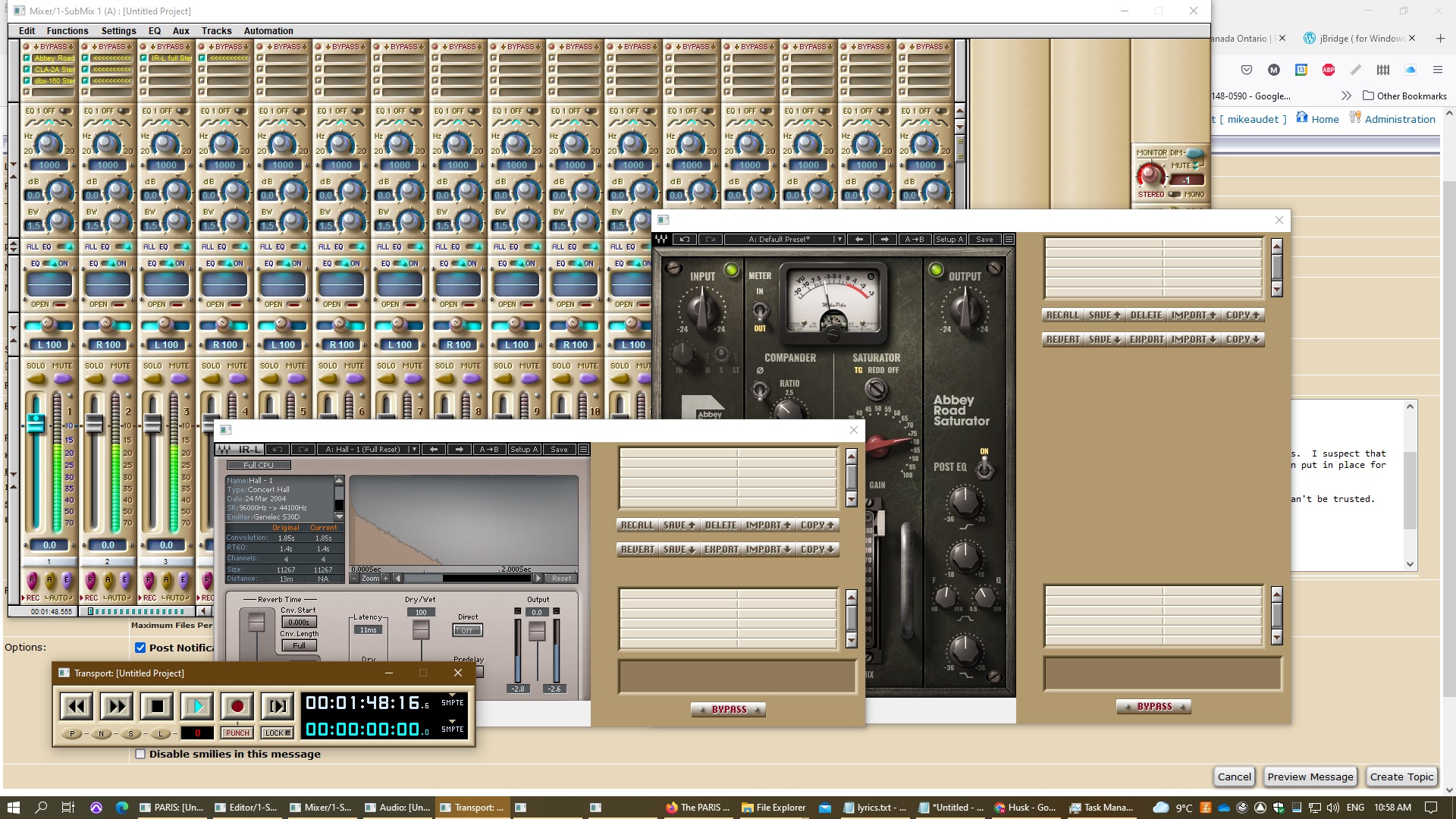 Hi Just fired up my ADAT LX20 for the first time in at least 15 years. It's synced and played back perfectly. Hi Just fired up my ADAT LX20 for the first time in at least 15 years. It's synced and played back perfectly.
Let me know if I can help.
All the best,
Mike
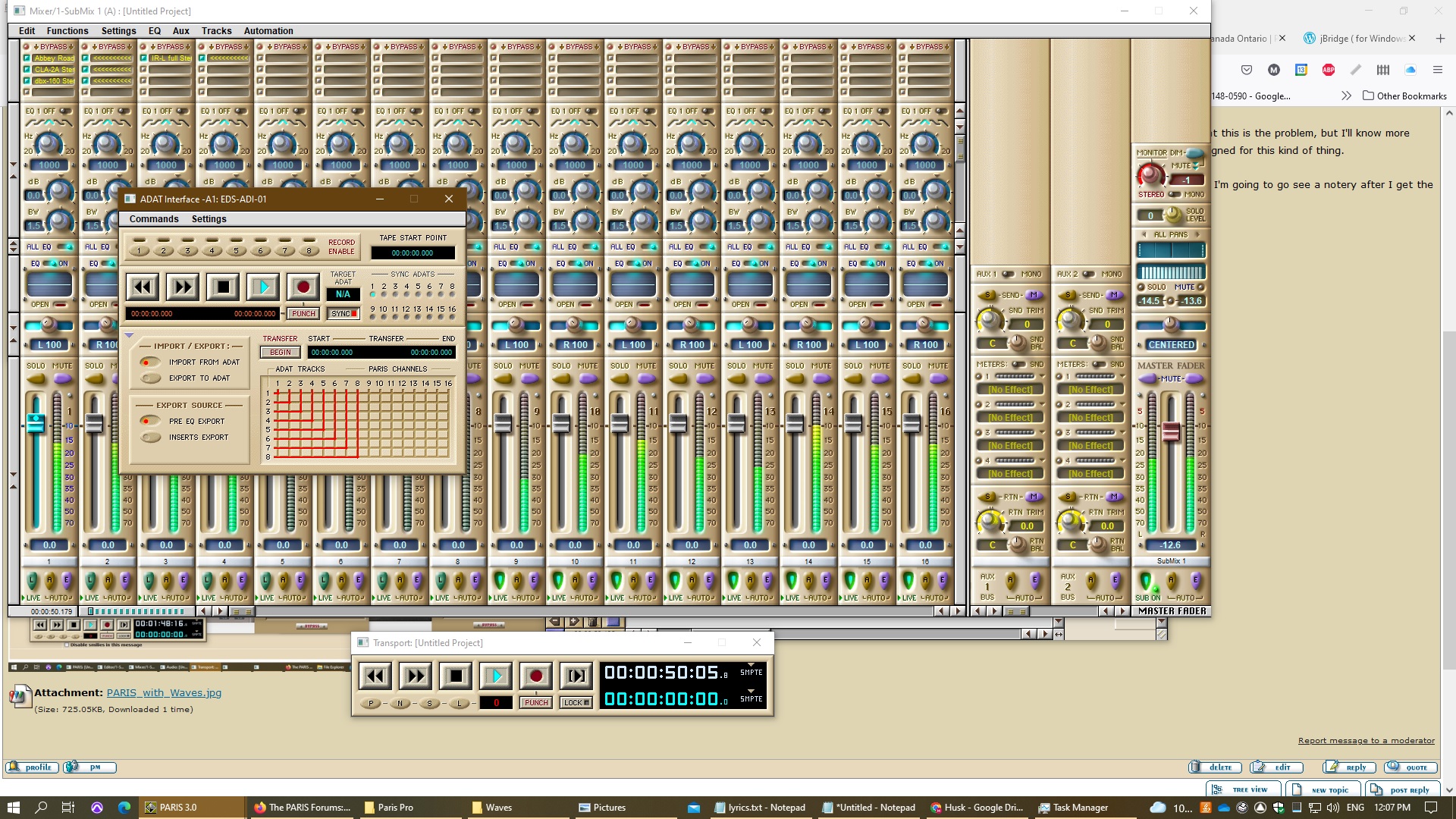 Hi Just fired up my ADAT LX20 for the first time in at least 15 years. It synced and played back perfectly. Hi Just fired up my ADAT LX20 for the first time in at least 15 years. It synced and played back perfectly.
Let me know if I can help.
All the best,
Mike
Mike, you're the man. I am still lurking here. Still using PARIS. Still missing my modern plugins.
Thanks for you efforts,
Phil
Fantastic work, Mike!Hi Mike. I appreciate you doing that. I'd love to be able to see the sync indicator lit red like yours. My adat.dll driver's date is 8/13/1998.
I don't have a conventional ADAT tape system to test. The two ADAT devices I've been trying to sync are an Alesis HD24XR and a KORG Oasys PCI card. I get optical lock and ADAT audio with both now, but neither will light up the sync on the Paris. I've been using these one at a time with Paris, not all at once. I'm using a straight through DB9 cable for the (attempted) sync.
The Alesis keeps blinking "AdatSync: Reset Reconfiguring..."
The Oasys seems to sync on the Korg side and sounds clean (no pops in the audio).
However, Sync doesn't light up on the MEC or in the Paris ADAT panel for either one, so not sure if even the Korg is really working as it should.
Please let me know if you have any suggestions. I may wind up using a master word clock device if the ADAT sync doesn't work out.
Thanks,
GregAmazing ! !You rock, Mike. Thank you for all you're doing.
RichThanks for the info Rich, I have an AEA N8, Alder H44 pair, and a Stager stereo SN-2R here with an SM57... I'm going to try that setup the next time I'm tracking some amps.Fantastic news Mike! If you need testing help email or PM me.Deleted - no longer relevant Hi Mike. I appreciate you doing that. I'd love to be able to see the sync indicator lit red like yours. My adat.dll driver's date is 8/13/1998.
My Alesis HD24XR keeps blinking "AdatSync: Reset Reconfiguring..." and sync doesn't light up on the MEC or in the Paris ADAT panel.Thanks for the info Rich, I have an AEA N8, Alder H44 pair, and a Stager stereo SN-2R here with an SM57... I'm going to try that setup the next time I'm tracking some amps.
Edit: I need to pick up close field ribbon like the 121 as all my ribbons are far field and I can't place them up close next to the SM57 for the phase relationship to work.
Thanks for the info Rich, I have an AEA N8, Alder H44 pair, and a Stager stereo SN-2R here with an SM57... I'm going to try that setup the next time I'm tracking some amps.
Edit: I need to pick up a close field ribbon like the 121 as all my ribbons are far field and I can't place them up close next to the SM57 for the phase relationship to work.
Just ran into the weirdest problem with using the record enable button on the C16.
I have a 5 card, 3 C16 rig and running 3.0. I realized recently that I can only enable record from the 2 C16s that are plugged into the first two EDS cards. The third C16, plugged into any of the other EDS cards, works completely normally (as far as I can tell) except that the record enable button will not arm a track. The lights correctly show when a track is armed for recording, it's just the button that doesn't work.
Fast forward through several hours of swapping C16s, CAT5 cables, EDS cards, EDS card positions, jumper cables on EDS - nothing fixes it. Finally I load PARIS 2.2 and it everything works as it should.
Is there some issue 3.0 and multiple C16s?
I was needing a new CAT cable to connect to my C16. We have up to CAT 7 today, but what CAT cables will work without issues?CAT 5 is what I have on my C16s. Way to go Mike!I bought a Ryzen based system with a PCI card to use with PARIS, and it does not work. There's something wrong with the PCIe/PCI implementation. I spent days debugging it, but it's not a driver problem as far as I can tell. The behaviour is the same using the Virtua Via chassis, a Magma PCI-PCI chassis, and plugging an EDS card directly onto the board. There is no blue screen. The system just restarts when the driver writes to the memory on the card. It doesn't restart on the first write, but after several. I have a ticket in with ASUS, but I'm not holding my breath.
This is the motherboard that does not work:
https://www.asus.com/ca-en/Motherboards-Components/Motherboa rds/CSM/Pro-B550M-C-CSM/
I found lots of other posts online that documented people having trouble using the PCIe slots on Ryzen systems, including UAD2 cards. It looks to me like the PCIe implementation is just not quite right.
Has anyone else got a Ryzen based system working with PARIS?
I've ordered one of these:
https://www.asus.com/Motherboards-Components/Motherboards/CS M/Pro-B460M-C-CSM/
I should know in a week if it's going to work. I expect that it will.
After I order the B460 board, I found this:
https://www.asrock.com/MB/Intel/B660M-HDVPD5/index.asp
This looks even better, but I didn't see it in time.
All the best,
MikeThanks for the info Mike.I got the Intel Core i5 10400 CPU installed on the B460 motherboard, and PARIS is working great under Windows 11. I haven't done a big stress test yet, but everything looks good.
All the best,
Mike
 Mike, are you using a particular version of Windows 11?I'm using Windows 11 Education edition, but I wouldn't expect the version to matter. I just found this board, if anyone is looking. It has two PCI slots. Mike, are you using a particular version of Windows 11?I'm using Windows 11 Education edition, but I wouldn't expect the version to matter. I just found this board, if anyone is looking. It has two PCI slots.
https://www.asus.com/ca-en/Motherboards-Components/Motherboa rds/PRIME/PRIME-B460-PLUS/Bumping. I know this is a stupid question, Rich. (Given you know more about Paris than a lot of folk). But, have you checked that all the c-16's are set to "classic mode", rather than "pro mode"? (In the config settings).
Cheers.I don't think it's a stupid question. I didn't even know that was a thing you coulf set. I'm on vacation right now, but when I get back home I will look into that.
Thanks for the tip.
RicbThis is my first PARIS mix in many years... enjoy.
Yup - Really goodThanks Ted. It was so nice working within PARIS again as that smooth top end is unbeatable IMHO and the PARIS sound so effortlessly gels together. All the modern interfaces have so much more top end that I'm always dealing with it, and find I spend too much time removing unwanted top end compared to PARIS where I just spend 5 seconds adding a little here and there. PARIS saved me hours instantly despite being over 20 years old at this point. It was wild to realize that the 3K interface I bought just a few years back was inferior in build and sound quality to the Ensoniq MEC. I'm wanting to grab extra PARIS parts and experiment with Mike's ASIO drivers and test running Studio One with PARIS I/O into my API Box for a hybrid sound that is unique sounding.... and give Kim the prize!! Some C16s set to "Pro" mode was exactly the problem. I have no idea how it got that way, but I set them all back, restarted, and record enable works again.
Thanks a bunch, Kim. Glad to be of service, Sir.Im going back to paris... i really remember that sound, that feeling... im coming back... are you guys still here?Yup ! ! ! Welcome homeStill here.Thank you! That sounds so deep... Theres NOTHING on youtube about paris... very wierd... so we should get our selfs a live comunity on line... maybe on youtube or odysee or some indipendent platform....?Theres NOTHING on youtube about paris... very wierd... so we should get our selfs a live comunity on line... maybe on youtube or odysee or some indipendent platform....?Id like to seeyou, and hear brothers
Theres NOTHING on youtube about paris... very wierd... so we should get our selfs a live comunity on line... maybe on youtube or odysee or some indipendent platform....?Id like to seeyou, and hear brothers.... i have Paris video from late Brian... it should be seen...who has authority to publish it?
Brian's tutorial video is up on VIMEO, in 21 parts.
https://vimeo.com/search?q=ensoniq%20paris
Cheers,
KimHi All. Just a reminder to anyone who would like to see the video, it is up on VIMEO in 21 parts.
https://vimeo.com/search?q=ensoniq%20paris
Cheers and Merry Christmas.
Kim.i have the dvd ... bought it years ago.... i ment who has the authority to upload it on youtube?I'm sure you can. I don't think Brian would have minded.
Cheers,
Kimok i will... ill send you a link...SOo i made a facebook page, becouse theres NONE!!!
I made a youtube chanell... ill post Brians and Aarons video there... im about to upcale it, hope it will look good...
facebook
https://www.facebook.com/groups/1192066571395284
youtube
https://www.youtube.com/channel/UCqxVuqFK1j3DgtvQZiiRDhA
I'm here!! Check in every once in a while.
My PARIS system rocks!! My problem is making myself carve out the time and having the emotional energy to record. I play a lot, and keep coming up with musical ideas, but the job and just life is kind of leaving the tank empty for musical expression.Thanks, Kim!!!Hey Marko
Great Work!
There is currently a "1/" Paris Facebook page/group
https://www.facebook.com/groups/344712405566469?sorting_sett ing=CHRONOLOGICALHey Marko
Great Work!
There is currently a "1/2" Paris Facebook page/group
https://www.facebook.com/groups/344712405566469?sorting_sett ing=CHRONOLOGICALooo grat... i didnt find it... but i was looking... great!!! ill ask to joinooo great... i didnt find it... but i was looking... great!!! ill ask to joinMerry Christmas to all us PARIS die hards, and to more recording in 2023.
Thanks,
RichMerry Christmas!
Ditto, Ctrl C - Ctrl V, cut and paste.
Hmmmm, weak humor. Merry Christmas Paris users!Happy Holidays everyone.I was wondering if anyone knows where I can find the MEC/EDS 1000 scsi type connector cables?Went back to PARIS recently myself, I really enjoy the PARIS sound much more than most modern DAW/converter options.
My goal is to have a 3-4 card PARIS rig outputting 32 channels to and SSL Big Six and API Box for a unique hybrid sound.I am about to replace/reconfigure my PARIS computer system.
I will be using 3 EDS 1000 cards, maybe one more and using Windows 10.
I have been looking at a custom motherboard company called ADEK. Anyone heard of these people?
I have been given a quote on a new motherboard that comes with 4 original PCI slots, actually a complete system short of a chassis.
Of course, I am concerned about compatibility issues with PARIS hardware.
It will include an ATX LGA 1151 board, and an Intel i7-6700 quad-core 3.4GHZ 8M LGA 1151 processor with graphics 530.
A 326 chipset, 16g DDR4-2400 ram.
Do I need to know any more parameters before I commit? It's a pricey thing but I don't have the rackspace to use an additional
PCI rack.
Also what is the operating voltage for an older PCI slot card?
Thanks
Gregory McNeer
NashvilleWhat I did about 3 years ago is build a modern PC with a commercially available motherboard. The PC was completely silent (no fans, SS hard drives, passive CPU cooler, fanless power supply). Windows 10. I found an old Magma chassis on the internet, bought it, and upgraded the power supply and the fans so it's almost totally silent as well. The EDS cards get hot so I felt I had to use fans, but I got super quiet ones, not the wind turbine that was in the Magma originally. Under a desk, a little distance, and I record acoustic guitars with this setup. I could run up to an 8 card system, but I only use 5.
All of the details are here on the forum. Just search my name from around 2020.
Richhi everyone
it's great to see that this resource is still up an running. nice work.
i'm max howarth. i was a paris users for years and it genuinely made me smile seeing some of the names here again. we have a job from 2004 that a client might want access too. we kept our old backup system running on a g5 so managed to restore the paris 3.0 project and audio files. we have the paris hardware too but i'm not at all sure it's going to work in the g5.
so, i wondered if someone might be able to open the project up and export some of the edited audio for me.
if you think you can help, shoot me an email: max at redfacilities dot com
thanks so much and best wishes for 2023.
mThanks for the reply but I was looking more about the compatibility parameters with the hardware I listed in relation to the EDS1000 cards
and anything about the ADEK people.
I have a working Magna PCI chassis but I don't want to eat up rack space as I mentioned in the post.
Thanks
Gregory McNeer
NashvilleI have acquired an old Digidesign/ProTools SBS DD007/MH477 7 slot PCI expansion chassis.
Anyone know if this might be compatible, with the proper host and expansion cards,
with a PC to run PARIS EDS1000 cards?
Thanks
Gregory McNeer
NashvilleThanks for all the replies and advice.
I am still weighing options for a new computer build,
having to take into consideration rack space and total costs.
I have been given an old ProTools/Digidesign PCI expansion made by SBS Technologies,
model MH477 or their generic model number DD007-R.
Would anyone out there know about compatibility using PARIS EDS1000 cards in this?
I am considering going with PCIex expansion in the new computer to PCI cards in the SBS
Thanks again
Gregory McNeer
NashvilleHi there.
It's probably a rebadged Magna Chassis.(Not 100% sure about that). But if that's the case, it should be fully compatible.
Maybe someone can chime in and clarify. In any case, It wouldn't hurt to try.
Cheers,
KimHi there.
It's probably a rebadged Magma Chassis.(Not 100% sure about that). But if that's the case, it should be fully compatible.
Maybe someone can chime in and clarify. In any case, It wouldn't hurt to try.
Cheers,
KimWhat do you think of this one, Mike?
I b ought it NOS from China, and a Core I5 8500 processor for my new build.
https://www.asus.com/motherboards-components/motherboards/pr ime/prime-h310-plus-r2-0/
Do you have any thoughts? I haven't built it yet. Have to buy a new case.
Happy new year, Mike. Thanks for all your hard work over the years.
KimThanks everyone!
I am still struggling with costs vs what will work solidly
I am quite frustrated about which direction to take before forking out.
I still lean towards the ADEK company, which will make a custom 4 PCI slot MB.
but it's pricey, like a $1700 complete system with great hardware specs, but no chassis
which I already have a rack-mount one. I also have an SBS PCI expansion rack, but like this post is centered on,
I'm leary of whether to use that.Thanks everyone!That looks like a great find, Kim. Three PCI slots on a modern motherboard is unheard of.
This is the one that I wish I had bought. I basically have the mini ATX version of it, and I am super happy with it.
https://www.asus.com/ca-en/motherboards-components/motherboa rds/prime/prime-b460-plus/
Keep me posted on your build!
All the best,
MikeThat looks like a great find, Kim. Three PCI slots on a modern motherboard is unheard of.
This is the one that I wish I had bought. I basically have the mini ATX version of it, and I am super happy with it.
https://www.asus.com/ca-en/motherboards-components/motherboa rds/prime/prime-b460-plus/
Keep me posted on your build!
All the best,
Mike
Edit: I see I posted that already. Oops!
I'm still using my Virtua Via chassis, and it's fantastic.For anyone interested, here is the link.
https://www.ebay.com/itm/193870300158
It only has two memory slots, so maxes out at 32GB of DDR4 RAM. Also, requires a 7th or 8th generation processor. It won't do 9th or beyond. Still... a good option for three EDS cards without an external chassis.
I will report on my build when I get to it.
Cheers,
Kim.Thanks, Kim! I'm sure it will be a monster PARIS setup.  Hello. I've got 2 EDD-1000 cards that I'd like to put in one PC In order to run 2 MECs on Paris. I believe that 3 short ribbon cables are needed to connect the 2 EDD-1000 cards together. Hello. I've got 2 EDD-1000 cards that I'd like to put in one PC In order to run 2 MECs on Paris. I believe that 3 short ribbon cables are needed to connect the 2 EDD-1000 cards together.
If anyone could give pointers on generic ribbon cables I could order for that, it would be very much appreciated.
Hi. If anyone could re-upload the DVD images to a Dropbox, I'd be much appreciative. I realize the Vimeo is out there, but would still like to have a DVD set. Thanks. I found info in an old FAQ. I've ordered some generic ribbon cables. Hopefully there's not some odd pitch that's needed.
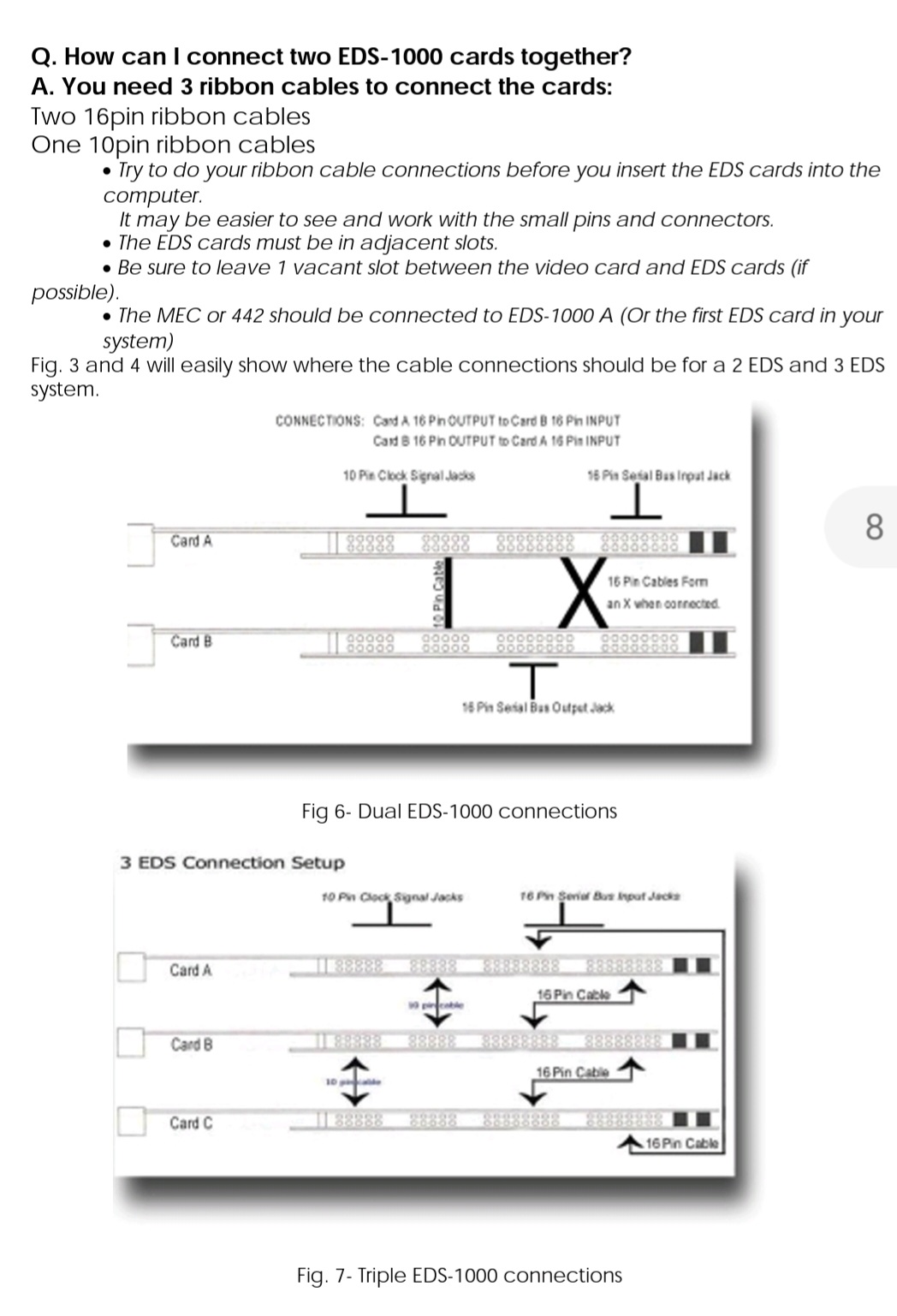 Hi everyone, Hi everyone,
Question about monitoring multiple interfaces in Paris.
Is there a way to monitor the sum of outputs of multiple interfaces/card submixes via one assigned physical output only?
For example, if I have a MEC on card A, another MEC on card B, and a 442 on card C, do I have to connect every single of their outputs to my mixer to monitor all of them?
OR is there a mythical and possible way to configure it in the Patch Bay so that the main outs of all of the 3 interfaces are routed to only one physical output?
Best,
MFOHi.
Simply assign the monitor outputs of submix one (the master card) to two outputs on MEC 1.
That will automatically give you a stereo mix of all submixes.
Cheers.
Kim
Hey Kim, thanks for the answer. Yes I've always been able to monitor all submixes (A to D in my case) via one MEC A OUT. However, I was unable to hear the inputs of the other interfaces (other non A MECs and 442s). For example, when connecting external FX hardware to those interfaces.
After many attempts, I'm now able to monitor all interfaces via MEC A only.
This is what worked for me, MEC A is obviously the main MEC, the following interface needed to be B, and in addition I had to use BNC cables in cascade. For example, MEC A BNC OUT > 442 BNC IN, and so forth.
Without any BNC cables, I could always see the other interfaces but was unable to hear their INs and OUTs when connecting external fx (send & return). After connecting the BNC cables, I could hear all audio.
Best!
MFOEDS My EDS cards are hooked together with homemade ribbon cables. I took old IDE hard drive ribbon cables and cut them with a small hacksaw blade so that they would fit. Worked fine.Do you still need the Brian video?Hi. Yes please. The cables I ordered from ebay worked fine. I installed with the cable connector bumps facing away from the daughterboard in order for there to be enough clearance.
1x 4 inch
"10 Pin IDC Ribbon Cable with Female Polarized Connectors"
2x
"6 inch 16-Pin 2x8-Pin 2.54-Pitch Female 16-Wire IDC Flat Ribbon Cable, FR-1606" I have my second MEC up and running and was wondering if there's a way to have one MEC dedicated to external effects processing without having to physically patch between the two MECs. When I try to patch between the two in the patchbay it tells me I can't cross the card barrier, so that's probably my answer, but just checking to make sure I haven't missed anything.
Love to hear how some of you multi-MEC veterans are doing it. Thanks. You can't cross the card barrier, so you would have to patch manually...Hi All.
I'm pretty happy with my latest build.
I've had to reduce my EDS count from four to three. However, I can't actually remember when I last used 64 tracks.
I found what is probably the last semi-current MOBO here:
https://www.ebay.com.au/itm/193870300158 The Seller (in China) still has stocks. Mine was new with the I/O shield included, but NOT in a retail package.
It is an ASUS Prime H310-Plus R2.0. It only has two DDR4 memory slots, so 32 GB is the maximum. It uses the LGA1152 layout. (Intel 8th and 9th Gen). Windows 10 installed, with Mike's drivers.
I reckon this will be my final hoorah before I retire.
Seems very solid so far.
Could be the solution for folks who don't want to go the external PCI expansion route.
Regards,
Kim
Hi All.
I'm pretty happy with my latest build.
I've had to reduce my EDS count from four to three. (It has three, yes THREE Legacy PCI slots) I can't actually remember when I last used more than 48 tracks anyway.
I found what is probably the last semi-current MOBO here:
https://www.ebay.com.au/itm/193870300158 The Seller (in China) still has stocks. Mine was new with the I/O shield included, but NOT in a retail package.
It is an ASUS Prime H310-Plus R2.0. It only has two DDR4 memory slots, so 32 GB is the maximum. It uses the LGA1152 layout. (Intel 8th and 9th Gen). Windows 10 installed, with Mike's drivers.
I reckon this will be my final hoorah before I retire.
Seems very solid so far.
Could be the solution for folks who don't want to go the external PCI expansion route.
Regards,
Kim
Hi All.
Just wondering if anyone here has successfully run three Mecs without an external word clock?
What are the downsides of not using one? I have three EDS's and would like to connect an extra 16 inputs to the third EDS. Is it as simple as just daisy-chaining the three mecs with two BNC cables?
Cheers.
Kimdo you guys know how to setup a adat inputs for paris? im trying to connect focusrite scarlet 18i20 3rd send optical to paris... and it all works but adat(i ment spdif works)... paris sees adat,it says theres a adat conected to the modules, but no audio... hm...
is there anny known issue?good question, i had the same problem a while back and had to abandon my troubleshoot. hope someone will help out.Did you ever get the Alpha Link running over ADAT without all the pops and clicks? I got a good deal on a MADI-AX running v2.5 firmware, but can't get it to not pop and click and I've also tried all sorts of different WC configurations. It stayed quiet for a few minutes tonight but then started popping again. Ted, did you ever get the Alpha Link running over ADAT without all the pops and clicks? I got a good deal on a MADI-AX running v2.5 firmware, but can't get it to not pop and click and I've also tried all sorts of different WC configurations. It stayed quiet for a few minutes tonight but then started popping again. After hours of trying seemingly endless combinations and just about giving up, I found a way to make these two work together. I might be the last person to ever care about the Alpha-Link/Paris combo, but I'll share my solution anyway.
Firstly, on your Alpha set all 8 settings in Option Switch 1 to off. Same with Option Switch 2 (you might want to alter settings 1&2 here if it fits your ADAT channels choice - see the manual). These switch changes aren't committed until you press the Sample Rate and Clock buttons at the same time, by the way (didn't see that in the manual).
On the Alpha, set ADAT Input to Analog Output, and Analog Input to ADAT Output. That part is pretty obvious, but it can take some fiddling to get the settings to stick (if I remember right I had to have the MEC on for the ADAT Input setting to stick - something like that).
Connect a 48kHz master clock into the wordclock in on the Alpha and connect the Alpha's wordclock out to to the wordclock in on the Paris MEC. Set the Alpha's Clock to Ext and set Paris Sync Source to Wordclock and they'll sync at 48Khz (but not cleanly yet).
Now set the Alpha's Clock to ADAT. At this point you will probably have to set Paris Sync Source to Internal and then back to Wordclock. You can turn off the external master clock now if you want because it has sadly done its duty (Big Ben or whatever is a doorstop at this point of the configuration). You'll notice that even though the Alpha is synced to ADAT, no Sample Rate is lit up for some odd reason (the Paris will show 48kHz though). It's a strange way to mate these two, but it should be working pretty cleanly for you now.
I still get the very occasional pop, but nothing like it was. Also seems to only happen when it's quiet (I haven't listened closely enough yet to determine if that's completely true). The pops when they do happen aren't as loud either. I wish it was perfect, but I can play a passage without it popping.
I tried just about every other combination starting with direct wordclock connections to the Alpha and MEC from Big Ben, and then daisy chaining with tees and different termination settings, etc etc. This combination is the only way I've gotten it to work without constant popping. Hey thanks for the description! I did not pursue the SSL Alpha Link at that time. I was a dealer and it was a demo unit on loan, so I returned it.
I used either the Focusrite 428 with AD option card feeding the MEC or the Metric Halo ULN-8 doing the same.
In the end, I would just use the MH unit or an Allen Heath Avantis that I have access to for capture, and bypass Paris converters.
However - after listening to Will the Weirdo (and older Paris recordings of mine done years ago) I think the Paris converters are still fantastic, esp when clocked to a good external unit.
I may resurrect that option again in the future...
Sorry for the slow response. I only pop on here once a month or so : )
Best
TedHi Mike,
i have changed my OS from win 7 to win 10 and my driverelease is from 2016. The system needs a certificate.
Do i need to purchase a newer one from your webside ?
Best regards
DanThe driver should just work. The certificate is embedded in the file.
Can you post the exact error you are getting?Hi Mike,
sorry for delay !
I get this Information under Propertis from the Manager.
"The digital signature of the drivers required for this device cannot be verified. A recent hardware or software change may have installed a file that is incorrectly signed or corrupted. It may also be malicious software from an unknown source. (Code 52)"
Hope thats helps ?
Best regards
DanHi Mike,
sorry for delay !
I get this Information under Propertis from the Manager.
"The digital signature of the drivers required for this device cannot be verified. A recent hardware or software change may have installed a file that is incorrectly signed or corrupted. It may also be malicious software from an unknown source. (Code 52)"
Hope thats helps ?
Best regards
DanParis Wiki do not works !
 Hi Daniel. Hi Daniel.
This may be a stupid question. But have you got time and date correctly set on your new PC?
That is the only scenario where I've had digital certificate issues.
Cheers,
Kim.Thx for answear !
Ok, if this really the only way, set up my computer new ?
I haven't really time, but if i need , i do 
Best regads dan
I think there's a little miscommunication happening. I don't thing Mike is saying that you need a new PC, or to setup your Win10 operating system from scratch, I think he's just literally asking if the time and date on your PC is set correctly? I believe if you have the time and date set to manual update, and it gets too out of sync with reality, Windows gets unhappy. I have had this time and date issue a couple of times when the time and date sync got change to manual somehow (not the PARIS issue, just generally). The easy fix if you're on manual is to change to auto updates of the time and date.
Hope that helps.Hi Rich,
Thx for answear fast. I will try IT Thursday, because i am on Holiday now.
Best regards
DanHi Dan,
I plugged in my test machine that hosts older operating systems. I installed the first version of the ASIO driver on Windows 10, and the certificate was recognized.
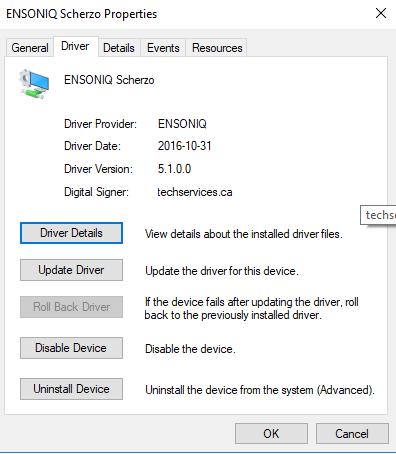
I did have the date correct in Windows. Let us know if that solves the problem for you.
All the best,
Mike
Hi @ all,
i try to correct the date. And deinstall the Hardware. Restart the Computer, but the same Issue popups .
Best regards
DanHi all,
the certificat issue do not pop ups in system manager ... but i cannot chose the driver in cubase 12, because it isn't listet there.
Some one know whats wrong ?
Best regards
DanIt looks like Cubase 12 is a 64 bit application. The first version of the ASIO driver supported 32 bit hosts only.
I hope this helps.
All the best,
MikeI have a 64bit version of paris driver... it seems so.
maybe a new start of the computer could help.
I can check this tonight or tomorrow !
Best regards
DanHi Daniel,
The first release of the ASIO driver was a 64 (or 32 bit) kernel driver, but it was limited to a 32 bit application accessing it. The PARIS studio Control Library is the user mode part of the PARIS driver. I had to re-write much of it to make it work when built for 64 bits. The first version of the ASIO would run on a 64 bit Windows, but it only supported 32 bit ASIO applications or the 32 bit PARIS software.
I hope this helps.
All the best,
MikeHi Mike !
I have the version 5.0.0.0 of driver. Is this the one you mean ?
Best regards
DanHi Mike,
i did find the latest driver 5.1.0.0 on my HD system. I have buyed it, in 2018 order number 130.
This one don't work right into my system ??? Device Manager Error Says : Code52
Best regards
DanHi Dan,
Code 52 is:
Windows cannot verify the digital signature for the drivers required for this device. A recent hardware or software change might have installed a file that is signed incorrectly or damaged, or that might be malicious software from an unknown source. (Code 52)
You might have to disable secure boot to get Windows 10 to accept the signature. I thought that requirement was only for newly signed files, but that rule could have changed. My test PC is a first gen core i7, so there is no secure boot to turn on or off.
If that doesn't work, I'd try to remove the scherzo from the device manager and delete the driver files when it asks. Then, re-install it. It if is still showing an error, make sure that the date is correct in Windows.
I'll also try putting my Windows 10 test PC online and update it to see if I get the error.
2018 would have been the first version of the ASIO driver. I began working on the second version in 2018 and finished sometime in 2019.
I hope this helps!
All the best,
Mike
Hi Mike,
the thing with "Boot secure off" works (word by word translition from german in english ). The device manager shows, that is all alright.
But Paris 2.1 don't start after booting the Paris Mec Hardware right (the computer froze often ) and the Paris asio driver do not appear in Cubase 12.
Whats going wrong with me here ?
Dan
Hi Mike,
the thing with "Boot secure off" works (word by word translition from german in english ). The device manager shows, that is all alright.
But Paris 2.1 don't start after booting the Paris Mec Hardware right (the computer froze often ) and the Paris asio driver do not appear in Cubase 12.
Whats going wrong with me here ?
Dan
Hi Mike,
the thing with "Boot secure off" works (word by word translition from german in english ). The device manager shows, that is all alright.
But Paris 2.1 don't start after booting the Paris Mec Hardware right (the computer froze often ) and the Paris asio driver do not appear in Cubase 12.
Whats going wrong with me here ?
If my driver Version to old ? You told me that you've worked till 2019 on a new driver. But the Date and Number of both Version are the same ? See my picture an yours,
Driver 5.1.0.0 and Date 2016 10 31, from device manager?
Best regards
Dan
Hi Mike,
the thing with "Boot secure off" works (word by word translition from german in english ). The device manager shows, that is all alright.
But Paris 2.1 don't start after booting the Paris Mec Hardware right (the computer froze often ) and the Paris asio driver do not appear in Cubase 12.
Whats going wrong with me here ?
Is my driver Version to old ? You told me that you've worked till 2019 on a new driver. But the Date and Number of both Version are the same ? See my picture an yours,
Driver 5.1.0.0 and Date 2016 10 31, from device manager?
Best regards
Dan
These days, i try to go back to Paris again. It sounds on its own way.
If i have my production ready i will wrire you again here !
Best Regards
DanHi Dan,
The PC should definitely not be freezing when loading PARIS 2.1. The version of the driver that I posted a screen shot of earlier is the first version of the ASIO driver. It supported a 64 bit Windows, but only a 32 bit ASIO host. There was a lot of work to do porting the user mode part of the PARIS driver to 64 bits. The second version came out in 2019 (I believe), and supports both 32 bit and 64 bot ASIO hosts, as well as a 32 sample buffer size. The change to allow 32 sample buffers required altering the firmware that runs on the EDS cards.
The order of install matters for the ASIO driver. The ASIO installer must be run after the non-ASIO driver installer, as it updates components. If the older installer that includes the PARIS software is run after the ASIO driver is installed, it can replace files and create a mis-match between the kernel and user mode drivers.
Let me know if you'd like me to take a look over TeamViewer. The machine definitely should not be freezing.
I hope this helps.
MikeHi Mike,
i have bought the new Driver from your webside, i am glad to donate you in that way.
I have some issue, that i can't solve by myself now.
My Asio Host Cubase 12 freeze after choosing the Paris asio driver and the Paris Software too.
I have selected, Cubase 12 runs as Administrator.
What could it be, that booth freeze after starting the MEC ?
The MEC is loaded with 1x Input Card, 1X Output Card an 2x Adat.
These days is no CS16 used.
The Device Manager shows, all is raedy and alright.
If you know nothing about that, is it possible to show with team Viewer into my system ?
Best regards !
DanielHi Dan,
How is the EDS card connected to the computer?
All the best,
MikeHi Mike,
I am using the pci expansions Slots of the Motherboard. I am using the old Asus Z97 C ..
Best regards
Daniel Hi Mike,
I am using the pci expansions Slots of the Motherboard. I am using the old Asus Z97 C ..with 32GB Ram
Best regards
Daniel Hi Dan,
That should be completely fine. Is the PC blue screening or locking up?
If it's locking up, I'd try re-seating the card. It might also be helpful to start PARIS without the MEC connected just to see if it starts up. This would eliminate a bad SCSI cable from being the cause.
If you are getting a blue screen, let's got together on TeamViewer so that I can check out the crash dump.
All the best,
MikeHi Mike,
i believe its time to meet via Teamviewer.
I had start Paris software an Cubase 12, both times it is freezing,when the MEC is off. The Courser of mouse don't moves.
The computer have to be restart by using the reset button.
Do you mean, reninstall the Win OS should be help ?
Best regards
DanHi Dan,
Unfortunately, freezing almost always indicates a hardware error. Generally, if I make a mistake in the driver code, the blue screen of death results. The only exception to this that I've ever seen is in power management code (when the PC is waking up), which isn't in the version of the driver you have. I'd remove the PCI card from the slot and put it back it. If you have another PCI slot, it might make sense to try the other slot.
The PARIS app will open if only one card is in the system and there is no interface attached. If you have another card, I'd try just the one card with no interface, and see if PARIS.exe starts up. make sure PARIS.exe is running as administrator. If it isn't running as administrator, PARIS.exe will crash, but I have not seen it make the PC freeze.
I've attached an image of the damage to the female SCSI connector on an EDS 1000 card from a 50 pin cable with a bent pin. Take a look at your card and MEC connectors to see if anything looks like this. The power for the 442 flows on one of the edge pins, and if the pin gets bent, it can apply power to signal pins on one of the chips on the card or the MEC and damage it.
I installed the second version of the ASIO on my test PC under Windows 10, applied all Windows 10 updates, and it worked fine.
I'm happy to take a look on TeamViewer tomorrow after work (after 6:00pm Eastern Daylight Time).
I hope this helps,
Mike
Hi Mike,
i try another card first and if that does not work, i have to install team viewer !
Best regards
DanSo, I have Paris working on windows 10. Three cards, seems stable but the solo button doesn't work. It lights up but has no effect. Anyone else have this happen?OK, so this is weird... Solo seems to work on other projects, so I figured the project file was corrupted... I created a new project and recreated it by importing the files and get no playback on card 2 and solo works... So, I made a second attempt and now I get playback on card two but solo doesn't work... I'm thinking the .paf files may be corrupted however they playback in Wavelab... I may try converting them to .wav and then Stripwaving them... Hmmm...OK, so this is weird... Solo seems to work on other projects, so I figured the project file was corrupted... I created a new project and recreated it by importing the files and get no playback on card 2 but solo works... So, I made a second attempt and now I get playback on card two but solo doesn't work... I'm thinking the .paf files may be corrupted however, they playback in Wavelab... I may try converting them to .wav and then Stripwaving them and re-importing them... Hmmm...Hi,
i am back, at Paris with other issues. Wich Paris Software/ Asio Host are you using ?
Best regards
DanI'm on version 3. I got the solo button issue resolved... I have the PARIS ASIO installed but my sound card is EMU so I have that one as well. My issue now is that I don't have external effects sends on cards 2 and 3... Thinking it might be a timecode issue. I have a Lucid external clock but maybe a bad BNC cable? I dunno, it would seem if it were a timecode issue though I would be getting other error messages. perhaps I should recheck the ribbon cables...
So, the problem was in the .cfg file USEHOUSESYNC= was set to "0" instead of "1". All happy now..  I tried it some years ago... couldn't get it to work without an external clock...I tried it too, no chance without externer wordclock ! I tried it some years ago... couldn't get it to work without an external clock...I tried it too, no chance without externer wordclock !
All the Best
DanI tried it too, no chance without extern wordclock !
All the Best
DanAha, hi all. I ready this Threads , because i Wonder myself, that i cannot use my Plugins from Universal Audio. So I habe to try this bridge.
I will Report If IT Works fine.Hi Dan,
You'll need an updated driver, which I need to get out the door.
I've got to make an appointment to see a notary or a lawyer to get the EV driver signing certificate, and I've just been unable to make it happen. I'm sorry everyone. I'll do better.
All the best,
MikeHi Mike,
if you have ready the new driver,let me know, i will donate your work in that way to purchase this driver in your shop !
Best regards
DanI still around too Mike, I've been slowly buying PARIS parts and expanding my PARIS rig.I've been buying up older PARIS hardware and I've found several non used older EDS1000 cards had issues until I cleaned the pin contacts. After a little eraser work the EDS1000 cards worked without errors. I also found plugging and unplugging cables a few times helped fix hardware errirs too. The hardware was built to a high standard but it seems most of the metal contact parts need cleaning every few years.Hey all, I've finally started to use my expanded PARIS rig and I can't seem to route individual outputs to my console, it's been a long time since doing it, lol.
Can anyone quickly tell me the proper patch bay routing to send audio out the 8 out cards?Hello,
I can't remember how to route audio to the individual 8 out cards, lol.
Can anyone tell me how to route audio properly in the patch bay?I don't know if it right or not but I used the 8 out card and the aux send but I only needed 6 aux send to my headphone amp.Here's the manual ...
In case don't already have it
TedHere's the manual ...
In case you don't already have it
TedGot it, thanks. Unfortunately the manual does a poor job explaining how to simply route audio to the 8 out cards.
It's been over a decade since I've done it and was hoping someone would just post the easy steps to route the audio in that old illogical patch bay, saving me many hours of trial and error frustration as it's a basic task ID made complicated. I remember it being kinda odd in how the routing worked with something to do with the MEC module box and the insert FX box, I thought we had to route in and out somehow to make it work... again a somehow simple task made complicated and very specific in how it is accomplished.Greetings!  I'm not in front of my system right now, but to send outputs externally, you have to not only send the insert out to the output module, but you must also form a loop and connect back into the insert point. Start by using the shortest "cable", then complete with the longer. I'm Probably not explaining myself very well, but here is a jpg of what I'm talking about. You can set the insert to "external" to mute the track within Paris, or forget clicking "external" to have the signal outputting, and still keep it flowing within Paris. Hope this helps. I Might be able to clarify over the next few days if you are still having problems. I'm not in front of my system right now, but to send outputs externally, you have to not only send the insert out to the output module, but you must also form a loop and connect back into the insert point. Start by using the shortest "cable", then complete with the longer. I'm Probably not explaining myself very well, but here is a jpg of what I'm talking about. You can set the insert to "external" to mute the track within Paris, or forget clicking "external" to have the signal outputting, and still keep it flowing within Paris. Hope this helps. I Might be able to clarify over the next few days if you are still having problems.
Cheers,
Kim
Greetings! I'm not in front of my system right now, but to send outputs externally, you have to not only send the insert out to the output module, but you must also form a loop and connect back into the insert point. Start by using the shortest "cable", then complete with the longer. I'm Probably not explaining myself very well, but here is a jpg of what I'm talking about. You can set the insert to "external" to mute the direct track within Paris, thus allowing an external signal processor, or forget clicking "external" to have the signal outputting, and still keep it flowing within Paris. Hope this helps. I Might be able to clarify over the next few days if you are still having problems.
Cheers,
Kim
Greetings! I'm not in front of my system right now, but to send outputs externally, you have to not only send the insert out to the output module, but you must also form a loop and connect back into the insert point. Start by using the shortest "cable", (red), then complete the loop with the longer. Observe the arrows when making the connections. I'm Probably not explaining myself very well,(It's after 4 AM), but here is a jpg of what I'm talking about. You can set the insert to "external" to mute the direct track within Paris, thus allowing an external signal processor, or forget clicking "external" to have the signal outputting, and still keep it flowing within Paris. Hope this helps. I Might be able to clarify over the next few days if you are still having problems.
Cheers,
Kim
Thank you so very much, I appreciate the help as I'm now routing audio out PARIS to my API Box and it sounds fantastic. It's a unique sound combo I've dreamed of for some years.
To anyone needing the steps to route individual tracks out PARIS:
1. In the patchbay, connect the Mixer A Insert out to the MEC Modules A input.
2. In the patchbay, connect the MEC Modules A out to the Mixer A Insert track forming a loop.
Make sure to connect EDS Cards A, B, C, D, etc to the same numbers in the patchbay. So Mixer C Insert connects to EDS Modules C, B to B.
3. In the Main Mixer screen show the EDS insert tab, then select the external for the tracks you have loop routed in the patchbay and your audio is routed out of the PARIS output cards.Glad it worked for you, Will. Rock on!!!
KimGlad it worked for you, Will. Rock on!!! You can, of course, use any MEC modules inserts, wired to any of the MEC modules "OBJECT", as long as you remain within the same EDS card, using the same "Loop" technique. (Card A submix cannot, and will never be able to route to a different submix).
Cheers,
KimJust finished two Christmas songs mixed in PARIS through my API Box mini console..... enjoy!Just finished two Christmas songs mixed in PARIS through my API Box mini console..... enjoy!
I forgot to add that I clocked PARIS via Wordclock to my Lynx Hilo, and that I captured the PARIS/API mix into my Mac Studio via the Hilo converters.
I've been looking to form the best hybrid analog digital past present combo to have my own mix sound.Just finished two Christmas songs mixed in PARIS through my API Box mini console..... enjoy!
I forgot to add that I clocked PARIS via Wordclock to my Lynx Hilo, and that I captured the PARIS/API mix into my Mac Studio via the Hilo converters.
I've been looking to form the best hybrid analog digital past present combo to have my own mix sound.
 Just finished two Christmas songs mixed in PARIS through my API Box mini console..... enjoy! Just finished two Christmas songs mixed in PARIS through my API Box mini console..... enjoy!
I forgot to add that I clocked PARIS via Wordclock to my Lynx Hilo, and that I captured the PARIS/API mix into my Mac Studio via the Hilo converters.
I've been looking to form the best hybrid analog/digital past/present combo to have my own unique mix sound. No matter what converters I used I kept coming back to my PARIS mixes sounding so full and musical, so I've been buying up PARIS gear the past year to mix out of, and I love the tone I'm getting. I would love to add a quality stereo EQ on my API stereo bus insert, but for now I'm happy with my results.
Just finished the last two Christmas songs mixes done in PARIS through my API Box mini console for my wife and my Christmas project..... enjoy!
I forgot to add that I clocked PARIS via Wordclock to my Lynx Hilo, and that I captured the PARIS/API mix into my Mac Studio via the Hilo converters.
I've been looking to form the best hybrid analog/digital past/present combo to have my own unique mix sound. No matter what converters I used I kept coming back to my PARIS mixes sounding so full and musical, so I've been buying up PARIS gear the past year to mix out of, and I love the tone I'm getting. I would love to add a quality stereo EQ on my API stereo bus insert, but for now I'm happy with my results.
Hi Will,
Really enjoyed your new Christmas music, and great production! Well done!
Here's a New Year song written by my son-inlaw Todd MacLean. Vocal features his wife (my daughter) and I, and the production was done on my PARIS rig. Hope you enjoy it!
Best wishes,
Gordon Belsher
http://www.GuernseyCove.caHere is a Youtube link for anyone wanting to listen to the full project. Enjoy!
https://www.youtube.com/watch?v=nu6K8pnksmkStunning Will
Absolutely beautiful
TedAlso - Will - I posted on the Facebook Paris page with your link to YouTube
I read your comment "for anyone wanting to listen to the full project. Enjoy" as an open invite.
Hope that's OK : )
TedThanks Ted, it's a labor of love making Christmas music with my wife.
Feel free to post the link anywhere, it's our musical Christmas card to the world.Very nice! Love the harmonies!
Happy New Year to you too.
Great stuff! PARIS sounding as awesome as ever.
Happy holidays to you and yours!
KimI recently realized it was 25 years ago I discovered PARIS... wow!
coming up on 26 years here...as long as the hardware holds up and I have a PC to run it, I'll never change Wow! Time flies much too fast.Will, I'm on 25 years with Paris! Been through a few EDS cards though,
Just rebuilt a P4 machine, keep getting error code 2/2 on load up,
any ideas? I have not seen that before.
Trying to get a decent Magma chassis so as to migrate to Win 10
newer machine, I have worked on every DAW out there, I still
like the Paris sound, thanks Mike Audet!
Cheers,
JohnnyJust the usual tips.
I would pull each card and use an eraser to clean the PCI slot pins until they are shiny.
Double check every cable and cable connection, looking for bent pins on them.
On you mother board make sure you don't have a PCI slot sharing with the video controller. New motherboards seem to do this less and less.
Double check you power supply is powerful enough to power the EDS cards.Hi Everyone,
If this post worked, we're mostly back up and running. I have some work to do updating the theme, but it appears we are back up and running. I hope everyone is well!
MikeGlad to see you back...sure was mighty quiet around here
Glad to see the Paris site up again Yea!!! Thanks, Mike.Sure did miss you guys.I'm so glad that we're back, too. Thanks Mike. Glad it's back!Thank you Mike! Missed the community greatly!
YES!!!
I thought we had lost this place to history.... thanks Mike.Hi everybody, I'm trying to get in touch with Mike, wrote to his email (mike@ etc) but got no response
I'm interested in buying his driver for Reaper 64
thanks in advanceHi cesmag,
I'm sorry that I haven't been responsive. I'll message you now.
All the best,
MikeHello all!
I'm having some trouble getting going with Paris.It loads up fine but I can't seem to set up MIDI properly, so I had the idea of recording my MIDI in another DAW and sending the audio over via S/pdif, only I can't figure out how to do that either.
I've attached a picture to help me explain. Does anybody know what I'm doing wrong? It feels like I have a stripped down version of Paris installed.
Thanks,
Leigh
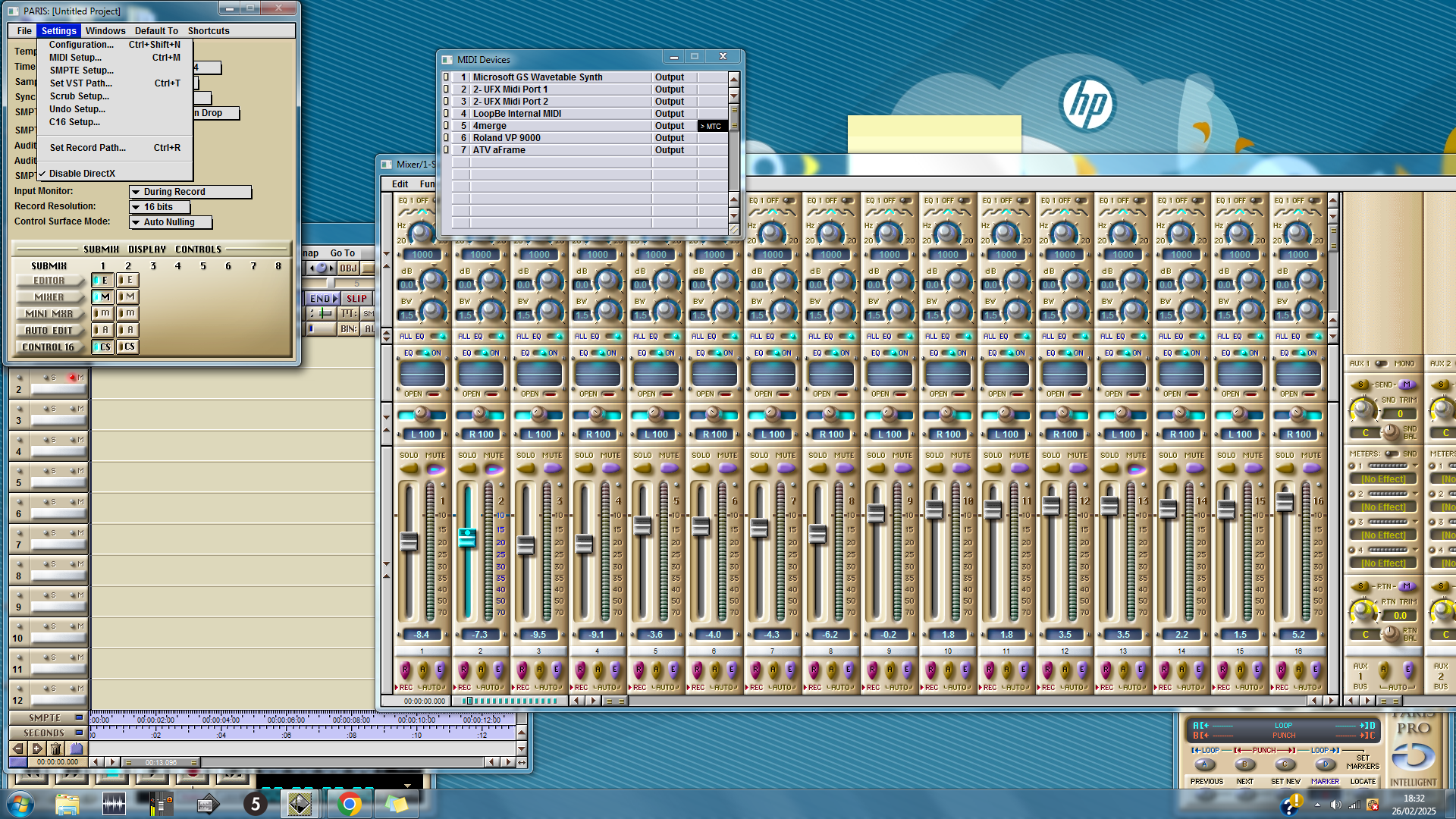
|
|
|
|
|
|
Goto Forum:
Current Time: Tue May 05 19:40:20 PDT 2026
Total time taken to generate the page: 0.22698 seconds
|
 The PARIS Forums
 Search
 Help
Help Members
 Register
 Login
Login Home
Home



