Home » The PARIS Forums » PARIS: Main » RIP "Si"
| RIP "Si" [message #101203] |
Thu, 20 November 2008 10:29  |
|
|
ason why it's known as an "analog sounding" system. It's obvious if i compare with m audio ADDA for example. Those sounds really hard, i don't like at all.The Eq (EQ+4) is the one from Mike Audet's page. I just started using that on the Global Insert after talking to the mastering engineer on one of my last projects and noticing that was one area that he was bumping on about every song.
ALSO....not sure if this is anywhere or not but for those that use other platforms in conjunction with PARIS here is a copy of the PARIS EQ in VST I found and has always been well liked.
http://www.hometracked.com/2007/05/09/download-the-paris-eq- vst/
| TriSound Recording wrote on Thu, 11 March 2010 04:54 | | thesandbox1 wrote on Wed, 03 March 2010 14:53 | also on the global mix...
use the EQ4+ and add a 2-3db boost at 20KHz (parametric 1=on) and also a 2-3 db boost with a hi-shelf (1=on) of around 11Khz.
A good stereo comp setting as well that BT used alot...
Thresh- -16.0
Ratio -1.25
Attack - .0032
Release - .034
Lookahead - .02
Output - 3.2
These two additions on the Global Mix bus I think will help a bit as well.
|
Ok, I just don't see anything on a global mix bus for EQ. I see them on the 16 input channels but not the mix buss or the master buss. Where are you guys finding it. I know I can add comp. on the bus and master.
Oh, yea bye the way my system is sounding much better now with it's wires in phase. Also there where channel 6 that had a strand of wire bridging pin 1 & 2. That's the reason for the poor high end sound also. Looks like someone rewired the harness it did not come that way (im sure).
Cheers,
Jeff
|
| TriSound Recording wrote on Wed, 10 March 2010 14:08 | Yep that would explain the whole story.
Is there a range for shooting A-dats? Maybe not
yet. They are still the stellar king to (my wife).
If we ever divorce she can take them and I will take
the paris. Seems only fair.
Cheers,
Jeff
|
I did a little hunting around for the source of the story I just relayed about SSC and it seems I misremembered some important details. In the version of the story I could find, it was a Lexicon 480L and the weapon was a .44  I just thinking about useing my real Effects (rack mounted reverbs,compressor, ect.) after cutting my main tracks. I just thinking about useing my real Effects (rack mounted reverbs,compressor, ect.) after cutting my main tracks.
1) Will Paris let you use all the input and outputs on the cards to do this and still play back your tracks too.
2) Is there any down side to doing this sort of thing (latency)?
3) Can you set it up for muti-card to get the same reverb on all Aux's?
4) If I instll more input/output cards can the system find them.
I was thinking if i did that maybe could keep the Effects/mixer or outborad gear hooked up at all times.
I would think that would work but just double ckecking with you all.
5) Seams with the latency with plut-in's this my be a good work around and sound better.
Pretty sure you guys have thought about this also and would know for sure.
Cheers,
JeffKerry,
I managed to hear the problem with Senderella too. I loaded up a session, solo'd the Senderella returns, while the sends were coming from a vocal and heard a sort of 'stutter' effect.
For me, setting EDSTransfer=8,16 or EDSTransfer=8,8 made the problem go away. I suspect that EDSTransfer=8,8 was better, but I wasn't really scientific in my testing. I did remove the EDSTransfer line, and the stuttering came back.
Next I will try using a smaller disk I/O size, as I had a smaller size when I first experimented with Senderella and didn't notice the problem. However, truth be told since my send source was a snare drum maybe it was there and I just didn't notice.
Oh, and I tried it with Senderella as a Paris VST, FXpansion wrapped, and in Chainer...its behaviour was the same with all three.
I'll try the disk I/O experiment tomorrow. I noticed that paris' meters are slower with 128 K I/O...especially in the native submixes.
Cheers
Kris
PS: I tried polarity inverting the channel with the Senderella send's, and while I didn't get a perfect null, it was only high frequencies that remained. I suspect there is a delay of a few samples (not sure if it's the EDS submix delay, or Senderella's delay...but I suspect the EDS submix, as it was submix 2 I was sending from).| Quote: | 1) Will Paris let you use all the input and outputs on the cards to do this and still play back your tracks too.
|
Yes.
| Quote: | 2) Is there any down side to doing this sort of thing (latency)?
|
No, not really. PARIS' latency is more or less identical to older Iz RADAR systems (according to those figures from Iz, PARIS actually appears to have less latency than the more modern RADARS). I'm trying to find the roundtrip latencies for ProTools HD at the moment - I suspect it's actually lower than that too. If you'd use external hardware with either of those systems (I would) then the miniscule latency of PARIS will be no issue. The only thing significantly faster than PARIS seems to be true analog.
| Quote: | 3) Can you set it up for muti-card to get the same reverb on all Aux's?
|
That's a little bit trickier, both with internal and external FX - PARIS thinks in terms of discrete 16 channel submixes. You can't patch or route across submixes without external hardware - eg you can't address the FX on Submix 1 from a track on Submix 2.
A good workaround to get the "aux outs" from different submixes into one external unit is to mult the various signals in to it and then bring the unit's returns back into Submix A. With a board at your disposal it shouldn't be hard to get some useful routings worked out.
| Quote: | 4) If I instll more input/output cards can the system find them. I was thinking if i did that maybe could keep the Effects/mixer or outboard gear hooked up at all times.
I would think that would work but just double ckecking with you all.
|
Yes.
| Quote: | 5) Seams with the latency with plut-in's this my be a good work around and sound better.
|
Good hardware is always going to be a lot of folks' first choice, but lots of plugins have no latency and some of them sound pretty darned good too. The better choice will depend on what you have - the internal effects in PARIS are essentially those of the Ensoniq DPPro.1. YES
2. No downside but there is the roundtrip latency going out to the outboard and back in. It is 60 samples or just over 1ms if using the analog i/o. SPIDF is only 1 sample ( http://www.kerrygalloway.com/WikiPARIS/wikka.php?wakka=Paris Latency ) Not much of a deal unless you are going to do parallel compression or such and then will get slight phasing if you don't allign the track... FADERWORKS!
3. This is the disappointing answer as no this is not possible as the cards do not cross. Not sure if the new work being tried with senderella and the native submixes will/can do this. ???? What I usually will try to do is put the tracks or mults of what I want to go outboard with on one card and do it that way either individually with the external inserts on the channel or the insert on the aux on that submix for use on more than one...pretty much like you normally would do but yes that aux is only good for the 16 channels on that card. The setup in the patchbay is pretty easy once you do it a couple of times. There is small section in the manual on how to make the connections. I am not at home but If I am remembering in my hear correctly drag either the insert effects or aux box for what ever card you are using down onto the patchbay and connect from your module i/o the channel that that you are coming out of the mec into the channel or aux you are using the effect for and then take that same channel out of the effect and back into whatever number i/o on the module you are using coming back into the mec. note...you can take the output of the module you are using and go in to as many channels you would like on the insert or aux boxes...use that effect on 3 inserts if you want only the processed signal coming back pre eq, fader, etc....
4. YES...the MEC should see the i/o once you install them and relaunch PARIS
5. And yes...good outboard still beats plugins with latency only again becoming an issue if doing parallel compression on like maybe drums or vox as you will get the slight phasing of the 60 samples.
Hope this helps.
Matt
www.sandboxproductions.com
www.eightdayslater.comhehehehe| thesandbox1 wrote on Thu, 11 March 2010 18:47 |
Not sure if the new work being tried with senderella and the native submixes will can do this. ????
|
It should...I haven't tried it to confirm, but I don't see anything in Senderella's source code that would prevent it from working across the various submixes (well, except virtual ones). I'll try tomorrow.
I am getting closer to being able to compile & build Senderella from the source, and once I get there I will change the level settings (currently in %) into dB. This will treat the biggest issue I have with the plug-in (it's sort of like having a linear pot where there should be a log pot...the sensitivity isn't right).
Cheers
Kris
Great Will have to give it a try.
You guys are great.
Cheers,
Jeff
| Quote: | For me, setting EDSTransfer=8,16 or EDSTransfer=8,8 made the problem go away. I suspect that EDSTransfer=8,8 was better, but I wasn't really scientific in my testing. I did remove the EDSTransfer line, and the stuttering came back.
Next I will try using a smaller disk I/O size, as I had a smaller size when I first experimented with Senderella and didn't notice the problem. However, truth be told since my send source was a snare drum maybe it was there and I just didn't notice.
Oh, and I tried it with Senderella as a Paris VST, FXpansion wrapped, and in Chainer...its behaviour was the same with all three.
I'll try the disk I/O experiment tomorrow. I noticed that paris' meters are slower with 128 K I/O...especially in the native submixes.
|
I really want to get the interactions between configuration settings mapped out. I'd love to make an interactive calculator that one could plug a desired outcome into and it would suggest optimal settings.
Dimitrios has some absolutely killer posts about these sort of issues, he did a ton of pioneering on this topic. Some of these may be useful:
Aux channels compression
Paris Workarounds Update
Did you see that Wormhole has gone open source? That's pretty exciting stuff.Yeah, I saw that about Wormhole....I tried it, but the latency was huge. I just couldn't make it work with a reasonable value.
Cheers
Kris| thesandbox1 wrote on Thu, 11 March 2010 18:49 | hehehehe
|
LOL - snap!Hiya Kerry
You sure can - in the patchbay, just route the audio input (A8iT-24 or ADI-O1, SPDIF, whatever) input directly to an ADAT output. Then it's hardwired to your external ADAT device. You don't even have to have PARIS record-enabled.
I've uploaded a screen-shot of an example of how to do this, using an A8iT-24 as the input and an ADI-O1 as the output. (Later, I tested the concept using the ADI-O1 as both the input and the output, and it works, but I neglected to take a screenshot).
You can use the same trick to send audio out of PARIS via SPDIF.
I used to run PARIS and Logic 5 on separate computers, using PARIS as the master while slaving Logic via MTC. All the audio was recorded into PARIS and the MIDI generated stuff from Logic came into PARIS via lightpipe. The Logic PC had an RME HDSP9652 card installed, and with my two ADAT cards plus SPDIF I was able to get 9 stereo busses back into PARIS for mixing. The MTC sync was a bit flaky at times but the audio sync was rock-solid.
When Logic 7 came about I decided to simplify my life and record audio into Logic, using PARIS as a front end ("latency, what latency ?"), kinda like an 02R or whatever, with multiple audio streams being sent via SPDIF and ADAT lightpipe.
Now that I have a reasonable audio interface for the Mac I tend to do all my recording and mixing inside Logic ("ah, I now understand this 'latency' of which you speak"), but I plan to experiment with using PARIS as a summing bus, especially after watching the BT DVD a few times (my favourite "new" DVD - thanks again Ted !).
Sorry for the ramble  . .
Cheers,
Stewart.
Oh my, that *is* ingenious - right, of course, you can mult "outs" in PARIS, you just can't mult "ins".
I was overthinking it - puzzling it over in terms of pulling individual outs off of mixer channels, a way more complicated idea than just pulling them off the ADAT ins themselves.
Thanks much - I'll be making my new Patch Bay setup tonight!
- KerryWhat do you mean, "mult ins" ? You can send a single input to all 16 tracks within a submix I thought - is that what you mean ?
Stewart.
Right, maybe I implied that backwards - in the patchbay, you can mult any output into many inputs, but you can't feed multiple outputs into one single input.Aha (light bulb goes on)It took me a long time to identify the brain twister about the Patch Bay that causes some people I know to recoil from it in fear.
It's the way the terminology is used. For all connections between software objects in the Patch Bay - mixer to FX, for example - "outputs" go to "inputs" just like they do in the rest of the audio universe. Ditto for the connection between ADAT in and ADAT out you just illustrated - hardware being patched to hardware.
But the brain-twisting exception comes in when you're patching between hardware and software objects in the Patch Bay. That's where the universe turns upside down and you patch inputs to inputs (MEC MASTER INPUT 1 to MIXER CHANNEL 1 IN) and outputs to outputs (MONITOR OUT LEFT to MEC MASTER OUT 1). Try that with a guitar pedal.
It took me an embarrassingly long time to put my finger on exactly what was causing me such confusion. Once I figured out that simple transposition, life was far easier.Dimitrios, I don't know if you've been following the developments with AATranslator ($59), but as of last month it supports the import of PARIS OMFs and their conversion to a range of session formats, including ones readable by Cubase/Nuendo. My script provides a way to get things into PARIS, and now AATranslator gives us a way to get them out.
Workflow:
1) Export your session from PARIS as an OMF.
2) Boot AATranslator and select "OMF" file type in the import tab; navigate to your OMF.
3) Set your options and convert your OMF to the format you want (for Cubase or Nuendo, choose Steinberg Track Archive; Nuendo can also use that or AES31 ADL).
It's that easy. I've been using it regularly for a month now and it's been nothing short of perfect in its translations.it's all about "flow through"  ...or ball bearings or something.Hi, ...or ball bearings or something.Hi,
after a fresh installation with the new Xp driver, the EDS effects didn't show up. Can someone help me to fix this? I remember this issue from the early PARIS days in the late 90s, but I can't remember what the resolution was.
Thanks,
Endre
P.S.:
I'm sorry if this topic has been covered already, but I'm too exhausted to search through the forum, since I've spent the last few days/nights with putting together my most complex PC to date:
12 cores in 2 CPUs,
8GB RAM,
UAD2 Quad Omni,
TC Powercore 6000,
RME Fireface 800
fully loaded VirtuaVia Expansion Chassis with 4 EDS-1000s
8 channel hardware RAID with a net 5.5 TB RAID50 storage capacity
Innovatek water cooling for the CPUs, RAM and all 10 HDDs
The weight of the machine is over 40 kg!
I think it's pretty unique for an audio PC, especially for PARIS, so I'll post some pics once I'll finish with everything.
Heya Endre; by not showing up, you mean you don't get a dropdown list of FX in your inserts when you click?
I think the solution for me was going back through Mike's driver install instructions, checking each step carefully - there was one I'd skimmed over (I think it was adding the path info).
- KerryIt is indeed. Hey, what are you doing in Italy anyway? Holidays? What part are you in?
Have you thought of dropping Dimitrios a message? There's a ferry from Brindisi down at the heel of Italy, isn't there? The dropdown menu has no EDS effect, it only shows External. I'll go back to the instructions and check all the steps again.anyone have paul's email addy?Can you Wiki that little patch bay anomaly Kerry
Could come in handy - I know it would for me| dnafe wrote on Fri, 12 March 2010 03:39 | Can you Wiki that little patch bay anomaly Kerry
Could come in handy - I know it would for me
|
Honestly, I hesitated before harping on it. So many folks are so far beyond my level of understanding of the Patch Bay. But frankly the thing always intimidated me a bit, and I couldn't figure out why, I was always afraid of messing up a working configuration and not being able to get it back.
But I know for a fact there are others in exactly the same boat, and it's really just a matter of understanding a couple of simple tricks about how it thinks and then anyone can make custom spaghetti in seconds Hi There.
I just bought another EDS-card and want to use both, i understand that you need to connect them together whith wires.
Can someone please tell me how to do it and if someone have a photo that would be so much help.
Waiting for reply.
Pelle/SwedenRegister for the wiki page ( http://www.kerrygalloway.com/WikiPARIS/wikka.php?wakka=HomeP age)
And you can download the reference manual. The card interconnections are shown clearly there. I don't mean to be an RTFM sort of guy, but a proper drawing necessary. You'll end up crossing 2 of the ribbon cables together when it's done right.
For a 2 card setup IIRC you'll connect 3 ribbon cables (one is the clock signal from the master-card).
Cheers
Kris| Sound Dog wrote on Fri, 12 March 2010 00:11 | but I plan to experiment with using PARIS as a summing bus, especially after watching the BT DVD a few times (my favourite "new" DVD - thanks again Ted !).
Sorry for the ramble .
Cheers,
Stewart.
|
Really glad to see it helping! Just curious if anyone has tried them and have any issues showed up.Ok, here we go again with the Mec-B. 
Seems for some reason, if you change which Mec is the master
then It will record fine. So the slave card will not show up
on the VU's in the mixer window & will not record at all.
I use a Master clock and have both Mec's synced to them.
This works fine they lock up good. So don't think it's a
clocking problems at all.
Now I know I added this second card later after I loaded my first Paris a few years ago. I was told I did not need to reload the software for the second card. YES/NO?
Also I heard if you have a older EDS 1000 it may not work.
YES/NO? This one has a Serial #060000317
I think I have one that is a EDS-X1000 I think that's what it's
called. But a newer one and I used that for the master card "A".
So I don't know what I'm doing wrong. I must turn to you guys for help on this one.
Cheers,
JeffHmm. First things first:
1) you shouldn't need to reload the software, the new resources should normally just show up.
2) all EDS1000 are the same as far as I know
3) an EDS1000x, as far as I know, is just an EDS1000 - the "X" meant that it came bundled with the ribbon cables that you must use to interconnect multiple EDS cards.
You have to be very careful when installing those ribbon cables, by the way, because in a rare bit of thoughtless engineering (most of the PARIS design is seriously well-engineered) the ribbon cable interconnects aren't "keyed" and don't even have sockets, so basically it's easy to either 1) install them backwards or 2) miss one row of pins so that only eight of the ten pins engage (naturally that means they're the wrong pins for the sockets too). Very worth re-checking.
Did you hit the Wiki yet? There are some tips about "MECs that won't pass audio". The Bugs/Troubleshooting page is the place to start, but you might be looking at this problem or a variant.
Yes I did look at the Wiki. The one about my problem the link will not work.
The other, the guy was getting VU's in his mixer.
Soooooooo, I guess I will take the computer apart again and
check the cable and look for any sign of a problem.
I did go by the Paris book in it. But hey Im human so need to recheck again.
I will let you know what I fine.
Buy Hey the other 16 channels work great and sound good to.
Now the cable is in phase again.
So things are looking up. Just need the other channels is all.
Thanks guys,
JeffI was having a good editing session with Paris using my new i7 machine, and things were going great until I started hearing clicking sounds in the tracks I was editing. I was working on tightening up a kick drum track by cutting out some of the snare leakage. So I had tons of crossfade handles on the go, which wasn't really a problem until I got to some that just made a clicking sound everytime the now line hit them. It didn't matter what the fade shape was set to, or how long of a fade I gave it...it just went 'click' as it passed the handle.
Is this just a quirk that can pop up after a long session, or is there some kind of workaround that I should be aware of? Has anyone else experienced this?
Kinda sucks because now 1 hour of editing has gone down the drain....
Cheers
KrisI've not seen that before. PARIS has always been remarkable for its "click free" editing for me, so there's got to be something up.
Couple of quick experiments you could try -
1) click the track number to select all segments on that track; drag them all into a jail cell; drag them back with the same tool (does this make PARIS regenerate a playlist? don't know).
2) Any native plugins on that track? If so try disabling them (DC offset possibly being introduced? Dunno, but turn off the PARIS EQ too).the only time I've had clicking problems is when I've had a Native Plugin installed on the offending track.
The solution is quite simple
1) finish your edits and render the track
2) If you want to continue editing - create another track of silence that's as long as the track you're editing and then copy the edited track on to the silent track, put the original edited track in a jail (just in case) and then move the newly created track back to your original track (channel)
The silent track will fill the spaces between the edits and keep the native plug active
2a) If there is a LARGE amount of time before the edited track begins playing OR the track has LARGE gaps between edits, i.e. a quiet bridge with no drums, just fill the those gaps with a silent track.
Make sense?I wonder if it's possible that this "clicking crossfade" thing is DC offset being introduced by PARIS' native plugin chain (or - since it's not consistent across different PARIS rigs and native plugin chains - just not filtering out plugin-introduced DC offsets properly).
Here's a couple of freeware DC offset filter plugs. Might be worth experimenting with putting one of these in different slots of your Native FX chain for that channel (starting with the last slot) and seeing if that fixes the clicking.
DC Killer! in the Tobybear utilbag
DC Offset by AnalogX
Whenever you get a session that has that behaviour, before you take any steps to fix anything manually (ie rendering) save a copy of the session along with the audio and zip it into an archive. That's lame behaviour and I want to see a solution for this one permanently nailed.Just wanted to give this a bump: I know "no news is good news", but if there's anyone running into any issues do let us know so we can nail them.Was just in Naples for about 30 hours...work. I will write from Germany tomorrow and change my flag again! 
| kerryg wrote on Fri, 12 March 2010 00:10 | It is indeed. Hey, what are you doing in Italy anyway? Holidays? What part are you in?
Have you thought of dropping Dimitrios a message? There's a ferry from Brindisi down at the heel of Italy, isn't there?
|
It seems you need an invatation code to register, how do i get one ?
PelleHi Pelle - this link will give you the invite code.I tried to install one of the old skins (Black), and got real close. For some reason XN Resource editor wouldn't let me save the executable once I had made the changes.
I'll try again using a different install of XN.
Cheers
KrisYup, I tried it again using XN Resource Editor, and I get a 'System Error 19: media is write protected error'.
So, I gave up on XN, and tried this one out: http://www.heaventools.com/download-resource-editor.htm
So far so good. It's a pretty easy process to edit the exe...no bitmaps to delete, and the files save.
I haven't tried running the exe's though. We'll see how it goes!!!
Cheers
KRis
Hi Kris, I had never seen that problem with XN the issue we ran into with it was the crashes caused by replacing the MIXER bmp with it. You are right Resourcer is so much better. With the old black set I didn't include a MIXER bmp because of the problems with XN so the area above the auxes will be tan. Thnks for the response.Ok, Resource Editor worked!
I tried out the bronze skin that looks sort of like an MCI desk, and the black skin. Both worked well, with no crashes. So far, the black one is easier on my eyes, but I still like the look of the bronze.
Thanks for your work Jim!
Cheers
KrisGreat Kris. If you are using the old black and the bronze above the auxes annoys you just grab the MIXER bmp from black with flames and add it. No harm mixing and matching. Hi folks. Those of Mike's plugins with a ton of parameters - Big Reverb, DP4/DPPro Halls, Class A etc - can be tweaked to extreme coolness but building them up from a cold start during a session can be an involved process.
I've taken stabs at making presets, but I'm thinking that's likely not going to be the best contribution I can make from a finite pool of free time. I'm a musician/producer rather than an engineer myself, so I'm not sure how much value any presets I made would have to others anyway - certainly not to most pro engineers, who will have much better ideas than myself on "what's useful to have in the toolbox". The free time I can dedicate is probably more effectively spent pushing things forward in other ways - finishing the configuration database etc. Mike's working hard on driver-related stuff in the background, and I know we'd probably all agree that's the most effective use of his time - he's literally the only person alive who embodies both the highly specialized skills and the motivation needed to pull that off.
So I thought I'd start a thread for users to upload PPJs with any presets they feel like sharing with the community (not just for Mike's plugins either - if you have presets for other FX, that's useful too). I'll take anything that's contributed and compile it into organized and downloadable PPJs and serve them on the Wiki. The more quality ones we get, and the more they reinforce "real world" use and workflow, the more the value of those plugins increases.
Thanks in advance for any contributions! - K
PS: the upload process is simple. Zip (or stuff) your PPJ first. Then
1) click "reply"
2) click "Choose File", navigate to your PPJ and hit "OK"
3) click "Upload File" and wait while it uploads
4) when that's done, hit "Submit Reply"
black working here with no problems...thanks for those updates Jim.
...had to reply to something to see my flag change again Excellent resource idea Kerry.Glad they're working for you.Hi Hungaristan,
I just saw this thread. Send me an email if you are still having trouble.
All the best,
MikeHey Endre, how'd it work out? Did you find the issue?
- KHi folks - latency's a hot issue for many PARISians, so I put a little latency explainer up on the Wiki. If any folks with relevant expertise want to run their eye over it and make sure I'm not totally out to lunch on what I've written (particularly the math) I'd be grateful for any corrections.Wow, one can only dream about support like this, thank you guys:))
No, I didn't get lost, but had to proceed with the hardware installation and system configuration. Although it's gone pretty smoothly so far, the setup is really complex and I have to do everything twice (Xp + Win7), so it takes a long time.
I'm expecting to be able to get back to the PARIS issue tomorrow, I'll keep you posted.
EndreWell, personally I think it makes more sense to describe latency in terms of time, and distance (speed of sound), than MIDI ticks, but I guess some folks would appreciate the reference in a musical timing sense.
By my math, here's a sample delay chart (for 44.1 kHz). Remember that sound travels about 1 foot per millisecond, which can also give you an equivalent sonic reference point (e.g. would you worry about the timing of a track that you mic'd an extra 2 feet back from the performer?). Anyways, here's the chart (please note that these values rounded off to 2 decimal places):
#of samples | delay
1 | 22 micro seconds
64 | 1.45 ms
128 | 2.9 ms
256 | 5.8 ms
512 | 11.61 ms
1024 | 23.22 ms
2048 | 46.44 ms
4096 | 92.88 ms
Cheers
Krishttp://www.svn.net/artguy/paris.notes/2-6-03
"That's as good as it gets in my experience. Analog input to channel with compressor and EQ to
stereo bus to monitor out in 1.5ms at 44.1KHz is incredible. And I do think it matters. All
over the internet, I hear Native DAW owners yakking about "8ms latency is just the same as
being 8 feet from the speakers", etc. No, it's not. Not if you're wearing headphones as in the
majority of recording, certainly singing, not to mention drumming. Not that timing really
matters for drumming or anything.
I talk to pro drummers who absolutely DREAD going to project studios with "low latency" Native
rigs. No fun at all. Of course, the together types will monitor through a digital console
(still with more latency than Paris) and resolve the issue that way. But how much $$$ have you
saved and complexity have you gained by having to own a console just to monitor properly for
ODs?
The comb filter effect introduced into headphones by larger latencies is a big factor in the
way a singer feels about the sound of their own voice in the cans, IMO. Higher latencies create
enough lag between bone conduction and what's hitting the ears from the cue feed to create
issues for many singers, including pitch. Many variables here, but latency does not help
anything."
| drfrankencopter wrote on Mon, 15 March 2010 06:52 |
By my math, here's a sample delay chart (for 44.1 kHz). Remember that sound travels about 1 foot per millisecond, which can also give you an equivalent sonic reference point (e.g. would you worry about the timing of a track that you mic'd an extra 2 feet back from the performer?). Anyways, here's the chart (please note that these values rounded off to 2 decimal places):
|
Latency is such a hot-button issue - how much latency is "acceptable" is going to vary from player to player, and often style to style. Small amounts bug me during tracking.
I want to get "hard numbers" for the rountrip latency of ProTools HD in there - anyone got exact data?Hi Kerry -
Thanks for the great work as per usual. Two things:
1. I believe the UAD latency is specific to the host computer, and the new (vs 5 & up) UAD control panel displays that particular system's latency.
2. Q: I'm planning on going the Vertex route, but how is audio latency across submixes accounted for? That is plugins used on submix 1 resulting in a delay of the rest of the audio on that submix, but what about the audio on subix 2?
Or is Senderella used for this?
Ted
Hey Ted
I used faderworks on my last project across two cards and subgroups and I didn't notice any comb filtering or anything odd sounding for that matter.
Now if Senderella can cross submixes and you have a common FX across several tracks split between two submixes I would think there is a real possibility of hearing some odd latency generated artifacts.
thanks Don| dnafe wrote on Tue, 16 March 2010 10:08 |
Now if Senderella can cross submixes and you have a common FX across several tracks split between two submixes I would think there is a real possibility of hearing some odd latency generated artifacts.
|
This will require further testing, because it depends on where the source of the latency across submixes lies. If the latency originates from the way the editor window feeds tracks to the mixer, then there WILL be potential for latency artifacts on the Senderella sends, but if the latency is generated in the EDS mixer itself, then the Senderella sends will not be affected as they occur in the native plug-in chain before the EDS mixer.
I hope that makes sense.
It's something that's easy enough to check by a null test across 2 submixes.
Cheers
Kris
PS: For most aux type effects this latency would be no big deal...but for parallel compression it could be a deal breaker!
Yet another PS: I've managed to get the Senderella source code to compile under the VST 2.3 SDK. Unfortunately the source that I have is not the same as the most recent version, but the core components are all there. I'm now going through the process of documenting the code, and hope to begin modifying it to better suit Paris this week(March break). | drfrankencopter wrote on Tue, 16 March 2010 17:04 | | dnafe wrote on Tue, 16 March 2010 10:08 |
Now if Senderella can cross submixes and you have a common FX across several tracks split between two submixes I would think there is a real possibility of hearing some odd latency generated artifacts.
|
This will require further testing, because it depends on where the source of the latency across submixes lies. If the latency originates from the way the editor window feeds tracks to the mixer, then there WILL be potential for latency artifacts on the Senderella sends, but if the latency is generated in the EDS mixer itself, then the Senderella sends will not be affected as they occur in the native plug-in chain before the EDS mixer.
I hope that makes sense.
|
Makes perfect sense
Here's another cool one that showed up this morn.
http://cgi.ebay.ca/ws/eBayISAPI.dll?ViewItem&item=370351 311267&ssPageName=ADME:B:SS:CA:1123Does anyone here know what Paris uses as it's pan law?
Cheers
Kris<----- = Left and -----> = Right  Sorry couldn't resist. I have no idea what the law is..I remember that data being around, but it seems to have been lost over time. It should be easy enough to re-discover with a test tone though, so if you do I'll Wiki the result.Paris is -3dB for a center panned signal. Sorry couldn't resist. I have no idea what the law is..I remember that data being around, but it seems to have been lost over time. It should be easy enough to re-discover with a test tone though, so if you do I'll Wiki the result.Paris is -3dB for a center panned signal.
What I'm having a hard time establishing though is the relationship between the panning numbers and the amount of attenuation for a signal panned between hard left/right and center.
These aren't linear, and aren't strictly log either....looks like I'll need to come up with a bit of a curve fit to get something smooth.
Cheers
KrisHowdy -
Since I've just switched to a new quad core Intel i7 running Mike A's drivers on XP, I'm a bit lost when it comes to basic audio stuff on Windows. For instance, if I want to rip a tune from a CD for reference, so far I can only get it into Windows audio format, which most DAWs won't recognize. On a Mac, any conversion would be done in Peak with the batch processor when needed.
What are the standard windows formats? What do you guys use to get things into Paris and other apps easily? Is it easy to get audio into .wav format? Are most files in .wav format "Broadcast waves"? and therefore needing to be run through Stripwav before being usable in Paris?
Thanks
Ted
I use MP3 for all compressed audio - can't stand WMA, such a PITA getting "listeners" to do what I want on my OSX Mac. I use WAV for everything else. Many PC apps I've tried seem to write BWF by default, but Reaper can be set to write "PARIS-friendly" (ie non-BWF) WAV by default in preferences.
I use Reaper to do most of my "to PARIS" file prep now, it has a great batch processor so it's quick to translate a whole bunch at once.
Going the other way - getting audio *out* of PARIS - I use AATranslator to export OMFs of full sessions (they come out as WAV). It can now read PAFs and work with them directly on the edit screen, and since we now have the source code for the wrapper that allows that PAF reading, a little bit of coding time will see Reaper writing PAF as well. There are lots of very practical translation options shaping up, going either way.First of all I would like to thank everyone here for the help I have gotten here and all the other sites wiki etc. I am fairly new to this program as I have always been an analog guy but I must say the recordings I have gotten with Paris are exceptional far beyond the thin sound of protools. I recently went from windows 98 to dual core xp and bought the drivers but my problem is when I try to load adat to the adat card the window in paris has no effect on the operaton of the adat machine. When I use the c16 I get it to spot to the "go to" on the adat position but when I hit play and record paris starts to record but the adat goes back to "0". My config in the MEC is {2x 8in} {1 8out} {2x adat cards} and {1 more 8 in card}. I see that some people have said that the position of the adat card should be last in the MEC sequence, but on the treepad it says the adat card should be first. I didn't have any problems loading adat into one card in windows 98 but now I can't get any reaction. If anyone can shed a light in my tunnel of confusion I would deeply appreciate it. By the way I set up patchbays and everything the same way I did in windows 98. Thanks RonThanks KerryI finally managed to redo the installation and it's all fine now.
During my first attempt I think I replaced the PARIS_StudioControlLibrary.dll file before running parisxpeffects.exe and not after, as it's written in the intructions.I haven't figured out what the exact pan law is, but I have graphed it here:
http://web.ncf.ca/fk824/paris/paris_pan_law.jpg
It's certainly not linear...
Cheers
KrisNot sure how many C/C++ coders there are here, but I've posted the Senderella source here: http://web.ncf.ca/fk824/paris/senderella.cpp
I've marked up the source code to the best of my current understanding, but if there's any other Parisians that could have a look and possibly answer some of the questions I've raised in the comments, that would be great.
I've been PM'ing ModuLR (the original developer) regarding this code, but don't want to keep pestering him as he's moved on.
I'm looking to make this plug-in more Paris friendly, have the same pan law, support mono send to stereo receive, and maybe more.
Any help would be more than welcome...
Cheers
KrisI uninstalled Autotune 4 and now Paris wont start. Any suggestions?
Windows 98 Pentium 4Late reply to your post but I still amd going strong with Paris !!
2- EDS
2 - C16 Black Running 3.0
1 - MEC with 8 in cardsHey Gantt -
Nice to see you again! Congrats on your Grammy nomination.
Regards
Ted
Hey Phil! What's up? Why don't you email me - ganttmann at gmail dot com.
GanttHi, you could try deleting/moving your "default project file" (assuming you have one) from the Paris directory. This will cause Paris to start with a standard config/layout. Since this prob started when you un-installed autotune, it may be related to your default project file. Worth a shot.
Good luck, keep us posted.
Rob_AHi Kris, I don't know much about code but just wanted to show my support for the project. If you need to beta test anything, I have a 3 card, 2 Mec, 3 c16 sys.
Good luck
Rob_A This will be a perennially 'beta' project. I'm not going to sell the result, just give back to the paris community.
I've had some success with MS Visual studio's debugger mode, coupled with Reaper. I am making some headway on this project. I've also now figured out Paris' pan-law to within a percent or so.
My next step is to find a way to do remote debugging on my Paris rig (which doesn't have MS Visual studio installed on it). If I can do this, then I will also gain some further insight into how Paris' VST implementation works.
Cheers
Kris Ok guys,
I've got Paris' pan law implemented into the version of Senderella that I'm working on, and am just about work on changing the volume control to be in dB...and that brings me to my request for your opinions.
What volume range would you like to see in the senderella plug-in? For reference, Paris' auxes go from -20dB to +20dB. This seems like a little too much in the positive sense. Do users actually make use of that positive gain? I was thinking of going with a similar range, but maybe more like -30dB to +10dB. What do folks think about that? Do you want more aux range? Less? When Senderella is instantiated as a return, the volume control will act as an effect send master volume just like those controls in Paris.
Realize that there is a tradeoff between range and resolution to be negotiated here.
Another thing to think about...do you want saturation on the aux buss? Should there be headroom limits, or go with typical native behaviour of full floating point resolution?
Any opinions on desired aux behaviour would be great,
Cheers
Kris-30 to +10 seems more useful than +/-20, though I could live with less range (if I want to do more profound gain trimming I'll do it elsewhere).
Saturation? What kind of saturation are we talking about here and what would it sound like? My first instinct is that there are many other ways of generating that if desired, but I guess it'd depend.
Maybe the conceptual key is making it behave like the rest of PARIS, ie "forgiving".Hi Folks-
Currently I'm using Mike A's drivers running PARIS 3 on an i7 Quad. For all my VST plugs, I'm wrapping them with FXpansion VST-DX wrapper utility and accessing them from the insert on the channel strip using FF4 Chainer.
Is there any way of running VSTs in PARIS (windows xp) without wrapping them? If so, can I use wrapped and unwrapped plugs simultaneously?
My problem is that so far, Nebula 3 can't be wrapped. Nebula 3 Free wraps fine, which makes me think it's a permission thingy (they say on their site to test Nebula on your particular system using the free version first).
I am pursuing this with Acustica as well and on the Nebula forums, but thought I'd ask about any and all other options for PARIS here.
TedSure, you can use VST's directly in Paris. Just drop the *.dll file (probably Nebula.dll) into your Paris VST directory. Paris' VST interface is ugly, but can load VST's just fine.
I'm not sure what version of the VST SDK Paris supports though...
Oh, and yes, you can use wrapped and unwrapped plugins together....
Cheers
Kris| kerryg wrote on Sun, 21 March 2010 15:18 |
Maybe the conceptual key is making it behave like the rest of PARIS, ie "forgiving".
|
EXACTLY... Paris lets you saturate in so many different places, I just though that since this version of Senderella is just for us, maybe we'd want to replicate that ability to saturate the aux sends as well. I'll only treat it as a low priority item, as bug fixing is the top order of business.
Cheers
Kris
Thanks Kris -
I don't know how to do this. The Nebula .dll was already in the VST folder with everything else. FFX4 Chainer was the only option and Disable Direct X was selected. When I moved the Nebula .dll into a new folder and pointed Paris to it, Paris still loaded up the other plugs but without the chainer...
Sorry to be a bit dense, but I'm new to the XP world...
TedHeya Ron - I don't have a solution myself, just thought I'd give your question a bump in case anyone else has any ideas.Ted,
Can you load nebula without the chainer, as a straight vst by pointing paris (you need to change the configuration file to do this) at the directory containing its dll ? Otherwise, if you want to use the chainer, you'd need to drop its *.dll file into the paris VST folder as well.
Cheers
Kris| drfrankencopter wrote on Sun, 21 March 2010 23:57 | Ted,
Can you load nebula without the chainer, as a straight vst by pointing paris (you need to change the configuration file to do this) at the directory containing its dll ? Otherwise, if you want to use the chainer, you'd need to drop its *.dll file into the paris VST folder as well.
Cheers
Kris
|
That's the thing, the chainer .dll is not in the VST folder, but all the plugs in that folder are available through the chainer. (which is in a different folder) unless I am missing its name somehow.
No Nebula will not show up in the inserts even tho it's in the VST folder. Nebula free will not work unless it is wrapped, but Nebula commercial doesn't even show up.
hmmm
I must be missing some basic plugin path knowledge with XP. I had no problems like this with Mac OS9
Thanks again for your help.
Ted
| Ted Gerber wrote on Sun, 21 March 2010 21:44 | hmmm... I must be missing some basic plugin path knowledge with XP. I had no problems like this with Mac OS9
|
It should be just as straightahead as it is on OS9 - you set the path and off it goes. There's probably some other problem here. Check that Nebula doesn't need something else installed too, a folder structure or another piece of itself that needs to be in there with the dll.
Also if you now (like myself) have more than one folder with VST plugins in it, double-check that it's not telling you it's pointed at one folder while still actually being pointed at another - PARIS on PC seems to have a hard time letting go of that path sometimes. You may need to go as far as closing PARIS, using a text editor to open your paris.cfg, manually deleting that file path (just that!), saving it, rebooting and resetting the file path from inside PARIS again, just to be sure.Yeah it sounds like it might be something like that. I wondered if there was a different protocol with PC, and that the VST path pointed to the folder with the wrapper and chainer in it, which then pointed to the VST folder itself.
I'll check it out later today.
Ted
Hi guys,
for the very few using Midi of Paris:
under "Midi Devices" my midi interface (a simple Motu PC Flyer) appears only as Midi Out and not as Midi In. (With other windows apps i have no problem, instead).
Any insight?
Thanks allHi,
sorry to disturb for a non-Paris issue;
maybe some Logic 5 user can help me.
Days ago i put some Vst plug-ins in various Logic's mixer "Audio instrument" channels to control their params by external midi keyboard(this is a tip not known by all folks..!),initially it all worked fine. Then something gone wrong and i found them un-available and disappeared from the list of available plug-ins, and i can't get them back.
I don't remember exactly what i did (was late night!), but i guess the trouble is caused either by:
1)switching monitoring audio from ASIO(Paris' interfaces as recording into Logic) to my pc souncard, and back.
2)using "non-universal" mode under "Audio hardware and settings"(i was working on a Vocoder plug-in path, too...)
Problem is, so far i can't understand exactly how to make the plugs be present and work again.
Thanks allHi,
i made a useful discover:
if you have the COMB FILTER plug-in available amongst the mixer channel list, the one made by Mike Audet(..or Chuck Duffy, don't remember), you can get excellent Early Reflections capable of making FAR RICHER sounding the Paris "Plate reverbs" or the "Drum Plate" made by Mike Audet, in general all Paris Reverbs who don't have adjustable Early Reflections inside, especially.
Furthermore you can set surgically eq's, pan, level, phase invert and reverb mix for each reflection, this helps to enhance carefully the frequencies of every instrument to be reverberd and makes you get a "modern" sounding reverb, too.
Here's how:
-put a "Comb Filter" plug on ANY mixer channel you desire (i had a great result by copyng a stereo file 4 times on other channels, by the Editor Window, thus using 8 mono comb filters).
-adjust their "Delay" and "Feedback" params as you like, then mute their channels and set a PRE-FADER aux send towards preferably Mike Audet's "Drum Plate", which has a stereo in bus (that's better in order to have panned reflections) as an Aux Return.
-set a different Aux PAN value for any "Comb"(TIP: please note that Paris sends Pan information EVEN in Pre-Fader mode, that's not obvious being strangely the value hidden in that mode)
-on the mixer channels eq every Comb filter as required(extreme settings welcome on midrange, with narrow-bands), then adjust their Send level; inverting the phase to some also dramatically change the overall sound of Reverb.
That's time consuming by when i heard the power of the newly-created reverb i had the impression to have a big Lexicon in the studio!!!
'Bye allIf I am reading your post correctly you say you have a total of 3 8in's in the MEC? Not sure if that would cause any issues or not since 16 inputs is the max for a MEC maybe that has something to do with it....worth a try to pull one out if that is the case.I moved all the modules yesterday to 3x "ins" 1x "out" and 2x "adat" in the mec and got the adats to sync but am still having problems with the adats returning to "0" when putting the c16 in record. Also now the second adat is not sounding in the 9-16 and I get a window saying there is no 2nd machine. I will try removing the 3rd "in" and see if that relieves the problem. Thanks for the help....RonHi,
is there someone using the MEC SMPTE module for synchronizing video or older machines to Paris?
What's its use for? What services to clients can do this unit?
Any examples to make a bit of extra-money by it?
Years ago i bought one on E-bay just to complete my Paris rig, i also have its manual, but i don't have any idea of that "alien" object.
Thanks allWhat are you using to generate your sync with the ADAT machine?Just to keep straight... but the PARIS VST forlder is a completely different folder than your regular VST folder under Steinberg or where ever that may be.| Ted Gerber wrote on Mon, 22 March 2010 03:51 | Yeah it sounds like it might be something like that. I wondered if there was a different protocol with PC, and that the VST path pointed to the folder with the wrapper and chainer in it, which then pointed to the VST folder itself.
I'll check it out later today.
Ted
|
Yes, sorry if I was unclear, you've got that right when using chainers. Wrappers I'm a bit less certain about. I'm looking forward to getting these sections of the wiki fleshed out more so I'll know more myself.
http://www.kerrygalloway.com/WikiPARIS/wikka.php?wakka=VstDx Paris
http://www.kerrygalloway.com/WikiPARIS/wikka.php?wakka=Nativ eFxSetup
http://www.kerrygalloway.com/WikiPARIS/wikka.php?wakka=VstDx WrappersChainersThat's odd - have you tried reinstalling the driver for the interface?I am using the EDS-ADI-01 expansion module. Like I said everything was good to go in Windows 98 but with XP I seem to be getting a miscommunication of some sort....Thanks RonIf you're using (as I'd guess) the 9-pin ADAT sync cable to sync them, are you getting the same results regardless of which ADAT card the cable is plugged into?
Fortunately, the ADAT.dll and the underlying drivers are stuff Mike has the source code for - meaning if there are issues I'd bet he can find them and fix them. To be clear, are you using the old ADAT.dll or the new one that Mike revised?Heya Andrea - what is it that disappeared? The objects in Logic's Environment? Or all your VST plugs in Logic? I'm not a Logic 5 PC user but I am a longterm Logic user, maybe we can figure this out if you can describe it in a bit more detail.
By the way - check out Reaper, it's *way* more up to date than Logic and has some really cool PARIS-related functionality.Mike did some work on the smpte.dll last year and fixed some of the issues in it. Check out this post.I am using the new drivers from Mike and I have tried using the other card and it is still the same scenario. I have put in a request to Mike for answers but he is a busy man. I hooked everything up according to the ADAT manual for Paris. Thanks RonHi,
Have I missed something here ??
What do you mean by "Paris" senderella working on ??
Does someone work on a senderella version upgrade ?
Regards,
DimitriosHi Dimitrios - yep, by permission of Senderella's developer, Kris is working on a version of Senderella more customized for PARIS use. First stop is getting the pan and gains in musically useful increments.
By the way - I was thinking of organizing your previous tutorials into the same sort of illustrated "step by step" tutorial shape as this for the Wiki, would that be OK with you?
Incidentally - Senderella isn't the only thing that's gone open source and is thus available for tweaking for PARIS-friendliness - so has Wormhole. So there's new and fun avenues to explore. We could use more coding eyes on all of this though, if there's folks out there that are interested.
- KerryHi Dimitrios,
It was your posts that inspired me to try Senderella, and sure enough it worked. But, there are little issues that bug me with it. So, I found a copy of the source code to an older version, and contacted the developer (ModuLR) and asked if he minded if I branched his code. ModuLR was more than happy to let me hack at his code, and here's what I'm working towards:
1) Send volume to be in dB instead of % (I never like working in % for audio)
2) Integrated pan knob that follows the Paris pan behaviour. I managed to get this working tonight (at least in Reaper....I haven't tested on my Paris rig yet). This means that it's no longer necessary to use 2 instances of senderella (set to different channels) per channel in order to get a panned signal.
3) Latency compensation. Here's my idea...on a return instance, there will be a slider that allows you to delay the direct pass-through path of the sends by the selected # of samples. This would let you insert say waves Ren-compressor on the return, and delay the sends to match its 64 sample latency.
4) Variable delay on each send instance...this could serve as a variable pre-delay for a reverb send. I've always wanted to have different pre-delays on different instruments in order to 'place' them in different spots in the reverb...and now it's possible.
5) Bug fixes...the source code is pretty messy in spots, and there is code in there that will never be executed. I understand the original was never really considered anything more than a hack.
If you've got some feature requests, let me know....
Cheers
KrisHeya Kris - is a wet/dry mix feasible?Yep -
Got it. VST path to Chainer folder which points to all the wrapped plugs in another folder.
So - regarding Nebula, Giancarlo - the mastermind - sent me a patch to install, and Nebula now wraps fine.
Also I reported a few months back that Altiverb inserted and saved into a project would cause Paris to crash on load. The current questions I've had about these plugin issues led me to place the Altiverb .dll into the VST folder (Chainer) directly as an unwrapped VST plugin, and now it works properly too.
Next up is installing Senderella +/or Faderworks to get routing and delay compensation happening.
Very cool
TedI'm about to build a new PC running win xp sp2 for Paris
i'm thinking of going with one of these mobos which one do u guys think i should go with?
http://www.newegg.com/Product/Product.aspx?Item=N82E16813186 192
or
http://www.newegg.com/Product/Product.aspx?Item=N82E16813182 151
both have 5 PCI slots ^_^
Last night I took the third "in" out of the MEC and loaded the modules 2x"in" 1x"out" and 2x "ADAT" to no avail. Same problem. Mike got with my tech and sent me a "debug view" that I will be loading tonight. He is also getting with my tech and are going to get to the root of this problem. I will keep you updated....RonLets have a huge thumbs up for Mike.
The dude is amazing always willing to go above and beyond
Thanks MikeYep totally agree!!
THuge ups to Mike for his hard work - and although I don't want to steal Mike's thunder, I know more cool stuff is under way.
Mad props to Kris as well for stepping up to the plate on Senderella too! Exciting times.
- KHi folks - I just downloaded the newest beta of AATranslator, and sure enough, there it was: PT5 export as an export choice. So now with AATranslator your PARIS sessions can be exported to ProTools (PT5 is read by later versions).
Why just PT5? After version 5, Digi started to encrypt the PT session format (one might surmise to prevent people from doing this exact thing). But PT5 covers the important stuff anyway - audio files (converted to WAV), track names, fades etc.
So if you were looking for a way to export your projects to ProTools, as of the next release (imminent) of AATranslator that'll be just one more of the many formats it supports. Have fun!Re: Wet/dry...
It might be possible, but I'm not sure how you think it would work from a user interface perspective. As it stands, wet dry is determined by the fader positions. You could get a true wet/dry implementation by using Paris 3.0 fader groups....that might be the best way to do it.
Cheers
KrisI posted that before I'd really grasped your latency compensation idea, which looks like a better way of achieving what I was thinking about - ways of making certain wet and dry signals remain sample locked...I found a great deal on a 13 PCI magma chasis
it is 5 volt
http://cgi.ebay.com/Magma-PCI-Expansion-Chassis-13-Slot_W0QQ itemZ120547982863QQcmdZViewItemQQptZLH_DefaultDomain_0?hash= item1c11383e0f#ht_601wt_1167
looks good correct?
I'd like to win this for $225. The guy has a few at least that is how it looked when I clicked on completed listing!Hi,
NICE !
One thing is that edstransfer should be 8,8 or 8,16 the latter working better with disk transfer on many audio tracks.
I suspect though that this edstransfer might overheat cards.
I had a couple burned out that might be of that cause but could not either...
I have also read from other posters that this eds transfer might overheat cards...
So better have plenty of ventilation to blow some good air right on the cards.
Senderella must be wrapped. Chainer was right so ffx4 as you say is ok too BUT ffx4 is DX so you have the 64 plugin limit !!
Chainer is vst so there is no 64 plugin limit there...
Regards,
Dimitrios
Update: I received the PCI to PCIe adapter and so far, the UAD-1 card seems happy.
Rob Ok, I learned a few things last night.
1) I managed to get VSTMonitor to work. This is a plug-in that is provided with the VST SDK. I probably shouldn't distribute it, but it will help the community learn more about the Paris VST configuration. So, here's the download from my site (This link will not be left active for more than a couple of weeks).
http://web.ncf.ca/fk824/paris/VSTMonitor.dll
I'd ask that folks who're interested in getting Senderella working well in Paris install VST monitor in their system (it can be easily un-installed later by deleting the dll file). What I'm interested in seeing is the block size that different paris configuration settings use. The way to look for this is to insert the VST monitor plug-in on a channel, click on the 'Display' button, and look for an entry that is like PROCESSREPLACING(2048). Here, 2048 is the block size that paris is calling the VST plug-in with.
I'm curious to see if the EDSTRANSFER setting has something to do with the VST blocksize or not, or perhaps it's affected by Disk I/O size. I'd do this all myself, but since there's a re-start of paris required for each setting change it's a long process. If other folks can just run VSTmonitor on their setups, and tell me what the blocksize is, then it'll be faster (and I won't need to test extreme values).
2) I installed my built version of senderella into the Paris VST path, and it while it certainly did something, it was not as promising as the results were in Reaper (which I was testing on a different machine too). I was not getting stereo returns, and the audio was 'stuttering'. My current suspicion is that this is a multi-core problem, as the Senderella source code puts no protection on the shared data between plug-in instances, and relies on the Host to determine the order of processing. So, you can conceivably run into a situation where if the load gets split between multiple cores, that the returns get processed before the sends, and the buffers are empty. I'll need to do more analysis to see if this is the case.
3) Paris VST does not call the 'process()' VST function, but rather calls 'processReplacing()'....I found this out by setting breakpoints in the code, and found that no breakpoints in the 'process()' function were ever executed. Getting breakpoints enabled in the code executing within paris was a bit of a breakthrough...but the data contained in the shared memory buffer (the data shared between Senderella instances), did not look like what I expected, nor did it look like what it did when I tested in Reaper. This behaviour may be different when wrapped...I'm not sure, and it will need to be tested.
4) My dx-vst wrapper expired...I bought FXpansion 3.0 eons ago, but lost the activation code. I understand it's free now, does anyone have the link?
Cheers
KrisHi,
I can't help with new mobo's.
all i can say is it works perfects with those two chipsets :
VIA KT400 (found on ASUS A7V8X board)
nvidia Nforce3 (found on a MSI neo platinium).
XP "standard" driver, with XP pro.
i second the good comments on mike's reverbs.
| kerryg wrote on Fri, 19 March 2010 13:47 |
I use Reaper to do most of my "to PARIS" file prep now, it has a great batch processor so it's quick to translate a whole bunch at once.
|
Hi Kerry -
Is there a .paf patch I need to DL and add to Reaper program files in order to get the
PARIS functionality? .paf is not an output option in the Reaper batch file converter...
Ted
Hi Ted, I use Wavelab to rip to wav from cd/dvd, then stripwave to get rid of the header data, then into paris.
Rob_AIs that vdx33b?
if so email me at dnafe@rogers.comThanks Rob -
I am using the demo version of stripwav, and it worked for the first batch I needed, but
would not for the second. I'm not talking about the 10 second "buy" prompt. It said it could not output the files...
So I thought I'd try for something easier.
Ted
Learned a bit more about Paris.
Disk I/O, and EDSTRANSFER does not appear to affect the block size (buffer) sent to VST plugins. It appears that the plugin transfer block is fixed at 2048 samples.
Cheers
Kris
PS: My version of senderella also behaves completely wrong under Paris VST. I'll soon be checking it under a DX wrapper.| Ted Gerber wrote on Fri, 26 March 2010 09:58 | Is there a .paf patch I need to DL and add to Reaper program files in order to get the
PARIS functionality? .paf is not an output option in the Reaper batch file converter...
|
Hey Ted... the current version of the Xenakios' libsndfile wrapper is available here; download it and drop it in (it goes in a subfolder in the Reaper program folder - can't remember which at the moment, I'm on family vacation right now). It doesn't write PAF yet, it just lets Reaper read it. For the time being you have to output audio from Reaper to PARIS as WAV (it's under Project settings; uncheck "write BWF header" or whatever they call it).
We have the source code, so the "write" part of the functionality will just be a matter of someone taking that ball and running with it. The "read" part took Xenakios a couple of hours, the "write" part's a bit more involved and will probably take between a day and a week's free time. I'd do it myself but I have zero coding skills, but I daresay someone will step up and tackle it before too long.Hi Jeff,
Assuming all of your hardware and connections are working and correct I'd suggest you try wiring your Mecs as follows. Master wordclock out to Mec A in. Mec A out to Mec B in. Termination can't hurt on Mec B. This doesn't make sense I know but worked for me with an ASUS P4 mobo. I am assuming you only have a two card system. If you have more than two cards make sure the last mec is attached to the last EDS card.
I hope one of these fixes solves the problem !
Good luck,
Tom
Hello Tom,
I'm using a master clock to clock all the paris systems.
So I'm coming out the master clock to each input on both Paris
system. I have no Termination as of yet.
So each EDS-1000 gets it's own input clock form the master.
I will be opening my computer soon to recheck the cables. Maybe
I got them wrong. The Pictures are not the best on this. So I could have the cards back word.
So like I was saying I can use ether card as a master but not hooked up as one system. So it has to be the clocking or the cables (i would think).
My on Vacation as of now so I will give it a shot when I return.
Cheers,
Jeff Albro
Tri-Sound Recording.
Missing-Link-Productions.Bump
just want to make sure this would work with Paris etc
Any particular cable I'd need?Learned a whole ton about Paris' native FX oddness this weekend.
1) Paris tells VST plugins that it is using a 1024 sample block size (comparable to an ASIO buffer size, it's the size of the data 'chunks' that Paris passes to the plug-ins). BUT, Paris actually sends 2048 as the number of samples to process. What's even more strange is that if you look at the actual samples that are sent to be processed, it's only the 1st 2000 that actually contain data, and the final 47 are all zeros
2) I ran into all sorts of problems running a send and return on the same submix. I was running the send on channel 1, and the return on channel 3/4 and I was getting stuttering sort of sounds. I fought with these sounds all weekend, and made no headway. But, out of desperation I tried moving the returns to a native submix, and VOILA....the problem rectified itself, and the return audio sounded just fine. My best guess is that there is an order of operations issue that needs to be worked out, and the moving the returns to the native submixes fixes it as they are processed last.
3) The plugin behaved very differently when wrapped by FXpansion versus under Paris' native VST host. The paris implementation was unpredictable at best.
Cheers
KrisI have tried the new skins and they seem to work fine. I especially like the plasma meters! I also modified the bronze skin to a "wet black" look by modifying the bitmap in Photoshop as for my setup a black color scheme seems to give me the best visibility. It was very straight forward and easy to do. Thanks!
I have also been toying around with the .dat file as in Kerry's thread and been getting good results with that as well...I'd love to see your results. Post a screen capture or email to
jim at jimdragoministries dot orgHi guys
I've got a 15 year old guitarist who's fairly decent for his age looking to buy his first real amp. He's got between $500 - $1000 to spend.
His musical tastes are quite varied but he likes that killer Who / AC-DC / Nickelbark power rhythm guitar sound.
Any suggestions
thanksVox AC 15 Custom Classic with the Alnico Blue speaker...
http://www.voxamps.com/us/customclassic/ac15cc/
TGI just got an Egnater Rebel 20 for the studio that seems to do a lot of things really well....has 2 sets of tubes (6v6's and EL84's) that can be blended as well. Also have a new Rebel 30 that would be in that price range as well. But the 20 will drive any 2x12 with no problem.
http://www.egnateramps.com/Products/Rebel/Rebel20Head.html
Hi guys, I wonder if anyone could help me with these errors. There is no info on them in the wiki as of yet. I am mixing a project on my 3 card system and as soon as I start using automation, I start getting these errors. This is my new i7 box with 1 UAD card.
agSetClip: can not nest agSetClip() in win32

Then I press ok and get the second one
***ASSERTION FAILED: aGDIWin.c:483 cp->theWindow!=NULL

Press ok on this one and Paris shuts down, I restart Paris and I'm good for another half hour or so. Sometimes it will crash again rite away.
There is mention of a "nest" in the first error, I wonder if this is related to Easter..?
Happy Easter Everyone.
Thanks
Rob_AHappy Easter to you too!
Thanks for the heads-up - as it happens that error message is one that I've seen within the last few months myself.
I can't recall why it cropped up, or what I did to beat it - but I know I don't get it any more. It was flushed into the light by something we did over the last year, so reducing variables will help us nail it.
If you're using a "skinned" PARIS app, eliminate that first by booting your original "unskinned" EXE instead. Then revert to a plain "vanilla" version of the PARIS.dat. If that doesn't clear things up we'll run it by Mike to check whether a bug was introduced somewhere in the revisions to the drivers (or alternately whether the new drivers now cause PARIS to give a new error message for an old bug).still version 2.2 on pc .... Ready to upgrade to 3.0 .. Where can I find 3.0 ? thx1. is it possible to fix bugs in v3.0 paris?
2. is it possible to use real time 2 adat cards per mec.. 2 mec with 2 adats each setup as converter to or out of LOGIC thru ray gun optical I/O card from RME on other computer!
3. is it possible to ask ID to share software free after 10 years of discontinued PARIS??? or to share software info so third party can work within software
.. few questions for start!!! 1) Nothing that's in the app itself without source code. There are still lots of possibilities in the drivers and DLLs. What are your top bugs you'd like to see addressed?
2) Yes, I do it every day. Two ADAT modules in one MEC, one and an 8i in the other, for a total of 24 optical and 8 analog i/o (plus eight more in the MEC master sections). Works great.
I'll let Mike chime in on the last point.Hi Kerry, so you have seen this error as well. Its a weird one, it only starts happening when I start using automation. I lay down automation across my 3 card mixs using 3 c16s, then go back and start editing fader moves via mouse, typical tweeks, and bam..sure as hell, it starts happening. I have noticed that if I reboot the computer rather than just rebooting Paris, I seem to be able to run longer. Paris is not skinned, I haven't ventured down that path YET but I must say, it looks pretty sweet.
Things I've tried so far with no luck:
-Pulling out 1 stick of Ram (ddr3 2 gig stick) and just running on one stick.
-Un-pluging my 3rd c16
-disable virtual desktop
I wonder if a bad VST plugin could do this?
Thanks
Robert
In writing up my variant of Senderella aimed at paris I have discovered a number of odd things about Paris' VST/DX implementation. They are summarized in the document I linked below.
http://web.ncf.ca/fk824/paris/Paris-VST-issues.pdf
Cheers
KrisI got Mike's OK to talk about this one in a bit more detail. We know what this is, and it's being caused by an issue inside the application itself where we can't get at it, so it's not fixable.
So of course Mike's gone ahead and come up with a fix nonetheless.
Background from my layman's perspective: there's always been a window of time in the app where a Windows screen re-draw can "collide" with PARIS automation data and get "smooshed", resulting in this "agSetClip" error. Even old single-CPU computers were theoretically vulnerable to it, there's always been a miniscule chance of getting this error whenever you used automation, no matter what kind of processor you used. But on single core CPUs the window of time in which it could happen was so miniscule and the chance of hitting it by chance sufficiently low that we don't seem to have any reports of it having been accidentally stumbled upon before.
Then we moved to multiple processors, and the chance of encountering this "window" increased - not just by a simple multiple of probability, but by an enormously greater factor. So now a heavy automation session has a better chance of triggering it than not, and you're actually the third user who's reported it now. In fact Mike can replicate it there at his place with a heavy automation session.
Mike can't *cure* this without the app's source code - so instead he's worked around it with a soon-to-be-released update of the PSCL that drops your chance of encountering it back down to the original numbers (ie very unlikely), as well as containing a number of other tweaks, enhancements and updates. It's essentially finished and ready to go now, and Mike's just figuring out the best way to roll this update out to existing users via email (a lot of peoples' ISPs filter out those sort of attachments even if zipped) - contact him directly in the mean time and he'll send you a copy.Wow.
I mean come on!
How cool is that?!?!?Thanks Kris. Am reading it shortly. Never an issue for mew prior to going XP...
Ted
Hi folks. Just thought I'd give this thread a bump - all contributions welcome.Once again Mike and Kerry save the day (or session)...! A big hooray to you both. Keep up the great work.
Rob_ALearned a bit more this morning.
Paris handles 24 bit files differently than 16 bit. I get different results with Senderella when using a 16 bit 'silence' track versus a 24 bit 'silence' track.
With a 24 bit silence track I get 960 samples of latency (21 ms) on the return with my variant of Senderella. But, the audio is not garbled at all. This delay is acceptable in some cases (long predelay reverbs and delays), but certainly no good for parallel processing.
I've got more experimenting to do. I'm starting to suspect that the only way to handle Paris' VST/DX implementation is to force a full block of delay on each senderella instance (which will require it to be inserted on every channel of a mix). This would be about 44ms of delay, and I'm not sure how folks would feel about how that would affect their automation line-up.
Cheers
KrisI can see some serious head scratching happening
Can we rally together to push ID to release the code? Would this take a petition, or some $, or both?
Maybe not make it open-source (I can see ID's resistance to that), but subject to a non-disclosure agreement, and available only to a few people who could ultimately tweak it up, and release new executables, or patches.
I really think that the VST implementation in Paris is broken, and could probably be fixed with a re-write of the Paris_fxVst.dll file. But, it's hopeless without the source.
I've emailed ID about obtaining the source, and further information regarding some the 'secret' config file parameters, but it's like talking to a wall and I've received no signs of life from their end.
Perhaps with a united effort we'd have more 'pull' with them.
Cheers
KrisHappy to help, Rob - that's all Mike though, I'm working hard just to translate what he told me into English
So did you get the new PSCL? Is it solving the situation for you?
- KAll I can say is WOW...!!! My 3 card Paris rig is an entirely new beast with this updated code from Mike. I mixed all afternoon, not one error where 2 days ago, I would have rebooted at least 10 times. Even the dreaded loop error didn't show up and I was pushing my luck, driving paris hard and it stayed rock solid....amazing work.
Paris + Mike = Kickass
Thanks again Mike and Kerry
Rob_A
 Didn't see a post about it in here, so here it goes. i just hope it's true. See the wikipedia article Didn't see a post about it in here, so here it goes. i just hope it's true. See the wikipedia article
http://en.wikipedia.org/wiki/Ensoniq
Timeline of major products
* 1985 - Ensoniq Mirage
* 1986 - Ensoniq ESQ-1
* 1986 - Ensoniq SDP-1 Sampled Digital Piano
* 1988 - Ensoniq SQ-80
* 1988 - Ensoniq EPS
* 1988 - Ensoniq VFX
* - Ensoniq SQ-1
* 1990 - Ensoniq EPS 16 Plus
* 1990 - Ensoniq SD-1
* - Ensoniq SQ-2
* - Ensoniq SQ-R
* 1992 - Ensoniq KS-32
* 1992 - Ensoniq ASR-10
* 1993 - Ensoniq TS 10
* 1993 - Ensoniq DP/4
* - Ensoniq DP/2
* 1996 - Ensoniq MR61
* 1996 - Ensoniq KT-76
* 1997 - Ensoniq ASR X
* 1997 - Ensoniq E Prime
* 1998 - Ensoniq Fizmo
* 1998 - Ensoniq ZR-76
* 1998 - Ensoniq ASR X Pro
* 1998 - Ensoniq PARIS Digital Audio Workstation
* 2002 - Ensoniq Halo (Creative Labs product using Ensoniq name)
* 2010- Ensoniq announces its relaunch plans for 2011[citation needed]
sweet
just what i needed
will be getting it as soon as i get a chance
thanks for the info KGFirst time I'd heard that rumour; no additional info seems to be available. Interestingly, the person who edited the Wiki article to add that info made their post from the IP of 198.95.32.195, which resolves to cli-pat-fe01.cli.creative.com.
let's see what the future brings. also the Ensoniq website no longer has any links on the images like it used to have
interesting things ahead, let's see what happensHi all. I have a two card/two MEC setup with an 8i and an ADAT card in Mec #1 and two ADAT cards in MEC #2. I'm using PARIS in conjunction with Reaper/RME9652 on the same computer via lightpipe and ADAT sync - works like a charm, the old days when computers lacked the processor power to handle both at the same time without glitches and staggers are finally gone (and this is on a several-year-old PC too).
My current project is a bit different to my normal workflow - it's being done entirely in Reaper since it's heavy on edits and virtual instruments. But I want to use PARIS as the "front end" for some additional acoustic tracks, recording them straight through PARIS to Reaper via lightpipe. In other words - routing the analog signals being sent to my 8i directly back out of one of the ADAT "out" channels and thus straight into the RME's ADAT in.
I'm kind of "blanking" on the routing - this can be done, right? How do I go about tackling it in the Patch Bay? I think you have a couple of options:
1) Use your Aux sends set to 'External' to get the channel input out to your Adat card.
2) Use the EDS inserts set to 'External'.
The only gottcha is that Paris is going to want a return of some sort before it lets you send the audio out. You might need to patch the returns to the ADAT input (which is physically not connected to anything)...which will force you to go with option (1) if you want to monitor from Paris. Actually, you might run into a 'streams' limit if you try to route too many tracks this way. I forget what the streams limit is, but I think it might be 24 per card, which would get you 8 analog ins, 8 adat outs, and 8 returns, but no monitor outs.
Either approach should work out...at least for 7 analogs or less (unless I'm wrong on the streams limit).
Cheers
KrisOk, I'm getting somewhere with Senderella now.
It turns out there is a trick to getting it to work with Paris...with only limited testing this is working for me:
(1) The 'silence tracks' (note, that they don't need to be silent, at least in my re-write of senderella) on the return need to be 24 bit (when used on EDS submixes)
(2) The transport 'now-line' must be started well inside all send/return objects. There are problems when object start boundaries are encountered. On some plugins this gives a 'click', on Senderella this introduces a latency on the return. I'm trying to fix this now that I've narrowed it down a bit.
(3) Send/return objects must be continuous (maybe crossfades will work...still needs investigation)
(4) It needs to be wrapped to DX...I suspect this is due to the way paris handles stereo VST's, but I may be wrong.
One of the downsides with (2) is that if you rewind to zero time on the now line (double press rewind button on the C16), you will pass the now line over the start handles for all objects, and Senderella will go out of sync.
And, another discovery:
After getting senderella to work with zero latency (got a perfect null with phase reversed send/return on a single EDS submix), I tried putting the send on EDS submix 1, and the return on EDS submix 2. I could not get a null, but got close (within a few samples) I haven't counted the exact sample delay, but I suspect it's the 9 (is it 9?) sample submix 2+ delay that was identified a few years ago. This would seem to suggest that the delay comes from the EDS mixer itself, and not from the way the tracks are spooled up in the editor window.
I've got a bit more investigation to do, and will continue to report my findings in this 'blog' style.
Cheers
KrisThanks Kris -
Having the chance to send out to VST/DX on a virtual submix will be great. I'll wait until you feel really confidant with it before I wade in...
Ted
Well, there you go. I've been so irritated by the conversion situation, ( I mix 30% of my projects in HD3) , using ADATs etc, that I bought a 001 BloTools (on ebay for $120.) so I could light pipe all my PAF stuff in real time to ProTools, and ease up the conversion process. I spoke with Sweetwater Sound today, and the dude on the other end had NEVER heard of Paris,(what?) (didn't they used to sell it?) and was really pushing an HD3 or 003. RIGHT! Not gonna happen, I live in Zion Park (nearly) where it's tourists, and BROKE natives! Well, I tire of defending my loyalty to Paris, (man you can push that low stuff! 2in tapeish) but will press forward, and congrats to the Grammy Nom dudes! John HoustonHello, I am wanting to change my op system to XP from Windows 98.
I am not a 'computer guy' but, close. Have built computers, installed systems. But, always running into things I can't get done correctly.
I need 'Changing to XP for dummies' kind of help. any suggestions will be greatly appreciated.
I have the black viper web site saved. their suggestions are difficult for me to understand.
thanks,
Stephen
stevenashville@gmail.comI have been out of the recording business for quite some time. The XP/98 debate was going on back in the day. Now, still seems to be going on today.
I have a fairly quick, newer computer, with over 2.6 gig processor, a couple gigs of ram.
I use 2 hard drives. A system drive that uses Windows to run Paris (only) and a file drive that keeps all my music files.
I only use this computer for Paris.
It never sees the Internet and appears to work fine.
I copy data from Paris to a disk and import it to my more modern XP computer to master with an assortment of 24 bit tools, Wave Lab, Waves and others, bla bla bla.
So, is there really any reason to change this process, go through the hassle of tweaking XP to make it work in my Paris computer? Or, if it ain't broke, should I fix it?
The only other question is, are there any updates for Paris that have happened over the last 3 or 4 years?
Or, any updates for windows 98?
For that matter, are there any issues that should be addressed?
Thanks for any news on this!
Also, would appreciate any feed back on the new web site I am building
Stephen
Stephens email: StephenNashville@gmail.com
Web site: guitarstudio.org
All feedback is welcome
StephenSeems perhaps a bit unfinished at this point...
formerly Nashville Matt
www.sandboxproductions.com
www.eightdayslater.comYep, very unfinished. Was wanting to have more done. But, other stuff got in the way
StephenHi,
Senderella can work 0 latency on EDS submixes (Not native ones) if you use the EdsTransfer 8,8 or 8,16
DimitriosHi,
I have 5 eds cards NO magma or other chassis expansion.
Just use a PB4 ausu motherboard that has 6 pci slots.
Use to have four mecs attached each with two adat cards all working at that time for quite so long until I sold adta cards and most of mecs.
I use one now with one adat card and two 24 input cards...
Regards,
DimitriosDimitrios,
I have set my EDSTransfer to 8,8 and my results with Senderella are:
1) It will not work as a pure VST in Paris. It needs to be wrapped.
2) The dummy tracks feeding the returns need to be 24 bit (when the sends are 24 bit. Further checking is required when the sends are 16 bit.
3) The 'now line' must not cross any non-continuous object start handles on the sends, or you'll get a nearly random (but < 100 ms) delay for each start handle encountered. The best way to avoid this would be to past all your edits on top of another silence track.
4) Sending a track from EDSsubmix 1 (channel 1) to channel 16 on the same submix resulted in no latency (except for a 100 ms block where the return is briefly muted). Sending from EDSsubmix 1 to EDSsubmix 2 resulted in some latency. If you use Faderworks, you probably wouldn't see this latency.
Cheers
Kris
Hi,
If your 98 is stable enough, the only signifiant factor for a migration is compatibility with new hardware or software that you want to run on your paris PC, like new fancy VST plugin, or dual CPU support.
From my experience, XP do well with paris, it's no triky at all, nothing special : fresh install, (not a migration), no tweeking, just set up following the XP or audet 's drivers instruction, and it's ready to make music IF paris is compatible with your PC hardware, wich i suppose it is.
You can find 3.0 @ Intelligent Devices. You'll have to pay $300 for it !?##^#&#^
Under Products>Legacy Products.
Interesting to note that they have links both to this site (old news) and a link to Paris OMF developments referenced in a Reaper thread.
OR - you can buy a system from someone else, and 3.0 would likely be bundled with it.
Ted
Ok, now I'm really getting somewhere...
Found out some more nuggets about Senderella and Paris:
Regarding 16 bit and 24 bit files:
1) 16 bit source (send) tracks will work fine with 16 bit 'silence' tracks for the return.
2) 16 bit source tracks will work fine with 24 bit 'silence' tracks for the return.
3) 24 bit source tracks will work fine with 24 bit 'silence' tracks for the return.
4) 24 bit source tracks will work fine with 16 bit 'silence' tracks IF the returns are on a native submix.
5) 24 bit source tracks will not work right with 16 bit 'silence' tracks if the returns are on an EDS submix
Regarding object start handles, crossfades, etc:
1) 'return to zero time' can be easily re-set using the locator. Doing this will allow your double rewind press to bring the 'now line' to a position other than the far left extent of the editor window playing field.
2) Crossfades in a send track will result in timing errors on the return...even if the crossfade is full length, and seemingly continuous. For that matter the Paris 'tape' tool refused to see the splices as continuous either...
3) Track #1 is the most picky about the start handles @ time zero on the editor playing field.
Latencies with Senderella:
1) Send on EDS submix 1 to return on EDS submix 2 = 14 samples
2) Send on EDS submix 1 to return on EDS submix 3 = 12 samples (seems odd....)
3) Send on EDS submix 1 to return on native submix 4 = 12 samples
4) Send on EDS submix 2 to return on EDS submix 3 = 2 samples
5) Send on EDS submix 2 to return on native submix 4 = 2 samples
Regarding the FXPansion VST/DX wrapper:
1) It will not save your parameter settings, unless you define at least one program. This would have only affected early releases of Senderella.
Regarding Paris, DX & object edits:
1) Paris uses a block size of 2000 for DX plugins.
2) When paris encounters an edited object (or more correctly an end handle) it will send a smaller block to the plugin. (This is not abnormal)
3) When paris encounters a new start handle, it will always a block of 2000 samples, even if this sample block technically doesn't line up on a 2000 block chunk with respect to the other tracks (This IS abnormal). Because of this, the audio sent to the VST/DX chain on that track is no longer in sync with other tracks that have no edits. The result ends up being okay in the Paris mixer because Paris keeps track of the timing offsets, and corrects them after the VST/DX chain is processed. That's fine for normal DX/VST plugins, which don't communicate to one another, but it wrecks havoc on Senderella. I suspect this is also the reason why stereo DX/VST plugins don't like some edits.
4) Paris does not send sample position, or any other useful timing information to the VST/DX chain. It only reports tempo, time sig, and sample rate.
Unfortunately, because of 3 & 4 above, there are some serious limitations to Senderella in Paris that cannot be addressed. I've tried real hard, but can see no way to handle object start handles/edits because of the way Paris handles them. BUT, at least it can be made to work in a mixdown situation, once all edits are rendered to a continuous file.
I'm moving on in development, and trying to build up the feature set that I want, including latency compensation, and available delay in the send path (for source dependent pre-delay on reverbs).
Cheers
Kris| drfrankencopter wrote on Sun, 11 April 2010 14:51 | Ok, now I'm really getting somewhere...
Found out some more nuggets about Senderella and Paris:
Unfortunately, because of 3 & 4 above, there are some serious limitations to Senderella in Paris that cannot be addressed. I've tried real hard, but can see no way to handle object start handles/edits because of the way Paris handles them. BUT, at least it can be made to work in a mixdown situation, once all edits are re
"... being bitter is like swallowing poison and waiting for the other guy to die..." - anon
|
|
|
|
Kris -
This is all I want in the Senderella set up. I don't really start mixing until after edits are complete. If something needs to be edited after the start of mixing, it's so easy to render track to disc (or bounce if there are crossfades etc) that the limitation cited seems a non issue to me. Thanks so much for all this!
So I guess I should start diving in to Senderella and Faderworks (or is having both redundant?) to try to learn another aspect to
|
|
|
|
|
|
|
|
|
|
| Re: RIP "Si" [message #101211 is a reply to message #101203] |
Thu, 20 November 2008 19:12  |
|
|
.
I will qualify my statement by saying I was at a very loud Nickelback concert on Sunday and my ears stop ringing only yesterday so that might have had something to do with my results because I tried again and was able to pick out all three files consistently as A / B or C.
Couldn't say which file was generated by which card as I am unfamiliar with all of them. As for the results...it seems that B is the overwhelming choice as the original source fileFirst, I mus
Gantt Kushner
Gizmo Recording Company
Silver Spring, MD
www.gizmorecording.com
|
|
|
|
|
|
|
|
| Re: RIP "Si" [message #101215 is a reply to message #101213] |
Thu, 20 November 2008 23:22 |
|
|
endered files and drop them into a third program, or listen back to back on another playback system.
TedActually the test that was proposed was analogue tape (2 track) as source / Soundblaster / Lavry Gold or something similar run through a pair of high end monitors
Determine which file is which
Two studios were picked out, one in LA (where Mixerman lives) the other in NYC (where Ethan lives) Time and date to be determined and my understanding is Ethan backed out.
Then this test popped out of nowhere.
For the record my hearing is almost back to normal and I can hear differences in both the old set of files and the new set of files
Hey Kris, yea for #7 I was truncating (in Paris) to 16bit to simulate a typical CD resolution. The Wavelab mix was also truncated from 24 to 16 bit but in Wavelab.
Yea, I suppose if I used the SPDIF out on the master MEC, the test would have been a bit more precise but hey..I'm lazy...!!
But I tell you though, this new box along with Mikes new code that he sent me to cure my automation horror story and also this new line in my paris.cfg "EDSTransfer=8,16" it feels like im running Paris 3.1
This aft, I was playing 32 tracks while punching in 32 tracks of 24bit/48khz without so much as a hiccup....I am completely floored with this new setup.
Rob
very good
who's Kris?
don,
my question was a tongue in cheek way to ask what the "what" in on the "am i deaf or what".
i may be 60, but i can still tell time...and most times without help.
now i've got to get back to the banjo minnow infomercial to see how it ends.kris is american for ted.Well - I wondered that myself, but since neither Kris nor Rob are American, I don't think so ...
Sorry Ted, had a brain fart there.no worries
speakin' of which, where are the aussies that used to frequent this place?Has anyone compared the MEC 24 bit converters to newer converters from SSL, RME, Echo Audio, Lynx, HD.
If so what did you find?
Thanks, RoscoeI have an mec , 8in card, adat card.. Followed path that was suggested in paris wiki .. Still having issues with seperating headphone left and right to furman hds... I found the only way I get the aux send to work is to put an effect on it (compressor 1:1) . Is that true?? The monitor out L/R on the back of the mec is what I'm sending to headphone amp... should be two seperate channels .. I'm hearing things on both channels not seperated... Any ideas...???????? Tried pushing mono on sends ... Compressor is a mono effect I think.... thxNot sure what the wiki says, but if you want to headphone monitor using the aux sends for 2 independent, mono mixes, then do the following:
1) Make your physical connections (e.g. MEC out 3&4 to Furman In 1 & 2)
2) In the Paris patch bay, connect MEC output 3 to Aux 1, and output 4 to Aux 2
3) In the mixer window select 'External' for the FX on Aux 1 & 2 (note that this has to be on the same Submix as your mec is attached to). While you're here, select mono on the sends
4) Enable the aux sends on the channels you want to monitor...
5) Now you should have independant mono auxes
Cheers
KrisHey Roscoe - I've used most of the above, but not done critical A/B listening. I think the prevailing consensus by the golden ears members of the community (which I don't consider myself to be amongst) tended to be that they're a good cut above "run of the mill" converters, but the top end stuff (if you're willing to spend for it) has the edge for quality.
I recall statements like "about 80% of the way to Apogee quality". When you remember that a full Bundle 3 with two 8i cards totalling 20 inputs will run you less than a third the price of an Apogee Rosetta, that's saying something. There's a qualitative as well as quantitative difference; the Apogees have been described as having a more "crystalline" top end (I did note that myself) and PARIS described as having a warmer or more vintage vibe (or "woolier" depending on whether the listener liked it or not - I preferred what PARIS did).
Having said all that, there's a lot of snake oil peddled about the sonics of digital audio out there in the audio industry, and some of it smells suspiciously like confirmation bias, or even the "Emperor's New Clothes" to me. I find it's all about perspective vs "bang for the buck". The sonics of the PARIS convertors are definitely well above most of the offerings of their day, and hold up very nicely today. They're certainly up to the demands of pro mixing by pretty much any definition. Personally I find any sonic difference between PARIS using its own vs my RME convertors to be so subtle that it's utterly dwarfed by the differences between moving a mic an inch or two, let alone changing mics (or putting on a fresh set of strings).
TC could probably give you more info, he runs both PARIS and PTHD together.Thanks Kerry. The reason I am checking around is because of "snake oil". I am moving away from Paris after using it professionally for 9 years. It was great while it lasted.
I never gave converters a second thought, but now I have to decide what is good for me and my work flow. I actually have an SSL Alpha Link on order, but it is now back ordered. So I got to wondering if there was something out there that would suit me for a lot less bread.
If someone told me that an Echo Layla 3G sounded better than the Paris converters I might have to have a look. I need 16 channels so it pretty much comes down to a couple of Layla's or a couple of Multiface's. Anything more expensive than those 2 and the SSL becomes a no brainer.
Thanks, Roscoe Hi Damien,
Sorry about the glitches! I'll check them out.
The paypal address is mike at mikeaudet dot com.
That's also the email address I check every day, so feel free to let me know if you need a hand with the software.
All the best!
MikeHi Kris,
There are way to ask the PSCL for the current time in samples, if that helps. You just need to import the PSCL. I'm pretty sure the functions are exported. If you need a hand, I'd be happy to help you with it. Shoot me an email. mike at mikeaudet dot com.
All the best,
MikeUpdate!!
Mike has written new code for the XP ADAT problem that I was having and sent me a new driver that solved the problem. I am now able to load everything from ADAT and am really grateful for his time and expertise keeping this format alive as it should be. I have the driver but will wait for his decision to release it. You can probably ask him for it.....RonHello Mike,
I havn't visited the forum for a while, so I'm making a belated contribution to this thread. I havn't done any recording for the past three years, while devoting myself to the saxophone. And though my beautiful PARIS has been sitting idle, I look forward with great anticipation to jumping back in, and making many more albums. I want to thank you, Kerry and all of you who have made it possible for me to continue using this classic and peerless DAW.
Ron Irving
www.RonIrving.com
Jungle Time
Rise In Time
My Island Plane: all recorded and mixed in PARIS
OK. I can't figure this out. I have a new Sony D50 field recorder that records to WAV files. I use it to document our trio and sometime record friends gigs.
I want to transfer these files to Paris to add verb and stuff but I can't. Every time I try, I get the files to show up in the Audio window, but with no audio. The time is 0.
Heres what I have tried. Taking the wav file from the Sony and download it into my imac. No problem here. I can use toast to burn a CD with no problems.
Now Paris is on my G4 with OS9 so I have tried copying those wav files to either a flash drive or burn them as a data CD (and even an audio CD) to get them into the G4 that way. Once in the G4, I can open them with Sonic works and do stuff to them, and they play fine, but NOT Paris. Paris recognizes them in the audio window, but when I try to add the audio files, it shows up in the Audio window as a Left and Right track, but with No sound.
Any suggestions?
Thanks Lou GuarinoTwo guesses:
1) They have BWF headers, which PARIS chokes on, and need to be put through StripWav to convert them to the older style WAVs that PARIS can read.
2) They use some sort of inherent data compression (I can't remember the name of the formats but some of the data recorders use them and they look from the outside to be regular WAVs) and they need to be first opened in an app that's known to write PARIS-friendly files and converted to a pure standard WAV.
One other thing - make sure they aren't 96k. If so you'll need to convert them to 48k or 44.1.What Kerry said -
Worst case scenario, I'm pretty sure you can convert them to pafs in Sonicworx
either through the save as, or export options
Ted
Thanks Guys!!
Using Sonic Worxs to convert them to .paf files did the trick. Don't know why I didn't think of that, but then again, thats why "more" heads are better than one, and why places like this are invaluable.
Thanks again.
Lou GuarinoNot an Aussie but have lived here for 22 years - does that count ?  sureWant to upgrade computer from slow win98 machine that ran paris to something dual or quad core with XP then Windows 7 when the driver is available ... What motherboard or other hardware conflicts should I watch out for ........ Is there a list of motherboards I should or should not use.... THX all....Would having 2 eds cards, and 2 c16s, 2 8in cards allow me to sureWant to upgrade computer from slow win98 machine that ran paris to something dual or quad core with XP then Windows 7 when the driver is available ... What motherboard or other hardware conflicts should I watch out for ........ Is there a list of motherboards I should or should not use.... THX all....Would having 2 eds cards, and 2 c16s, 2 8in cards allow me to
1.) allow me to record 20 tracks (8in +8in + 4 on mec) at one time..
2.) allow me to mix 32 tracks realtime without updating submix .....????????
Just thinking of buying another eds and c16 and 8ins .... thxYes to both (well, assuming you have at least one MEC too ).
Just do it - PARIS starts realizing its real potential as a multicard system. I used a single card for years in the old days, and I never knew what I was missing til I got a double Bundle III.I want to setup SONAR 8 or REAPER to rewire with PARIS so i can do MIDI, how do I do that?Has anyone tried to run Reaper as REWIRE so that midi could be done there in piano roll editing? What I want to do is (for example) run EZDrummer on Reaper, dump all the drums into seperate tracks on EZDrummer the route each track to a M-Audo 12 track card and run the snake into Paris so essentially I can mix each individual drum as if they were "real" drums. Anyone know how to run "Rewire" with PARIS?Also was reminded this week that Har-Bal reads and writes .pafs
T| Ted Gerber wrote on Sat, 24 April 2010 11:15 | Also was reminded this week that Har-Bal reads and writes .pafs
T
|
Hmm I just tried some Har-bal generated .pafs and all I got was noise...wow not one reply  I was on holiday until a moment ago. PARIS doesn't have the ability to use Rewire, either as a host or a slave - it was discontinued around the time ReWire was invented. I was on holiday until a moment ago. PARIS doesn't have the ability to use Rewire, either as a host or a slave - it was discontinued around the time ReWire was invented.
I use three ADAT cards and ADAT sync to an RME 9652 card in the same computer to achieve similar results with PARIS/Reaper (sample accurate sync/transport coordination/24 tracks).A Google around seems to indicate Har-Bal uses libsndfile for paf support. But paf support is incomplete in libsndfile, there are problems with 24-bit Mac PARIS files. Sounds like the same symptoms. It's on our radar screen, I really want to see that fixed.PARIS isn't Rewire compatible - I put my own workaround for sample accurate PARIS/Reaper slave and track transfer (ADAT cards into an RME 9652) in the new thread you started. It works like a charm, solid as a rock.
- KTheres a friend of mine at R&R studios that uses cubase through REWIRE on PARIS but he claims he forgot how he set it up and that he had to download some software to do itThat would be of *great* interest to discover! I wonder what he's doing to pull that off?
- KHi All,
Wanted to let you all know I'm still alive and also that I've returned to the project I started in 97 on PARIS. Moved to Cubase 5 from 3 recently and having lots of fun.
I'm loving my new Sure SM7B broadcast mic for vocals. Loving SIR2 for Verb, Voxengo Elephant for limiter and Waves Ren 4 band eq.
Took me a while to get a solid stable system running, but now tracking is super fast. Have it all going nicely on an XP desktop and a Win7 laptop.
ChuckWoot! Nice to hear from you - and nice to hear the project lives. Send us some ruffs.
Let me know if you need any session bass tracks, gratis, of course.
- KHey Kerry,
Lots of ruffs coming soon
ChuckVGI need some help with a headphone mix issue... I've patched aux send 1 and 2 to MEC 3 and 4.... My physical 3 and 4 out go to a furman headphone amp... I can't seem to get enough gain output to send to headphones ... in other words the headphones aren't loud enough... I know it's not the furman because I've connected that to a directout from my board to a mic and it's just fine.... so ... My aux sends are set for external... I've tried pre p/p and post .... I've messed with the master sends and returns... ??? doesn't get louder just distorts......What's funny is that during the session last night we were making something happen then the computer froze and the headphone mix got louder ...like normal loud .... any ideas out there .... Maybe aux send/pre/post 101...thxLooking at pariswiki again about headphone mixes .... looking at the picture and description It reads, In the Patch Bay Window, drag the Interface, Sub-Mixer and Mixer FX objects onto the Patch Bay desktop. I don't have a sub-mixer and mixer FX.... Is it because I'm using paris 1.1 ?? I have inserts, aux sends, mixer, MEC .... Are these the same ????? thx .....Hey hey Chuck, nice to hear from you.There should be a Mixer A, but there's no submixer. Don't know what that gain thing could be - I mean, off the top of my head it sounds to me like it's lost track of the difference between +4 and -10 somewhere on the way to the outputs you're driving the Furman with.
I'd guess you've probably already tried a reboot of everything (ie PARIS/puter/hardware)?| Oui_Oui wrote on Tue, 27 April 2010 08:24 | Looking at pariswiki again about headphone mixes .... looking at the picture and description It reads, In the Patch Bay Window, drag the Interface, Sub-Mixer and Mixer FX objects onto the Patch Bay desktop. I don't have a sub-mixer and mixer FX.... Is it because I'm using paris 1.1 ?? I have inserts, aux sends, mixer, MEC .... Are these the same ????? thx .....
|
You should at least get to Paris 2.2, then we could help you troubleshoot, since the Patch Bay set ups are the same as 3.0
Ted
theres an engineer in lake jackson using PARIS that did it with CUBAS so when he hits play on PARIS it plays in sync with CUBASE he said there some software out there for it and im just trying to track it downhe said he downloaded some software that enabled him to do it then read the manual to set it up through PARIS somehow and when I asked he said it was so long ago that ghe forgot what he did lol, but mark my word if i pull this off i will gladly share my discovery with youHow much is Paris 3.0 these days ... and where can I find it ...????? thx allcan you sync reaper to"play"synced to paris like rewire? we thought we had a bad card out of our three because it was always showing all three cards but when we would open a project utilizing all three the minute we hit play it crashed. It just stopped working one day and we have no idea what happened?? please helpHI, a few things you could try, test each EDS separately, then if they all work alone, then put 2 and finaly 3 together.
Also, dbl check ribbon cbl connections, re-seat cards. Also, you may have a bad VST or DX plugin, try to disable DX and VST via the paris.cfg file (of course make a backup first) then start paris.
Good luck, keep us posted.
Rob_AWonder if this is what he's using?
http://www.swarsystems.com/shop/article.php?lang=1&art=1 04501Yes, it's easy, but the way I do it (listed in the other thread) requires two extra pieces of hardware: at least one ADAT card in your MEC, and a sound card with a 9-pin ADAT sync connector. That will give you sample accurate sync and as many channels of transfer as you have the MECs/ADAT cards/audio cards to support. I have three ADAT cards flowing into one RME card - hence 24 tracks, split over two MECs.actually one of the problems at first was static due to one of the effects (PARIS native reverbs) and when we disabled that it played without the effect and the noise was gone. Then we turned off the system, reseated all the cards and reseated the ribbon pins and its telling us that the "EDS cards are not configured properly and there may be a problem with playback", now when we open a project PARIS can load the song but as soon as we hit play we get "unhandled exception C0050100whatever". The only thing I havent done is take all the EDS cards out one by one and try them individually and the 1 then 2 then 3.Well if you can sync to Cubase (on a second machine) you can utilize rewire in Cubase...of course you'd have to have a way of getting audio to and from Cubase i.e.via ADAT and SPDIF transfers but assuming that's ago then there's no reason (at least from my understanding) not to be able to use rewire Hi, so I've have never been able to get these two to play nice together. I had a 2 computer setup prior with Paris in one box and Cubase in the other, had the same issues then, 20 secs of slop followed by loose lock.
Current setup:
-I have both Paris and CubaseSX3 in the same box, I7 Quad
-CW Pulsar card with the syncplate
-ADAT serial sync cable from MEC ADAT card to Pulsar sync plate
-Pulsar patchbay properly setup, set to slave, ext adat sync
-In Cubase, set to audio sync (forget the exact name)
When I hit play in Paris, Cubase will start to roll but it slops all over the place for about 20 seconds and eventually seems to line up somewhat.
I'm pretty sure its a pulsar card/syncplate issue.
Anyway, so I found a good deal on the Frontier Dakota card, is anyone else achieving sample accurate, dependable sync with CubaseSX/Paris in the same box using dakota?
Thanks
Rob_A
I have no idea if that's some sort of driver, Pulsar or Cubase issue, but my RME takes a fraction of a second to cue to ADAT sync incoming from PARIS, and it locks Reaper 100% solid as a rock.
Your PC's *way* above the spec needed to run another DAW happily at the same time as PARIS (your PC kicks my PC's butt) so I wonder what the culprit is?Hey Kerry, I should give reeper a shot myself, this could be a cubase issue all along. All I use cubase for is to supply my click via midi to an old Alesis D4 and lately, i've been dabbing a bit with cubase and VSTi .
What model of RME crad are you running?Is it true that protools software can run paris hardware ???Not as far as I know, sorry.Yeah, I'd definitely download Reaper and give it a shot - it's a free download, and it will at least tell you if the problem's with Cubase or not. Here's the link to the current version, and this is the (very comprehensive) user guide. Post when you've got it and I'll walk you through setting up the ADAT sync if you need help (although it's pretty easy).
I have two RME cards, but I only use one for ADAT sync - it's a 9652.
- kHey Rob
I've gotten sample accurate sync on a separate rig loaded with a Dakoata card, Cubase 2.? Nuendo 2.0, CoolEdit 2.0 and Reaper.
Skype me
Double post
My experiences with the Dakota:
FWIW, I have never tried to run Cubase alongside Paris on the same machine.
However, I am reliably running Cubase SX 3 (with sample accurate sync) on a separate box, set up as slave, via the 9 pin ADAT connector. (I assume you have a MEC adat module..)
I see no reason why it wouldn't work on the same PC. HOWEVER, since when was life so simple????
I guess all I can say is that the Dakota adat input plays nice with the PARIS adat output. It locks within half a second.
If the Dakota is cheap enough, you could do a lot worse. (IMO) With the latest drivers, latency can be as low as 2ms. (great for running virtual instruments etc.) I love it!Thanks Kim, the Dakota I was eyeing is gone.
Gonna give Reaper a try to see how it locks with Paris via CW Pulsar card, if I can get a tight/reliable lock, I may hold off on the Dakota for now.
RobI had this problem, and finally re-cabled the cards "the wrong way". I will have to look under the hood to see how I configured the cables. No matter how many times I tried to do it the correct way, it would not work. This was after it had worked with the correct configuration for a long time. It makes no sense, and I know I've missed something, but it is, nonetheless, working now (or at least it was working about a year and a half ago, which was the last time I ran PARIS).
I have no doubt that I will see this problem again at some point, when I resume working in PARIS. I hope others may have more useful input, as I am not looking forward to wrestling with this problem yet again.
Ron
Not sure how hotly anticipated this has been, but I've been working away on it for the past couple of months and feel is ready for Beta release. It doesn't have all the features I'm looking for yet, but I think it's a significant enough improvement over the original Senderella that its worthy of Beta release now.
Here's the web version of the manual:
http://web.ncf.ca/fk824/paris/ParisSenderella.htm
And here's the download zip with the .dll itself.
http://web.ncf.ca/fk824/paris/Paris-Senderella.zip
Here's just a little blurb from the 'manual' to clear up what the changes are between Paris-Senderella and ModuLR's Senderella
What's the difference between Paris-Senderella beta 1.0 vand ModuLR Senderella 1.08?
Senderella is a routing/bussing plugin that allows the user to instantiate it as a SEND, or a RECEIVE. Sends are summed together, and individual send volume is controlled via a parameter. The Paris-Senderella has the following visible differences:
1) 16 Channels as opposed to 64
2) Send & Receive volume controlled in dB as opposed to %
3) Pan control that approximates the PARIS pan law
4) Delay compensation for parallel processing (drum buss squishing anyone?)
In addition, Paris-Senderella has the following 'invisible' differences:
5) VST 2.3 spec compliant
6) Tested with the FXPansion wrapper
7) Reduced memory footprint
Future development path by a PARIS user
9) Available source code
These differences are further described below:
1. 16 Channels as opposed to 64
At the outset less channels available seems like a bad idea, right? Well, unfortunately the only way to get this plugin to work properly in PARIS is to wrap it to Direct-X, which for most means using the FXPansion wrapper and its default GUI. This doesn't limit the number of channels, but it does make the plugin GUI somewhat cramped to work with, and I found that 64 channels made it a little 'touchy' to get the exact channel #'s right. Besides, with the pan parameter implementation added to Paris-Senderella you effectively have 16 stereo channels, which would have required 32 channels under the ModuLR version of Senderella. If users find this to be a limitation, it's easy enough to change the number of channels in the code.
2. Send and Receive volume controlled in dB instead of %
ModuLR's Senderella presented volume control to the user via percent %, which worked, but was not practical since we hear sounds in a logarithmic (decibel) sense. Paris-Senderella allows the volume to be controlled in dB's (from -30 to +10dB). This 40dB range was chosen to align with PARIS 40dB Aux gain range (though PARIS goes -20dB to +20dB). I've also allowed for a Inf setting which turns off the send, but leaves the signal active for delay compensation (more on that later)
3. Pan Control that mirrors the PARIS pan law
In PARIS, in order to implement a stereo send/return with ModuLR Senderella it was necessary to use 2 instances per track (a Left channel send, and a right channel send), which made it a real pain to make quick pan adjustments. Paris-Senderella features a pan control that matches the PARIS pan control quite well. If you want the sends to match your PARIS mixer pan positions, just slide the Paris-Senderella controls to the same value (also scaled -100 to +100 just like PARIS).
4. Delay compensation for parallel processing
Senderlla opens up possibilities for doing parallel processing, such as 'New York Style' drum compression. The only problem is that many plugins also introduce some latency which must be compensated for in order for this trick to work. Vertex Faderworks can help out here, but I've coded up some functionality into Paris-Senderella that handles this latency compensation for the simpler parallel processing tasks (within a single submix only, at this time).
5. VST 2.3 Spec Compliant
Not that this really does anything for PARIS considering it predates VST 2.3...
6. Tested with FXPansion DX-VST Wrapper
The PARIS VST implementation is somewhat wonky (that's an understatement), and as such in order to get Paris-Senderella, or ModuLR Senderella to work it needs to be wrapped to DX (or possibly other hosts like XLUtop Chainer might work....let me know). Most PARIS users are using FXPansion 3.X for wrapping their plugins, and this is what I've tested with.
The FXPansion wrapper introduces some limitations in the plugin interface, and some specific code changes had to be made to support parameter saving under this wrapper. These are not too cumbersome, and will be explained later.
7. Reduced Memory Footprint
Not that this is a big deal with today's system, but who couldn't use a bit more free memory? ModuLR Senderella assigned a big buffer of each possible instance of the plugin (64 instances * 64 channels * stereo * 32 bit = 128 MB!). Paris-Senderella only uses big buffers for the receive instances (16), and uses very small buffers for the sends (approx 1MB of memory use). Actual memory use in the Beta version may be higher than this since it's a 'debug' release and has extra symbols loaded into memory. Once user reports come in I will release a 'release' version without the debug symbols.
Software geeks will like to know that the difference here is that ModuLR Senderella stored each send in a separate big buffer, and then summed these individually in the receive instances. Paris-Senderella uses a separate buffer for the 'receives,' and each 'send' writes to them via accumulating (+=) operations. This also has a side benefit in that its less processor intensive for multiple receives on a given channel.
8. Future development path by a PARIS user
Obvious advantages here for the PARIS community.
9. Source code available
The source for ModuLR's Senderella version 1.03 was made available on KVR's forum, and that's what I started from. The source for Paris-Senderlla is available by request. PM me on the Paris forum if you're interested in developing further additions.
Enjoy, and please provide feedback in this thread!
Cheers,
KrisWoot, insanely cool - downloading now! Nice work, Kris, this could be another game-changer for PARIS.
- KerryFantastic Kris -
I have a few things to get through over the next month (more house renos, some
concert productions) then I will dive into this big time.
Way to go and thanks
Ted
Way cool Kris, thanks and I'll give it a run ASAP.
Rob_Awelcome to the forum. i'm a new paris user as well
here are the drivers http://www.ensoniq.ca/drivers.html
check with whomever you purchased your Paris rig from , and ask them to transfer the license to you. This is done by contacting ID
| kerryg wrote on Sat, 16 January 2010 12:08 | I don't know how it's supposed to be done properly, but when I've done it myself it was via two emails. Seller notifies ID via email that they're selling/transferring their license (and deleting it from their own HD) and who to. The purchaser then contacts ID via email and lets them know they've bought the license, and who from. ID updates their database. After that, the purchaser boots 3.0, gets the challenge code offered to them at first boot, and emails it in to ID who then sends the appropriate response code.
Without the response code being entered the PARIS 3.0 app goes into a seven day demo period and then expires. So you might want to remind your purchaser not to boot 3.0 until they're ready to get the challenge/response underway.
I seem to recall ID sets one day per week aside for maintaining PARIS licenses. Your purchaser probably won't want to get caught with an expired 3.0 demo with no code and projects saved in 3.0 format (which aren't backwards compatible) so they'd probably be best to boot it and get the challenge code at the beginning of the week. If all goes well they should have the response code from ID well before the demo period expires.
|
here is the email to use to transfer license
support at intdevices diggity-dot com
just shoot them an email , and have the old owner shoot them an email (with the serial number name of the owners etc), and ID will swap your name in as the new owner!Hi all
I've been off Paris for a while and am getting back to business this summer and the one thing I've always had trouble with is the damn patchbay routing.
Would someone please explain the ins and outs, the mislabeling and the principles of routing in the Patchbay...I'm positive it would make a great Wiki article.
ThanksHeya Don - some of it exists already.
It's not really mislabeled so much as misleadingly (or "non-intuitively") labelled.
The first confusing thing: using "hardware" and "software" objects together
The basic gist is as follows: the Patch Bay really contains two classes of objects - stuff that represents actual PARIS hardware (ie "IF-2" or "MEC Master A"), and representations of parts of the PARIS software (all of this "software" class stuff has the prefix "MIXER").
Because there's no real visual distinction between those classes of objects, confusion arises as people try to deal with two types of objects that look similar yet behave differently.
When you're patching between software objects (Mixer A, Mixer A FX, Mixer A Insert), it's just like in the real world - "ins" get patched to "outs".
When you're patching between non-software objects (no "MIXER" prefix), it's also just like in the real world - "ins" get patched to "outs".
But when you're patching *across the hardware/software boundary*, ie MEC MODULES A to MIXER A - suddenly "ins" go to "ins" and "outs" go to "outs".
Think of this "cross boundary" patching as "mapping"; you're now mapping your software objects to actual inputs and outputs in your hardware.
Rule of thumb: look at the prefixes.
If both say MIXER, - "ins to outs",
If neither say MIXER - "ins to outs".
If one says MIXER and the other doesn't - "ins to ins"/"outs to outs".
----
The next confusing thing: inconsistent naming
Don't ask me why, but things are named differently in your Patch Bay than their counterparts in your Mixer Window. As they exist, the names are far more "correct" than they are "helpful".
Here's some clarification:
"MIXER A Insert" is just your CHANNEL STRIP INSERTS. This is where you route signal to/from the EDS plugin named "External" when you insert it in the relevant strip.
You can route to and from those INSERTS all day long but they won't become "active" until you insert that "External" plugin into the relevant channel strip.
"MIXER A FX", on the other hand, is actually your Auxes one through eight. To make it even more non-intuitive, they're labelled "1 through 16", whereas in your Mixer Window the auxes are labelled as eight right/left pairs.
Rule of thumb:
MIXER A Inserts are a way of giving your Mixer Window the equivalent of the channel insert jacks on the back of a regular mixer (although it won't start working until you also insert an "External" plugin in the EDS slot for that strip).
MIXER A FX corresponds to similar insert points for your Mixer Window's AUXES (this also requires the insertion of an "External" plugin).
Finally:
- You can "mult" to multiple software inputs from one jack (ie, you could feed all sixteen channel strips from one input). But the reverse is not true: any given input can only receive a single source.
- You're limited to sixteen i/o per MEC Module A (or B or C, etc). You can fill as many slots in your MEC as you like and leave them hardwired to gear so you can patch it in with a mouseclick - but only sixteen can be active at a time.
- You have to "close the loop" with circular routing (ie looping out to an FX unit. You can't just patch one-way - you have to patch back to a return as well, even if you don't need it (eg a monitor send).
- And of course you can't patch between submixes. You can do this via hardware cables, of course.
As you've no doubt found over the years, it's actually a killer design, extremely useful and flexible; all you'll have to do is once again get your head around the apparently-interrupted-in-the-middle nature of both the labeling and the execution (here I am writing a tutorial on the damn thing, and I struggle with it myself often enough).I'm in need of a Paris EDS 1000 Card if anyone has one for sale. Please contact me - Thanks in advance - Ron Imhoff
I'll do a C16 / IF-2 / Card Bundle too if that helps.
Thanks
I am hoping other may have the need for, and/or someone has already made the code/drivers to use a PARIS hardware controller on say LOGIC PRO on a MAC.
The PARIS controllers are great, and I'd love to be able to use them as I sadly move onto newer recording systems.
thanks
daniel@smileynote.com
Don't get your hopes up. Especially on a Mac platform. There are few stars that need to align in order to make this possible:
1) A basic EDS1000 driver needs to be written for OS-X
2) The C16 control surface protocol needs to be wrapped to a control surface protocol that Logic understands.
The problem is further compounded by:
1) A lack of Paris development on the Mac side, which in a large part is due to the inability of the paris app to run on OS-X. I'm sure that Mike Audet has enough on his plate already on the Windows side.
2) Protocols such as the Mackie HUI are not public domain, unfortunately and would need to be reverse engineered.
Cheers
Kristhanks so much for the intelligent answer.
I sure hate to see those cool controllers go to waste.
Any MAC programmers up for a challenge?
daniel
The news as far as I understand it: Doug Wellington did investigations into the OSX side of PARIS years back and had some good initial progress. If I'm recalling our conversation correctly he told me that he'd ported the PSCL (part of the driver structure) to OSX with no problem; he also built a "black box" which went inline between the C16 and the EDS card and eavesdropped on the signals it was sending. As far as I know, no deal-breakers were found - it was just a question of Doug moving on to other projects (amongst them the building of some extremely cool looking TR808 clones).
Although this is unlikely to be a deal-breaker as well, it's good to bear in mind that there's a hardware issue that would need to be addressed by the end-user too. Macs with PARIS-compatible PCI slots haven't been in production for the better part of a decade, so to make this feasible you'd have to put the EDS cards in an expansion chassis (Magma, Virtuavia).
On the PC side there are positive indicators. Mike Audet has investigated the messages the C16 sends and says they're a form of MIDI with higher resolution (1024 steps instead of 127 perhaps?) and it's very feasible to turn them into MIDI controllers (ie usable by other apps) via revamped PARIS drivers. If a Mac OSX coder stepped up to the plate I'm certain Mike would be happy to share insights, he's very supportive of PARIS development.
What would be *really* cool (and I'm guessing possibly fairly practical) would be to take the schematics for Doug's "black box", build a "C16 > MIDI" translator into it and stick a "MIDI Out" port in the side of it. Such a box could be produced at low cost - it leverages insights already gained in the course of other research, and it doesn't need to be "pretty" since it's an "under the desk" box anyway. It might even have multiple Ethernet jacks to accommodate those with multiple C16s and EDS cards (and each C16's output being assignable to a discrete MIDI channel). That would allow the recycling of potentially hundreds of C16s back into use with other DAWs. And if it could be flash or sysex upgradable as more was discovered, it'd be bonus. That'd be so far out of my own skillset it's not even funny, but it'd be a interesting angle on the whole C16 thing - platform independent too.very interesting, and some cool insights?
As the C16 controller is ETHERNET based, and sounds like it is sending MIDI info,
and as the MAC (and other platforms) use USB midi,
it would seem the hat trick is to make a OS X Driver that communicate the MIDI DATA via a Ethernet connection on the MAC, thereby eliminating the need for a EDS card.
The controller would plug straight into a Ethernet connection, and off we go???
This would be a solution for PC users also?
thanks
daniel
A pass-through "black box" would eliminate the need for an EDS. You'd cable from the C16 to the box and then MIDI from there to a MIDI interface. No need to connect the Ethernet "thru" connector to an EDS if you didn't have one.
If you went the Ethernet way, you'd have to deal with how the messages got received in the target computer. That means drivers - and making them work with different OS and platforms.
On the other hand, if it's simply delivered in MIDI form from the git-go, you're done. It'd be 100% driverless and platform-independent. You get your MIDI messages done right, once, and then a million apps can read MIDI messages showing up at an input and translate it into whatever else you like. It's future-proofed at that point, it'd literally be valid until the day MIDI disappears. You'd never see, for example, a Mac user having to deal with their support being dropped (which I have no doubt would be an incredibly refreshing proposition for PARIS' long-suffering Mac users).
Doug did mention it wasn't quite as simple as that - not all the C16's messages are understood, and there'd definitely be lots of work to do. But it'd be a pretty cool angle to pursue.thanks, now all we need is someone with the drive and time to take it on?
any takers?????
thanks much
daniel
LOL. Yep, there's the rub. Good ideas are cheap, but execution of them - not so much. Someone would actually have to take it on. I don't have a fraction of the skillsets myself, or I'd be tempted just to have one set of controllers to manage the various DAWs at work in my studio.
If someone does some day I'll happily gather info and do legwork and do whatever else I can to support it.
After all - most of this stuff is now easily within reach of reasonably diligent home tinkerers. The only new ground would be parsing the C16's messages - after that, one imagines it should possible to translate them.
http://www.audiomulch.com/midipic/
http://makezine.com/07/primer/
http://www.musicianstechcentral.com/midihard.html#proj
- KHi,
A system working perfectly last three years now shows crackles like wordclock problems.
Found a solution so far (not best!)
If I change the submix 1 from card A to card E and submix 5 from card E to card A seems to solve the crackling problem...
Card a has the MEC attached...
Do you think that card E could be "fried" somehow or going to anytime now ?
Any oppinions suggestion as to experiment from inside paris to find out which of the five cards might be malfuntioning or maybe some other thing ?
No matter what I changed in buffers in Paris cfg did not change things...
Thanks
DimitriosIt could be a temperature issue too. How's the airflow in your case?
I'd suggest pulling the cards out of your PC, reseating the ribbon cables, and re-installing. Also, do you have a spare power supply that you can try? Perhaps the supply is starting to fail (limited current output).
Cheers
KrisI don't know about that - but I know I recently induced crackling into my rig for days by accident simply via exotic digital patching. All the gear worked fine, so the best I can figure is that it had to do with spanning digital connections across submixes. This might have forced a number of samples of delay between digital streams that PARIS reckoned should have been symmetrical values.
I eventually cleared some redundant connections and the crackling went away.here are some ruffs - these are by no means final mixes
All showing off the les, the ampeg and the SM7B. Please note that I like my guitar sounds vintage - it's on purpose
Short n sweet
http://file.youchill.com/Music/Anth/SwanSong.mp3
Gettin my dylan on
http://file.youchill.com/music/anth/creepsteve.mp3
Vocal is real rough on this one, but the song sounds pretty good.
http://file.youchill.com/Music/Anth/WaybackNoVocal.mp3nIce vibe, you're creating a solid piece of art
one mic on the cab? did you use the stock verbs?
ted
Thanks Ted! Yes, one SM7B on the cab, maybe a 1.5 feet away, pointed at the center. The ampeg is the little 15 watt jet re-issue.
The guitar effect on the first two tracks is the spring verb and tremolo from the ampeg - nothing else.
The other verbs I use are SIR2 and sometimes a tempo delay on vocals.
Ah - as good as convo verbs are, I thought the amp verb was authentic.
I have been loving the whole world of Nebula. Have you checked it out at all? The EMT 140 convo and the comps are fantastic in my mind. I really don't seem to be using my UAD 2, or SSL Duende as much any more.
http://www.acustica-audio.com/
TedI haven't heard anything that adds dimension to guitar like a mic on a cab in a room. It just took me a long time to find the right combination (for me)
Thanks for the heads up on Nebula. I will check it out.
Hi Chuck,
Happy to hear from you. I can relate to going back to projects. I'm about ready to redo some stuff I did way back in '88 thru '96 just prior to Paris. It was all done on a used TEAC 4-track cassette tape machine.
I picked up the Korg M3 expanded and have to get thru the manuals first. Ugh! but it's an awesome workstation.
Nice stuff. Feel good stuff.
wayne| ronimhoff wrote on Tue, 04 May 2010 14:09 | I'll do a C16 / IF-2 / Card Bundle too if that helps.
Thanks
|
Hey I have all 3 items available ... shoot me an email if you're interested. bender88@comcast.net
Chrischeck
onetwoStill here....
Now that soundcheck is done,when's the show going to begin?
KI believe that'd be what they call a "lull in the conversation".
I've been busy using PARIS lately - it's been working great, so there's been little to report.I finally sorted out the Dr. Frankencopter senderella thing and by the lord tunderin' jesus she works just fine
edit: so farYup - I'm gonna have a go at Senderella very soon.
Please stand by 
TI was just introduced to this program and had never heard of it and am blown away. Does anyone here use it to compose and record music??
Lou GuarinoI have a bunch of friends who swear by it (sometimes at it)
I've been meaning to check it out...
TedSomeone I know has just bought it and started experimenting with non dance electronic sounds and it blew me away. If you remember, I am primarily a trumpet player, but I also play steinerphone (electronic trumpet controller), and synths and compose. My music is avant garde and I do a lot of electronic stuff and this program seems "perfect" for doing just that.
Here is a link to some video of our trio Telepathy (on youtube). If I had this program, I could probably do away with a lot of the synth modules I have to bring to a gig, and do so, so much more.
http://www.enchantedvibrations.net/telepathy.html
Here is a link to info on Ableton:
http://www.ableton.com/pages/2010/steve_lehman
I would still want to hear from any others here who might be using it.
Thanks ........... LouYep - Ableton rocks. I use it for production in a number of ways - sometimes for taking a bunch of tracks recorded "wild" and locking them to a grid and adding production FX; sometimes ReWired to Logic or to Reaper to manipulate samples or loops against existing beds. I also use it live with a Behringer FCB1010 foot controller too, as a more interactive alternative to running "tracks" for different trio gigs I do (which also puts some challenge and growth back in those gigs for me).So how might this compare to Paris if I also record my trumpet into it, or other acoustic instruments, besides the electronic and midi applications? Are the reverbs and effects good, and the sound quality of the recordings???
LouSound quality is getting very good nowadays, IMO there are far less concerns about that today than there were in the PARIS heyday. You can definitely use Ableton as a main DAW. Your choice of main DAW nowadays is far less dictated by sonics than it is by the focus of the particular feature sets. Ableton is the reigning king of time manipulation and beat-based or tempo-sync'd production, but although you'll probably want some additional plugins to round out its existing audio tools it's very much up to the challenge of doing other styles of music.
I have my rig set up so that I'm "mixerless" here - everything that hits the preamps goes into PARIS first and is routed into other DAWs from that if desired.
I use three ADAT cards to stream signal between PARIS and my RME 9652 on the same computer. That plus sample-accurate ADAT sync basically gives me "poor man's ReWire" functionality between PARIS and Ableton/Reaper/Reason etc. So depending on the needs of the project I'll go with one of these workflows:
1) Track and mix everything entirely in PARIS
2) Track in PARIS - export to another DAW via AATranslator (sample accurate)
3) Track into PARIS - sync up a second DAW after the fact via ADAT sync (sample accurate) to continue adding production/loops
4) Start in a second DAW like Ableton, flowing signal analog into PARIS then through digitally.WOW Yes, things have changed since the Paris heyday for sure. I have been looking at a lot of youtube videos about Ableton and it looks like something that may definitely benefit my live playing, as well as add to my composing. I like that it comes with instrument sounds that can be tweaked so easily, and that more can be bought and integrated into it. I wish I could find someone around my area that could give me a hands on demo, but this really looks like it will be for me.
Thanks for the info so far!
LouA few months ago I promised to get back with the details of my new PARIS setup, so here it is:
-----------------------------
Dual Six-Core Opteron 2.2GHz
Supermicro H8DA8-2 mobo
8GB RAM
Promise SuperTrak EX8650 8 channel RAID
Two Firewire800 cards
Two Acer touchscreens
UAD2-Quad
TC Powercore 6000
VirtuaVia expansion chassis with 4 EDS-1000 cards, 2 MECs
RME Fireface 800
Native KORE 2
Novation Remote Zero SL
ESI M8U XL MIDI Interface
Win Xp Pro 32 bit
Win 7 64 bit
Cubase 5
Native Komplete 5, Komplete 6
-----------------------------
I never had to struggle so hard for such a long time to get a PC working reliably.
I started with a Tyan mobo and everything looked fine until I installed Win 7 64 bit, when an endless nightmare of untraceable random BSODs started. It took weeks of tireless investigation to finally surrender and get the Supermicro mobo (for another 400$).
With the exception of some minor glitches during the configurations it finally works really nicely now.
So, if anyone has plans to set up a new machine for W7 64 bit, these components seem to like each other.
So, what's the missing link in this system? Yes, it's the 64 bit Scherzo driver, of course... Mike, could we fast wind to Christmas now?
Endre
-Hey Lou, How are you! I don't know much about ableton, but I have heard great things.
Love to catch up with you someday. My personal email is
cduffy at ideacorporation dot com
Take care!
ChuckHey Chuck
Best way to catch up for now is Facebook! I just friended you. I got plenty of pictures of me and my family & friends there so it is a start. Also, music videos at my site as well as free music with a trio I am involved in called Telepathy at:
www.enchantedvibrations.net
Let's catch up!!!
LouAll I can say is WOW!
Mike's been busy with life events for the last little while, but I know the W64 drivers are his biggest passion as of the last time we spoke.So if you wanna put a vst reverb like new Lexicon vst reverb algorithms without using the senderella trick here is an easy alternative...
1) First you have to have Chainer wrapper...
2) You have to use two tracks on your eds submix.
3) Copy your vocal track from track 1 to track 2 (same wavefile)
4) Use the stereo (x) on your paris vst section before opening Chainer at vst insert on track 1.
Thus you will have a stereo instance of chainer applied on tracks 1&2 aka your vocal track.
5) Open vst reverb plugin
6) Now use the wet/dry option in chainer to introduce the dry vocal sound as much as needed
That is it !!
Enjoy and let me know.
Regards,
Dimitrios Any feedback to report? Any feedback to report?
I've got an opportunity to do a little coding this weekend and wondering if anyone's run into issues, or got suggestions to improve ParisSenderella.
Don told me of some issues that it has as a true VST (not wrapped) instance under FFX4. I'm not sure if I can get to address them this weekend, as I'll be without access to my paris rig.
I was thinking of having a go at a GUI, as the FXpansion wrapper interface is pretty cramped. But, if anyone has bugs to report I'd rather address them first.
Cheers
Kris
Not yet - building and installing the new patch bay has eaten my "free" time lately; I hope to have some time to look at it this week. But definitely the ability to run it unwrapped would be huge.As long as I used the FFX4 chainer it didn't matter which version of Senderella I used as they both worked flawlessly.
I haven't fully experimented with Kris' version but intend to and will report back asap
Hi,
As I am afraid to work with EDSTransfer 8,8 or 8,16 (had some cards stop working at that time of using...) I tried it with no edsTransfer string.
it is not working with this setting so I could not try it further...
Regards,
DimitriosHow do I install these Mike Audit plug ins?We had the unfortunate demise of our main studio PC and I am a PARIS beginner and I started small with my waves bundle which seemed to like PARIS alot, no problems, however; now im trying to get my nugen, gearbox, and other assorted VST plug ins working but i have started getting this strange pop up when I load PARIS. Basically what happens is, PARIS loads then pops up a window asking to verify VST folder. This has started happening with all attempts to install plug ins port WAVESthat's a monster of a computer
wow
impressive i must sayHi
I opened up Paris today to do some recording and noticed that my reverbs, both room and plate are all missing, except for the default one. Don't know what I did, but anyone know how I can get them back? The Chorus and other ones all have multiple effects to choose from but not the verbs.
Thanks LouHi, check out this thread, this is how my rig is setup and its the most stable its ever been, DX Disabled, chainner, FFX4 with UAD and Faderworks.
http://kerrygalloway.com/ParisForums/index.php?t=msg&got o=81677&&srch=vst+wrapper+ffx4#msg_81677Cool I've been waiting for this post for a while now hungaristan! Thank you for posting.
hungaristan does Paris run ok with the most current drivers for xp?
basically with this win7 system you have spec'ed out here will Paris run ok on it, within the win7 operating system?
Or do you boot up into xp to run Paris on this rig for now.
If you run Paris in win7 on this rig, why exactly do you need 64 bit drivers to have more access to 4gb+ ram for plugins and more cores etc?
thanks again for posting i'll be getting my win 7 paris rig together now!!! i can't wait to get this rig going cause i also got an rme ff800 as well!!!bump
I'm debating wether to go with the
http://www.virtuavia.eu/shop/pcie-4-x-pci-expansion-atx-kit. html that can have a max of four EDS 1000 cards
or a
Magma chasis... can anyone care to give me the specific model name of the 12 card magma chasis systems that will work with Paris, I want to be 100% positive Magma PCI Expansion Chassis 13-Slot is the one that i believe works but i don't have a precise model name
I'm trying to determine the pros and cons. | rokuez wrote on Mon, 07 June 2010 10:59 | Cool I've been waiting for this post for a while now hungaristan! Thank you for posting.
hungaristan does Paris run ok with the most current drivers for xp?
basically with this win7 system you have spec'ed out here will Paris run ok on it, within the win7 operating system?
Or do you boot up into xp to run Paris on this rig for now.
If you run Paris in win7 on this rig, why exactly do you need 64 bit drivers to have more access to 4gb+ ram for plugins and more cores etc?
thanks again for posting i'll be getting my win 7 paris rig together now!!! i can't wait to get this rig going cause i also got an rme ff800 as well!!!
|
There are 4 OS's in the system:
WinXP Pro 32 bit:
-----------------
All audio hardware and software is available here, this is my PARIS system (with Mike's driver).
The only thing that doesn't work here is the Acer touch screens. They were too lazy to write the Xp drivers (which was not clearly stated on their website when I checked it before buying). If I had known this I would have never bought them, hp and Dell touch screens work under Xp for the same price.
Win 7 Ultimate 64 bit:
----------------------
All audio hardware and software is available, except PARIS and Wavelab (the 64 bit release is coming out soon)
Win 7 Ultimate 32 bit:
----------------------
All audio hardware and software is available, except PARIS.
This partition was installed on the Tyan mobo, when I tried to trace down whether the BSODs were caused by Win 7 in general or they were present on the 64 bit version only. Everything works fine here, but now that I have a fully working 64 bit Win 7 system with the Supermicro mobo, this partition is not needed any more.
WinXP Pro 32 bit:
-----------------
This partition was installed during the investigations and experiments with various OS and BIOS settings. There's nothing here (not even the mobo drivers), except Acronis True Image.
I'm still using this partition and I perform all disk management tasks for all partitions from here (regular backups, restores, defrags etc.).
In theory it's not necessary to have this partition, but my experience has shown that it'smuch safer to have a system on a separate HD that's not in daily use (i.e. no updates, failed installs or anything else could mess it up) and the other partitions can be fixed from here in case of a disaster.
So, basically I'm bouncing back and forth between Win Xp 32 and Win7 64 for my audio and video work. The new 64 bit Scherzo drivers would make Xp redundant and I'd use Win 7 64 bit only.It's been around 5 years since I've posted anything around here...man things have changed a bunch.
I'm very excited to hear there is work happening on the Win 7 64 bit platform for Paris. I have actually been contemplating abandoning Paris but this is making me think twice. Heck, I wasn't even aware there had been a multi-core scherzo driver written.
I have invested in the Presonus Studio Live board mostly for live use but have been considering building a corner for it to use in the studio. I still may do that for some things but having Paris fully modernized will give me pause....Greetings to all PARIS-ites,
Has anyone had success using PARIS Hardware with SONAR?
If so, where is the correct file folder location to place the PARIS ASIO driver?
Thanks in advance!
JONI would go with the Virtuavia, put it in an atx case with a beefy power supply, and you'll be good to go.
I've got 4 cards in one, running on a mac pro tower on XP, no installation headaches, and it worked right away.
The older magma stuff might not be quite as flexible and you have to make sure you get the correct version, etc. etc. sounds like more of a headache..the Virtuavia definitely looks like the superior choice
but i'm looking at the cable connections
there are four pci slots in there for the eds 1000 cards
but the pci express output slot looks like this
http://www.virtuavia.eu/shop/images/detailed_images/full_non _kit_1024_03.jpg
which looks like a video card out....?
I have a macbook pro with a pci express slot, and i'm trying to find an adapter card so that I can use a cable with this type of connection
http://www.virtuavia.eu/shop/images/detailed_images/full_non _kit_1024_03.jpg
anyone know what this type of adapter is called when used with pci express instead of video?
and what kind of pci express adapter card to get for the macbook pro for this virtuavia setupI got this one and just put it in my own atx case that I bought locally along with a beefy power supply. I've got 4 eds cards in it with no problems.
http://www.virtuavia.eu/shop/index.php?target=products&p roduct_id=29891&sl=EN
When you put it in your basket, just choose the connector type (express card 34, pcie or both). So in your case just choose express card 34.
http:// www.virtuavia.eu/shop/expresscard-34-4-x-pci-expansion-atx-k it.html
The cable going from the chassis to the connector does indeed have the same ends as a dvi video card (so you have to be carful not to accedentially plug it into your video card or plug your monitor into it for those who get the pcie connector..).
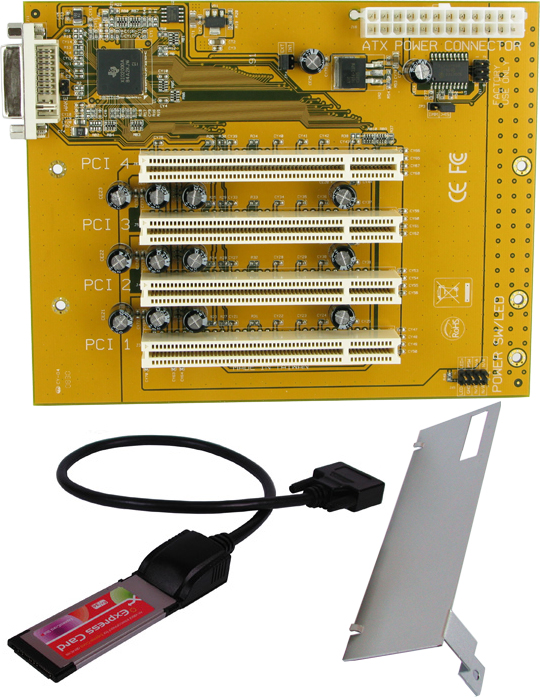
Hey Kerry,
I know we've had this conversation before, but what was the deal again with Analog X's paris midi app? It just controlled the mini mixer via midi? Was that able to be connected to a Mackie Control or anything like that?
From what I remember people saying, it didn't work so well, but I don't remember any details, and don't really know anyone who used it..
I would love to use my dxb to control Paris for mixing..
Cheers,
TCHey everyone. I am glad the forum is still up and running. I'm still using Paris to track and mix. But I recently upgraded and bought a Apple All-In-One machine with 4GB of ram and a Intel Duo Core chip. I got it used for $450.00 and I bought a used Logic pro 9 from a friend for $200.00.
Anyways, my hope is to track in Paris and dump all the tracks into Logic Pro 9. Is there a quick way to dump these tracks into Logic Pro 9? Also the webpage parisfaqs is no longer working to download the pafwavconverter.exe tool. If anyone here has that tool, I may have to use that. Does that tool do batch converting?
I am wondering if I have 16 tracks and I disc bounce them two at a time to 24bit .paf files if I can just convert the resulting tracks using that pafwavconverter into 24 bit wav files? Would I be able to do that? Or does this tool convert 24bit paf files to 16bit wav? I want to keep them in 24bit wav that is why I am asking.
Anyways, sorry for the rambling, but it's related to using Logic Pro and Paris side by side. I am not ready to give up Paris. I imagine I will do all my tracking and punch ins using Paris and then do mix down with Logic because Logic just has great sounding plugins.
So if anyone here knows of the simplest way to work with both of these DAW's side by side let me know. Also if you can point me to the pafwavconverter.exe file I could definitely use that.
Regards,
Johnny
You can certainly use pafwav to do what you need, converting to 24 bit..
I'm working the opposite way of you. I do all my tracking in logic, and mixing in Paris.
I've got the 2 systems synced via MTC so I can automate mixes, and in Logic I've set up an aggregate audio device consisiting of a motu 2408 mkii with a 424 pcie card, and an aes16e with a Lynx aurora 16 connected. Channels are sent to Paris from Logic at unity via the 3 adat banks on the 2408, into 3 Mec adat cards (in 2 mecs).. If I picked up another 2408mkii (which are dirt cheap on ebay) I could do 48 tracks to Paris via lightpipe if I wanted to get really crazy.
Maybe not the simplest way, but it works for me, and I think Paris' strenght is mixing and the sound it imparts, so that's what I want to exploit. This way I'm still using all my plugins and outboard in logic.
Now if I could just use a controller with Paris other than the C16, it would be almost perfect..
| Quote: | Anyways, my hope is to track in Paris and dump all the tracks into Logic Pro 9. Is there a quick way to dump these tracks into Logic Pro 9?
|
Yes, there's a brand new and absoulutely *killer* option to pull that off nowadays. Thanks to the recent hard work of developer Michael Rooney, AATranslator (the $59 standard version will suffice) can now correctly import PARIS OMFs. This means they're finally usable for the purpose they were originally designed for. It's PC only, but it doesn't really need much for resources so I'm guessing you could probably run it in an emulator like Virtual PC instead of having to reboot into a Win OS through BootCamp etc.
After your tracking/overdubbing in PARIS, go to the "File" menu in PARIS and hit "export as OMF" (should only take a few seconds). Open AAT and have it translate the PARIS OMF into OpenTL which Logic should be able to import fine.
All tracks and regions from your PARIS session will now import perfectly, and properly labeled. You don't have to muck about with frame rates either - PARIS OMFs take their timing reference from the number of samples since song start, so all audio regions will land in the sample-accurate positions in which they were tracked without any need for reference to a frame rate (made perfect sense when I first discovered it did it this way - after all, what the heck should a "frame of film" have to do with sending a bunch of audio tracks between two DAWs?).
Better still - as you can see from their site you can use AAT to translate your OMFs to a ton of other formats as well, so you can now send your PARIS tracking sessions out already converted into Reaper, Cubase, Nuendo or a ton of other formats for the convenience of clients, collaborators, mixers or remixers. If you get in the habit of exporting all your PARIS sessions as OMF as soon as you're done, there's a peace-of-mind benefit too - the OMFs make great archival versions of the performances - you won't have to worry about getting completely hosed by PARIS hardware or software failure, or by a corrupted PPJ leaving you with a folder full of unsyncable PAF punch-ins.
There are a few minor quirks - you have to pay slightly closer attention to what you name things in PARIS. This is a PARIS issue, not an AAT bug - PARIS has no problem letting you name, say, an audio region or track with characters that it later chokes on while exporting an OMF (simple alphanumeric characters are fine - things like slashes and periods seem to give it problems). Also your fades or crossfades will have the right positions and lengths but their *type* will default to "linear" - for most situations a trivial irritant.
This app completely changed my PARIS workflow.Oh geez Mike, I totally screwed up, I hit "EDIT" instead of reply (perils of being in permanent "Admin" mode) - could you repost? My bad, I suck...
- K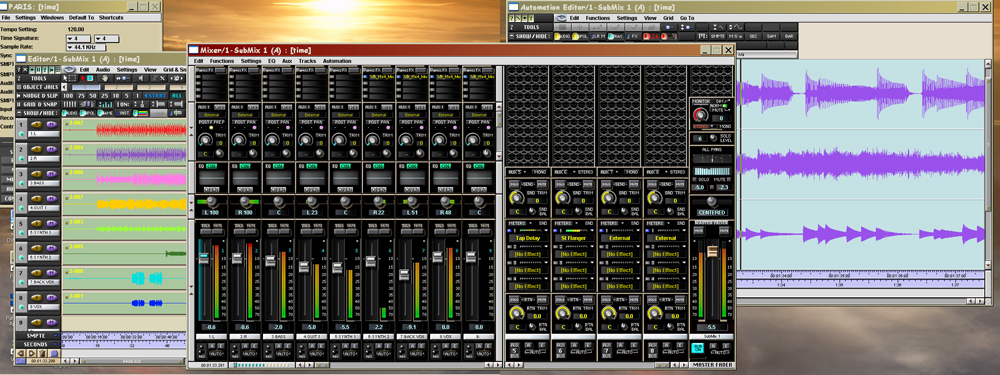 I have seen this topic come up a few times on the internet however I have only come across dead links. Does anyone have a lead or could anyone point me in the direction of some kind of patch or 105/ scherzo that might allow me to run PARIS on XP I have PARIS 2.2. I believe I have a license for 3.0 but have yet to install until I can resolve this to the infinitely more stable XP. Win 98 is simply a drain on my patience. I have seen this topic come up a few times on the internet however I have only come across dead links. Does anyone have a lead or could anyone point me in the direction of some kind of patch or 105/ scherzo that might allow me to run PARIS on XP I have PARIS 2.2. I believe I have a license for 3.0 but have yet to install until I can resolve this to the infinitely more stable XP. Win 98 is simply a drain on my patience.
Thank you,
Andrew Hi Andrew - the Wiki has further info. Try this link on setting up and configuring PARIS with XP.
I'd strongly recommend you buy Mike Audet's multicore drivers as a start, whether you intend to go multicore or not - the cost is trivial compared to the bang for the buck. Mike's drivers come with Mike's active and diligent tech support, and he'll get you up and running quick. They've also killed some of the issues (difficulty in recognizing multiple ADAT cards, for example) that accompanied the freeware XP drivers.I guess this answers my question.
Has anyone use this with success?
http://www.ensoniq.ca/catalog/product_info.php?products_id=4 6{1}1&osCsid=a113b941b74fbfa7bece72482fc5b002That's the ones. I'm using them myself - great work by Mike, an avid PARIS hobbyist, and now professional coder.I may have a local computer store build a new XP (Windows 7 with XP) machine for PARIS. Can someone tell me exactly which Virtuavia product on their web site www.Virtuavia.eu I should purchase? How does the Virtuavia chassis port with the machine?
I have a three card system.
Also, any tips on MB, RAM, video card, power supply, drives, etc. would be appreciated.
Thanks,
Ron
I'm kinda interested too! Maybe instead of upgrading to a new Apple G5 machine w/ a $12K Logic/Apogee system I should just spend $1000 building a smokin' Windows machine so I can use newer plugins and get more performance out of my Paris system. The big question - Can you still build a Paris-worthy PC?
GanttNow there's using you're thinking cap
heheheNo making fun. Remember - I'm a guitar player. I'm lucky I survived the '70's!
Gantt
| dnafe wrote on Tue, 29 June 2010 14:48 | Now there's using you're thinking cap
hehehe
|
| Quote: | The big question - Can you still build a Paris-worthy PC?
|
Yes, and not just Paris-worthy - powerful enough that any other DAW like Reaper is going to fly on it, and (given an ADAT sync compatible audio interface) you'll be able to run them in sync alongside PARIS.
$1000 is a generous budget, too - mine cost $400 two years ago and for plug-in and track count it runs circles around my dual G5 2.0ghz.
Hey Kerry - How's life? Much has happened around here in the last year! We'll have to catch up sometime...
My big concern about switching platforms has been the dozens and dozens (maybe almost hundreds!) of projects I have on Mac formatted drives. I can't work off of them w/ a PC, can I?
Gantt
ganttmann at gmail dot com (in case you have time to do some catching up!)
| kerryg wrote on Wed, 30 June 2010 00:23 | | Quote: | The big question - Can you still build a Paris-worthy PC?
|
Yes, and not just Paris-worthy - powerful enough that any other DAW like Reaper is going to fly on it, and (given an ADAT sync compatible audio interface) you'll be able to run them in sync alongside PARIS.
$1000 is a generous budget, too - mine cost $400 two years ago and for plug-in and track count it runs circles around my dual G5 2.0ghz.
|
I switched this year to a PC with XP on it. 1TB HDD, 6 G RAM, i7 quad core. Runs really well. Just as smooth as my old G3 Beige and G4 Dual 1.25, only way way faster (any file operation - rendering, importing, converting - is blazingly quick). PLUS I can run UAD2 Duo, SSL Duende PCIe, and so on...
Highly recommended. Mike Audet will take care of you.
Best
Ted
To answer the original question, though - folks can correct me if I'm wrong but it looks to me like this is the chassis you'll need.
| ganttmann1 wrote on Wed, 30 June 2010 07:27 | Hey Kerry - How's life? Much has happened around here in the last year! We'll have to catch up sometime...
|
Love to! I'll try to drop you an email in my dinner break.
| Quote: | My big concern about switching platforms has been the dozens and dozens (maybe almost hundreds!) of projects I have on Mac formatted drives. I can't work off of them w/ a PC, can I?
|
PARIS has always been pretty much fully cross-platform in that sense, so if you install a utility like MacDrive or similar on your PC, your Mac drives should just show up and you'll be able to copy them over and open them directly in the PC version of PARIS. You'll have complaints about any missing VST plugins you used, of course, there's really no avoiding that. But on the plus side there are so many cool plugins on the PC side it's not even funny - you'll find equivalents of everything you have on Mac, and most likely improvements on them. Some of the freeware stuff out there is *really* good too.
Copying is probably a much better idea than trying to play them back directly off the Mac formatted drive though, it just diminishes the amount of complexity in the situation. I'd recommend you get one or two large and fast extra drives and copy your back catalog onto them - in other words retain the older original drives untouched as archives rather than working from them directly. $100 buys you terabyte drives nowadays - that'll store over ten Maxtor 80 gig drives worth of archived projects, or 200 DVDs, or well over a thousand data CDs worth of backups. Today's computers have really brought PARIS into its own.
As a side note - back "in the day", copying PAFs from one drive to another (thus "de-interleaving" their intentionally interleaved format) meant that the copied files would play back somewhat less efficiently than the originals; the performance "hit" could be noticeable. But the power of today's computers makes that consideration now completely irrelevant.
- KerryHey Kerry,
Did you build your computer yourself?
Gantt
| kerryg wrote on Wed, 30 June 2010 18:56 | To answer the original question, though - folks can correct me if I'm wrong but it looks to me like this is the chassis you'll need.
|
No, I built the first one myself and the PCI slots died during the move-in. So I just got on Craigslist and found something that spec'd out the way I wanted it - Mike's drivers have made PARIS much less of a picky-britches about which mobo/bios/flavor of RAM/physical orientation vis magnetic north/obscure voodoo rituals it likes.Can i mix/sum my channels external in some paris config????I now got 2x eds1000 + 2xmec + 2x a8in
3x aut + if2.
I'd love to have a setup so i can record stuff on seperate tracks.
I'd love to hook up some external fx.
And rout the channels into a summing mixer i have.
So, what should I be looking for? Would anything here work? -
http://www.tigerdirect.com/applications/Category/category_tl c.asp?CatId=6&name=Desktop-PCs
Or something like this? -
http://washingtondc.craigslist.org/nva/sys/1820621424.html
Sorry for so many questions! I'm a poor uneducated Mac guy! PLUS I'm a guitar player and I'm damned lucky to have survived the '70's!
Gantt
| kerryg wrote on Wed, 30 June 2010 20:36 | No, I built the first one myself and the PCI slots died during the move-in. So I just got on Craigslist and found something that spec'd out the way I wanted it - Mike's drivers have made PARIS much less of a picky-britches about which mobo/bios/flavor of RAM/physical orientation vis magnetic north/obscure voodoo rituals it likes.
|
Also - is 4 the max number of PCI slots you can or should have in the main computer case?
| ganttmann1 wrote on Fri, 02 July 2010 10:33 | So, what should I be looking for? Would anything here work? -
http://www.tigerdirect.com/applications/Category/category_tl c.asp?CatId=6&name=Desktop-PCs
Or something like this? -
http://washingtondc.craigslist.org/nva/sys/1820621424.html
Sorry for so many questions! I'm a poor uneducated Mac guy! PLUS I'm a guitar player and I'm damned lucky to have survived the '70's!
Gantt
| kerryg wrote on Wed, 30 June 2010 20:36 | No, I built the first one myself and the PCI slots died during the move-in. So I just got on Craigslist and found something that spec'd out the way I wanted it - Mike's drivers have made PARIS much less of a picky-britches about which mobo/bios/flavor of RAM/physical orientation vis magnetic north/obscure voodoo rituals it likes.
|
|
I run 2 MECs w/ 16-in and 8-out on each. I have a Mackie 1402 that I use to some the outputs of MEC 1 and MEC 2 when necessary but I seldom do so. I usually give the players the same mix as I listen to in the CR which uses only the main out from MEC 1. I also have a Lexicon PCM 91 reverb which I drive with a parallel ocnnect from MECs 1 and 2. The digital out of the PCM 91 returns to the digi in of MEC 1. I seldom run other outboard but when I do I just use analog I/O from the MECs.
HOpe this helps!
Gantt
| mono wrote on Fri, 02 July 2010 04:44 | Can i mix/sum my channels external in some paris config????
|
Thanks for the reply.
I wonder how you configure the patchbay?
Could you perhaps post a screenshot off it?
So i guess you got the channels going into the mackie.
And the mackie's mainmix is routed to?I send my main mix outs (NOT CR outs, which "hear" solo tracks) to MEC 1 outs 3 & 4 => Mackie line in =>. Aux bus 1-2 is routed to "external", then in PB those outs go to MEC 1 outs 5 & 6. MEC 2 outs 1 & 2 are paralleled with those thru my "real" patchbay to the inputs of my PCM 91which returns digitally to the MEC 1 Master module's digi inputs. Mix out of the Mackie goes to my Coleman Audio TB-4 (inserts talkback and controls routing) => my cue amp inputs => headphone distribution.
THere is also a way to create headphone mixes using aux sends that are unaffected by mixer changes but I rarely do that.
Does that make sense? I'm not in the studio so I can't make screenshots...
Gantt
| mono wrote on Fri, 02 July 2010 13:01 | Thanks for the reply.
I wonder how you configure the patchbay?
Could you perhaps post a screenshot off it?
So i guess you got the channels going into the mackie.
And the mackie's mainmix is routed to?
|
Ooooh, I like that Craigslist one - that'll kill as an upgrade from the Macs! $300? Are you kidding me? Perfect! Just check to be sure it has enough old-style PCI slots first, that's the only ones the EDS card will fit in. Of course, that's moot if you get a VirtuaVia chassis. And if you're going multicard, make sure it has a good solid power supply with lots of jam as well - PARIS will work very poorly when underpowered, if at all. I'd say 400 minimum, preferably 500 or over, and a good reputable name brand (post his response here, someone will probably know).
[here's another one you might want to ask about mobo and PSU]
Dunno about the max number of old-school PCI slots, I know there were ones with 6 and I suspect there might be ones with 8 but I really can't say for sure. But I'd reckon you'd be better going with a Virtuavia or Magma chassis rather than getting yourself into a situation where you have lots of slots but not enough IRQs to make PARIS run well on them.
It's the way of the future anyway - no sense in buying an older mobo from a greatly-limited selection just to have enough obsolete PCI slots, when a chassis makes that moot anyway.Those ought to get you started, I'll have a look when I have a bit more time...Hey Folks,
I'm starting to do more guitar reamping and loving it.
I started by going from an out card / aux to the amp and it seems to work fine. Is this a no no? Or should I get a signal coverter
like this;
http://pro-audio.musiciansfriend.com/product/Radial-Engineer ing-ProRMP-Studio-ReAmper-Passive-ReAmping-Direct-Box?sku=15 3933
TIA,
LanceHeya Lance - it's not really a no-no in the same way it's not really a no-no to plug your guitar or keyboard into a PARIS "in". It won't fail to work - but it won't sound as good as it would if you used a DI or preamp.
The following is "as far as I understand it" - I'm not an electronics whiz, and the more knowledgeable are welcome to chime in with corrections. But as far as I know, a re-amping box is really just a DI in reverse (sometimes with some added features like a gain control). It does a few different things - it converts a balanced signal out of PARIS into an unbalanced signal, it lowers the line-level signal to a lower guitar level, and it changes the impedance to closer to that of a guitar pickup, which is much more compatible with a guitar amp.
From the more practical side, though, I can tell you this for sure - if you like the sound now, I think you're going to like it a *lot* more after getting that Radial (that's a decent one, and the price ain't bad).Thanks for the feedback Kerry. Much appreciated.
LanceI use the X-Amp from Radial. Really good.
http://www.radialeng.com/di-xamp.htm
TedThanks Ted! Ordered one this morning and can't wait to start using it.
Best,
LanceGlad to hear it!
Kerry and anyone else syncing PARIS with Reaper and a 9652 are you also using word clock out to the RME word clock in or do you just need the ADAT sync? Just bought a 9652 and finally going this route so I can get some VSTi work done in Reaper on the road. Kerry since I know you are doing this could you detail your setup as I think I am going for pretty much the exact same thing. PM me if you have time as well.Just ADAT sync, it carries clock info as well. I'll drop you a PM when I have a breather later.
-KWow, almost a year later.
V3-pc win 98 third edition, hehehehe!
I know you guys have done this a lot but if you don't mind, send me a link(s) of the music you have most recently recorded. I haven't really been active on the Paris users since 2000 but I have found my way back.
User since 1996. Still use PARIS everyday, track at least a solid hour of 16 tracks to it 5 days a week, recording live tv shows.
Thanks
I just bought the passive version, the Radial ProRMP. We'll have to post some results when we have a chance.
I went with the passive one because I'd already shot out pretty much the entire series of Radial DIs (including the ToneBone) against a Demeter, an Avalon and a REDDI - the active ones are great but were just a tad "active" sounding (go figure) for what I wanted to achieve as a bassist, and I suspected the same might be true for the re-ampers. But on the other hand an active reamper might be just the ticket for retaining perhaps just a bit more sheen and sparkle in guitars (a lot of us bassists don't really like that stuff on our axes as much ).
Whichever way, it's hard to go wrong - they'll just be slightly different flavors of completely solving any potential technical reamping problems.
- KAll the stuff on the Music page was done in Paris...
Enjoy!
Mike
http://www.kingcakeband.com/www.sandboxproductions.com
most stuff is from last year or before as we just moved over the winter. In the middle of a new project for another Romanian artist right now though.
Matt BarberYes -
I actually wanted a bit more "drive" out of it. I was worried about things losing life with all the routing, impedance issues and AD/DA. You're right though, anything from them will be really good.
Too bad Radial doesn't distribute Demeter any more.
TSo far, I like the gain knob on the box.
I don't notice any coloration compared to "active pickups" etc.
I'm a big fan of transparent sounding passive bass and the P90s
in my Gibson es330.Thanks for this info. It was very informative. I do not have the v3.0 of Paris which has this export option. I am running Paris on WinXP, but I don't believe it is v3.0 which has the export as OMF option. I will check tonight when I get into the studio. If the version I am running on WinXP does not have this option, then how difficult is it to export all my recordings using an ADAT lightpipe from Paris to Logic 9? I just bought the MOTU Mk2 which has an ADAT lightpipe input. I assume I can hook this directly to my Paris ADAT I/O module and send 8 tracks out of PARIS at a time into Logic 9?
Or am I not able to do that? And will the 24 bit 48khz recording in paris stay at 24 bit 48khz in Logic 9 if I export 8 tracks at a time this way?
Johnny
Great response! Thanks for the info Kerry!
I am running Paris on WinXP but I believe its not the final v3.0 which has this additional feature. i think i have v2.2 with a driver upgrade that gave me access to winxp. So i do not believe I have the option to export as OMF files.
How about if I want to send 8 tracks out at a time into an ADAT lightpipe? I bought the MOTU Mk2 for my Apple Logic 9 System, and it has an ADAT Light Pipe. I also have a Mec Module on Paris with ADAT I/O card. Can I send ADAT output from Paris to Input on the MOTU Mk2 and will that allow me to retain 24bit 48khz files? I assume I will only be able to send 8 tracks at a time this way. Is this another solution? Would I need to use a time code link or just use lightpipe only?
Johnny
You should have no problem sending via lightpipe that way. The Motu 2408 MKII can do up to 24 channels of adat at a time, so the limitation for simultaneous tracks just depends on how many adat cards and mecs you have.
If you are doing multiple passes with a single card, you'll probably want to sync the two systems up via mtc..
That's a different can of worms, as you might need some specific hardware to get tight sync between the two. My experience is limited to the Unitor 8 with Logic (usb), and previously the Opcode studio64 XTC (mine was serial port) with Paris/WinXP synced to other systems (pro tools etc). (The opcode was great back in the day, as I think it also had an adat sync port on it that you could use with the mec adat cards..)
Trying to get tight sync with logic and Paris with standard midi interfaces (without a master mtc gen) is sometimes a crapshoot (which has more to do with logic I think..)Happy belated birthday you old fart.
takes one to know one. so what have you been up to you old cowpoker?
email meDo you know if the MOTU mk2 has a MTC option on it? What kind of cable do I buy to sync the Ensoniq Paris MEC module with the MOTU Mk2 ?
Johnny
So, should there be a separate drive for the audio files, or is that not a consideration anymore? My original Win98 PARIS computer actually has a "boot" or drive for the OS, and two audio drives. Also, how does one know the rating of the power supply. The listings at TigerDirect, for example, do not specify...Kerry....finally got my 9 pin cable and have everything set like I think it should be but not getting reaper to start when pressing play in PARIS. How are you monitoring both Reaper and PARIS when playing back or do you always route back in to PARIS...a stereo pair??...individual tracks?? What about on mixdown? Starting to catch up with the times and not being in Nashville anymore I am starting to use VST's more...especially for drums and just trying to find the easiest work flow now. Assuming you're running two different computers do you have Reaper's audio card set to ASIO positioning protocol (or some such name)...that's what works with my Dakota cardNo...on one computer and the RME Hammerfall DSP window shows ADAT sync and the time code follows PARIS fine just cant get Reaper to start. The transport play button is on sync to ASIO, is green, and says syncronizing...but that is it. Also...anyone know if ACID PRO 7.0 will sync to it as well. Are you on Mac or PC with the RME card? Apple seriously dropped the ball on this, ADAT sync only works on PC (or when being received by MOTU software with MOTU hardware).Still mulling the idea of updating (getting a new) computer for PARIS. Is a separate audio drive still the best way to go?
Thanks,
RonPC - dual core opteron 180Hey Ron - I don't know but I'd guess it still is a good idea on a number of levels.Think I got it working although not sure if it is the most accurate way...
On PARIS midi settings set PARIS midi in and out to MTC and then set sync input in Reaper to MTC PARIS midi in or all midi in instead of ASIO positioning protocol and now it starts and seems to follow PARIS. Should the ASIO be the one that I am using though or am I now doing it correctly using the MTC selection in Reaper?The ASIO Positioning Protocol one is the most accurate, but MTC can be surprisingly accurate too as long as you use a dedicated MIDI cable just for sync (ie don't pass a bunch of MIDI or sysex info down that cable at the same time - MIDI is a serial protocol so that could "burp" your timecode).
But the ADAT sync should just work, so there must be something wrong somewhere. Here are some screencaps of my own settings:
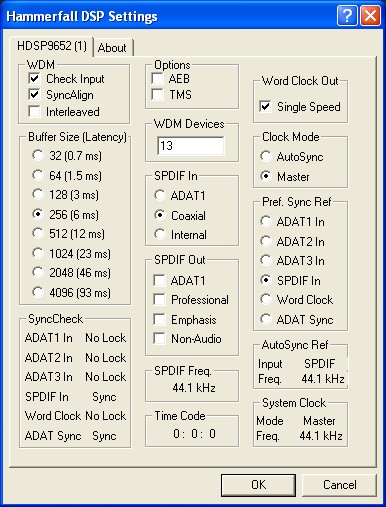

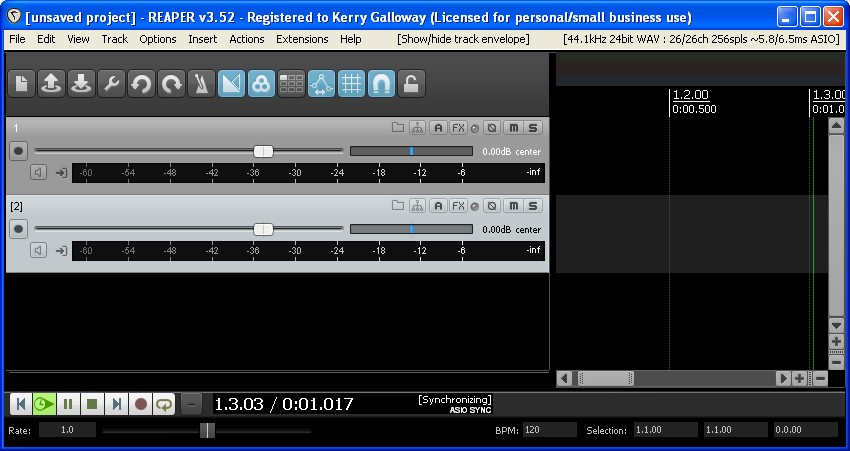
Okay...now a bit more confused. I have no midi cable hooked up??? It looks like you are using SPDIF? I have no SPDIF going into the 9652 only the ADAT sync cable. What is the 9 pin ADAT sync cable for? I already have a Big Ben Master Clock going to my 4 MEC's so for clock mode I checked Auto Sync. and the Pref. Sync to ADAT sync instead of SPIDF.Well the MIDI seems a bit choppy this morning. Started up PARIS again watching the DSP card setting and it is sending sync info through the ADAT cable for sure as the Auto Sync Ref and System clock change from 48kHz going through the loading and then to 44.1 to match my master clock. ADAT sync shows sync and the Time Code moves in time with PARIS. Reaper set to ASIO shows synchronizing but does not start ever. ASIO issue???Tried also going straight out of the Big Ben into the RME w/c in and it also shows a good sync and time code but still nothing in Reaper set to ASIOGOT IT.... REAPER Audio settings was not set to the Hammerfall ASIO...still showed Wave Out using the outputs of the 9652.
Okay...also did I not even need an ADAT sync cable??? Was that just passing the sync from my Big Ben? So is it better to keep using a word clock cable form the Big Ben directly into the RME card and not even use the 9 pin ADAT sync cable?
Excellent! No, you definitely need the ADAT sync cable, nothing else transmits the stream of data needed for APP. But it should be a breeze from now on.
If you don't have AATranslator, it's pretty close to a must-have now - I haven't verified this rigorously but it seems that AATranslator's translations of exported PARIS OMFs match the placement of ADAT sync with sample accuracy, unsurprisingly since both reference from the internal sample clock rather than something as crude as frames per second. So now in addition to being able to fly stuff back and forth between Reaper and PARIS via ADAT sync, you can also either export PARIS OMFs and convert them to a host of other DAW formats or go the other way and use AATranslator to open the Reaper session to do the same. True sync bliss.
Glad you got it sorted!
- K
Yeah..I unplugged the ADAT cable leaving word clock checked and figured that one out...no worky. I did get AATranslator awhile ago and only tried it with a couple of songs and they never finished exporting. Will have to look through the list of things to watch for that you posted and try again some time. And now I realize after messing with the RME's mixer I need a second card and then have virtually any mix and match of inputs and outputs to all MEC's...especially for headphone mixes. Yes, I realized that quickly during the process too - "I must have more gear, stat!" .
Next up, a master clock. As you might see from my setup, the RME is actually in "master" clock mode supplying word clock out to feed the MECs. Simultaneously, its ADAT sync in supplies positional sync from PARIS to Reaper (the C16 controls the transport). PARIS' functionality is so cool and the buy-in so and expansion so cheap that it makes total sense once again. My latency through PARIS' ins and looped into Reaper via SP/DIF is ridiculously low (I've never noticed any) so tracking to either DAW is now a breeze.
By the way, if you had a chance and felt like writing up the steps to pull this off while it's fresh in your memory, I'd be happy to format it into a Wiki entry for the next person along.
- KSeemed fairly straight forward once I looked back at....will try to get something to you tomorrow.Okay...
Syncing Reaper to PARIS using a RME 9652.
1. Connect 9 pin male to male cable from PARIS ADAT card to RME card.
2. In Hammerfall DSP settings... Set Clock mode to Auto Sync (note I am using another Master clock so this may differ) Set Pref Sync Ref to ADAT sync. (note: you can also watch this box as PARIS loads to see the ADAT sync taking place and also while playing to watch the time code)
3. In REAPER Preferences under Audio Device make sure that Audio system is set to ASIO and the ASIO driver is set to ASIO Hammerfall DSP (this is what I did not catch at first) Enable your inputs and outputs here as well.
Second...there are a couple ways but if you right click the play button in REAPER go and check "enable sync to timecode" and set "use input" to ASIO Positioning Protocol" Check "start playback ...when stopped" if you desire or make sure the play button is green and says SYNC on it.
Double check that the BPM and time sig in REAPER match PARIS for easier editing...
Now Press Play in PARIS and Reaper should roll with it!
Kerry if I missed anything please go ahead and ask or edit as needed.
Matt
www.sandboxproductions.comHey kids!
Trying to get my Paris system flying again. Gotta have multiple EDS cards, but those Virtua Via chassis all seem to involve PCIe. I got a dually Pentium 3 with PCI slots, anything out there for me? Or should I bite the bullet and buy another new motherboard?
Glad to see things are still going here.
JimmyThat's great stuff, Matt, really concise. It's up on the Wiki now, I added some additional notes too.
How's it working - nice and crisp? I haven't really played with the parameters much, it seemed to lock with PARIS nicely out of the box. I have the RME streaming back into PARIS via two channels of the lightpipe so I monitor through a pair of channel strips using the Brian Tankersley "monitor regardless of monitor mode" trick - have you got that set up yet?
It's quite a mind-bending setup to get one's head around - I have the RME as the word clock master and the positional sync slave, I'm also routing the ADAT digital back into PARIS, and then I have also have my Demeter and one mic pre "normalled" in the PARIS patchbay - in through one input of PARIS and back out of the SP/DIF out - to stream that audio straight into the SP/DIF in of the RME and thus into Reaper. Sounds complicated with all those digital streams looped back and forth; works flawlessly, nary a click or pop.Re: AATranslator and this:
| Quote: | I did get AATranslator awhile ago and only tried it with a couple of songs and they never finished exporting. Will have to look through the list of things to watch for that you posted and try again some time.
|
- here, I'll save you some time. 99% likely you either have 1) a corrupted audio file in that PARIS session (just try an export from a different session) or 2) an illegal character like a slash or a period in a file name, segment name, or track name (or you have segments that you've named and PARIS has inserted the illegal "slash" character as a separator).
Quick fixes to try:
a) check the audio files in your song's Audio Bin just have either numbers or letters in their names - no characters like "." or "/". Do the same for your audio segments. Try exporting again - if that doesn't fix it,
b) go into your audio bin and right click each segment (not file) so its name turns red, and delete the segment's name (this seems to stifle PARIS' urge to stick an apparently illegal "/" in to separate the names of file and segment). Try exporting again - if it still doesn't complete,
c) suspect a corrupted audio segment - you can use the steps in the Wiki to track down and fix the corruption. Mike and I have talked about a drag-and-drop utility to fix our apparently all-too-easily corrupted PAFs, don't know whether that's made its way up the priority list yet.
The other 1% alternative is of course that you've discovered a problem we've missed, but try those first. Since I discovered those fixes and started getting vigilant about names I've not had a single failed export, and I must have done at least forty by now, some very large and complex. The newer versions of AATranslator are literally about fifty times faster than the old ones and large sessions that once took 45 minutes take under a minute, or sadly, "no longer quite long enough to make it to the coffee machine".
By the way - don't do it from the "Crop Circles" or "See It My Way" demos, do it from one of your own sessions. It's not entirely outside the realm of possibility that the demos themselves might have had problems that were pressed into the CD they came on - mine failed repeatedly and I eventually tracked it down to corrupted audio.Heya Jimmy - I don't know, I'm pretty sure the VirtuaVia chassis was intended from the git-go as a PCI to PCIe adapter with "benefits", so there may not be a PCI version. So upgrading the mobo would be the only solution. If you don't want to go that way, you could hunt eBay for a used Magma, you should be able to get a used PCI version for a good price - I know little about Magma chassis but maybe someone else here could comment on whether any of these are good candidates.
With Win7 drivers in working beta though, this might be the time to bite the bullet and take the upgrade plunge. This is the first time in a long time we've not had our choices constrained to a narrow range of increasingly obsolete hardware - I'm thinking of going for an upgrade this year too, dual-boot to start.Kerry!
Thanks, dude.
I guess I'll try to get my current setup working, get me a big 24" monitor, tweak XP so I no longer get streaming errors, wait for Win7, then buy a new mboard and fly.
These streaming errors are weird, I don't know how to get rid of them. I've tried several things, it didn't used to be a problem for me. Maybe I didn't get Mike's last most bestest drivers? Are you on Mike's retail drivers, or still on the beta drivers? Give Mike an email, he'll sort you out.
I misspoke on the Win7 drivers, by the way - a conversation with Mike earlier sorted me out. The shots we've seen of PARIS running on Win7 are not actually of PARIS running Win7 drivers - they're PARIS running on Win7 using the XP drivers, and apparently they're working quite well. Go figure! But still you'll want to hedge your bets and dual boot with XP for the moment.Mike hasn't replied. I'll just go ahead and download his retail drivers, make the XP tweaks, see how it goes.Mike has a Very Large And All-Consuming Life Event going on this week which I'm sure he'll come by and tell us about in time, so give him a little time to reply .
But yeah, the XP drivers are a no-brainer, I'd just grab 'em - they're solid, and Mike's the kind of guy who'll sit with you on the phone and wrestle with a balky computer with you until it's fixed.Howdy Kerry, et al:
1. Where the heck is Deej? And Chcuk and Tom, and all the rest of the gang?
2. How many folks are still using Paris in the USA? Worldwide?
3. How do Mike's plugins sound compared to Lexicon and Eventide and Kurzweil? I've got a Rumour and a Mangler SPDIF'd into Paris.
4. If I'm going to get me a new motherboard/CPU/RAM setup, what's the best source of info on that sort of thing these days? The best setup I ever had was sourced from the RME website, man that machine was a granite rock of solidity.
Thanks for your kind indulgence. I was about to jump ship, but I'm gonna give this little engine another big push before I finally go native.
JimmyJust purchased Mike's drivers over on his website, but am not being given access to the downloads. Says I don't have permission, even though I'm logged in and paid-in-full. Ideas?
JimmyNever mind. Mike to the rescue.Hi Jimmy,
Great to hear from you! I really miss the paris community, STRESSS on community.
My blog - youchill.com
My facebook 'band page' -
http://www.facebook.com/#!/pages/Chuck-Duffy/131206383585665
If you comment on either site we will be back in contact lickety split
So anyway - with all due respect and thanks to Kerry for setting this thing up - I don't participate much because the forum is not conversational and I can't figure the most basic things out - for example how to view the threads with recent activity (in context).
Maybe someday - someone will provide me with a rubric and I will have a duh moment
ChuckWow, i've been away for a couple of years. So glad to see the community alive and well.
I have created click tracks for years (as suggested in the many FAQs and tutorials I've dnld from Paris newsgroups) and it has always worked just fine.
However, for some reason the grid lines are never visible and when I paste multiples I get 64th notes. Minor time divisions is not turned on and I'm at 4|4 120bpm just to test.
Anybody have any ideas? I really don't want to uninstall and reinstall if I don't have to.
I appreciate any suggestions
thanks
Huh. That's really weird.
This is probably a dumb question, but just to be sure - you've gone down to the very bottom of the Edit Window to the bars and beats ruler and clicked the darkened rectangle at its far left end in order to have that ruler contribute its bars and beats to the grid, right?Hey Chuck, welcome back! Deej was by recently to wish Rick a Happy Birthday too.
Ah, freeware. This software (FUDForum) and vBulletin were the only forum packages on the market that could import NNTP messages - really the core criteria that Kim and I had discussed (phpBB claimed to do it, but it didn't). vBulletin was expensive, this was free - the choice was made .
It's actually excellent software, the security is miles ahead of phpBB (every phpBB forum I put up was overrun by spammers within weeks). But there are less templates and plugins available as starting points for customization than there would have been with VBulletin.
I have neither the php skills nor the budget for much "under the hood" stuff besides the cosmetic, but send me a link to a forum that behaves the way you expect. If I can get clear in my head what you're looking for, I'll take a look at what I can do about configuration on this end.Hey-hey,
how about uprgading win 98 to win 2000 because of the USB support?
Does 2000 support Paris or do I have to install Mikes drivers?
Thanks a lot,
Micha
Have any presets been posted and I missed them or? Thanks!!I've got a seemingly solid rig now: 2 EDS cards, 2 C16, 1 MEC with 2 input cards and 1 output card, synced digitally via SPDIF to a Kurzweil Mangler and Rumour via wordclock from a Lucid GenX6-96.
Mike's release drivers and the stock ParisWiki config tweaks seem to have done the trick.
WinXP, SP 3
Pentium 4 dual 3 GHz
1 gig RAM
2 x 7,200RPM drives
20" Dell monitor
Loving it.Nary a one yet posted. Time to revive this initiative - presets can be the make-or-break for plugins like the Big Reverb.
I can't say, I've never used PARIS on the PC on anything but XP. Anyone got any insights?
Any reason not to just go XP? PARIS is running beautifully there now.Just in cas you weren't aware, Mike Audet has produced a metronome for loading on a channel insert.
I used to record and "paste multiple" for clicks all the time, but now I just use this.
If you need a visual click for editing drums, perc etc later, you can always bounce the project with the insert running.
Here's the link to his site.
http://www.ensoniq.ca/metronome.html
TedKerry...just another thank you for your efforts and the time you spend on this.OK, now I feel like a royal asshole
Anyway...
I'm not suggesting you change the forum or alter anything to suit me. Obviously millions of people all over the world use this open source forum software to communicate on a daily basis.
I was being honest in asking for a rubric.
For example - when I go to the 'Main' forum - the threads/topics don't appear to be sorted by the 'Last Message' column. Clicking on a column header (Replies/Views/Last Message) doesn't appear to change sort orders as I would anticipate, but hey that's just me and what I'm accustomed to.
I commonly use this kind of sortation function to view by threads with the latest activity, or threads with the most views, or threads with the most replies, etc.
So - anyway -- I played with the forum for a bit tonight and realized that the 'message navigator' gives me everything I need in a clean, uncluttered, sorted user interface.
My comment about it not being 'conversational' related to the fact that I could never relate who was replying to who on a given topic as the presentation was flat. The combination of the 'Tree View' option and the 'message navigator' completes the picture. The conversational aspect is also enhanced by the fact that I receive an email for each reply to a topic I have participated in.
I also read into the fact that there has been a dramatic fall-off in conversational topics from the old paris folks. I ASSummed that they were probably having the same problems I was in participating.
So anyway - with all that said....
I think that you/we/us/me/whoever should start an open facebook fan page for paris. Children can understand the interface for conversation and exchanging /links/photos/music/video and chatting. I can't begin to tell you how much I miss interacting with the old crew on a daily basis - and I'm not talking about music.
Chuck
Thanks Kerry and Ted.
Kerry, that was it. You nailed it.
I can't believe I forgot about that!!
Ted, while I was having problems with the click. I did find & purchase the HEARTBEAT plug-in that Mike made. I had a problem downloading the file; but, Mike took care of me this a.m. So, I'm anxious to try it out tomorrow. too sleepy now.
Thanks so much for the help!
Excellent, glad to hear it! Just making sure this works. I'm syncing my Paris system via Lucid wordclock, wanted to hook a 2nd MEC (or 442) to the 2nd EDS card so I can get some more SPDIF in/outs.
The ParisWIKI seems to indicated it works fine, anybody doing this?Can do, 100%.
The setup: obtain enough wordclock cables (you'll only need two) of equal length, each equivalent to the longest cable run you anticipate needing (since you don't want WC cables of mismatched length), and a WC terminator. Daisy chain the MECs from first to last and put the terminator on the last one, then feed the first from your WC source via the remaining cable, switch PARIS into "UseHouseSync=1"and you're good to go.
Never had the slightest problem here, the most time-consuming part was crawling behind the gear to plug the cables in.Cool! Should I worry about setting things to 48 kHz instead 41.4 in the Paris default project?
And it's best to daisy-chain, not run separate lines from the Lucid to each Paris interface?
Also, the reason I'm doing this is so I can get a Firewire or USB interface for my iMac and use that as a virtual instrument box for Rhodes, Mellotron, old synth sounds, piano, etc.
If I get a soundcard with SPDIF in/out, will the VI and the soundcard on the iMac sync up to the Paris/Lucid clock via SPDIF? That way I'd have less latency from the iMac into Paris....
Thanks, Kerry.I have my Default Project.PPJ set to 44.1 - never noticed any sort of problem. Maybe Mike's drivers fixed it? Daisy-chaining the MECs seems to be the way to go. The iMac will sync digitally via SP/DIF - all you'll need is a way to provide the iMac positional sync from PARIS as well, such as via MTC (not bad at all if you use one dedicated MIDI cable just for sync and put your MIDI performances on another cable - and - as Mike discovered - if you use 25FPS).I'm not sure what positional sync is, but it doesn't seem to be an issue with my Kurzweil Rumour and Mangler, which sync just fine via MIDI. Am I missing something?erm... the PC is an old lady and would be not so happy with the heavy XP on her back Hmmm... good excuse for a new one, maybe?
- KI know a couple of guys that used to use it heavily on Windows ME so I would think 2000 should work fine.Is there still the latency problem with the UAD-1 and Paris?| David L wrote on Sat, 10 October 2009 17:00 | Anyone seen this yet?
http://www.aatranslator.com.au/
It was created to translate Adobe Audition project files to other formats, but the developers have in effect created a very cool utility that can convert project files between PT5, Reaper, Cubase, Nuendo, and many more. Since Reaper can now read PAF files, if the AA Translator were to include a PARIS translation, it could be possible to transfer a PARIS project over to Reaper.
|
Currently it will read OMF files created by Paris and convert them to Reaper. The OMF facility is normally $99 but due to a deal negotiated by Kerry Galloway the standard $59 version will read and translate Paris OMFs.
At this stage very few Paris users have taken up this offer so it is unlikely that we will extend this offer past the end of the year.
Our resources are extremely limited and the work is difficult and so understandably we need to allocate these resources where we can get the greatest return.
Things change but at this point its unlikely that we would be looking at the Paris native format in the near future.
But yes it is a very "cool utility" OK. I've been Mac dude all my adult computer life. But I've learned a bit about navigating Windows in the last year and I'm now looking for a PC to run Paris on. Kerry has very kindly been advising me - well, looking at my idiotic emails and making suggestions and comments. So I know I need PCI slots, which are not as common on PC's as I'd'a thought. 3 seems to be the max I'm seeing but I have a Magma 13 slot expansion chassis so I'm not too stressed about that. What advantage is a dual processor PC for Paris? I found this on craigslist:
MS Windows XP Pro
Pentium 4
1.0 GB RAM Single Channel DDR @ 200MHz
Motherboard is a ASUS P5GPL-X (LGA 775)
Graphics card is a Syncmaster X1300
2 hard drives - Both are Western Digital one is 160GB the other is 400GB
Dual disc drives
$220 w/ keyboard and a 17" LCD monitor. I'm using a 1.25 gHz G4 and I want to see a significant increase in performance. What should I be looking for? What should I be avoiding? When comparing motherboards are there things other than the number of PCI slots to be aware of?
I feel so stupid!
Thanks,
GanttNormally when I read someone is moving to the dark side they're moving over to PT. Glad to hear it's only a PC
yes...somewhere in the 1000-4000 samples depending on the plugin
I just use sampleslide to determine the latency then pump the numbers into Faderworks and Bob's your Uncle, no latency. The only drag is editing with that much compensation is totally inaccurate
http://cgi.ebay.ca/010636-001-COMPAQ-RISER-CARD-PCI-EXTENDER -3-PCI-SLOTS-/250533936643?cmd=ViewItem&pt=LH_DefaultDom ain_2&hash=item3a54fc7e03
Regards,
DimitriosHeh - I think pretty much all the most important history got skipped over when this thread from last October was revived. Here are more current threads with much more info for those interested in this now-fully-realized development - 1), 2), 3), 4), 5) and 6).
Folks - meet Runaway, aka Michael Rooney, who brought you the insanely cool functionality in AATranslator that allows you to translate your PARIS OMFs into a host of other formats.
I'm a licensee, I know there are others, and for those of you reading this that aren't yet licensees I'd once again strongly urge you to support this extremely PARIS-friendly development.
Heartily endorsed here - runs rock solid and never had a single issue once out of beta. Michael's app is your ticket to far greater interoperability than you've ever seen before (including translating your PARIS session into ProTools!)Interesting, never seen one of those before. How would that work physically with the cables that connect the EDS cards to the MECs? And the height of PARIS cards - looks like they'd be laying on their sides blocking the slots below the riser, could that be a concern?You could use a simple one slot pci extender cable and maybe to move the cards towards the back of the case ?
Regards,
DimitriosYup. The OTHER Dark Side.Wish I could help, but I'm not a computer guy, either. I wish someone here would write a detailed description of exactly what a custom PARIS XP computer should include. I still don't get the Virtuavia thing: it says on the Virtuavia website that you must buy an ATX box with a power supply. But one of their products seems to come with its own box/power supply.
But to be honest, part of my hesitancy to jump in and upgrade PARIS is a temptation to go with Logic and iMac. If I stay with PARIS, I'll have to buy an up-to-date sequencing app like Sonar XP, install a separate audio card for that, so that I can use Melodyne with that app when I want to do audio to midi conversion. It's tempting to just go with a current product, so that I have truly integrated midi, and no external chassis issues...
Then I think about how much I dig the PARIS vibe, and that beautiful gui, and all the cash I've sunk into this DAW...
Sorry I hijacked the thread!
RonFound this:
COMPUTER PC:
INTEL CORE2 - 3.2GHZ, 850GB 2 Hard Drive, 4GB DDR2 PC-6400 , WINDOWS7-64BITS,
700 Watt Power Supply with 12mm fan
Here is detail of this customized PC Core2 Specifications:
Operating System: Microsoft Windows 7-64bits
Motherboard Chipset: ASUS P5QL features ExpressGATE Intel P43/G45 Express Chipset
Processor: Intel Pentium Core 2 Processor
Processor Speed: 3.2 GHZ
Comes loaded w/ Windows 7. Can any PC be "down-graded" to Windows XP? This one looks like a beast if it can! 3 PCI slots and lots of extra stuff.Thanks for the detailed breakdown, Gantt. This type of information helps.
RonHi ROn,
I'm not putting this out as a suggestion but as a question! I don't know what will work either, but I'm bound and determined to find out.
Gantt
| RonA wrote on Sat, 07 August 2010 20:28 | Thanks for the detailed breakdown, Gantt. This type of information helps.
Ron
|
Ok, anyone who saw the title of this post and thought I had a new DAW needs to get their head checked.
Isabelle Claire Audet was born early Thursday morning, and Erin and I couldn't be happier. Both baby and Mom are well, though Erin and I are very tired!
I just wanted to share the good baby news.
As for PARIS news, I started working on a proper installer for the drivers, and then got side tracked. If anyone is having any issues with the 1.02 version, just send me an email, and I'll forward the latest builds. A lot of work has gone into them over the past 6 months or so, and they are ultra solid.
I hope this post finds everyone well.
Mike

WoooHOOOO, congratulations! Was wondering how late she was going to be - man, she's a cutie - look at those wide eyes!
Here - you'll be wanting to print these out and set them aside, you'll be needing them before you know it
- KCongratulations Mike and more importantly congrats to your wife...you guys done good.
Now back to work
hehehe
Congrats Mike. She is an absolute doll...Awesome! Gonna finally get started on that ourselves sometimes soon, me and the wifely....
Kerry, that list is hilarious. And the best thing is, there are Russian girls looking for me! I never knew.Beautiful girl ! Zan McLeodI have two adat mec cards. I have been using one to run 8 channels from an A\D preamp strip. So, I have the BNC cable coming out of the mec and into the 8 channel strip and I have the optical cable running from the the 8 channel strip to the adat card in the mec. This is how I have been tracking. Now, I would like to essentially add 8 more channels with the same method, but obviously, there is only one BNC cable coming off the mec. So, my question is how do I sync the second adat\8 channel pre strip unit?
Right now, if I plug in the optical cable, I do get audio, but there are pops and clicks that I am assuming are the result of nothing coming from the mec to sync the digital pre.
I know I have heard of folks running this kind of setup, so any help would be appreciated. Thanks.
-Philhi everyone. i'm brand new to this site- but a long-time lover/user of PARIS! it's a great blessing to me, to find this great site! it even LOOKS like a paris project! HOW COOL!!!---
for MY money, PARIS IS JUST ABSOLUTELY THE BEST!, even with all the problems caused by discontinuation of the product, such as lack of further development, and problems that never had a chance to get solved, because of discontinuation, and etc.--- sounds so beautiful and right, looks so beautiful, and a real pleasure to work with- so many things work just right, and are so very pleasing to the human soul, despite some of its other problems---
it never made any sense to me: because paris didn't sell in large enough quantity to keep the product going, it was discontinued- but then everybody scrambled to put together a paris-like system! i guess a lot of folks just didn't realize what paris was, and how great a product--- no seperate-component endeavor i know of, even to this day, put together, anywhere near equals a paris system! anyway--- just some of my thoughts and feelings about THAT--- sure wish (as probably most of you do too), somebody filthy rich would come along and revive production of paris! but GREAT appreciation very much due to folks like mike audet! we all owe mike, and a few others like him, a GREAT debt of gratitude, for carrying on, as best as can be---
i'm presently sort of in a quandry with my computer. i've searched this site upon the subject of paris and windows 7, but i only get bits and pieces about the subject, and nothing very clear or definitive--- so straight up, let me ask- will paris work under windows 7 or not? and if it will, do i need any special drivers to make it work, or need to do any other special thing? i'm running a 32 bit machine. i've read that windows 7 has something called an xp mode. do you have to run paris in xp mode, or will it just straight up run in win.7 mode?, and will i need any drivers for the 32 bit version? paris runs EXCELLENTLY on xp- which i've been doing for a few years now- but i find myself maybe having to upgrade to windows 7- but before i do, i, of course, need to know about paris on win7! does it run even BETTER than on xp? worse? about the same? ANY INFO AT ALL, concerning the subject of paris and windows 7, will be most welcomed and appreciated---
thanks so much---
yours most sincerely,
harry e
Way to go! Congrats to you all.
Ted
Hmm, you need to feed *some* sort of digital clock to that second 8-pre. Does it have any sort of digital *in* besides BNC/WC? Maybe SP/DIF or optical?
What unit is it, if you can give me a make and model we can see what we can figure out.| harry e wrote on Tue, 10 August 2010 11:16 | hi everyone. i'm brand new to this site- but a long-time lover/user of PARIS! it's a great blessing to me, to find this great site! it even LOOKS like a paris project! HOW COOL!!!---
|
Welcome aboard, Harry! I took the liberty of moving this post into "Main" where more folks will see it.
| Quote: | for MY money, PARIS IS JUST ABSOLUTELY THE BEST!, even with all the problems caused by discontinuation of the product, such as lack of further development, and problems that never had a chance to get solved, because of discontinuation, and etc.--- sounds so beautiful and right, looks so beautiful, and a real pleasure to work with- so many things work just right, and are so very pleasing to the human soul, despite some of its other problems---
|
It does just *sound right*, doesn't it? Sounds like music to me.
| Quote: | sure wish (as probably most of you do too), somebody filthy rich would come along and revive production of paris! but GREAT appreciation very much due to folks like mike audet! we all owe mike, and a few others like him, a GREAT debt of gratitude, for carrying on, as best as can be---
|
We don't have any rich benefactors that I know of - but yeah, Mike's a gem, and best of all he's a stone PARIS user who's in it for the long haul.
| Quote: | ... i'm presently sort of in a quandry with my computer. i've searched this site upon the subject of paris and windows 7, but i only get bits and pieces about the subject, and nothing very clear or definitive--- so straight up, let me ask- will paris work under windows 7 or not? and if it will, do i need any special drivers to make it work, or need to do any other special thing?
|
Please take all of this as beta and speculative, but my own understanding is yes, apparently it will. I see you've found the Win7 thread over in "Projects" - my understanding from talking to Mike is that's PARIS running under Win7 using Mike's XP drivers (Mike's also put a fair bit of work into actual Win7 drivers, but I don't think they're at beta yet).
I recommend everyone to buy Mike's drivers, both from the POV of the importance of supporting our developers and for the value they bring in terms of myriad bugs squashed, ongoing tech support and cool developments around the corner. It's the best $50 you'll ever spend on PARIS.
If you also want to get involved in "bleeding edge" work being one of the earlier folks running (and undoubtedly testing) PARIS on Win7, I'd recommend you contact him directly about the ins and outs of running PARIS under Win7.
Once again - welcome to the forums, Harry! Great to see another PARIS user on board!
[By the way, browse around, there are a ton of new developments in the last year or two - great new skins, new *ways* of skinning PARIS, a plugin for the Reaper DAW to let it read and work directly with PAF files and a program called AATranslator whose developer has taught it how to *correctly* read PARIS OMFs and translate them into a ton of formats, including formats readable by Nuendo, Logic and ProTools...]hi kerry!-
thanks so much for your reply- and for moving my message into ''main''--- I thought I had done that--- guess i'll get better at using your site, as I go along--- and thanks so very much for creating, developing, and maintaining this most wonderful and helpful site. hardly need to state the very obvious: how much poorer and lost all us paris aficionados would be without it!
yes- I see, some VERY interesting things have taken place, since the last time I knew of a workable online paris usergroup--- i'll seriously have to check them all out!
looks like you're a bass player? what axe is that you're playing? i'd be very interested to know what mics and equipment you run through, when recording---
all my best---
and thanks for welcoming me aboard---
as always, with all sincerity,
harry eCongrats Mike on the addition to your family!Congrats !!!!
Regards,
DimitriosIT is a cheap Behringer ada8000. I see BNC on the back, along with the optical in and out.
Any advice? I also have a FP10 firepod with spdif and 1394 on the back of it, but haven't ever tried to use it with paris.
-Philcongrats to you! That is great news. All the best to mother and child.
-PhilSince you've got both optical output and input on the ADA8000, you can use the ADAT out signal from PARIS to sync it (you don't have to intend to send it any audio from PARIS to do this).
Connect the ADA8000 both ways to your PARIS ADAT card with two ADAT cables, and set the SYNC switch on the ADA8000 to ADAT - that should get rid of the clicks and pops, they'll be slaved to PARIS' clock via the ADAT signal. You can do that with both of the pres for that matter until you decide to get a dedicated word clock.Heya Harry - that's a 1990s Japanese Squier Jazz Bass (a JV s/n) that I owned for a while that I put Sadowsky pickups in; it sounded great.
I currently have a pretty schizophrenic range of "big ticket" and "cheap and cheerful/nails one thing perfectly" basses.
- 6-string Roscoe SKB
- 5-string Nordy VJ5
- 6-string Cort Curbow "frankenbass" (I've pulled the frets and am upgrading the electronics)
- Mexi-Fender P
- Peavey MidiBase
- Danelectro Shorthorn
- TBC AP400| uptown jimmy wrote on Mon, 09 August 2010 19:42 | ...the best thing is, there are Russian girls looking for me! I never knew...
|
Dude - that is like so weird - they're looking for me too!
I wonder if its the same ones? Thanks a ton. That is a huge help. Ever notice that you always need some kind of cord? No matter how many optical, XLR, TRS, BNC, bla bla bla I buy, I always need either one more or something totally new!
Can you recommend a word clock for the future??I'm pretty green at that stuff myself - I know HOSA made a word clock generator with three or so outputs that retailed for about $80 and I didn't hear any complaints about it, so if you're not so much looking to upgrade your clock but just want to have one sync source that isn't PARIS that would be a cheap way to go (you might have to shop used though, I think they're discontinued). Clocks go up in price from there - wayy up - so maybe some folks with more experience with the effects of superior clocks will chime in.congrats, what a cutie.
now back to work. Yea Mike! Congrats mike...enjoy the blessing-JHHey everybody
Is it just the same ole blank space holders that come with the MEC? or is it like the 8 in card that has a functioning faceplate with LEDs?
in the process of acquiring one and I'm slightly confused having never actually seen one...or even a photo of one.
thanks in advance
pi believe it's blank...and no, i don't believe in the easter bunny...well, not entirely.
rickOK, thanks for the info...
but, now I have doubts about the Easter Bunny.Howdy.
Got the 442 installed per Kerry's instructions, everything syncs properly.Got a Kurzweil Rumour synced via SPDIF to the MEC on card 1, got a Kurzweil Mangler via SPDIF to the 442 on card 2. Everything works flawlessly, except:
I'm not getting any digital signal to/from the Mangler on the 442. I think I have the settings correct, the physical and virtual patching correct. Got the Mangler set to the same settings as the Rumour except that the Mangler is set to 20 bit because it's attached to the 442, which is 20 bit.
Any ideas? Am I missing some weird Paris quirk?
Jimmycongratsto date this is the most modern windows 7 / xp rig that works for paris
http://kerrygalloway.com/ParisForums/index.php?t=msg&th= 14979&start=0&
"Dual Six-Core Opteron 2.2GHz
Supermicro H8DA8-2 mobo
8GB RAM
Promise SuperTrak EX8650 8 channel RAID
Two Firewire800 cards
Two Acer touchscreens
UAD2-Quad
TC Powercore 6000
VirtuaVia expansion chassis with 4 EDS-1000 cards, 2 MECs
RME Fireface 800
Native KORE 2
Novation Remote Zero SL
ESI M8U XL MIDI Interface
Win Xp Pro 32 bit
Win 7 64 bit
Cubase 5
Native Komplete 5, Komplete 6"
thanks to hungaristan i'm going to build my rig like this.
he has to run xp to run paris but once the win 7 drivers are done that rig will be ready for those new drivers!any pics of ure paris rig ?
Unfortunately, it probably moves too fast to photograph I think I figured it out: you can only use the interface on one EDS card at a time, right? Whichever card is assigned "A" in the master mixer is the one you can send receive signals on, and you can never send/receive on more than one card at a time, right?
I never ran into this before, as I never had an interface on more than one card before.Howdy. I was planning on using a 442 on my 2nd EDS card so as to save rack space, but then I started thinking about the 20 bit converters vs the 24 bit converters on my spare MEC.
What is the practical difference, if any? Am I really compromising my signal so much with the 442 if I record vocals through it? Am I better off plugging in the 2nd MEC?
Also, if I decide to record to card 2 via the attached 442, do I need to physically re-patch my monitor system so that it's connected to the 442, and not the MEC on the 1st card?
This is all kinda confusing to me.| kerryg wrote on Sun, 15 August 2010 21:44 | Unfortunately, it probably moves too fast to photograph
|
Very wrong. The beast is over 45 kg, I hardly could lift it up to put it on the table during the installation. Whales are not known for their speed.
It's not gonna be too easy to take pictures of it, though, because it's in the studio rack cabinet, where it won't be easy to make its inside visible, but I'll do my best.
Just one serious thought on speed: I've never seen the CPU load to go higher than 30-40% during normal operation of my audio system, but it seems that it will take some time for the developers to efficiently make use of these multicore systems. E.g. I often get VST peaks with some NI VST instruments (10-12 instances in total), while the system CPU load is still around 30%, which is somewhat disappointing.
I tell you, it sure is fun talking with myself across the vast reaches of the interwebs.
I think maybe I have a bad cable, whatever kind it is that connects the EDS to the 442/MEC. Going to try a replacement cable.
Just wanted to let Jimmy know. Sorry Jimmy, been going flat out here - I even had a response written and lost it to a crash. You should definitely be able to use both at once, if my memory isn't completely out to lunch.
A quick check just to eliminate one possibility: have you got the MEC and the 442 connected via word clock cable? They have to be wordclocked together to work.
Also - have you re-patched their cables between cards (ie if MEC is on Card A and 442 is Card B, switch the MEC to Card B and the 442 to Card A)? I believe there was some talk of problems someone had discovered with interfaces not passing audio unless they were connected to the second to last card in the system or something - sorry that's vague, I'll see what I can dig up on that.
edited to add: I just found this in the Notes - don't know if it's true, but worth trying:
| Quote: | Note: If you are using the S/PDIF digital inputs on an IF-442 or IF-MEC to listen to the output of a digital effects processor,
you need to set the Project Window's Sync Source parameter to "Digital".
|
I can't speak for the 442's I/O but I've honestly never noticed any significant difference in quality between the MEC's 20-bit converters and the 24-bit converters on the 8in card myself.
A lot of investigation has been done by a lot of talented folks, and it seems to have been pretty firmly established that the "mojo" that happens in PARIS is a function of the internal mixing/summing/gain staging processes going on in the PSCL. I'm not saying bit depth isn't important, but IMO aspects like those do appear to have a more profound impact on the sound than the convertors or the number of bits being passed at them.Everything is clocked perfectly. Utter lock, all units. That makes sense, I guess, as the MEC and 442 are receiving wordclock sync data via BNC cable. But the FX boxes sync up as well, via SPDIF, and only the one on card 1 passes any signal.
But then the 442 on card 2 is not passing ANY audio, digital or analog. I tried to record some keys into it last night, just to see. The MEC on card 1 still works perfectly, analog and digital.
Are you saying that which PCI slot a card/interface is plugged into can make it not work? I don't quite understand. OK, this thread here is the one that's making me think "hmmm..." in your case.
First off, what is the master clock in your system - PARIS or something else? If it's something else, what is it, word clock or other?
Do you have the word clock going *out* of whichever interface (MEC or 442) is plugged into Card A into the one that's plugged into Card B, or is it the other way around?
Stick with analog connections to the 442 while you're troubleshooting this - it will eliminate one variable. If we can solve the basic issue of passing *any* signal through both interfaces at once it should be easy enough to get the SP/DIF to fall into line after that.
This thread here has some wonderful info about the peculiarities and "how to's" of the 442 courtesy of Deej.
| Quote: | I had the same problem running three MECs and a 442. Losing the 442 in favor of another MEC solved the problem... probably because Paris likes to see a clock signal on all interfaces when it boots, at least with mine, this seemed to be the case. The 442 is not able to see a clock signal until after it initializes which is during bootup so it's not syncing at the same time as the other devices.
|
If reading that thread ever makes you consider getting a second MEC to replace the 442, there's a PARIS user who just contacted me about selling one a couple of days ago, they cost peanuts nowadays.Heya Chuck, no worries! I certainly didn't take that amiss at all, I'm quite serious in saying I'd be happy to tweak the forum for usability if you or anyone else has suggestions. I'm glad you've found a way to present the threads that makes more sense. My next project (on which I've been procrastinating like a mofo) is to finish a working system database now the new drivers have opened things up.
I think a Facebook page would be a great idea - if you build it I'll link it at the top, and we'll get a sticky up to make sure everyone that stops in here knows about it.
I hadn't wanted to leak anything about Mike Audet's most important development project before he did, but now everyone can see why things have been a bit quiet for the last little while Hey Jimmy -
| Quote: | 2. How many folks are still using Paris in the USA? Worldwide?
|
We arrived at a pretty solid estimate of 400-500 worldwide the last time we looked at this a year or two back.
| Quote: | 3. How do Mike's plugins sound compared to Lexicon and Eventide and Kurzweil? I've got a Rumour and a Mangler SPDIF'd into Paris.
|
They sound really, really good. They're actually the DP/4 and DP/Pro algorithms ported over to PARIS (the DPs use the same processor the EDS cards do), so it's like having those units internally, and using PARIS' convertors and signal path to play them through.Hi Guys.Sorry if I have missed this info somewhere as I have done a search,but for the first time,my drum submix will not update with the fx working (reverbs).I have saved as a different project,created a new folder & set a new record path but to no avail.Any help.I have never had this prob before.Thanks.Bluellewbut i DO believe in the original easter mouse. unfortunately, said mouse had very large ears and backed tail first into a cotton ball and thusly was mistaken for a rabbit and...well i think you can extrapolate the rest from there.That's very strange, the submix should contain exactly what it hears at its outputs. Do you have any advanced patching - like physically patching out of one submix into another via the "External" plugin? I'd guess that would kill those reverbs as non-related submixes mute during the render process. Check and see if any of the sixteen channels or eight auxes on that submix have "external" plugins involved in their routing.I've seen lots of mammals in my life and the only thing that ever came out of them that remotely resembles chocolate eggs makes me quite suspicious of that whole scenario.Just a quick update.
We are currently working on conversions from PT versions 5.1 to 8.04.
We now have no problem reading these files and are presently working on conversions to all the formats that we support.Hi Kerry,I will check that tonight but I am not using any ext plugins or devices.The only thing different since I have been doing a bit in the studio is I have installed Mike's set of reverbs to my list.I don't think there would be a conflict there.I opened V2.0 & tried ren submix & all was fine.It also doesn't play the audio while rendering sometimes.... just silence.I am thinking it could be a problem with the harddrive & I will defrag when I get a chance.Thanks for the help & will report back.I'll keep thinking and see what I come up with, but if you come across the solution post it here and we'll get it up on the Wiki - one more oddity documented for the aid of future seekers .Wait - you can read ProTools 8 files now???Yes right up to v8.04 - we won't have a release available with this functionality just yet (lots more work to do) but the hardest part is done.
Hey Folks,
I'm helping a new client with his home studio / synth setup.
He's on PC Windows 7 and would like to get new midi software program. I'm happy with my trusty but rusty Master Tracks pro but there is no win 7 version.
I'm also looking for an interface recommendation.
Something with a lot of outs.
Any help is greatly appreciated.
TIA,
LanceHey Lance - what style of music does he do? DAWs are getting pretty sophisticated in general nowadays, but I still find some better suited to some styles and workflows.
Just as a side note, to distinguish between concepts - "midi" and "sequencing" software are now getting pretty distinct from each other. Some sequencing software like Reason doesn't even output midi any more - it just takes midi input and channels it to its internal virtual instruments, but you can't send that sequence to your external synths. As you know, many people have moved away from that kind of external midi production entirely, preferring internal virtual instruments for the myriad advantages they bring. So I'll lump all of that kind of production together.
- Reason is killer for sequenced production, but I've never found it quite as killer for its overall sonics (which I've bypassed by stemming out Reason tracks and mixing them in PARIS). Some of my electronic music students have loved that "Reason sound", though - they say it's perfect for that style. It's a great sketchpad, great if you're intending to render or stem your tracks out. This can be done easily by Rewiring them to another DAW and rendering all tracks individually in one pass. It has no provision for recording audio alongside the midi without hooking it up to another DAW. As mentioned, it's not really set up to integrate external synths, but there are unbelievable amounts of sounds out there for it, and it delivers that at a ridiculously efficient hit on your processor - I was doing full productions on a beige G3.
- Ableton Live is a monster for modern loop-based production. The non-standard GUI for midi takes some getting used to but it can be worth the investment learning. The internal instruments are pretty cool, not as broad a selection as Reason but extremely good.
- Reaper is my own choice; the midi side has historically been somewhat less sophisticated than some of the other contenders, but there have been dozens of updates on the midi side recently, it's coming along quickly. There are so many other things to love about it that it quite tips the balance. Reaper plus Reason is killer bang for the buck.
Can't speak to Nuendo or Cubase, I've used them on occasion in studios but I don't own them. I know they're very popular choices, they just don't attract me.Thanks so much for the info Kerry.
The guy definitely wants to do midi sequenceing.
I've been messing around with Reaper 3.05, but I didn't see a way to control midi volume on playback.
Did miss I something?, or did they add it?
Is the evaluation copy still free?
Thanks so much for your help. Most product web pages are a lot to navigate to find a few simple features.
TTYS,
Lance
I see now. On the Reaper site $60 for the discounted license.
Well worth it, and the guy isn't looking for a freebie as long as it's what he needs / gets the job done.Just in case the Reaper site didn't make it explicit, the downloadable version is the full version - there's no difference between it and the full retail version, it's not feature-crippled or save disabled.
It's non-expiring honor-system shareware with 30 days to try before you buy; if your friend takes 40 days to make up his mind rather than 30 it's not a big deal, nothing bad happens. Oddly enough this business model seems to be flourishing - or maybe it's not so very odd that people respond to honorable business practices by being honorable.Reaper definitely has MIDI volume control via CC lanes, I've used that. If the question is whether the faders in the track window control midi volume, I think they don't directly, I think they control the audio volume of the track (ie the output of the VSTi).
In Reaper it's easy to add extra control knobs to any track - say, put a midi volume control knob on any virtual instrument track. You open the track's FX window via its FX button, click and hold on "parameters", navigate to FX Parameters>Show In Track Panel>Volume and release. A volume knob appears in your track window for volume (of course that also applies to any other parameter you want to have quick access to as well).Congrats on your beautiful baby girl!
Cheers
Kris
I actually installed Win2K on several machines and PARIS ran fine, I just used the XP driver. I don't know if the driver has been updated since then. I did this back when the PARIS XP driver was relatively new. I think it was in 2002.
I think you will be fine.....it actually worked VERY well, even better than I have been able to get PARIS to work on a newer XP machine running on an intel Core Duo.
Cheers.
-BradleyIf no one else has ever encountered this I just did for the first time in 10 years doing some new patchbay routing setups....
If you have spdif coming in and connected to a pair of mixer inputs and actually have no spdif connected I keep getting the PARIS must now close box on project close. I have spdif coming in as a stereo pair and just set my patchbay up so each of the four cards has the spdif from the MEC (have one for each card) patched to 15/16 on the cards mixer. Found out that if I leave those patches set up but have no actual spdif cable connected I get this every time I go to close a project. So....seems like you can only have patches connected in the patch bay where the spdif cable is actually connected. Just an FYI that I have not seen before if anyone else might ever come across this.
Matt
www.sandboxproductions.comMy 2 cents......
I would look for a used Lucid GENx6-96, or a GENx96
These clocks are really quite good, and you can get them used for around $300.00 for a GENx6-96 and $250 for a GENx96 (sometimes less). Since PARIS doesn't go any higher than 48K (which is plenty in my opinion), then you don't need to get one of the newer clocks that go up to 192 and beyond (192 is just plain nuts, unless you are doing video, and even then I think 24 bit 48K is super)
The GENx6-96 has 6 wordclock outputs and even has super wordclock for older ProTools setups.
The GENx96 doesn't have the super wordclock (unless you have an older MixPlus or Mix24 ProTools system then the GENx96 will be fine).
I think Lucid makes darn near as good of a clock as the Apogee Big Ben. No matter how you slice it, they are great bang for the buck.
I'm sure many would argue, but I like a good argument from time to time.
Hope this helps......by the way, don't forget to look into setting up your Paris.cfg file. There should be a text line in the file that says.........
UseHouseSync=1
This config file will probably already say equals zero instead of equals one, but some versions don't have the line at all and you have to add it (just as it reads above). You can edit the file with a text editor, but you might have to right click on the file and use the open with command if you have never opened that type of file before. Use Notepad for Windows and TextEdit for Mac.
Cheers.
-Bradley
great to hear that, I´ll try it out
MichaHey guys.
Need to a little in-the-box mastering at home for demo purposes. Would probably need all-in-one solutions for the iMac, as my mastering skills are nil and starting from scratch in Paris is not the best option.
Any suggestions?
JimmyI'm not a Mac user but T-racks or Ozone work great on the PC and may be avail on Mac also. T-racks is really easy to use...OS 9.2.2 Mac dual 867
DSP Quattro
http://www.i3net.it/dspquattro/asp/homepage.asp
Wave Editor
http://www.audiofile-engineering.com/waveeditor/
Peak is a standby. Waveburner is included with Logic. Studio One Pro includes a Mastering component.
Ted
I leave the mastering to the pros...they have the tools and the knowledge to use them properly - I don'tThanks to all. Got the extra optical cable and I am all set. Works like a charm.
Thanks.Hey, me again with cable drama. Is the EDS to MEC cable just a standard cable? I am thinking I really do not need to have 6 foot cable stretching the 12 inches from my expansion chassis to the MEC in the rack directly above it.
Normal SCSI? Do I need to worry about any particular pin configuration?
Thanks,
PhilYep, that's a standard SCSI cable, no special configuration that I know of. They seem to be getting a little trickier to find nowadays so if you find a place that has them at a good price, let us know.What is the number of pins? I am seeing tons of cables on ebay with all different pins and stuff.
-PhilI think - but do not know for certain - that it's a standard fifty-conductor SCSI-2 cable with a HD50 end. Anyone else know for sure? You can compare your ends here:
http://www.ramelectronics.net/scsi_connectors.ep
Shop around. There are some very, very optimistic sorts out there hoping to sell them for anywhere up to $100. The actual price you'll find should be more like $8 - $25 depending on quality. Hi everyone, here is a copy of what I posted over on the PlanetZ Pulsar forum:
------------------------------------
Hi everyone, thanks for looking, here is my setup:
Paris system / proprietary HW with ADAT card (master)
Cubase SX3 using PULSAR II (slave)
Both apps installed in i7 PC , XP pro SP3
Have Cubase set to "ASIO Position Protocol"
Lightpipe send/return connected to Paris and Pulsar
ADAT 9pin sync cable connected to Paris and Pulsar
Problem:
When I hit play in Paris app, Cubase playback starts but after 2-3 seconds jumps forward a little then 3-4 seconds later jumps back a bit and eventually seems to settle in place after 20 secs or so but not consistent sample accurate by a long shot.
I have tried tweeking the sync setings in Cubase but still have prob.
Any help I could get would be greatly appreciated.
Thanks
Roby
---------------------------------
Is anyone here using or have used PulsarII sync to Paris reliably, did you experience this funky behavior?
I am about 24hours away from picking up an RME 9654, this should work rite?
Thanks
RobWhat's an HDSP 9654? A quick search of RME's site doesn't show them. I have a 9652 myself and its sync with PARIS is rock solid. I'm pretty sure Dimitrios had the Pulsar rocking with PARIS, maybe he'll chime in.typo
Sorry, my bad, that's 9652.
The 9654 is the one that comes bundled with Paris 4.0...!!!
CheersI would like to install Drumagog 4 but need a wrapper that runs on Win98 does anyone have a copy of the Spin wrapper or can suggest another?
Hi Phil, why win98, Mike's XP drivers are amazing.
Cheers
RobI have considered it but need to get drummagog running for this project. Whats Senderella? Is that a wrapper??I have FXpansion's wrapper which I can send you (pm me your email addy)
Senderella is more along the lines of Chuck's - Line in / Line out except it will allow you to send audio across subgroups.
You should also check out FFX-4 by VB its freeware and allows you to insert four plug ins per native insert slot...a handy thing to have if you're gonna use Senderella or Faderworks
http://www.remixsoft.com/plugins/vb-rack-ffx16/ (second item)
Also check out Faderworks - a nice little app that provides delay compensation for Paris
I'm pretty green on the external clock deal but here it goes.
I will be getting an RME 9652 HDSP soon that will be installed in the same i7 box as my 3 card Paris sys.
Can/should I use the RME as master clock out to my 2 MECs? Would I gain anything sonically?
Can I still use Paris as the transport master while slaving Reaper via ADAT 9pin sync?
Thanks
Cheers
RobExcellent card - you'll be pretty happy with that RME.
You can use the WC out of the RME to clock the MECs, that's what I do. I don't know if I gained anything sonically, but I certainly gained financially since I saved myself the price of a WC generator for the time being - I certainly haven't lost anything sonically. Just set your RME to be sync "master" and PARIS to use house sync. I terminated the WC on the second MEC to be on the safe side, you can pick up a terminator at any local electronic supplier.
As to the second, absolutely - using the C16 to drive the whole thing works great. PARIS has to be the master sync anyway - the ADAT sync on PARIS is one way only, "out".
Dunno how long you've been using Reaper now - but if you haven't seen these already, there are both general and PARIS-specific goodies to be had for free.
General:
The SWS extensions are a "must have"
This thread is a great resource for the "best of" skins.
This skin is extremely cool.
PARIS-specific:
Xenakios' libsndfile wrapper lets you use PARIS PAFs directly in Reaper without conversion. This combined with Reaper's batch file processing and it's a PARIS "Swiss Army Knife" (and Reaper's ability to write "PARIS-friendly" WAVs makes the batch converter "StripWav" on uber-mega-steroids).
This script I wrote is a partial workaround for PARIS' lack of support for timestamping. Still a beta (and it will probably stay that way, since I use AATranslator for things like that now) but easily modified to your own needs without need for coding ability.Hi there. Thought I'd pass this info on - Reaper license fees normally entitle you to two full versions of the Reaper software. For example, if you bought your license at version 3.0, your license entitles you to all upgrades up to 4.99 free. Because of Reaper's incredible responsiveness to user feedback, this can be expected to amount to scores of upgrades, sometimes mere days apart.
Since version 4.0 is now on the radar screen (looks to be due by the end of this year) Cockos has announced that they're lowering the "up to 4.99" license price to $40 for a discounted license (or $150 for a non-discounted one) in consideration.
Since Reaper (which runs on both PC and OSX) provides workarounds to a host of PARIS issues, it makes a killer companion DAW for PARIS. It runs completely happily beside PARIS on the same computer, and:
- supports reading fresh-out-of-PARIS PAFs directly
- can be easily set to write PARIS-friendly WAVs (ie without the BWF headers that confuse PARIS) by default
- has a sophisticated batch convertor (making it a global "PARIS convertor" - sort of "StripWav on steroids")
- works like a charm slaved sample-accurately to PARIS via ADAT sync
- and is completely scriptable so you can "gang" favorite functions together into sophisticated chains of actions, which makes it amazing for things like batch preparation of timestamped BWFs for sample accurate import into PARIS.
It's a ridiculous bargain at $60 and even more of one at $40. Hope this is useful info for someone.Wow Kerry, you rock brother...!! Thanks so much for all the info.
Yes, I just jumped into Reaper and man, I'm completely blown away by it, way solid and very intuitive I find. All I have done so far has been slaving it to Paris , then using it as a VSTi host/midi sequencer and bussing 12 tracks back to Paris via adat, its working great.
How does Reaper fit into your Paris setup, midi only, audio mixdown, editor...etc?
I have been using my Pulsar Core II card, its OK but buggy I find, its not a "turn it on and make music" card, there always seems to be something you gotta di*k with to get her goin and by then, well the idea is kinda stale.
I've been hearing great things about the 9652 and I'm sure it will be a great addition to my Paris/Reaper setup.
I may have a few more config Qs for you when I get her setup, hopefully before too long.
Cheers
Rob
PS:Another big thumbs up for all your efforts keeping our "Paris Home Base" up and running Kerry, very appreciated.I'm encountering this error while working with virtual submixes:
"Error recalculating submix - the file already exists". Does anyone know how to get rid of this? Would be nice if it told me what file it was referring to. It's getting frustrating...
Cheers
KrisRob,
Did you get the PCI or PCI-E version of the 9652?
I'm curious about the workflow too....
Cheers
KrisSometimes PARIS gets confused about the audio files used to represent its virtual submixes.
- hit "A" to call up the Audio Bin and delete all submix files (they're the "greyed out" files)
- make a new folder
- go back into PARIS and change your record path to that folder
- save your song
- hit "recalculate all submixes"
- (if you have multiple virtual submixes) grab a coffee.Thanks Kerry. I'll give that a shot.
The virtual submixes are getting frustrating. I'm considering doing the RME + Reaper thing for tracks that exceed my EDS track resources.
Cheers
KrisVirtual submixes are a PITA. Might be a dandy time for another EDS card, they can be had for little over $100. Great "bang for the buck" upgrade.I'm at 3 of them already, and don't have space for a 4th. Not looking to get into expansion chassis....
Cheers
KrisWorkflow varies between projects - really depends on what I'm up to. I'll mix and match portions of workflows too.
PARIS is "always on" here, acting as my studio's main mixer.
- for straightahead audio-only sessions: record into PARIS, mix in PARIS; nice and simple - the traditional stronghold of PARIS "it just works".
- for virtual-instrument-only productions: Reaper, flowing through PARIS for monitoring only (not sync'd).
- for mostly audio/some virtual instruments: record on PARIS with Reaper sync'd up and flowing its added tracks through PARIS via ADAT
- for overdubbing single instruments on existing Reaper sessions: track through PARIS' convertors into Reaper, using PARIS like a big mixer for monitoring and routing. I have MEC A's SP/DIF physically hardwired to the RME's SP/DIF specifically for this so I get the same ultra-low latency of PARIS' digital throughput (1 sample) but I don't have to mess with my ADAT routing in the middle of a session (plus SP/DIF is 24 bits as opposed to the ADAT's 20, although I honestly can't hear any difference). To track, I go into the patchbay and take whichever cable in MEC MODULES A represents the particular PARIS hardware input I want to use (I have different preamps normalled to different hardware inputs on my 8i cards) and drag it directly to MEC MASTER A's SP/DIF OUT L (L/R if I'm tracking something stereo). No muss, no fuss, and I monitor my input via PARIS.
- for sessions started in PARIS that I later decide I want to edit in Reaper, I export them as OMFs, open them in AATranslator, turn them into Reaper songs (RPP) and either open them directly or "insert" that whole RPP into another one.
- for sessions started in Reaper that I want to mix in PARIS, I can export "PARIS-friendly" WAVs [Project Settings > uncheck write BWF ("bext") chunk and hit save as default project settings] or just route the tracks live to PARIS on up to 24 separate ADAT channels.
Unbelievable range of options now. Also I now automatically export OMFs of all PARIS sessions at the end of the process nowadays; great safety precaution - if the rig ever goes down, AATranslator will allow me to open those.Hey Kriss, I got the PCI version, $250 off Gearslutz.
Hey Kerry
I've never used OMF so I was wondering what's the advantage of converting things to OMF then using AAtranslator to create Reaper songs vs just exporting wav files and starting fresh?
Are the Paris project and settings transferred as well...if so I'm definitely going to check this out
I feel a "stupid head" moment coming but here it goes anyway...!!
I want to to feed two inputs (one on each of my MECs) from one channel out of my ISA428 preamp (TRS), can I do this safely? This is known as Multing, correct?
Thanks
RobYup, you should be able to do this with a Y-cable, or a multing point on a patch bay. Sometimes you need to watch out for impedance when you do this (like when connecting old 600 Ohm gear), but with a modern output like the ISA428, and the MEC inputs there should be no problems.
Cheers
Kris| mani1147 wrote on Thu, 16 September 2010 15:20 | Hey Kris, I got the PCI version, $250 off Gearslutz.
|
Great price. Does it fit easily into your Mobo? Are you still running a 3 EDS card config on the Gigabyte mobo? I forget the model, but I think it's the same one I have.
I'm *this* close to searching Gearslutz for one (and another Adat card)....
Cheers
KRisHeya Don. Basically OMF exports all visible tracks and all the regions they contain, in all Edit Windows, for all submixes, along with their associated fades and crossfades, with region and track names intact. You can then choose a destination format from a pretty comprehensive list that allows import into pretty much any other DAW. It doesn't export tracks 17 and 18 (which of course aren't really "tracks" at all) or the contents of "jails", but if you want their contents too you can just make a new submix and drag them into the edit window. It makes no difference whether it's a "card" or "virtual" or "native" submix.
The only hiccup remaining is IMO pretty minimal - all your fades or crossfades will be in the right places but they'll default to "linear". This may or may not be an issue for you (it isn't for me, but if it were critical I've figured out a not-too-taxing workaround). I use PARIS OMF via AAT pretty regularly and I've yet to see a failure beyond that.
At one time it was supposed by many that PARIS probably exported OMFs with perhaps, say, subframe accuracy. During the process of investigation we discovered PARIS exports the positions and lengths of all regions/fades/crossfades in terms of samples elapsed since song start which means they're actually exported with sample accuracy.
Mix information - say automation or EQ and plugin settings - isn't included. In fact PARIS OMF export actually does support track based automation (ie all the pan and automation data from your Automation Editor Window is recognizably exported and has been located) but Michael Rooney from AATranslator is pretty much a one-man shop and he'd need to see some level of interest from the PARIS community (ie licenses bought) to do the gruntwork of translating it too.
One *huge* advantage in this method is that your regions and edits stay intact (I haven't yet checked to see how long the "tails" are on either side of a clip) which means you don't have to commit to your edits like you have to with rendering. Another advantage is that AAT automatically converts everything to WAV as part of the conversion process, so you bypass all that tedious crap about track renders and having to check timings to make sure none have gone wrong - a single mouse click in PARIS and your exporting is done, a couple more in AAT and it's translated and openable straightaway in dozens of other DAWs (I can't think of an important one that's been omitted). And one hidden perk: you can save your OMFs as a disaster backup in case PARIS goes down (you might have to remix a track - but it's a heck of a lot better than starting with a great big folder of PAFs punched in God knows where).
Kris: to me, the RME plus an ADAT card is a big part of the "missing link" that completes PARIS. I can't recommend them highly enough.Perfect, thanks Kris.
Received my 9652, so far so good.
Cheers
Rob | drfrankencopter wrote on Fri, 17 September 2010 10:26 | | mani1147 wrote on Thu, 16 September 2010 15:20 | Hey Kris, I got the PCI version, $250 off Gearslutz.
|
Great price. Does it fit easily into your Mobo? Are you still running a 3 EDS card config on the Gigabyte mobo? I forget the model, but I think it's the same one I have.
I'm *this* close to searching Gearslutz for one (and another Adat card)....
Cheers
KRis
|
Hey Kriss, yea the RME fit nicely in the same spot as the Pulsar was in and I had the Pulsar sync card as well so that spot is now taken by the RME wordclock board. Then I have the 3 EDS cards, PCIe video and PCIe to PCI converter with a UAD-1 card so the old GIGABYTE GA-P55-UD3L is pretty full-up.
Cheers
Rob
Can you use a UAD1 with Reaper? Don't know much about it.yep, and from what I'm hearing Reaper is a great DAW to run UAD cards on - they've spent a lot of time om tweaking compatibility.Thanks Kerry
Have you tired going the other way...Reaper into Paris and if so what format OMF? Wav? etc
edited to add - Will be buying a copy once the studio is up and running next weekHaven't tried anything exotic. AATranslator gives us the ability to read PARIS' OMFs - but it can't (yet) improve PARIS' inability to read other folks'. As things stand the options I'm sure of are the traditional ones:
- render the WAVs out from Reaper and import them into PARIS, or
- patch Reaper tracks to separate ADAT "outs" and bring them across to PARIS' ADAT ins (either leave them "live" while mixing or record them into PARIS - ADAT sync means that multiple passes will be sample accurate).
I haven't seen any reports of PARIS successfully importing OMFs (for that matter it can't even re-import its own accurately). At first glance it'd seem "...and that's that" since a "fix" for the import would require the impossible: patching the PARIS app.
I suspect that it could be a situation like that with OMF Export: the Import function might be basically working but PARIS has implemented the OMF standard (which is a very *loose* standard that everyone interprets differently) in a particular way, perhaps keyed to the OMF "dialect" of whatever DAW they made OMFs from during testing.
So if we could find a single type of OMF that PARIS could read successfully - if we could find out which DAW's OMFs they tested with - that would tell us what PARIS wants to see. That raises the possibility that an app like AATranslator (an upcoming release of AAT will write OMF) could be induced to convert whatever input format you gave it - Digi OMF, OpenTL, Reaper PPJ, whatever - into "PARIS OMF".
Again, lots of "ifs", but it's an intriguing possibility and it would sure make mixing outside sessions easier.I am a little confused on how to load the plugin bundles from Ensoniq. I am running XP dual core cpu and in the paris installation pdf I have refers to toms hardware download that does not exist anymore. Can anyone help me as I want to buy the reverb and compressor bundles but I first need to know that I can load them. Any help would be much appreciated...Ron http://images.tomshardware.com/2004/05/28/getting_more_bang_ out_of_
your_dual_processing_buck/taskassign.zipHeya Ron - those instructions were for the initial XP drivers and early revisions of Mike's new XP drivers. Changes in the drivers have now rendered all that "Tom's Hardware" stuff obsolete. So if you've bought your drivers from Mike, the included install docs should be all you need.
I assume you're talking about Mike's PARIS EDS compressor/reverb plugins? If you buy them from Mike, I know he'd definitely sort you out and make sure they operated fine. But it really should be a straight-ahead process of copying them into the folders specified in the accompanying "read me" and then rebooting PARIS.
(They sound great too.)TRex works for me as a quick tool to get some punch out of the box. Things will pop that you typically, didnt hear and it can enhance if used properly. But why not try using the stereo compressor in the master mix. It can add some breath to your mix and pump up some back ground trasures you might just be surprised about. Read some compressor tips and try it out.Thanks Kerry. I did buy the new drivers from Mike so I guess I am good to go. Do I buy these directly from Mike or @ Ensoniq? I am thankful that Mike keeps up this format and thank you ever so much for all your help.....RonHeya Ron - you get them at the mikeaudet link in the header above. He has ensonic.ca as a domain, which might be confusing, but it's just the domain name of Mike's PARIS site.Thanks Kerry I will order them. I have a question that maybe you can help me with. I went to the WIKI site and want to use external effects. I did everything that was said to do running thru the ins and outs of the MEC modules and patching in the patchbay but I can't get any signal to the effects. I used the expanded Mec example. I don't know if I missed something in the patchbay. Are you inserting them on an aux, or as a channel insert? Basic procedure's the same (substitute the letter of the MEC you're using of course)
- first, cable everything together physically
- call up an EXTERNAL EDS plugin on the relevant channel (or aux)
- go into the patch bay and patch from MIXER A FX (for auxes, or MIXER A INSERT for channel inserts) to the hardware out you're feeding
- patch whatever hardware "in" you're sending the effected signal to back into the same MIXER A INSERT channel (or MIXER A FX channel)
That should do it. It won't pass signal if you don't close the loop - seems like an obvious statement, but it might not be: sending to headphone amps (ie something that doesn't require a return) also fails unless you close the loop as well.
- KSounds good I will try it later this afternoon. I bought the reverb and compressor bundles so I think I will have a full plate for a couple of days. Thanks for the tips but I have been analogue for 30 years and this is pretty much greek to me at times. Thanks for your patience....RonAhh! No worries - I can walk you through in greater detail (ie with the background assumptions in my previous post spelled out more clearly) if you'd like.Hi everyone,
I wanted to pick some members brains here. I have been hearing a lot of good things about these 4 channel snakes that are great for recording live bands on stage remotely. I have a mobile recording system I have just recently set up and I am looking for a good quality snake that is not very heavy. And many people in local stores have recommended this product.
http://www.etslan.com/pdfdocs/Audio/PA200_Series_InstaSnake. pdf
The good news is this company is based in the USA and its a USA made product. Not to discredit overseas products, but it's nice to support USA companies.
What do you all think of it?
Regards,
Johnny
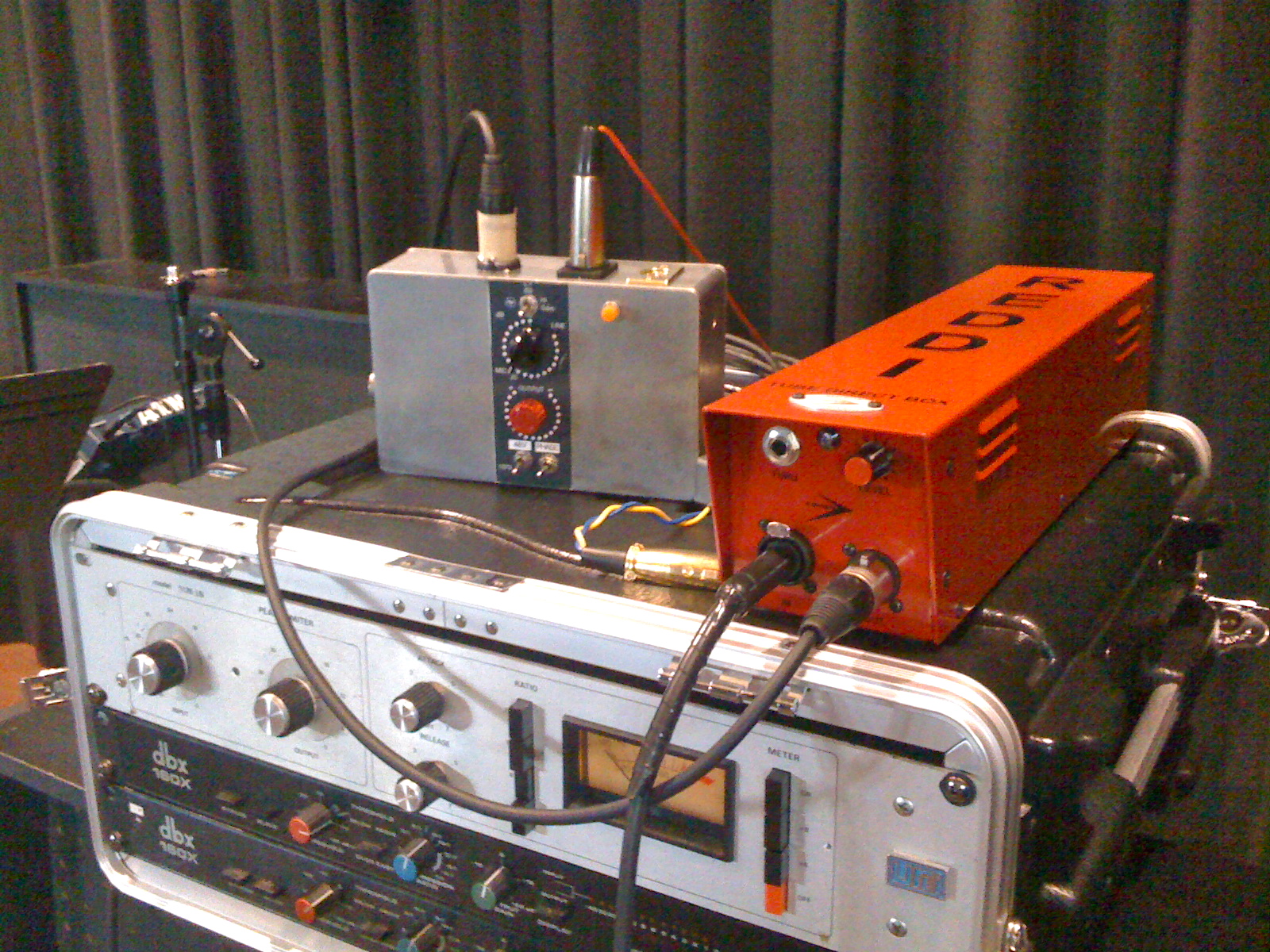
Here's a nice live Bass signal path that a friend has set up at his church:
Reddi Tube DI > Neve 1073 > Urei 1176LN > FOH
T
Kerry, Mike walked me through the set up of external effects last night and helped me load his plugins. The plugins sound fantastic and in my opinion all users should aquire these as they are 1000% better than the originals especially the compressors. I still have a little problem with the external effects coming back into the aux but it just may be the patching. I was just too excited in getting the plugins to work that I might have overlooked something. I will get more into it this weekend and let you know. Thanks for all your help and thanks to Mike for his continuing updates and creativity.*drools*Yeah, Mike really did a good one. Those reverbs are stellar too.
I've also started the stub of a thread for user-contributed presets for both Mike's plugs and the orginals - although this will be particularly useful for things like the Big Reverb, all will definitely be welcome. If some get put up there I'll take on the job of organizing them.
Enjoy!
- KHey Folks,
I'm having some issues on my 3 card system.
Card A is freaking out and making the sound of a jet taking off.
The gain / noise on the sub-mix fader is pegged.
It's beyond pops and crackles etc.
Although it's intermittent it's enough to bring my work flow to a halt.
I removed all three cards and cleaned them, cleaned the PC case etc.
Does this sound like the card went bad?
If it's the card tied to v3/pace, what could be the protocol w/ ID
regarding the licensing since I have backup cards?
Any feedback is greatly appreciated!
Rock on,
LanceHmm, I can't say about the bad card.
But as for the license, common sense dictates that tying 3.0 to a specific card was clearly a means, not an end: it was a convenient method of copy protection designed to restrict use of 3.0 to "one paid user per license". It's not intended to be a de facto "time bomb" to deny legitimate users access to the software they bought.
So as you're clearly that "one user per license" the license system is intended to permit, I'd drop ID an email and explain the situation, I'd imagine they'll be cool about sorting it out for you.Pretty sure that the licence is tied to your CPU, not the card. The system needs a card
to run, and since you have others, I doubt you even need to contact ID.
Not that is would hurt...
Ted
Thanks for the feedback and advice!!
I swapped in 3 eds cards and so far so good.
The software booted right up and I'm trying some projects this afternoon.
I had 2 cards in a backup machine and a 3rd new in the box.
I'm way overdue for a new machine build. Since I now know I can swap cards around maybe I'll go for it and use the extra three eds cards to test run the new machine. I know I'll be asking for help with PC hardware selection.
Thanks again and rock on,
Lance
Huh, I'd got the impression some EDS cards were sold with hardware-tied versions of 3.0 that checks the card's serial number. Never had one myself so I couldn't say for sure.Hi there,
any EDS 1000 up for sale ?
Thanks
0044 (0) 7765 906 420Lance, check out my thread for info on a new PC build.
http://kerrygalloway.com/ParisForums/index.php?t=msg&th= 14849&start=0&
Sys is working great, 3 EDS, 1 UAD, 1 RME 9652
Rob http://cgi.ebay.com/New-HD-50-Pin-HD-50Pin-External-SCSI-Cab le-M-M-0-9m-/160475278391?pt=LH_DefaultDomain_0&hash=ite m255d126c37
I think that this is the one HD50 male to male scsi right ?
free shipping and over 10 pieces...
Please do not buy them all at once
[fixed your smiley - K]Hi guys
Is there any advantage to having a dedicated midi / vst rig which outputs it's audio via whatever means (analogue or digital) to an audio rig assuming they are both sync'd Hey Kerry, I did as you instructed and keep getting the No Interface to master card error. If I remove the HouseSync line from the cfg file, Paris boots no prob. Is Paris changing the order of my 3 EDS cards when using house sync and the one with no HD attached is becoming the master?
Any suggestions?
Thanks
RobBiggest hassle is having your song saved in two places. Aside from that, it's all pluses for me.
'Course it depends on what you mean by two rigs - if we're talking about two separate physical machines then the added physical space can be a concern, as well as added heat and power draw (all three would be in my space). I do my "two DAW" thing on one PC - I also have my dual G5 Mac in the machine room and switch between Mac and PC via a dualhead KVM, and there's no way I could fit a third puter in there.
Biggest advantage is that PARIS stays around for what it's particularly good at. Still sounds better than anything else I could realistically aspire to.Wow, peculiar. I don't know about the changing master card thing, I never saw that. Anyone?I'm just getting my 2 x EDS/ 2 x C16 system back up and running after several years in storage - and I'm on XP, thanks to Mike Audet!
Everything has gone relatively smoothly, but now I have one small, strange problem - my Control 16's won't or can't record-enable tracks. I can enable them from the PC, and the right lights light up or blink on the C16, but it doesn't work the other way.
Feel free to tell me the answer's incredibly obvious, I'll gladly accept humiliation to cross this off my "Huh?" list... I found the record-enable on the C16 a bit tricky at first until I re-learned its "grammar". I was doing what seemed intuitive to me - holding the record enable button and then hitting the track select button - but it wasn't working consistently, if at all.
I thought it should be "I want to record enable (hold down rec button) these tracks" (hit appropriate "track select" buttons) - but it doesn't want you to think that, it wants you to think "I want these tracks (hold the track select buttons) to go into record enable" (hit rec button). As soon as I got that order right I never had another problem.| kerryg wrote on Tue, 05 October 2010 20:04 | I found the record-enable on the C16 a bit tricky at first until I re-learned its "grammar". I was doing what seemed intuitive to me - holding the record enable button and then hitting the track select button - but it wasn't working consistently, if at all.
I thought it should be "I want to record enable (hold down rec button) these tracks" (hit appropriate "track select" buttons) - but it doesn't want you to think that, it wants you to think "I want these tracks (hold the track select buttons) to go into record enable" (hit rec button). As soon as I got that order right I never had another problem.
|
Thanks for getting back so quickly, Kerry. I think I was misunderstanding which button should be pushed. The "Track Record Enable" button doesn't do anything - it's the actual red record button - at least on my machine. Select the tracks, hit the red button, presto, all selected tracks are in input, and record-enabled. I can hit the little button marked "Track Record Enable" all night - nothing.
Was the red "record" button the one you were talking about?
Interesting!
Thanks again...Yep, you got it - I can't remember offhand what the button marked "track record enable" actually does, but the one you really want to hit after holding down the appropriate track select button(s) is definitely the red "REC" button on your C16's transport.Hello everyone,
I have a 4 eds cards in my Mac (all cards have been interconnected with the ribbon connectors inside), my A card is hooked up
to my MEC,
Paris recognizes all cards in the Patch Bay, I have mixer A
mixer B, mixer C and mixer D.
the mixer A has monitor outputs (mL, mR) that go to my MEC, so I have no issues with Submix A as far as recording/monitoring etc,
now Id like to set it up so that I can choose to record from my MEC to any one of the other cards,
everytime I try to establish a connection from MEC to Mixer B, C or D, it gives me an error that it cannot cross the EDS boundaries ,
My main question is how do I setup the patch bay so that I can record from my MEC to any submix/card I desire (A B C or D)?
I can also see each other mixer card has an output (L R), what do I do with it?
Thanks,
MFOGood news and bad news. The bad news is that unfortunately. you can't patch across EDS boundaries. Only stuff from Submix A can be patched to things in Submix A.
The good news is that while technically you don't directly assign a MEC to a submix (since they're each cabled to one particular EDS card), you achieve the same result by assigning the EDS card the MEC is physically cabled to to the desired submix. Hit "G" and call up your Master Mixer, that's where you can assign EDS cards to submixes by their letters. Assign the one with the MEC to the submix you want to record into.
The individual LR output of each mixer (that's the software representation of that submix's mixer rather than the card's) after A apparently outputs only the audio from that particular submix.
- KHi kerryg,
Great info, I couldn't find anything in the manual,
Another thing that bothers me is,
would you know if there is a way to merge all
the submix Editor windows into one with all tracks in it?
Or do I have to get used to flip between 4 editor windows?
Thanks,
MFOHey Folks,
To simplify my control room routing I'd like to have 24 inputs plugged into my mec. Understanding that I can only record 16 tracks at once, I'm wondering if I could record from (3) 8in cards at once, but only using 16 ch?
I have a spare MEC and 442, just trying to keep the interfacing simple.
Thanks for any info / feedback.
Lance Hey Folks,
A project I recently produced and recorded in PARIS can be previewed online - Link below.
I didn't record tracks 1 and 10
Best,
Lance
http://www.cdbaby.com/cd/mouthofwilsonmusicLooks like ya can't lol.
Only 2 in modules can be used simultaneously.
Nope, PARIS thinks in terms of discrete 16-channel submixes. It's not so bad once you get used to that - check out the Brian Tankersley video if you have access to it, it will show you ways to organize that. Are you running single or multiple monitors on your system? Yeah, unfortunately, as you sound like you discovered, more than that won't fit in the MEC MODULES object.
You can have different patchbay configurations set up which access different MEC modules, which at least means that you can still hard-patch gear in the back of the MEC and toggle between any combination of two groups of 8 inputs by loading a different saved patchbay setup. I don't know if that helps with what you're trying to achieve.Sounds wonderful
Nice space on the kit...what was it if I may ask
Hi Rob,
I'm trying to get in touch with you about the PC rebuild. Seems the motherboard is no longer available. I'll be lost when it comes to finding another motherboard so I'm reaching out for help / ideas.
Thanks!
LanceHi Don,
It's a Slingerland kit.
Some tracks use the drummers snare, some use my snare since I thought his was a little thin and "ringgy"
All processing is in the box paris eds verbs etc.
Thanks for the feedback.
Appreciated!!
Lance
Hey Lance as long as the PCI slots are 33mhz, they should work fine with our beloved EDS cards:
These ones all have 3 PCI slots but you would probably want one that has the 3 pci slots next to one another for a 3 EDS card setup:
http://www.newegg.ca/Product/Product.aspx?Item=N82E168131284 37
http://www.newegg.ca/Product/Product.aspx?Item=N82E168131284 25
http://www.newegg.ca/Product/Product.aspx?Item=N82E168131284 12
Personally, I wanted 4 PCI to use my UAD-1 but I ended up having to get a "PCIe to pci" converter because of funky issues when using the PCI mounted UAD-1 in Paris, so I only use 3 PCI slots for my 3 EDS cards anyway. Just recently, I added an RME 9652 HDSP card in the 4th PCI slot and like Kerry always said.....this Paris/Reaper setup is just amazing...fly stuff back and forth via lightpipe sample locked...I love it.
Good luck.
Rob Thanks so much Rob!
It's very likely I'll go for one of those or keep looking for the one you used.
What do you think of this mobo?
It has 5 PCI slots, though I wouldn't no the do's and don'ts etc...
http://www.amazon.com/Gigabyte-Intel-DDR2-1200-Motherboard-G A-P43-ES3G/dp/B001PKUUJA/ref=sr_1_1?s=electronics&ie=UTF 8&qid=1286413508&sr=1-1Yea, that mobo looks cool Lance but I see newegg has them listed as "out of stock" but that would make a nice Paris box with a Core 2 quad. Here are a few suggestions I found at newegg.com that would probably fit the bill for a kickass 3 card Paris box. I'd bounce this off of the boys at the computer forum along with your requirements. How many 33mhz PCI slots do you need?
http://www.newegg.com/Product/Product.aspx?Item=N82E16813128 437
http://www.newegg.com/Product/Product.aspx?Item=N82E16819115 213
http://www.newegg.com/Product/Product.aspx?Item=N82E16820231 277
http://www.newegg.com/Product/Product.aspx?Item=N82E16811129 024&Tpk=Antec%20Sonata%20III%20500%20Black%200.8mm%20col d%20rolled%20steel
Good luck.
RobNice recording !
Drums have punch and are clear ! everything is heard , no masking whatesoever.
Can you tell us if you used something specific like compressors and where ?
Did you put any compressor or nolimit? at the stereo end ?
Did you use any vst/dx effects or just eds ?
Congrats.
DimitriosWow, nice work, Lance! Drums pop nicely, everything sounds warm and big and still nicely dynamic and "real". Kudos!I am planning to acquire an additional monitor to use just for Paris,
btw I was able to record from the MEC (hooked to card A) to the other cards (B, C and D) submixes by using the master submix page as you said, its perfect.
Thanks again,
Cheers,
MFO.Hey Mike, I can't download the new drive. The message says i don't have permission to download.Mike's been a bit preoccupied lately so he may not be monitoring the forum regularly (or sleeping for that matter ). Try his email directly; if that doesn;t work contact me directly, between us we'll have you up and running fast.
- KerryHi MFO, check out Virtual Dimension, a free virtual desktop app. I use it and assign a complete submix (mixer and editor screen) per desktop slot. Then switch between desktop slots via hotkey on my little keypad, works great.
Cheers
RobNIce feel, solid performance, great production.
Way to go.
Who's singing?
TedHey Kerry,
Thanks! I sent you an email. I forgot Mike is a dad now.Interesting...I may have to move on thisHmmm. I didn't know this. Thanks KG
I haven't done the work around proposed here in a while. What I do is use sub\card A only for tracking and then I drop all the tracks into the jail and then pull them out of the jail on the editor for the sub where I want them for mixing.
I think that the reason I started doing it this way and stopped reassigning EDS cards is because, (if I am remembering correctly) swapping EDSs around causes all sorts of FX issues if you are using the EDS effects on a card and then assign it to another mix.
Is that right?
-PhilHi,
I wonder except for the external clock way has anyone tried connect 3-4 mecs using internal clock just by connecting from one main mec wordclock out to all other or from one to another daisy chained ?
Regards,
DimitriosI just highlight all the tracks (ctl A) and drag them over to another sub mix (position lock on of course)Great, Im just starting to get a whole overview of how it works, so Im learning the basics so far,
thanks for all the tips! 
Cheers,
MFO.Hello everybody,
I am a new user to Paris. I am getting "Error initializing paris engine. There are not enough free resources available." when starting the paris program and it closes after that. I have one eds-1000x, one c16, one mec with an 8 in card installed. I fitted the pci card and installed some older beta xp drivers I found on the parisonxp site. The installation seems to go fine and I installed paris 2.2 to test it out. I first restarted my pc after installing everything of course and had my mec turned on before rebooting the PC. And I reseated the pci card and used an eraser to the gold contacts which look a little worn but still I get the same. I checked the device manager for the "ensoniq paris midi driver" and opened it up and looked under the properties tab and found out it says "status: Driver is enabled but not functioning properly" there are two check boxes but they appear to say and do nothing and there is also a "settings..." radio button that does nothing either. Are these drivers no good? Where can I find the old original drivers just to test the system? I am low on cash at the moment for mike's XP drivers but will get them down the road but I feel like I shouldn't buy the drivers until I know my systems at least works.
I also checked the IRQs in "system information" and had 2 intel usb host controllers sharing the same IRQ23 as the "ensoniq Scherzo" which says "status ok". I have an abit IP35pro motherboard with quad core q6600 and 4gb of ram and another emu sound card for general windows playback.
Any help would be appreciated as I am very new to paris.
Regards,
Chris Thanks so much for the feedback guys.
The band I recorded is called "Mouth of Wilson".
The vocalist is Chris Arland. We're all in the Mercer County / Princeton area of NJ.
This is their third or fourth album and they we're very prepared.
That made a big difference in the outcome and for the drums in particular.
The project was mastered by a friend of the band in Wavelab using EQ, C4, L1 / Ultra., and that's about it.
Dimitrios;
There's very little if any compression in my recordings.
Only as an occasional limiter etc. I just keep telling clients "It's all in the fingers, let's make it work." Even with the vocalist, although I did a lot of word by word gain re-writes on some lead vocal tracks.
For transparency; I have Paris Eq high band pass on nearly every channel including the kick drum. I raise the gain on the Paris Eq about to +5 on the kick drum channels (2) Shure beta 52 and Shure beta 91.
Once the mixes are done, I insert no limit on the master bus to simulate ultramaximiser and hear how the reverbs will translate later on in mastering. Then it gets turned off.
On occasion, I insert "Freak Q" on the master bus to add gain. Thing is, over the past few years I've become much better at getting the gain right at the pre's. I don't cut anything "hot" anymore - I push the mixer faders.
The pre's are all Prosonus - 1 M80 8ch, and 1 digimax 8ch using the Paris converters 24 x 48.
I can't thank you guys enough for the help over the years. I've been using PARIS since 1999 and I've needed help from the forum community since the day I installed it..
Thanks again! and rock on,
Lance Reichert
Referring to my last post, the error message is supposed to be about the midi driver "pthru". I just tried uninstalling this midi driver and doing a manual install but I still got the error message and the device manager still says the "driver is enabled but not functioning properly"I ran the uart debug and started paris and this is what I got.
00000000	0.00000000	[2204] 442 UART_XMIT -> Card: 0 Msg: IFACE442_RESET_SYSTEM Data: { 0x80 }
00000001	0.10912021	[2204] C16 UART_XMIT -> Card: 0 Msg: CS16_HARD_RESET_1 Data: { 0xf0 }
00000002	5.43779135	[2204] 442 UART_RECV -> Card: 0 Msg: IFACE442_TX_STATUS_STANDBY Data: { 0x80 }
00000003	5.437


"... being bitter is like swallowing poison and waiting for the other guy to die..." - anon |
|
|
|
|
|
|
|
|
|
|
|
|
|
| Re: RIP "Si" [message #101222 is a reply to message #101221] |
Fri, 21 November 2008 07:53 |
|
|
our "Paris Code King" could create this? Man that would be so cool to have, just slap it on a track (EDS so it would monitor realtime), tune up and go.
Rob Sounds completely do-able, and makes sense - an EDS tuner could be used in realtime as a VST tuner can't. Mike?You need DMA on. Otherwise disk transfer will be very slow. This is likely the problem.
If for some reason you can't turn the DMA on, it could be a sign that your disk is dying (I've had that happen).
Cheers
KrisHey Lance, in case you didn't notice the link up-top, check out "setup/win98" and " Bugs and troubleshooting/data streaming" at http://kfocus.com/paris/
Lot's of good info.
Keep us posted.
"... being bitter is like swallowing poison and waiting for the other guy to die..." - anon
|
|
|
|
|
|
|
|
|
|
| Re: RIP "Si" [message #101226 is a reply to message #101225] |
Fri, 21 November 2008 15:05 |
 EK Sound

Messages: 939
Registered: June 2005
|
Senior Member |
|
|
ight. Dunno if that's PARIS or Cubase playing the goat there.
| Quote: | Synchronizing PARIS to Other Devices
Synchronizing PARIS to SMPTE
Synchronizing to an External Tape-Based SMPTE or MTC Device
PARIS can be synchronized to an MTC-compliant external device such as a video deck, MDM device, or analog multi-track.
Note: When synchronizing PARIS to an external device, the conversion of SMPTE to MTC must be accomplished by external hardware, such as a MIDI interface.
To synchronize PARIS to an MTC device:
1. In PARIS' Project Window, open the MIDI Setup... dialog.
2. Select the source supplying MTC from the Select MIDI Time Code Input pop-up menu.
3. Click OK to confirm the selection; the dialog box will close.
4. Open the Transport Window.
5. Press the "Lock" button in the Transport Window.
6. Click Play in th
|
|
|
|
As to Reaper being an intermediary to translate this, I'll have to check in the Reaper manual, but it certainly sounds do-able (or if it's not, they're such a responsive team over there I'd be surprised if they wouldn't be open to the suggestion). Let us know how this goes, I'm curious.So I went to look at a PC for my Paris system - looked like a good deal. Had 5 alleged PCI slots, lots of features, software, power. But it was a mid-size case that in no way shape or form could handle EDS-1000 cards. So the guy has a bigger, faster machine there for only $200 more ($550 as opposed to $350) in a huge, cool looking allegedly full-size case and IT wouldn't fit the EDS-1000 card. The supports for the hard drives got in the way. Any suggestions for a new case that can handle the size of these cards? I have a Magma 13 slot but it's attached to my old Mac and, to start with, I'm going to have to run two systems, so I either need to fir two cards in the PC or I'll need another expansion chassis.
Thanks!
ganttHi Gantt, this one worked for me with a small mode but I suppose it would depend on the physical position of your mobo/PCI slots within the case.
http://www.newegg.com/Product/Product.aspx?Item=N82E16811129 024&cm_re=11-129-_-11-129-024-_-Product
Case mode for EDS is seen here:
http://kerrygalloway.com/ParisForums/index.php?t=msg&th= 14849&start=0&
Good luck
Rob
Thanks guys. I'm getting great performance now. No streaming errors etc.What was it that fixed it, DMA? Let me know if you're pretty sure what it was and I'll pop it up on the Wiki for the next person along.The xp drivers are labeled
Paris XP Beta 3
3.0.3.0
July 30, 2002
I tried the affinity method for using one core with the task assign program and tried it with each core one by one. Still the same error. I also tried using win98 compatibility mode and turned off advanced text services. I tried uninstalling the ensoniq paris midi driver only while keeping the scherzo and still same error.
This was all done with paris 2.2. Maybe that's the problem?? I can't get paris 3.0 past the challenge code dialog box as I installed it awhile back and some pace file somewhere kept track of the days since install so even if I reinstall paris I still have the challenge code dialog come up and can't continue.
I even tried to remove pace with certain utilities but they don't seem to remove it from paris 3.0 successfully.
Can any one help me with getting paris 3.0 up? I contacted ID last week with no response and have asked the seller of the system to contact ID now so we'll see.Hi guys
One of the things our new studio will be doing will be internet radio broadcasts and I am thinking of doing a show on the music business.
So I'm looking for people in the business at all levels as well as people in certain regions of the world like Asia, Africa, Europe etc that would be interested in being interviewed or participate in a round table discussion.
Most interviews and discussions will be recorded via skype and with minimal editing broadcast on the internet as part of this series on the music biz.
Anyone interested please contact me via dnafe@rogers.com or skype me at dnafe23
Don't be shy Hey Kerry,
I went through the win 98 setup list in parisfax. Couldn't say for sure what stopped the errors. I changed the DMA first and PARIS froze on playback
Then, after changing all other suggested parameters (inc vcache to 32768) the system started working perfectly. My only remaining issue has been with my computer soundcard but that's not a big issue.
Thanks for all your help - past, present and future.
LanceI had 3 MECs running with no problems using the internal word clock. I have 4 running now but they are all clocked to a big ben that I got a deal on at this point.Also might help checking in your config settings if you are using the standard C16 or C16PRO. The black C16's can still be set up as a blue(PRO) C16 and the track enable button is one that is different on that setting if I recall. There is a page somewhere in the newer manuals that tells the differences I think....some others are the view...data...etc.Just got me an iPhone and wanted to gauge interest in giving the forum an "auto-sensing" iPhone/ cel-phone/ other PDA-friendly interface. Let me know if you use any of the above and would find that useful.Well just decided to give mike's xp drivers a shot and they DON'T work either!
I am still getting the not enough free resources available on start-up of paris 2.2
It hangs on the "initializing synchronization" portion of the start-up process.
I removed all the older drivers and uninstalled paris before putting the new drivers in so as to start from scratch.
When I first installed mike's xp drivers it only installed the scherzo and did not install a pthru driver. Is the pthru not needed with mike's drivers?
After I installed the scherzo, I then installed paris 2.2
Then I restarted my computer and tried to run paris without luck.
After that I installed the parisxpeffects exe
After that I replaced the PSCL dll (windows system32) and ADAT dll (system32\ensoniq\plugins\mec\driver with mike's versions
After that I restarted computer again then tried paris again with no luck.
I then went into the paris cfg file and entered "Midiplaydisabled=1" and tried paris again with no luck.
Then I decided to do a manual install of the pthru driver.
Then restarted my computer.
Then tried to run paris with no luck.
I did notice that when trying to start paris I got alittle further with the startup process. I saw that my c16 light was no flashing and not lit at all and the MEC had its internal sync light on steady and the sample rate light on and steady.
So whats going on here?? I would!
I have a 3 yr old T-Mobile Sidekick. I visited the forum from it last week and had no problem navigating or reading posts. I'll try a test post sometime soon. Thanks Kerry.
Lancei had 4 running without and external clock...wish i still had them.OK, been doing some research. For starts, I reckon "not enough free resources" is literally true - PARIS cannot find the EDS resources to start.
Of course, now I've stated the obvious, the trick is naturally in figuring out why.
Gantt in this thread managed to localize the issue as a combination of a bad EDS card and a corrupted software install.
In this thread, it was tracked down to a PARIS EXE that had been modified with a cooler skin (this was before we had some important insights about skinning PARIS - it appears the effects of old-school skinning could "spill over" into other aspects of the EXE - the way I think of it, which might be totally technically laughable, is that one of the replaced graphics was too big and would basically leak over the boundaries of its memory "compartment").
In this thread, it was that PARIS had been previously installed with a certain card configuration and couldn't deal with having the configuration moved around, the IRQs changed etc.
By the way, I think your package from Mike should have included Scherzo, ParisStudioControlLibrary and a couple of other sub-drivers like the ADAT module. I hadn't heard of any 2.2 vs 3.0 issues with Mike's drivers.
Here's the things I'd suspect are worth examining:
1) The install has not been done 100% according to instructions - one step might have got glossed over. I have a very, very vague recollection that I provoked this error by forgetting to add the new FX system path to my system as detailed in the instructions.
2) You're getting the message because of an IRQ conflict that is blocking the PARIS software from getting access to the EDS resources it needs. What's your current IRQ situation look like, is PARIS sharing with anything?
3) You legitimately have a bad EDS card. This is possible, of course, but personally I think there's greater odds we'll track this down to a software configuration issue.
As far as buying Mike's drivers not helping - they might not have helped quite yet, but now you can ask Mike Audet via email to help you get up and running. And as you'll find, you won't get more skilled in-depth PARIS tech support anywhere...
Oh, and nag ID about your code. If you bought a system with a legitimate 3.0, and you've done the ownership transfer legitimately, then you own that 3.0 license and they need to give you the code to use your purchase.Hey Kerry,
Yes everything regarding the install was followed correctly.
No IRQ conflicts either.
I now know I have a working eds card because its.....
WORKING NOW!!!!
I had to do a fresh xp install and I had just got mikes drivers beforehand and ID got me my auth code too!! So now I got mike's drivers and 3.0 working fine!
And Mike called me right when I was solving the issue so he gets some credit really good guy and very knowledgeable.
Thanks again for your support on this. I still don't know what caused the problem but it must have been an infected PC. I had some anti-virus issues with my previous OS and my firewall so maybe that was it.glad to hear your system is up and running i'm working on getting my xp rig up asap!Well if that don't beat all. I thought the rule was two MECs maximum without going to an external clock and "UseHouseSync=1" in the config (I've never owned more than two MECs at a time). Live and learn.I'd be interested...
I think it might be as simple as forcing some apple-mobile web content meta tags in the HTML.
If I had any kind of spare capacity I'd offer to make an app for you (I've got a developer license...)
Cheers
KrisOh, now how freakin' cool would that be- a PARIS forums app? Reaper forums eat your heart out . Understand about the free time though,, that stuff is definitely at a premium nowadays.
Still, things can definitely be done here on the server side to tweak the mobile experience - it's not bad as-is but it could always be better. it does sound cool i surf here sometimes on the iphoneSandbox is right. When I have mouse and keyboard working yet the C16 doesn't respond to track enable it has always been fixed by C16 vs C16pro in the Paris config menu. I've got two black C16's. New v.30 software installs default to C16pro. Turn it off and you should be good to go.
wayne| Wayne wrote on Thu, 21 October 2010 22:04 | Sandbox is right. When I have mouse and keyboard working yet the C16 doesn't respond to track enable it has always been fixed by C16 vs C16pro in the Paris config menu. I've got two black C16's. New v.30 software installs default to C16pro. Turn it off and you should be good to go.
wayne
|
Thanks, guys, this slipped my (alleged) mind!
Hello everyone,
I have an issue with getting audio from my Kurzweil DMTI (with ADAT card installed) into Paris via its ADAT card, both optical cables are interconnected out to in, in to out. Im my case its not a ADAT that is connected to my DMTI its a Kurzweil synth that transmit with 8 channels directly to the DMTI.
I also have the world clock out cable from Paris to the DMTI in.
(no ADAT sync cable connected).
Here is the deal, I have Paris setup as master (Internal, 16bits, 44k). The Kurzweil DMTI is properly setup to get sync from an MDM, in this case Paris is the MDM.
I setup my patchbay in Paris so that the ADAT ins goes to track 1 to 8 into Mixer A, tracks are in rec mode (audition enabled), but I get no sound, the strange thing is that with this setting it worked for a day then it stopped working altought I havent changed any settings on any of the machines and Im even using the same project it worked on previously.
Is there a sequence of powering up the machines so that they sync together? I tried evetyhing even rebooting the DMTI after Paris is on and other sequences of powering up machines,
Why would it work for a day and stopped suddently? I reconnected cables just in case.
Is it because the ADAT sync cable (9 pin cable) is not connected, does this cable locks the sync or something, from my understanding the ADAT sync cable is only to remote control ADATS correct?
I also tried removing the world clock cable, do I need to have the world clock cable connected or does it already sync with the ADAT opticals?
I can see the optical lock led lighten up in the ADAT card as if it was recognize but still no sound... At this point Im even thinking something might be damaged so I will try to send sound from the DMTI to another Mac with an ADAT soundcard and see from there,
Any ideas or tips? is there a file in Paris to reset preferences or something?
Thanks,
MFOMy initial thought was that you might not have saved your patchbay configuration i,e, the routing of you signal inside Paris
That has been known to catch me off guard a few timesHas anyone heard from him since the 10th of October
He said he was changing ISPs but I haven't heard a thingFor some reason when i run two instances of this plug-in on two channels, audio becomes heavily distorted - turns into some sort of digital noise.
I have just one EDS card and wonder is this plug-in DSP hungry that it takes all my card's resources?
I'm running Win XP Sp2 with Mike Audet drivers. Installed the "parisxpeffects.exe" and PARIS_StudioControlLibrary.dll afterwards.Congratulations!
If i knew earlier, i wouldn't fill your inbox with some questions. Take your time!maybe he is on strike I'm very happy you got up and running - I'll post the resolution to the Wiki in case anyone else runs into the same problem.
Welcome aboard!
- KerryHello All ,
This is my first post in this forum and has been over 10 years since I last posted a message back in the early days of Paris . It's been many years since I have used my Paris system , I had children what more can I say I recently got my system back up and running and as always love it . The problems I'm having , which from memory I never did in the past . When I have more than 1 submix added in a project I can hit play and then stop , perfect , but 3-4 times out of 10 in the current project I'm working on Paris freezes and I have to wait 4-5 seconds for it to respond again . So playback listening to an edit , stop , then freeze , 4-5 seconds later it responds again . I doesn't crash just freeze . I have a couple of Vst plugins running nothing compared to what I used years back on a much slower PC , it's rather annoying to have to constantly wait breaking the work flow when editing . Is this normal , is it due to submixs or Vst plugins ? . I'm running Win XP , Paris Pro 3 ,1 card /Mec system , cpu is a 1.8 core 2 duo, 1 gig ram , audio using separate HD from Windows . Was a fresh install recently , just Paris and a few other audio apps . If anyone has any thoughts as to what it may be I'd greatly appreciate it . Whilst I have the chance thanks for reading and I'd like to say thank you to all the people who continually contribute to the forums , the online resources , web pages , and the Paris system on a whole . Since the early days of Chuck Duffy's newsgroup to now I have always read and tried to keep up with any developments , so the Paris forum is like an old friend , I still love my system , I own many other alternatives like Sonar8.5 and still prefer to use Paris for tracking real world sounds . I should have known when I bought the system , everything I really think is wonderful and have bought in the past is sacrificed at the Audio God's alter , like Emagic Logic for Windows , Gigastudio , Paris and on and on . The first 2 I found wonderful replacements for , but never one that captured the audio portion like Paris
Thank you for your time .
Matthew
Heya Matthew - that computer runs rings around the old computers PARIS was designed for (and ran great on), so you definitely shouldn't be seeing that sort of behaviour unless something's wrong in your system configuration. I'll let those more knowledgeable about PCs chime in with ideas but in the meantime you might want to start by checking out John's PARIS XP tweak checklist, either on his site or on the wiki.
Welcome to the forums!
- Kerry
After re reading the Paris ADAT Manual is says in there:
"Important when working with an ADAT the sample rate must
be set to 48khz."
Is this true? does this mean even if its not an actual ADAT (tape machine) but some other ADAT port device hooked up to the optical ports does it always to be set to 48khz to use it ?
MFO.
Not that I'm aware of as I've been using 44.1 from the beginning...that being said I was fortunate that my system worked flawlessly from the get go so I've never had to delve into the inner workings of flying audio between rigs.
As far as the ADAT 9 pin goes I beilieve it is used for time lock but it can also pass 2 channel audio..,if I'm wrong someone will correct me.
Have you got your patchbay set up correctly? As in all ins and out connected?
You should get Mike's multi-core XP drivers if you're running on a multiprocessor machine.
Just a guess, but it could be the problem...
Cheers
KrisI was going to ask what drivers you're using - yes, Mike's drivers are absolutely the way to go to make this run well, the old ones are very complex and fiddly to set up and Mike's have killed a lot of old bugs.Okay, so I took the plunge, and got myself an RME 9652 and a second Adat card for my MEC, and plan to sync Paris and Reaper.
I'm new to reaper, and picked up Kenny Gioia's video tutorial to get up to speed. I think I'm going to like it, and can imagine using Reaper for the bulk of my mix/edit requirements. But, I still want to use Paris as a control surface, submixer, and for IO. I will likely migrate to a fully native setup eventually, but it looks like the Reaper + Paris combo will let me do that gradually.
As I wait for my RME card to cross the ocean I can't help but wonder about how the sync between the two applications will work. Assuming I get the ADAT positioning protocol working. Here are my questions:
1) How fast does Reaper slave to Paris? Will it add significant latency to the transport buttons?
2) When the transport is stopped in Paris does moving the jog wheel still send ADAT position protocol information over to Reaper? Does the Reaper 'now line' and time display move in sync with the Paris one while the transport is stopped, or does this only work while in 'Play'?
3) Since Reaper has plug in delay compensation, when I connect my Reaper subgroups out via ADAT to my MEC, will there be a delay, or does reaper compensate for this by buffering ahead? Or do you have to disable delay compensation to run as a slave to sync in?
4) Can Reaper read 24 Bit PAF files? How about write?
I've got a few other questions that I can't quite remember right now...I'll add them later.
Cheers
Kris
yep, Reaper is a definite "win", I have now left Logic completely behind and I'm doing full album production on Reaper.
I doubt you'll have much trouble with APP, it "just worked" for me after about fifteen minutes of searching out settings.
1) The sync is fast over here - less than a second. I'm pretty sure I could tweak it lower if I felt the need.
2) Can't recall about it tracking the jog/shuttle wheel, I'll have to check it out when I'm in the studio
3) IIRC I believe Reaper buffers ahead.
4) As soon as you install the Xenakios libsndfile wrapper extension, Reaper will read 16 and 24 bit PAF files directly just as if they were WAV files.
[One exception/caveat - libsndfile still contains a crippling bug that affects Mac-generated versions of 24 bit PAF only, currently they just produce noise until someone takes on the job of fixing the bug and submitting a patch to libsndfile. PARIS PC-generated PAFs work perfectly.]
As to Reaper writing PAF - the wrapper doesn't yet support this but Xenakios said it could certainly be made to do it. Xenakios, not being a PARIS user himself and having a lot of other demands on his time, took it as far as what we asked for - import capability - but opened up the source code to the wrapper so we'd be free to finish it off ourselves if we wished. The developers have left Reaper beautifully extensible.
As far as the scope of that job, Xenakios reckons he made the wrapper from scratch in "a couple of hours"; he reckons coding in the writing functionality to be a somewhat longer undertaking but I'd still guess it to be a pretty approachable project. Also on the "to do" list is porting the extension so it works with Reaper OSX as well.Does libsndfile allow for writing of any other formats, or is it import only?
I as because I see this line in at the top of the screen on the google code page: "Allows Reaper DAW to read audio file formats supported by libsndfile". I notice is says nothing about writing.
FWIW, here is the link to Libsndfile: http://www.mega-nerd.com/libsndfile/ and I note that it claims to be able to write to the PAF format.
I'll see if I can get libsndfile to compile and try setting up a test script to R/W PAFs.
-->but until I get around to that--->
How do you work with PAF's in Reaper? Do you import them and convert them to WAV, or insert them as media and keep them as PAFs?
Cheers
Kris
PS: I'm also thinking of making a special version of Senderella to fly Reaper tracks over to Paris. All I think I need to do is figure out how much buffering I need between the programs.Yes, absolutely - libsndfile allows reading and writing, it's just the code hasn't yet been written in the wrapper to take advantage of all the possibilities. I'd guess he's just being specific about what the wrapper can do as it currently exists.
I know little about coding but it's my understanding that aside from the myriad apps on all platforms that rely on libsndfile for the conversion of many file types - PAF being only one of many - it's also what the entire Linux OS relies on.
In Reaper you bring PAFS in as PAFs and work directly with them on the edit screen without conversion. Of course if you "glue" two PAFs the resulting file will have to be whatever output format you've specified in "Project Settings" as your default file type, which won't yet include PAF.
But we're darned close to that day Got it. There are two components here:
1)libsndfile -> an open source, GNU licensed library for reading and writing varous file types
2)reaper_libsndfilewrapper -> a reaper extension set that allows reaper to take advantage of part of libsndfile's abilities.
So, in order to get reaper to write PAFs, I think the path is to first verify the PAFs generated by libsndfile itself. And provided that works, then add in some code to the reaper_libsndfilewrapper to link it to reaper.
Cheers
KrisHi Folks -
I'm finally setting up Faderworks on my Paris XP rig, mainly for the Plugin delay
compensation (though the grouping feature looks useful too) and I have two questions:
When setting up the sample delay values on the PDC page, what do you do if you
run projects at different sample rates? The plugin delay introduced by instances is different with 44.1K compared to 48K.
How exactly do you calculate the delay for the various plugs? I have installed the same plug on two mono tracks each with the same audio file (click track). Then I have rendered one with Native Plugin, and then disabled that same plugin. Then I have nudged the other track with SampleSlide until the audio from each is simultaneous, but I can't get the two tracks to cancel out when I flip the phase on one. If they are sample-accurate in position, shouldn't they cancel out with the phase flipped?
Or do you use a different approach to measure the latency...
Thanks
TedHey , thanks for replying , yes I was thinking about doing as you suggested and buying the driver . Not even sure what revision of driver I am using , as I had everything backed up on a CD from many years back now . If I was running the new driver would it be realistic to be able to run 16 tracks via the EDS card and another 16 tracks on submix 2 in native mode without any issues , given the HD's are fast enough ? When you mention the new driver has killed a lot of bugs , is there a list of what they are ? Thanks for the help guys .
MatthewI don't imagine you'll have any problems adding new tracks to an old project...the only issue may be getting the files off the CDTry doing it by bypassing the plugin using its own controls (i.e. not by right clicking on the Paris DX/VST slot), and compare against another time locked copy of the track.
Rendering likely won't capture the latency, and some plugins have modulation that might use a random seed and won't cancel.
Cheers
KrisThanks Kris -
Yeah the reason I loaded up the plug on both tracks and rendered one was precisely because some plugs even when no controls are engaged, alter the sound. So comparing one with no controls engaged with a track that has no plugs period, would not offer the chance for phase flip cancellation.
Hmmm this is a bit of a brain twister for me.
Isn't there a plug that measures plugs automatically? (that is: not manual shifting as with SampleSlide).
Ted
OK I found this:
http://www.savioursofsoul.de/Christian/programs/measurement- programs/
And will check it out later...
Ted
Heya Matthew - yeah, 16 tracks should be zero problem (BT was streaming far more off less powerful computers). I'm rushing out the door and don't have a comprehensive list of bugs at my fingertips, but for example one big one killed was the "only one ADAT card per MEC" bug.Hey Kerry ,
I just bought Mike's driver and installed it , still having the same issue . Even though it has not fixed it, I'm glad I did for the grateful ongoing support . Paris in the main editor window shows the message , "not responding" then after 4-5 seconds comes back . I'll be glad when I sort this one out Have you checked how much of the 1gb of ram is being used when all vsts and paris are running? XP can gobble up a 1/4th of that easy and maybe your running newer ram heavy plugins? Try doing a contrl alt delete and see under performance how much ram is available when everthing is running.
Good luck.Hey Kris, have you checked to see how much of ReaRoute (Reaper's own kind of ReWire equivalent) is exposed in the Reaper SDK here? I might be talking out my butt here but at first glance I wonder if Senderella plus ReaRoute might give you everything you need to bolt PARIS and Reaper together in a kind of "ReWire Lite" way - particularly if you ask Mike to expose any useful info from the drivers, I know he'd be more than happy to do that.
Man, it's refreshing to look at PARIS in 2010 and actually see more fun possibilities and open doors ahead than there were just a few years ago. Granted the work to implement the ideas now has to come primarily from us in the community - but it seems there are less things today that are automatically closed doors.Hey guys long time Paris user here. Tracking in Paris on a Mac, need to take the files to Cubase 5 on a Windows 7 PC. Whats the best way to do this? Basically want to track in Paris and Mix in Cubase. Any helpful tips, I'd be most grateful.
Paris: 2ins, 2outs, 1 EDS etc
Michael BlissEasiest way is to export all your Paris PAF files as wave files making sure they all start at zero so some rendering might be in order.
Then put them all on a USB stick and drop them in your PC machine.
This is assuming there are no issues writing on a MAC and reading on a PC.
Thanks, I wish there was a way to use the Paris interface into Cubase. Is there a thread for this I can read up on, or has anybody been able to do this yet? You can connect the two computers via ADAT optical and SPDIF and Paris will talk to your Cubase machine and allow you to fly tracks between them in real time...if that's what you're after.
Several of us are doing that now.
AAtranslator might convert Paris files to cubase files but I'm not sure on that.
Also Mike is working on a new ASIO driver that will let other DAWS access PARIS' hardware so you might want to hold off on connecting your two rigs together unless you have the hardware to do it now
I will second the "export WAV files" as the easiest for the simplest sessions - ie "no punches, whole band starting together" stuff, or sessions where you don't care about committing and rendering your edits before exporting.
But if you'll be doing more complex stuff (multi-punch stuff or stuff where you want to retain the flexibility to tweak your edits), Michael Rooney of AATranslator did a stellar job of adding PARIS OMF translation into AAT last year. Export an OMF from PARIS, open it in AATranslator, and translate it into whatever you like from a very considerable list. All your tracks, all your segments, all your track and region names show up in the new session, all nicely translated into WAV files and placed where you punched them with sample accuracy. After all this time, OMF from PARIS is finally a viable, solid option (whoops, just saw you're on Mac - AAT is PC only, you could run it on your receiving PC though).
Hands down my favorite transfer option. I use it often - for the first time, a transfer option out of PARIS that "just works" with minimal twiddling or prep.Thanks for the help guys , no memroy wasn't an issues , I checked that out , but A resolution !! Not sure why but it must have been the ParisStudioControlLib.dll causing the issues . With the kind help from Mike Audet the new drivers work perfectly and no freezing at all . Just getting streaming errors now due the the vst plugin . So the next question is what would be the optimal paris config settings to use on more recent hardware using Mike's drivers . I have looked at all the old Paris post most of which were Win 98 based . Anyone have any more current config setting thoughts .
ThanksThanks Kerry
I wasn't sure how to go about using AAtranslator in this particulat situationYes, thanks to both of you. I will put AAtranslator on the PC and work the files there. I would put Paris on my Windows 7 and keep it all on the same box, but Paris doesn't work in Win7 correct?
If anyone has a simpler solution for me, I'm all ears. I love Paris and I'm a long time user (since98), but I have Cubase 5 on a new PC and would love to hear how anybody is making something work incorporating the 2.
BrianT took my files from Paris on a Mac, stripped them somehow and mixed them in Nuendo. It seemed easy when he did it, but he's working mostly in Nuendo now and I still want to keep that Paris mojo related somehow.
anyway, thanks again guys
michael bliss I thought I read in one of the newer threads that someone has Paris running on Windows 7
I'm sure Kerry will correct me if I'm wrongWe have indeed seen PARIS working on Win7, and apparently quite nicely, using Mike's existing XP drivers. Be forewarned that AFAIK there's only one person who's officially taken the Win7 plunge - it's still largely uncharted territory. There's no real knowledgebase to consult yet if anything goes wrong, so although we've heard nothing but good news it's not yet recommended for a production environment.By the way - PARIS/Win7 compatibility is being tackled from two distinct angles right now.
- for Win7 32-bit, the method above using Mike's XP multicore drivers seems to be working well (from the anecdotal evidence we have anyway);
- Mike began exploring actual drivers for Win7 64-bit earlier this year. They haven't hit alpha yet but there are no showstoppers yet.Just got a 2nd ADAT card and installed it in my MEC but there's trouble in Paris-dise. When I launch Paris I get no Mec modules detected....none. I've got 2 analog Ins, 1 analog out, and 2 adats in that order (1st slot is actually vacant).
My 2nd ADAT card is a blueface but I can't imagine that being the problem.
Any ideas???
Cheers
KrisOnce again a HUGE THANKS needs to be given to Mike for his efforts at breathing new life into our old girlThis gear"s getting along in years and oxidation may have built up somewhere. I'd start there - check the cable, clean its contacts; remove MEC module cards, clean their edge contacts and re-seat them. Okay, I'm getting somewhere....
With no lightpipe cables connected Paris starts normally and I can fire up the patch bay and see all my Mec modules:
1- Blank
2- Analog in #1
3- Analog in #2
4- Analog out
5- ADAT #1
6- ADAT #2
With lightpipe cables connected (MEC ADAT ins connected to RME9652 ADAT outs, and vice versa), I get no MEC modules detected whatsoever....
I don't have my wordclock hooked up to the RME yet...maybe that's the issue. Seems strange to me that Paris would require valid sync and good data on the ADAT lines in order to even start the app correctly with all MEC modules detected.
Weird....
I'll keep working on this. And post to this thread...might be worth adding to the wiki once this is sorted out.
Cheers
KrisOkay, with optical connections to the MEC ADAT outputs only everything starts normally with all modules detected.
With the input connected to one ADAT module I get all modules properly detected. -- I may need to re-confirm this --
With both the MEC ADAT inputs connected I get no modules detected...
If I connect my Paris wordclock in to be fed from the RME 9652 WC out, and have the ADAT ins/outs connected then everything once again works properly and I get all modules detected.
So, I gather that there is something within the ADAT dll that prevents Paris from connecting to other modules in the event that optical lock cannot be achieved.
When I double click on the ADAT modules in the MEC modules section Paris responds with a window claiming that I don't have any ADATs attached. I suppose this is true, but I do have the 9652 attached. Is this normal?
Cheers
KrisMore questions...
Am I correct in assuming that the ADAT transfer (via the ADAT windows) will not work to transfer tracks from the MEC to the RME 9652? It looks like I can get tracks to transfer by setting up external inserts in the mixer window, but can't seem to use the ADAT control to do it.
Cheers
KrisHey Kris - just time for a fast note - yep "no ADAT connected" is normal, and no, the ADAT window isn't used, access is through the "external" inserts (I'd guess PARIS needs some scrap of info only true ADATs provide for that). Sounds to me like you're up and running!Hey Kris, I curently have the same setup as you, RME 9652 + Paris MEC with 2 ADAT cards synced via ASIO PP. Yesterday for the first time, I flew 10 drum tracks into Reaper for some funky dynamic tweeks/editing, then brought them back to Paris, worked great. I used the track insert on each track to send to Reaper, recorded tracks into Reaper, edited, then bypassed the inserts in Paris, patched returns from Reaper into Paris mixer, REC arm tracks, re-recorded all 10 tracks with edits into Paris, worked great.
Man, Reaper is amazing thow, now if I had my C16s with motorized faders controlling Reaper, my Gearsluting days would be complete....promise...!!!
Rob Amen to that brothas..!!Hey Kerry, are you using a controller with Reaper? That is my big unknown rite now. I am so use to working with the C16s/faders for everything that I dont think I could handle going at Reaper with a mouse alone. What do you think of this? Its not available new anymore but man, it looks like one hell of a unit.
I noticed today that the reaper now-line does follow the paris now line even when the transport is in stop. There's about a 1 second delay though.
I think for my workflow I'll be streaming 16 tracks back to Paris just to use the C16 faders. IF I get some time to tweak up senderella to direct transfer from reaper to paris I'll be aiming to send 32 tracks back and will likely set them up as 16 stereo busses.
So far so good with Reaper & Paris together. I'll need to get the transfers happening a little smoother...maybe save some patchbay configurations. It seems the fastest way to transfer tracks from various submixes without having to re connect the MEC to a different card is to use the master mixer and change the card assignments there. I've got my MEC attached to card A, and when it's time to transfer submix 2 to Reaper I just switch sumbix 1 to 'virtual', then assign submix 2 to card A, and assign submix 1 to card B. If there's a quicker way to do this, I'm all ears.
Cheers
KrisSounds like you've already got a handle on the best way to keep 16 individual tracks "live" through PARIS. Besides individual tracks you can also take advantage of Reaper's routing flexibility to quickly assemble submixes and bus them from Reaper - save routings you like as Reaper templates.
Bussing Reaper tracks into PARIS for mixing:
- in Reaper, create a new track and name it eg. "Drum Bus"
- shift or alt-select the Reaper tracks you want bussed together into PARIS, and drag them onto the "Drum Bus" track (they're now "foldered" under it, so to speak)
- click the "I/O" icon on the "Drum Bus" track
- uncheck "Master/Parent Send" to take them out of the "master outs" and click "add new hardware send" to send them to an appropriate ADAT out
- if you want FX in the bus drag the FX track in too; if not, drag it out
If you use AATranslator of course there's another method of getting PARIS tracks into Reaper for further work:
- In PARIS, render an OMF and use AATranslator to turn it into a new Reaper RPP
- in your current Reaper session choose "insert > tracks from template"
- once you're in the "insert" dialogue, switch the "files of type" to "RPP"
- find your converted PARIS session and insert it into your Reaper session (it adds the tracks below whatever track you have selected)
ADAT sync and PARIS OMFs both use "samples from session start" as their timeline so this ought to give sample lock (I haven't verified this through testing but I haven't noticed any timing differences).
You've probably already noticed that the "synchronization settings" dialogue (rightclick bar/time counter in the transport) gives access to detailed sync settings - if you've got a modern PC, try tweaking the sync to get faster lock. Can't remember how much I messed with settings myself, the lock between the two never bothered me on my box.I'm not using a control surface with Reaper yet, although I'm mulling using an iPad to get some remote functions. Mike's discussed making a MIDI driver for the C16 to allow it to show up under Win7 as a control surface. A Reaper extension's comparatively easy after that.Hi All
Has anyone heard of such a beast?
Reason I ask is a fellow member of the Womb Forum (ChrisJ) writes some pretty amazing AU plugins under the Air Windows logo and I'd like to give them a try but haven't located a wrapper that seems to work
I would definitely be interested. I use an iPhone and iPad.Nothing like chiming in a bit late....
Happy Birthday! I'm heading toward 48 in December, so I'm not far behind you...I'm pushin 55 next month
Huh, I'll be 48 right after you in January, Paul.Since we're on the topic - I just did the 50 thing last week.
Yikes.
T
Woot, Happy Birthday, Ted!
I think we're probably going to have the first septuagenarian DAW club; last time I remember seeing a bunch of guys our age so nostalgic about Paris was Remembrance Day at the Legion
<duck>punks and babies...you're all punks and babies. "I'm 48 and right behind you"...maybe in string theory land you are...punk.
oooh "I turned 50 last week"...hell i have shoes that did that a month ago...
it's a good thing that due to my advancing years i'll forget this whole thing in a few...double pepperoni please...
Wait - what was your name again?of course i know my own name...it's...got letters just like everyone else does...so there.
bobAah Rick - If I were there right now, I'd kiss ya!
dooooooood, i turned sixty not pixie...sheesh...
 Isn't it cute when old people get miffed Isn't it cute when old people get miffed
is that canadian for "really happy"? anyhow, no bro huggies for you...those are for ted. and...by the by, the only depends i use are in sentences.
I have not been successful getting reaper to slave to paris with MTC (using paris as master MTC). In the midi devices dialog in Paris, I have right clicked on my midi "A" output port to select MTC. I then have that physical midi cable going into a different midi "B" input and tried setting reaper's MTC sync source as either all inputs and just midi "B".
Reaper external sync is enabled.
Should I be doing it this way? Or should I use a program like midi-ox or midi yoke? I have tried the lock button on and off in the transport of Paris as well.
Is there anything I am missing? I believe I followed the directions correctly. Does any one have a step by step they could walk me through.
I have tested sending midi clock out from reaper to in on my drum machine successfully. So If I can just get reaper to start when I hit play on the Paris transport I will be good to go.
And just to be clear. I am not trying to sync audio between Reaper and Paris. Only MTC sync. I am trying to play my midi synths using my hardware midi sequencer as the trigger source and recording the bars into paris but I need everything to start at the same time.
i am gonna post this question to the reaper guys also.
Thank you for taking the time to read this.I have a synth that outputs stereo and I have it ran to two mono tracks in Paris. i have both Paris faders set the same but I am getting different levels for each channel. I want them to be the same.
What is the best way to normalize the two? Can I link the two faders together so I can set the higher volume fader down a bit THEN "lock" them together?
Or should I do an eds insert compressor with extra or less gain accordingly for one of the tracks? Or something else?
I have the inputs going into an 8in card and tried turning the trim knobs down but they just keep turning. I don't know if that is normal. I do not have any adjustments on the synth (it should just work) Maybe my synth amps are out of whack. Can't change that though.
Any advice would be greatly appreciated,
Chris BHey Chris - what version of PARIS are you on? 3.0 has a "groups" function that addresses this nicely.Assuming the synth is outputting the same levels from each channel, and that you're taking analog outs from the keys (not S/PDIF) then likely the input trim on the 8in card needs to be adjusted. There's a physical rotary knob that can be turned. Searching on this site will pull up the procedure for this.
It is possible though to link two or more channels with relative fader positions if you're using PARIS 3.0 In the mixer window under Settings select Show Groups. Then you assign a group letter to the tracks you want connected, and specify which parameters you need grouped (Fade, Pan, EQ, Aux) and whether they're Absolute or relative. In this case, the Faders would set up with channel one absolute and channel two relative. Only toggle the group on when you've set the relative levels. You can always toggle one of the channels off to make further adjustments of course.
Ted
Great answers. Thank you very much. Yes Paris 3.
I tried turning the 8in trims all the way down but they keep turning. I guess I am not doing it right. my wife does that all the time...so hugs are off the table?
Without getting into details we have discovered out two MOTU 828's will no longer sync via firewire.
Were looking at buying an RME 9652 to get the audio from the two MOTU converters and a presonus digimax into the computer vial lightpipe
Question is will the master wordclock in the 9652 be able to sync the two MOTUs and the Digimax or will I need to get a master wordclock OR a wordclock splitter / distribution amp box .
If anyone is familiar with this please contact me at dnafe@rogers.com ASAP because this little glitch caught us totally unprepared and as these converters are central to our studio's operation we need a fix ASAP
ThanksDon,
I just got a 9652 for my setup. I don't know much about what it can or cannot do, but you're welcome to bring your Motu & digimax to my place and see if they will sync from the 9652's clock.
Cheers
KrisHi Kris
According to tech support at RME / MOTU and Presonus they will sync via BNC wordclock possibly without a WC splitter / generator...but more importantly they will also sync via ADAT optical so need for word clock.
Halleluya there is a digital god
heheheI'm at my High School's 50th Anniversary celebration right now. I'm all hugged out. 50th eh??? so ted, you like graduated high school at birth? dooood, you were one smart zygote...congrats on your achievement.
of course this would have been funny if you had written high school reunion and not anniversary as you did. so, as you can tell, i probably didn't do too well in high school.
I'm sure you did just fine in high school, I'm guessing it's the age thingy...
Man - I met folks I haven't seen in 33 years. Lots of fun until I met some guys I thought were going nowhere back then, only to find out they're both retired going on 10 years.
sigh
If you have a line on line in your area please contct me ASAP
Looking to spend $300 - $400 shipped
Thanks
update: looks like we found on in Toronto and thanks to Ted for helping me outi'd like to say i'm happy for the peeps that retired 10-20 years ago but i'm too shallow for that type of joy.
i must say though that sleeping with fists retires next august (41 yrs at michigan state university) and we're hoping to move to the west coast of michigan within a few months after that. hopefully it will be a place i can build another studio but with smaller dimensions.What kind of drives are you folks using these days? I've been sticking with Western Digital and Seagates in my hot-swap cases for the past few years. Had a Seagate 160 go down - cost a bunch of money to get the files back. I've gotten a couple of Fantom 500 GB drives - G-Force, I think. Had small scare working off of one today and got me thinking that these might not be Industrial Strength, if you know what I mean...
Any thoughts?
Thanks!
GanttI've had pretty good luck with Seagates
Just had a 500G made by another manufacturer go down - don't remember who, can look it up in my files if you want...oh and it was just over a year old with very little milage on it - less than 100 G and used for backup of my backup
Key words "backup of my backup"
yikes -
Gantt I meant to get back to you with the specs of my new PC. I have an email invoice with them in it, but it's on my old G5 at another location. Once I can get there, I'll retrieve it and send them for you.
Ted
Hi Ted! No rush - Things tend to move slowly around here these days! Well, buying new computer kinds of things, at least.
Thanks!
Gantt
| Ted Gerber wrote on Mon, 08 November 2010 19:41 | yikes -
Gantt I meant to get back to you with the specs of my new PC. I have an email invoice with them in it, but it's on my old G5 at another location. Once I can get there, I'll retrieve it and send them for you.
Ted
|
| dnafe wrote on Sun, 03 January 2010 12:43 | I still pop in daily
|
same here
just got my four eds 1000 cards
&
virtua via with ExpressCard 34 + PCIe Card is on its way
going to try to get the paris rig working on a macbook pro running xp sp2
if it doesn't work i'm going to build , and if it does work i'll still build this DAW that works with paris on xp, and can run win7 ( but not with paris in win)
http://kerrygalloway.com/ParisForums/index.php?t=msg&th= 14979&start=0&
sorry if this is a dumb question.
I haven't build a PC in some time, so maybe i"m not super familiar with the benefits of the Promise SuperTrak EX8650 8 channel RAID.
The Promise SuperTrak EX8650 8 channel RAID is for connecting multiple hard drives?
If so how many hard drives are attached to this rig?
Why not just use the sata connections (at least i assume its not IDE anymore) from the mobo?
Or do you need the Promise SuperTrak EX8650 8 channel RAID because you can't connect more then X amount of hd's just using the mobos sata connections.
Second thing I'm wondering about is what kind of ram you are specifically using for these 8 gb's?
I'm assuming it won't make a difference i suppose, but I just want to make sure as its been three or four years sense i've assembled a pc.| Quote: |
The Promise SuperTrak EX8650 8 channel RAID is for connecting multiple hard drives?
|
yes
| Quote: |
If so how many hard drives are attached to this rig?
|
8
| Quote: |
Or do you need the Promise SuperTrak EX8650 8 channel RAID because you can't connect more then X amount of hd's just using the mobos sata connections.
|
That's one reason.
The second one is security (RAID 5 can tolerate the failure of any of the attached disks without losing its data)
The third one is increased read/write performance (due to the distributed r/w actions across the drives). This one has not so much importance for most audio applications, as a single SATA drive has enough throughput to handle really high track counts, but it's a must for video apps, because no single drive will play back 8 HD video channels simultaneously in multicam mode and I'm using the machine for video editing, too.
| Quote: |
Second thing I'm wondering about is what kind of ram you are specifically using for these 8 gb's?
|
Kingston ValueRAM - 4GB (2 x 2GB) DDR2 - 667 MHz / PC2-5300 - ECC (KVR667D2S4P5K2/4G)
Ok I just realized that I did not have the paris midi driver installed! I installed all of mike's drivers and forgot that it is not part of the package.
So I finally got it to work after enabling the paris midi driver in reaper and going into reapers external sync mode and selecting "paris midi in". You have to hit play on reaper so it can wait for the mtc to arrive from paris.
I am still having trouble getting paris to start reaper at the same time though. There is a delay before reaper and the external midi sequencer start. I don't think it has anything to do with the external sequencer as reaper is not starting fast enough by itself.
I have made sure that both reaper and paris are at the same tempo and are set to 30 framerate. Reapers "time base for items" (in project settings) is set to beats and I have bar view set in paris (I think).
When looking at the paris editor I see that the beats are hitting the bars.
i see that there is a offset incoming timecode setting in reaper but its in miliseconds. I set it to 100ms and it did work sort of but it seems impossible to nail the sync down. And its confusing because paris goes through 3 bars while reaper and the external sequencer go through 4 bars.
I just adjusted the syncronize by seeking ahead to about 2800ms ans am now getting a little better sync but not perfect and it still goes through 3 bars in paris and 4 in reaper.
Is there a way to compensate for the delay in paris and set the engine to start after the mtc is sent to reaper when hitting play? Or something else maybe?
In my Paris.cfg file, should I have Use32BitWinMTC=1 set like this?
Also should I have MIDIPlayDisabled=0 like this?
Please help! I am getting close!
OK, some quick notes -
1) Yep, didn't realize the midi driver wasn't in there - I think you need it for the MTC. MidiPlayDisabled should be set to =1 since that only controls PARIS' onboard sequencer and AFAIK has no effect on MTC. Since the sequencer in 3.0 introduced some nasty issues most people leave it off (ie MidiPlayDisabled=1).
2) Mike Audet found a bug between Cakewalk and PARIS that rendered MTC pretty sloppy at framerates *other than 25 frames* - 25 frames seemed to work very well on the other hand. We don't know yet if this is a PARIS bug or a Cakewalk bug, so if you don't absolutely need to work at another framerate, give 25 a try as the "framerate of agreement" between the three.
3) Think of PARIS as a great big tapedeck - PARIS' bars and beats are arbitrary and pretty much "display only" and they have no connection with any sort of MIDI clock, you could set PARIS to a tempo of 120 and your Reaper RPP to 80 and PARIS would never know the difference. You have to set the PARIS tempo independently in the Project Window, manually, and hope things stay lined up pretty close "wild" - which you can usually achieve with a little juggling of decimal points (PARIS can work to four decimal places of tempo though). Also, watch out for the PARIS grid, it has 80 samples of "slop" in the display so the barlines should be treated as "approximate" - more info here. Basically cuts on bar lines are kind of "more or less" on the bar lines.
4) I'd try the 32-bit flag both on and off and see if there's a difference.
5) IIRC Mike's been looking at revamping the MTC in PARIS, so you might consider contacting him. He's not got time right now to be very active on the forums but as of our last talk a week or two ago he's still raring to go on the PARIS coding.
Looks like you're really close to nailing this, keep us posted!
- KI had a MAJOR crash on my MAC g4 a year and a half ago, and after going through the expense of retrieval, (most everything was backed up, but some stuff slipped through the cracks), I started a NEW policy at my place. ALL CLIENTS MUST have their own copy of the backup. At the end of each session, I insist on payment (unless other arrangements have been made in advance) and a flash drive, or some other source of backup, that the client (the OWNER of the intellectual property) will keep in THEIR possession! At first a few (2 or 3) clients complained, however I justified the new policy by reminding them that I'm not an audio storage facility, and that prior to DAW recording, clients ALWAYS purchased and held onto THEIR OWN MEDIA! I've been in this biz long enough to have a closet full of 2" tape, and SVHS (adats), as such I feel perfectly fine requiring my clients spend the $50.00 or so dollars needed to buy a 16 gig thumb drive. Feel free in joining me on this crusade to reeducate our recording artists to assume some storage responsibility for their art. John Houston Here hear
This is why I like recording someone's third or fourth album - not the first!I just received my virtua via
ExpressCard 34 => 4 x PCI Expansion ATX Kit
Options: Connector: ExpressCard 34 + PCIe
and it is very small . have mobos shrunk recently? or is this just a small pcb board that will fit in the standard computer tower case?
the virtua via board is 6.5 inches by 5.5 inches. which isn't mini atx http://en.wikipedia.org/wiki/Mini_ATX according to wiki is it micro atx? i'm unsure because micro is 6.75 by 6.75 inches
i have four eds 1000 cards, paris software , c16, mec, 2 8 ins
I just have to put together the rig listed over at
http://kerrygalloway.com/ParisForums/index.php?t=msg&th= 14979&start=0& by mr hungaristan
i'm a bit on the fence on what kind of case to get for the virtua via and the four eds cards.
I want to have a psu with 500 watts. should i get a psu with more watts for the 4 eds cards? any brand recommendations?
for the pc case i was planning on going with
http://www.coolerguys.com/llpca71.html
I may just get two of these one for the pc and the other for the eds cards.
What are you parisians using for your virtua via case?
http://www.silentpcreview.com/article75-page5.html great website on cases
Hey Kerry, I just got an iphone as well and would be very interested. Been tinkering with "teamViewer" as a remote desktop app to control Paris from the vox booth, works great for a quick overdub here and there.
Thanks again.
RobNot sure what case but as far as PSU goes 500w should be plenty if it is just for the cards. I know they use quite a bit in comparison but you are also not powering everything else that is a normal comp. I have a 7 slot Magma chassis with 4 cards spaced out in it with a 350w silent PSU and have had no issues.I am a little confused. I am getting digital noise from my pc which I never got before. This started happening a week ago. I have a pc with one eds card and mec. The pc also has an emu 1820 sound card. I don't want to believe it is the paris gear but I can't be sure.
I think It is some kind of loop because the noise comes through both the 1820 and the eds/mec (I have both devices running into a single stereo amp with 4 inputs).The weird thing is I can hear a digital scratching noise when moving a explorer window or scrolling a website and when I am not doing anything it becomes a whining sound that gets annoying real quick and turning down the volume in the pc does not make the noise go away. I checked the headphone out of my 1820 and the noise is not there
When I run paris the noise goes away completely but only if the mec is turned on. If paris is not running and the mec is turned on I still get the noise.
In reaper, when I change the audio device from asio to wave ect the noise cuts out for a second but comes right back.
Now I did add some new case fans to my computer around the same time this started happening so maybe I should try checking without those fans installed.
Has anybody experienced this before? I'm glad paris runs noise free and also my headphone out on my 1820.
Hmm, I don't claim to be an expert on this but looks to me like you're having the same noise issues I had with my dual G5 - although it certainly didn't sound to me like traditional ground noise that's exactly what it turned out to be. We hear ground loops in audio gear as 60 cycle hum because that's the frequency of AC but inside your computer it manifests as much higher frequencies. There was a particular high-pitched whine associated with my graphics card that worsened when i'd, say, click a dropdown menu, and in my case it turned out to be a bad batch of power supplies with a grounding issue in that production run of G5s which Apple fixed under warranty (probably won't be the same problem with yours though).
Inspect the new fans, try unplugging them one at a time if it's feasible and safe (careful not to cook your computer!) and see if you hear any difference, check for anything that looks like it might have been jostled. If you have a DI or some other means of lifting the ground on your Emu then give that a shot. IMO it's unlikely to be PARIS - it may be old but they really got that stuff completely right, it's remarkably over-engineered re: ground/shielding/noise. Keep us posted.
PS: both your Emu and PARIS going into your power amp separately increases the possibility of weird loops. Consider the merits of having PARIS be the only card connected to the power amp and routing your Emu into PARIS through a pair of spare MEC inputs - maybe two of the channels of ADAT, or the SP/DIF ins. I'd bet that would have a good chance of eliminating it. Only downside is leaving PARIS on all the time like you would with a mixer (although that's what I do over here - PARIS goes weeks between reboots sometimes).Could be a multitude of things.
If all was well before the fans, then it's got to be the fans. Either they are noisy fans (electrically) or maybe the PSU.
I wondering if the new fans are pulling the power supply to it's max.
When I was upgrading my PSU I went to a site to determine the power needed. To my suprise when I entered my USB components, each USB component pulled 50watts. I don't believe it but it how the PS vender determines usage.
So if your running two sound cards, USB stuff, video card, DVD and/or CD player/burners, extra fans, floppy drives, multi hard drives, etc, you can see you can use up 400 watts real fast.
If you don't hear it with the headphones, I'm wondering if during your rebuild you crossed power cables over and around your audio cables or speaker wires. Things like that can induce noise into an audio chain and you may not hear it until after your stereo amp power output transformer.
Also, I've had bad luck patching my DAW or Paris to a stereo system when it's on a different A/C leg in my house, ie, power outlet on opposite wall in the room.
I've been taught to keep my DAW and MEC and outboard gear on the same A/C leg in my house. When I do, no noise.
And lastly, grounding. When I run my laptop (cakewalk while away from home) and I connect it to a mixer and power amp, even when on the same power outlet, I have to take a wire with alligator clips and ground the laptop to the power amp. This is mostly a Dell laptop problem when connected to it's power supply. If I run the laptop on battery . . . no noise. Point is, it's another way to get noise.Thank you for all the different ideas
I have a 650 watt supply with 3 sata hard drives going along with an ati 4850 video card, 5 case fans,sata dvd burner, usb for printer and a usb midi interface. I think that's everything.
When i get a moment on turkey week I'll see what happens with out the fans. I screwed up and bought 3 PWM fans to replace my noisiest fans in my case. one is for the cpu, which is correct, but the other two are running at full speed because I don't have a fan controller and when PWMs are ran like a 3 pin fan they run at full speed. So now maybe I can use up more wattage for a fan controller
I'll have to check if I also crossed power and audio cables when I plugged everything back in. Everything is running off the same monster clean power strip and I have never had a problem such as this before so the wattage and full fan load is starting to make sense. I hope that I can just get a fan controller turn down the fans and be good to go but I am thinking that maybe I might have to ace the 2 extra pwm fans not connected to the 4 pin cpu fan header on my motherboard and get the 3 pin versions. I got coolink fans and even at full speed they are still quieter than my old fans at there lowest speed.
Thanks again guys.just ordered the Supermicro H8DA8-2 mobo! thanks again for making this thread! I can't wait till the windows 7 drivers are available
i've been looking at the Dual six core 2.2 opteron what kind of fan/heat sink combo did you get?
i'm probably going to get a haf 932 case , and then get a antec case of some sort for the virtua via and four eds cards.| rokuez wrote on Sat, 20 November 2010 13:05 | just ordered the Supermicro H8DA8-2 mobo!
|
You won't regret it.
| Quote: | i've been looking at the Dual six core 2.2 opteron what kind of fan/heat sink combo did you get?
|
I bought an Innovatek case with integrated water cooling: (their site is in German only)
http:// www.webshop-innovatek.de/shop/Wasserkuehlung/Fertiggehaeuse/ Chieftec-BIG-Tower-AP-Dual.html
With all the accessories (RAM coolers, chipset cooler, 10 HDD coolers) it cost over $1400. It's very quiet (although not completely noiseless, because passive cooling is not enough for this machine, so there's a microcontroller that operates two large fans when needed). I'm quite happy with it, but it's very expensive and it was difficult to set up (connecting all the modules with pipes, filling up the system etc.), so I'd recommend to check this out instead:
http://tech-reviews.co.uk/reviews/asus-axe-square-cpu-cooler/
I put together a new machine based on the Tyan mobo that I bought before the Supermicro for my audio system and used these coolers. Way cheaper and as quiet as the Innovatek (although they cool the CPU only and the Innovatek case takes care of all other parts, too).
Has anyone using Liquid mix 16 with Paris? Anything special to get it working? How is the latency - any issues there? I saw a post awhile back but it was not updated with how well it worked etc.
Thanks!!yeaa sometimes I still love Paris <3I while back, I got the original LM to work. But since I use the FW out on the PC to feed an external M-Audio box for other ITB software, I don't use it anymore. I seem to remember having some issues when tried to use it last time, and since I use other plugins, never pursued it further. If I get a chance I'll check into it again...
Tedafter 10 long years, i finally took the plunge and moved up to a pretty fast tower running xp, and retired my ME box...the sound card fit with a little mod at the bottom of the box and the transition went a lot smoother than expected...the only thing missing are the effects pre sets, which i used pretty faithfully for a good starting point....any way to get them back?

just switched to xp pro from MEIf you mean presets that you created and saved- yes, it is easy to get them back. All you need to do is open an old project where you used the preset. Then when you have the effect window open, you click the button to save the preset to your library. Then you can recall that preset in other projects in the future.
If you need more info, or screen shots, let me know.
-PhilChecking in after a long absence. Still have my Paris setups, but haven't done much music lately since I bought a boat! If I didn't have any money with music, now I REALLY have no money! Boating is even more expensive than ProTools!
I will try to do better and visit this site more frequently.
- Paul Artola
Ellicott City, MarylandHi all, I thought I would share some photos of a project I just finished.
I started with my Korg SG-1 that I bought in 1985

I gutted it and removed the stock Korg 76 note keybed and replaced it with a 61 key FATAR hammer action keybed.

leaving it looking like this.

then I filled it up again with 1. an Emu 1616m microdock (under the cover to the left of the keys. Then top left to right 2. the Emu 1212m mother and daughter cards, 3. an Intel mini ITX motherboard
with a dual core 775 CPU and 2 gigs of RAM, 4. power supply, 5. HD, 6. MIDI card from a StudioLogics SL 161, patchbay. To do this I had to extend and box in the back 1.5 inches

Leaving me with an awesome open source VSTi keyboard..

Thanks for looking..usually someone with abilities like yours can't match their socks so...nicely done on both accounts. aaand right now i'm trying to fit my 88 weighted keys into and old 61 key m1...any suggestions?
tia
rickThat is beautiful work and a very creative use of an old keyboard.
I might be contacting you for some more info
Nicely done
Well that's neat.hey philip, thanks for the response...actually i'm just trying to get the factory presets back in the library...i found the default var file but just don't know where to put it...Thanks guys
Rick- I find that if I set my socks out 2 days before and check the day before I'm good to go at least 50%percent of the time...As for the 88 note M1 I'll have to ponder that
Don- feel free to contact me and thanks..
Ted- thanks man i like the two day lead time on the socks though there is a caveat in my household, sleeping with fists would put them away and i'd forget about taking them out. kind of a who's on first thing with socks. running Paris 2.2 on Mac G4 OS 9.2. sounds great. Should get 3.0 though.
michaelBeen using WD black label server grade drives for the last 6 years or so and I replace them every 3 or 4 years. Good so far...Western Digital Enterprise drives have been good for me.
I also believe in having the data in multiple places. Digital data doesn't exist until it's in at last two different media.
Cheers
Kris3 EDS
2 MECs
3 C16
1 IF2
3 8in
2 8out
3 Adat I/O
1 spared MEC, EDS, 442 and IF2 in the closet.
Rob_ADon' mean to hijack but I have been learning paris for a couple months now and just realized that I don't any reverbs listed in the eds insert section. I can pick delay compressors adn some otherthings but not reverb. What do I need to do? Am I missing a file? I am running Paris 3.0 with mikes xp drivers. please help. I love ensoniq reverbs!
Chrisdo any of you guys run your OS and Paris exe on a solid state hard drive? (ssd) ?
i'm thinking of getting a ssd for windows xp and paris to run on then a 1 tb 7200 rpm drive to save the paris projects too.
i know it is probably not necessary to have paris and xp on a ssd but just wondering if anyone has it working?I think the *.var files should just be in the main parispro directory.
Echo- did you install the new paris fx subsystem for XP?
-Philhey phil..i re-installed paris, then re-installed the drivers and the only issue i'm having now is a compatability issue in the computer, so sometimes i have to close then re-open paris for it to recognize the mec..besides that...i'm back in business! thanks for all yer responses and advice.....Thanks for replying. I do have a paris fx.var file. It has a few of the effects but not all of them especially reverb.
I tried installing a copy of paris fx for xp from somewhere on the net but maybe its outdated or doesnt work right with mikes drivers?
Any one have the file they can send me? If its an exe you need to change the "exe" of the file name to anything else like "parisfx.soda" so I can retrieve it.
Regards,
ChrisHi
We're having a discussion as to whether there is any advantage to hosting all our VST instruments on a separate machine...I am of the mind to house everything on one machine but my partner wants it all on a separate portable machine that we interface to our DAW.
Any thoughts or suggestions are welcome
Could anybody help me to make 2 MEC and 2 EDS to work as one system?
Jerryhave you got them connected via work clock?Somewhere I read that more than two MEC have to be connected through external wordclock device.
Is it necessary even for just two MECs?yes three or more will need a WC generator or distribution amp but two MECs still need to be connected via wordclock for them to be in syncI am curious about this too as I have two mecs and just one eds card. When I get a second card do I need to connect them internally inside the PC with ribbon cable or can I just use a BNC word clock cable between the two mecs and be good to go? Alternatively If I only connect them internally do I still need to use a wc cable between the two mecs?You'll need to wire them intermally with the ribbon and crossover cables
I made the assumption that the OP has them connected this way, if not, he too will have to connect his EDS cards together via the cables
Adding the WC cable insures the hardware is sync'dHave you installed the PARIS_StudioControlLibrary.DLL ?I've had my system for 11 or 12 years now (I forget). That's one hell of a ride for a computer based system. I got started in the DAW world with an Echo Gina and Cool Edit Pro...and that sent me quickly back to my 2" tape deck. Then I stumbled upon Paris, and Chuck Duffy's newsgroup. I liked the hardware/software, but it was really the supportive community that reeled me in.
Paris was the reason I got my 1st line-of-credit....my first venture into the adult world of debt. I paid $5K or so for a bundle 3 plus a couple AD's, an ADAT and Out card. I remember being blown away by the performance on my lowly Pentium III 500Mhz. It didn't take long before I was no longer using the 2" machine, and instead did all my work in Paris. I had high hopes for that SMPTE card to link the 2" to Paris, but it didn't pan out and I never ended up buying one in large part due to the feedback from the user community.
I remember when version 2.0 (and 2.1) were released, and it seemed like Paris developed extra appeal and power. I recall having lots of fun with 'scrub' and an obscure command to make the transport play in reverse (anyone remember how to do that...it had something to do with the transport window). That was a good period on the forum. Edmund and SSC posted frequently and the user base was generally happy. I also remember when Brian T's remix of Lonstar's 'Amazed' showed us all that Paris was truly a pro calibre system given the right material, and the right person in the mix chair.
Then Ensoniq got bought by Emu/Creative Labs....and things changed.
I remember when news of 3.0 dropped, and we were faced with a paid upgrade. That changed the mood in the forum somewhat, and we didn't see as much of Edmund and SSC. 3.0 was cool, sexier, and had several improved features, but some quirks persisted, and users demanded fixes for their $300. Updates were promised 'soon'....I think we all remember that word being used alot. I seem to recall someone on Chuck's newsgroup saw a working version of Paris Native, but that never materialized. ID got heavily involved doing forensic audio for the Nixon tapes and other activities. Several users jumped ship at this time.
I forget when the Skunkworks team formed....probably soon after the discontinuation of Paris (around 2002 IIRC). It's amazing to think of the amount of material that was handed over from Ensoniq,which was then turned into working XP drivers, and new FX plugins. Paris had new life and the community (though smaller) was invigorated again. Paris is a little like a phoenix...it rises from the ashes.
I lost touch with Paris around 2005 or so, as I had 2 young daughters, and a studio build out taking up the majority of my 'free' time. My build out was sufficiently complete in 2009 and I went looking for a DAW to use. I was pretty amazed to see that once again Paris had risen from the ashes, this time due to Mike Audet's multicore driver and FX plugin ports from the Ensoniq DP series. I figured I'd give Paris another go in my studio.
It's still amazing that the hardware works. I was able to get some projects done on the system, but have come to find that the limitations imposed by the software are cramping my style. In a quest for native aux capability I modded the senderella plugin and did some experiments to discover a bit more about how Paris' native FX system works (or doesn't). Paris' lack of native auxes on EDS submixes, and inspiration from folks like Mike Audet and Kerry Galloway gave me the motivation to dig into the code and learn how to write VST plugins. Thank you! I did initial beta-testing in Reaper...and came to really like that program. I bought an RME 9652 (like many other remaining Paris users), and have been treating Paris more like a summing mixer.
Eventually I decided to just drop the Paris part of the equation. I've recently bought a Mackie MCU and extender, and an SSL alphalink. I'll be transferring my remaining active projects from Paris to Reaper, and then will attempt to sell the majority of my system. I figure I'll hang on to a bundle II (EDS1000 + IF442 + C16) in case I need to playback an old paris project. I try to keep my old systems...I still have my cassette 4-track that got me into all this mess in the 1st place. I've got fond memories of that box...and fond memories of Paris.
So, don't be surprised if you see my rig come up for sale in the next few weeks (will be selling 2X EDS, 1 MEC, 2 analog ins, 1 out, 2 Adats, 2 C16s). I may no longer be an active paris user...but I'll always be a Parisite; a member of the community!
Thanks to everyone who's helped me out!
Cheers
KrisBTW the ribbon cables were shipped just with the second EDS card, so when I own two MEC and two EDS there are no connection cables to connect internally two EDS.
Does anybody know if they are some common type cables or specifically designed for Paris?
JerryI think Kerry had a source for those cables if I'm not mistakenFunny how Reaper seems to be the new DAW of choice for many of us. I got involved with it way back when and it is the default DAW for the new studio simply because of it's ease of use.
We seriously considered moving my Paris rig into the new studio but the workarounds needed to access all of todays goodies killed that idea big time and in truth it was more of a case of the learning curve for Paris (for my partners in crime) being too steep compared to learning Reaper
In my mixing room at home I still use Paris but with Mike's ASIO drivers quickly becoming more than just a dream I can see Reaper becoming the interface for my Paris hardware, at least until such time as it finally dies and then I think a Lynx II or possible a Lavry Blue will find their way into my setup.
Pros for a second (portable) machine:
1) Can be brought into the room where the instruments are being played. Makes tweaking the sounds easier during the tracking phase.
2) Reduction in CPU/memory load on your DAW.
Cons:
1) Another machine to worry about
2) Acoustic noise issues (more fans), and need to find a place to put it in the control room
3) sync issues
4) Interfacing 2 machines...are you going analog, S/DIF, ADAT, Reamote?
I might be inclined to have a basic laptop kicking around to help out with virtual instruments during the tracking phase, but would want to also have the same instruments on my main DAW (just move the iLok over and copy the presets) to avoid the sync and noise issues.
Cheers
KrisI don't seem to have any eds reverb plugins available in 3.0. I can pick compressor,delay, long delay and external plus some other things I don't know what they do. I have paris 3.0 with mikes drivers and tried installing paris fx for xp but I still do not have reverb available? Did paris ever come with reverb? I love ensoniq reverbs and could really use some. Can any one clear this up for me?You should have a mono in stereo out plate, and stereo in stereo out room reverb, as well as a non-lin verb. I think these will show on the auxes only, and not on the inserts...
Cheers
Krisits in my windows/system32 folder. I copied it over to there I believe. I just did a search for it and it was in there (windows/system32)I made my cables from ribbon cables from old hard drive cables and the connector I picked up at an electronics store. I just peeled off the the appropriate wire count and added the connectors. I have a 3 card system and 2 Mecs. You have to sync both Mecs with word clock. I use an external clock but I believe you can with the internal clock with cable from clock out from one mec to clock in of second mec. If you use an external clock you must set Paris to "external in the control panel and also change "UseHouseSync=0" to "UseHouseSync=1" in the paris.cfg file. Also set the card that is attached to the mec supplying the house sync as master card.
I have a pretty nice Paris Rig and want to use it as FOH. I tried this in Live mode and it worked fine. Would like to see if any one out there in the forum has success doing this and how you run your signal path. I have a A&H Zed R-16 Which I successfully synced up with Paris and got to thinking of different ways of using them together in a live situation.
Hmmm...interesting, I've never done it but have wondered how Paris would work as FOH mixer.
Please do keep us posted.
RobHi Imajon, see this tread for images of the ribbon cable config between multiple EDS cards. This is my last Paris PC build with the i7.
Those cables are a bit hard to find but in a pinch, you can make some using old IDE cables, an exacto knife, elec tape and a hack saw...!!!
Good luck
Rob_A Hi All,
I have been using Paris on a Win ME system and have been reading about running Paris in Win XP with Mike's drivers. I am thinking about an upgrade but I have a few questions.
Are there any problems installing the EDS 1000 cards in the newer Pentium core 2 or icore PCI slot?
Will Mike's XP drivers work using Win 7 (Ultimate/Professional) in XP mode?
Wishing you a safe and Happy New Years 2011!
Inkycu
Hello,
About to upgrade to 2 monitor, windows7 machine for paris.. Need help on exactly what motherboards or architecture will and won't work and anything else I may need.... thx .. Happy New Year... RonI am running Paris on Windows 7. You don't need to run the XP emulator. In fact, I don't think you can run it in XP mode because the virtual machine will not see the EDS cards.
See here: http://kerrygalloway.com/ParisForums/index.php?t=msg&th= 14991&start=0&
-PhilI tried installing the paris xp fx file I had and still getting the same thing. I checked the master mixer section and found out that I can pick the reverbs on the global master's inserts but thats it. But going back to auxes on each channel, it just says "no effect" And I click on it and I get nothing. I have aux set to on but what do I do? Clicking on the space where it says "no effect" does nothing. Is something disabled in a file???
Can anyone give me the proper file/s to install or place in my directories?Never mind. I'm a noob I did not know you had to drag left to show the aux channel strips. Now it's all coming together.Hey Folks,
Out of the clear blue one of my projects plays back in mono only.
Tried turning off plug-ins etc. There's nothing inserted on the master bus - looking for help / feedback.
TIA!!!
LanceAlright....On the software mixer under the "mon" knob, there's a stereo / mono switch...and that was it...
In 10+ years of using Paris, I have not touched or noticed it.
Problem solved! - I hope!! lol..Beat me to it...
It's also a handy way to determine what freq to cut in a thick / cluttered mix. I know several AEs who start all their mixes in mono just to make sure that everything has it's place in the freq spectrumHa - I have also just discovered this button after at least 10 years of using Paris. I've been punching the Mono button on my Central Station all this time...
What's interesting is that the button is global, so all submixes are switched to mono. Then again, I think the control room dim/mute and solo buttons are global too.
TedSo - amidst all the well known limitations of the Paris architecture - 16 tracks per submix; no automatic delay compensation; 48K max sample rate; no native plugins on Master buss etc etc, the thing that I struggle with the most is related to the last item, namely how to handle busses in Paris, specifically drum busses. Most other tracks I want to group and process together can be handled as stereo tracks or by dropping the same eq/compressor plugin as a Native insert across the tracks in question, while simultaneously linking them in the "groups" window with relative fader, or inverse pan etc.
Drums are different though, with some of the tracks needing to be eq'd/comp'd separately and others needing to be grouped and processed together. With any other modern DAW now, this is easy. With Paris it isn't. DFrakencopter's work with Senderella looked promising last Spring (sending tracks to a Native submix for processing in "real time"), but in the end, it didn't work out.
Wondering how folks are doing it in Paris...
Right now, I'm generally approximating everything I want to do to the individual tracks, (drum replacement, eq/comp etc) then bouncing those tracks down to L/R and reinserting that unto the playing field to be processed as a group (verbs eq compression).
The problem of course, is that if something needs further tweaking then I have to step backwards and work on the individual tracks in question and re-bounce. Big PITA.
What do you folks do? Is there another way that's simpler?
TedThanks Kris for all your interest and work!Off the top of my head
I've sent the drums through the FX sends in stereo or dual mono
I've used Chucks in / out plugs to send all the desired drum tracks to 2 new tracks
I've used Senderella within an active sub mix like Chucks plugs - even tried a quicky across submixes and into native submixes with some success but didn't pursue it as life got in the way
I've flown them out of Paris into Reaper on another rig, processed them then flew them back to where ever I pleased inside Paris
And I've rendered a stereo drum stem
hope that's what you were looking for
I've used Nuendo
don't go there
ever| dnafe wrote on Tue, 04 January 2011 18:47 | Off the top of my head
I've sent the drums through the FX sends in stereo or dual mono
You mean to an external box(es)?
I've used Chucks in / out plugs to send all the desired drum tracks to 2 new tracks
What is this? Can you process in real time?
I've used Senderella within an active sub mix like Chucks plugs - even tried a quicky across submixes and into native submixes with some success but didn't pursue it as life got in the way
Roger
I've flown them out of Paris into Reaper on another rig, processed them then flew them back to where ever I pleased inside Paris
Gotcha
And I've rendered a stereo drum stem
hope that's what you were looking for
Thanks
|
Chucks EDS line in / out inserts were something like senderella...insert a line out into a track, select a channel to send on then on an empty track insert a line in and select the same channel to receive on and you're done - bussing a track across to another track inside a submix.
Make sense?
edit - I forgot to say that although my FX routing is done internally I believe DJ used to route stuff via the FX sends to external dynamic processors and FX all the time - I think I still have his patch bay layout for that, let me see if I can find it and post it here and on the Wiki siteThanks for the trip back in memory lane Kris. Please do keep us posted of your Reaper progress.
RobI have done it a few times where somebody has
hired me to record their live concert and then we discover
there is is little or no sound reinforcement gear in the
venue. Worked fine with a small group of performers and
limited monitor requirements.....
cheers,
Mike
I have a similar situation. Perhaps I am missing something here.
I have 2 MECs, 2 EDS cards, and 2 C16 PROs. I also have 2 8 ch. input cards, 1 8 ch output card, and 1 ADAT card, ... in each MEC.
The C16s are connected to Cards A and B, respectively. The cards are connected thus: Card A > MEC 1, CARD B > MEC 2.
Playback is not an issue. I have been moving my files over to Submix 2 [Card B] for now.
I tried your card re-assignment suggestion in the Master Mixer, but no go.
When I feed audio to MEC 2, I see the signal at the input card, in the proper channel, but not in Mixer [Submix 2]. I can arm the track in Submix 2, but no signal appears in the Mixer.
I'm pretty sure I have my patch bay setup correctly. Each Mixer Output goes to each corresponding MEC module Input; 1 to 1, 2 to 2, etc.
Ideally, I would like to record into Card B, while monitoring playback tracks from A and B.
Am I missing something obvious here?
Thanks for your reply.
And thanks a million for your continued efforts to keep PARIS alive.
Happy New Year,
Paul
Thanks Don -
Ummm - I've searched everywhere and can not find this Line In / Line Out plug. Where can I find it to put it to use?
TedI would be doing small venues with simple set up. I did try it in live mode with no glitches...(no recording) so I think it would be pretty stable that way. Ditto. Mike Audet's links are not working. Want to get the xp drivers if anyone can point us to where?
Exited about the notion of Paris working under Windows 7. Might get a few converts from Mac users stuck in os 9.
ThanksTry
http://www.ensoniq.ca| Ted Gerber wrote on Tue, 04 January 2011 13:33 | DFrakencopter's work with Senderella looked promising last Spring (sending tracks to a Native submix for processing in "real time"), but in the end, it didn't work out.
|
It worked for me...given some caveats.
(1) My 'Paris Senderella' VST needs to be wrapped to Direct-X with FXpansions wrapper.
(2) The silence dummy tracks for the returns should be 24 bits and should start at time zero
(3) The 'now line' on the tracks with sends must not cross any object start/end handles (i.e. no edits), or you'll get time sync issues. Render to avoid this...
(4) Paris' latency changes from submix to submix. I detailed the latency values in the documentation.
What problem were you having?
I think Don Nafe got it to work too, but he dropped it because it required Direct-X and that made start-up pretty slow as Paris scans all the plugins.
Cheers
KrisJust got an email from Mike and he said there are some issues with web site but its getting fixed.
Thanks HI Imajon,
Same here...OK
Had a chat with Don tonight who straightened me out. Looks like Senderella is the best option.
TGTed, make sure you use the version that I wrote, which is detailed in the post here:
http://kerrygalloway.com/ParisForums/index.php?t=msg&got o=105273
There's a link there for the download, and the manual (which explains the limitations of using it with Paris).
The original senderella will work, but it's a pain to use on stereo tracks (you need to use two mono sends), and uses volume in % so it's pretty non-linear in response.
My version has a pan control which mirrors Paris' weird pan law, and uses volume levels in dB. Oh, and it also has delay compensation on the sends (it will add delay to the send paths to compensate for latency inducing plugins on the returns...albeit not automatically).
I tended to use it more within a single submix (e.g. have some FX returns on channels 15 & 16), as opposed to bussing out to a native submix.
Good luck
Cheers
KrisOh, and here's a copy of the bit of the manual explaining the limitations of Paris-Senderella:
Gottcha's (Tricks & Traps)
Over the course of the development of this plugin I've learned a fair bit about how to get it to work within PARIS, and here are my tips:
1) Only use Paris-Senderella on tracks that have been rendered or bounced, and that have no edit handles other than at the start and end. If Paris-Senderella encounters a start/end handle the latency will become unpredictable and could go as high as 90 ms. Sorry, but no crossfades either...
2) Channel 1 on submix 1 has an issue for wavs that start right at the leftmost extent of the timeline. I'm not sure why...just another strange PARIS thing. If you want to put Paris-Senderella on channel 1, move the zero time (via the locator window) to slightly inside the object (again, you need to prevent the plugin from encountering the object start handles). I didn't experience this problem on other channels, but if it pops up I'd say the fix is the same, start the transport inside the objects, not before them.
3) When using 16 bit send tracks the dummy track audio for the returns can be 16 bit or 24 bit on either EDS or Native submixes.
4) When using 24 bit send tracks, you can use only 24 bit dummy tracks on the returns on EDS submixes. 16 or 24 bit dummy tracks for the returns work for the Native submixes. This is why I suggest just using a single 24 bit silence track.
Issue (2) could result in lots of folks trying it out and being disappointed with the results...I mean who doesn't try things out on track 1 submix 1 of a new project? The trick is to move the zero time to just inside the object start. Paris is bizarre in how it handles plugins.
Cheers
KrisHey Kris
Did you (or we) ever get senderella to jump across Paris submixes...I thought we did but for the life of me I can't remember| dnafe wrote on Thu, 06 January 2011 07:39 | Hey Kris
Did you (or we) ever get senderella to jump across Paris submixes...I thought we did but for the life of me I can't remember
|
Yup, it can send tracks to a higher numbered submix (e.g. you can send from submix 1 to submix 3, but not from 3 back to 1). The only issue with that is that there's additional latency across the submixes, with submix 1 having the highest latency. It's not something I'd use for parallel compression tricks, but it works fine for time based FX like delays and reverbs though.
Cheers
Kristhanks for jogging the old memoryHello everyone,
I have an old sampler, I´d like to know how I can play for example track 1 out of the output of the mec- but not the mail output, to record stuff with the sampler.
I tried to do it but the patch-bay doesn´t want to do so...
Thnks for help!
MichaUse the patchbay, and an AUX set to 'External' it should work.
Cheers
KrisThanks - Having a go at it...| drfrankencopter wrote on Thu, 06 January 2011 08:13 | It's not something I'd use for parallel compression tricks, but it works fine for time based FX like delays and reverbs though.
|
Just to be clear, I was referring to using senderalla to jump across submixes here. Within a single submix, the parallel compression trick works great with it.
Cheers
Kris
Hey Kris
If Ididn't want to send stuff to a Native submix would I still need to use DX plugins because I do like your version better.
DonI'm still here too and come here often to see what is being posted, but I don't post cause I have no questions. Chuck, it is amazing that something you started so long ago still has life. I still use Paris and am going to do my 3rd CD over the winter. Still feel the sound and ease of use is incredible.
Lou GuarinoHow can I make a stereo wav file in paris when bouncing to disk? It normally makes separate L & R wav files but I need a stereo file for a project. Can this be done inside paris or do I need to use another program? If another program, which would do the job correctly and with quality?From page 157 in the manual....
Export Stereo File... SHIFT-COMMAND-E (Mac OS); CONTROL-SHIFT-E (Windows)
PARIS can export any pair of Audio Files or Segments from its Audio Window as a single interleaved stereo .sd2 or .wav sound file.
To do this:
1. Select the two Audio Files or two Segments you wish to export. The selection positioned highest in the Audio Window will become the left side of the interleaved stereo file, and the lower selection the right side.
Tip: Since the Audio Window displays its contents in alphabetical order, you can rename the desired Audio Files or Segments so that they're displayed in the proper order for export. To do this, OPTION-Click (Mac OS) or right-click (Windows) the selection, re-type its name and hit RETURN or ENTER.
Note: If Audio Files or Segments of unequal length are selected, the resulting interleaved stereo file will derive its length from the shorter of the two selections.
2. Select Export Stereo File... from the Functions Menu. PARIS will present you a standard saving dialog.
3. Type a name, select a file type--.sd2 or .wav--and choose a location on your drive for the new stereo sound file.
4. Click the Save button to finish exporting the file.Thank you!
So I would have to first do a L & R separate mix then drop those new wavs into the editor and then do the stereo export right?This is all done in the Audio window - where all the tracks are listed.
Once you've created your mix the two new tracks will show up in that window...hightlight them there and then follow the instructions
When doing this, I wish the default choice for file type was "WAV"
rather than SD2. Anybody know how we could change that?not that I'm aware of and yes it's a real PITA and has caught me off guard on more than one occasionHi,
You can send all drumtracks to two eda auxes 1 & 2.
Make the auxes pre.
Mute the drumtracks.
Now put on auxes 1 & 2 the same compressor with the same settings
All your L drumtracks go only to aux 1 and your R to aux 2.
Your centered drumtracks (mono) go to both 1 & 2.
thus you can have a stereo drumtracks mix on the same submix only.
Regards,
DimitriosThanks all. As per usual, there's lots o' help here.
TGHi,
Mec2 or Mec3 etc... can have their relative submixes outputed at SPDIF out !!! ONLY their respective submix.
So you could take all your drumtracks on submix 2 (Mec2) and then via spdif the stereo mix back to another submix (Mec3) as a stereo track and put your effects there.
You can even record your stereo track and then apply your native effects
Regards,
DimitriosParis has 8 auxes so this is adequate live monitors for more situations !
You need at least an 8 output card to use all 8 auxes (mono) or two 8 outs for stereo !!
This way you can have 16 monitors for live if you use all Paris auxes in stereo and output them separately !
Only L makes aux 1 only R makes aux 2 etc...
If you want more than 16 audio live channels going in Paris then you need a second MEC and somthing like a MACKIE MACKIE combiner so that each of the MEC's 8 channel card outputs, mix together in MACKIE, before going out to speakers for live monitoring !
I would use Paris if I had that many output cards !!
Regards,
Dimitrios FYI Mike's website is online. I emailed him re his paris multicore drivers and he said that it seems to be working well on WinXp 32bit and Win7 32bit. He is still working on the 64bit drivers and hopes to get that finished soon.
Hi Folks -
Don't know how many of you have jumped on the Nebula bandwagon, but it's really worth checking out. As a VST Plugin, it works fine in Paris on XP.
The way it works is to buy and install the "Host" Nebula 3, and then within that host, load up various "libraries" of sampled gear. The libraries come both from the Nebula gang in Italy, and a variety of other 3rd party developers.
Particularly with EQs and Verbs, these are outstanding. The catch is that it is very CPU intensive, so you can load up only one parameter at a time. So if you want the Mammoth EQ (Massive P), you would load up four individual instances to get a four band EQ. Not so bad, you can load up 4 in the FFX4 wrapper and save it as a "piece of gear".
The host program is about $100 US, and the 3rd party libraries are dirt cheap. $15 - $50 on average with a few topping out at $100.
Here's the Home page from Italy. On it you can find 3rd party developers.
http://www.acustica-audio.com/
It's a bit of work to get it all authorized (1. create account 2. DL and Install 3.Send serial file back to support 4. Receive and install licence file) but well worth it.
I had a Grammy and Juno nominated producer here back a few months ago, and we listened to the VNXT EMT140 plug, comparing it to the Wendy Carlos Altiverb 6 version, and his jaw dropped. He has his own plate verb, and regularly uses a vintage EMT 140 as well.
FYI
TedWhat are you using and if you're using hardware how have you got it routed I have sent the 2 buss to an Alan Smart into a Studer 1/4" 2 track. No need to bring it back into Paris in this scenario. Others have sent out to a Finalizer and recorded into a CD recorder @ 16/44.1 to achieve dither and SRC in one pass.
I also send via Aux, groups to external verbs, out and back through S/PDIF. I have also
sent out to compressors/eqs the same way, recording back onto 2 new tracks. Just need to be careful about muting existing sends, or there are big time phase issues.
TedI run a Muse RECEPTOR here as an external VST(i) source. It has its own set of config issues, but I am really pleased with the unit overall. I am out of touch with the latest updates and supported VST, but I was impressed with the suite of plugs that came with the unit, and tons more available.
For me, it is simpler to think of my synths as external hardware and patch them in accordingly. Complex software routing makes my brain hurt!
I thought about building a separate box instead of the RECEPTOR, but in the end the cost would be about the same, but some features of the Muse really made it the better choice.
- Paul
Hope the ASIO Driver project is still moving forward. I am looking for ways to implement the Paris system in FOH capacity. In my research on this subject using a DAW I ran into many doing the same. I found a company making a software that could use paris as the front end of this if the ASIO worked and functioned. ADAT IO could be used also but would be great to use paris with this.
http://www.softwareaudioconsole.com/How about using monitor outputs 3/4. I think it's the same output as the mains but goes thru the level knob on the C16.
If you want mono, hard pan the tracks L/R and use one output.| Very Deep Productions wrote on Fri, 16 October 2009 11:07 | That's fabulous Mike, 10 milliseconds is good, I don't think I could hear that anyway, grin. Sounds like you're deep into it and making great progress, we can live with the 16 bits, man. Have you been able to interface Reaper with the MEC/EDS and how is that working?
Kudos,
Rich
|
As far as interfacing with Reaper the easiest I have found as far as using PARIS as a front end is in conjunction with a RME HDSP9652. I just keep PARIS open and I have 16 inputs directly routed on the MEC module in the patch pay from "in" right back to the "out" using the ADAT cards and then that feeds the 9652. The RME's totalmix really does work well here as the inputs now can be recorded directly into Reaper from the PARIS MEC. Also you can use the C16 at least for transport control if you have Reaper synced to it. Just keep PARIS in live mode so it just scrolls along the time line...nothing recording or playing as it is just passing the audio into Reaper and using the C16 for the transport...just have to arm the tracks in Reaper first. I assume Kerry has done this as well as I know a few months ago he said he was working on a project and wanted to use PARIS this way as well.Yep, I have 16 out 32 in and 16 adat I/0 so I am covered there. Want to remote desk top and run the whole rig from laptop. I tried it at home and it works. OSX vnc viewer on remote desk top. OS9 vnc server on Paris Computer. Dont even need a monitor for the Paris computer. I Put Paris and the VNC Server in the start up Items and just turn the computer on and everything launches and is ready to go. Shut down is done from the Remote computer. This would allow someone to sit anywhere at a gig and run sound without the cabling. Just a simple ethernet cable or wireless router set up. I want to migrate Paris to PC running windows xp and that will open many other possibilities. Even thinking about SAC (Software Audio Console) using Paris as front end taking ADAT outs from Paris to RME ADAT interface which then would bring everything into SAC. Wow . . . that's cool.Hi gang,
I've been with Paris since '97 and currently using a 2 card system, with 2-8in's. Everything is done in the box. 2 years ago I started messing with video and now have a green screen studio in my garage.
I started a website but most my clients for audio or video are from referrals. I'm not going gang busters because I must limit the hours and loudness in my garage . . . you know, neighbors and HOA. So mostly small projects.
Anyway, check it out.
www.audio-audition.com
WayneI did much the same thing when we were rehearsing for my 50th birthday bash 5 years ago but haven't used Paris as FOH...although I did do a gig using Nuendo...now that was fun.
edit: I forgot to mention that we used remote control on Tuesday for different band's rehearsal using Reaper and it went as smooth as glass.
On a different note our studio just made a deal for a RADAR V system with the accelerator card at a fire sale price...I'll be looking forward to hear how these converters compare with Paris's
Very cool imajon, I often do some remote stuff here in the studio. I just use xp pro remote desktop from a laptop (or iphone4) via wifi in the booth along side a spare C16 (connected via cat5 cable ) to connect to my main ctrl room PC running a 3 card, 2 MEC system. Works great and I don't need to bug anyone to drive the space ship....!!
Rob This is very cool Di, so I presume you would use the l + r outs on the Mec2 mixer and send to spdif, then into another submix via spdif, i'll have to play around with this, very good info Di.
Kerry, maybe we should document this in the wiki. Hey Wayne, this is cool stuff man. I'd love to hear more about what you use for your video/green screen app and how does in integrate with Paris.
cheers
RobHi all...
I'm moving from PARIS and I wanted to get the latest on the REAPER front. I know a lot of folks here have made this choice and I'd like to as well, but I'm mostly concerned about the transfer methodology.
Can someone run down the transfer process from top to bottom as it exists today?
Thanks,
EmmittNot sure what you mean by transfer.
Do you mean transferring existing projects from Paris to Reaper?
Or do you mean just getting started in Reaper, from the Paris user's perspective?
Cheers
KrisTransferring PARIS projects or .paf files into REAPER for use there.
Thanks,
EmmittI think Kerry uses a OMF file format converter utility. AAF Translator is the name of it, I think.
I used ADAT I/o in the MEC sync'd to a RME 9652 to transfer the tracks into Reaper. I only had a few projects I needed to transfer.
Cheers
KrisSo REAPER doesn't yet open .paf files?
EmmittIf you check the Stickies above I believe Reaper will now import PAF's but not PPJ's yet. I could be wrong...It's discussed in the 4th Stickie thread downHi Rob,
There is no integration. I have two desktops each with 2 flat panels. I use Vegas 9.0 software for video editing and Sonar Home Studio XL software for sequencing on a Vista machine, and Paris on a stand alone XP machine. I don't midi or smpte sync anything. I use a Canon Vixia HG20 video cam with 60gig hard drive. It rated excellent for video, weak for audio (but I didn't care, see below) and for a price of $550.
After I've created a midi sequence with the instruments I want, I bounce each track to a wave file from time zero. I strip it, paf-wav convert it and put it in Paris. Then I dub in vocals, guitars or anything I can play proficiently enough that I don't need to fix it in a sequence or have the other band members perform their parts and then delete the parts of the sequence I don't need.
Then I burn a CD of the mix's. Take the CD to the garage, play them in a CD player thru an stereo amp and speakers and lip sync to the tunes as I film.
The camera is on a tripod. I move the tripod, start the song again and film from another angle. I do this 4 or 5 times for each 20-30 sec song segment.
In the 1st video on my website, that's me, the short guitar player with the hat on the left. Yes, I started the camera, started the CD song, put on the guitar, filmed the 20 sec segment, put down the guitar, stopped the song, stop the camera . . . moved the camera, started the camera, started the CD, and on . . . 5 times on each of the 14 songs on that video. And it was hot. Vegas in late summer in a garage.
The camera has built in cheapo mics but the audio is clear enough (set the attenuator) so that when I dump the film into Vegas, I take the CD wav audio and can visually line it up with the film camera audio. I usually watch for the snare hits.
Then I dump the camera audio and use the CD audio. From there on out it's all video editing and efx.
Nearly 1/2 of all Las Vegas lounge promo videos are done this way. Lip sync'd from a pre-recorded source.
I am moving toward the ability to record live. I'm thinking a small Paris rig 1 MEC with one 8-in running internal clock in the garage to capture bands that don't have pre-recorded music.
Files will only be on this machine for tracking. I can't even redo the vocals because it won't line up with the vocal filmed, no matter how hard the person tries. But at least I would have captured a decent sound and not just the camera mic's.
Since I only have one camera a live take would be me holding the camera and moving around. Even if the band played the song only twice, it would be a nightmare lining up the audio which is necessary for multi camera shot with one camera.
So that's it in a nutshell.
I purchased my green screen materials (cloth and paint) from www.tubetape.com.
I'm just finishing up with the Auralex treatment in my garage. When it's done I'll take a snapshot to show you the filming room.
Green screen is tricky. Separate and difficult for even lighting, green bleed on the subjects from every angle all create a tough keying out but, I'm close to a satisfactory key.
wayneAH HA! You stole my Paris on Win7 screen grab for your website!
I am famous now.
-Phil
Yup but not only yours . . . but the duo monitor pic too !!! Yup, got that from the forum too.
Although my setup looks nearly the same, the pic I have is not as bright and cheery. It's kinda dark and dungeoning.
Yeah your screen shot is great. Thanks Phil.
~wayneHey y'all, long time no see... I finally got my PARIS system back up and running (after almost 2 years, yikes!), so I'm back in the mix, so to speak.
My new setup includes a beautiful professional isolation booth I inherited from the previous tenant at my apartment. (Talk about luck...) I set up a new system (Dell Inspiron 530 Desktop, works like a charm) to do the recording, but since I'm wearing both the engineer and musician hats, I decided to put my console inside the booth. So the CPU, MEC, etc. are external, and I have the monitor (with a VGA->cat5 adapter), Control 16, and wireless keyboard and mouse inside.
I had to disassemble the vent duct to run the cables for the monitor and C16, and it limits the placement of the components (internally and externally) due to the length of the wires. I'd really like to move them to a more out-of-the-way place, but I haven't found a solution yet.
Which is where (I hope) you guys come in. I think I've found a decent wireless monitor extension system, which will solve the display problem:
http://shop.rotronic.co.uk/shop/artikeldetail/index.html?Art ikel-Nr=14.01.3404&t_Action=searchKatalogDown&t_Sear chValue=&t_Sort=&t_Hier=&t_CatID=2777&t_Pare ntID=2713
...but I don't have a solution for the C16. Has anyone done a protocol analysis on the EDS<->C16 traffic, or is there a device that can translate cat5 voltages to a wireless signal and back in a protocol-agnostic way? Has anyone looked into the possibility of making their setup completely wireless?
Thanks in advance for your advice!
mattceltThe C16 cable is just a regular Ethernet cable (do not use a crossover)...why not just use a longer cable?
If you only need wireless control occasionally, (say while tracking yourself), you could use something like a laptop, or iPad running a VNC client, while your Paris machine runs the host. It should work quite nicely.
Cheers
KrisBeat me to it...works like a charm too1. Anyone know of the other wrappers that work in Paris? I have FFX4 which works fine, except it keeps telling me to reload .dll files for VSTs it says are there, even though I have taken them out of the folder that the FFX4 points to. Is this a registry issue? I'm new to PC... If it is, where do I find the registry to remove the "memory" of them?
I have rescanned multiple times with the FXPansion VST-DX Adapter, but still get these listings as if plugs are in the VST folder, even after I've removed them.
2. Anyone know what the latest version of Waves plugs can be run in Paris? I've got up to 5, but 5.2 up to 7.1 won't load...
TOK - Sorted it out. Found shell2vst which seems to correct Waves load issues for a bunch of different daws.
Very nice.
TSo this thing sounds amazing but doesn't come with any presets?
Just curious... i need a smooth fat big verb for some orchestral mock ups and i don't have time to tweek 15 parameters to find the sweet spot.
But i remember hearing this thing when Mike first put it out and thought... wow!
I found the manual online, hoping the preset parameters were there.
No luck. You could find this useful though.
https://ccrma.stanford.edu/~dattorro/DP4_manual.pdfHi All,
I am so sorry that I haven't posted anything in so long. Some of the reasons are personal (I've been a hermit), but a lot of it lately is that I keep hoping to make a big announcement, and the work is just taking too long to keep putting off posting until it's done.
I've been working extremely hard on the 64 bit driver. I've been so focused, I've been missing meals and losing sleep. I was hoping to have it done by Friday, but programming hates schedules for some reason, and it's not done yet.
Just a recap, the 64 bit driver is hard because:
1) the PARIS application allocates the memory used to communicate with the EDS cards, and I can't fix that.
2) The eds cards can only talk to the first 4GB of memory (32 bits worth of addressing)
3) On a 64 bit system, the memory the application will be allocating could very well be above the 4 GB line, so the EDS card won't be able to talk to the the buffer it's given.
What I've accomplished so far is:
1) I've created soundbuffers in the scherzo that are guaranteed to be in the first 4GB of memory, so the EDS card can see them, and I've successfully passed these buffers back to the PSCL.
2) I've removed the code from the Scherzo that is illegal and bug checks on 64 bit systems and replaced it with legal and safe approaches.
3) I've identified places in the PSCL where I think I change the buffer that the eds card is sent, replacing it with one of my new ones. I've also Identified where I can copy the data back to the buffer that the PARIS application thinks is being sent to the EDS cards. This is called double buffering, and I've almost got it working.
4) I've created what I call a soundbuffer manager that keeps track of what new buffer goes with what old buffer and does the copying.
What I left is finishing the soundbuffer manager and dealing with the 64 bit to 32 bit pointer translation.
But, the hard, hard part is the double buffering, and I'm either almost finished that, or I'm about to find out that I have to go back to the drawing board because this approach isn't going to work. I really, really hope it works!
I've done my very best and put in tones and tones of time. I'm very sorry if people have given up hope or are frustrated waiting. I wish this was easier, and if I had the PARIS application source code, I'd be done. It would have been so simple. But alas....
I'll keep you guys posted as to my progress. I'm trying not to be a hermit anymore, so I'll make a much greater effort to communicate.
Best wishes to all,
Mike
Mike,
Your efforts for this community are above and beyond anything anyone of us could even think possible at this point. Something that was not this good would have been long dead and gone by now.
Thanks for being a major part of PARIS's second half of life.
Matt Barber
www.sandboxproductions.com
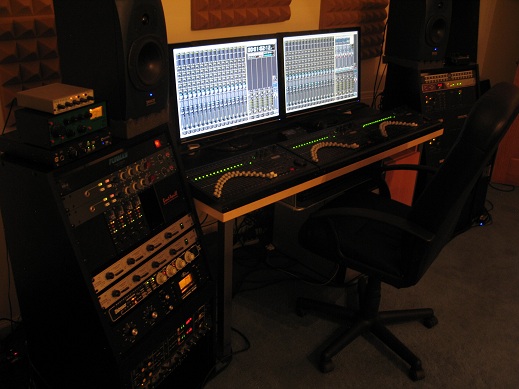 check the info here.... check the info here....
http://www.kerrygalloway.com/WikiPARIS/wikka.php?wakka=ParisOmf
excellent news! Your almost there!Thanks... I'll dig into that.
It looks promising as most of my projects are just the raw 16 tracks that were imported from ANALOG. Never got around to mixing in PARIS so they're pretty straight forward.
Thanks again,
EmmittClass act all around!! Thanks for the great work!Take your time. Your efforts are supremely appreciated and your work on the project so far is tantamount to genius, as far as I'm concerned.
You owe the Paris community nothing; yet, few have contributed on the scale that you have.
In other words,
YOU DA MAN!
Keep up the good work.
-Phil
Mike no apologies are necessary.
Thank you and a big thank you to your family Way to go Mike, we're all cheering you on buddy.
Thanks
Rob_AyHi guys,
I was reading about a hardware mod the other night, and it mentioned that one of the things that makes transformer isolated mic pres sound so much better is that the high frequencies get delayed relative to the bass. I did some more reading, and it turns out (supposedly) that the human ear can't tell phase difference above around 200hz, but is very sensitive to changes below 200hz.
So, I split an acoustic guitar track over two tracks with a crossover set so that below 200hz was on one track and above 200hz was on the other, and then I used sample slide to delay the high frequencies by around 40 samples.
I haven't listened for all that long yet, but my first impression was that the sound was definitely fuller and bigger, with no eq applied except for the crossovers.
Has anyone else ever tried this? I'm curious how close to the thickness of transformers one could come using this kind of approach. A compressor could be put on the lower frequencies, too, to try to simulate the low end saturation that a transformer provides.
Just wondering what people's thoughts are on this.
MikeI doubt it captures the magic of transformers...which would be more like a frequency sensitive hysteresis, but it's still a cool effect and something I've though about making a plugin for.
I've thought that a spectral panner would be interesting, where you could route the low frequencies to the center channel, and higher frequencies could be sent to the sides...or alternatively, a stereo signal could be collapsed to mono below a certain cutoff, and kept stereo above it.
Similarly, you could do spectral delays by splitting into multiple frequency bands, each with separate feedback controls, and times delay times that are rhythmically related...
Cheers
KrisThat's a interesting idea and could be a rather spectacular effect especially if you control the speed of the outward pan...hmmm...gonna give that a go this afternoon as I have some really nice acoustic guitar tracks I can play withYour dedication is GREATLY appreciated even though I only understood 1/10th of what you said. Thank You
I'm relatively new to the forum... Will the source code ever be had or is that door closed and locked?For reasons of National Security ID won't say....well they could but then they'd have to kill usBrainworx Digital does this well.
http://www.brainworx-music.de/
TI'm wondering if anyone has found a way to MIDI sync Paris (Master) to Reaper (Slave) with both programs running on one computer.
Could this be done without a MIDI interphase?
I'm pretty sure you can MIDI sync on 2 computers with each computer having a midi interphase: Paris Computer Master to Reaper Computer slave.
I have seen postings of using the adat interphase but I don't know if people are doing this on one computer.Have you looked at trying rewire.
Unfortunately I have no idea if it will work with Paris yep...one computer ADAT sync.sorry...resentCan you elaborate?OK, I got Reaper (Slave) to sync to Paris (Master) via Tascam US-122 USB Audio/Midi Interphace.
Paris Master:
Paris/Settings/MIDI Setup
Select MIDI Time Code Output: US-122 MIDI Port
(X) Use 32 bit MTC output routine
Paris/Settings/SMPTE Settings
(x) MIDI Timecode
Reaper Slave:
Reaper/Options/External Timecodse Synchronization
Use input: MTC: US-122 MIDI Port
Tascam US-122 USB Audoi/MIDI Interphase:
USB to Computer
Midi Input to Midi Output
works!
Thanks| Philip wrote on Sun, 06 February 2011 12:33 | Take your time. Your efforts are supremely appreciated and your work on the project so far is tantamount to genius, as far as I'm concerned.
|
!!Hey y'all,
Long time!
I;ve got an MEC and an 8 in card for sale.
I also have 2 C-16's, one is quite worn but works.
The other in good shape.
Let me know if anyone is interested.
CujoHi yall,
I can't seem to get my tracks to be loud enough. I can adjust the monitor level up on my submix master fader (in the mixer view) to make my setup "sound" really loud and clean through my monitors but with all my levels at +10 on my tracks i'm barely hitting red and my recordings don't sound nearly as loud as i'd want them to. In the patchbay my tracks are all switched to semi pro -10. I have a dvd about paris and it suggest to put an eds insert compressor on every track. Is this why? Or is there another setting that I am unaware of. Master mixer's and sub fader when bumped to the top reads 0.0. I am mainly using hardware synthesizers such as a Nord modular and an E-mu MP-7 Assuming you're using one you might need to increase the input levels on your input cards as they may be set relatively low.
Other than that it's using +4, increasing the input gain on each channel strip, pushing the faders past "0"
It's been a while since I've used Paris so there might be other things I haven't thought of...hopefully others will chime in with some ideas
I have a 8in card and when I tried to adjust the tiny screws they would just keep turning. Can they turn a bunch and is clockwise louder? I never had the manual for it.Could be one of (or both of) two issues:
1. Input calibration of your input cards. Up in the masthead of this website, there's a link for jberciksnotes. Under HARDWARE>MEC, there's a discussion of setting up and calibrating the input levels.
2. Output levels of your keys, or any other preamps. With the faders all set to 0 in Paris,
the output levels of whatever is feeding your input cards, should get the signal up to -15/20 dbfs average, and around -10/12 dbfs peak on any given channel that you're recording to.
TedI checked on my system and all cards{in and out} are set to -10.
Are you using preamps? Overall you need to get your instrument gain hotter on the way in and monitor levels via the input card green lights. Hammer them till they hit red.
I almost always work with my PARIS monitor level @ -7 so I'll need to "print hotter".
What do your paf files look like? I'm assuming they look low..
I would not put an EDs comp on every track for "makeup gain".
Try using the compressor gain knob first @ about +3 to +5 at the most. Do not do this if your track levels are hot, the eq will clip.
I hope this helps!
LanceI think you want the input/output cards set to +4 across the board if the outboard pres/keys DIs are looking for that level.
I also don't think you would normally want to send the input lights into the red while tracking. Red lights in the software channel strips are fine (to a point) but red lights on the input hardware isn't.
IIRC
THey Ted, Thanks for the feedback.
With the card set to +4 the input gain to the hard drive actually goes down; for recording bass / DI in particular.
I tried many setups but the -10 works for me.
I record with 8ch preamp strips.
Drums get padded, everything else;vocals, keys, bass etc - unpadded. I could be doing something wrong but
the gain structure from pre-hard drive-PARIS-powered monitor, is working well.
For the green and red light metering; For me, that's the fastest way to get a level with something like a drum machine loop etc.
Crank it till it clips, then pull it back a hair. I also use the software etc but I monitor the card input lights like a hawk
during tracking - red not good lol...
In fact, after reading other forum info regarding gain structure, I don't "print hot" at all. My audio uses about 60-85 percent of the PAF overview. If need a little more spank on it,
I boost with the eq gain knob.
Thanks for your help over the years, Ted.
Lance
Sorry for bumping the thread but how did your calibration go?Hi Folks - (whoever's still hangin' around)
I've been bussing out on the Master L/R to a Comp, and want to do the same from channel inserts.
No problem getting the signal out and back, but when I have "stereo" tracks - mono L & R for a drumbuss for instance - the image is messed up. Almost as if the phase is not quite inverted. This is even when using the same physical outs and ins from the MEC cards as when I'm inserting in the Master, which works fine, and preserves the stereo image.
Is this a known bug that I've missed?
Any help would be appreciated,
TedHey Ted, Just a thought. If you haven't already tried this;
Zoom in on the LR files to sample level and see if they are 100%
lined up.Hi guys, I have a 3 card, 2 MEC system under XP. I have Reaper installed in the same box using an RME 9652 to fly stuff back and forth for editing via ADAT using ASIO sync.
My question:
Will adding an external wordclock Genx6 to the setup make my mixs sound better?
thanks
Rob_A
Can't check right now, but if there's a problem to do with alignment, I would hear it regardless of whether I'm trying to send out to external inserts on each channel wouldn't I?
Also, if the 2 channels in question are the only ones in the project, then the lining up would be an issue when I am inserting on the master out as well right?
Thanks
TedI grabbed a GenX from Tommy Detemer a few years back, and clocked my MEC and other ADDA boxes to it (Focusrite etc) and it improved the imaging. Things got even better when I replaced the GenX with an Apogee Big Ben.
Ted
Okay...really dumb question time...have you checked your cabling...all you need is one cabled wired incorrectly.It's been reported by several people over the years that these units do help. As to how dramatic an improvement you can expect to hear I can't say as I don't have an external clock on my rig.Thanks Don -
The thing is I also use these same in/out connections on the MEC cards for the Master Insert (not trying to at the same time of course) and the stereo image is preserved with no problem. It's only when sending audio out of two channel inserts that are side by side. In other words, there is no actual physical change between the two scenarios, just the software routing inside of PARIS that's different.
SO:
Insert Main L & R to MEC 8out 1 & 2 and back = no problem
Insert Channels x/y to MEC 8out 1 & 2 and back = stereo image problem
?Well if the cables are the same then there are only three possibilities
1) something inside your outboard gear is out of whack
2) Something inside the MEC and/or 8 out card is out of whack
3) Something in the software is out of whack
Dumb Q time again...
If you move the tracks to channels 3&4 and route out there do you get the same results?
Have you tried routing through the AUX send to an analogue output?
Are you using an 8 out card or just the MEC's 4 outs - if you're just using the MEC's 4 outs can you try using the 8 out card?
Hope this starts to narrow down the possibilitiesThanks Don -
Yeah I'll try the changing to the Aux. Just to reiterate, the cables and connections remain the same whether I'm sending out from the Insert of the channel strips, or the insert of the global strip. It's the same cables from the same physical outs and ins of the 8out/8in card. I just re-patch in the Patch Bay window, leaving the actual cables in the same position.
I've checked phase invert etc on the channel strips too.
I'll check again to see if there's anything else I'm missing in software...
Ted
Interesting.
Lost track of you guys when the news group disappeared. What's happening?Hey Doug!
Ummm , lots has happened since the newsgroup ended...
Nice to hear from you
Ted
| Ted Gerber wrote on Mon, 28 February 2011 13:56 | Ummm , lots has happened since the newsgroup ended...
|
Like? Heehee, wanna give me some hints?
It'll take me a few more days to get used to this forum. It's pretty ugly, but maybe I can at least figure out how to change the colors...
So, how many people are still using PARIS? Should I resurrect the old projects that I dropped?Hey Doug
Long time...glad you found the place
Well let's see...Mike Audet has been a busy little beaver writing drivers for multii-core machines, Windows 7 (still working on it) and a Beta ASIO driver that allow other apps access to Paris hardware.
Kerry got the guys at Reaper to write code to accept PAFs and is working with the coder at AAtranslator to get Paris OMF's read or written properly by other programs (I think)
Kris built a modified version of Senderella in stereo that allows audio to be sent to Native submix tracks from regular submix tracks plus modified the pan and volume controls to be more user friendly
I'm sure everyone involved will pipe in to clarify my glaring errors but suffice it to say there's been a lot of work being done to keep Paris as relevant as possible
Well
A lot of developments on the PC side. Mike Audet has written multi core drivers for XP, and some have Paris running quite well on Win7. Though I still use Mac for everything else, I use PC for Paris.
Kerry led development of better OMS export, so Paris mixes can truly be transferred to other PC apps. And he persuaded the Reaper guys to add Paris files as a usable format.
Senderella provides a work around for no internal native bussing, and Vertex DSP allows for manual delay compensation for all plugins and external routing.
I myself use a separate portable rig for tracking, and Logic for drum enhancement. Natively, I find the Harrison Mixbus comes the closest to providing the mojo that Paris still, IMHO provides sonically. I use external converters clocked to a Big Ben, and external comps, eqs and reverbs. I'm OK with still working at 48K.
For sure though, a lot of users are moving on, or they just don't post here anymore. The workarounds and limitations in Paris, combined with the sophistication of the latest CuBendo, Reaper, Logic, Mixbus and the improved latency issues have led to many folks saying good bye.
Sad, but inevitable.
Ted
Cool, thanks for the updates. Nobody working on the Mac though, eh?
Senderella looks like "Jack" for the PC, is that right?
Is anyone still working on effects? I've been a bit sidetracked with coding for a different effects processor (dare I say it's something that's actually better than PARIS? ), but some day it would be nice to get back to PARIS effects for the Mac...Yes Jack for PC is a good description. I don't know how long you've been gone but Mike A also ported a bunch Ensoniq effects for Paris, and updated/debugged some existing ones. You can check them out here:
http://www.ensoniq.ca/
Very interested to hear about what you're working on that's aside from Paris, but honestly unless Paris can be brought into Intel Mac usefullness, there's really no reason to run Paris on Mac anymore. On PC at least, pretty much all the latest plugs are available, plus the ability to run on faster boxes...keep us in the know as much as you can with what you're doing though, I'm sure we'd all be interested.
Take care
TedSays the last post from him was mid November, 3 1/2 months ago...
Just wonderin'almost a new paris user here; i've been ever so slowly putting together my paris rig and PC
http://kerrygalloway.com/ParisForums/index.php?t=msg&th= 14979&start=0&
i'll be using this PC built and tested by hungaristan
with four eds 1000 cards
| Ted Gerber wrote on Mon, 28 February 2011 20:43 | I don't know how long you've been gone but Mike A also ported a bunch Ensoniq effects for Paris, and updated/debugged some existing ones. You can check them out here:
http://www.ensoniq.ca/
|
That's cool. I remember he had done a couple of those before so it's nice to see that he got a couple more done!
| Quote: | Very interested to hear about what you're working on that's aside from Paris, but honestly unless Paris can be brought into Intel Mac usefullness, there's really no reason to run Paris on Mac anymore. On PC at least, pretty much all the latest plugs are available, plus the ability to run on faster boxes...keep us in the know as much as you can with what you're doing though, I'm sure we'd all be interested.
|
The main things that have occupied my time for the last couple years (besides my errant teenage daughter, sigh) have been MIDIbox projects, analog synths, Eventide Harmonizers and software defined radios. (Not much, eh? LOL!) After waiting about a year for parts, I'm about to finally ship the TR-808 clone, my LP1 compatible foot pedal is in the final stages, and the new Harmonizer management software will be ready to ship soon too. On top of that, next month I plan to take the test to get my ham license...
Sadly, the only intel-based Mac I own is my Macbook laptop, so I won't be doing any PARIS/Mac/intel stuff any time soon...Hey Doug, welcome to Kerry's place. Yes, lots of things have changed, on the PC side anyway, but Kerry has been rite there documenting everything on his awesome wiki and forum.
Rob_Ayeah... I know days and weeks can go by on here but that is quite awhile for him?????Sorry I've been so preoccupied, gang, I do indeed still live and everything's fine - I'm just writing this note as my class struggles with a transposition exercise so more later...Not to be stalking. Noticed an aberration in the space time continuum, and was curious...Just dusted off my original Dual G4 tower PARIS rig. Eight EDS cards in a Magma, six MECs, two custom dual ADAT interfaces, four C-16's. Wonder if it still boots...
Wow.
What are "custom dual ADAT interfaces"?I made those about the time that the newsgroup disappeared. I had gotten some of the Wavefront ADAT chips and it was my first completed hardware project, pretty much just a connection between the EDS card and the ADAT ports mounted in a 1U chassis. A lot easier to deal with than a MEC with a couple ADAT cards. After that, I got a bunch of the Alps RSA0N motor faders and mocked up the C-16 replacement. I think it was about then that the aliens abducted my daughter's brain, so I just dropped everything...
If I were to do it again, I'd probably use a Blackfin or maybe an ARM chip for control. I was briefly involved with the Qix project (Chameleon replacement) so I had also considered adding in a Freescale 56724 Symphony chip...Went to boot Paris up today and got a message saying that my computer's clock setting was inconsistent with the date of my version of Auto-Tune. Since I'm a Mac dude (a situation that has been gradually changing but not quite yet for my Paris system) I am stuck in OS 9.2.2 which means that I'm stuck with version 3.02 of Auto-Tune. So I set my computer's date back to 3/3/2010 and presto! Auto-Tune works again. Which would be great except that it totally screws up finding files by date in the folders because it dates them all as last year. Am I the first fortunate guy to experience this?
GanttHmmm, a few months ago I fired up a G5 PPC I hadn't been
|
|
|
|
|
|
| Re: RIP "Si" [message #101231 is a reply to message #101228] |
Sat, 22 November 2008 02:08 |
John no2nocom
Messages: 1
Registered: November 2008
|
Junior Member |
|
|
was mixing it.
I'm thinking of putting together a plug-in that can do this on the PARIS mains.
The guitar is recorded with a TLM 103 through a Grace m101.
If you get a chance, let me know what you think!
All the best,
Mike
Hey, Doug!
It's great to see you around here. Let me know if I can be any help with any of those Mac projects.
All the best,
MikeMike has a new ASIO driver that allows you to use another app i.e. Reaper with Pars' hardware.
It's in beta stages right now and does appear to work well albeit a tad sluggish, for playback unfortunately I can't comment about it's recording capabilities.Like in a newer copy than the one from a couple years ago....I could always get that one to work with 2 is/outs? Might have to send him an email if that is the case? Mike?Hi All,
I am going to be so embarrassed if I'm just mixed up about this, but I've checked and checked, and the double buffering is working! I've tried playing back about 25 tracks, and just a preliminary recording test of one track, but everything seems to be working fine, with no noticeable increase in CPU load.
What this means, unless I'm somehow deluded and this huge, exciting emotional high I'm on comes crashing down, is that a 64 bit driver is going to happen. My second attempt at working around the original DMA design is working.
Holly Crap!
|
|
|
|
| Re: RIP "Si" [message #101234 is a reply to message #101229] |
Sat, 22 November 2008 08:58 |
Tom Bruhl

Messages: 1368
Registered: June 2007
|
Senior Member |
|
|
ork of creating the hardware on the computer side (it's a USB dongle), so I only had to make the interface and power supply for the C-16...Hey guys, it seems that pafwavconvert has gone AWOL from Doug's site, and I didn't realize I only had the 98/ME version in my PARIS utilities backup folder. Can someone send me the XP version?
I can't get AutoTune 5 to work in PARIS at all (in either auto or graphical mode), so I'm importing the PAFs to Reaper (which works amazingly, btw) and 'Tuning them there. But Reaper can't output to .paf yet, so I'm stuck having to convert them externally to get them back in PARIS.
(I know I could just import them as .wav files in PARIS, but I'm trying to fool it into thinking they're still the original files so I don't have to re-edit them into the project.)
Thanks much!
MattHey Matt, just a reminder that Wavelab support .PAF in case you werent aware.
Rob_AHey Rob, thanks for that - I didn't know wavelab did PAFs. I don't own it though, and it seems a bit much to pay $100-$550 for the program just to do the conversion, especially when there's a freely-distributable utility out there for that express purpose. Ooops, sorry about that. You can still get it from the old site, at least until June when my mac.com account expires. I'll make sure to have it on the new site by then...
http://homepage.mac.com/osxlover/ParisFAQs/pafwavconvert.zip
Please contact me directly about stuff like that if possible. My email address is doug at paris faqs dot com...Hey Doug, I didn't want to bother you directly, so I thought I'd put out a general request. Thanks for the link, though! I'm so glad PARIS has such a great community even after all these years...
<whiney butt>
Yeah, nobody bothered me directly about what happened when the newsgroup went away, so I thought the whole community had gone away...
</whiney butt>Are any of you using:
ezdrummer
steveslatedrums
addictivedrums
other drum programs
Which is the best and easiest?
Dunno about the steven slates, but basically I think of a spectrum running from [bfd - addictive dru
|
|
|
|
No
| Quote: |
question 3) my purpose here is only to open some old paris projects and export them. do i NEED to install the "effects subsystem" in order to do that? this sounds like it's something that is for effects that i likely didn't use in my old projects (all were made in paris 2.0 or before)
|
if you're gonna use Paris 3 then yes
| Quote: |
question 4) since my purpose is simply to get projects into another format - do i need paris 3 ? i've heard there is an OMF export feature in 3 that will automoatically "bounce" all your audio events on a specific track to a single file with a 0:00 start. i definitely want to make use of that feature. that's only avail in 3.0 right?
ok.. i've fired a lot of questions out. thanks in advance for anyone who's willing to provide guidance.
dan
|
What Paris 3.0 will do is render each of your tracks with a 0:00 start point and a new name which you can then export as wav files...Can't say for certain what AAtranslator will do with OMF files...but I think it will allow the transfer of the complete project and audio in OMF format...Kerry will probably pop in to clarify.
Depending what you want to do if all your projects are pre 3.0 I'd just download 2.0 which is free and be done with it
Carry on merrily
.
thanks so much for the reply!
> Depending what you want to do if all your projects are pre 3.0
> I'd just download 2.0 which is free and be done with it
that was probably the most important question i could have asked. Yes - that is what i'll be doing. free is definitely better.
I'm assuming the xp scherzo drivers play nicely with 2.0??
thanks in advance,
-dan
hello -
so - i took the plunge. bought an eds and a mec. borrowed an xp machine and purchased the scherzo drivers.
eds card is seated in PCI slot 3.
new hardware was found by winxp
scherzo driver was installed per instructions, and succeeded
paris was installed (using 2.1)
mec is on and connected to eds via scsi 2 cable.
I run paris and blam! - "Error Initializing Paris Engine. Error code 1/1"
Unhandled exception c0000005
At address: 00378007
This is bringing back bad memories of an experience i had with a faulty EDS card.
is there a troubleshooting FAQ where i might try and diagnose this?
anyone know of an obvious causes?there's more information on the error :
"The instruction at "0x00378007" referenced memory at "0x00000304". The memory could not be read"
and then the program crashes
ok.. a little progress but still having problems.
I somehow misunderstood the need for the effects subsystem. Thought this was only necessary for 3.0.
So i took a shot at installing it, then overwritting the Paris_StudioControlLibrary.dll" in windows/system32
so - i no longer get the 1/1 error. Rather i get an error that states :
"Error in initializing Paris Engine. There are not enough free resources available".
still need help. In the meantime will be searching the wiki for info.
thanks again
-danGot the appmessages - and it's reporting tthat it did not find paris midi out. ?????
_pesyncInitializeMIDI: did not fine PARIS MIDI out. [0/$0]
_pesyncInitialize:error in initializing MIDI. [XXXXX/$XXXX]
and then the "There are not enough free resources available" message appears after that, and then there is additional info in the appmessages after that.
anyone have any theories?
btw.. i have added the MIDIPlayDisabled=1 entry to the paris.cfg. It did not solve the problem.
do i have a bad mec??ok.. looks like for some reason, the beta 3 drivers for scherzo worked for me while the paid version did not. Perhaps it was something i did during setup.
Nevertheless, i wiped everything clean and started with beta 3 drivers, and now everything is working.
sorry for the message board clutter.
no worries, sorry I didn't get back to you sooner.
I'd gues
|
|
|
|

 Search
 Help
Help Members
 Register
 Login
Login Home
Home


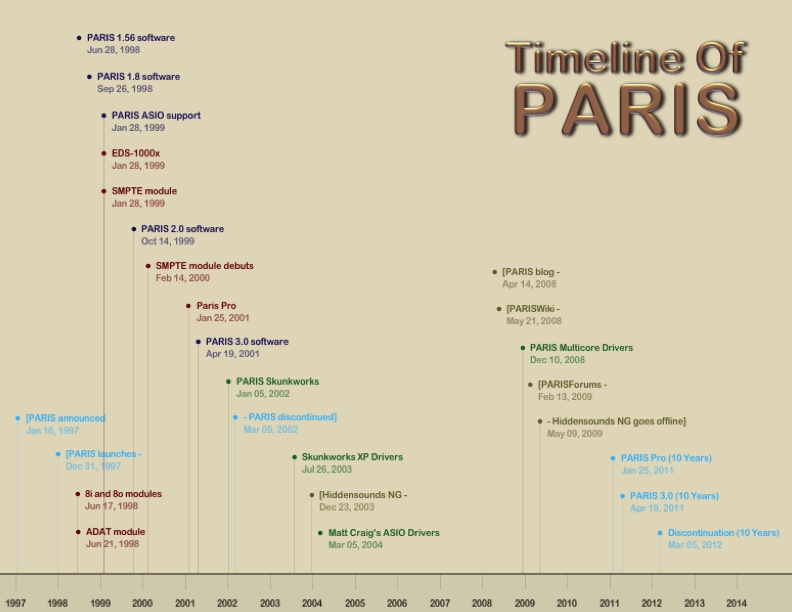 im using a expansion chassis im assuming nothing will change. I have paris 3.0. will i have to get a new response from ID or is there a workaround since its a pc? Will i be able to use asio to port out of a paris card when using a mastering suite like PEAK or similiar? when i started using the magma, i lost the ability to use the paris asio on bias peak. Dont know if its because of 3 cards or if its a expansion issue. I have been using paris on this G3 since day one of G3 availability and know nothing else. Thats been a while lol. I found my paris 3.0 disc so i may try it in the xp box and see if it will do demo mo0de. Don't think you'll b e able to do any ASIO on the PC side. I used to run Waveburner on



